Begin
14 pages · ~28 min
Email Marketing Tools: Types and Patterns
This training explores email marketing tool types, patterns, and examples for marketers seeking to select and apply the right solutions.
A digital instructor presents all 14 pages. Hold “Ask” at any point and ask out loud — the answer comes from this course. No sign-up needed.
What you’ll learn
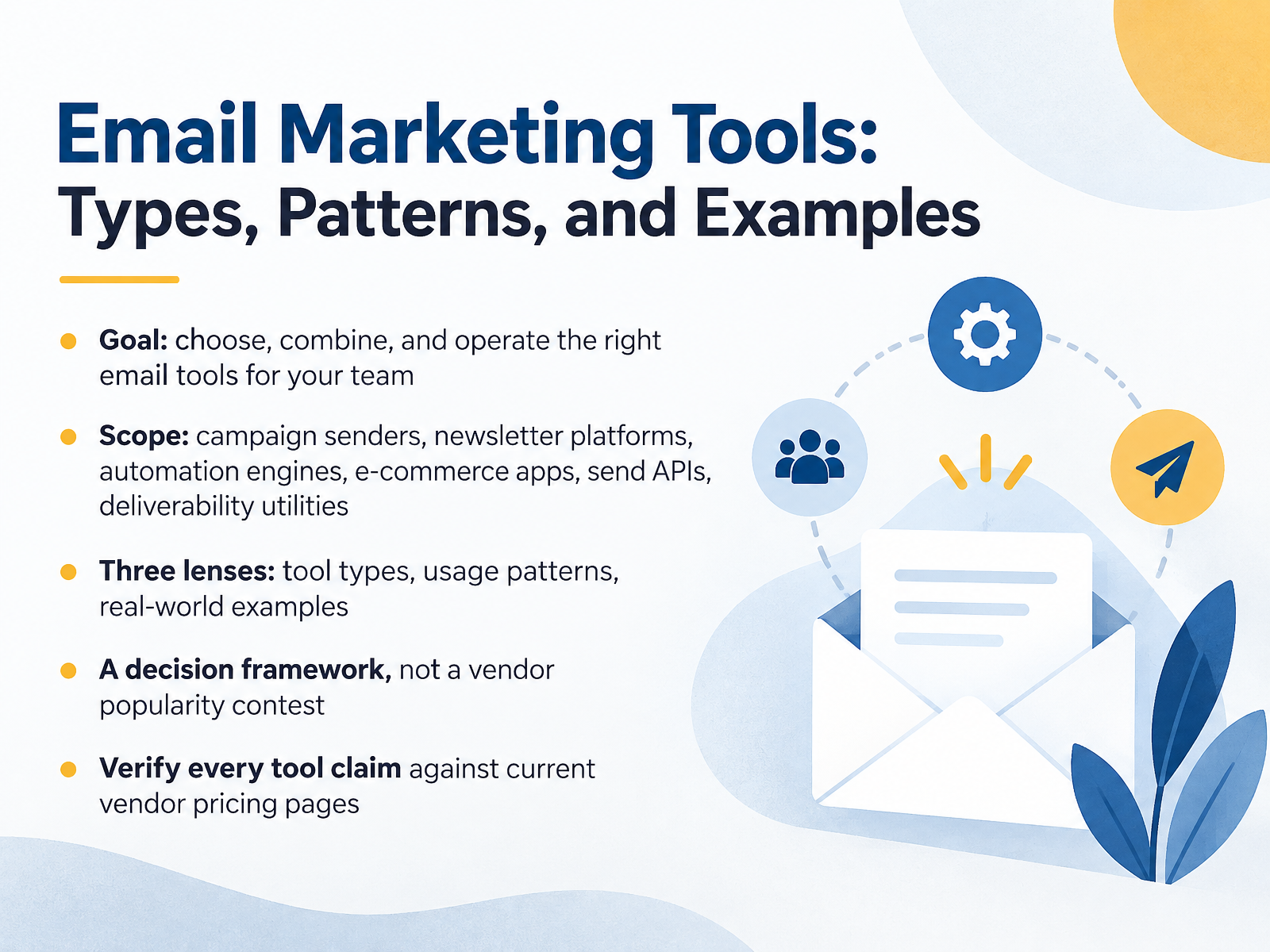
- 01Email Marketing Tools: Types, Patterns, and ExamplesWelcome. In this course, we're going to sort out the email tool landscape so you can choose, combine, and operate the right stack for your team. You'll see the main tool types, from campaign senders and newsletter platforms to automation engines, e-commerce apps, sending APIs, and deliverability utilities. We'll look at how each one is actually used, walk through real-world examples, and give you a decision framework. This is not a vendor popularity contest. You'll use it to compare costs and set up flows with confidence. One rule up front: verify every tool claim against current vendor pricing pages, because plans and limits change often. Our next step is a plain view of the email tool landscape in 2026.reviewmyemails.comtajo.iozapier.com+21 min
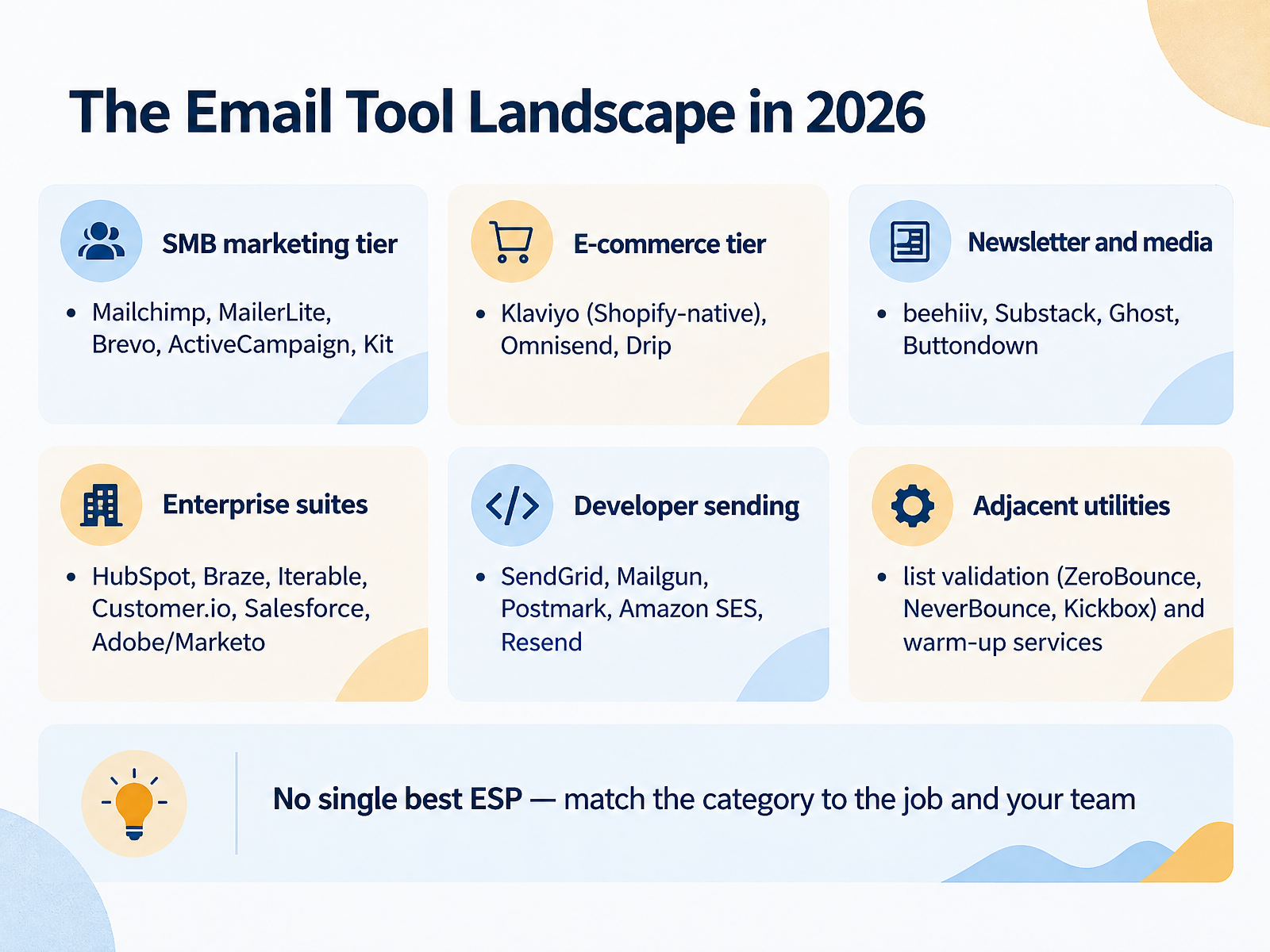
- 02The Email Tool Landscape in 2026Let's map the email tool landscape as it stands in 2026. Here's the takeaway up front. There's no single best ESP, which just means email service provider, the platform that actually sends your mail. Instead, match the category to the job and to the person running it. So, six categories. Small-business marketing tools like Mailchimp, MailerLite, Brevo, ActiveCampaign, and Kit handle campaigns, a welcome series, and some automation. E-commerce platforms such as Klaviyo, Omnisend, and Drip are built around store data, so abandoned-cart and post-purchase flows come naturally. For newsletters and media, you have beehiiv, Substack, Ghost, and Buttondown, aimed at publishing and paid subscriptions. Enterprise suites like HubSpot, Braze, Iterable, Customer.io, Salesforce, and Adobe Marketo make sense when you need a contract and cross-channel scale. Developer sending tools, including SendGrid, Mailgun, Postmark, Amazon SES, and Resend, handle receipts and password resets through an API. And then adjacent utilities, like list validation from ZeroBounce, NeverBounce, and Kickbox, plus warm-up services. Keep them separate from your ESP. One practical rule: don't mix marketing broadcasts and transactional mail on the same sending domain. Next, let's look at the core capabilities every team should evaluate.
 reviewmyemails.comtajo.iozapier.com+22 min
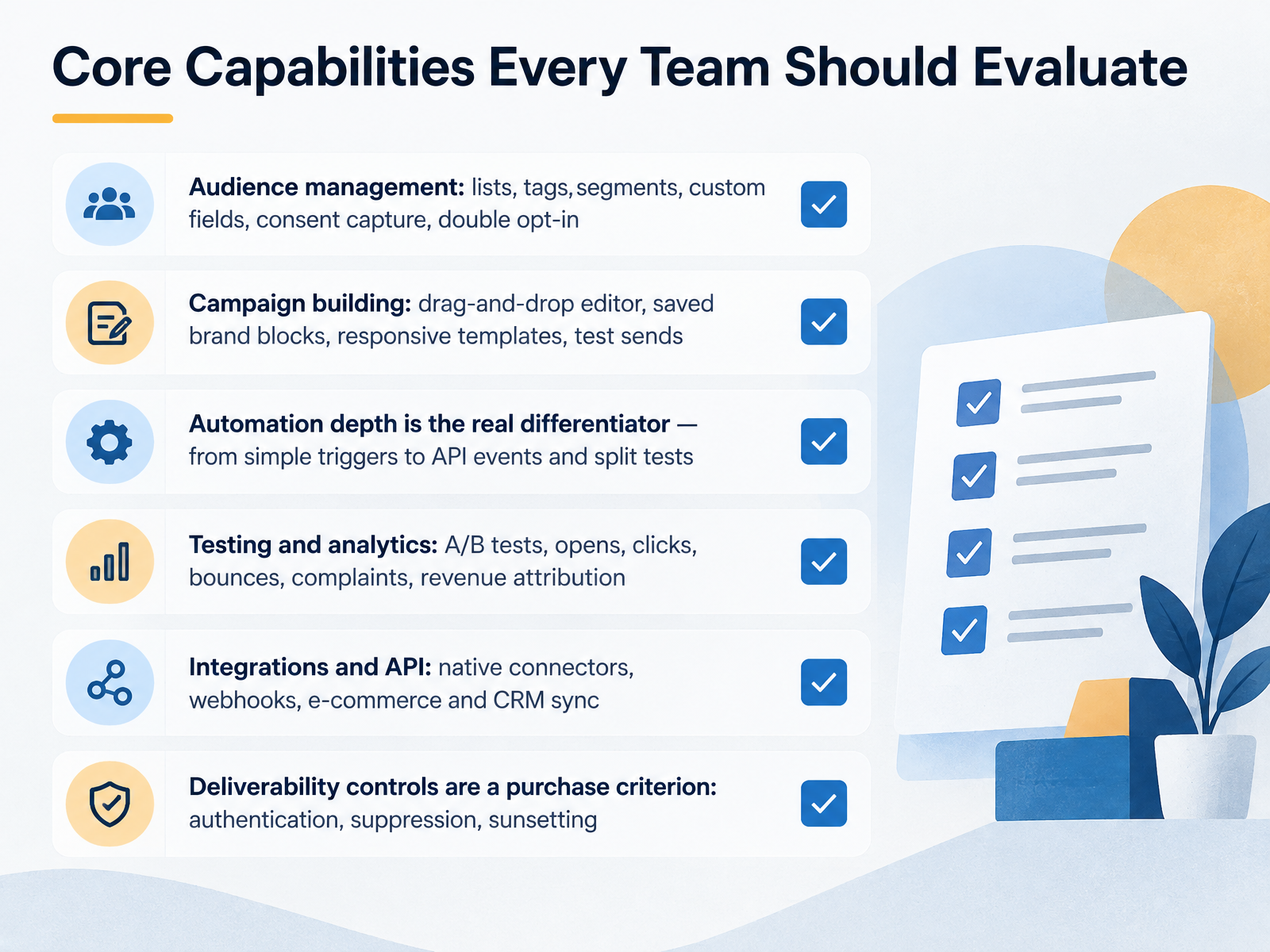
- 03Core Capabilities Every Team Should EvaluateNow let's look at the core capabilities worth evaluating in any tool. Start with audience management. Can you build lists, tags, segments, and custom fields? Does the tool capture consent and support double opt-in? Those choices shape your welcome series later. Next, campaign building. Check for a drag-and-drop editor, saved brand blocks, responsive templates, and test sends. Then automation, which is the real differentiator. A simple welcome trigger is easy. API events and split tests are what separate the tools. Testing and analytics should cover A B tests, opens, clicks, bounces, complaints, and revenue attribution. Integrations and an API matter too, especially webhooks and e-commerce or CRM sync. Finally, treat deliverability controls as a purchase criterion, not an afterthought. Look for authentication, suppression management, and sunsetting. The takeaway is simple: score each tool against all six areas, then confirm the two or three you actually need. Next, matching tool types to team size and use case.
 forbes.comgetresponse.comstartupemailmarketing.com+22 min
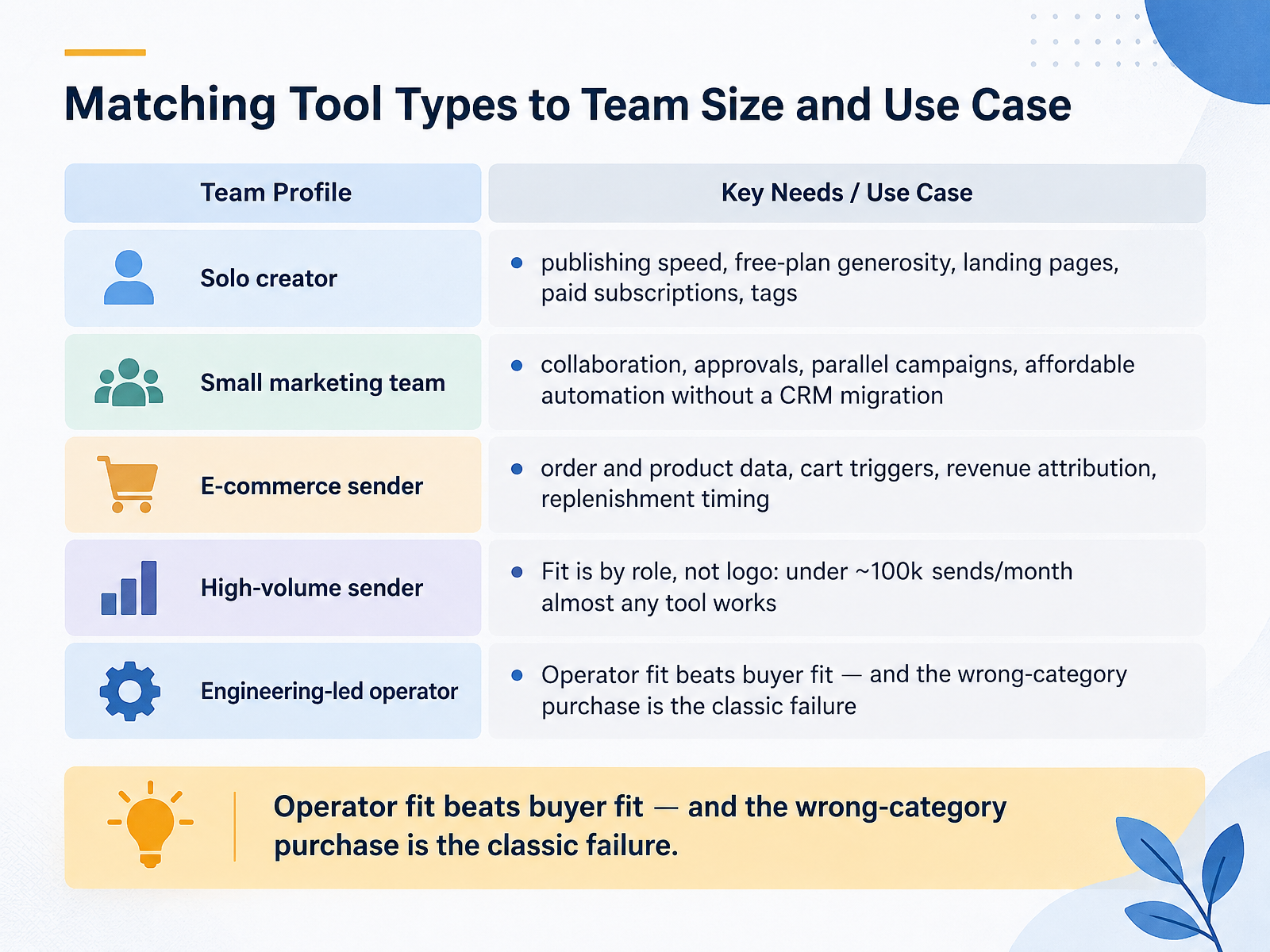
- 04Matching Tool Types to Team Size and Use CaseNow let's match tool types to your team and your use case. Here's the takeaway up front: fit is about the role, not the logo.
If you're a solo creator, you need publishing speed. A generous free plan, landing pages, paid subscriptions, and clean tags for how your audience behaves. Think Kit or MailerLite for a weekly newsletter.
If you're a small marketing team, look for collaboration and approvals, room to run parallel campaigns, and affordable automation without a CRM migration.
If you sell products online, your tool has to read order and product data. Cart triggers, revenue attribution, and replenishment timing. That's Klaviyo or Omnisend territory.
One practical rule: under about one hundred thousand sends a month, almost any tool works. So pick for the operator, not the buyer. Buying a creator tool for an ecommerce store, or a heavy suite for a simple newsletter, is the classic failure.
Next, five email patterns and when to use each.
 reviewmyemails.comtajo.iozapier.com+22 min
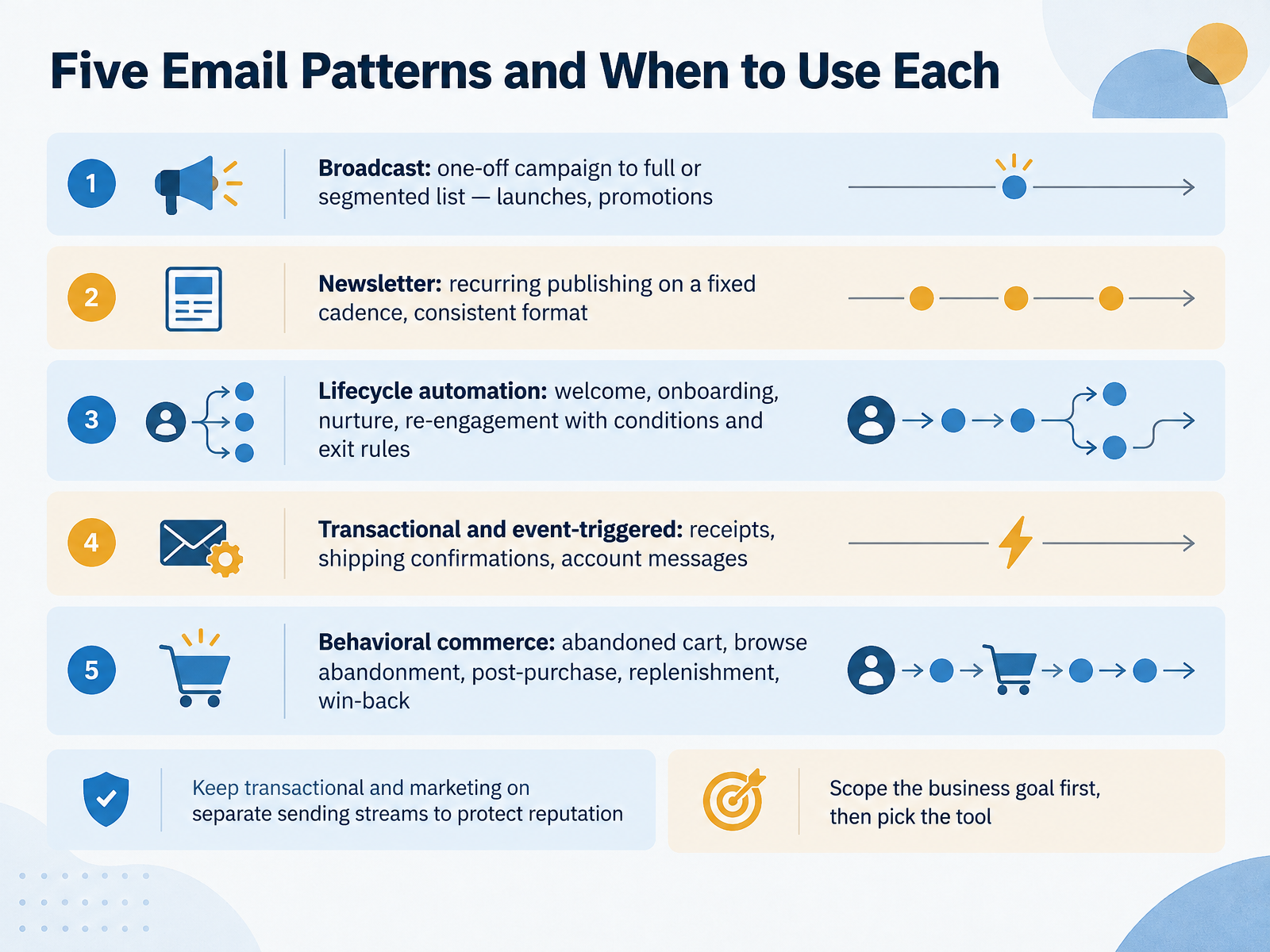
- 05Five Email Patterns and When to Use EachNow let's look at the five core email patterns and when to use each. First, broadcast: a one-off campaign to your full or segmented list. Think product launches or a holiday promotion. Second, newsletter: recurring publishing on a fixed cadence with a consistent format, like your weekly send. Third, lifecycle automation: welcome, onboarding, nurture, and re-engagement. These run with conditions and exit rules, so someone leaves the welcome flow once they buy. Fourth, transactional and event-triggered mail: receipts, shipping confirmations, account messages. Fifth, behavioral commerce: abandoned cart, browse abandonment, post-purchase, replenishment, and win-back. One rule to remember: keep transactional and marketing on separate sending streams. That protects your sender reputation. And before you compare tools, scope the business goal first, then pick the tool. Next, we'll walk through a worked example: an independent creator.
 reviewmyemails.comtajo.iozapier.com+22 min
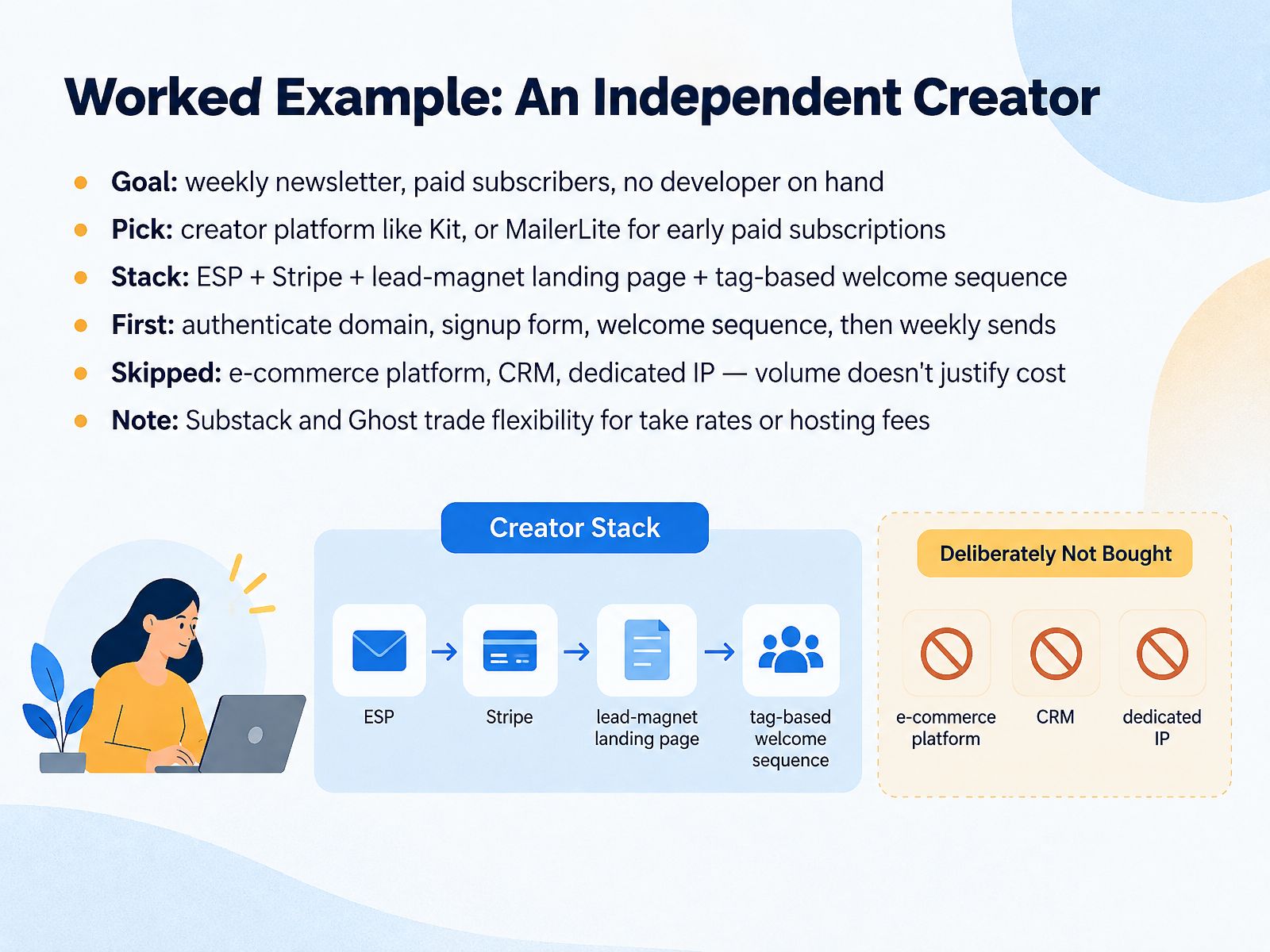
- 06Worked Example: An Independent CreatorHere's how this plays out for one independent creator. The goal is simple: a weekly newsletter with paid subscribers, and no developer on hand.
So the pick is a creator platform like Kit, or MailerLite if you want early paid subscriptions at a lower price. MailerLite's Comfort plan runs around nineteen dollars a month at a thousand subscribers, and it includes paid newsletters through Stripe. Kit's free plan covers up to ten thousand subscribers.
The stack is an email service provider, Stripe for payments, a landing page for your lead magnet, and a tag-based welcome sequence.
What comes first? Authenticate your domain, so email lands in inboxes. Then the signup form, then the welcome sequence, then weekly sends.
What to skip? An e-commerce platform, a CRM, and a dedicated IP. At low volume, those costs aren't justified.
One note. Substack and Ghost trade flexibility for take rates or hosting fees. Substack takes ten percent of paid subscriptions. Ghost charges around eighteen dollars a month and owns the publication.
Next, we'll look at a small marketing team and a small store.
 forbes.comgetresponse.comstartupemailmarketing.com+22 min
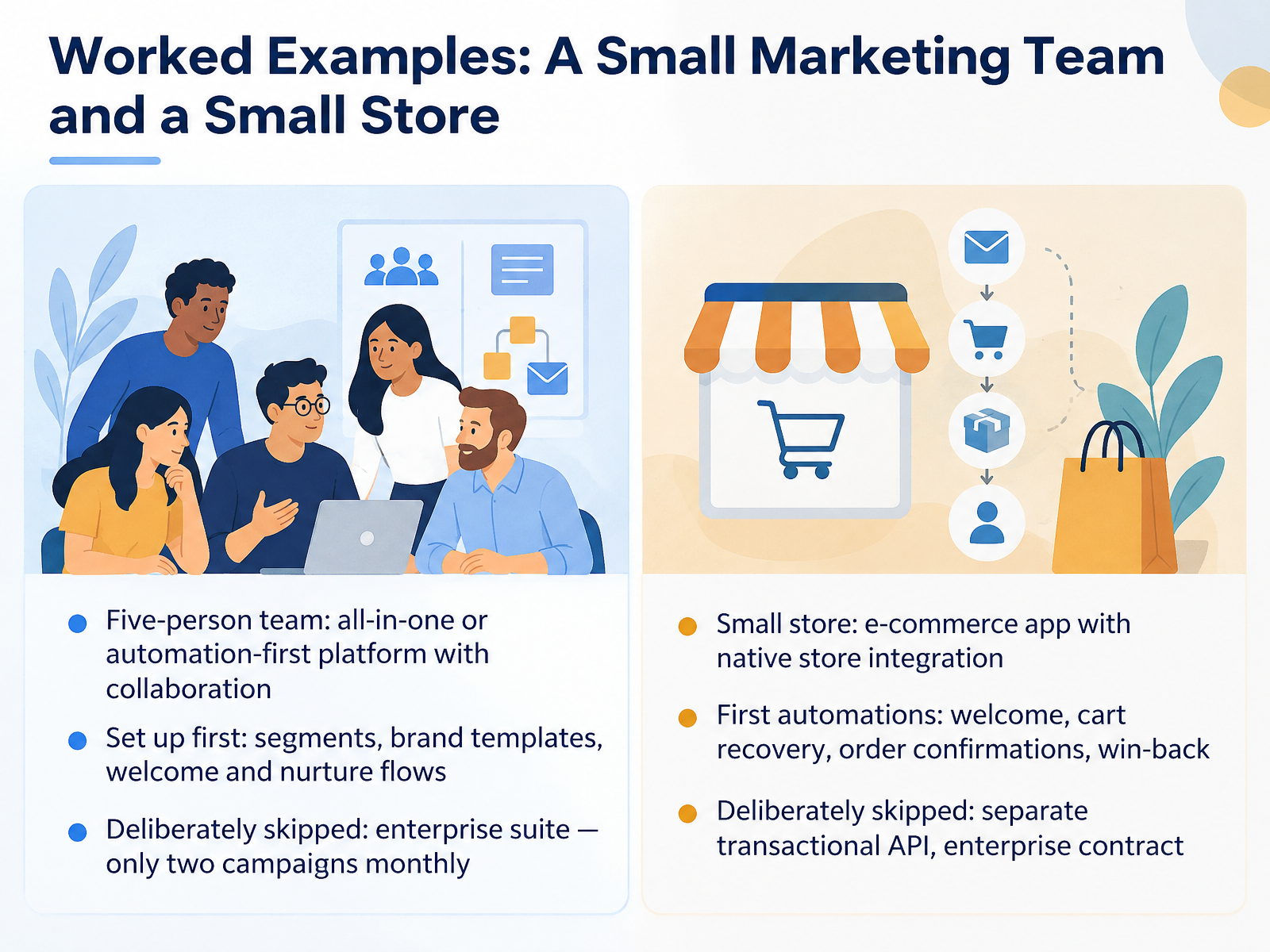
- 07Worked Examples: A Small Marketing Team and a Small StoreLet's make this concrete with two worked examples. First, a five-person marketing team. Their pick was an all-in-one or automation-first platform with real collaboration built in, so several people can build and review campaigns without stepping on each other. They set up segments, brand templates, and welcome and nurture flows first. And they deliberately skipped an enterprise suite, because they only send two campaigns a month. The complexity would have cost more than it returned. Second, a small store. They chose an e-commerce app with native store integration, so product and order data flow in automatically. Their first automations were welcome, cart recovery, order confirmations, and win-back. They deliberately skipped a separate transactional API and an enterprise contract. Same pattern both times: start with the jobs you actually have, then skip the rest. Next, we'll look at integrations and data flow.
 tajo.ioklaviyo.comomnisend.com+22 min
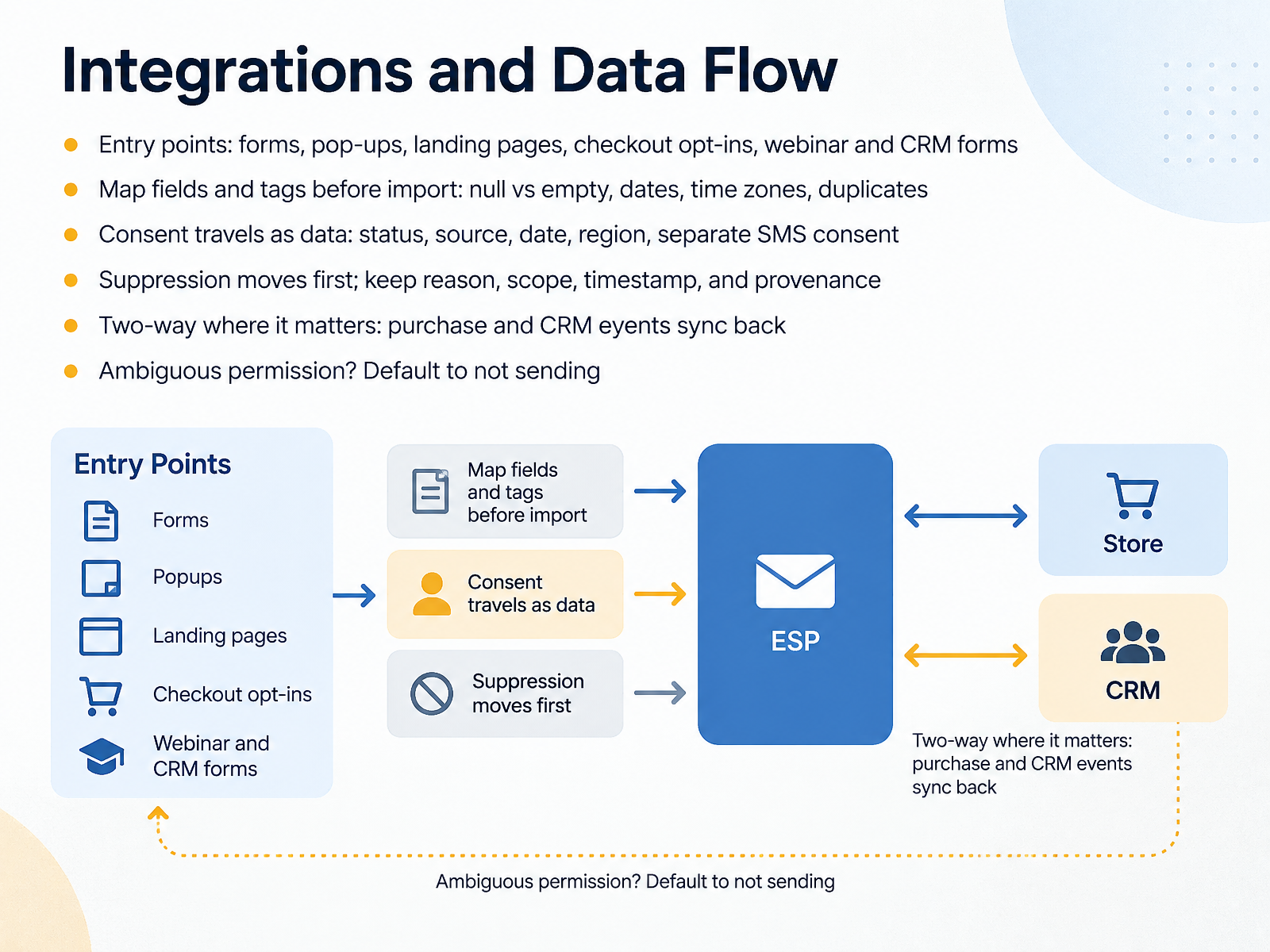
- 08Integrations and Data FlowNow let's talk about integrations and data flow. Your email tool is only as good as the data flowing into it, so here's the takeaway up front: decide where data enters, trace how it moves, and protect consent and suppression at every step.
Start with entry points. That means your footer form, pop-ups, landing pages, checkout opt-ins, and webinar or CRM forms. List every one of them, because each is a place a subscriber or a duplicate can appear.
Before you import anything, map your fields and tags. Watch for null versus empty values, date formats, time zones, and duplicate contacts. One mismatched column can scramble an entire import.
Consent has to travel as data. Keep the status, the source, the date, the region, and SMS consent as a separate field. Email permission is not text message permission.
Move suppression first. Preserve the reason, the scope, the timestamp, and where it came from, so unsubscribes and bounces stay blocked.
Set up two-way sync where it matters, so purchases and CRM events flow back to your email tool. And if permission is ever ambiguous, default to not sending. It's the safer choice.
Next, we'll look at deliverability essentials: authentication, reputation, and warm-up.
 softwareinspect.comhelp.delivra.commailerflow.ai+22 min
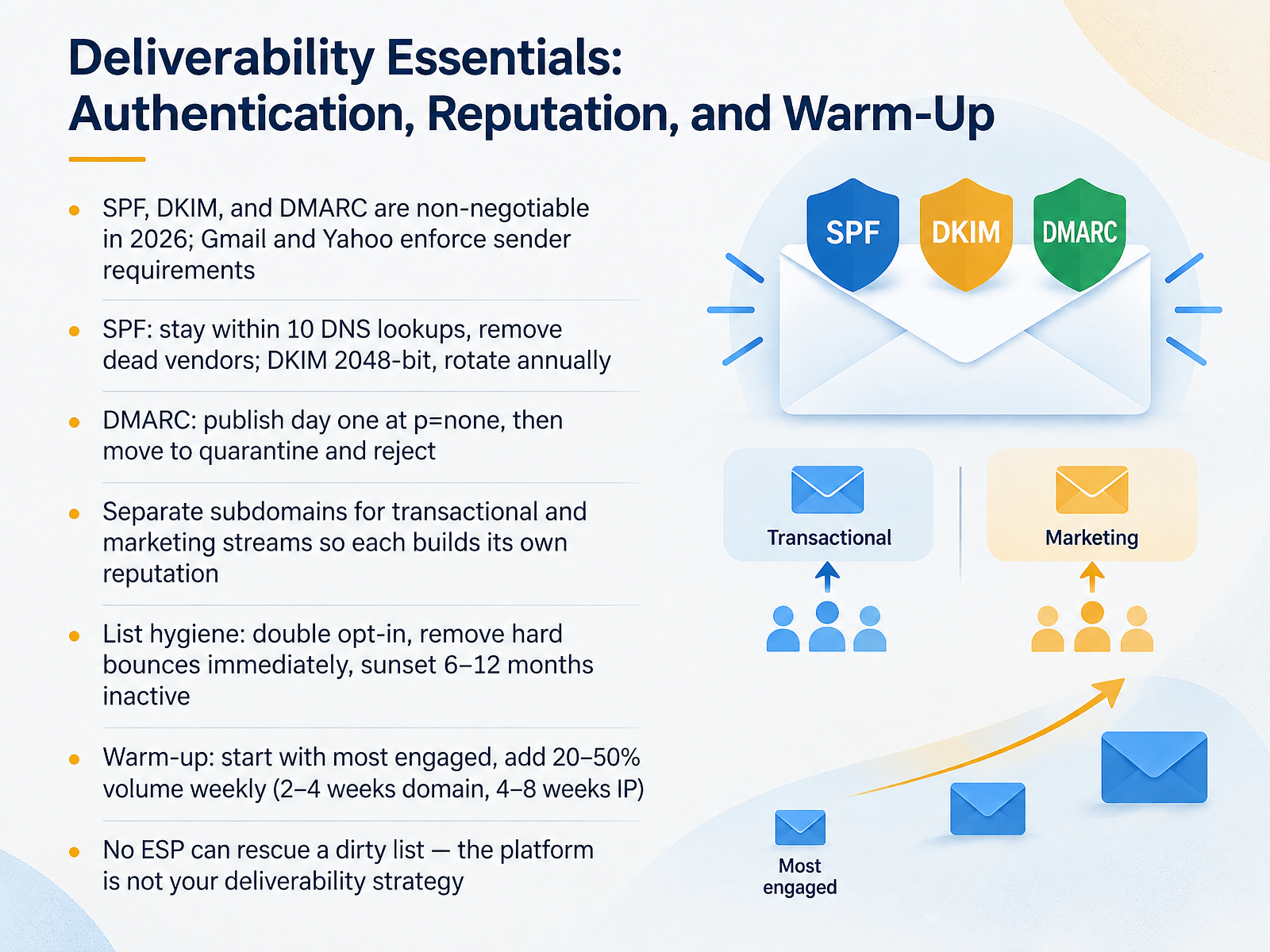
- 09Deliverability Essentials: Authentication, Reputation, and Warm-UpNow let's talk deliverability, because this is where your tool choice stops mattering and your setup takes over. Authentication is non-negotiable in 2026. Gmail and Yahoo enforce sender requirements, so you need SPF, DKIM, and DMARC in place. For SPF, stay within ten DNS lookups and strip out vendors you no longer use. For DKIM, use a two thousand forty-eight bit key and rotate it annually. For DMARC, publish it on day one at policy none, then move to quarantine and reject once your reports look clean. Separate your transactional and marketing streams onto different subdomains, so a receipt never inherits a bad campaign reputation. On list hygiene, use double opt-in, remove hard bounces immediately, and sunset subscribers inactive for six to twelve months. When you warm up, start with your most engaged recipients and add twenty to fifty percent volume each week. That's about two to four weeks for a new domain and four to eight weeks for a new IP. And remember, no email provider can rescue a dirty list. The platform is not your deliverability strategy. Next, we'll look at evaluating platforms without getting fooled by feature grids.
 spamhaus.orgreviewmyemails.comtajo.io+22 min
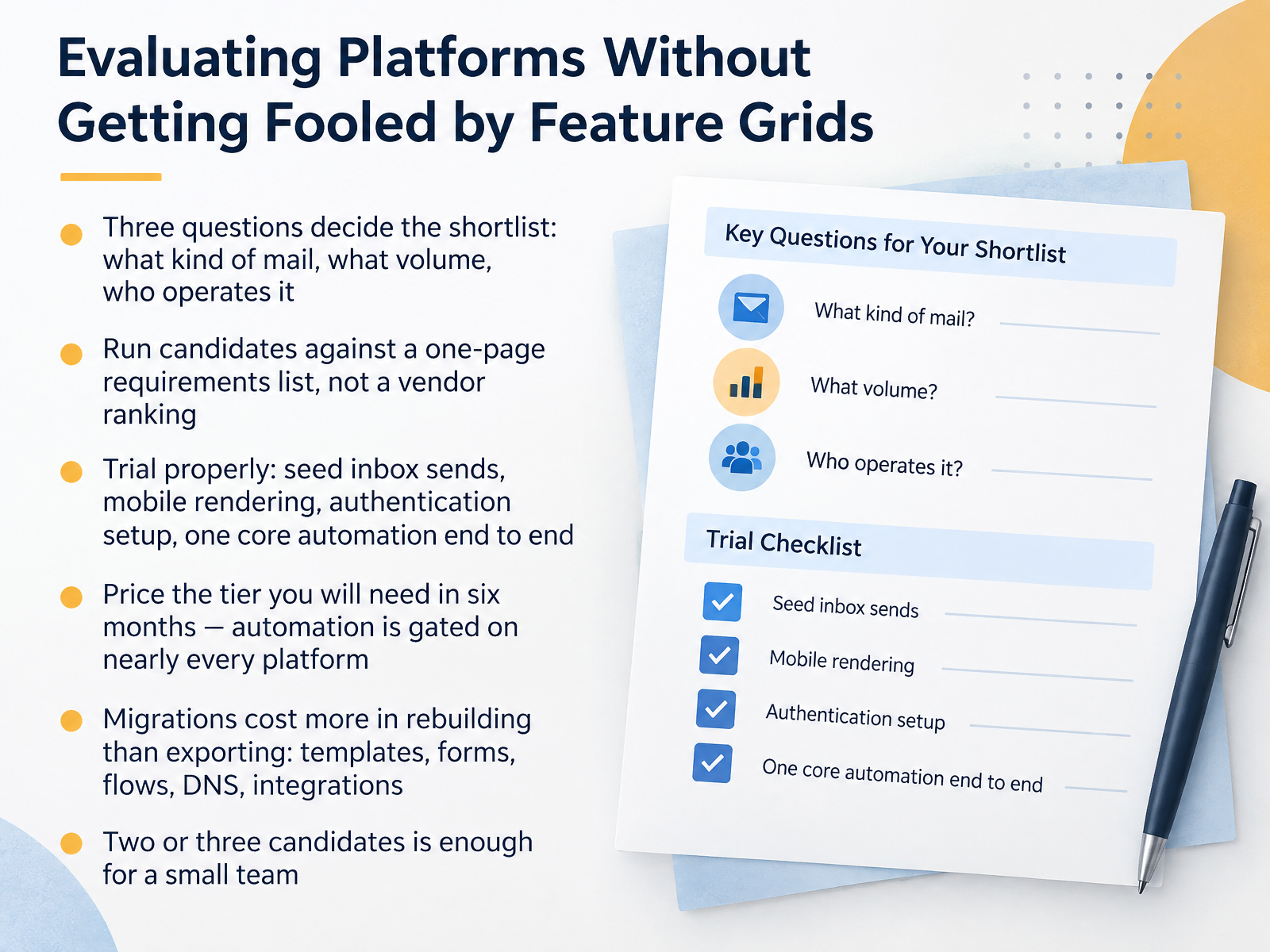
- 10Evaluating Platforms Without Getting Fooled by Feature GridsNow, let's talk about picking a platform without getting fooled by feature grids. Start with three questions. What kind of mail are you sending, what volume, and who operates it? Your answers will cut the list fast. Next, score each candidate against a one-page requirements list you wrote yourself, not a vendor ranking. Then trial properly. Send seed emails to real inboxes, check mobile rendering, confirm authentication setup, and build one core automation end to end, like your welcome series. Price the tier you'll need in six months, because automation is gated on nearly every platform. And remember, migration costs more in rebuilding than exporting. You'll rebuild templates, forms, flows, DNS records, and integrations. For a small team, two or three candidates is enough. Next, we'll walk through the migration checklist, moving without breaking your program.
 reviewmyemails.comtajo.iozapier.com+22 min
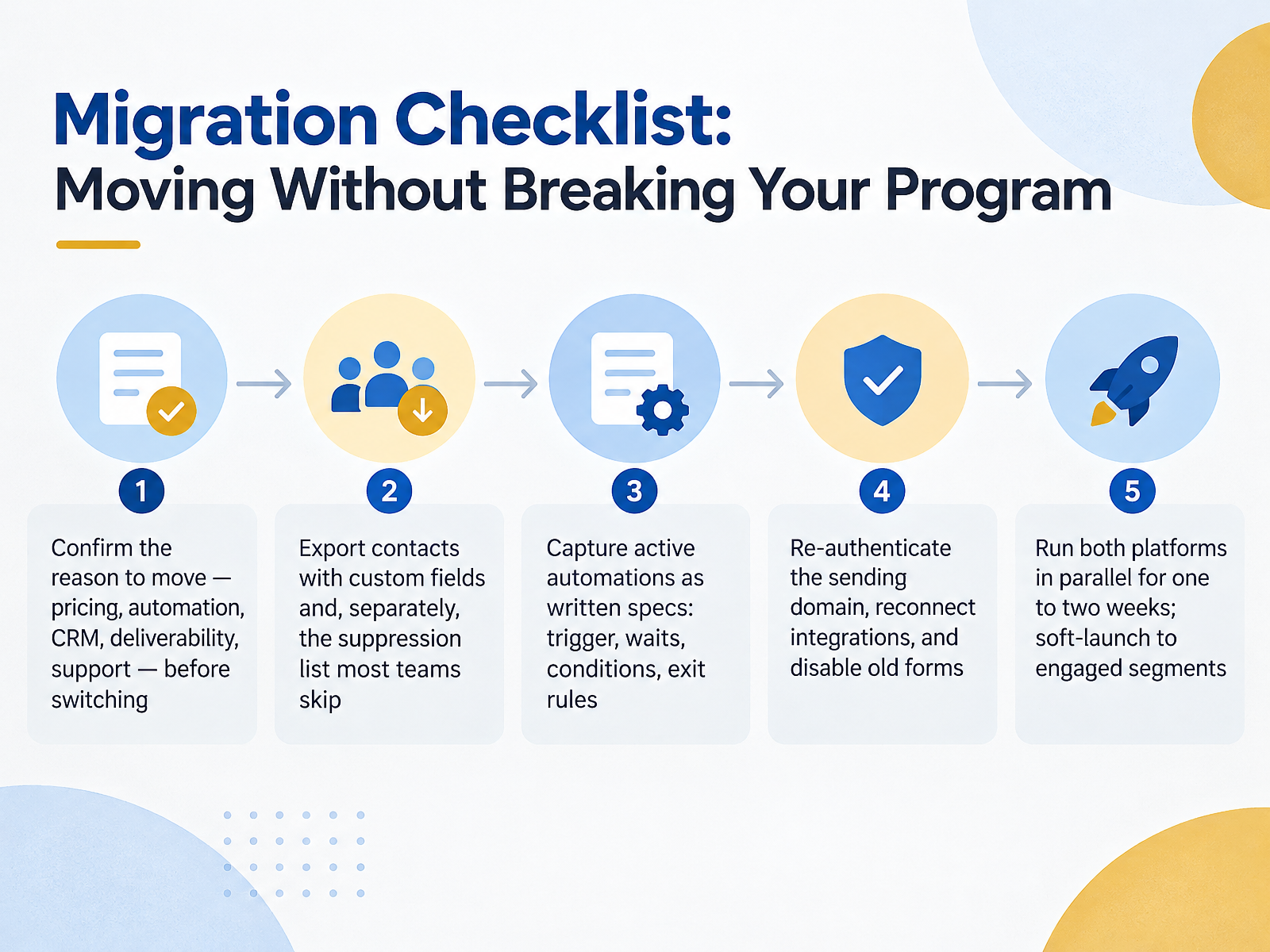
- 11Migration Checklist: Moving Without Breaking Your ProgramNow let's talk about moving without breaking your program. Migration is a data and consent job, not a copy-paste. Start by confirming the real reason to move, whether that's pricing, automation, CRM, deliverability, or support. That keeps you from switching just to fix something an upgrade would solve. Next, export your contacts with every custom field, and separately export your suppression list. That's the step most teams skip. A normal export drops unsubscribes and hard bounces, so those people vanish from your file. Then write down each active automation as a build spec: the trigger, the waits, the conditions, and the exit rules. Retire any flow that hasn't sent in a year. Re-authenticate your sending domain with SPF, DKIM, and DMARC, reconnect your integrations, and disable the old forms so you're not collecting contacts in two places. Finally, run both platforms in parallel for one to two weeks and soft-launch to your most engaged segments. Watch bounces and complaints on the first few sends, and pause before expanding if anything spikes. Next up, costs, contracts, and pricing traps.
 softwareinspect.comhelp.delivra.commailerflow.ai+22 min
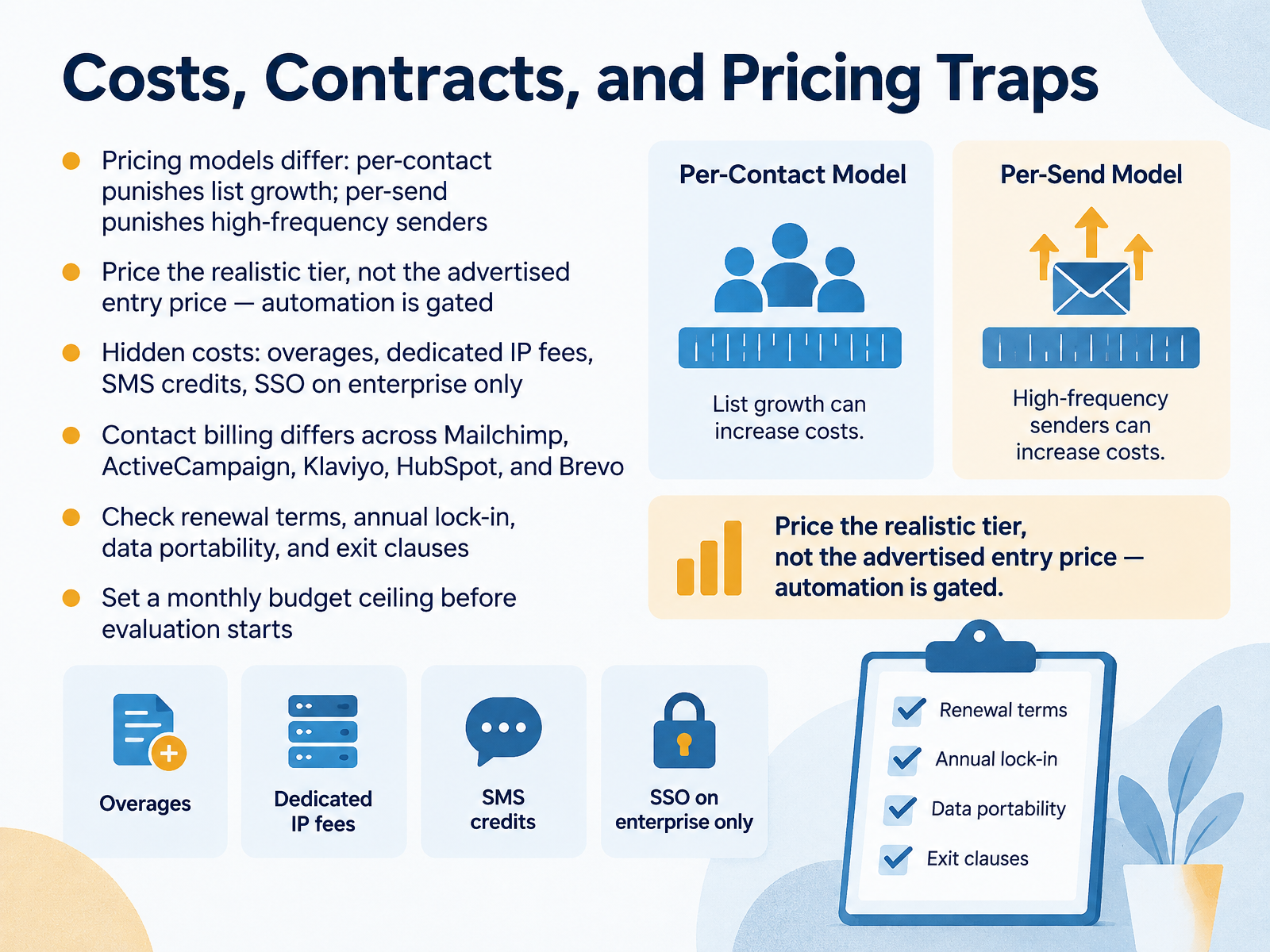
- 12Costs, Contracts, and Pricing TrapsNext, let's talk about cost. Pricing models differ, and that difference matters. Per-contact pricing punishes list growth. Every new subscriber raises your bill. Per-send pricing punishes high-frequency senders, so a weekly newsletter costs more than a monthly one at the same list size. Match the model to how you actually send. Second, price the realistic tier, not the advertised entry price. Automation is usually gated, so the nine-dollar plan may not include the welcome series you need. Check the tier with automation and segmentation before you compare. Third, watch hidden costs: overages, dedicated IP fees, SMS credits, and single sign-on that's only on enterprise plans. Contact billing also differs across Mailchimp, ActiveCampaign, Klaviyo, HubSpot, and Brevo, so read how they count contacts. Finally, check renewal terms, annual lock-in, data portability, and exit clauses. Set a monthly budget ceiling before evaluation starts. That's your takeaway: know your model, your tier, and your total. Next, we'll look at Operational Guardrails for Small Teams.
 forbes.comgetresponse.comstartupemailmarketing.com+22 min
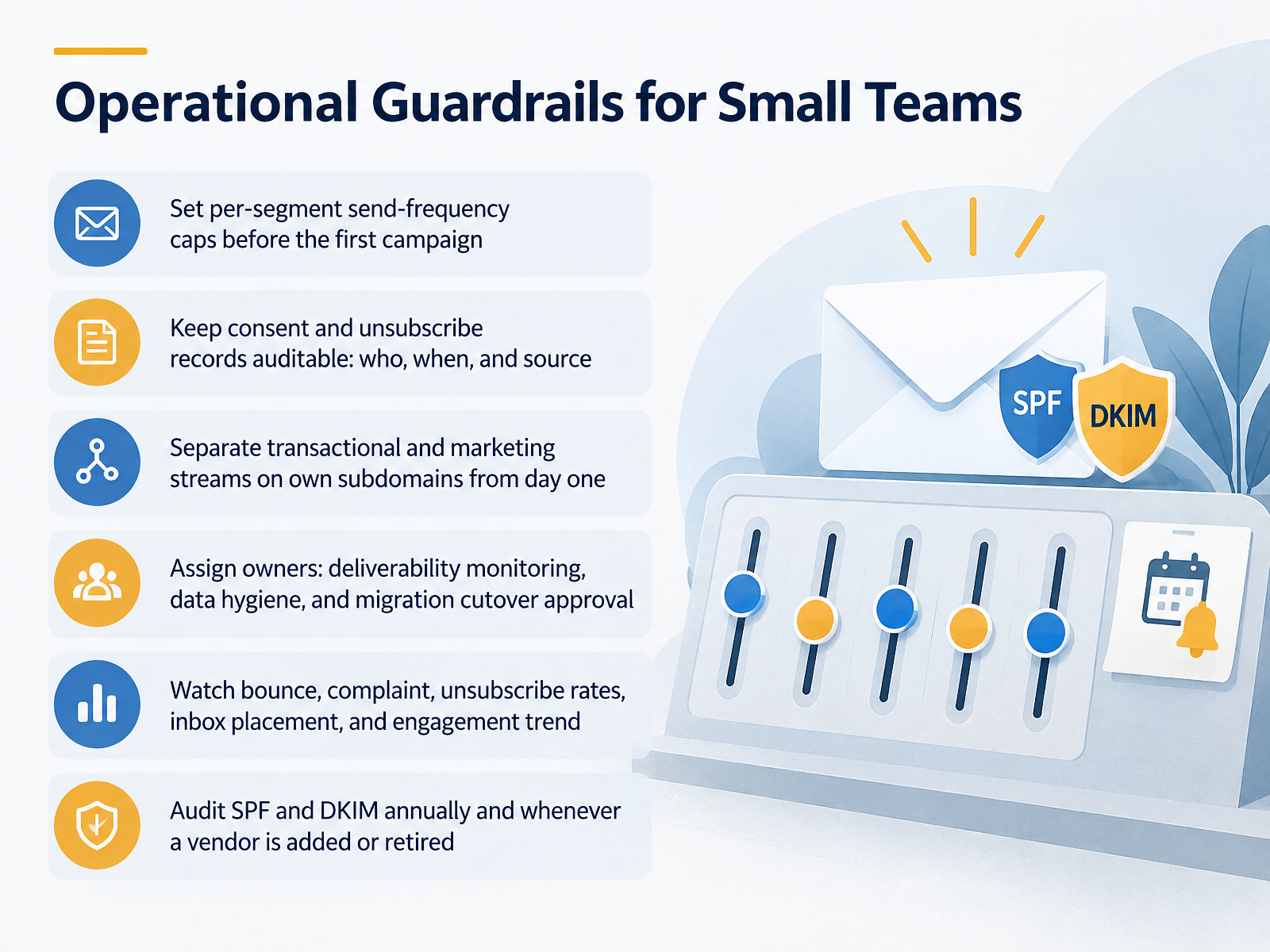
- 13Operational Guardrails for Small TeamsLet's talk about guardrails, because small teams feel deliverability mistakes fast. Here's the takeaway: decide the rules before you send, not after something breaks. First, set send-frequency caps per segment before your first campaign, so a product launch doesn't hit weekly newsletter readers five times in one week. Second, keep consent and unsubscribe records auditable: who opted in, when, and from which source. During any platform migration, that record is how you avoid emailing people who already opted out. Third, separate transactional and marketing streams onto their own subdomains from day one, so a password reset and a promotion build separate reputations. Fourth, assign owners. Name who monitors deliverability, who handles data hygiene, and who approves the migration cutover. Unowned tasks quietly lapse. Fifth, watch bounce rate, complaint rate, unsubscribe rate, inbox placement, and engagement trends. Sixth, audit S P F and D K I M annually, and whenever you add or retire a vendor. Remove old providers from your records. Next, we'll put all of this into practice with your first 30 days: action plan.
 spamhaus.orgsoftwareinspect.comhelp.delivra.com+22 min
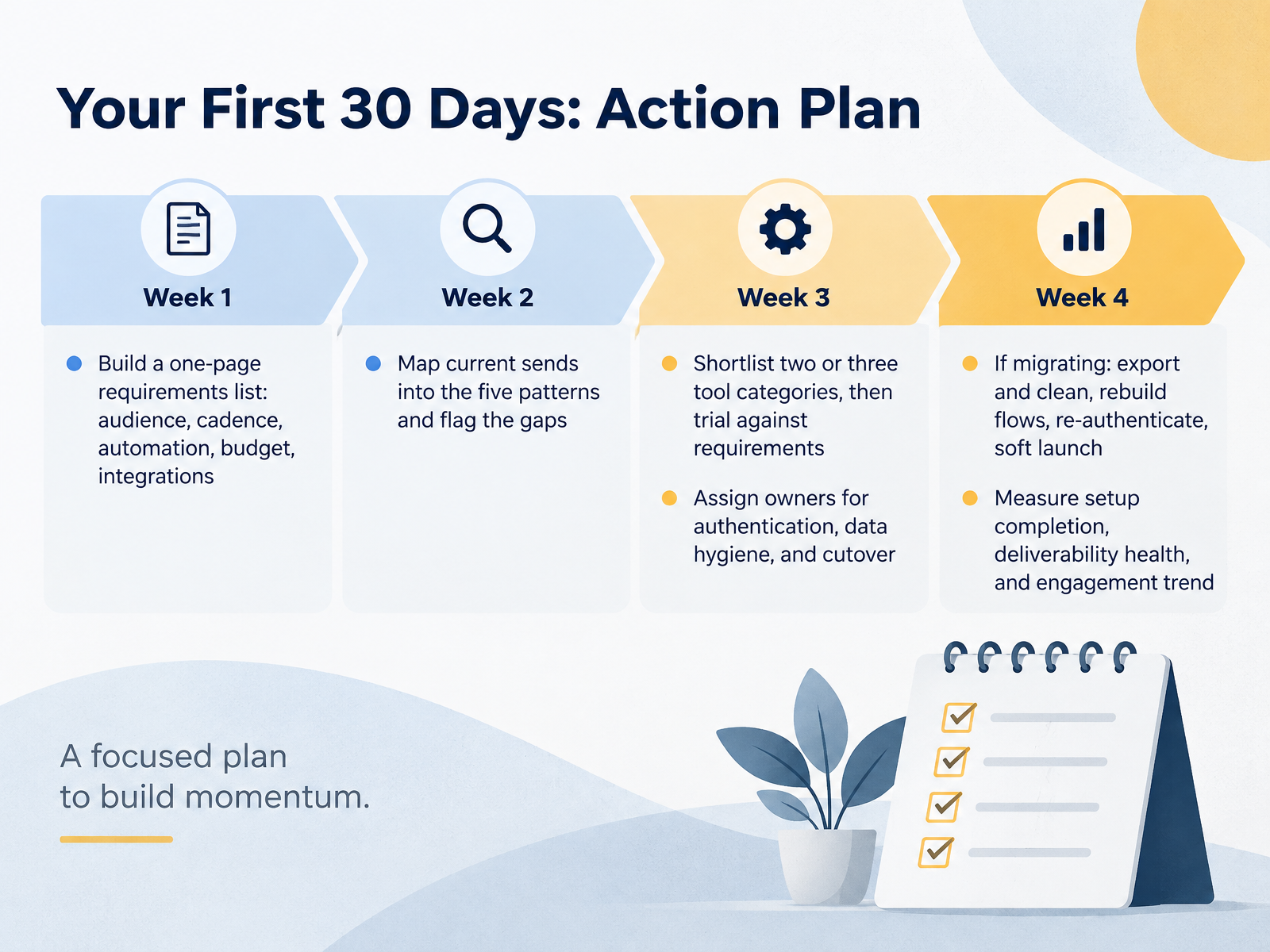
- 14Your First 30 Days: Action PlanLet's finish with a plan you can actually run in your first thirty days. Start with a one-page requirements list covering audience, sending cadence, automation needs, budget, and integrations. Keep it to one page, because it's the filter for every tool decision that follows. Next, map the emails you already send into the five patterns we covered, and mark the gaps. Maybe you have a welcome series but no cart recovery, or a weekly newsletter but no win-back flow. Then shortlist two or three tool categories, not ten vendors, and trial them against that requirements list. Assign clear owners for three things: domain authentication, data hygiene, and cutover day. If you're migrating, export and clean the list first, rebuild your key flows, re-authenticate with SPF, DKIM, and DMARC, then soft launch to your most engaged segment. Finally, measure setup completion, deliverability health, and your engagement trend, not just opens on one campaign. Thanks for sticking with me through the course. Pick your first item today, and give it a real deadline.
 softwareinspect.comhelp.delivra.commailerflow.ai+22 min
Take the deck with you
Download this course as a file — free, no sign-up needed.
- PDF handoutEvery slide page, ready to print or share.15 pages · 3.4 MBDownload
- Narrated PowerPointThe deck that presents itself — every slide carries the digital human's narration video.15 pages · 14.0 MBDownload
- PowerPoint slidesThe full deck as a .pptx — open it in PowerPoint, Keynote, or Google Slides.15 pages · 3.4 MBDownload
Free to use in your own training — please keep the PersonWise credit page at the end.
Have your own deck? Turn it into a course
Sources consulted
Web sources consulted while building this course.
- Major Email Service Providers: Top ESPs Worth Knowing — reviewmyemails.com
- Email Newsletter Software Comparison: Pricing Models, Creator Tools, and Ecommerce Fit (2026) — tajo.io
- The best email newsletter platforms and software in 2026 — zapier.com
- Newsletter Tools Guide: Creator Platforms, ESPs, Ecommerce Automation, Pricing, and Workflow Fit (2026) — tajo.io
- 10 Best Email Marketing Software – Forbes Advisor — forbes.com
- 12 Best Email Newsletter Software in 2026 — getresponse.com
- 15+ Best Email Marketing Tools for Startups in 2026 | Startup Email Marketing — startupemailmarketing.com
- Best Newsletter Tools for Creators (2026): Picks & Prices — creatormailstack.com
- 7 Best Email Monetization Platforms for Creators (2026) — saasprobe.com
- Email Marketing Solutions: How to Choose the Right Platform (2026) — tajo.io
- 10 Email Marketing Automation Examples for 2026 - Klaviyo — klaviyo.com
- Shopify Marketing Automation: 2026 Guide — omnisend.com
- 12 Best Email Marketing Automation Software (Tested 2026) — sender.net
- Ecommerce Email Marketing Automation for Small Businesses | Constant Contact — constantcontact.com
- Email Marketing Migration Checklist: 10-Step ESP Move — softwareinspect.com
- ESP Migration Checklist — help.delivra.com
- How to Switch Email Marketing Platforms: Checklist | Mailerflow — mailerflow.ai
- Email Migration Checklist and Cutover Control Board — emailbump.com
- ESP Migration Guide for Enterprise Organizations - Litmus — litmus.com
- Sender Guidelines | Spamhaus — spamhaus.org