Begin
14 pages · ~28 min
Digital Accessibility Platform Strategy
This training helps digital accessibility teams evaluate and select platforms, covering architecture and tradeoffs to make informed, compliant technology decisions.
A digital instructor presents all 14 pages. Hold “Ask” at any point and ask out loud — the answer comes from this course. No sign-up needed.
What you’ll learn
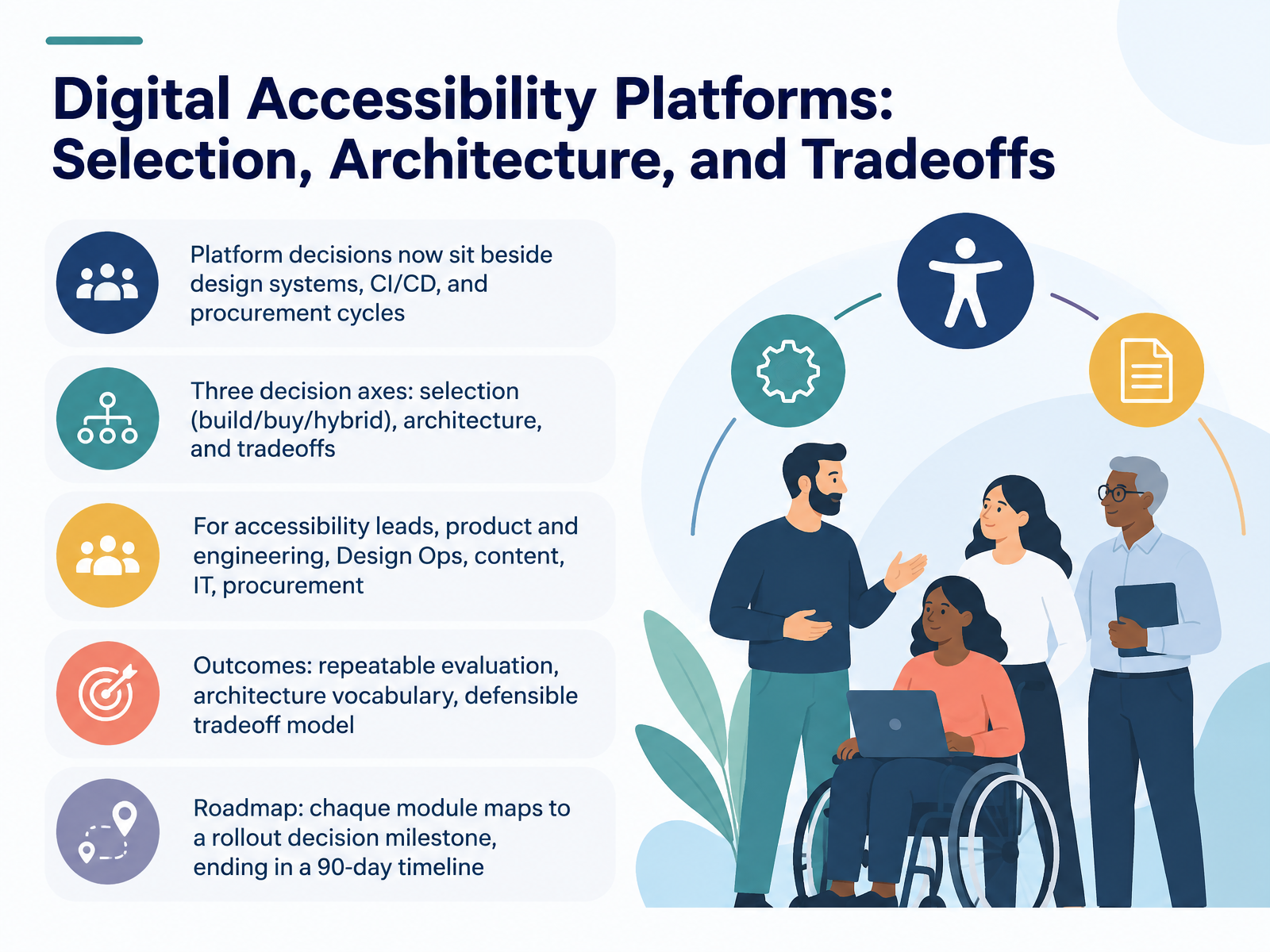
- 01Digital Accessibility Platforms: Selection, Architecture, and TradeoffsWelcome. This course is about choosing and architecting digital accessibility platforms. Platform decisions now sit beside design systems, C I C D pipelines, and procurement cycles. So they need the same rigor you already apply to any infrastructure choice. We will work along three decision axes. First, selection. Build, buy, or hybrid. Second, architecture. Where scanning, monitoring, and remediation actually live. Third, tradeoffs. Because every option costs something, in money, engineering time, or organizational friction. This matters directly to accessibility leads, product and engineering teams, Design Ops, content teams, IT, and procurement. Each of you owns a different part of the decision. By the end, you should have three things. A repeatable evaluation method. A shared vocabulary for architecture. And a defensible tradeoff model you can bring into a review and stand behind. Every module maps to a rollout decision milestone. We close with a ninety day timeline you can adapt. Let's start by looking at why the pressure is real right now, in Why Platform Decisions Are Urgent in 2026.a11ystudio.ioweb-accessibility-a11y.comgetstark.co+22 min
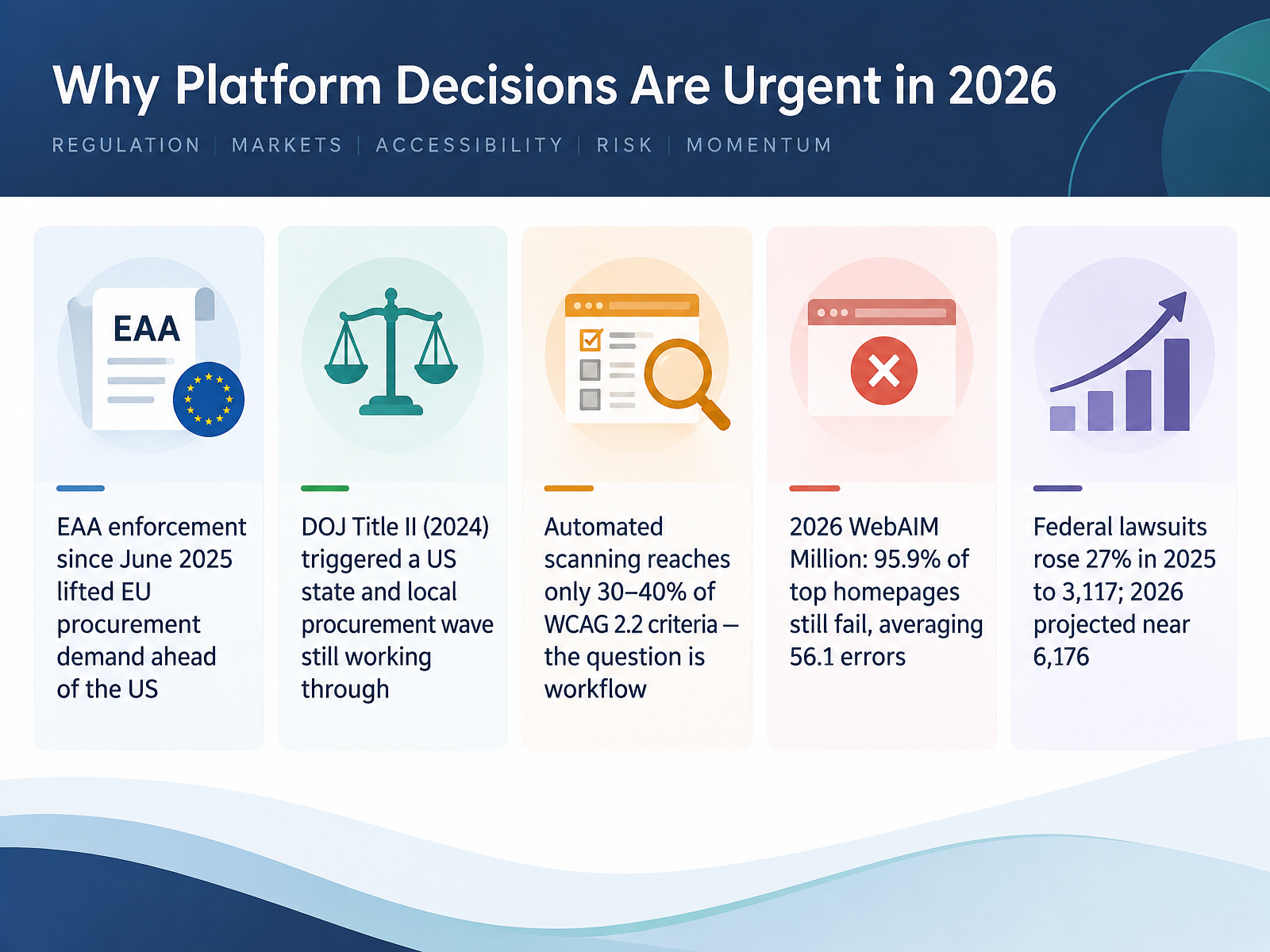
- 02Why Platform Decisions Are Urgent in 2026Let's talk about why platform decisions can't wait. European Accessibility Act enforcement began in June twenty twenty-five. That lifted EU procurement demand ahead of the US. Meanwhile, the DOJ Title Two rule from twenty twenty-four triggered a state and local procurement wave that is still working through. So for procurement and legal, you are buying into a moving market. Here is the hard part. Automated scanning reaches only thirty to forty percent of WCAG two point two criteria. The real question is workflow, not scanner accuracy. The evidence backs that up. The twenty twenty-six WebAIM Million found ninety-five point nine percent of top homepages still fail, averaging fifty-six point one errors. Federal lawsuits rose twenty-seven percent in twenty twenty-five, to three thousand one hundred seventeen filings. Twenty twenty-six is projected near six thousand one hundred seventy-six. Engineering and product, this means release gates, not annual audits. Content and design, this means fixes in templates and components. IT, expect security and data residency reviews. Next, we map the platform landscape into six functional categories.
 accessibilitycloud.comtestparty.aiwebtonic.io+22 min
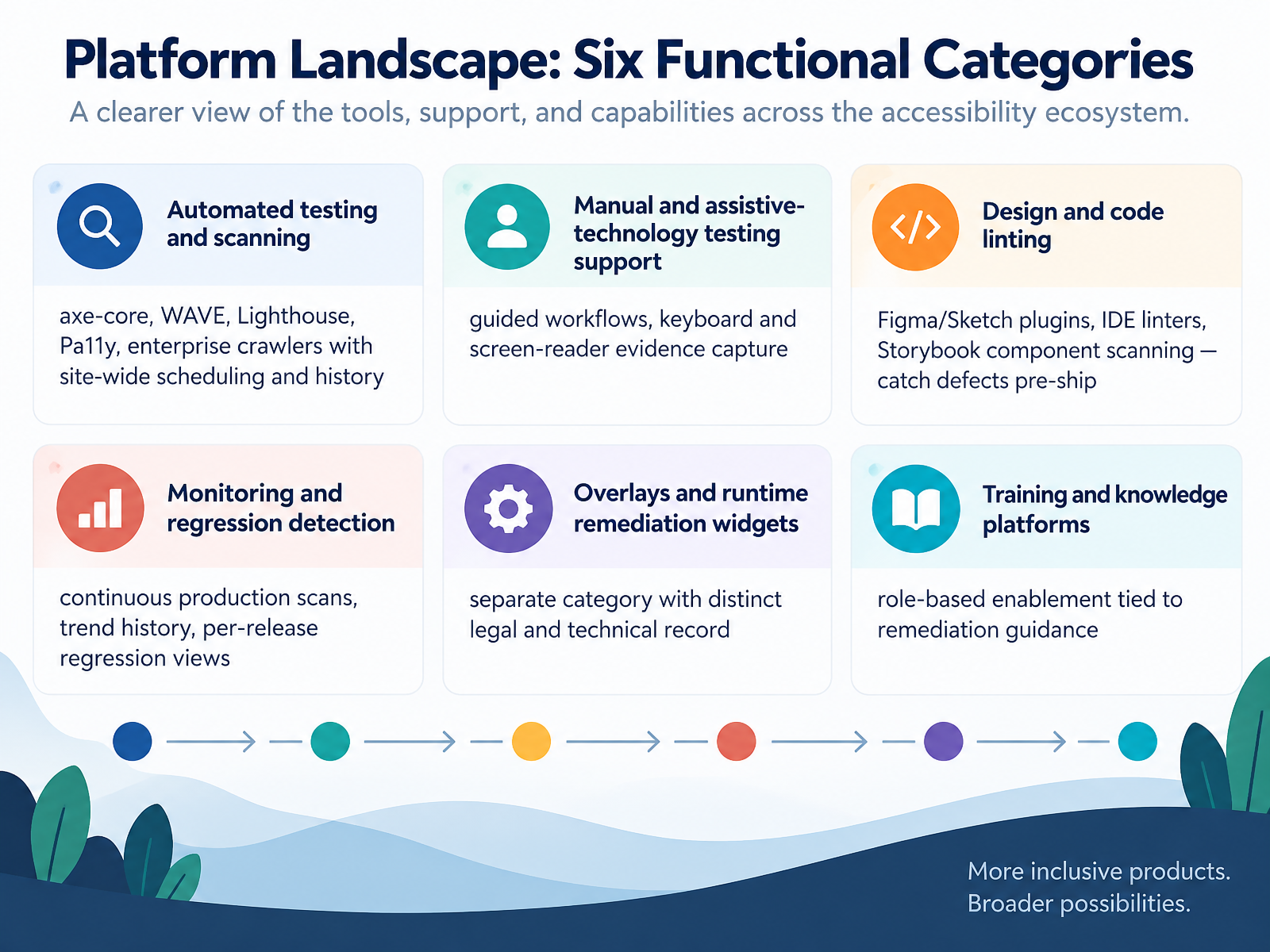
 - 03Platform Landscape: Six Functional CategoriesLet's put structure on a crowded market. Six functional categories. Judge vendors by which ones they genuinely cover, not by the logo on the slide.
First, automated testing and scanning. axe-core, WAVE, Lighthouse, Pa11y, and enterprise crawlers with site-wide scheduling and history. Engineering owns this. Inspect one thing: what runs in continuous integration, and what blocks a merge.
Second, manual and assistive-technology testing support. Guided workflows, keyboard and screen-reader evidence capture. Product and content teams live here. Ask how evidence is stored and who reviews it.
Third, design and code linting. Figma and Sketch plugins, IDE linters, Storybook component scanning. This catches defects pre-ship. Design Ops, confirm the plugin runs on the same rules as the pipeline. Otherwise you get duplicate tickets.
Fourth, monitoring and regression detection. Continuous production scans, trend history, per-release regression views. Someone must read those trends weekly, or the data is decoration.
Fifth is overlays and runtime remediation widgets. Separate category, distinct legal and technical record. You are not fixing source code. Procurement, treat that as your own decision with legal in the room.
Sixth, training and knowledge platforms. Role-based enablement tied to remediation guidance. Buy it only if it connects to the findings your teams actually receive.
Next, we look at vendor archetypes, consolidation, and A I claims. That is where the procurement traps are.
 a11ystudio.ioweb-accessibility-a11y.comgetstark.co+22 min
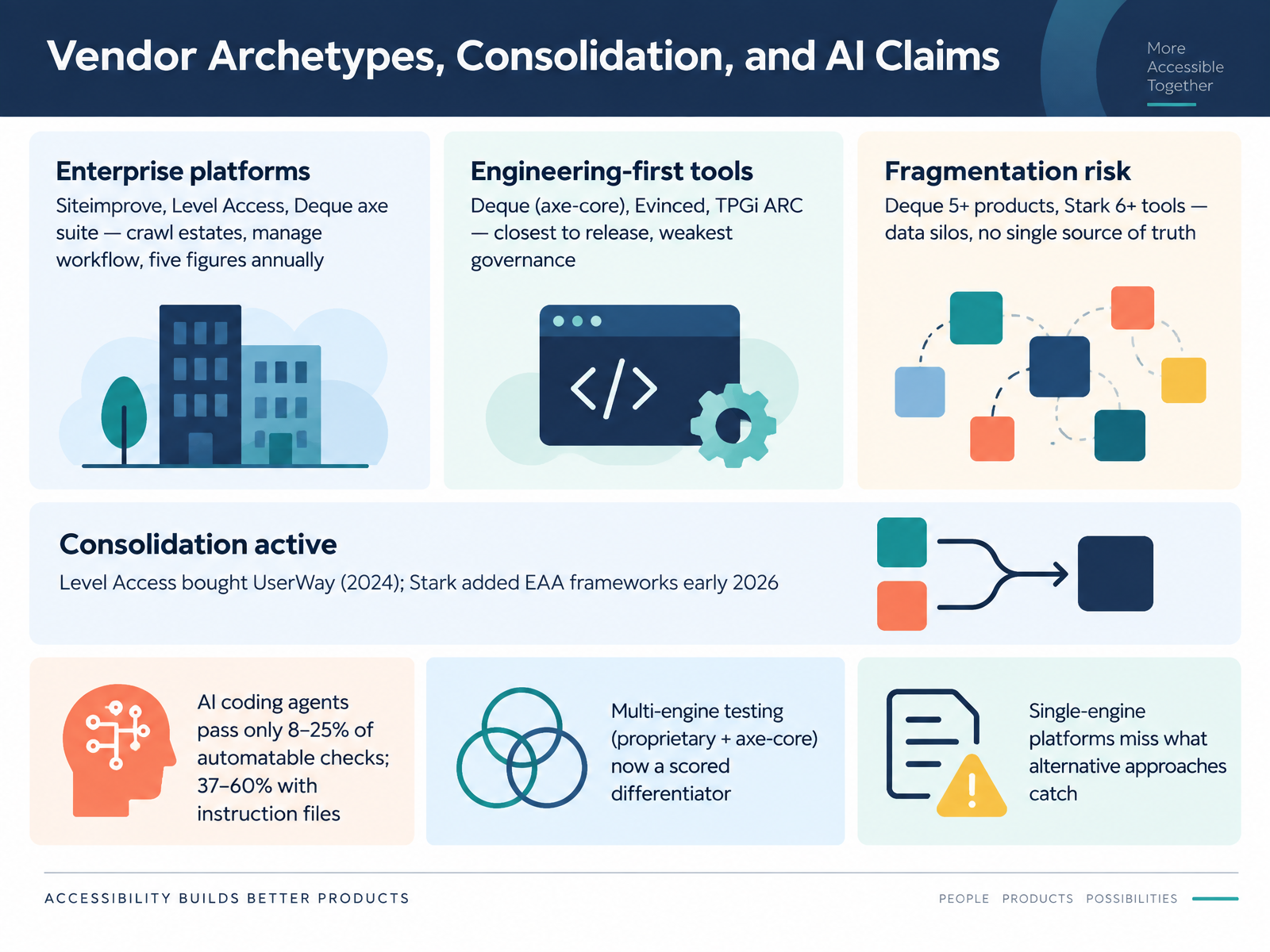
 - 04Vendor Archetypes, Consolidation, and AI ClaimsLet's map the vendor field before you evaluate anyone. Three archetypes matter. Enterprise platforms, like Siteimprove, Level Access, and the Deque axe suite, crawl your whole estate and manage workflow, but they run into five figures annually. Engineering-first tools, like axe-core, Evinced, and TPGi ARC, sit closest to your release process and carry the weakest governance. Fragmentation is real. Deque spans five or more products, Stark six or more tools, which means data silos and no single source of truth. Consolidation is active. Level Access bought UserWay in 2024. Stark added European Accessibility Act frameworks in early 2026. Now the AI claims. Out of the box, AI coding agents pass only eight to twenty-five percent of automatable checks. With instruction files, that climbs to thirty-seven to sixty percent. Not a replacement for a platform. So multi-engine testing, proprietary plus axe-core, is now a scored differentiator, and single-engine platforms miss what other approaches catch. Next, Requirements First: Turning Obligations into Platform Criteria.
 a11ystudio.ioweb-accessibility-a11y.comgetstark.co+22 min
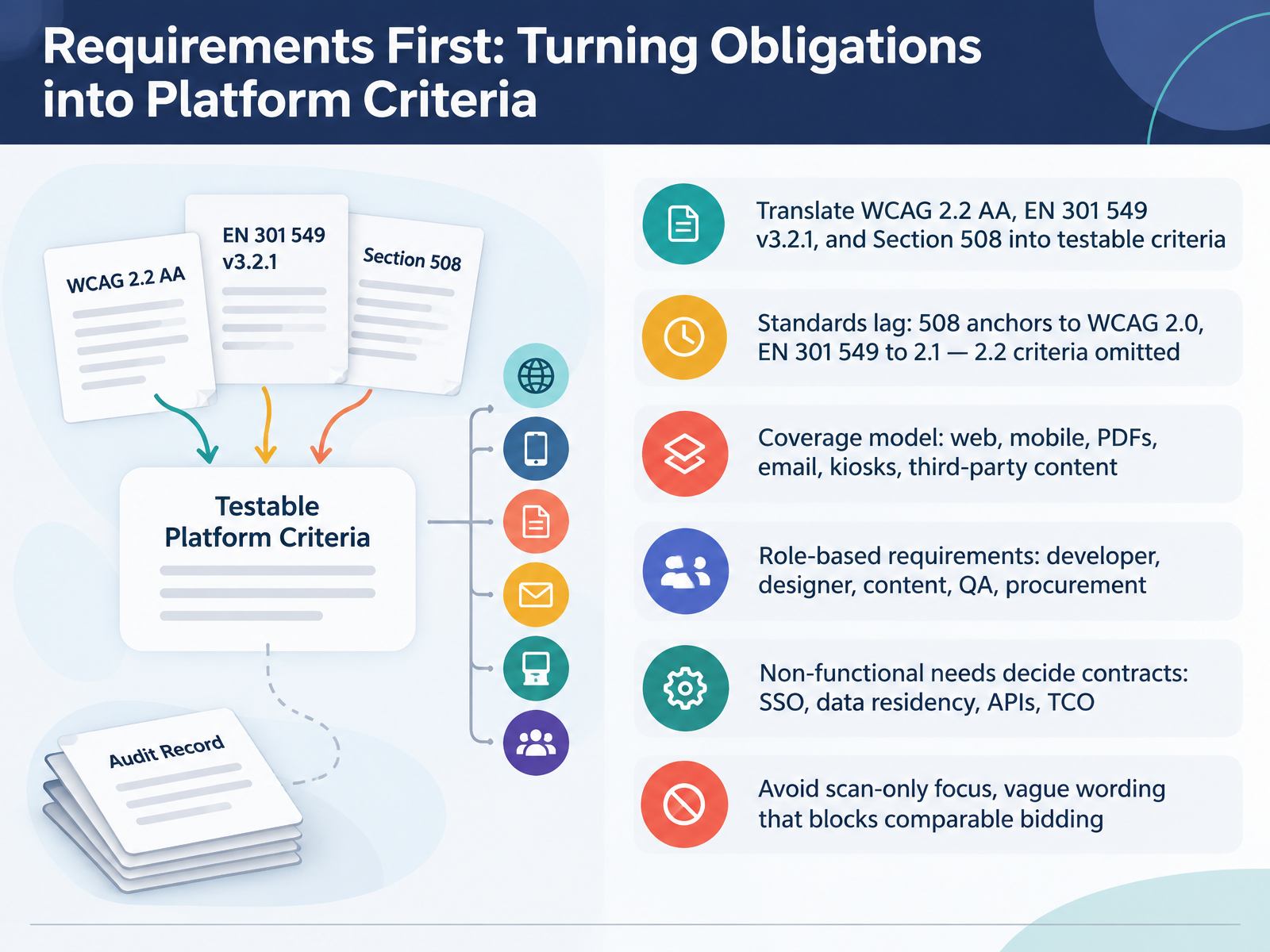
 - 05Requirements First: Turning Obligations into Platform CriteriaLet's make your requirements testable. Start by translating your obligations into criteria a vendor can be scored against. WCAG 2.2 AA, EN 301 549, and Section 508 all apply, but watch the version gap. Section 508 still anchors to WCAG 2.0, and EN 301 549 to 2.1. So the newer 2.2 criteria, focus appearance, dragging movements, target size, are omitted unless you write them in yourself. Next, define coverage. Does it include web, mobile, PDFs, email, kiosks, and third-party content? Then map role-based requirements. Developer, designer, content, QA, and procurement each need their own line. And let non-functional needs decide contracts, like single sign-on, data residency, APIs, and total cost of ownership. One warning: avoid scan-only language and vague wording. If you don't, bids won't be comparable. Architecture Patterns: Where Accessibility Capability Lives.
 mn.govwebaim.orgsection508.gov+22 min
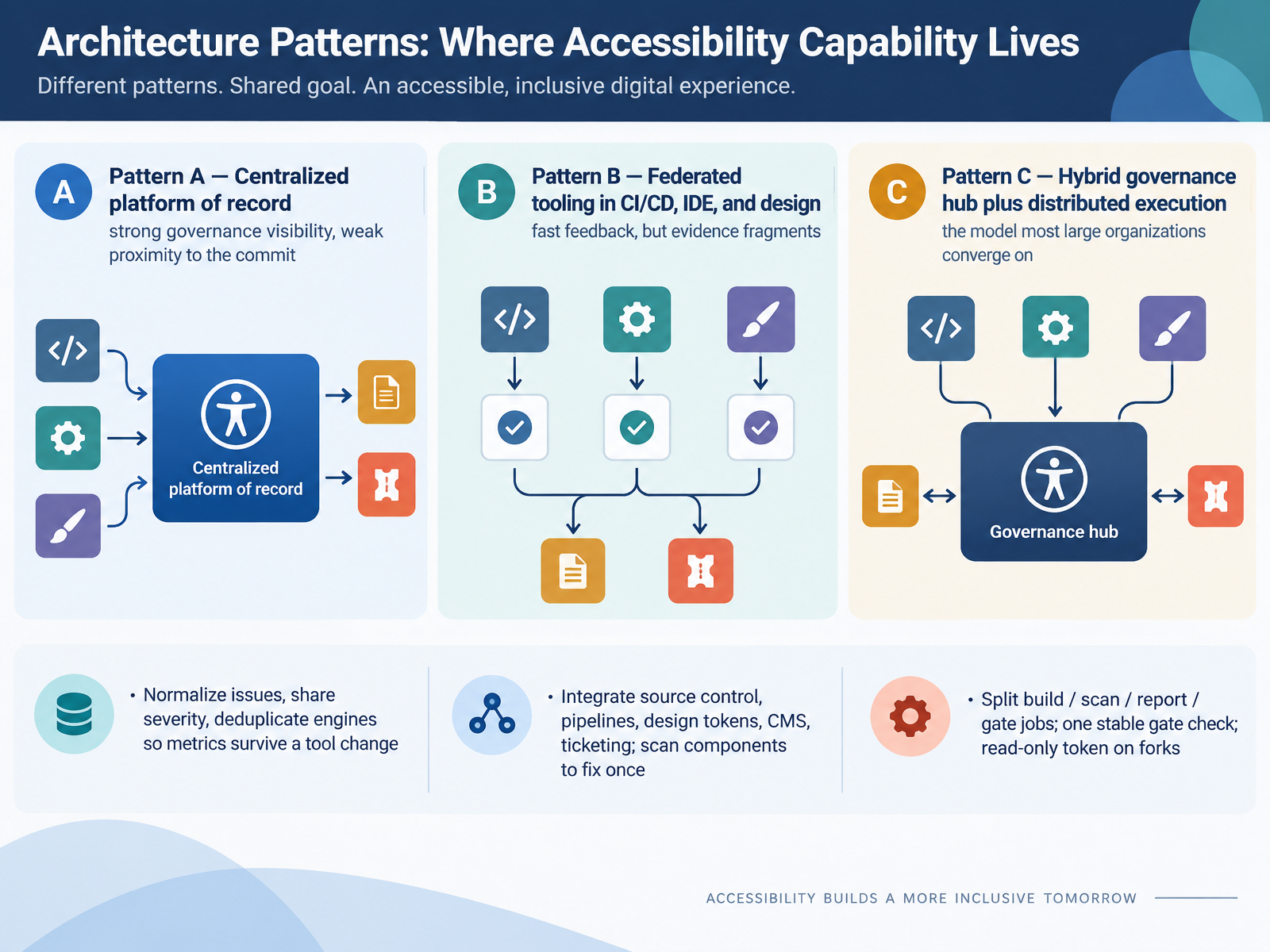
 - 06Architecture Patterns: Where Accessibility Capability LivesLet's look at where accessibility capability actually lives in your architecture. Pattern A is a centralized platform of record. Governance visibility is strong. Proximity to the commit is weak. Product and engineering feel this first: fixes arrive as tickets, not as build failures. Pattern B is federated tooling inside the I D E, code pipelines, and design files. Feedback is fast. Evidence fragments. Procurement and IT then struggle to prove coverage. Pattern C is the hybrid most large organizations converge on: a governance hub, plus distributed execution. Design Ops and content own upstream patterns. Engineering owns the pipeline. To make hybrid work, normalize issues, share one severity model, and deduplicate engines, so your metrics survive a vendor change. Integrate source control, pipelines, design tokens, your content management system, and ticketing. Scan components, so you fix once and every consuming product inherits the fix. Split build, scan, report, and gate into separate jobs. Register one stable gate check in branch protection, and run it with a read-only token on forks. Next, we move into reference architecture in practice: pipeline and evidence.
 a11ystudio.ioweb-accessibility-a11y.comgetstark.co+22 min
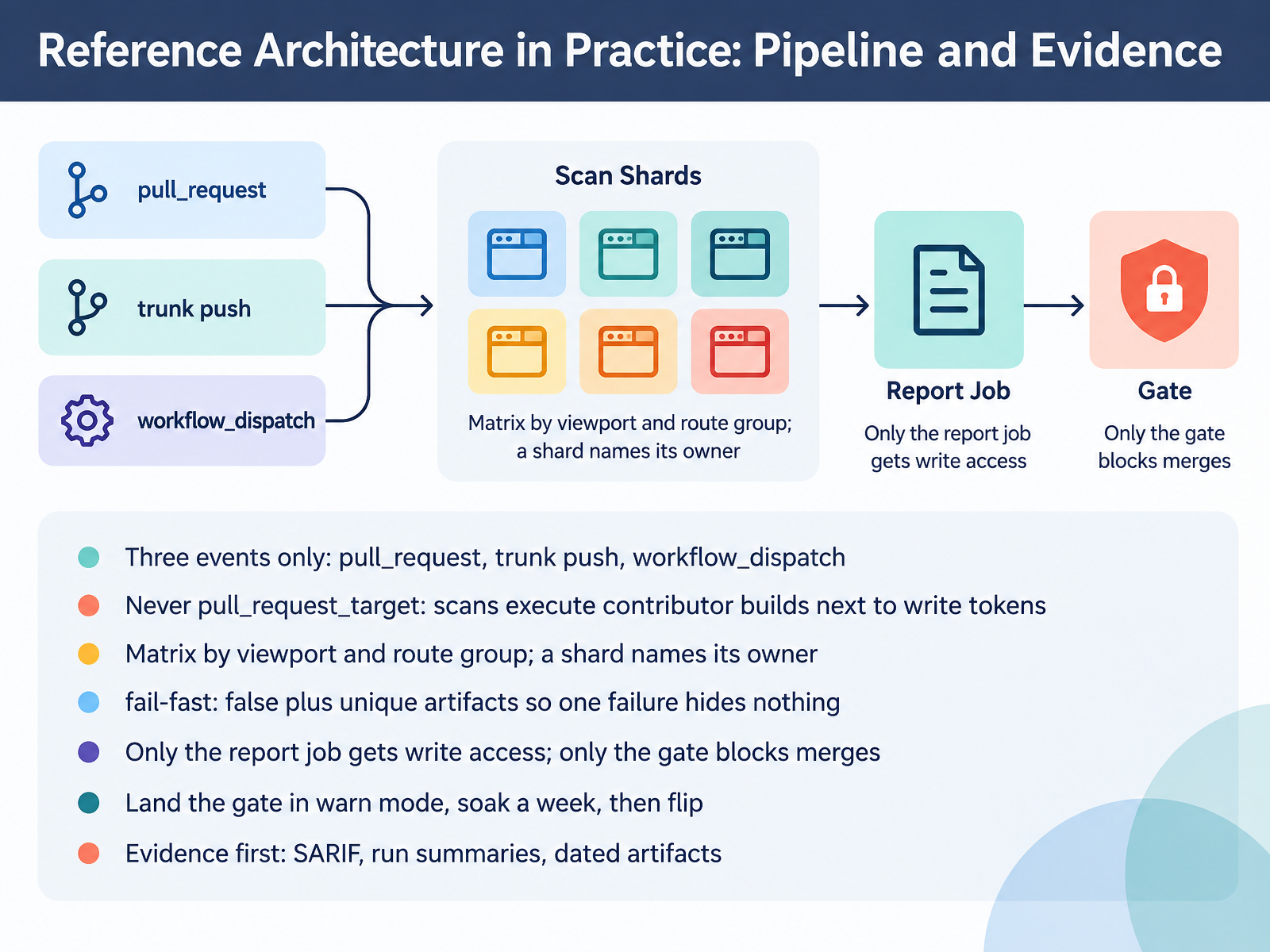
 - 07Reference Architecture in Practice: Pipeline and EvidenceLet's walk the reference architecture. Three events, and only three. Pull request for feedback. Trunk push for your baseline. Workflow dispatch for reruns and debugging. Never pull request target. That trigger runs contributor code next to a write token, and your scan executes contributor builds. Now the matrix. Split by viewport and route group, so a failing shard names its owner in the job title. Set fail fast to false, and give every shard a unique artifact name. One failure must not hide the others. Permissions stay narrow. Only the report job gets write access. Only the gate blocks merges. Engineering, keep the scan step dumb. It writes JSON. The gate decides. Roll out in warn mode, soak a week, then flip the exit code. Procurement and IT, note that evidence is the deliverable. SARIF, run summaries, and dated artifacts. That record is what you show in a review. The Tradeoff Model: Coverage, Cost, Velocity, and Risk.
 a11ystudio.ioweb-accessibility-a11y.comgetstark.co+22 min
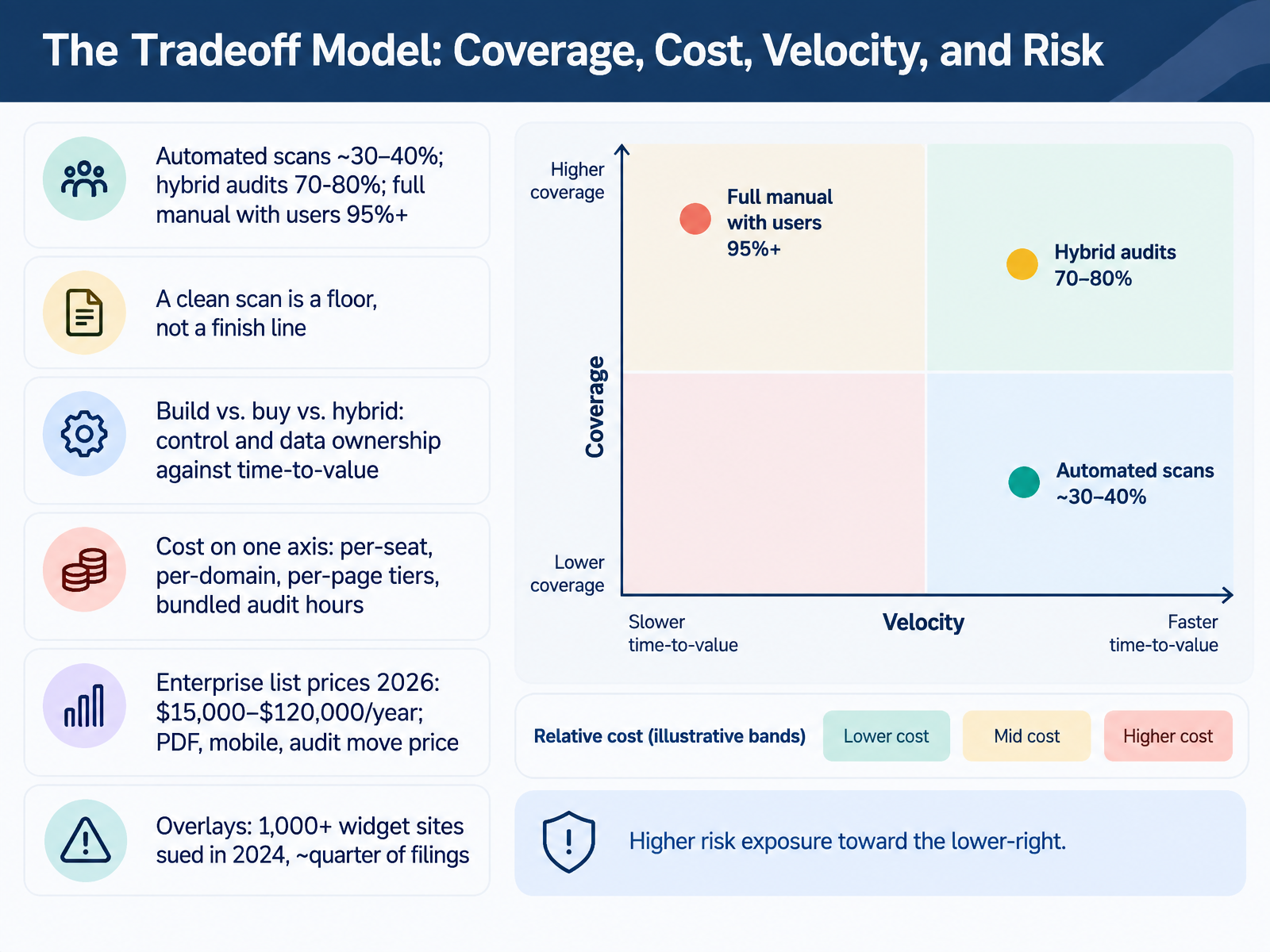
 - 08The Tradeoff Model: Coverage, Cost, Velocity, and RiskLet's look at the tradeoff model. Four variables: coverage, cost, velocity, and risk. You cannot maximize all four.
Start with coverage. Automated scans catch roughly thirty to forty percent. Hybrid audits reach seventy to eighty. Full manual testing with users gets you ninety-five plus. So a clean scan is a floor, not a finish line. Product managers, that distinction decides whether you can defend your conformance claims.
Next, build versus buy versus hybrid. Build gives you control and data ownership. Buy gets you time-to-value. Hybrid trades some control for speed. Engineering and IT should inspect architecture here, not feature lists.
Cost sits on its own axis: per-seat, per-domain, per-page tiers, and bundled audit hours. Enterprise list prices in twenty twenty-six run about fifteen thousand to one hundred twenty thousand dollars per year. PDF, mobile, and bundled audit hours move that number most. Procurement, always ask what happens when your page count doubles.
And overlays. Over one thousand widget sites were sued in twenty twenty-four, roughly a quarter of filings. Risk does not disappear because you bought something.
Overlays and Auto-Remediation: The Case You Must Be Able to Defend.
 accessibilitycloud.comtestparty.aiwebtonic.io+22 min
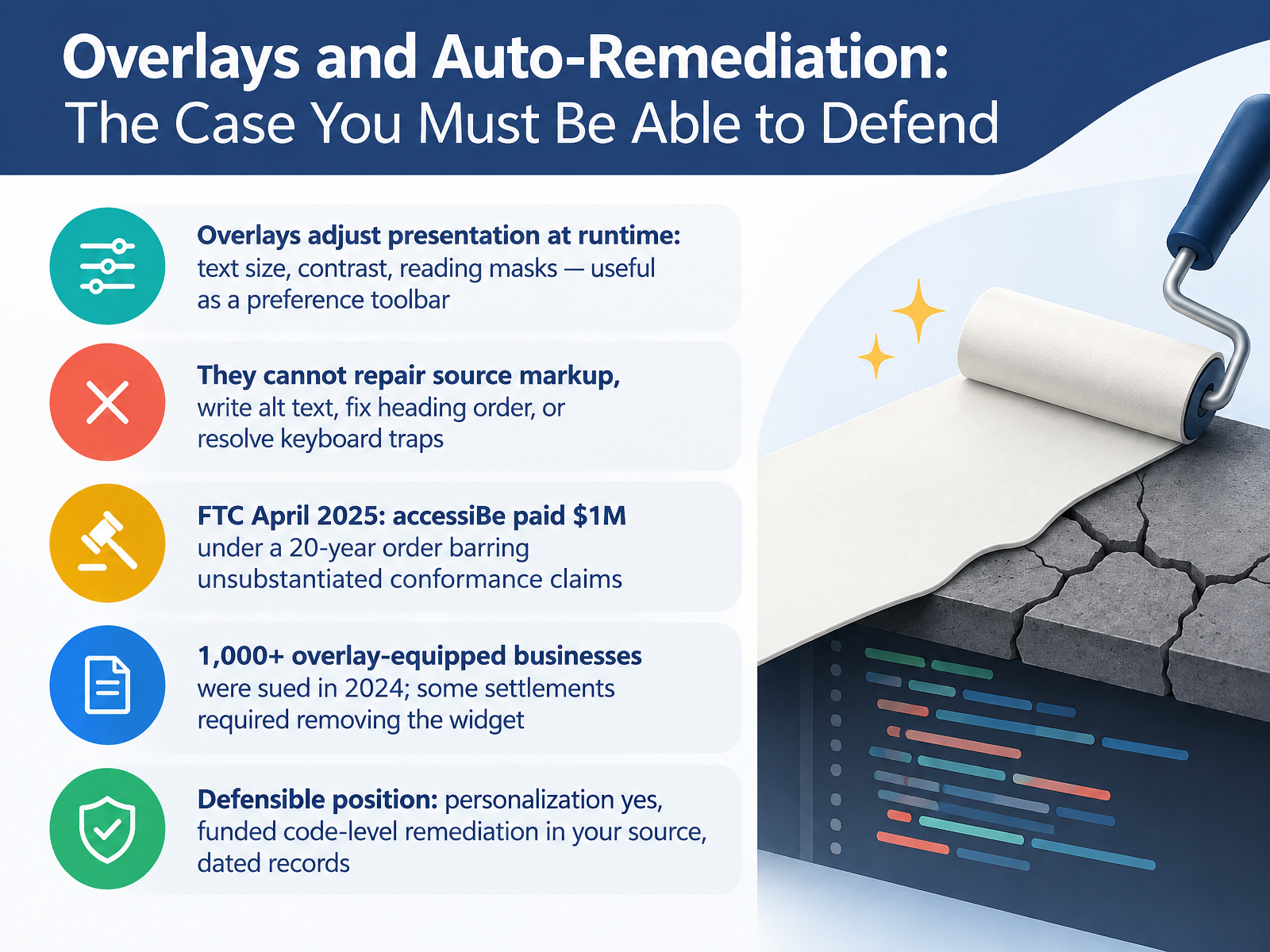
 - 09Overlays and Auto-Remediation: The Case You Must Be Able to DefendLet's talk about overlays, and the position you have to defend in a deposition or a procurement review. Overlays adjust presentation at runtime. Text size, contrast, reading masks. As a preference toolbar, that is genuinely useful. What they cannot do is repair your source markup. They cannot write alt text. They cannot fix heading order. They cannot resolve a keyboard trap. Now the record. In April, two thousand twenty five, the FTC approved a final order requiring accessiBe to pay one million dollars under a twenty year consent order, barring unsubstantiated conformance claims. And in two thousand twenty four, more than one thousand businesses with overlays installed were named in digital accessibility lawsuits. Some settlements required removing the widget. So here is the defensible position. Personalization, yes. Funded code level remediation in your source, yes. Dated records of both. If you are in procurement, ask the vendor what the overlay actually fixes, and get the answer in writing. Next, we look at how to evaluate vendors in practice, with scorecards, pilots, and procurement.
 blog.a11yfix.devqualibooth.comthemealley.com+22 min
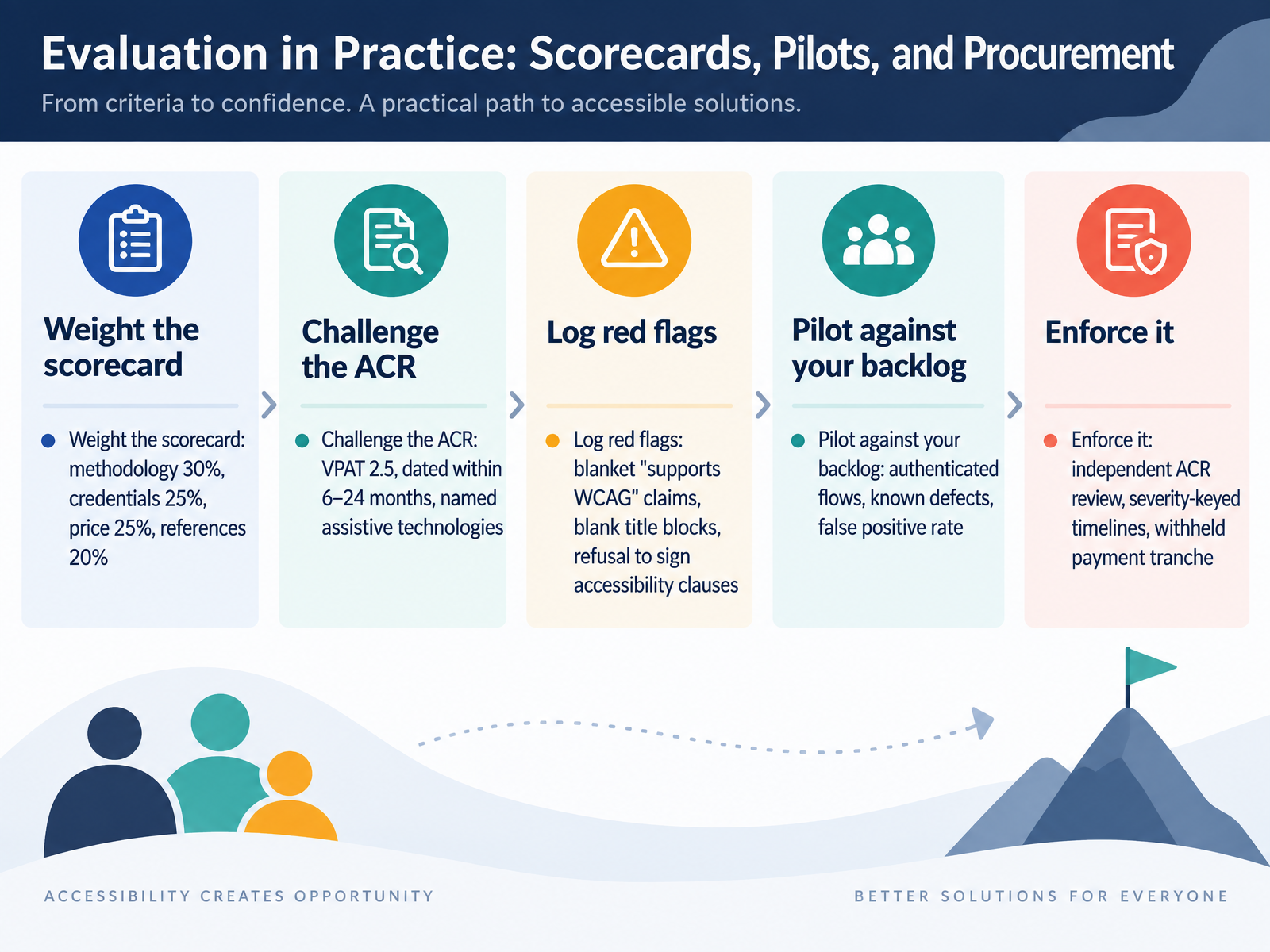
 - 10Evaluation in Practice: Scorecards, Pilots, and ProcurementLet us walk through how to evaluate accessibility in practice. First, weight your scorecard. A workable split is methodology at thirty percent, credentials at twenty five percent, price at twenty five percent, and references at twenty percent. Product and design teams should test that methodology weight against your own backlog. Next, challenge the ACR. Demand VPAT 2.5, dated within six to twenty four months, with named assistive technologies. Watch for red flags. Blanket claims that a product supports WCAG. Blank title blocks. Refusal to sign accessibility clauses. Then pilot against your backlog. Use authenticated flows and known defects. Procurement and IT: measure the false positive rate, because it predicts your remediation load. Finally, enforce it. Independent ACR review. Severity keyed timelines. A withheld payment tranche. That last lever is what turns promises into deliverables. Next, we move to rollout and adoption, from selection to daily practice.
 mn.govwebaim.orgsection508.gov+22 min
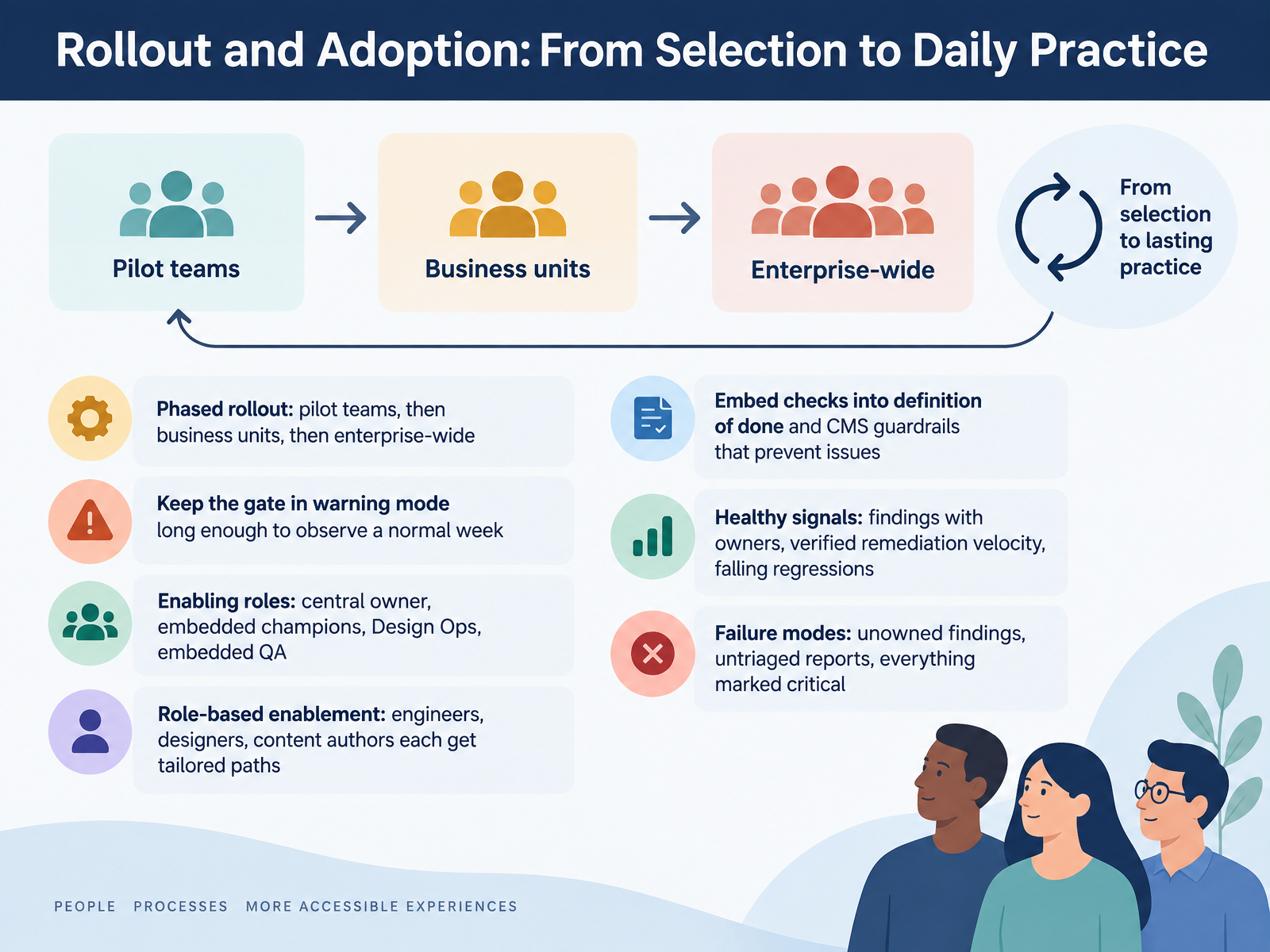
 - 11Rollout and Adoption: From Selection to Daily PracticeNow, let's talk about rollout and adoption. Selection is the easy part. Daily practice is what decides whether your platform choice actually pays off. Phase it. Start with pilot teams, then business units, then enterprise-wide. Landing the check in warning mode first matters more than most teams expect. Leave it there long enough to see what a normal week produces, then flip it to blocking. Staff enabling roles deliberately. A central owner for standards and exceptions. Embedded champions close to each product line. Design Ops for pattern quality, embedded QA for verification. Designers, engineers, and content authors each need a tailored enablement path. Nobody gets value from a generic training video. Then embed the checks into your definition of done. CMS fields should block bad headings, links, and alt text before they ship. Watch four healthy signals. Findings with named owners. Verified remediation velocity. A falling regression rate. And issue aging that drops. The failure modes are predictable too. Unowned findings, untriaged reports, and everything marked critical, which means nothing is. Operations and Governance: Keeping It Sustainable.
 a11ystudio.ioweb-accessibility-a11y.comgetstark.co+21 min
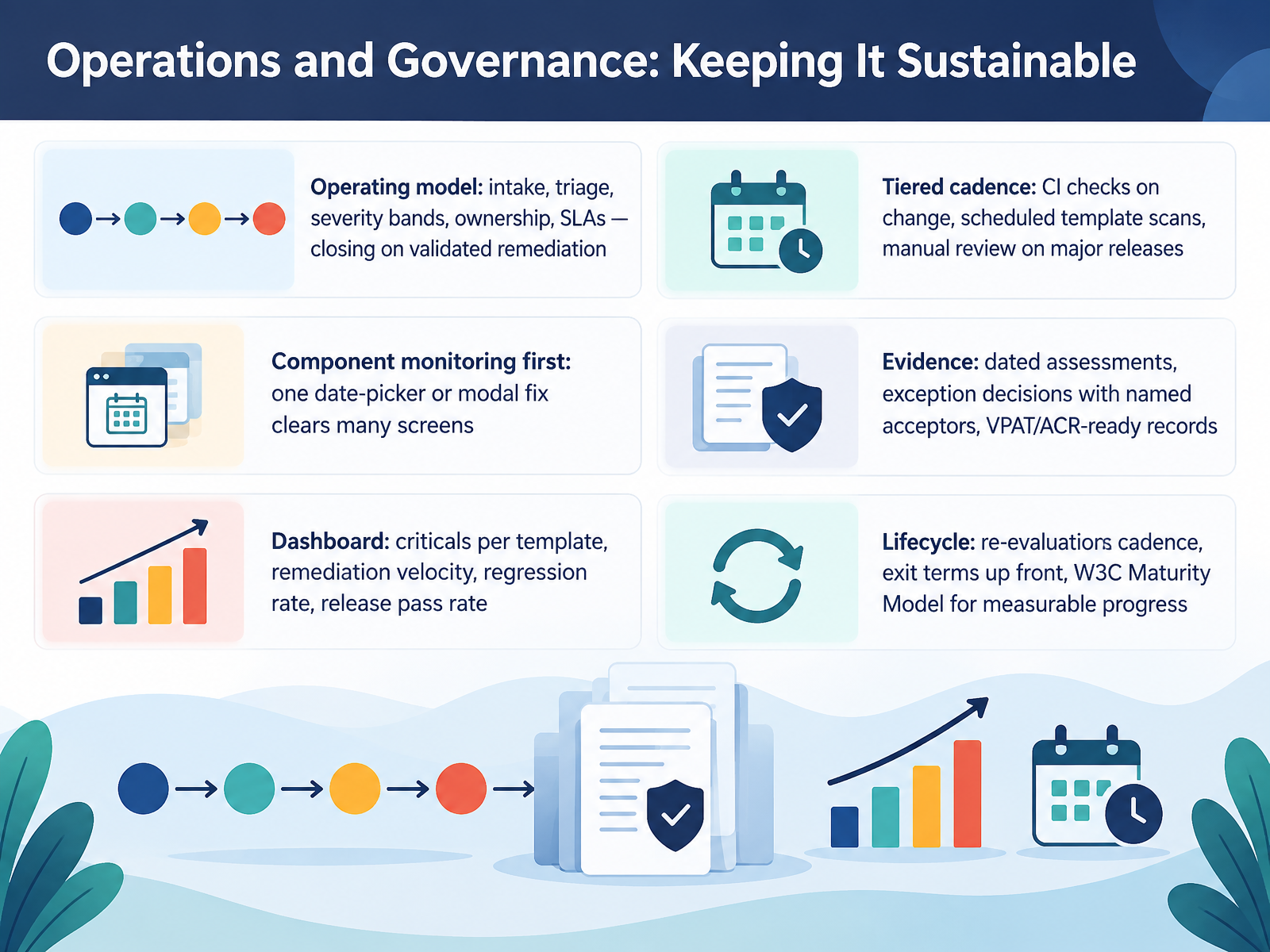
 - 12Operations and Governance: Keeping It SustainableNow let's talk about the operating model that keeps all of this running. Governance only works if work flows through it. Define intake, triage, and severity bands. Assign owners, and set service level agreements per band. Close findings on validated remediation, not on a developer marking a ticket done. Match your cadence to change. Run automated checks in continuous integration on every change. Scan templates on a schedule. Do manual review on major releases. Start with component monitoring. One date picker or modal fix clears many screens at once. Keep evidence. Dated assessments. Exception decisions with a named acceptor. VPAT and ACR ready records. Then dashboard the numbers leadership will actually use. Criticals per template. Remediation velocity. Regression rate. Release pass rate. And plan the lifecycle. Re-evaluation cadence. Exit terms up front. Use the W3C Maturity Model for measurable progress. Next, we put it together in the Decision Workshop: Choosing an Architecture for Your Context.
 accessibilitycloud.comtestparty.aiwebtonic.io+22 min
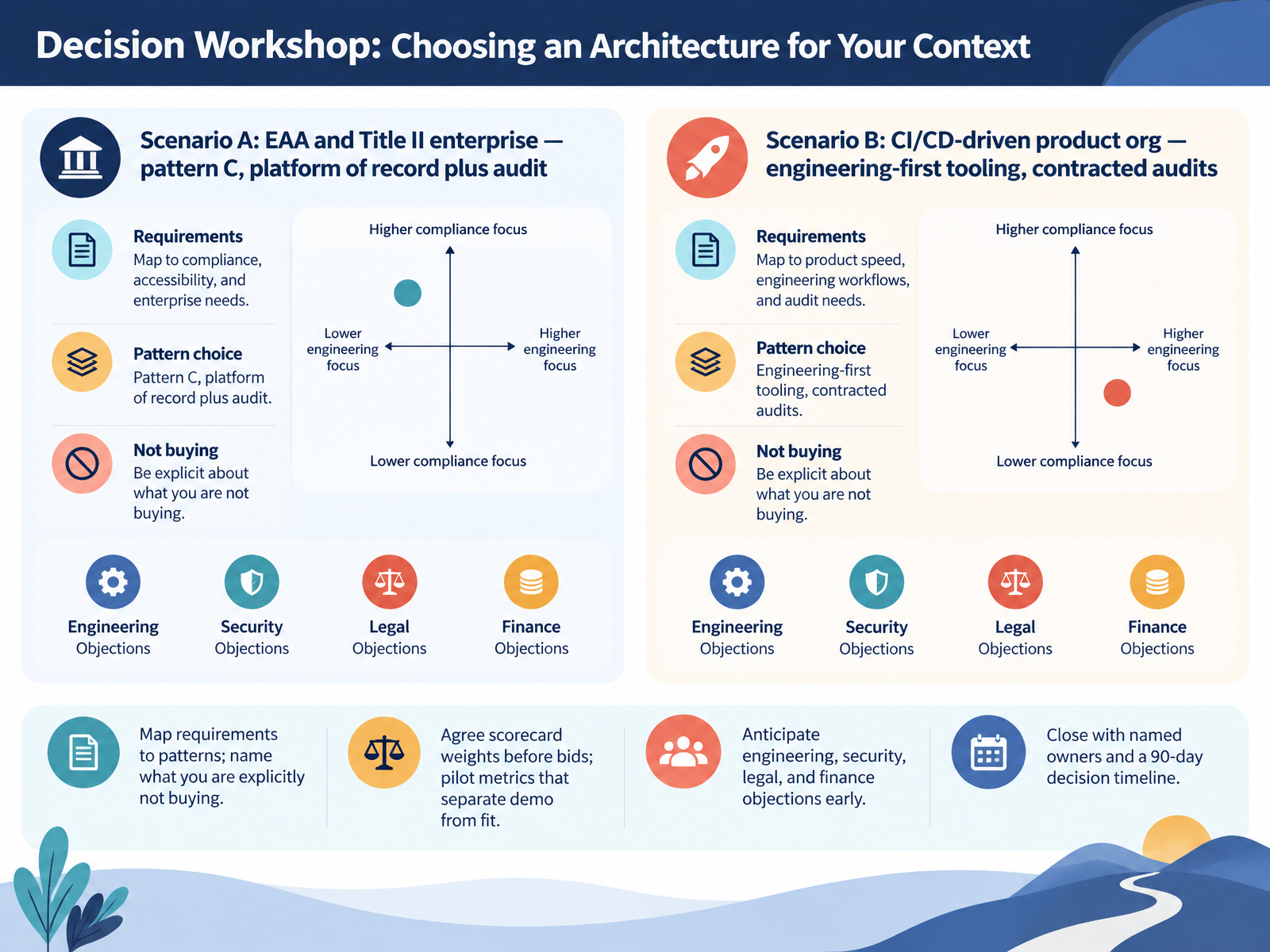
 - 13Decision Workshop: Choosing an Architecture for Your ContextLet's put the architecture decision on the table. Scenario A: you're under the European Accessibility Act or Title II. Go with pattern C, a platform of record plus independent audit evidence. Scenario B: a CI/CD-driven product org. Choose engineering-first tooling, and contract audits separately. Now map your requirements to patterns, and name what you are explicitly not buying. That clarity protects your budget. Agree scorecard weights before bids go out. For product and design, pilot metrics must separate a demo from real fit, so test critical journeys manually, not just scan results. Procurement and IT, anticipate engineering, security, legal, and finance objections early, because cost and effort are real. Close the workshop with named owners and a ninety-day decision timeline. Next, Key Takeaways and Resources.
 mn.govwebaim.orgsection508.gov+21 min
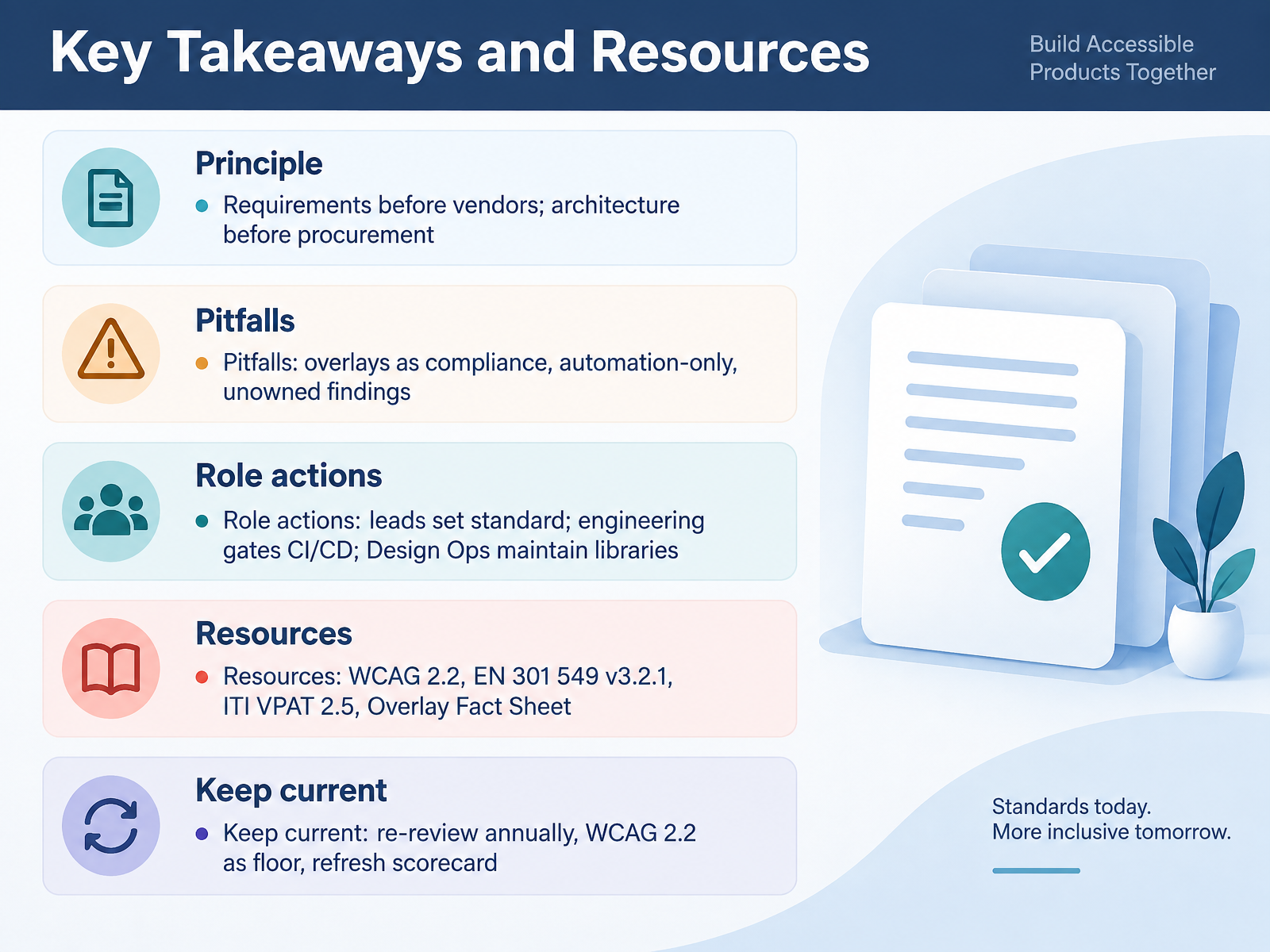
 - 14Key Takeaways and ResourcesThree things to carry out of this course. First, requirements before vendors, architecture before procurement. If you have not written your standard, no ACR will save you. Second, watch the pitfalls. An overlay is not compliance. Automation alone is not testing. And findings without an owner are just noise. Third, here are your actions. Leads, set the standard and fund it. Engineering, gate accessibility in your pipelines before release. Design Ops, keep the libraries correct so defects do not ship. Content, own alt text, headings, and transcripts. IT and procurement, score every vendor. Use the resources on screen: WCAG 2.2, EN 301 549, the ITI VPAT 2.5, and the Overlay Fact Sheet. Then keep it current. Re-review annually. Treat WCAG 2.2 as the floor, not the ceiling. Refresh your scorecard as the standards move. Thank you for your time and attention. Start with one gate, one owner, one review date. That is how this holds. Good luck.
 mn.govwebaim.orgsection508.gov+22 min
Take the deck with you
Download this course as a file — free, no sign-up needed.
- PDF handoutEvery slide page, ready to print or share.15 pages · 3.4 MBDownload
- Narrated PowerPointThe deck that presents itself — every slide carries the digital human's narration video.15 pages · 27.9 MBDownload
- PowerPoint slidesThe full deck as a .pptx — open it in PowerPoint, Keynote, or Google Slides.15 pages · 3.3 MBDownload
Free to use in your own training — please keep the PersonWise credit page at the end.
Have your own deck? Turn it into a course
Sources consulted
Web sources consulted while building this course.
- CI/CD and release hygiene | A11y Studio — a11ystudio.io
- GitHub Actions A11y Pipeline Architecture | a11y CI/CD — web-accessibility-a11y.com
- Stark in Storybook to power your design system accessibility right where it’s built — getstark.co
- Your Pipeline Has Linting and Security Scans. Why Not Accessibility? | Charles Jones — charlesjones.dev
- deepthought42/Accessibility-audit-platform — github.com
- The Digital Accessibility Platform Landscape: 16 Platforms Reviewed - Accessibility Cloud — accessibilitycloud.com
- Web Accessibility Tools Compared: 15 Options Across 5 Categories [2026 Master Table] | TestParty — testparty.ai
- Accessibility Tools: 20 for 2026 | Web Tonic™ — webtonic.io
- Best Website Accessibility Testing Tools in 2026: Honest Comparison — AccessiGuard — accessiguard.app
- Accessibility Monitoring Buyer's Guide 2026 — disabilityworld.org
- VPAT Evaluation Scoring for RFPs, v 3.0 — mn.gov
- WebAIM: Making VPATs and ACRs More Effective in Procurement — webaim.org
- Accessibility In Procurement II: Solicitation & Post-Solicitation | Section508.gov — section508.gov
- Accessibility Solution Evaluation | Office of Information Technology — oit.colorado.gov
- Padlet ACR Evaluation, June 2026 — uvm.edu
- Why Accessibility Overlays Don't Work: The Coverage Data — blog.a11yfix.dev
- Accessibility Overlays: Are They Legally Safe? | QualiBooth — qualibooth.com
- WordPress Accessibility Overlays: Why They Attract Lawsuits (2026) — themealley.com
- The AI Accessibility Paradox — Overlays vs Compliance | UA — usableaccess.io
- Accessibility Overlays Don't Work — Here's Why — WCAGsafe — wcagsafe.com