Begin
16 pages · ~32 min
Web Development Process: Stages and Roles
This training covers the web development process, including its stages, roles, and deliverables, for learners seeking to understand how web projects are structured and executed.
A digital instructor presents all 16 pages. Hold “Ask” at any point and ask out loud — the answer comes from this course. No sign-up needed.
What you’ll learn
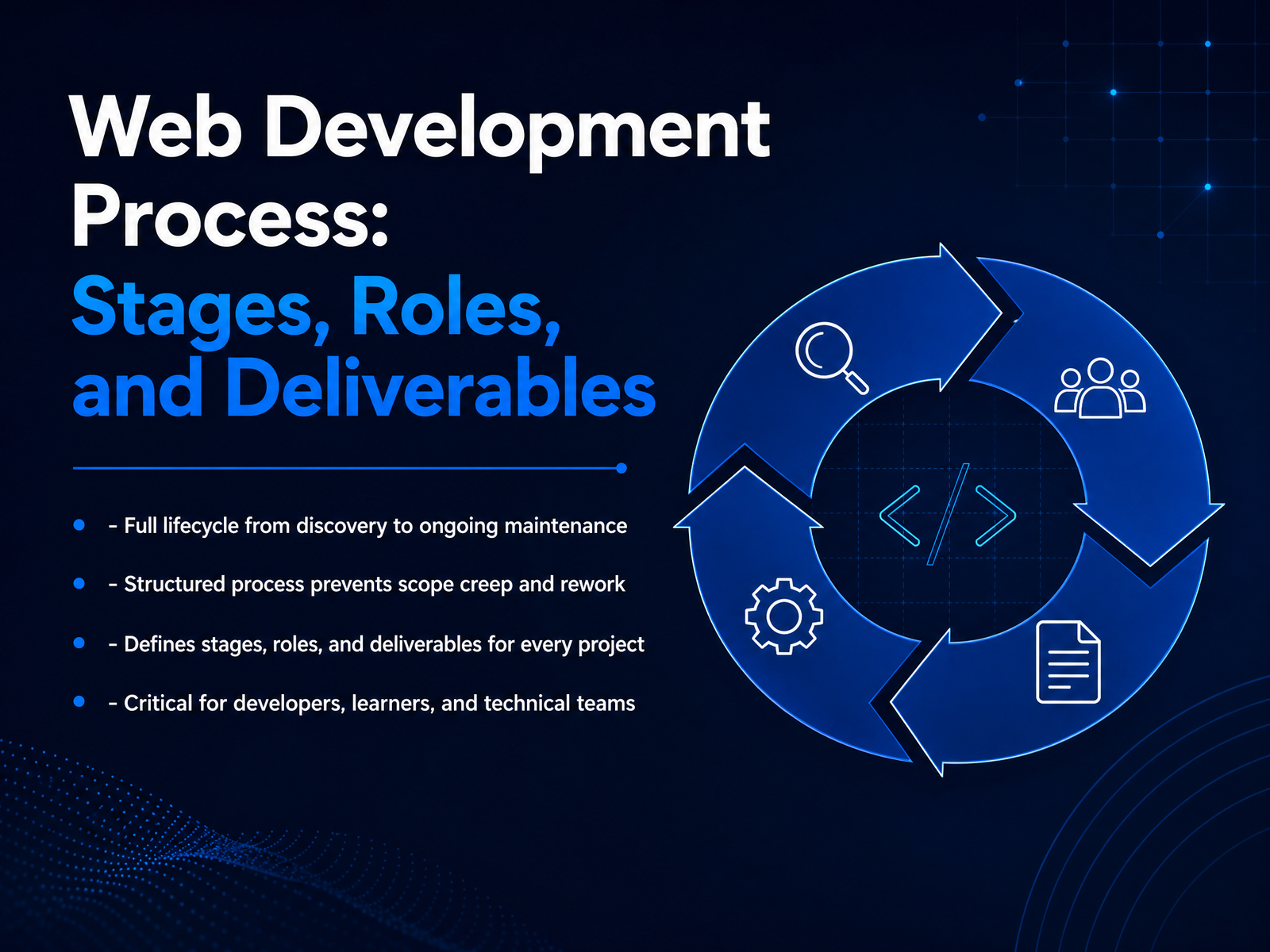
- 01Web Development Process: Stages, Roles, and DeliverablesWelcome. This course walks through the full web development process, from discovery to ongoing maintenance. We will break down the key stages, define the roles that keep work moving, and look at the deliverables produced at each step. A structured process prevents scope creep and rework, so you can ship quality work without surprises. This matters for developers, technical learners, and entire teams who need shared understanding of how a project flows. You will come away with a clear picture of what happens when, who owns what, and why the handoffs matter. Let us get into it. First, we will look at why process discipline is the foundation of a successful project.mymap.aiasana.comnetguru.com+21 min
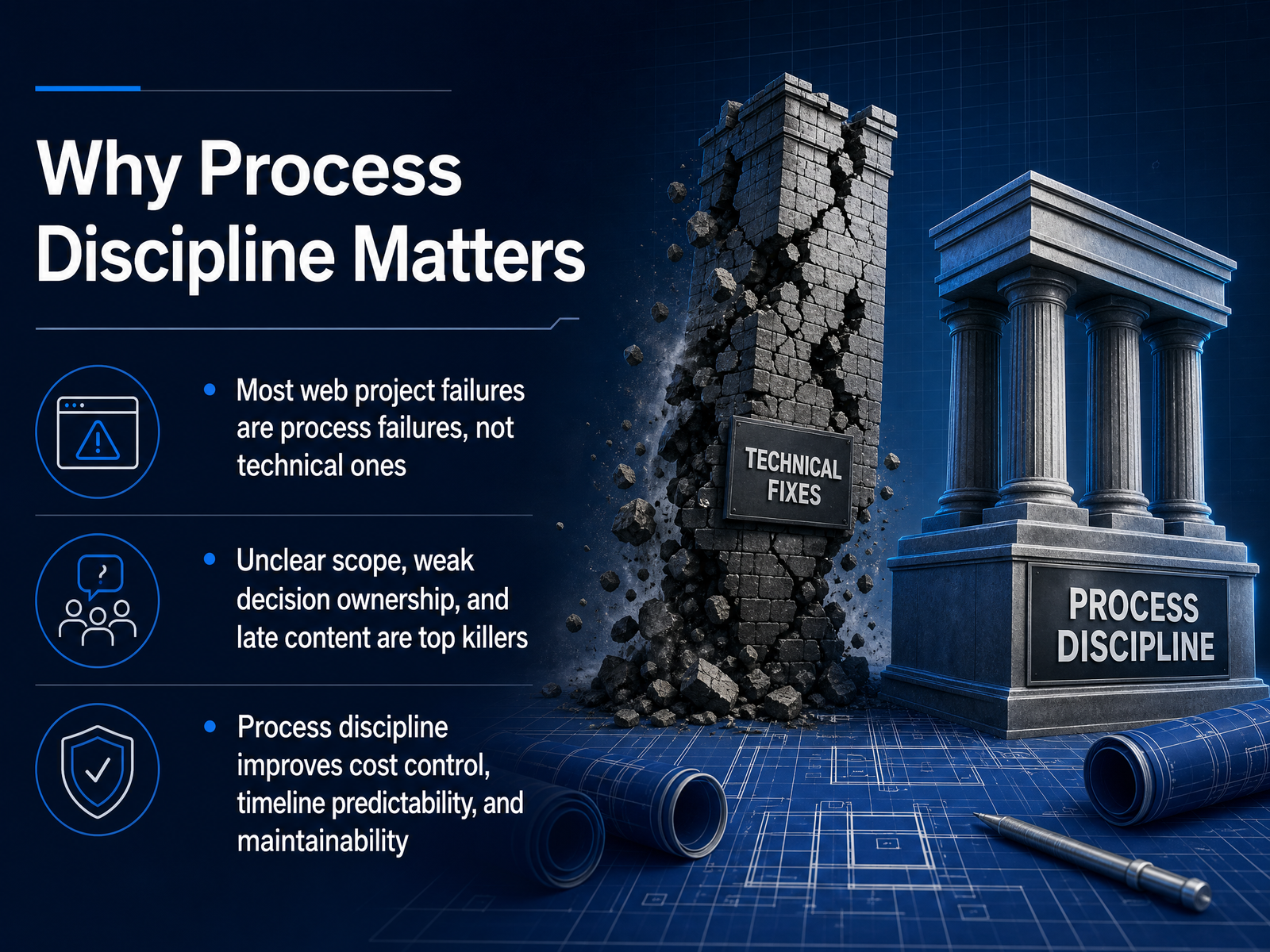
- 02Why Process Discipline MattersLet’s talk about why process discipline matters. The evidence is clear: most web project failures are process failures, not technical ones. It’s rarely the code that breaks a project. It’s unclear scope, weak decision ownership, and content that arrives late. Those are the top killers. Think about it. A single change request is harmless. But twenty small while-we’re-at-it requests, never weighed against budget or timeline, quietly push a project thirty percent over. The fix is structure. When you define who decides, when content lands, and what done actually means, you get predictable timelines, controlled cost, and a codebase that stays maintainable long after launch. The good news is these problems are preventable. So as we walk through the process, remember: the point of each stage is to catch issues early, before they become expensive. Now, let’s look at the end-to-end lifecycle and see how these pieces fit together.
 arocom.destudioslate.com.auevenbound.com+22 min
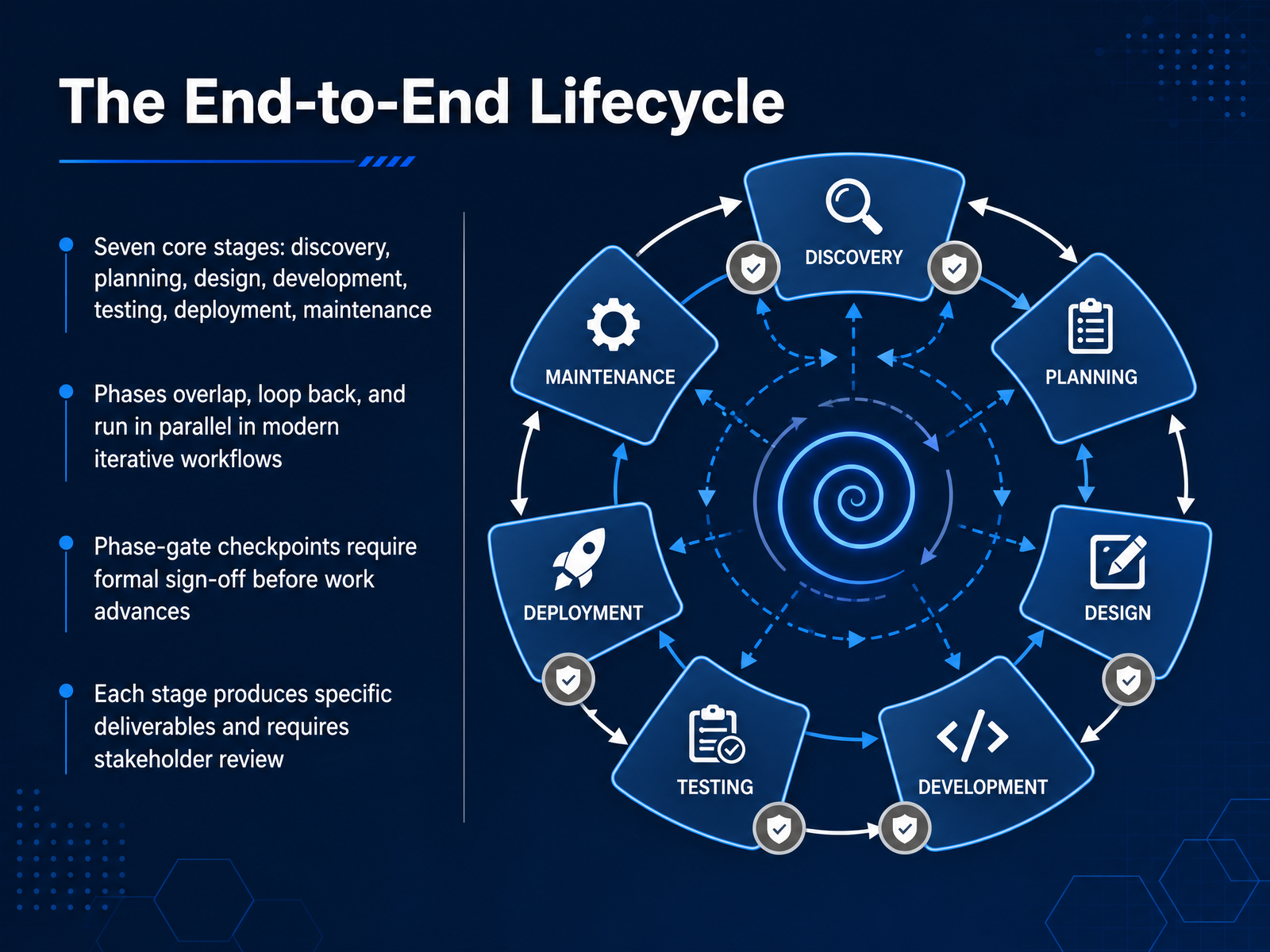
 - 03The End-to-End LifecycleNow let's look at the end-to-end lifecycle. Most projects move through seven core stages: discovery, planning, design, development, testing, deployment, and maintenance. But don't picture these as a strict line. In modern iterative workflows, phases overlap, loop back, and often run in parallel. For example, QA might start testing one feature while developers are still building another. That said, many teams use phase-gate checkpoints. These are formal sign-off points where stakeholders must review the deliverables and approve them before the next stage begins. This is a protective measure. It catches misalignment early, before code is written, when changes are far cheaper. Every stage produces specific deliverables, and each one requires stakeholder review. The key takeaway is this: the structure of the lifecycle exists to reduce risk and keep everyone aligned. A clear deliverable and a formal review at each gate keep the project moving in the right direction. Now let's move on to the first stage, discovery and requirements.
 weqtechnologies.comnetguru.comdesignveloper.com+21 min
 - 04Discovery and RequirementsNow let’s look at Discovery and Requirements, the phase that defines everything that follows.
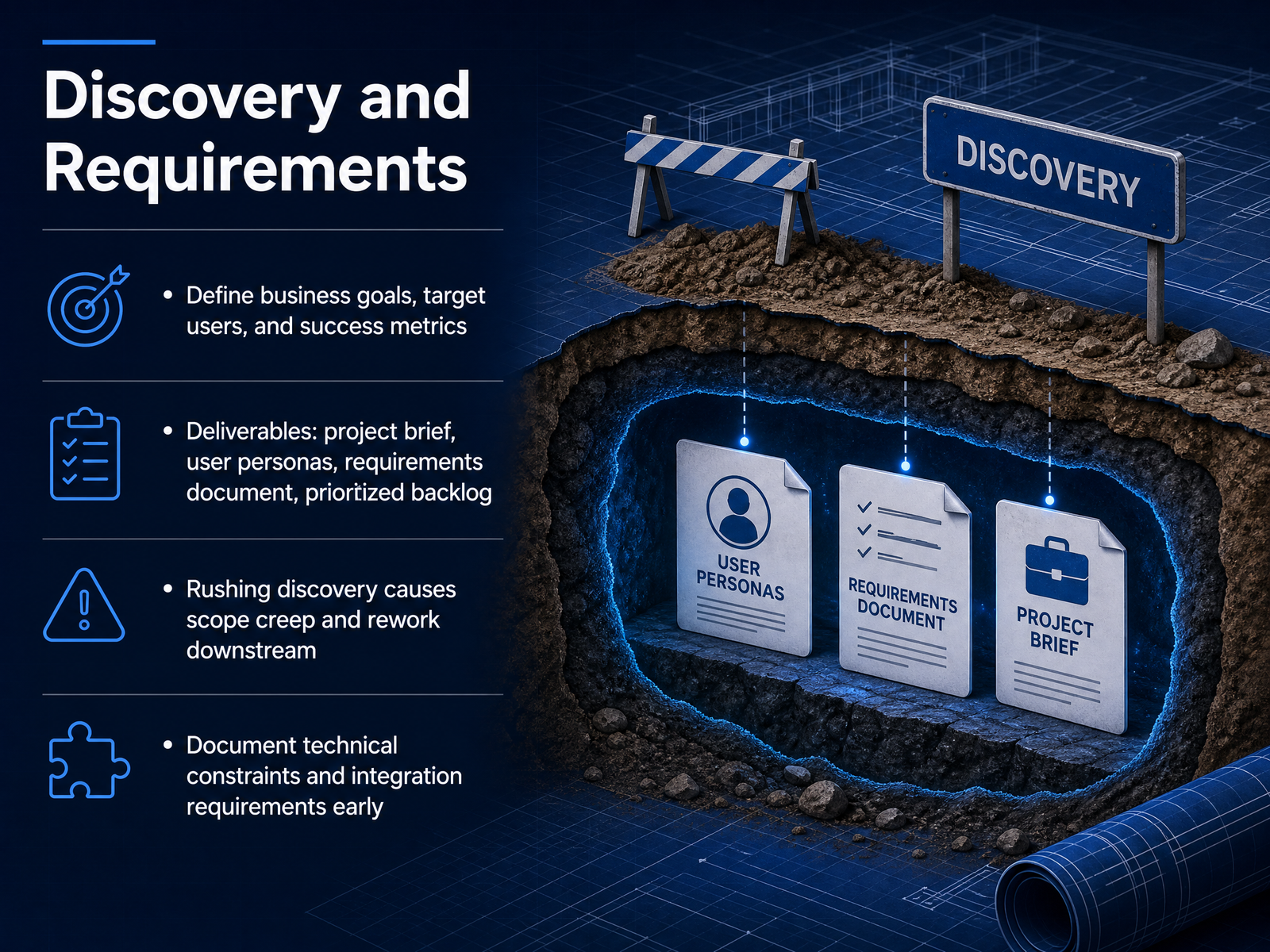
Here you clarify the business goals, identify who the target users are, and agree on what success looks like in measurable terms. This is where you translate a vague idea into a concrete project brief.
The main deliverables from this phase are the project brief, user personas, a requirements document, and a prioritized backlog. These documents become the single source of truth for the entire team.
There's a well-known pattern here: if you rush discovery, you’ll pay for it later in scope creep and rework. In practice, this often shows up as vague goals, missing integration requirements, or a growing list of unplanned features mid-development.
Finally, document technical constraints and integration requirements early. Identify the platform, the CMS, payment gateways, CRM tools, or legacy systems your build needs to connect with. It’s much cheaper to resolve these dependencies now than to discover them during development.
A structured discovery phase is what separates a project that moves smoothly from one that gets stuck in endless change requests.
With that foundation set, let’s move on to Planning and Architecture.
 yowillinfotech.comlowcode.agencyaamax.co+22 min
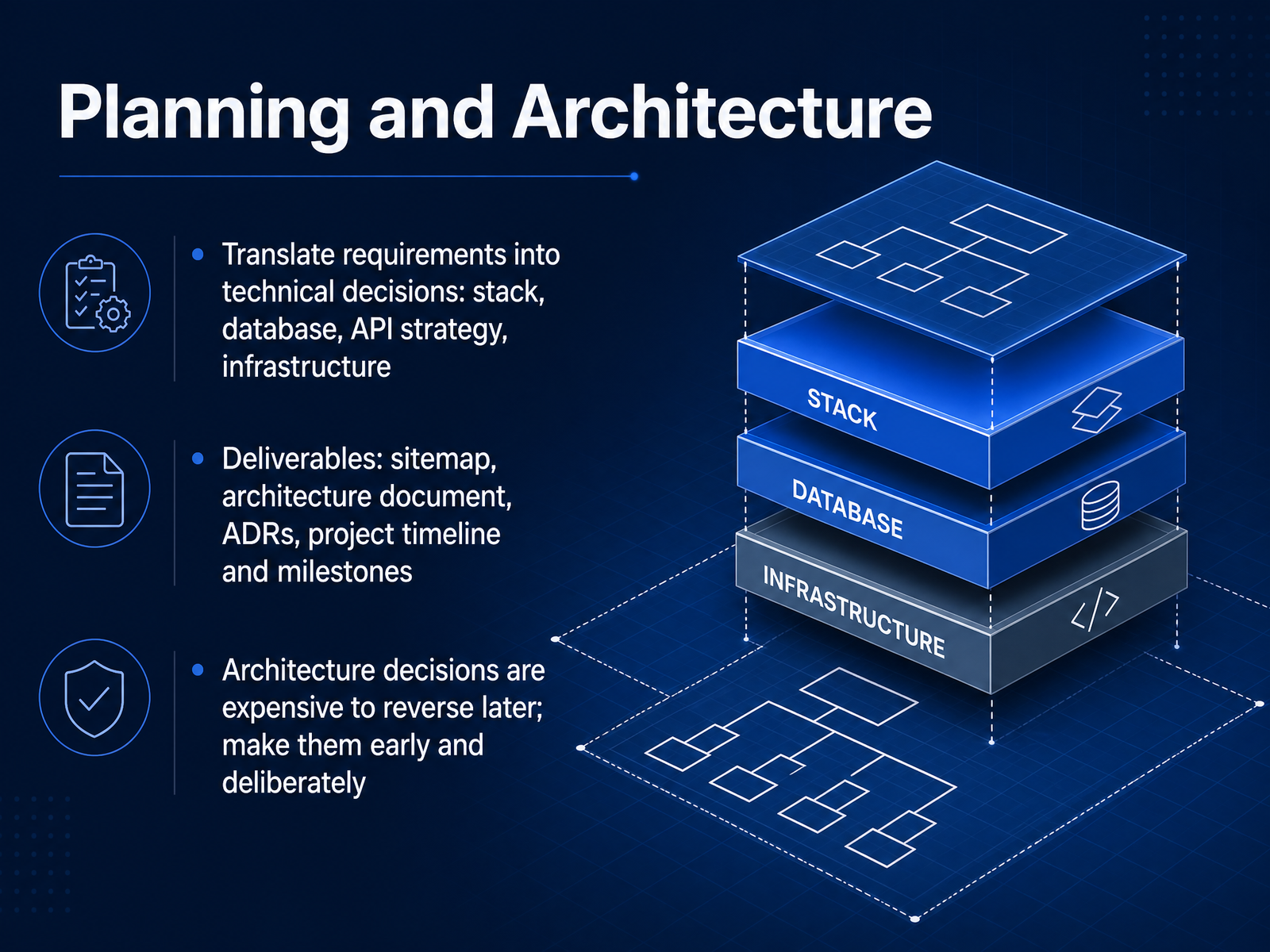
 - 05Planning and ArchitectureNow let’s move into planning and architecture, where we turn requirements into concrete technical decisions. This is the phase where we decide the stack, the database, the API strategy, and the infrastructure. Each of these choices needs to be deliberate, because they are expensive to reverse later. The key deliverables here include a sitemap to define structure, an architecture document that explains the rationale behind each major choice, and architecture decision records, or ADRs, to capture individual decisions and their trade-offs. You’ll also want a clear project timeline with milestones so the team and stakeholders share the same roadmap. A quick example: if you choose a relational database now but realize a year later that your data model is more graph-like, migrating is painful. Same with picking a monolithic versus microservices approach. Think of this phase as the foundation of the house. A small mistake here compounds across every subsequent phase. So make these decisions early, document them thoroughly, and get buy-in. Next, we’ll look at UX and UI design, where that architecture starts to take a visible shape.
 2 min
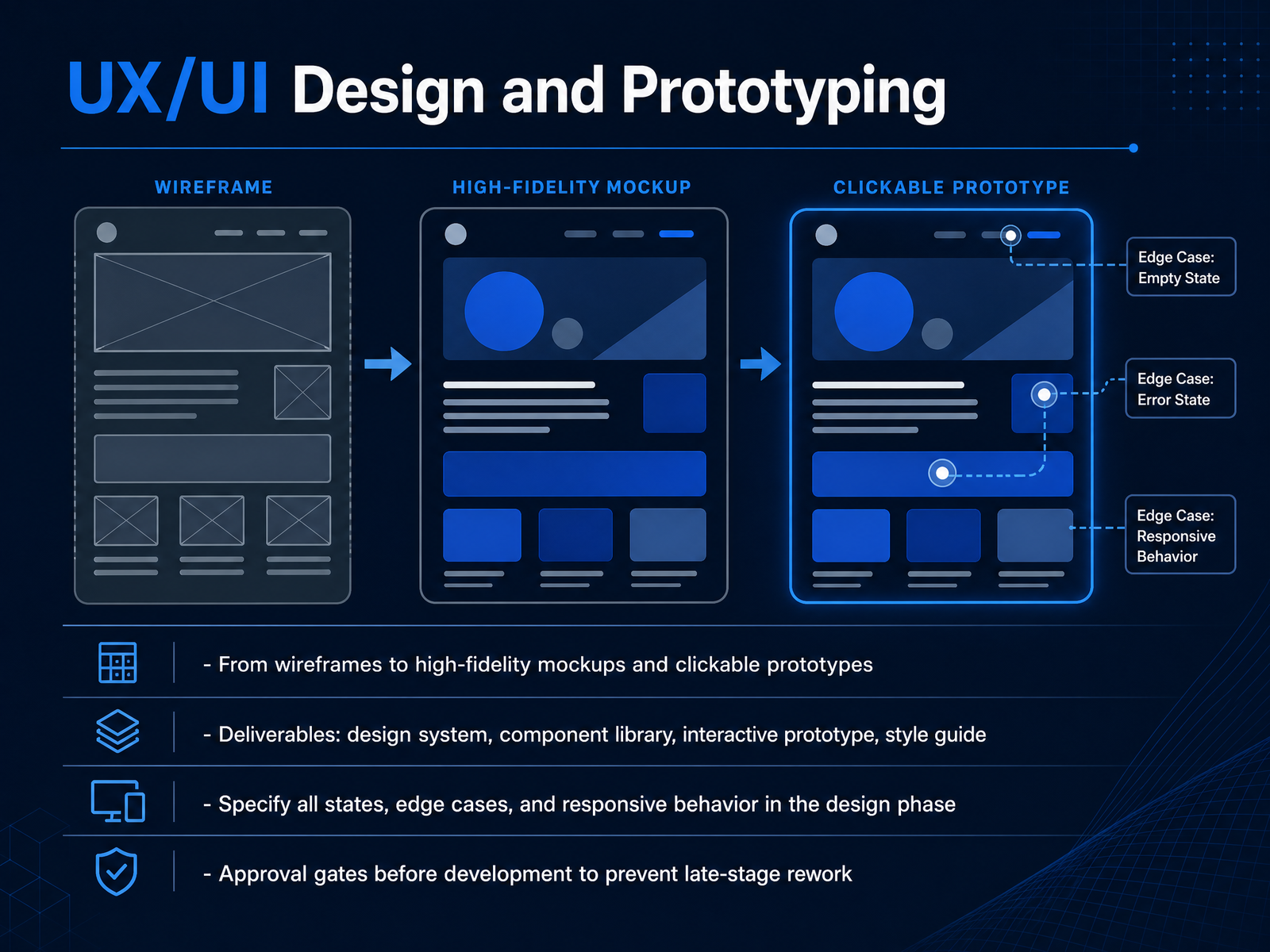
2 min - 06UX/UI Design and PrototypingNow let's look at the design phase, specifically UX and UI design, and prototyping. This is where the project starts to become tangible. We move from low-fidelity wireframes, which define layout and structure, all the way to high-fidelity mockups and clickable prototypes. These are the deliverables the team should expect. First, a design system with your color tokens, typography scale, and spacing rules. Second, a reusable component library. Third, an interactive prototype that stakeholders can actually click through. And fourth, a style guide that documents all design decisions. There are a few critical points here. You must specify all component states, like hover, active, error, and empty states, plus edge cases and responsive behavior, directly in the design phase. If you leave these undefined, developers will have to make assumptions during the build, which leads to inconsistency and rework. The other key practice is setting formal approval gates before development starts. Once the clickable prototype is signed off, any major change is a scope change. This prevents late-stage rework and keeps the project on schedule. Now that we have a clear design contract, we can move into the development and integration phase.
 yowillinfotech.comlowcode.agencyaamax.co+22 min
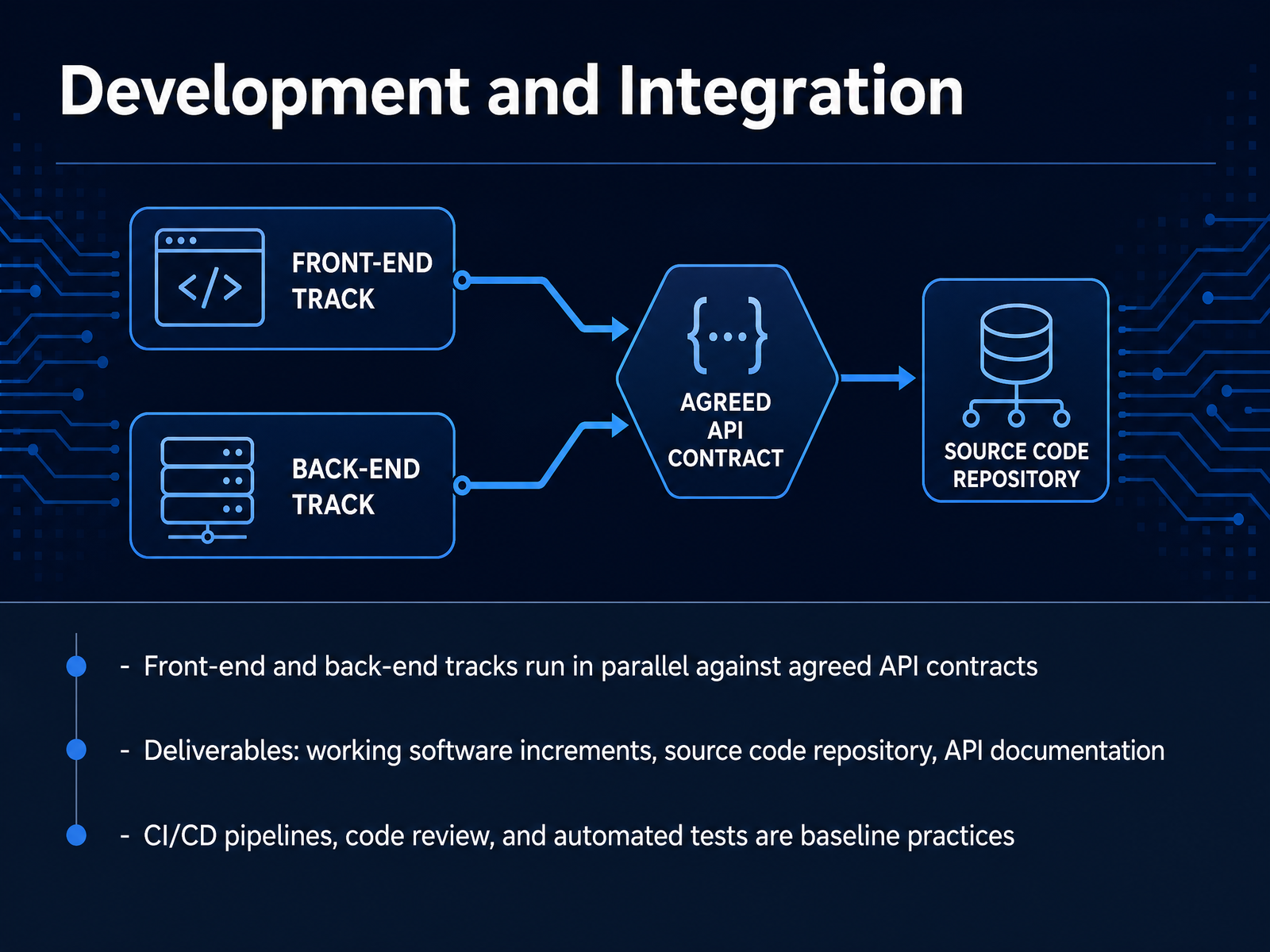
 - 07Development and IntegrationNow we move into the development and integration phase. This is where the design system and API contracts turn into working software. Front-end and back-end tracks run in parallel, both against agreed API contracts. That means the interface team and the server team can build simultaneously without blocking each other. The key deliverables here are working software increments, a source code repository, and API documentation. You should be able to see a working feature every few days, not at the end of the project. The repository should be a client-owned account from day one, not transferred later. And API documentation must stay current as contracts evolve. On top of that, CI/CD pipelines, code review, and automated tests are baseline practices. They are not optional extras. In a typical sprint, a developer opens a pull request, the pipeline runs tests on every push, and a teammate reviews the code before it merges. Staging deploys automatically on a successful merge. That rhythm is what keeps integration smooth and defects early. Next, we will cover testing and quality assurance.
 yowillinfotech.comlowcode.agencyaamax.co+21 min
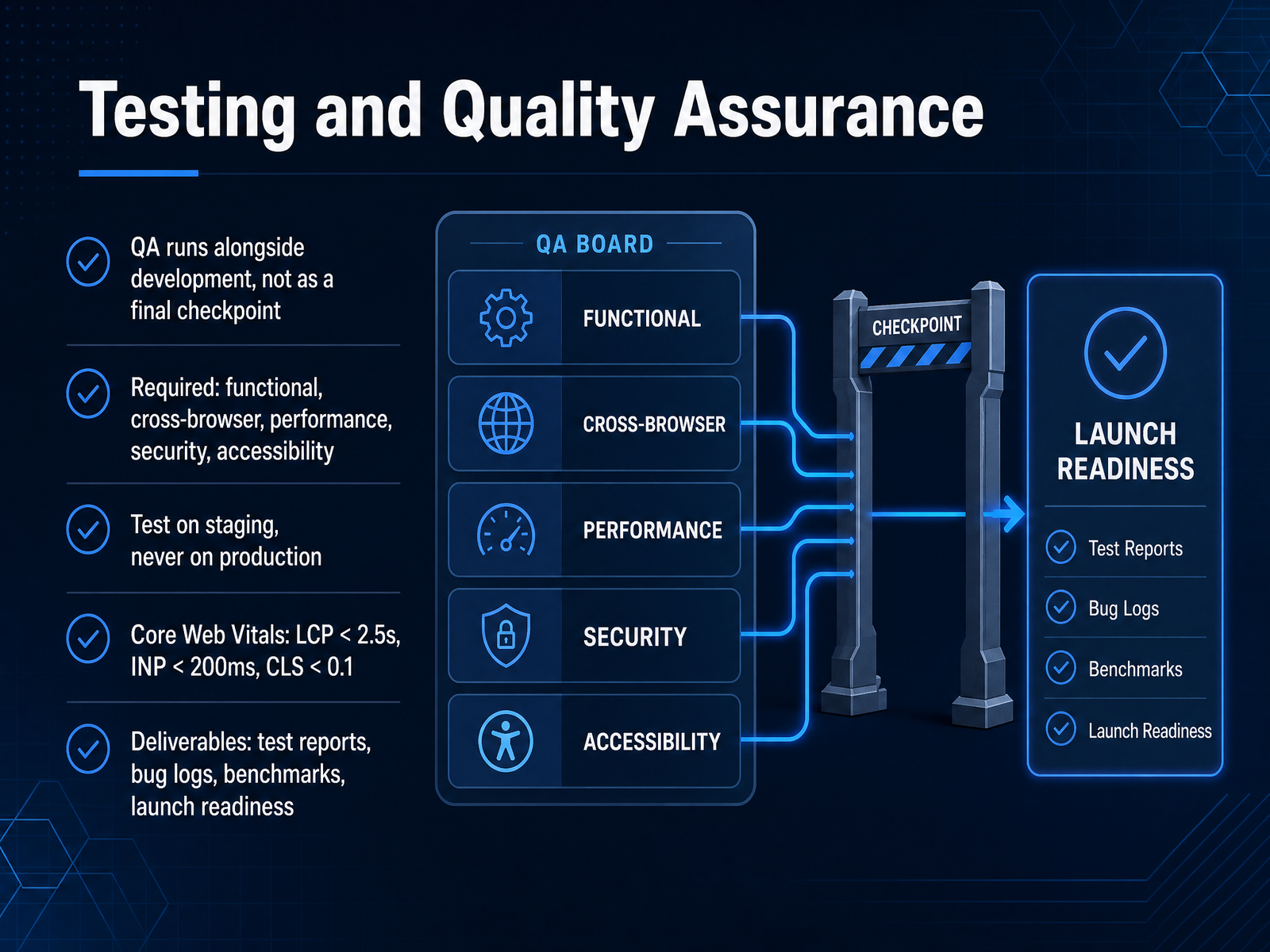
 - 08Testing and Quality AssuranceLet’s move into testing and quality assurance. The key mindset here is that QA runs alongside development, not as a final checkpoint before launch. You test as you build, sprint by sprint. Functionality, cross-browser rendering, performance, security, and accessibility are all required areas. And you always test on staging, never on production. Your staging environment should mirror production as closely as possible. For performance, keep an eye on Core Web Vitals: Largest Contentful Paint under two point five seconds, Interaction to Next Paint under two hundred milliseconds, and Cumulative Layout Shift under zero point one. The deliverables here are concrete: test reports, bug logs with severity levels, performance benchmarks, and a clear launch readiness sign-off. This phase quietly saves your launch, so treat it with the same rigor as the build itself. Once testing passes, we’re ready to talk about deployment and launch.
 2 min
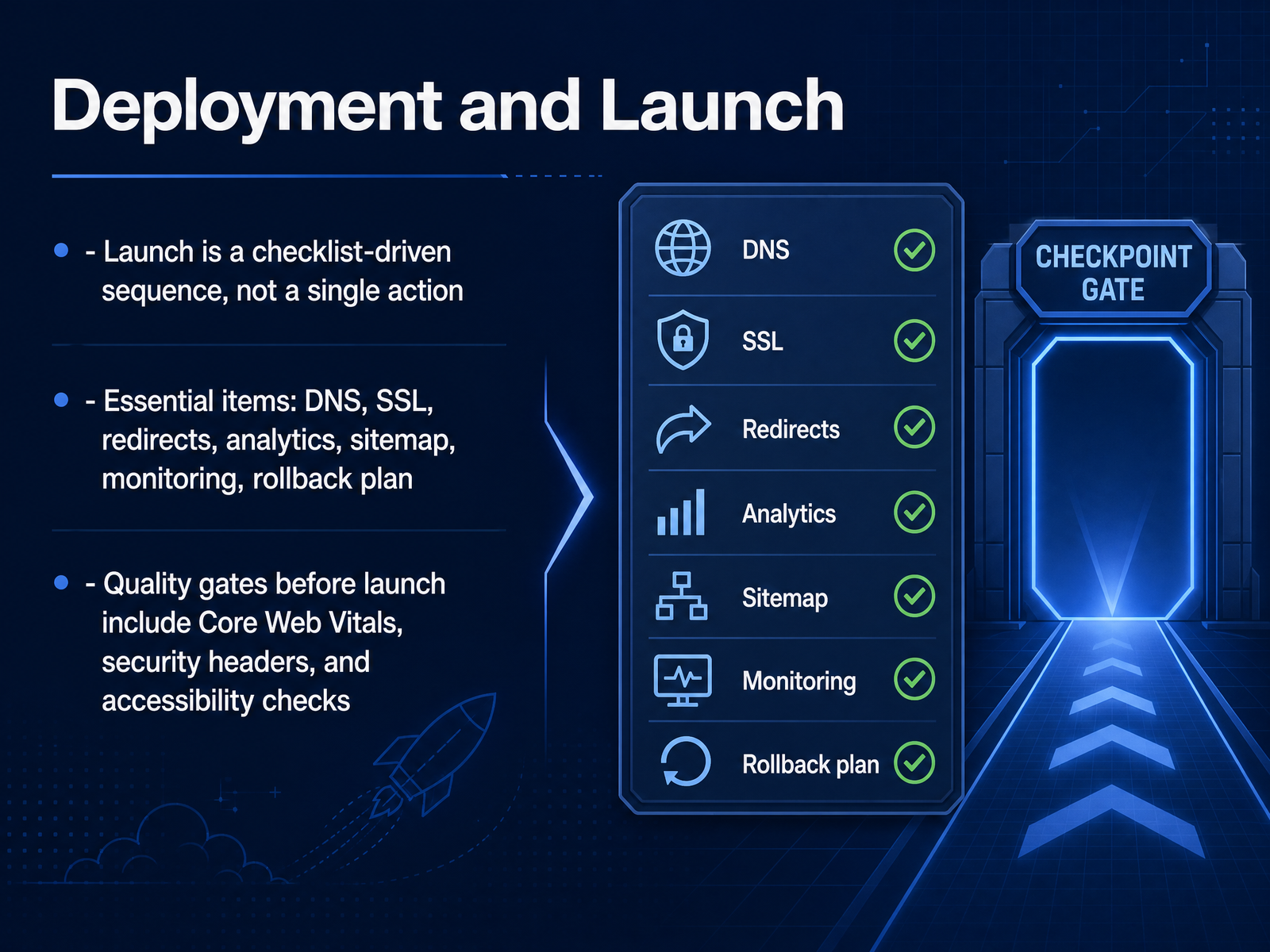
2 min - 09Deployment and LaunchNow we move to deployment and launch. Keep in mind that launching a site is not a single action. It is a checklist-driven sequence that moves your build from staging to production. At a minimum, that checklist covers DNS configuration, SSL certificate verification, redirect mapping for any changed URLs, analytics activation, sitemap submission, and a rollback plan. If you are changing domains or URLs, map every old address to its new equivalent with a 301 redirect. Verify the SSL certificate is valid past launch day, because an expired certificate is a common cause of surprise outages. Before you press the button, pass quality gates on staging. Core Web Vitals should be within good ranges: LCP under two and a half seconds, CLS under zero point one. Confirm your five baseline security headers are present and correctly scoped, including Content Security Policy and HSTS. And run accessibility checks with automated scans plus manual keyboard navigation to ensure no focus traps. Treat any metric in the poor range as a launch blocker. Missing even one item in this checklist is how a routine launch becomes a post-mortem within forty-eight hours. Get this sequence right, and the handoff to post-launch maintenance and iteration becomes much smoother.
 2 min
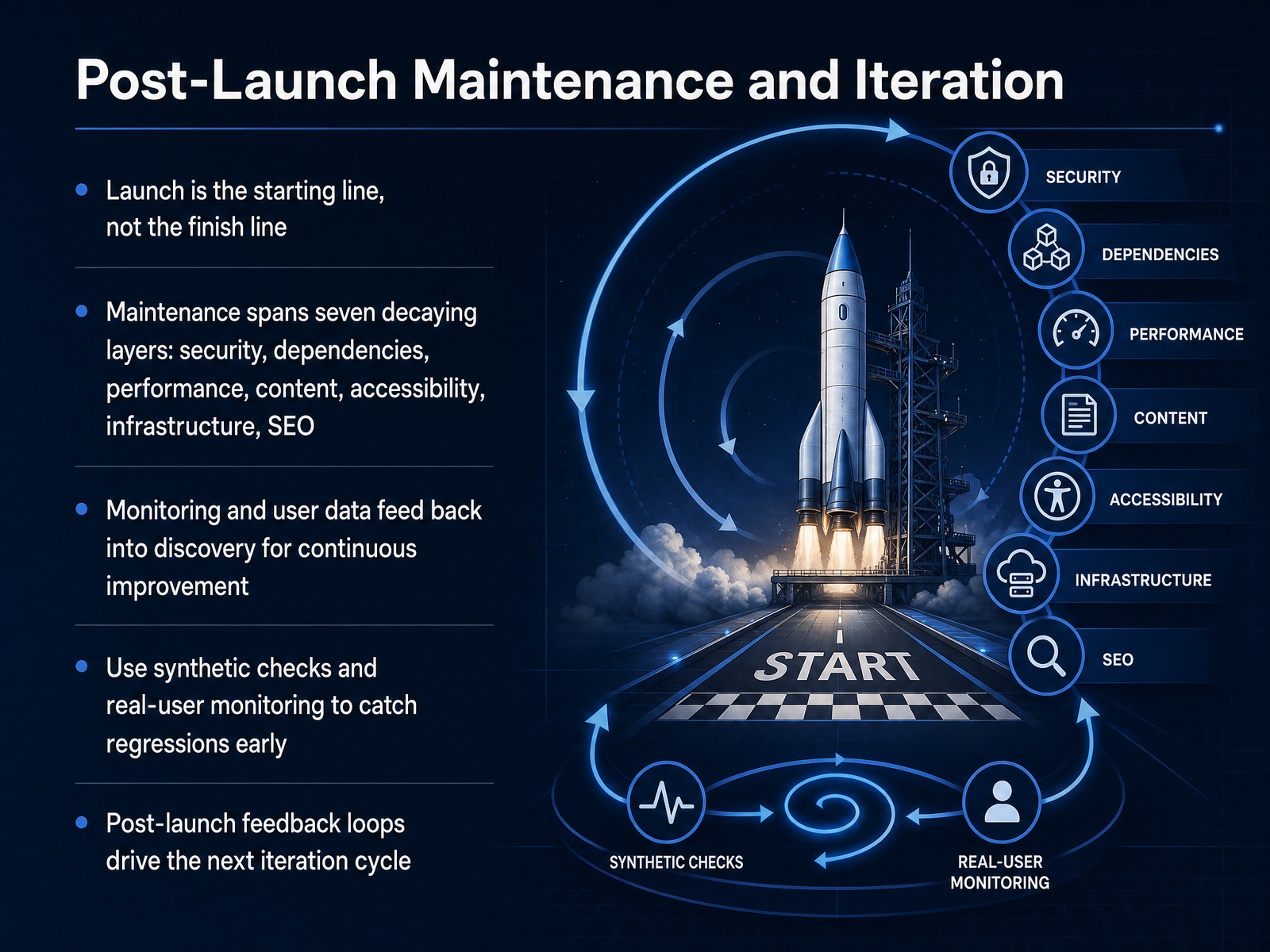
2 min - 10Post-Launch Maintenance and IterationLaunch is the starting line, not the finish line. Once your site is live, the real work begins. Think of post-launch maintenance as seven distinct layers, each decaying on its own clock: security, dependencies, performance, content, accessibility, infrastructure, and SEO. Neglect any one of them, and the whole build quietly rots. The fix is to monitor continuously. Use synthetic checks to catch availability issues before users notice, and real user monitoring to understand what actual visitors experience. Feed that data, along with analytics and user feedback, back into discovery. That closes the loop. Regressions get caught early, and the next iteration cycle is driven by evidence, not guesses. And here's the key: maintenance is not a phase, it's a posture. Schedule regular reviews, automate dependency updates, and keep a runbook ready for the inevitable late-night incident. Now, let's talk about who actually owns these responsibilities, the key roles and ownership across the team.
 1 min
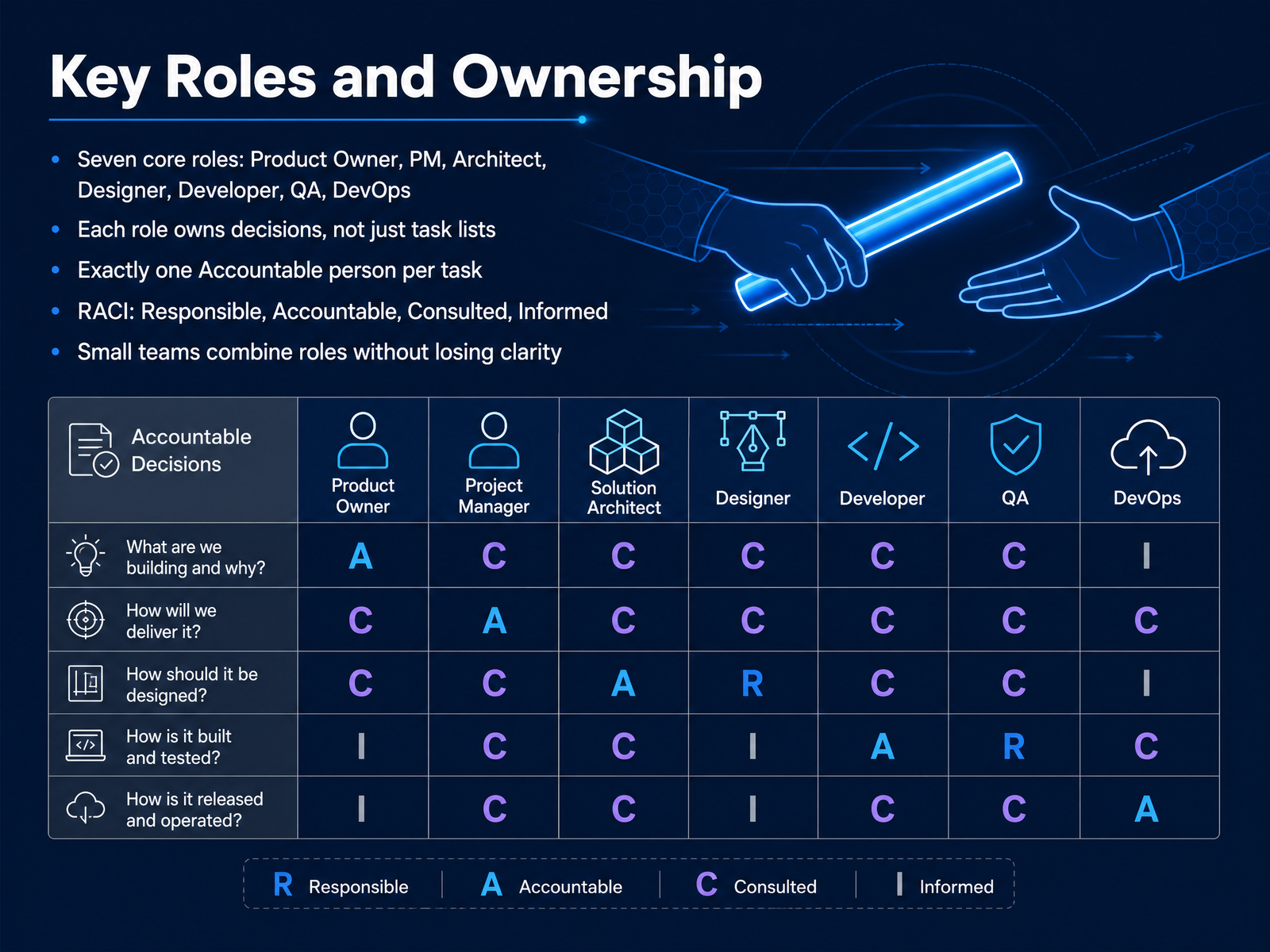
1 min - 11Key Roles and OwnershipNow let’s talk about key roles and ownership. Seven core roles drive a web project: Product Owner, Project Manager, Architect, Designer, Developer, QA, and DevOps. But here’s the key point — each role owns decisions, not just a list of tasks. For example, the Architect owns technical direction, while the Product Owner owns priority. That distinction prevents constant negotiations. Now, to keep ownership clear, use the RACI model. RACI stands for Responsible, Accountable, Consulted, and Informed. The Responsible person does the work. The Accountable person owns the outcome and has final say. There must be exactly one Accountable person per task. Multiple people can be Responsible or Consulted, but only one Accountable. This prevents diluted ownership. On small teams, you often combine roles — say, a full-stack developer also handles DevOps — but you still need to know who owns the final decision. So, bottom line: define ownership by decision, not by task list, and keep a single Accountable person for each deliverable. Next, let’s look at deliverables by stage.
 mymap.aiasana.comnetguru.com+21 min
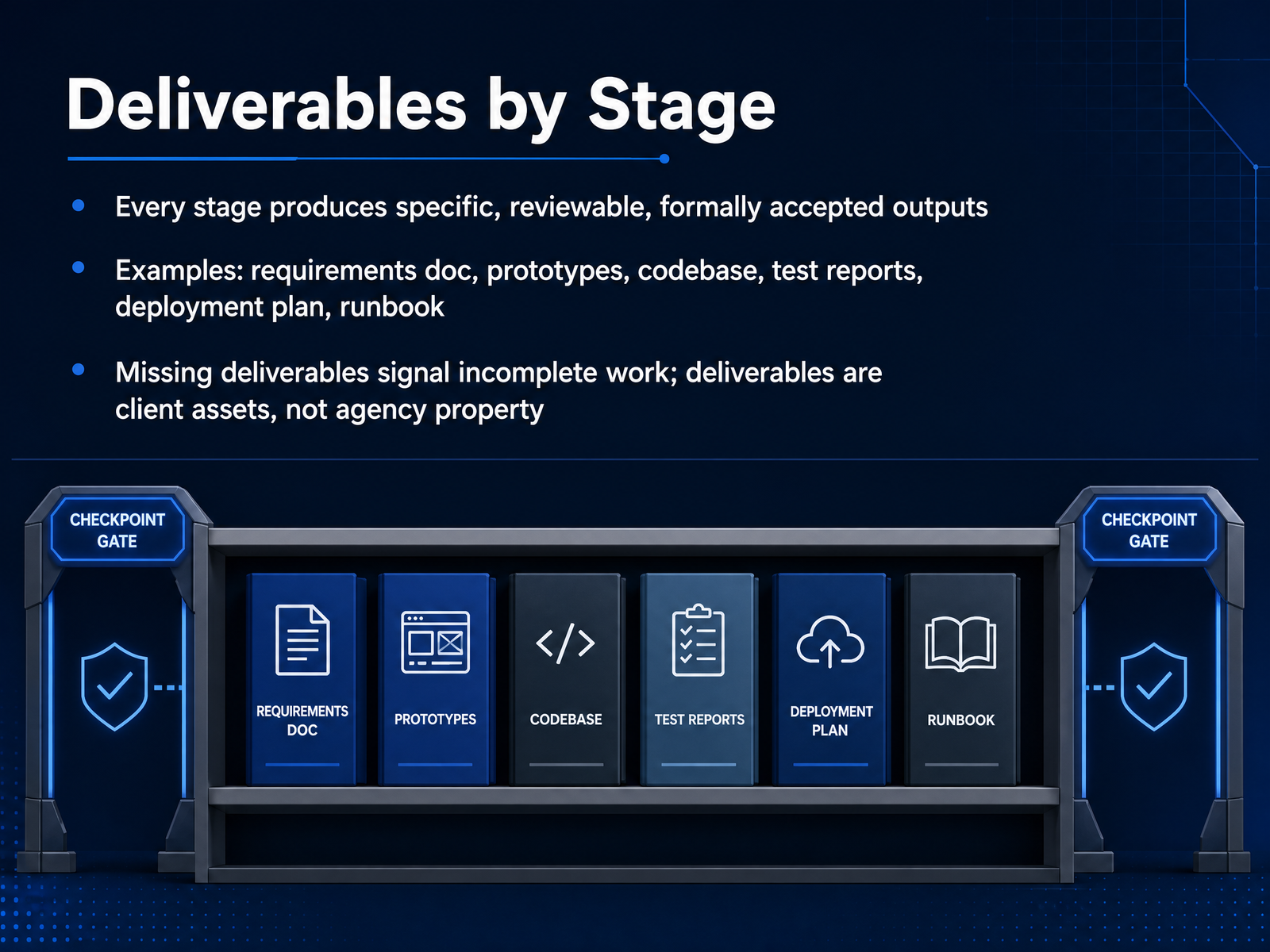
 - 12Deliverables by StageNow let's talk about what each stage actually produces. Every phase of the web development process generates specific, reviewable deliverables that must be formally accepted before moving forward. Examples include the requirements document from discovery, wireframes and design mockups from the design phase, the codebase and test reports from development, and the deployment plan and runbook for launch and post-launch operations. If a phase produces no concrete deliverable, that's a red flag — it usually means the work wasn't completed or wasn't properly scoped. And remember, these deliverables are client assets, not agency property. Everything from design files to source code and documentation belongs to the client and must be formally handed over at project close. Each deliverable also needs explicit sign-off; verbal approval is not enough. Next, we'll compare the common process models: Waterfall, Agile, and Hybrid.
 yowillinfotech.comlowcode.agencyaamax.co+22 min
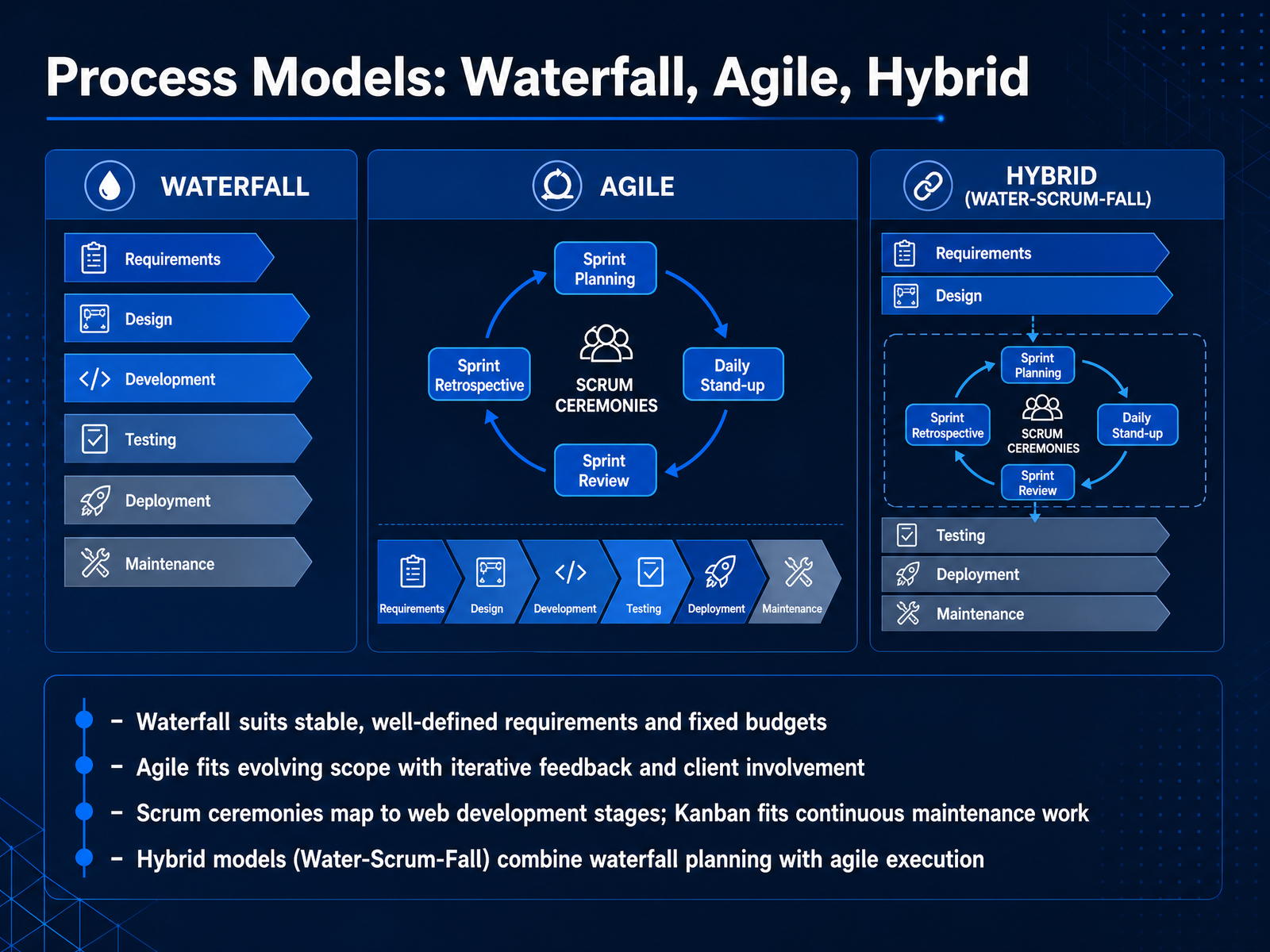
 - 13Process Models: Waterfall, Agile, HybridNow let's talk about process models. The choice between Waterfall, Agile, and hybrid approaches shapes how your team plans, builds, and delivers. Waterfall works best when requirements are stable, well-defined, and the budget is fixed. Think regulatory or compliance projects where scope changes are rare and documentation is essential. Agile, on the other hand, fits evolving scope and active client involvement. Through iterative sprints, you get regular feedback and can adjust priorities as you learn. Scrum ceremonies map neatly to web development stages: sprint planning for discovery, reviews for client feedback. Kanban suits continuous maintenance work, like bug fixes or content updates, where there's no clear endpoint. Many teams use a hybrid model, sometimes called Water-Scrum-Fall. You start with waterfall-style planning and discovery, then run agile sprints for design and development, and finish with structured testing and deployment. This blend gives you predictability where you need it and flexibility where it counts. Keep in mind, the best methodology aligns with your project's reality, not the latest trend. So, how do you take these models and translate them into actual technical implementation? Let's look at that next.
 1 min
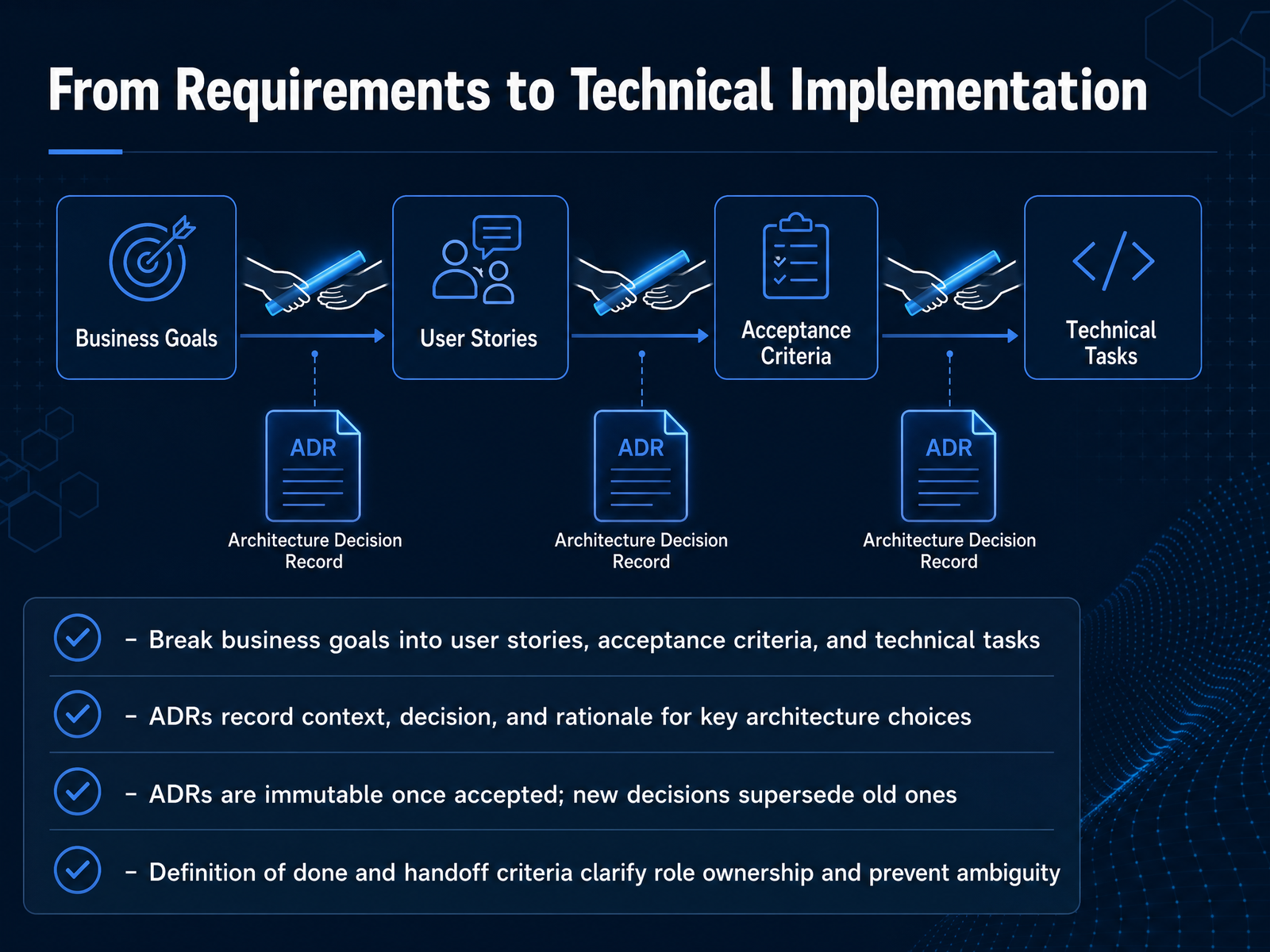
1 min - 14From Requirements to Technical ImplementationNow let's walk through the critical shift from business requirements to technical implementation. The first move is to break broader business goals into user stories, acceptance criteria, and concrete technical tasks. Functional stories describe what the user needs, while technical stories cover supporting infrastructure, refactoring, or research spikes. For example, a login feature might require a separate technical story for extending the existing authentication service. Both types need clear acceptance criteria, and technical stories often require input from engineers who understand the stack. Next, record key architecture choices in Architecture Decision Records, or ADRs. Each ADR captures the context, the decision itself, and the rationale, including alternatives considered and trade-offs. Keep them short, store them in the repository, and link them to related code and tickets. Once an ADR is accepted, it becomes immutable. If the decision changes, you write a new ADR and mark the old one as superseded. This preserves the decision history. Finally, define your definition of done and explicit handoff criteria. This clarifies role ownership and prevents ambiguity at boundaries. Teams should agree on what done means for every story and who verifies it. Keep that agreement visible and review it regularly. With these mechanisms in place, requirements flow into implementation without losing intent. Next, let's look at how collaboration and handoffs keep this process moving smoothly.
 2 min
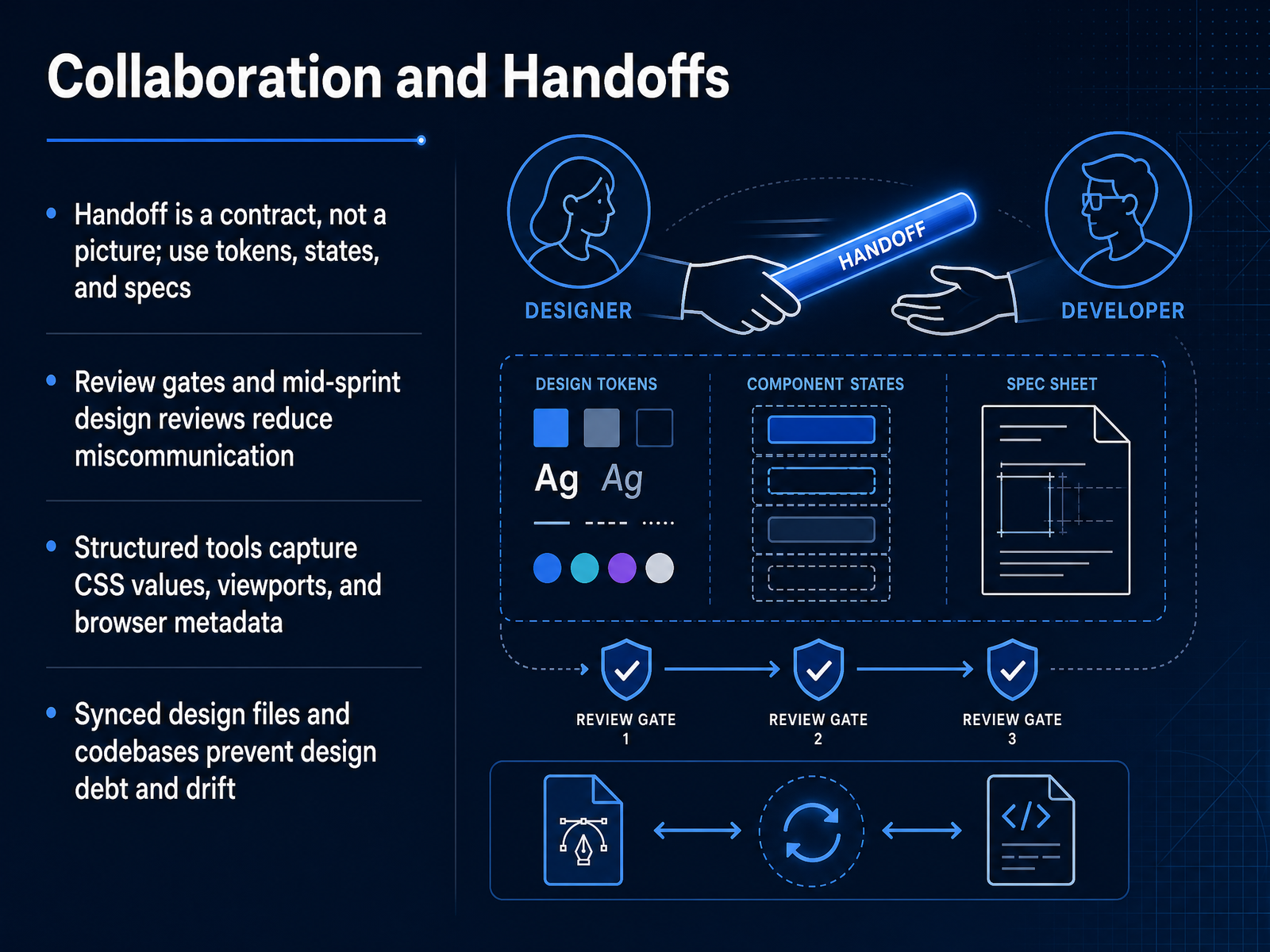
2 min - 15Collaboration and HandoffsLet's talk about collaboration and handoffs. The handoff is a contract, not a picture. The design file should carry named tokens, component specs, and every interface state, including empty, loading, and error. If the spec stops at one polished screen, developers fill the gaps with guesses, and the product drifts from the design. Add review gates and schedule mid-sprint design reviews. This catches miscommunication while fixes are still cheap. For reporting issues, use structured tools that capture CSS values, viewport size, and browser metadata automatically. Vague feedback like 'the spacing looks off' wastes time. Precise reports respect the developer's workflow. Finally, keep design files and codebases synchronized. If a developer makes a technical deviation, update the design file to match. When the two diverge, you create design debt that makes every future release harder. A shared source of truth is your best defense. Now, let's wrap up with some practical takeaways.
 1 min
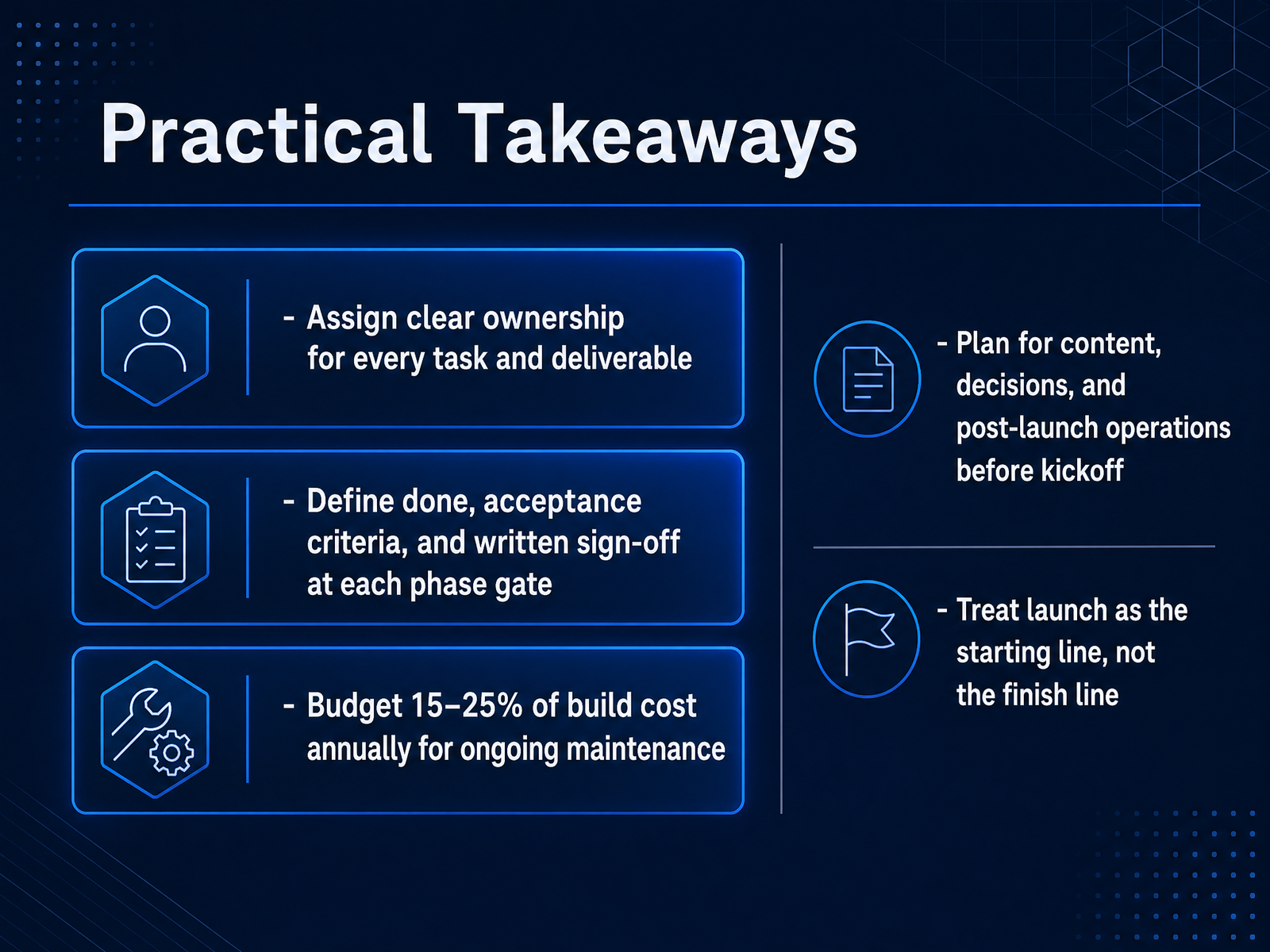
1 min - 16Practical TakeawaysLet’s wrap this up with the practical takeaways. First, assign clear ownership for every task and deliverable. One empowered person should own each decision, not a committee. Second, define what done means, set acceptance criteria, and get written sign-off at every phase gate. Third, budget fifteen to twenty-five percent of the build cost annually for maintenance. A website decays quickly if you stop investing in it. Fourth, plan for content, decisions, and post-launch operations before kickoff. Content delays are the most common cause of missed timelines, so put names and dates in the plan. Finally, treat launch as the starting line, not the finish line. The first thirty days after launch are when real issues surface, and ongoing iteration is what keeps the site healthy. Thank you for joining this course. Apply these practices to your next project and you will avoid most of the common failure patterns. Good luck and happy building.
 arocom.destudioslate.com.auevenbound.com+21 min
Take the deck with you
Download this course as a file — free, no sign-up needed.
- PDF handoutEvery slide page, ready to print or share.17 pages · 4.1 MBDownload
- Narrated PowerPointThe deck that presents itself — every slide carries the digital human's narration video.17 pages · 19.0 MBDownload
- PowerPoint slidesThe full deck as a .pptx — open it in PowerPoint, Keynote, or Google Slides.17 pages · 4.0 MBDownload
Free to use in your own training — please keep the PersonWise credit page at the end.
Have your own deck? Turn it into a course
Sources consulted
Web sources consulted while building this course.
- RACI Chart Template - Website Redesign | MyMap — mymap.ai
- RACI Charts: The Ultimate Guide, with Examples [2025] - Asana — asana.com
- Web development team structure: Roles by project stage — netguru.com
- Web Development Team Roles and Responsibilities in 2026 — cleveroad.com
- Roles and Responsibilities of Web Teams (2026 Guide) — dynomapper.com
- Why web projects fail: 5 mistakes | arocom Blog — arocom.de
- Why Your Website Project Failed (And How to Prevent It) | Studio Slate — studioslate.com.au
- 7 Common Website Project Management Mistakes | Evenbound — evenbound.com
- Web Development Mistakes in Projects and How to Fix Them Fast - IT Oasis — itoasis.co
- Web App Problems That Sink Projects | Digital Heroes — blog.digitalheroesco.com
- Website Project Lifecycle: From Kickoff to Launch in 2025 - WEQ — weqtechnologies.com
- The Best Web Development Process: A Step-by-Step Guide — netguru.com
- Web Development Project Management: Complete Guide - Designveloper — designveloper.com
- How the Web Design Process Works: Step-by-Step | Verlua — verlua.com
- Web Application Development Process | Kavara — kavara.dev
- Web Development RFP: 2025 Ultimate Guide + Samples & Expert Tips — yowillinfotech.com
- Website Redesign Deliverables: What to Expect | LOW/CODE — lowcode.agency
- Web Development Plan Sample | AAMAX — aamax.co
- Website Design Timeline – How Long It Takes | Grizzly — wearegrizzly.com
- The 7 deliverables every web contract should… | Bedrock Labs — bedrocklabs.co