Begin
13 pages · ~26 min
UX Design Portfolio Interview Prep
This training prepares UX designers to present their portfolios in interviews, helping them communicate design decisions and deliver a compelling, structured case study narrative.
A digital instructor presents all 13 pages. Hold “Ask” at any point and ask out loud — the answer comes from this course. No sign-up needed.
What you’ll learn
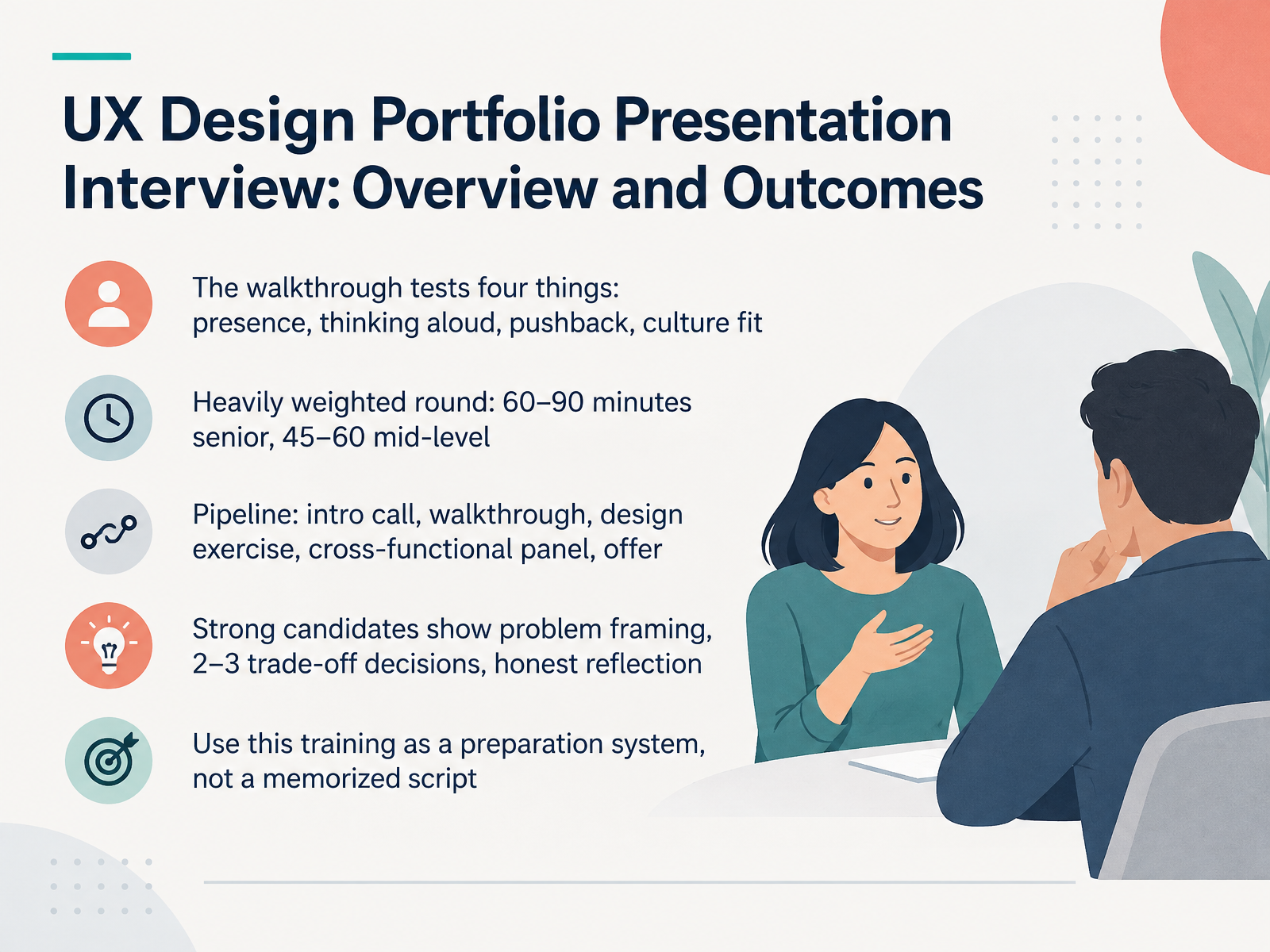
- 01UX Design Portfolio Presentation Interview: Overview and OutcomesWelcome. This course is your preparation system for the UX portfolio walkthrough interview. Before we go further, let me be clear about what this round actually is. It's the most heavily weighted stage in the hiring pipeline, and it usually runs sixty to ninety minutes for senior roles, forty-five to sixty for mid-level. Across that time, the panel is testing four things at once. Can you hold the room? Can you think out loud as competently as you wrote? Can you handle pushback on a specific decision? And would this team want to work with you day to day? Those sit inside a wider pipeline: intro call, walkthrough, design exercise, cross-functional panel, then the offer. So what separates strong candidates? Three signals. Clear problem framing. Two or three trade-off decisions, not a list. And honest reflection. Treat everything ahead as a system you practice, not a script you memorize. Next, we'll look at what hiring panels actually evaluate.uxcompanion.co.ukuxcompanion.co.ukhandbook.gitlab.com+22 min
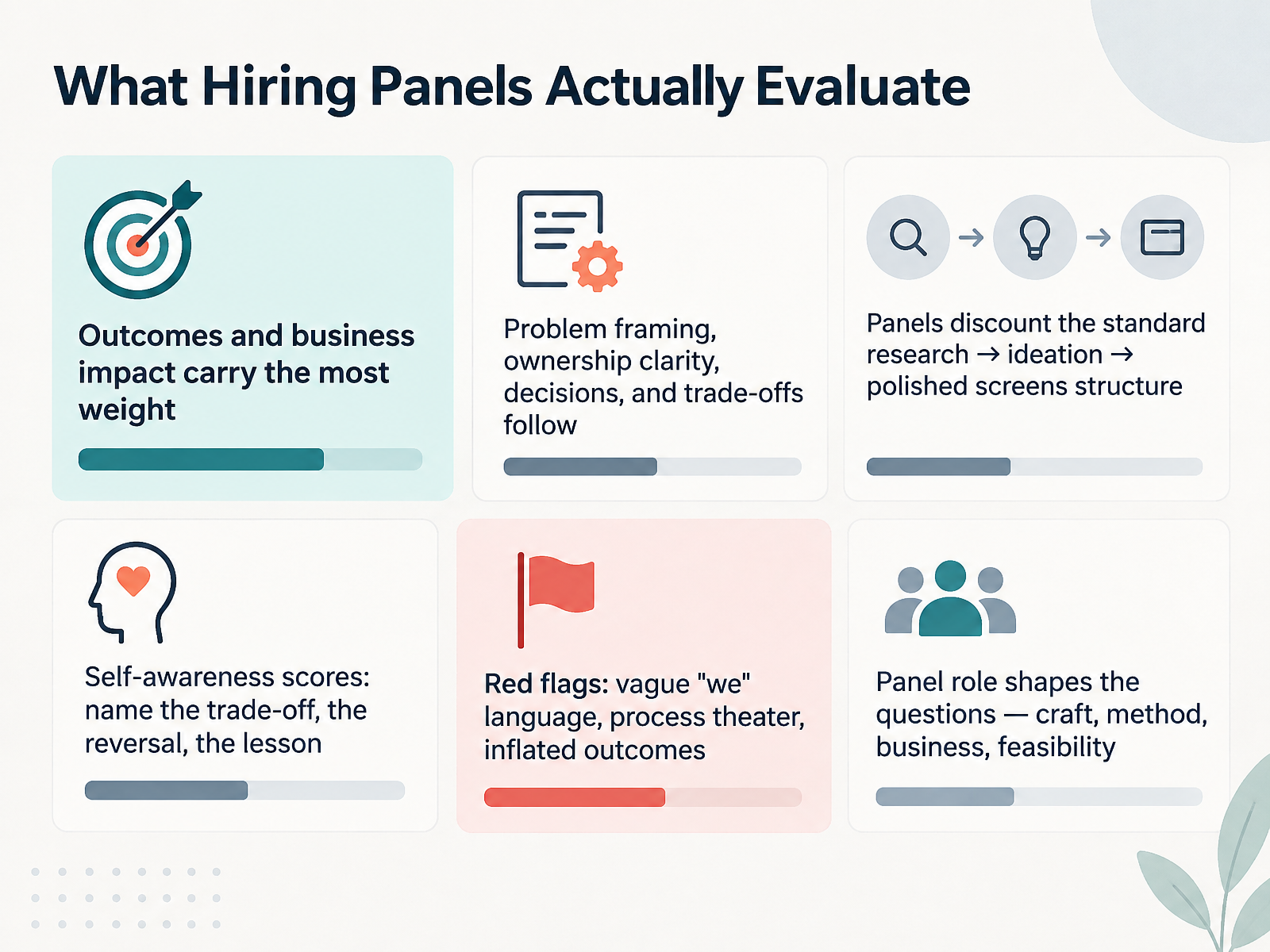
- 02What Hiring Panels Actually EvaluateLet's talk about what the panel is actually scoring. Here's the thing: they are not grading your process. Outcomes and business impact carry the most weight. So lead with what changed. Then look at how you frame the problem, how clearly you own your decisions, and the trade-offs you accepted. Panels discount the standard research to ideation to polished screens structure. They've seen it too many times, and it usually hides the real work. What scores instead is self-awareness. Name the trade-off, the reversal, the lesson. And watch for red flags: vague we language, process theater, inflated outcomes. Also, the panel's role shapes the questions. A craft lead probes craft. A research lead probes method. A business lead probes numbers. Prepare for all four. When you know what they're scoring, you stop performing process and start showing judgment. Next, let's look at selecting case studies that match the role.
 uxcompanion.co.ukuxcompanion.co.ukhandbook.gitlab.com+21 min
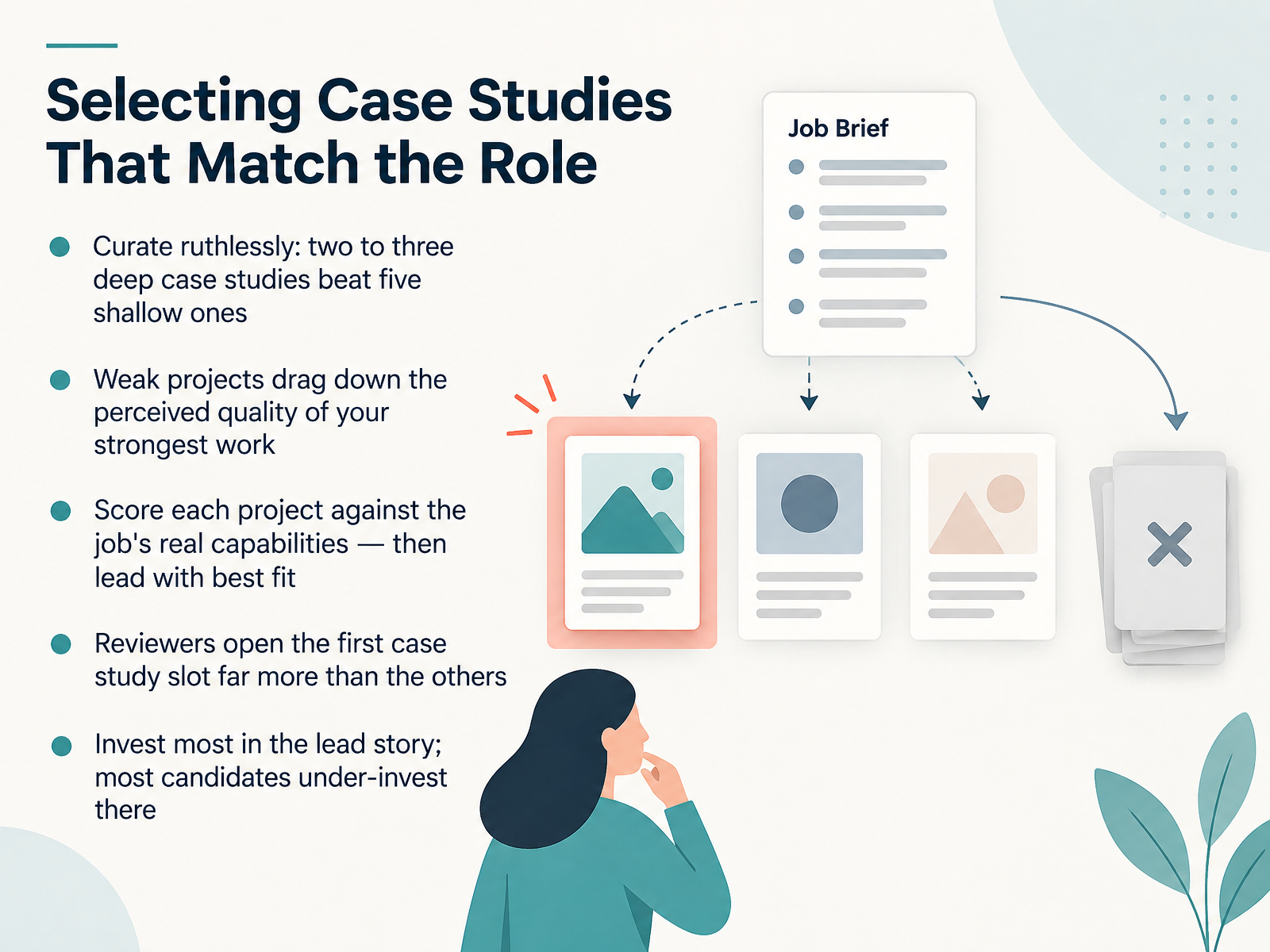
 - 03Selecting Case Studies That Match the RoleNow, let's talk about selecting case studies that match the role. Curate ruthlessly. Two to three deep case studies beat five shallow ones every time. Weak projects drag down the perceived quality of your strongest work, so anything you can't defend under pressure does not belong in the deck. Here's a practical move. Score each project against the job's real capabilities. Problem type, ownership, collaboration, research, systems thinking, craft, domain knowledge. Then lead with the best fit, not your most recent work. Reviewers open the first case study slot far more than the others. So invest most of your preparation time in that lead story. Most candidates under-invest there, and it shows in the first ninety seconds. Next, let's look at structuring a case study for the live walkthrough.
 uxstudioteam.comuxdesigninstitute.comuxcompanion.co.uk+22 min
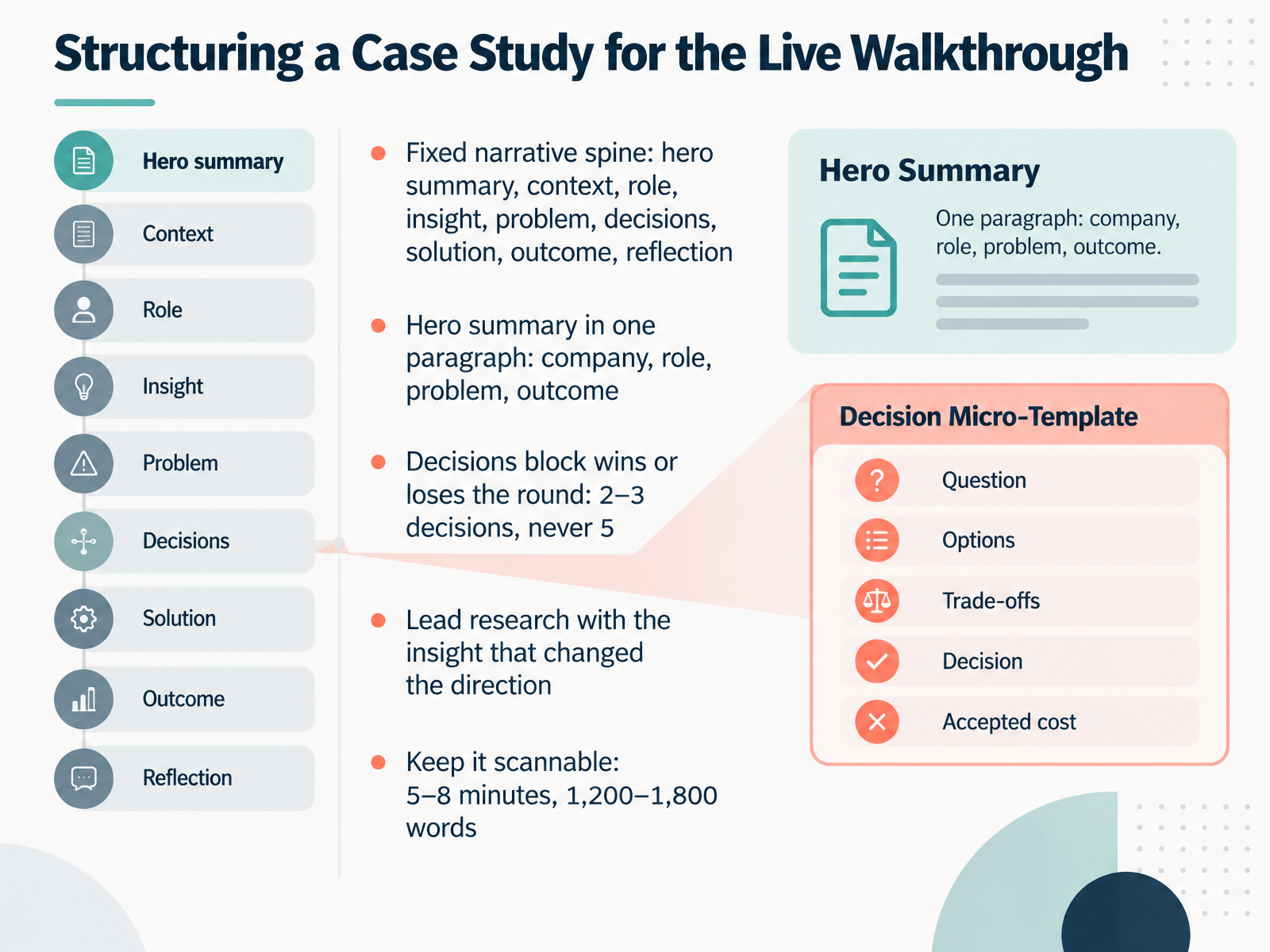
 - 04Structuring a Case Study for the Live WalkthroughNow let's talk about how to structure the actual case study you'll walk through live. Use a fixed narrative spine: hero summary, context, role, insight, problem, decisions, solution, outcome, reflection. Your hero summary goes first, in one paragraph. Company, role, problem, outcome. A reviewer decides whether to keep reading in the first thirty seconds, so that paragraph has to do the heavy lifting. Next, lead your research with the insight that changed the direction. Not the method. The finding. Then comes the block that wins or loses the round: your decisions. Name two or three real decisions, never five. Five reads as a list. Two or three reads as judgement. Keep the whole thing scannable, roughly five to eight minutes and about twelve hundred to eighteen hundred words. Next, we'll look at handling confidential and non-shipped work.
 uxcompanion.co.ukblog.opendoorscareers.comrgd.ca+22 min
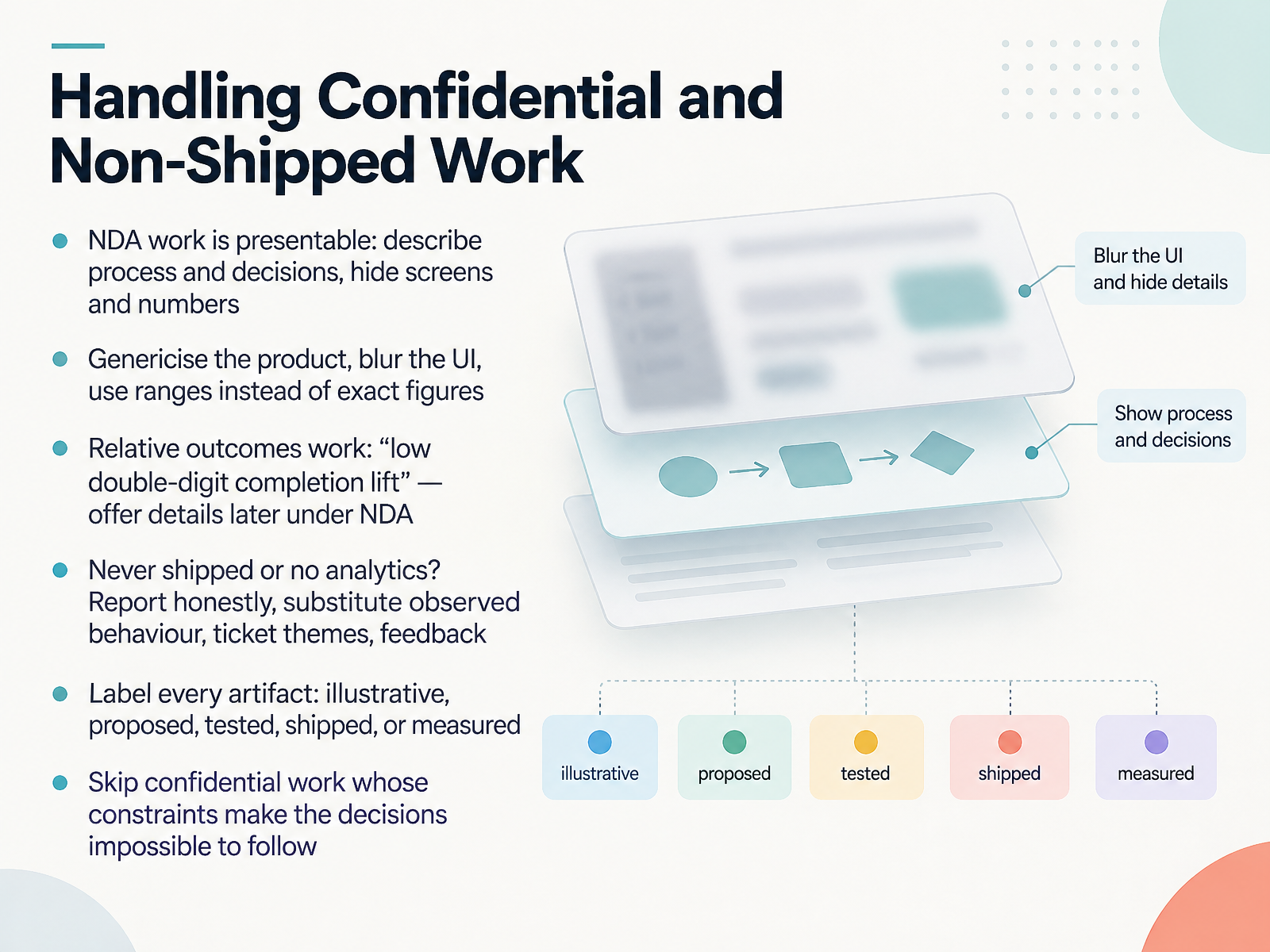
 - 05Handling Confidential and Non-Shipped WorkNow let's talk about confidential and non-shipped work, because this is where honest designers often freeze up. First, NDA work is presentable. You can describe the process and the decisions you made, while hiding screens and numbers. Genericise the product, blur the interface, and use ranges instead of exact figures. Relative outcomes work well here. Something like a low double-digit lift in completion still signals impact, and you can offer the details later under NDA. Second, what if the work never shipped, or you have no analytics? Report that honestly. Substitute observed behaviour, ticket themes, or direct feedback. Third, label every artifact clearly. State whether it is illustrative, proposed, tested, shipped, or measured. Finally, skip confidential work whose constraints make the decisions impossible to follow. If you cannot explain why a choice was made, it stops being evidence. The principle is simple. Show your thinking, protect what you must, and let honesty carry the story. Next, we turn to storytelling and pacing under time pressure.
 uxcompanion.co.ukblog.opendoorscareers.comrgd.ca+21 min
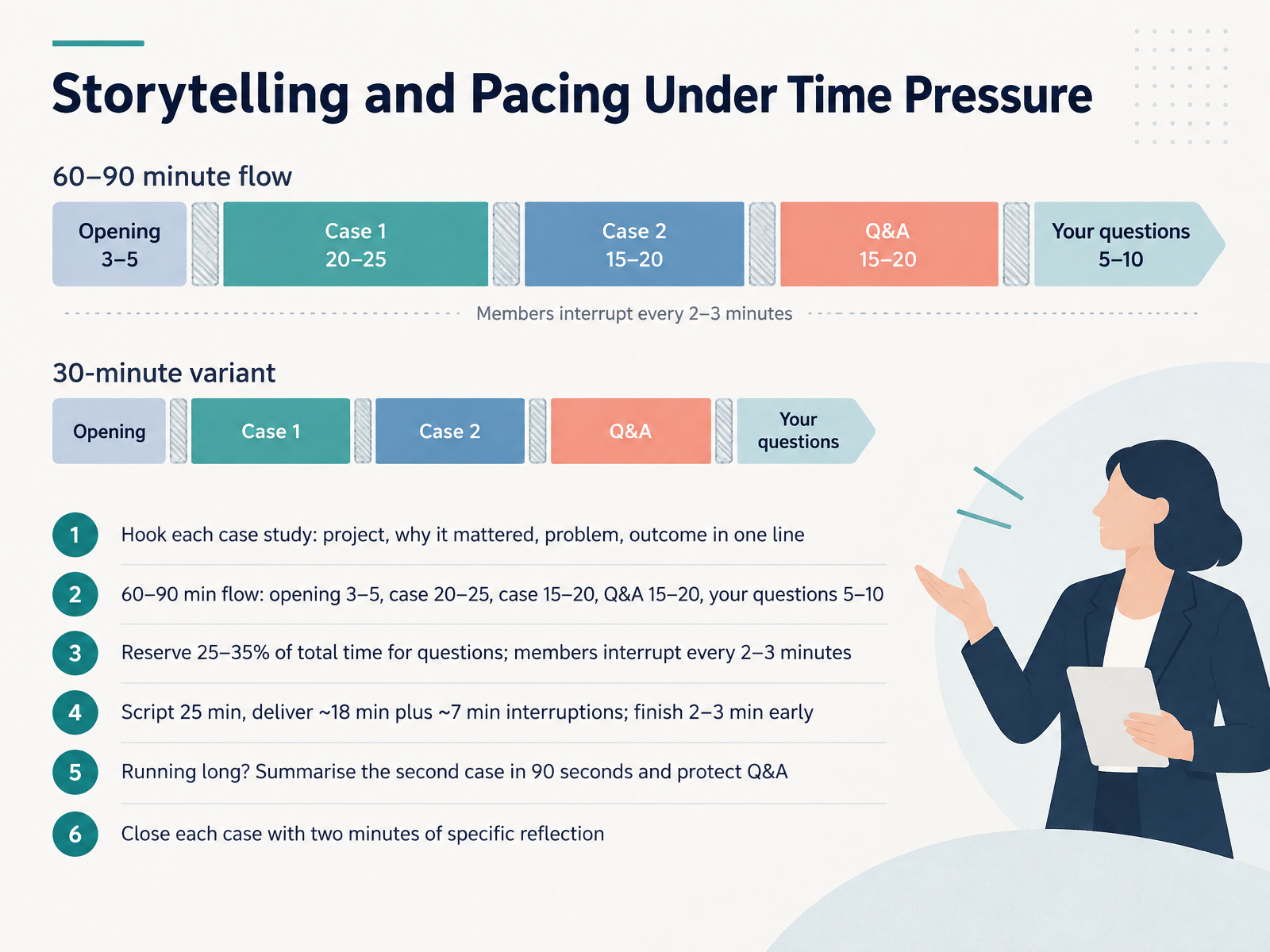
 - 06Storytelling and Pacing Under Time PressureNow let's talk about storytelling and pacing when the clock is against you. Open every case study with four things in one line each: the project, why it mattered, the problem, and the outcome. That structure earns you the next twenty minutes of attention. For a sixty to ninety minute walkthrough, plan your time deliberately. Opening, three to five minutes. First case, twenty to twenty-five. Second case, fifteen to twenty. Q and A, fifteen to twenty. Your own questions, five to ten. And reserve twenty-five to thirty-five percent of the total for questions, because a good panel interrupts every two to three minutes. That changes your math. If you script twenty-five minutes, expect to deliver about eighteen, with seven minutes lost to interruptions. So finish each case two to three minutes early. If you're running long, don't speed up. Summarise the second case in ninety seconds and protect the Q and A. And close each case with two minutes of specific reflection, naming one thing you would change. Next, we look at presentation design and visual craft.
 uxcompanion.co.ukuxcompanion.co.ukhandbook.gitlab.com+22 min
 - 07Presentation Design and Visual CraftLet's talk about how your deck itself should look. This is the slide that separates candidates who prepare from candidates who improvise.
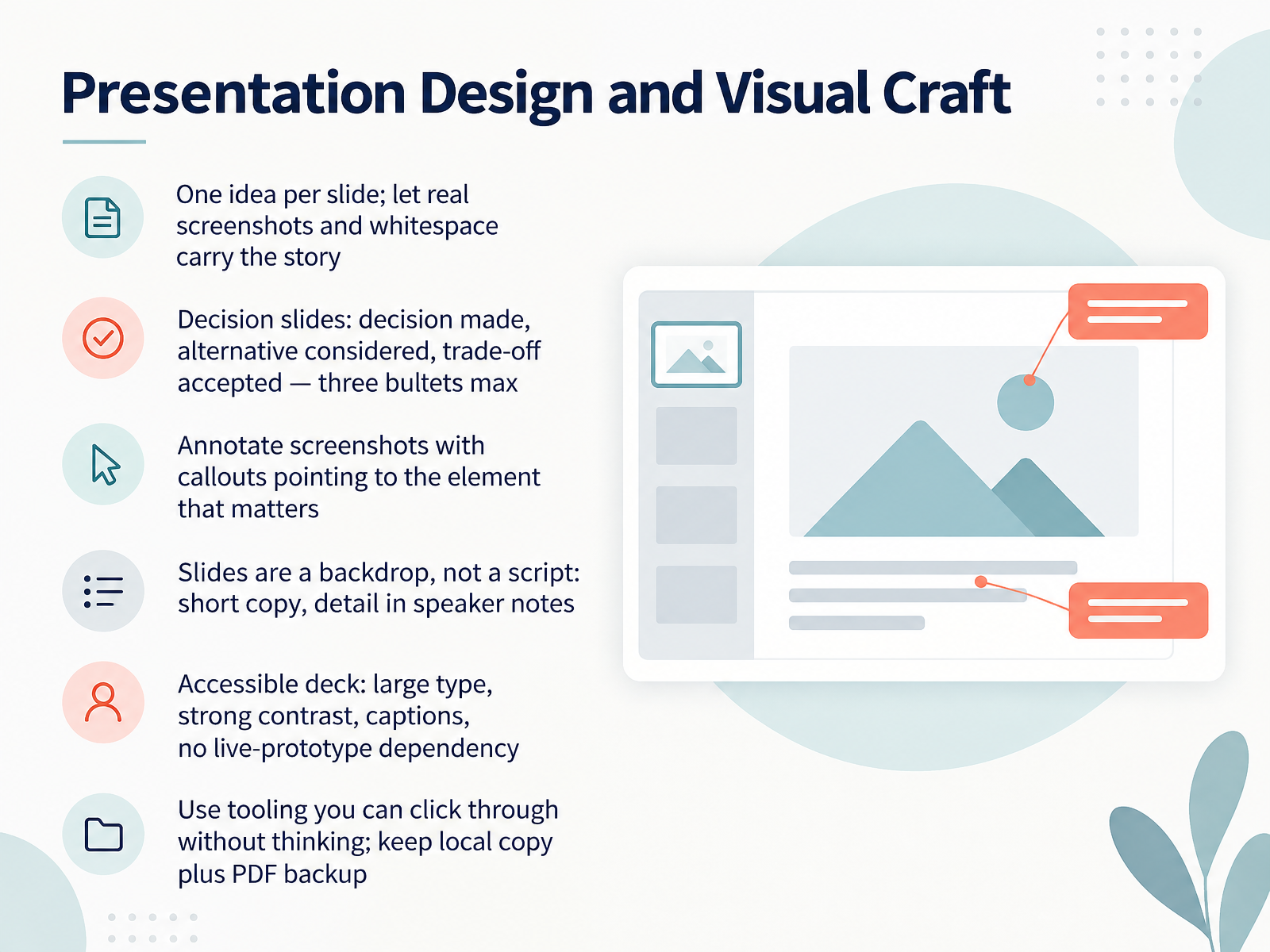
Start with one idea per slide. Not three, not five. One. Let real product screenshots and whitespace carry the story. When a slide is packed with bullet points, the panel reads ahead while you speak, and you lose both tracks. Real screenshots over mockups wherever you can show them.
For your decision slides, use a pattern that consistently works. State the decision you made. State the alternative you considered. State the trade-off you accepted. Three bullets, no more. Panels engage visibly on these slides because they show judgment, not activity.
Annotate your screenshots. Use callouts pointing to the element that matters. Don't make the panel hunt for it.
Remember: slides are a backdrop, not a script. Keep the copy short and put the detail in your speaker notes.
Build an accessible deck. Large type, strong contrast, captions for any video, and no dependency on a live prototype for your core story.
And use tooling you can click through without thinking. Keep a local copy plus a PDF backup.
Next, we'll look at answering questions and handling pushback.
 uxcompanion.co.ukuxcompanion.co.ukhandbook.gitlab.com+22 min
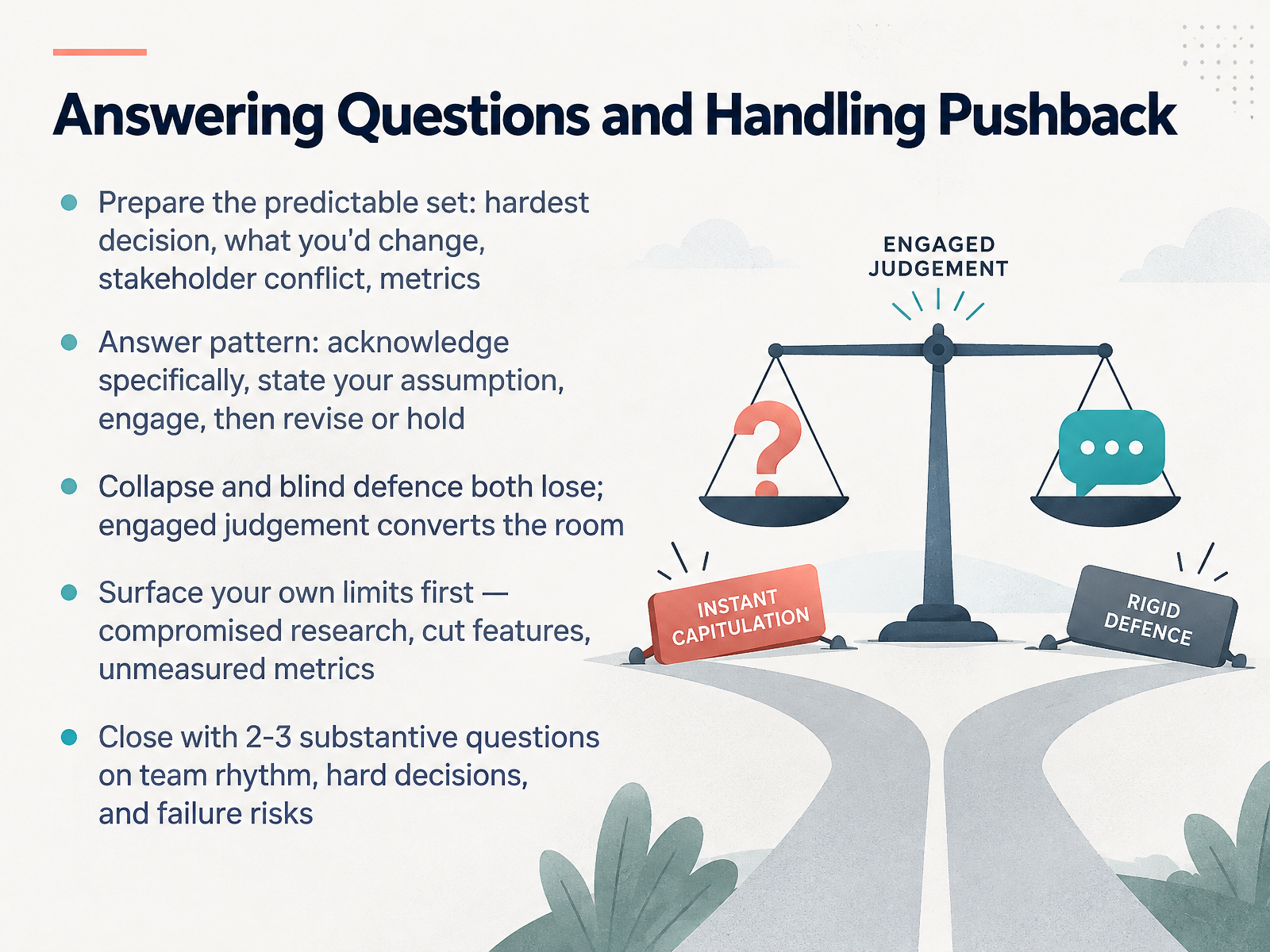
 - 08Answering Questions and Handling PushbackNow let's talk about the part most candidates underestimate. The questions. Expect the predictable set, and write your answers before the interview. What was your hardest decision? What would you change? Where did you clash with a stakeholder? What did the numbers move? When a question lands, follow one pattern. Acknowledge it specifically. Name the assumption you were working from. Engage with the alternative they're implying. Then either revise or hold, with your reasoning. Collapse loses the room. Blunt defence loses it too. Engaged judgement is what converts. So say something like: that's the right question to push on, and here's the assumption behind my choice. Then stop talking and let them respond. Also, surface your own limits before anyone else does. Compromised research. A cut feature. A metric you never measured. Naming those first builds real credibility. Then close by asking two or three substantive questions of your own, about team rhythm, the last hard decision they made, and what would make someone fail in this role. Next, adapting to role type, panel, and format.
 uxcompanion.co.ukuxcompanion.co.ukhandbook.gitlab.com+22 min
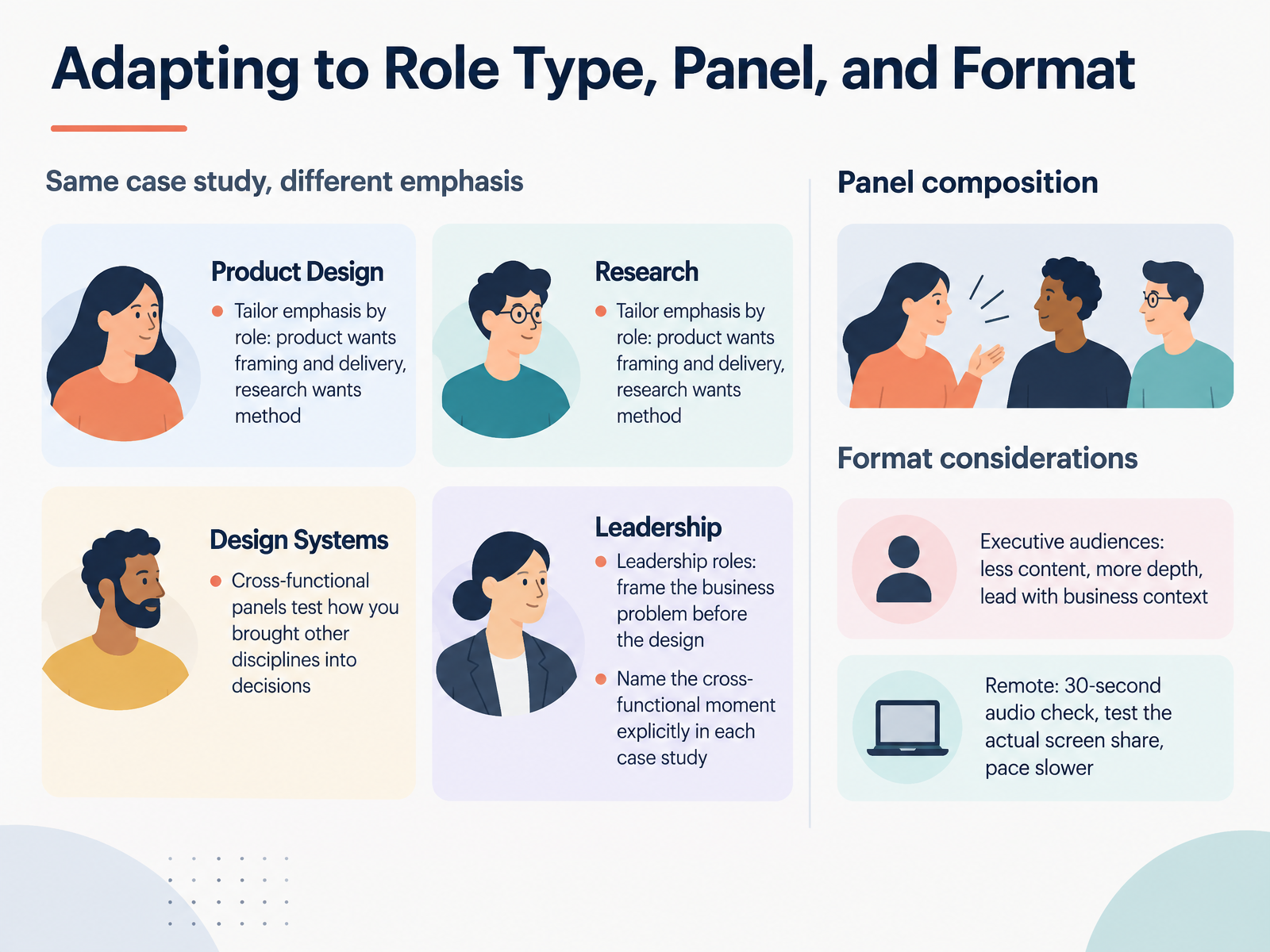
 - 09Adapting to Role Type, Panel, and FormatNow let's talk about adapting your walkthrough to the room you're actually in. The same case study shifts emphasis depending on who's listening. A product role wants framing and delivery. A research role wants method and evidence. Read the room before you present. For leadership roles, frame the business problem before you ever show the design. Cross-functional panels test how you brought other disciplines into your decisions, so name that moment explicitly in each case study. Something like, the engineering lead pushed back on the API call we needed, and here's how we navigated it. That single line tells the panel you work across functions, not just within design. For executive audiences, less content, more depth. Lead with business context, and spend your time on outcomes rather than process. Executives ask fewer, more strategic questions. If you're presenting remotely, run a thirty-second audio check before you start. Test the actual screen share, not just your internet connection. And pace yourself a little slower. Remote audiences process more slowly, and latency adds real seconds to every exchange. Tailor the emphasis, name the collaboration, and match the format. Building Your Modular Master Deck.
 uxcompanion.co.ukuxcompanion.co.ukhandbook.gitlab.com+22 min
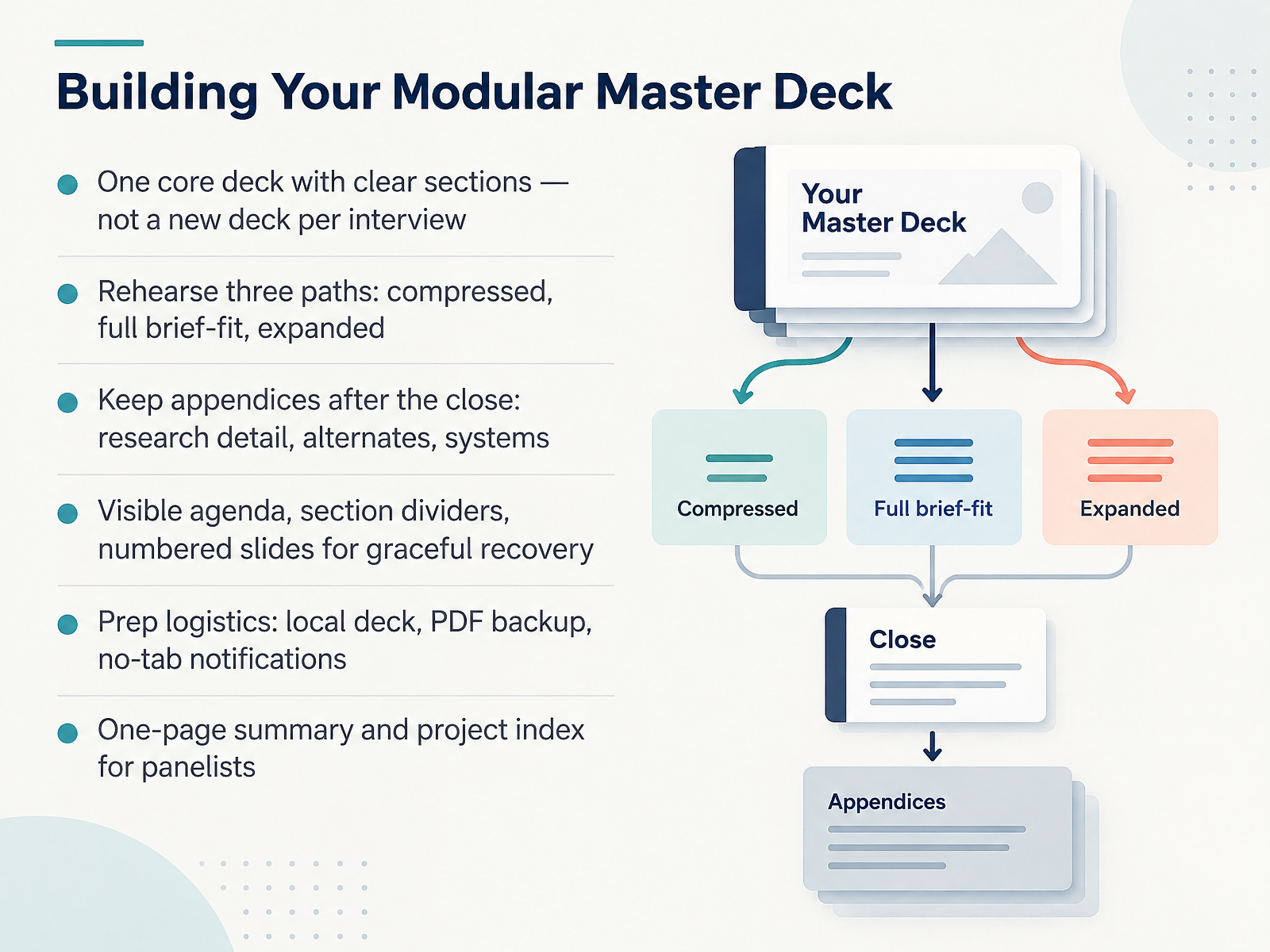
 - 10Building Your Modular Master DeckNow let's talk about the deck itself. Build one modular master deck, not a new one for every interview. Keep clear section boundaries, and rehearse three paths: a compressed version, a full version that fits the brief, and an expanded version. Everything detailed lives in appendices after the close, like research, alternate concepts, and systems work. Add a visible agenda, section dividers, and numbered slides, so if you get interrupted, you can recover gracefully. Before the call, prep your logistics: keep the deck local, export a PDF backup, and close every notification and unrelated tab. And bring a one-page summary plus a project index your panelists can follow along with. One master deck, three rehearsed paths, and a calm recovery plan. That's what makes you look prepared under pressure. Next, we'll look at rehearsal loops and useful feedback.
 thecrit.codesigncase.appuxcompanion.co.uk+22 min
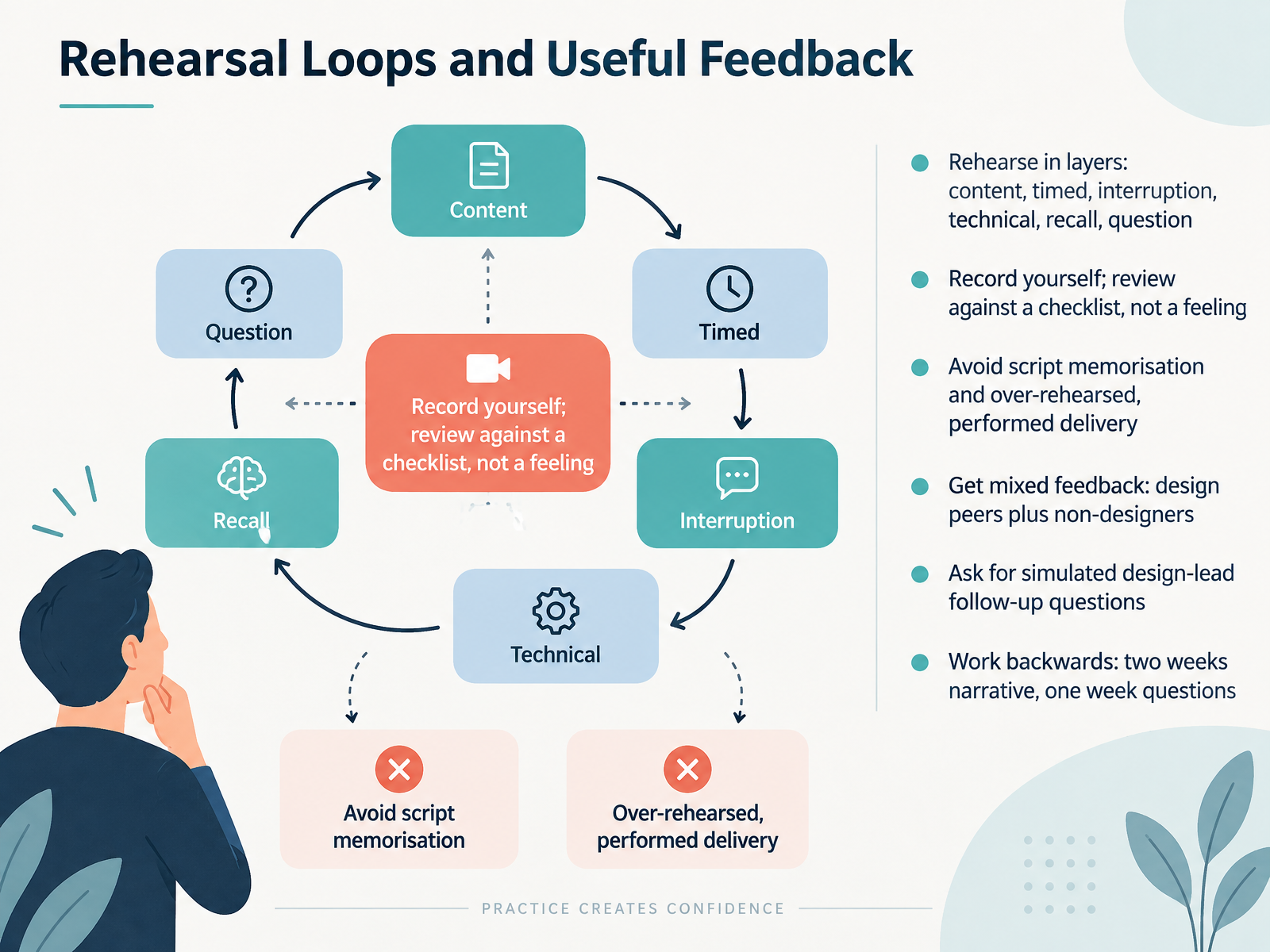
 - 11Rehearsal Loops and Useful FeedbackNow let's talk about how you rehearse, because preparation is where confidence is built. Rehearse in layers. First content, so the story and evidence hold together. Then timed, against the real slot. Then interruption, with a peer questioning or redirecting you. Then technical, through the actual platform on a shared screen. Then recall, without a script. And finally, question rehearsal. Record yourself and review against a checklist, not a feeling. What matters is avoiding both script memorisation and a delivery that sounds performed. So get mixed feedback, design peers plus non-designers. Ask a peer to fire simulated design-lead follow-up questions. And work backwards. Two weeks before, lock the narrative. One week before, drill the questions. That way you walk in prepared, not scripted. Next, we'll look at common traps and how to avoid them.
 thecrit.codesigncase.appuxcompanion.co.uk+22 min
 - 12Common Traps and How to Avoid ThemNow let's talk about the traps that quietly cost strong designers the offer. These are avoidable, and naming them is half the fix.
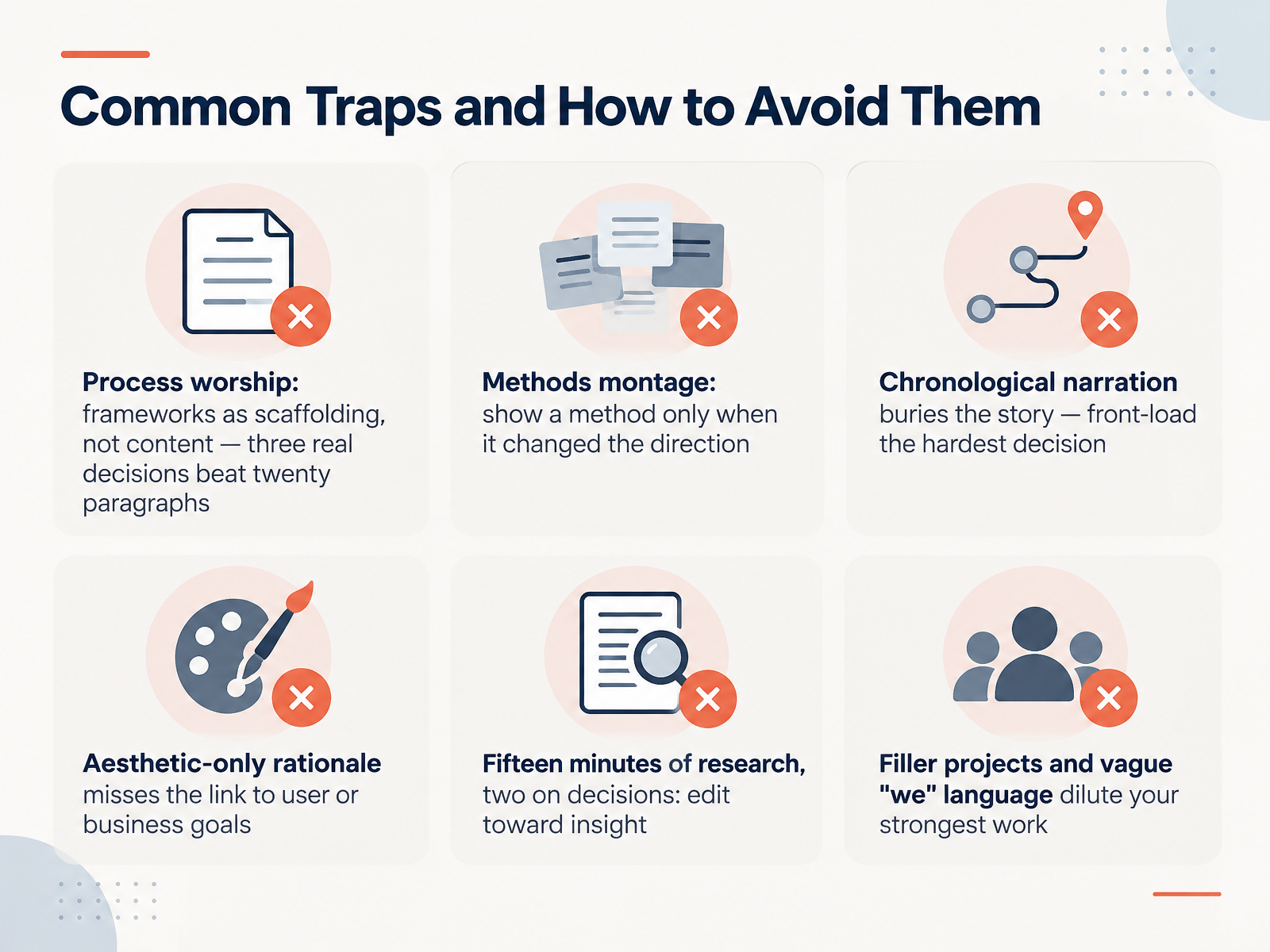
First, process worship. Frameworks are scaffolding, not content. Three real decisions beat twenty paragraphs about the Double Diamond. A hiring manager skims for judgment, and a diagram they already know gives them nothing.
Second, the methods montage. Show a method only when it changed the direction. One usability finding that killed your first concept is worth more than a grid of every technique you have ever touched.
Third, chronological narration. Discovery, research, synthesis, then final design. That sequence buries the interesting part. Front-load the hardest decision, because that is what the panel probes.
Fourth, aesthetic-only rationale. "I made the button bigger because it looked cleaner" is not a decision. Link it to a user or business goal. "Testers missed the primary action, which was driving drop-off, so I increased its weight" is a decision.
Fifth, the proportions are off. Fifteen minutes of research followed by two minutes on decisions is backwards. Edit toward insight. Cut the five interviews, keep the one finding that changed your direction.
And sixth, filler projects and vague "we" language. Showing five shallow projects dilutes your strongest work, and "we" hides what you actually owned. Be specific. Say what you decided.
The takeaway is simple. One repeated principle runs through every trap. Cut anything that does not reveal a decision, because decisions are what they are buying.
Next, let's bring it together with your preparation kit and next steps.
 uxcompanion.co.ukuxcompanion.co.ukhandbook.gitlab.com+22 min
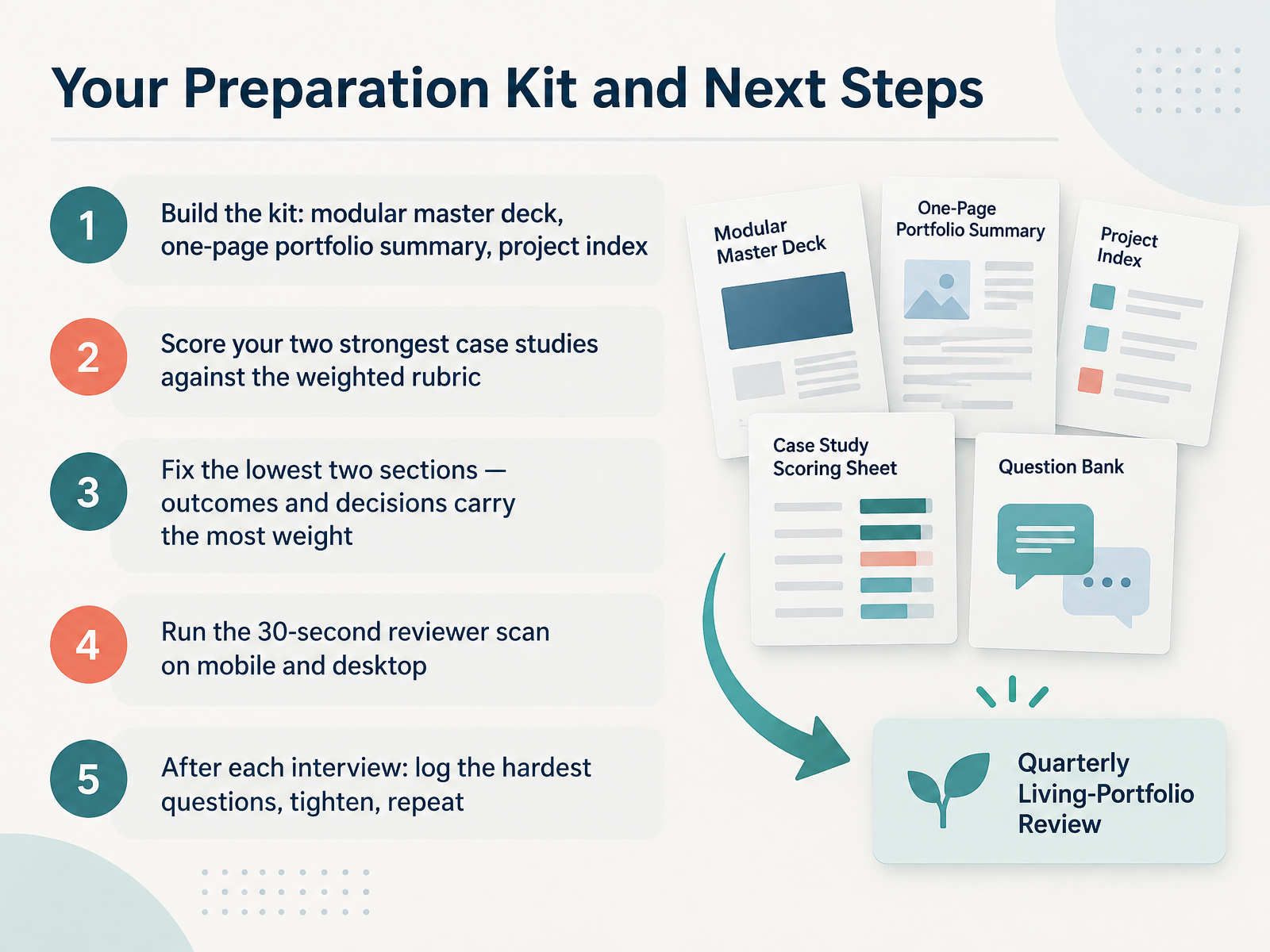
 - 13Your Preparation Kit and Next StepsLet's close with the kit you build once and reuse for every interview. Start with three things: a modular master deck, a one page portfolio summary, and a project index you can reference quickly. Then score your two strongest case studies against the weighted rubric. Outcomes and decisions carry the most weight, so fix the lowest two sections there first. Before you present, run the thirty second reviewer scan on mobile and desktop. Check role clarity, relevance, ownership, and proof. After each interview, log the hardest questions you were asked. Tighten the deck where you hesitated, then repeat the process. That loop, not one perfect rehearsal, is what makes you sharp. You have done the work. Now prepare with the same care you would give any design problem, and walk in ready. Thank you for joining this course, and best of luck in your next portfolio review.
 uxcompanion.co.ukuxcompanion.co.ukhandbook.gitlab.com+21 min
Take the deck with you
Download this course as a file — free, no sign-up needed.
- PDF handoutEvery slide page, ready to print or share.14 pages · 2.9 MBDownload
- Narrated PowerPointThe deck that presents itself — every slide carries the digital human's narration video.14 pages · 23.4 MBDownload
- PowerPoint slidesThe full deck as a .pptx — open it in PowerPoint, Keynote, or Google Slides.14 pages · 2.8 MBDownload
Free to use in your own training — please keep the PersonWise credit page at the end.
Have your own deck? Turn it into a course
Sources consulted
Web sources consulted while building this course.
- UX Interview Portfolio Presentation (2026) - UX Companion — uxcompanion.co.uk
- UX Interview Questions (2026) — What Hiring Managers Actually Ask — UX Companion — uxcompanion.co.uk
- Hiring Product Designers | The GitLab Handbook — handbook.gitlab.com
- How to Present a Design Portfolio in an Interview - The Crit — thecrit.co
- UX Portfolio Presentation Tips for Job Interviews - UXfolio Blog — blog.uxfol.io
- How to stand out in the UX hiring process: what we look for — uxstudioteam.com
- What hiring managers look for in a UX portfolio - UX Design Institute — uxdesigninstitute.com
- UX Portfolio Tips: What Hiring Managers Actually Evaluate | UX Designer Salary — uxdesignerpay.com
- UX Design portfolio review: What hiring managers look for — superhive.co
- UX Case Study Template (with framework + downloads) — UX Companion — uxcompanion.co.uk
- How to Write a Strong Case Study for Your Portfolio in 2025 💪 — blog.opendoorscareers.com
- RGD | Storytelling in UX: Building compelling case studies — rgd.ca
- How to Write a UX Case Study: Examples + Tips to Help You Stand Out — blog.hubspot.com
- How to Tell a Story in Your UX Case Study — uxplaybook.org
- How to Prepare a UX Portfolio Presentation for a Design Interview — designcase.app
- Remote UX Jobs: Portfolio and Interview Guide — blog.remotlyjobs.com
- How To Get a Remote UX Designer Job? | Career Advice by DailyRemote — dailyremote.com