Begin
14 pages · ~28 min
Telegram Org API Development Workflow
This training helps developers choose the right tools and design efficient workflows for building Telegram Org API integrations.
A digital instructor presents all 14 pages. Hold “Ask” at any point and ask out loud — the answer comes from this course. No sign-up needed.
What you’ll learn
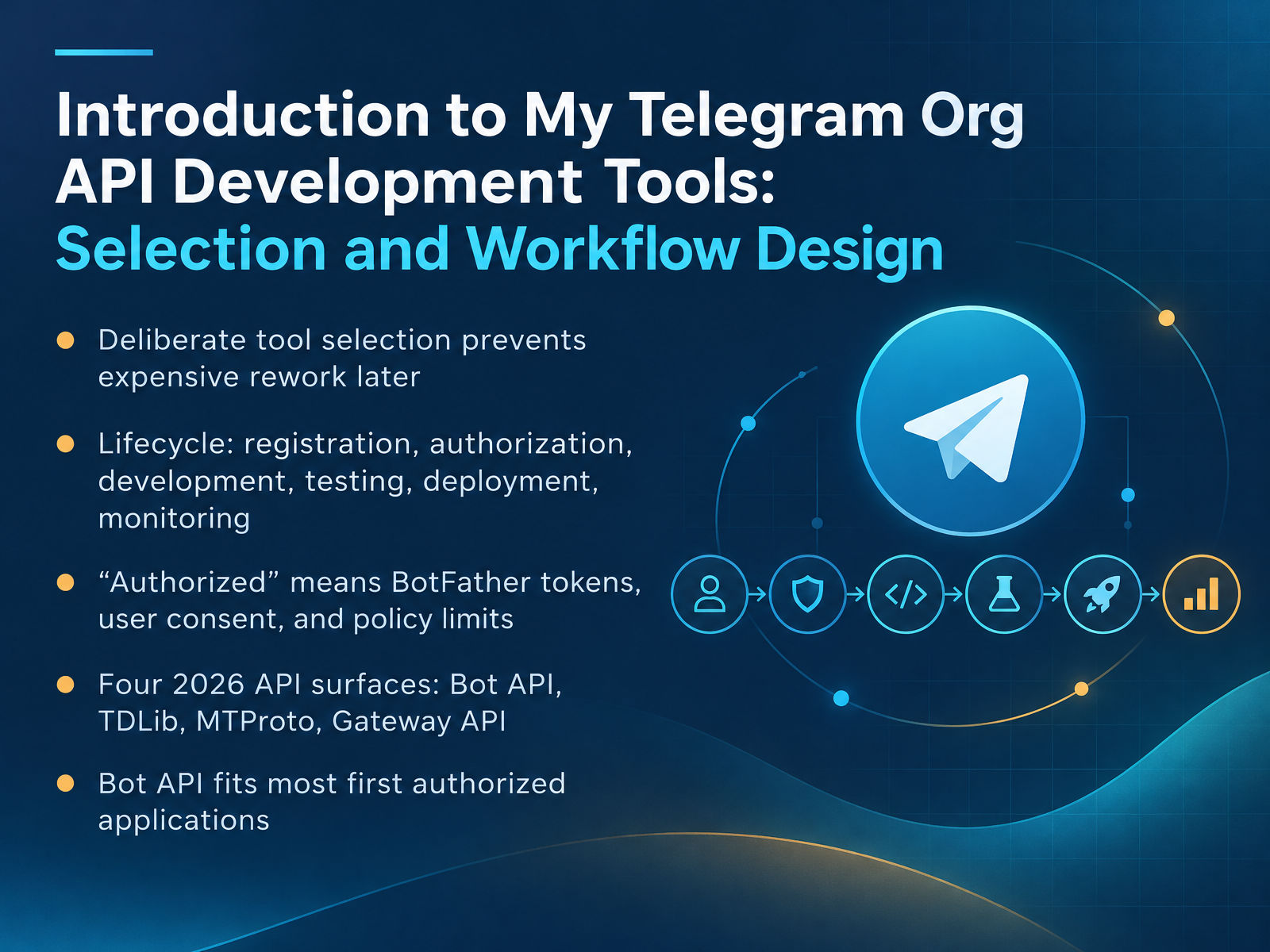
- 01Introduction to My Telegram Org API Development Tools: Selection and Workflow DesignWelcome. This course walks you through building your first authorized Telegram application, from tool selection to a production workflow. Goal for this first slide: pick the right tool once, so you don't rebuild later. Tool selection is a decision, not a preference. It drives your language, your hosting, and your review path. Choose early, because switching mid-project costs weeks. The lifecycle runs in six stages: registration, authorization, development, testing, deployment, and monitoring. You will touch all six, in that order. Now, what does authorized mean here? Three things: a BotFather token for your bot, user consent for anyone whose data you handle, and Telegram's policy limits, including rate limits. In 2026 there are four surfaces: Bot API over HTTPS, TDLib, MTProto, and the Gateway API. Bot API handles most first applications: one token, one HTTPS endpoint, no MTProto knowledge required. That is where we start. Next, we look at the Telegram API landscape and what each surface actually does.core.telegram.orgcore.telegram.orgcore.telegram.org+22 min
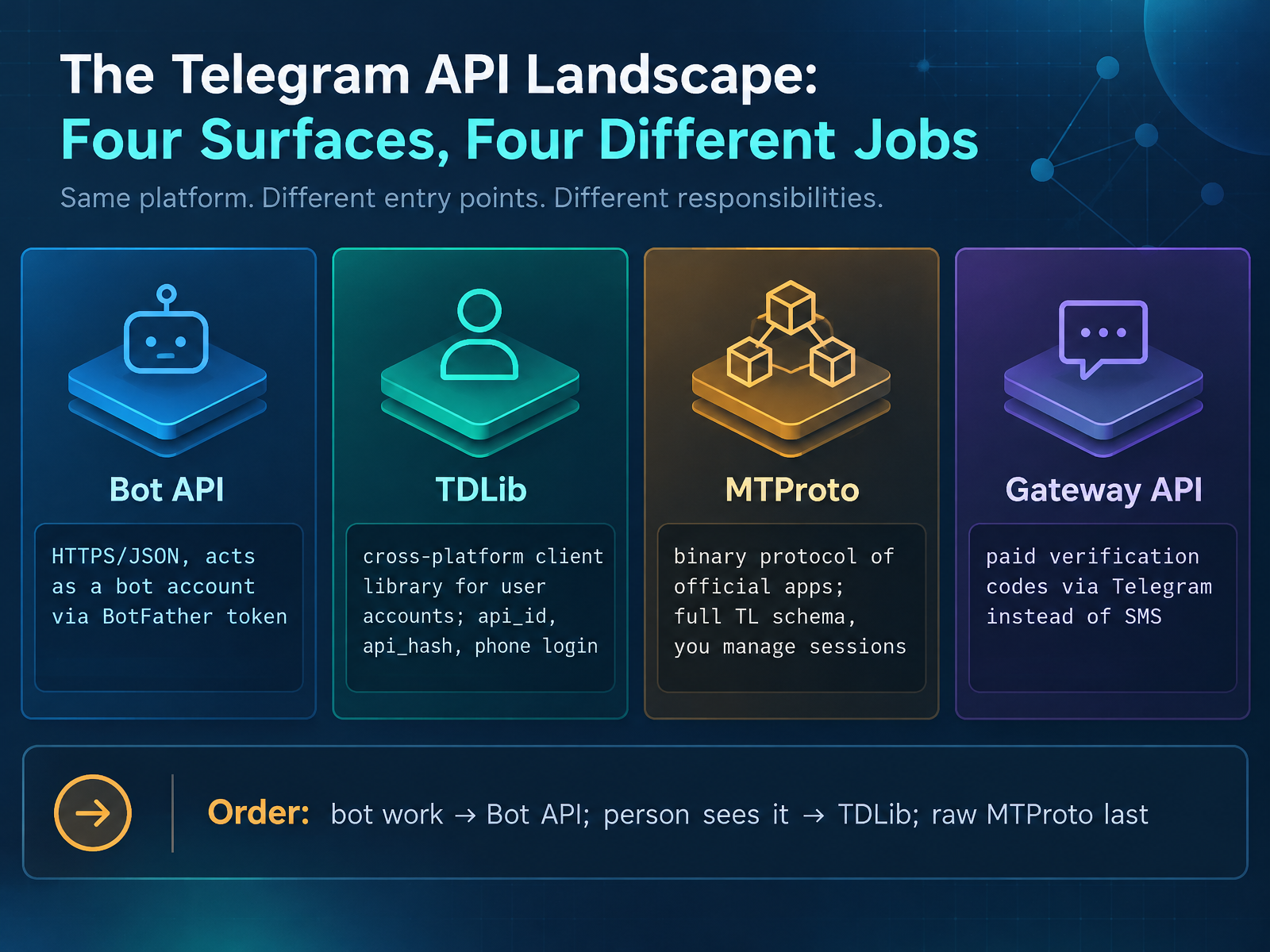
- 02The Telegram API Landscape: Four Surfaces, Four Different JobsLet's map the landscape before you pick anything. Telegram has four surfaces, and they do four different jobs. First, the Bot API. It speaks HTTPS and JSON, and it acts as a bot account using a token from BotFather. Second, TDLib. It's a cross-platform client library, and it acts as a user account. You'll need an api_id, an api_hash, and a phone login. Third, MTProto. That's the binary protocol behind the official apps. You get the full TL schema, but sessions and retries become yours to manage. Fourth, the Gateway API. It's a paid service for sending verification codes through Telegram instead of SMS. So here's your order: if a bot can do it, use the Bot API. If a person sees it, use TDLib. And reach for raw MTProto last. Now let's dig into how the Bot API and MTProto compare on capabilities and limits.
 core.telegram.orgcore.telegram.orgcore.telegram.org+22 min
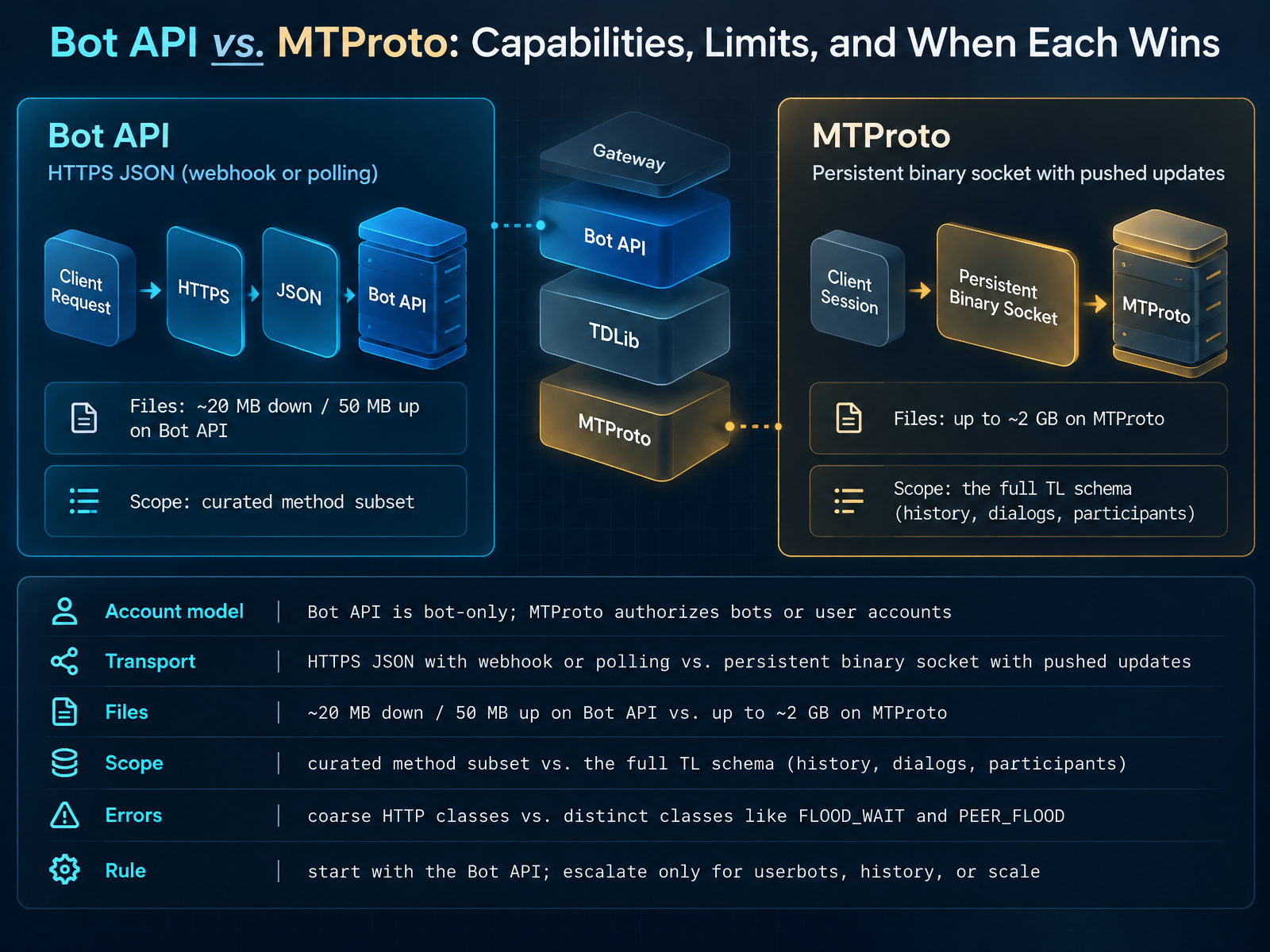
 - 03Bot API vs. MTProto: Capabilities, Limits, and When Each WinsNow let's compare the two surfaces directly: the Bot API versus MTProto, and decide when each one wins. Start with the account model. The Bot API is bot-only. A token from BotFather is all you get. MTProto authorizes bots or full user accounts, so userbots and account-level actions only exist there. Next, transport. The Bot API is HTTPS with JSON, and you receive updates by webhook or getUpdates polling, which means a public URL or a long-poll loop. MTProto is a persistent binary socket, and updates push to you on that same socket. No inbound endpoint, no certificate. Files are the sharp limit. Bot API gives you about twenty megabytes down and fifty megabytes up. MTProto reaches roughly two gigabytes per file. Then scope. The Bot API is a curated subset, around a hundred methods. MTProto exposes the full TL schema for history, dialogs, and participants. Errors differ too. Bot API gives coarse HTTP classes, while MTProto returns distinct errors like FLOOD_WAIT and PEER_FLOOD, each needing its own response. So here's the rule. Start with the Bot API. Escalate to MTProto only for userbots, message history, or scale. That leads us into authorization and consent models for organizational deployments.
 docs.pyrogram.orgdocs.telethon.devdocs.teleproto.dev+22 min
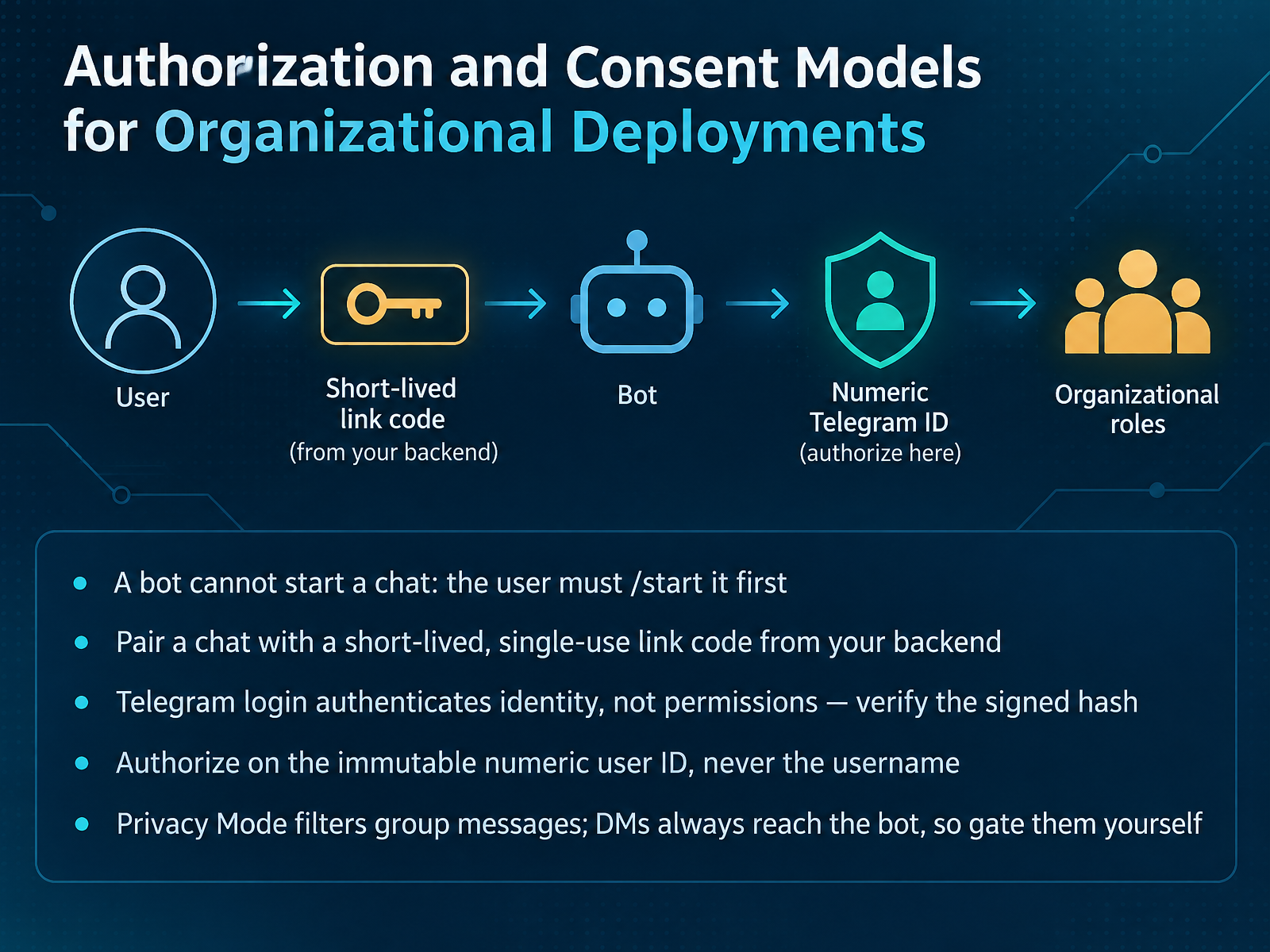
 - 04Authorization and Consent Models for Organizational DeploymentsNow let's talk about authorization and consent, because this is where most first bots get it wrong. First rule: a bot cannot start a chat. The user has to send slash start first. So your real flow is a short-lived, single-use link code from your backend. Keep it alive for minutes, not days, and treat it like a password reset link. Second, Telegram Login authenticates identity, not permissions. Verify the signed hash server-side using your bot token, then check auth_date so stale payloads are rejected. Third, authorize on the immutable numeric user ID, never the username. Usernames change and get recycled, so a username check can hand someone else your admin rights. Finally, Privacy Mode only filters group messages. Direct messages always reach your bot, so gate them yourself with an allowlist that defaults to deny. Next, we look at Choosing Your Development Toolchain.
 pendnt.devversich.combitbear.net+22 min
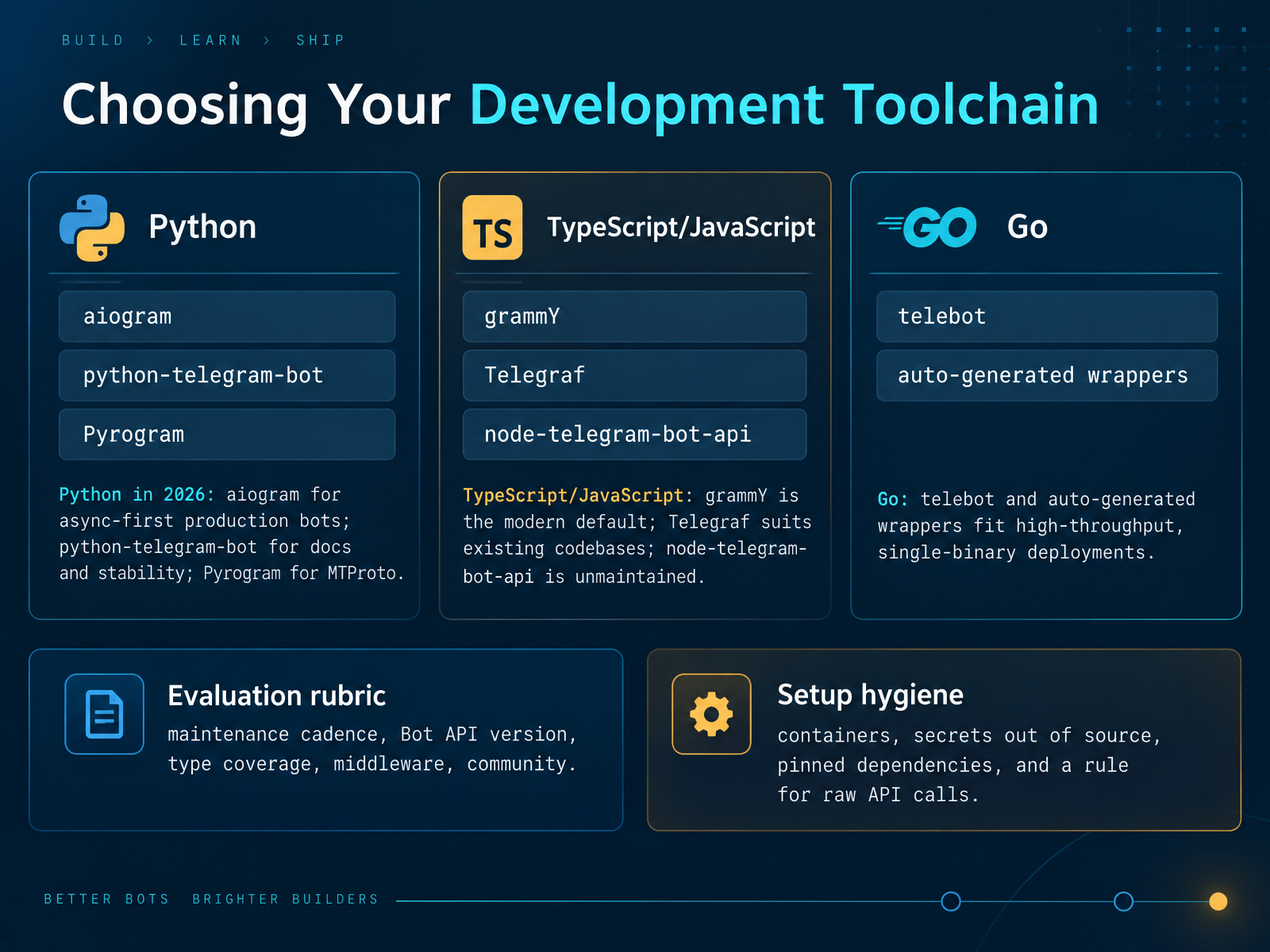
 - 05Choosing Your Development ToolchainNow, let's choose your development toolchain. Start with your language, then match the library. In Python, pick aiogram for async-first production bots, python-telegram-bot when docs and stability matter most, and Pyrogram only if you need MTProto. In TypeScript, grammY is the modern default, Telegraf fits existing JavaScript codebases, and node-telegram-bot-api is unmaintained, so avoid it for new work. In Go, telebot and auto-generated wrappers suit high-throughput, single-binary deployments. Score each candidate on five things: maintenance cadence, Bot API version support, type coverage, middleware, and community activity. Then apply setup hygiene. Run your bot in containers, keep secrets out of source control, pin dependency versions, and write one rule for raw API calls. For example, route raw calls through a single thin wrapper so retries, logging, and rate-limit handling live in one place. That gives you a toolchain that is current, safe, and easy to debug. Next, we will cover secrets, tokens, and webhook authentication.
 nexarocode.comcore.telegram.orggrammy.dev+22 min
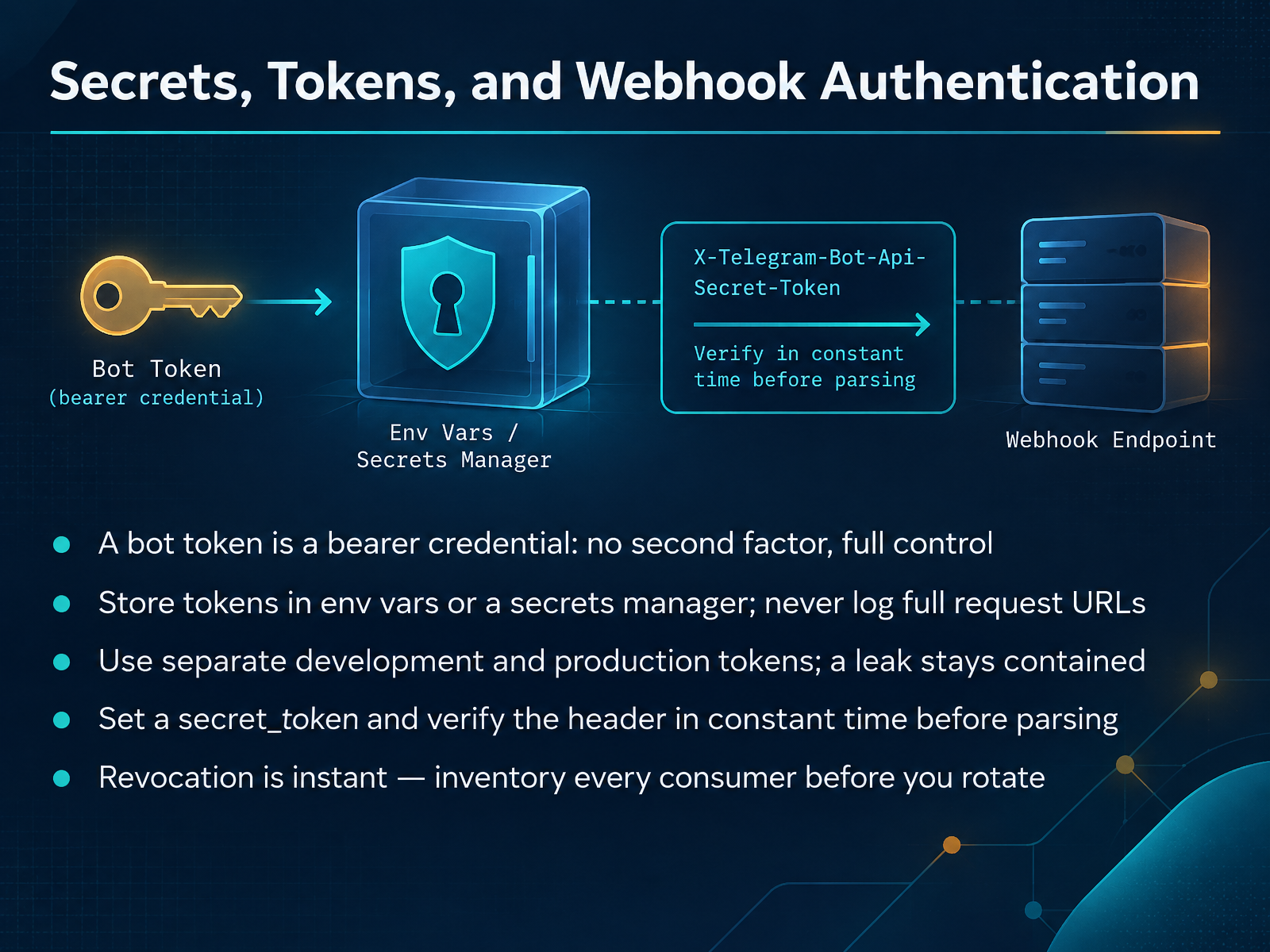
 - 06Secrets, Tokens, and Webhook AuthenticationNow let's talk about credentials, because this is where first-time bot builds go wrong. Your bot token is a bearer credential. Whoever holds it has full control of the bot, with no second factor and no login alert. So keep it in an environment variable or a secrets manager, never in source code. Add your dot env file to git ignore before the first commit, and never log full request URLs, because a Bot API URL contains the token. Use separate development and production tokens so a leaked test token can't touch real users. For your webhook, pass a secret token to setWebhook. Telegram sends it back in the X-Telegram-Bot-Api-Secret-Token header. Compare it in constant time before you parse the body, and return a four-oh-four on mismatch. Finally, revocation is instant, so inventory every consumer before you rotate. Next, we look at inbound architecture: webhook or long polling.
 kerit.cloudpendnt.devversich.com+22 min
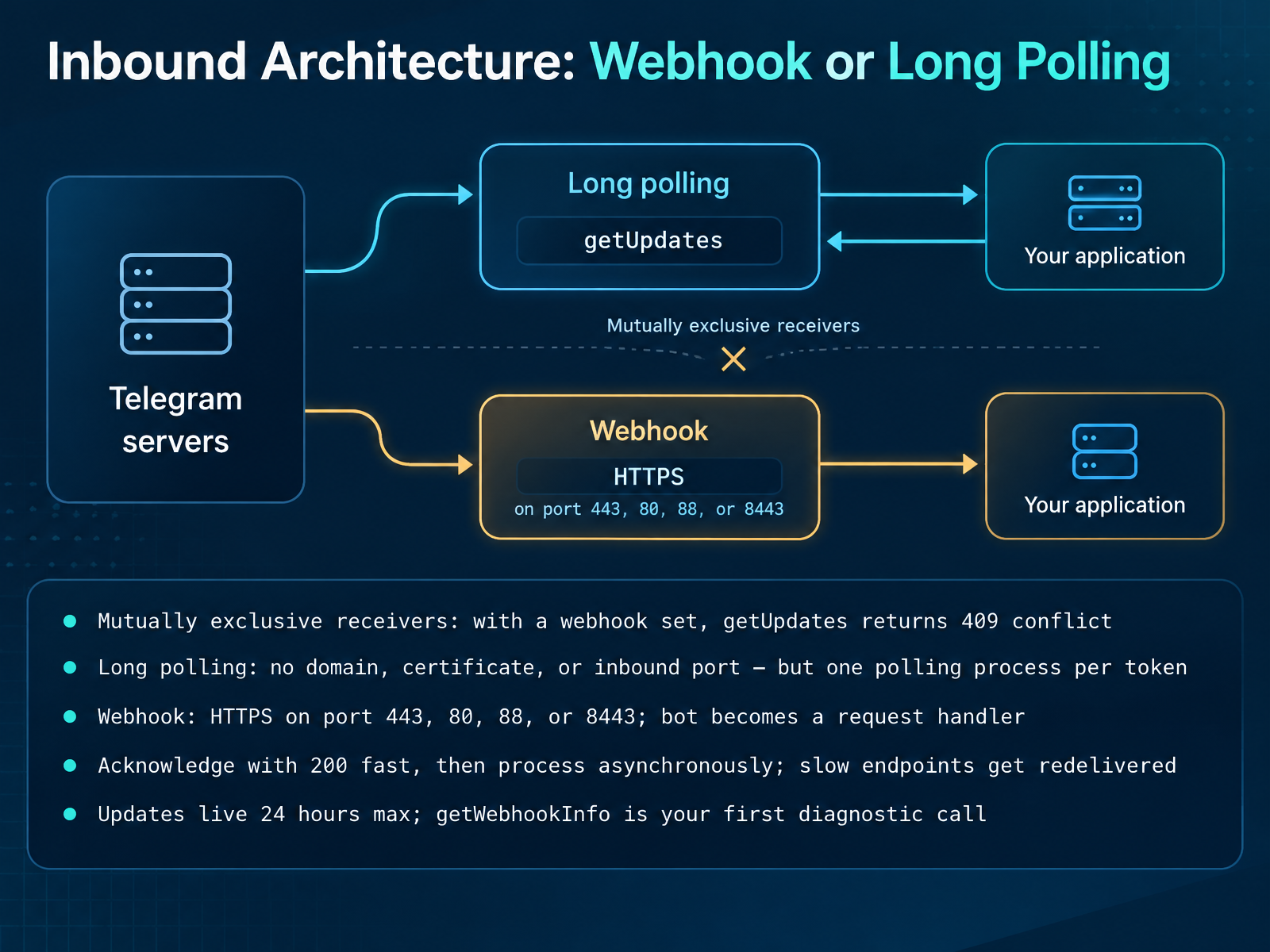
 - 07Inbound Architecture: Webhook or Long PollingNow let's pick your inbound architecture. Telegram gives you two receivers, and they are mutually exclusive. If a webhook is set, getUpdates returns a 409 conflict. That is the usual cause of a bot that suddenly goes silent: a webhook is still registered from an earlier deploy, so call deleteWebhook before you poll. Long polling needs no domain, no certificate, and no inbound port, which makes it the right choice on a laptop and for most small bots. The one rule is a single polling process per bot token, because a second poller gets a conflict. A webhook inverts that: you register an HTTPS URL, and Telegram posts each update to you. It has to be HTTPS on port 443, 80, 88, or 8443, and your bot becomes a request handler instead of a long-running process. Here is the friction point. Acknowledge with a 200 fast, then process asynchronously. If your handler is slow or returns a non-2xx, Telegram treats it as failed and redelivers, so one slow database write becomes three copies of the same message. Updates live for 24 hours max, so when a bot goes quiet, getWebhookInfo is your first diagnostic call: check url, pending_update_count, and last_error_message. Next, we will design update handling that survives those retries, in Designing Reliable Update Handling: Idempotency and State.
 kerit.cloud2 min
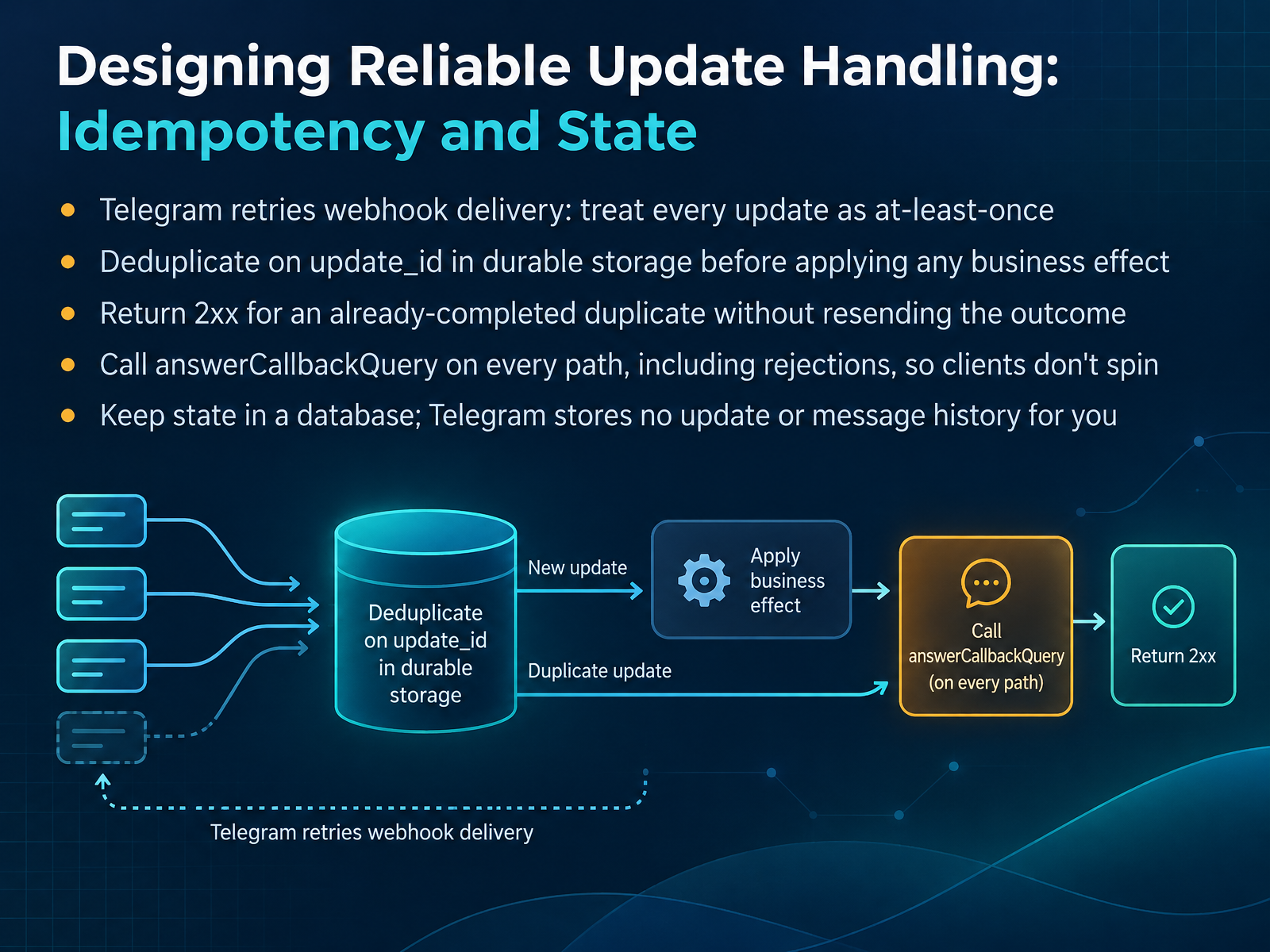
 - 08Designing Reliable Update Handling: Idempotency and StateNow let's design update handling that survives retries. Telegram treats your webhook as at-least-once delivery. If your endpoint is slow or returns non-2xx, Telegram retries. So the same update, with the same update_id, can land twice, and a naive handler fires your business effect twice. The fix: deduplicate on update_id in durable storage before you apply any effect. Not in memory, because process restarts lose it. Claim that id in your database, then act. If the update is already completed, return 2xx without resending the outcome. If a concurrent claim is still processing, return non-2xx so Telegram can retry later. For callback buttons, call answerCallbackQuery on every path, including rejections. Skip it and the client spins until it times out. And keep state in your own database. Telegram stores no update or message history for you, and pending updates expire after twenty-four hours. Next, let's walk through the development workflow and testing strategy.
 kerit.cloudpendnt.devversich.com+22 min
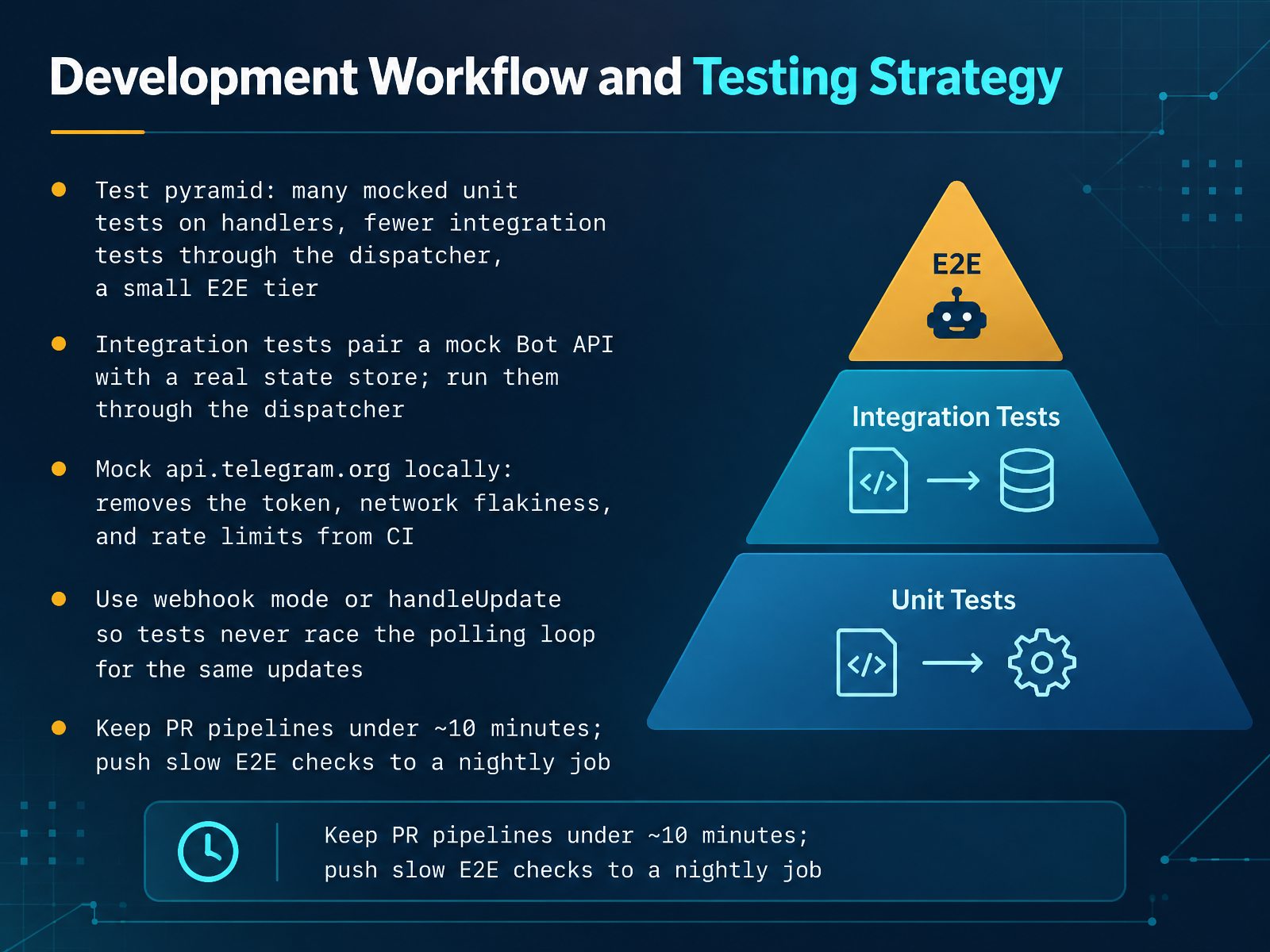
 - 09Development Workflow and Testing StrategyNow let's set up a workflow that catches bugs without slowing you down. Think in three tiers. Most of your tests are unit tests on handlers, driven by a fake update and a mock API that records every call. Fewer are integration tests. Those run through the dispatcher and pair a mock Bot API with a real state store, like Redis in Docker. Then a small end-to-end tier hits the real Bot API and a staging bot, roughly five to ten percent of your suite.
The key move: mock api.telegram.org locally. That removes the token, network flakiness, and rate limits from CI. In TypeScript, call bot.handleUpdate with a crafted update. In Python, use something like aiogram-tests, or post a fake payload in webhook mode.
Here's the friction point. If your bot is polling while a test also calls getUpdates, Telegram lets only one consumer win, so your test sees nothing. Fix it by testing through handleUpdate, or run webhook mode so tests never race the polling loop.
Keep pull request pipelines under about ten minutes: lint, types, unit, and integration. Push slow end-to-end checks to a nightly job. Next, we'll look at deployment, rate limits, and sending at scale.
 2 min
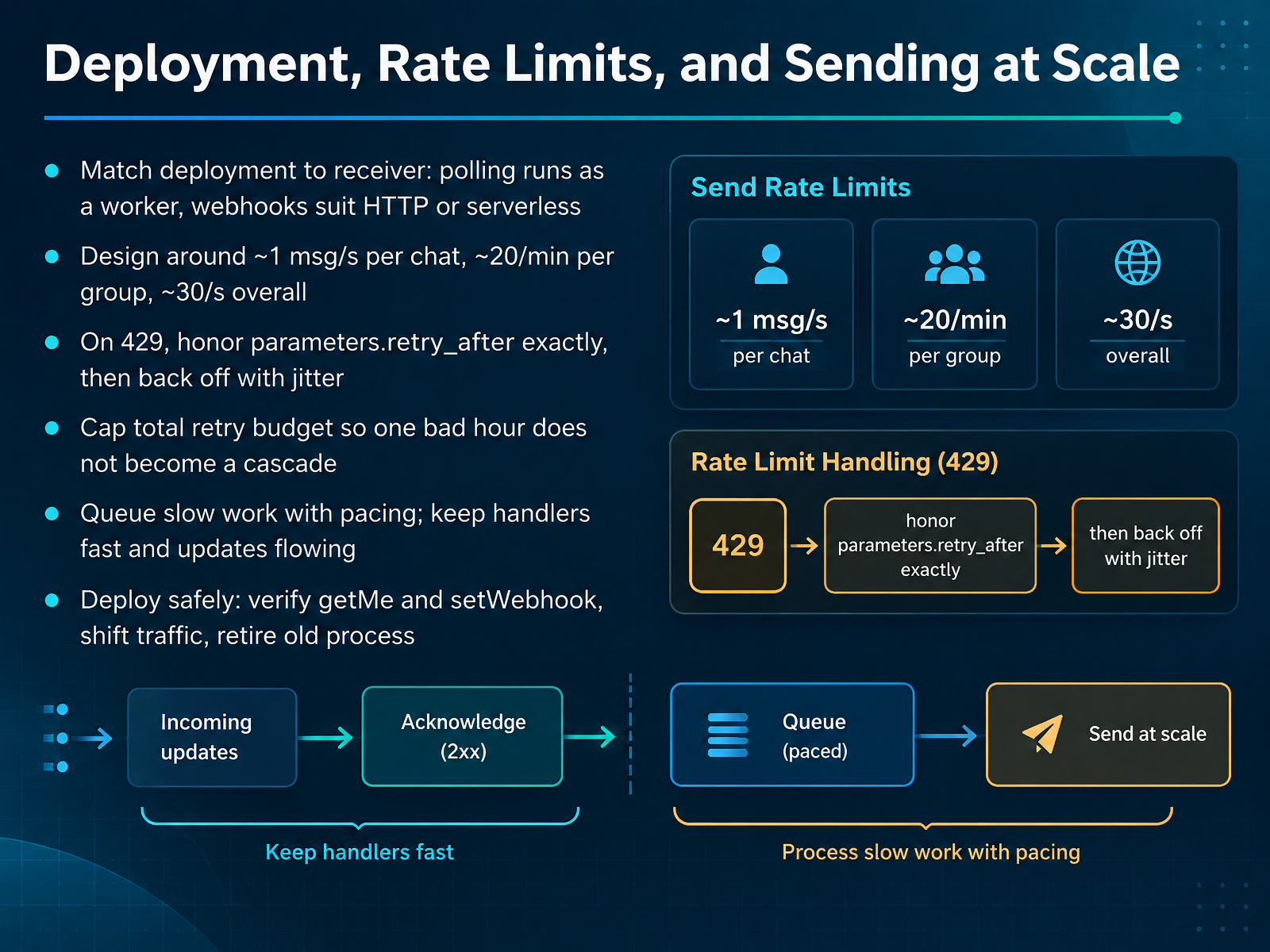
2 min - 10Deployment, Rate Limits, and Sending at ScaleNow let's talk about deployment and sending at scale. First, match your deployment to your receiver. If you poll, run the bot as a long-lived worker process. If you use webhooks, an HTTP service or serverless function fits well. Next, design around the known limits: roughly one message per second per chat, about twenty per minute per group, and around thirty per second overall. When you get a four twenty nine, read parameters dot retry after and wait exactly that many seconds. Then back off with jitter so retries don't sync up. Cap your total retry budget, so one bad hour doesn't become a cascade. Queue slow work with pacing, and keep handlers fast so updates keep flowing. When you deploy, call getMe and setWebhook to verify, shift traffic, then retire the old process. Coming up next, Monitoring Signals and Incident Response.
 kerit.cloud1 min
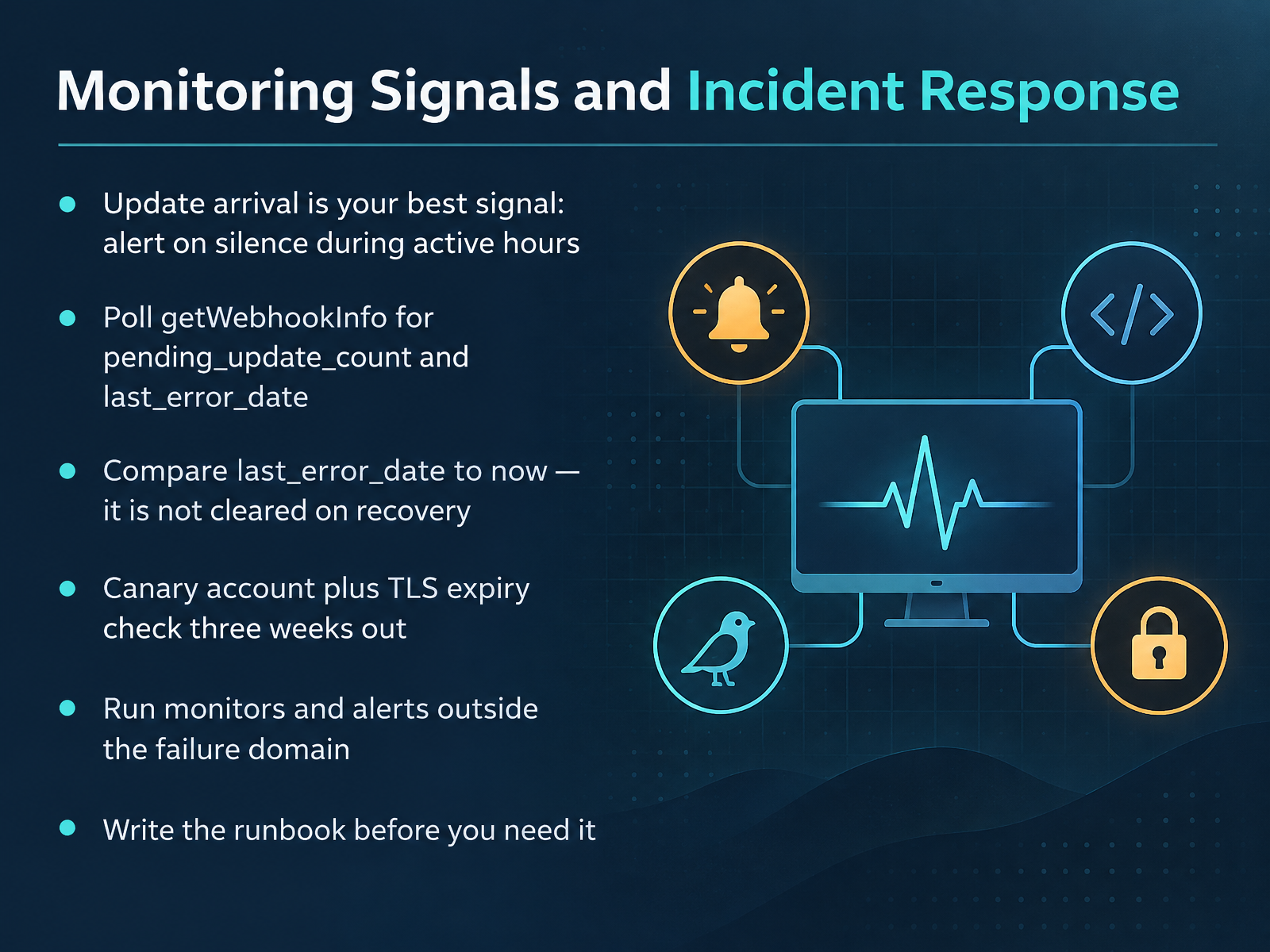
 - 11Monitoring Signals and Incident ResponseNow let's talk about monitoring signals and incident response. Your best single signal is update arrival. Record the timestamp of the last update, and alert when you get silence during your active hours. A busy bot should page after fifteen minutes; a quiet one needs a longer, daytime-only window.
Next, poll getWebhookInfo every five minutes. Watch pending_update_count, and alert when it grows across three samples. Then check last_error_date against now. Here is the trap: it is not cleared on recovery, so compare it to the current time instead of testing for its presence.
Add two more checks. A canary account that messages your bot every fifteen minutes proves the whole path works. And a daily TLS handshake check alerts three weeks before certificate expiry.
One rule matters most: run your monitors and alerts outside the failure domain. Push to an external service, not the box you are watching. And write the runbook before you need it. Next, we will look at workflow design patterns you can reuse.
 kerit.cloud2 min
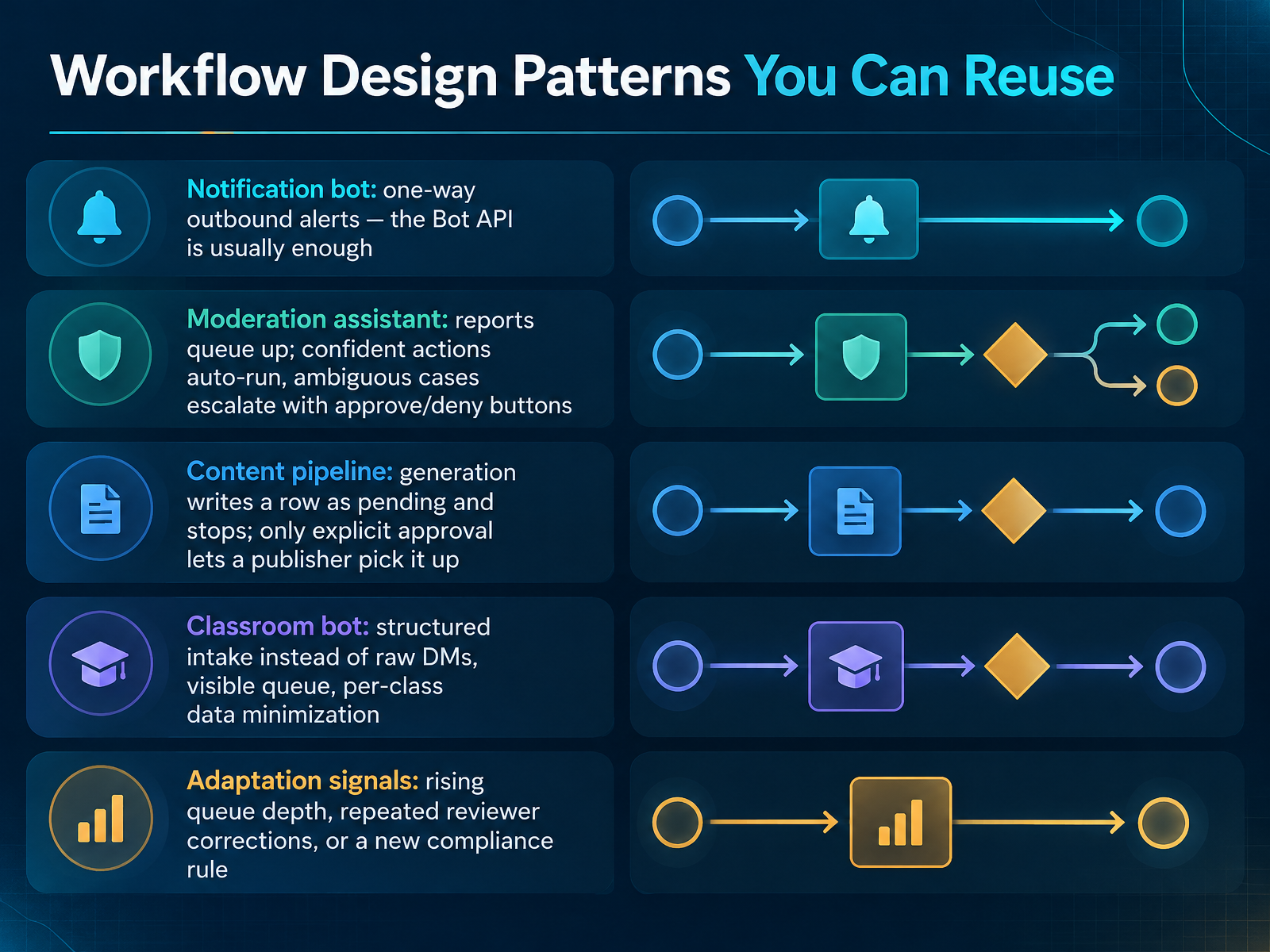
 - 12Workflow Design Patterns You Can ReuseNow let us look at workflow patterns you can reuse. Start with the notification bot. If you only send one-way outbound alerts, the Bot API is usually enough. No queue, no approval gate. Next, the moderation assistant. Reports queue up. Confident actions auto-run. Ambiguous cases escalate with approve and deny buttons. Use a short callback data string like approve colon request id, and always call answerCallbackQuery first. Then the content pipeline. Generation writes a row with status pending and stops. Only explicit approval lets the publisher pick it up. A row in pending is the state; your workflows stay stateless. The classroom bot uses structured intake instead of raw direct messages, shows a visible queue, and minimizes data per class. Finally, watch for adaptation signals: rising queue depth, repeated reviewer corrections, or a new compliance rule. When you see one, revisit the pattern. Next, we will cover common risks, compliance, and a troubleshooting playbook.
 pendnt.devversich.combitbear.net+22 min
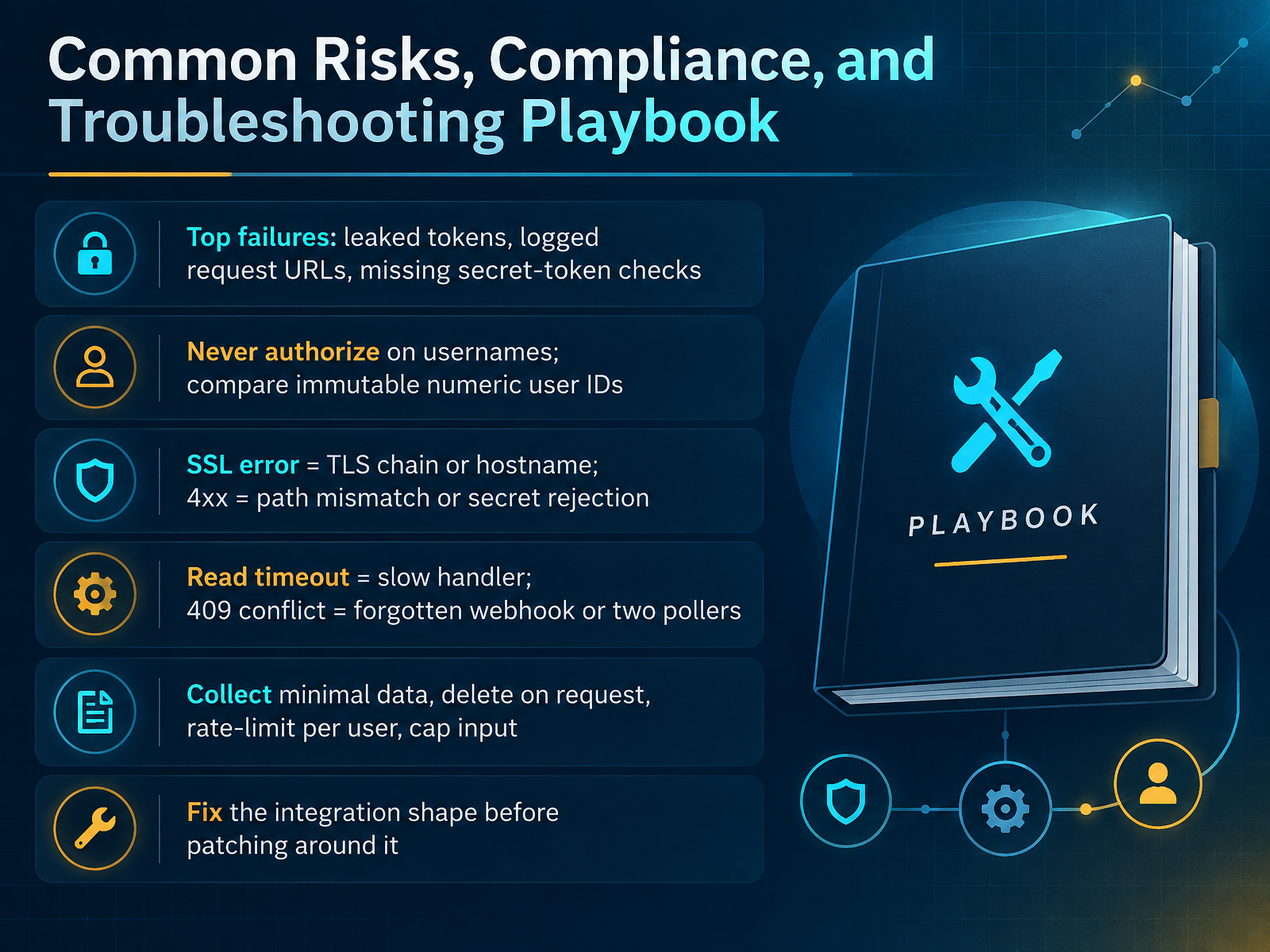
 - 13Common Risks, Compliance, and Troubleshooting PlaybookThe last piece of the workflow is knowing how your build fails. The top three are a leaked token, request URLs written to your logs, and a missing secret-token check. Telegram sends your secret in the X-Telegram-Bot-Api-Secret-Token header. Compare it on every request. Never authorize on a username. Usernames get recycled. Compare the immutable numeric user ID instead. Now read getWebhookInfo. SSL error means your TLS chain is incomplete or the hostname does not match. A four-oh-four or four-oh-three means a path mismatch or your secret check rejecting Telegram. A read timeout means your handler is too slow. And a four-oh-nine conflict means a forgotten webhook, or two pollers on one token. Finally, collect minimal data, delete it on request, rate-limit per user, and cap input sizes. If Telegram keeps rejecting your integration shape, fix that shape instead of patching around it. That sets up the capstone: Your Tool Selection and Workflow Plan.
 pendnt.devversich.combitbear.net+22 min
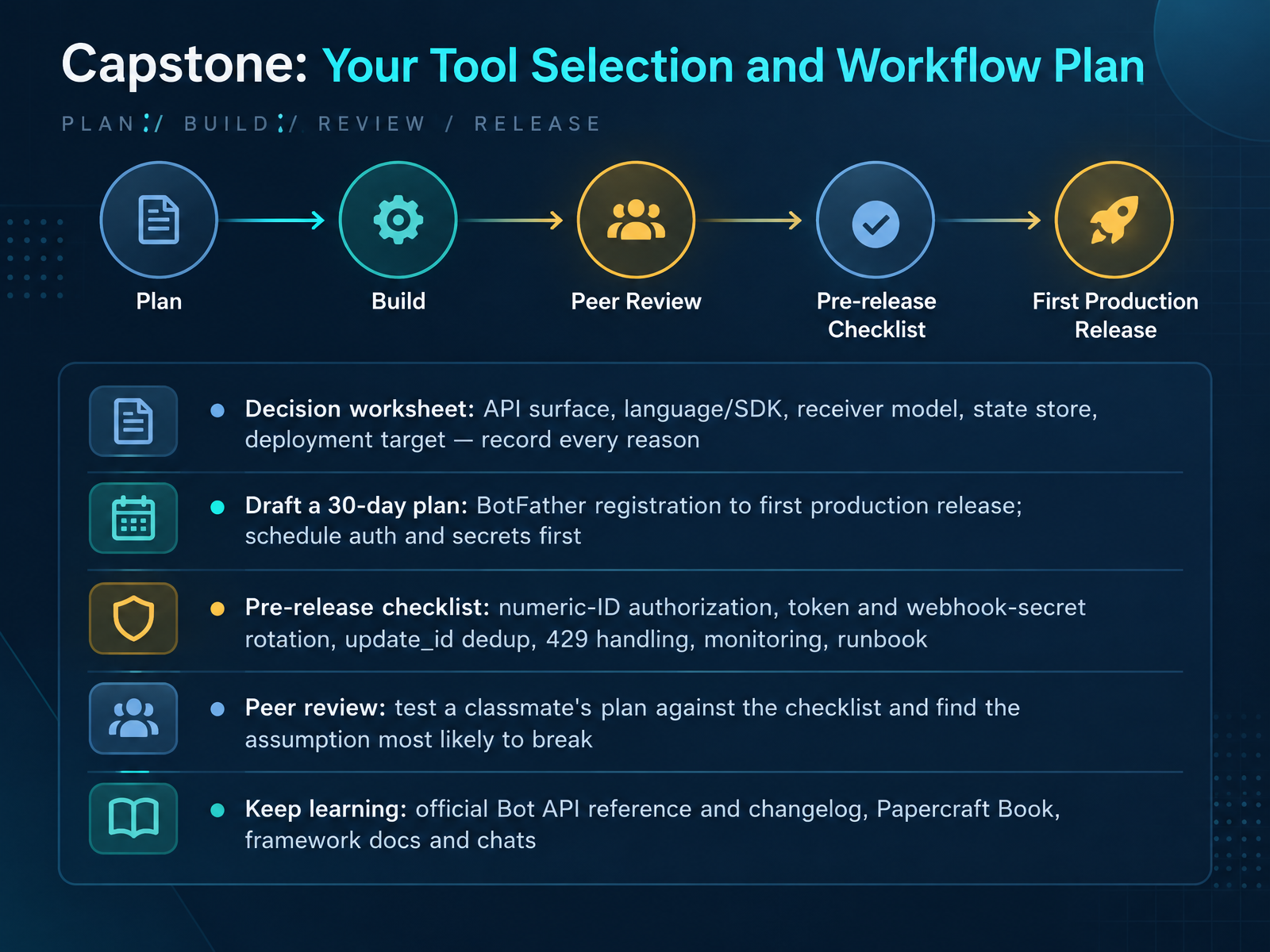
 - 14Capstone: Your Tool Selection and Workflow PlanLet's close with your capstone. First, fill out the decision worksheet. Record your API surface, your language or SDK, your receiver model, your state store, and your deployment target. Write down the reason for each one. In thirty days, go from BotFather registration to your first production release. Schedule authorization and secret management in week one, before you write feature code. Then run the pre-release checklist: numeric-ID authorization, token and webhook-secret rotation, update_id deduplication, 429 handling, monitoring, and a written runbook. Next, peer review. Trade plans with a classmate and test theirs against the checklist. Find the assumption most likely to break under real traffic. When something fails, treat it as a normal debugging step, not a failure. Keep learning through the official Bot API reference and changelog, the Papercraft Book, and your framework's docs and community chats. You now have the selection criteria and the workflow. Go build it, and good luck on your first release.
 core.telegram.orgnexarocode.comcore.telegram.org+22 min
Take the deck with you
Download this course as a file — free, no sign-up needed.
- PDF handoutEvery slide page, ready to print or share.15 pages · 3.4 MBDownload
- Narrated PowerPointThe deck that presents itself — every slide carries the digital human's narration video.15 pages · 26.0 MBDownload
- PowerPoint slidesThe full deck as a .pptx — open it in PowerPoint, Keynote, or Google Slides.15 pages · 3.4 MBDownload
Free to use in your own training — please keep the PersonWise credit page at the end.
Have your own deck? Turn it into a course
Sources consulted
Web sources consulted while building this course.
- Telegram APIs — core.telegram.org
- Telegram Database Library — core.telegram.org
- TDLib: TDLib — core.telegram.org
- Bots: An introduction for developers — core.telegram.org
- Telegram Bot API — core.telegram.org
- MTProto vs. Bot API — Pyrogram Documentation — docs.pyrogram.org
- HTTP Bot API vs MTProto — docs.telethon.dev
- Bot API vs MTProto: which Telegram protocol to use — teleproto — docs.teleproto.dev
- Bot API vs TDLib vs Telegram API vs Gateway: Which to Use — tgway.com
- MTProto vs. Bot API | mtcute — mtcute.dev
- Approving agent actions from Telegram — pendnt guides — pendnt.dev
- n8n Telegram Integration | Secure Bot Commands & Workflows | Versich — versich.com
- Make Telegram bot buttons safe: callbacks, authorization, and stale state | BitBear Blog — bitbear.net
- Securing Your Telegram Bot Token and Admin Commands | Kerit Cloud Blog — kerit.cloud
- Telegram Bots Cannot Be Hidden ── I Closed the Hermes Agent Entrance with an Allowlist|西岡賢一郎 — note.com
- Best Telegram Bot Frameworks: Python vs Node.js vs Go [2026] — nexarocode.com
- Bot API Library Examples — core.telegram.org
- How grammY Compares to Other Bot Frameworks | grammY — grammy.dev
- Best Telegram Bot Frameworks in 2026: aiogram vs Telegraf vs grammY — teleclaw.com
- Best Telegram Bots for Developers 2026 | tgram.bot — tgram.bot