Begin
14 pages · ~28 min
Kubernetes in DevOps: Concepts and Examples
Learn Kubernetes concepts and their role in DevOps, including core purposes and real-world examples for effective container orchestration.
A digital instructor presents all 14 pages. Hold “Ask” at any point and ask out loud — the answer comes from this course. No sign-up needed.
What you’ll learn
- 01Kubernetes in DevOps: Concepts, Purpose, and ExamplesWelcome. If you work in DevOps, platform engineering, or modern software delivery, you already know containers changed how we build. But containers alone create a new problem: how do you manage dozens, hundreds, or thousands of them reliably? That's where Kubernetes comes in. Over the next few minutes, we'll break down what Kubernetes actually is and how it works. We'll explore why it became the industry standard for DevOps. And we'll see real examples of deploying, scaling, and managing applications. Our goal is to give you both the theory and the business value, so you understand not just how Kubernetes works, but why it matters for your day-to-day workflows. We'll keep things practical and grounded, so you can leave with a clear picture of how Kubernetes fits into a modern release pipeline. Let's get into it and start with the core question: what is Kubernetes, and why did it become the standard?turing.comgeeksforgeeks.orgibm.com+21 min
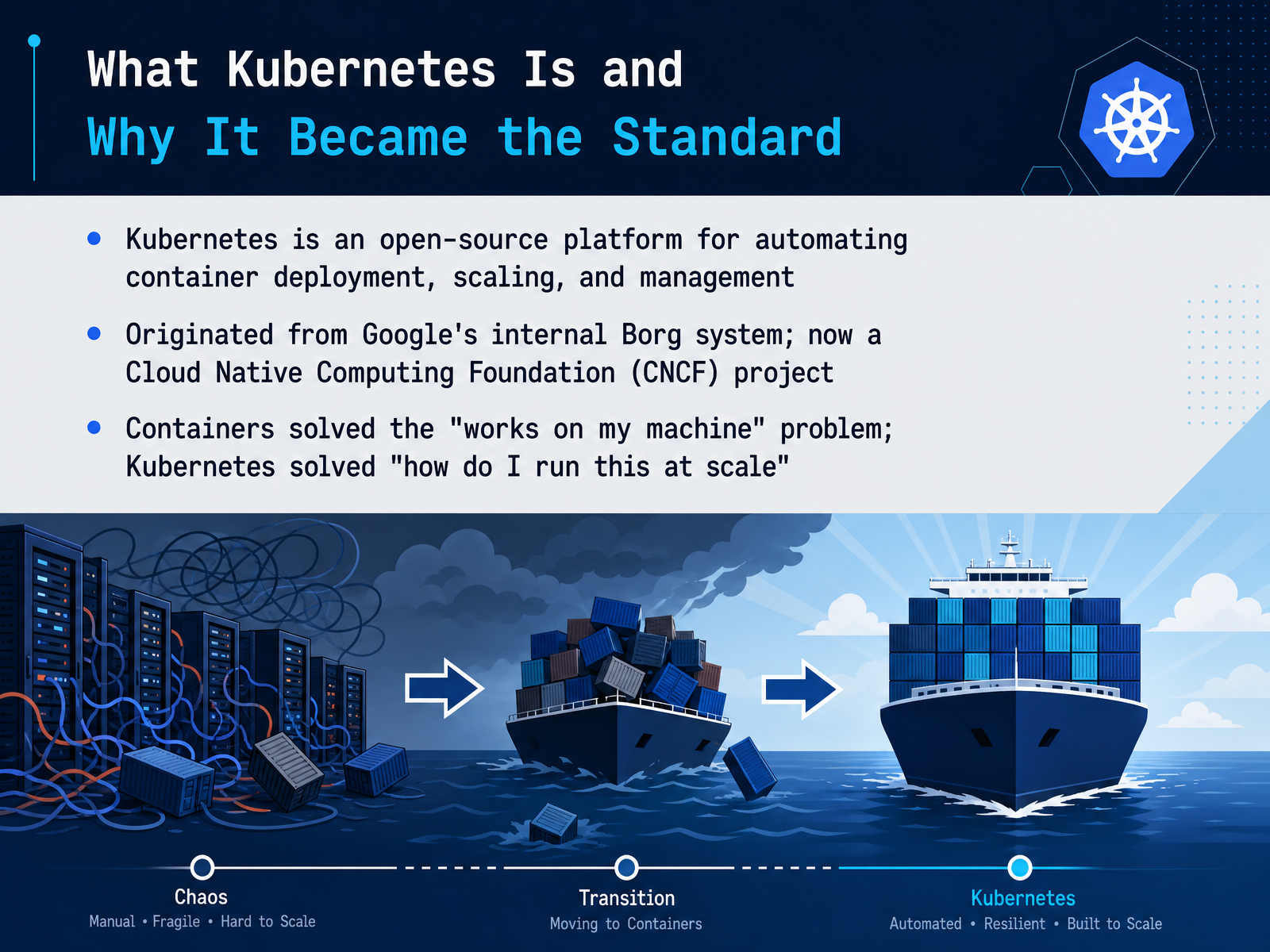
- 02What Kubernetes Is and Why It Became the StandardLet’s clarify what Kubernetes actually is, because it’s easy to get lost in the ecosystem. Kubernetes is an open-source platform for automating container deployment, scaling, and management. Think of it as the operating system for your containerized applications. It started inside Google as a project called Borg, and in 2014, Google rebuilt it as Kubernetes and donated it to the Cloud Native Computing Foundation. Now, it’s the industry standard. To understand why, trace the problem. Containers solved the works-on-my-machine problem by bundling code with its runtime. But they introduced a new one: how do you run hundreds of containers across many servers, keep them healthy, and scale them on demand? Manually scripting that is fragile. Kubernetes automates it. It schedules containers, restarts failed ones, distributes traffic, and scales with demand. That’s why 82 percent of container users now run it in production. Next, let’s look at the problem it solves in the DevOps lifecycle: moving from manual deployments to orchestration.
 turing.comgeeksforgeeks.orgibm.com+21 min
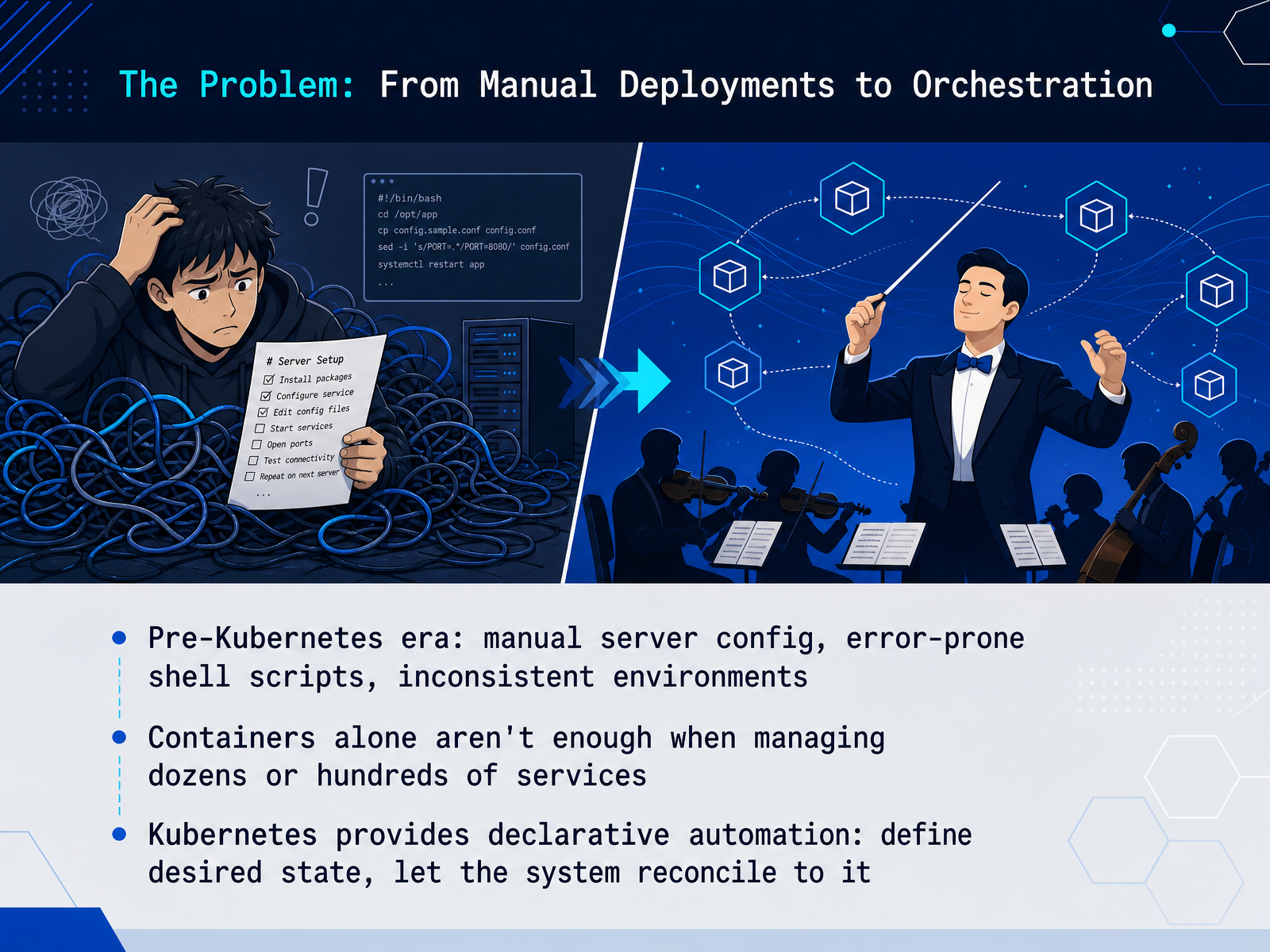
 - 03The Problem: From Manual Deployments to OrchestrationLet’s step back to see why Kubernetes became essential in DevOps workflows. Before container orchestration, teams relied on manual server configuration and custom shell scripts to manage deployments. That approach was error-prone, and environments drifted apart—what ran in staging often broke in production. Then containers solved the packaging problem. But when you’re managing dozens or hundreds of services, containers alone aren’t enough. You need automation for scheduling, scaling, health checks, and networking. That’s where Kubernetes comes in. It provides declarative automation: you define the desired state of your applications and services in configuration files, and Kubernetes continuously works to reconcile the actual state to match that declaration. If a container crashes, it restarts it. If traffic spikes, it scales. If you release a bad version, you roll back. For example, you declare that you want three replicas of your payment service running. If one fails, Kubernetes spins up a new one to maintain three. No midnight phone calls, no manual scripting. This shift from imperative commands to declarative configuration is what unlocks true CI/CD and GitOps practices. Next, we’ll break down the core concepts you need to understand: clusters, nodes, and pods.
 turing.comgeeksforgeeks.orgibm.com+21 min
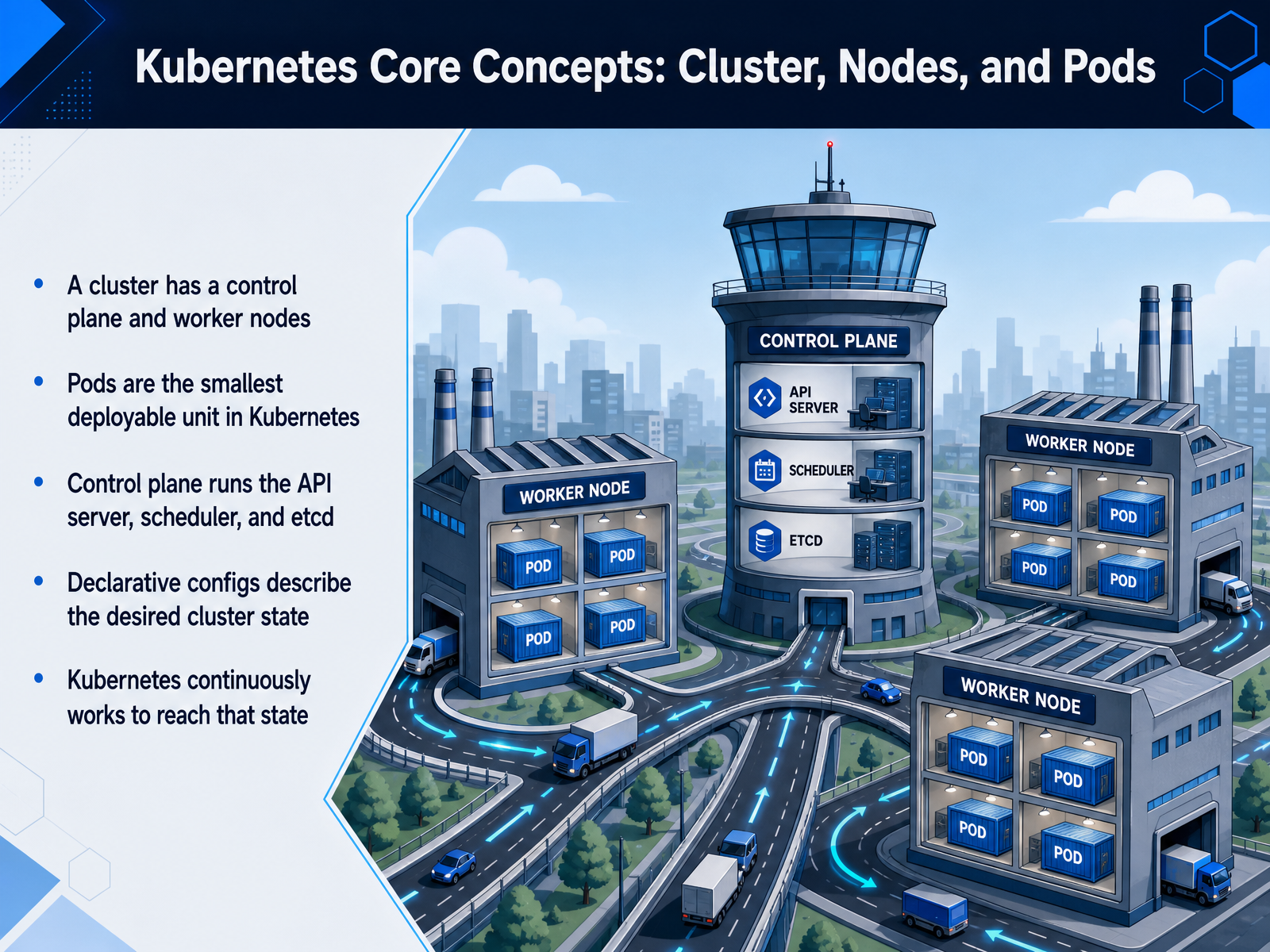
 - 04Kubernetes Core Concepts: Cluster, Nodes, and PodsLet's map out the core building blocks. A Kubernetes cluster is split into two parts. You have the control plane, which runs the API server, the scheduler, and etcd. Then you have worker nodes, which are the machines that actually run your applications. But the real unit of work in Kubernetes is the pod. A pod is the smallest thing you can deploy, and it wraps one or more containers that share storage and network. So if you're running a payments service, that service lives inside a pod. Here's the key shift in mindset. You never tell Kubernetes exactly how to deploy something. Instead, you write a declarative config, usually a YAML file, that describes your desired state. For example, three replicas of your API and a memory limit. Then Kubernetes continuously checks the live cluster against that declared state and works to converge them. Pod crashes? Kubernetes restarts one. Traffic surges? It scales up. It's a constant reconciliation loop between what you declared and what's running. Hold onto that declarative model because it drives everything else in Kubernetes. Up next, we'll look at how Deployments, Services, and Namespaces build on these ideas to manage and expose your workloads.
 turing.comgeeksforgeeks.orgibm.com+22 min
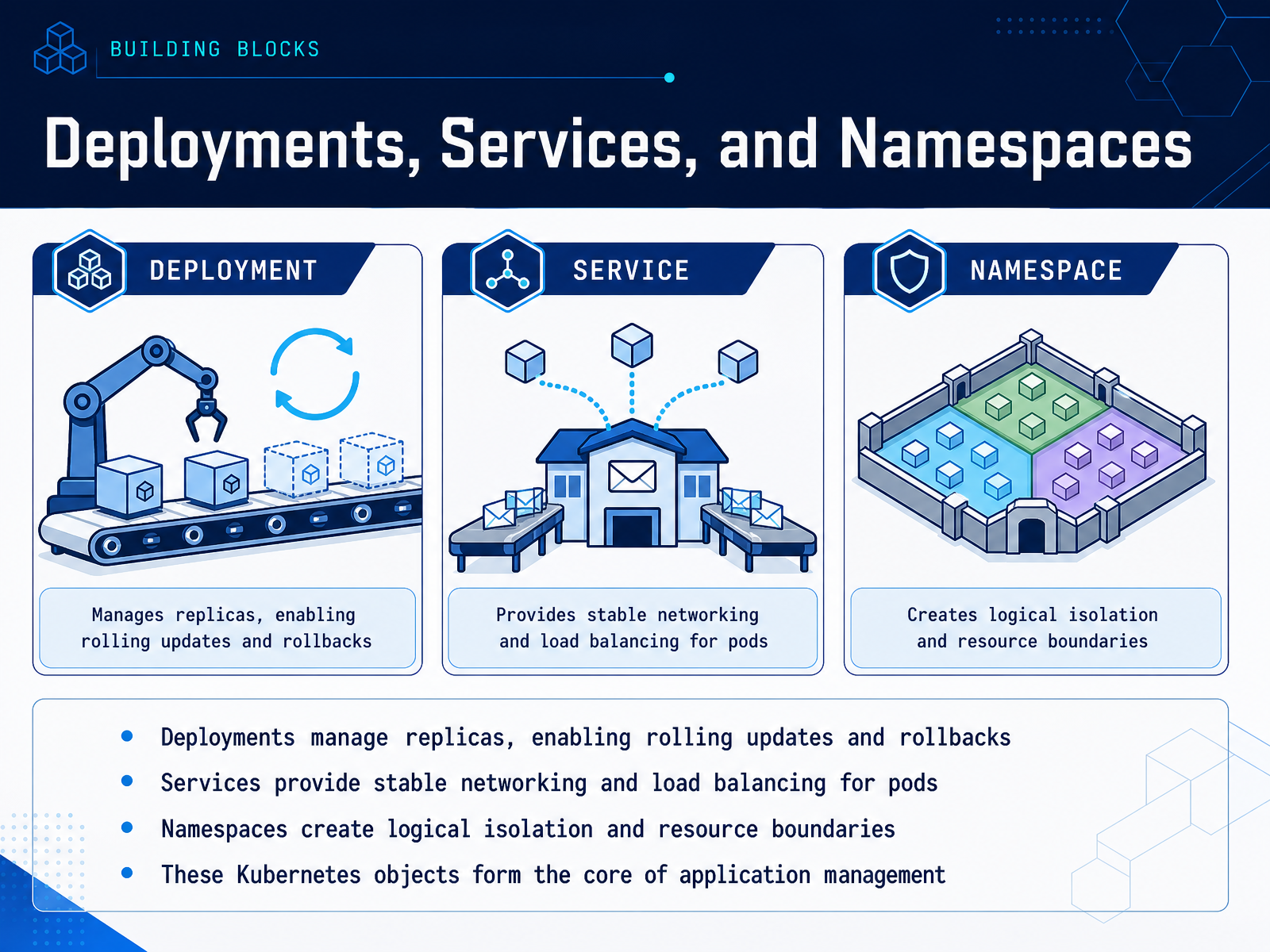
 - 05Deployments, Services, and NamespacesNow let's look at the core building blocks you'll actually work with every day. First, Deployments. Think of a Deployment as your declaration of the desired state: how many replicas of your app should be running, and which container image version they should use. If a pod crashes, the Deployment replaces it. When you push a new image, it performs a rolling update, spinning up new pods and only tearing down old ones once the new ones are healthy. And if something goes wrong, a single command rolls it all back. That's your fail-safe. Next, Services. Pods are ephemeral; they get IPs that change constantly. A Service gives you a stable network endpoint and load balances traffic across all the pods behind it. Need to scale from three replicas to thirty? The Service keeps routing traffic seamlessly. Finally, Namespaces. These are logical partitions within your cluster, useful for separating environments like dev, staging, and production, or for isolating teams. They provide a resource boundary, which is essential for access control and preventing one noisy app from starving the rest. These three objects together form the backbone of application management in Kubernetes. With that foundation, we can now see exactly how Kubernetes drives the broader DevOps lifecycle.
 turing.comgeeksforgeeks.orgibm.com+22 min
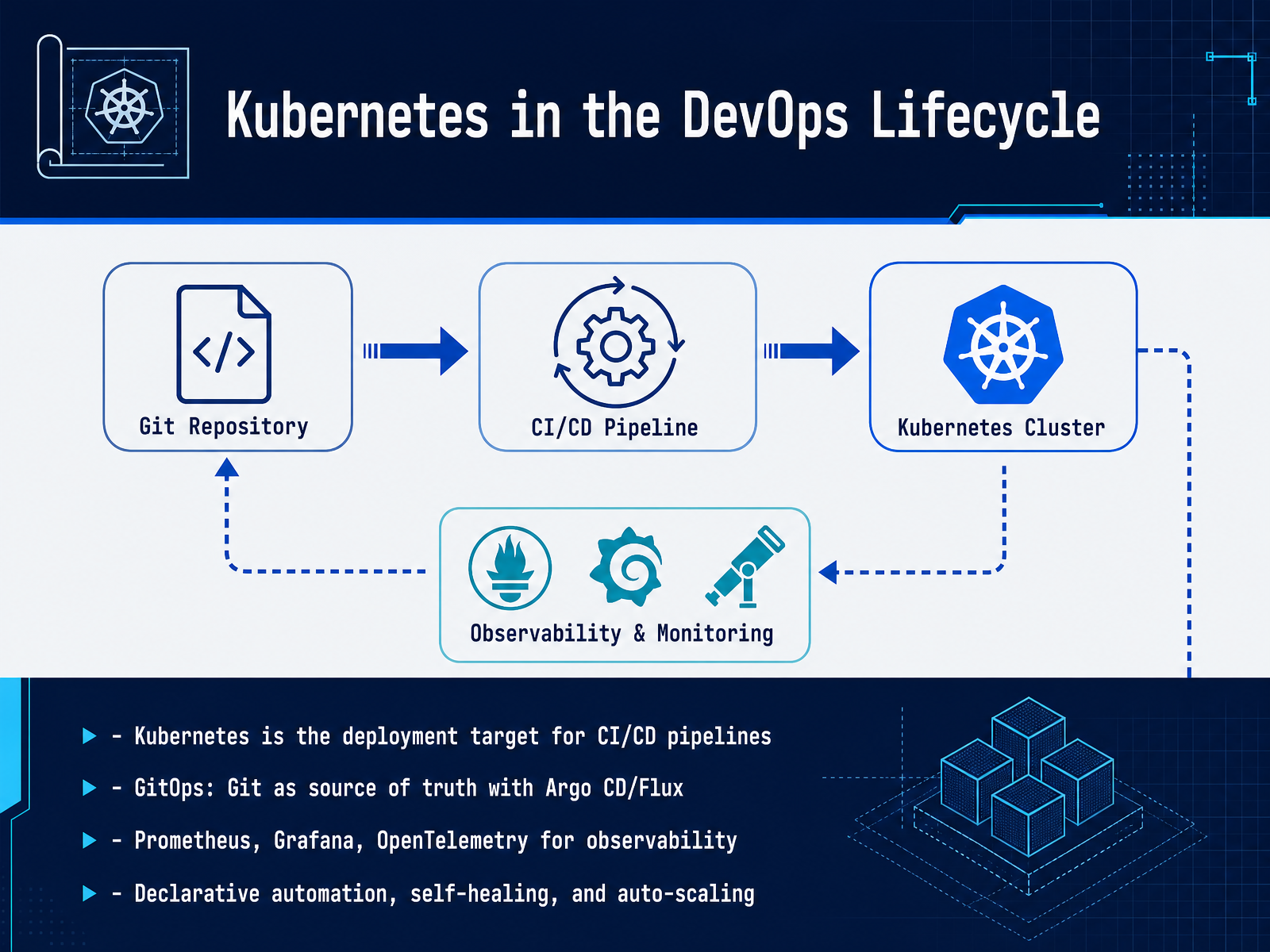
 - 06Kubernetes in the DevOps LifecycleSo where does Kubernetes actually fit into the DevOps lifecycle? Think of it as the deployment target for your CI/CD pipelines. When code is committed, your pipeline builds and tests it, packages it into a container image, and then delivers it to a Kubernetes cluster for release. Kubernetes handles the rollout, from there on. This is where GitOps becomes powerful. Tools like Argo CD or Flux treat Git as the single source of truth. The desired state of your cluster is declared in a repository, and the tool continuously reconciles your live environment to match that state. No more manual kubectl apply from a laptop. Git history is your audit trail and a rollback is just a git revert. But your workload needs more than a deployment strategy. You need visibility, which is where Prometheus for metrics, Grafana for dashboards, and OpenTelemetry for tracing come in. They provide the feedback loop that tells you if a release is healthy. Underneath it all, Kubernetes is doing the heavy lifting: declarative automation and self-healing for failed containers, plus auto-scaling to handle demand spikes. The result is a closed loop that is automated, auditable, and reliable. Now, let's look at what these capabilities mean for you and the concrete benefits they deliver for developers.
 turing.comgeeksforgeeks.orgibm.com+22 min
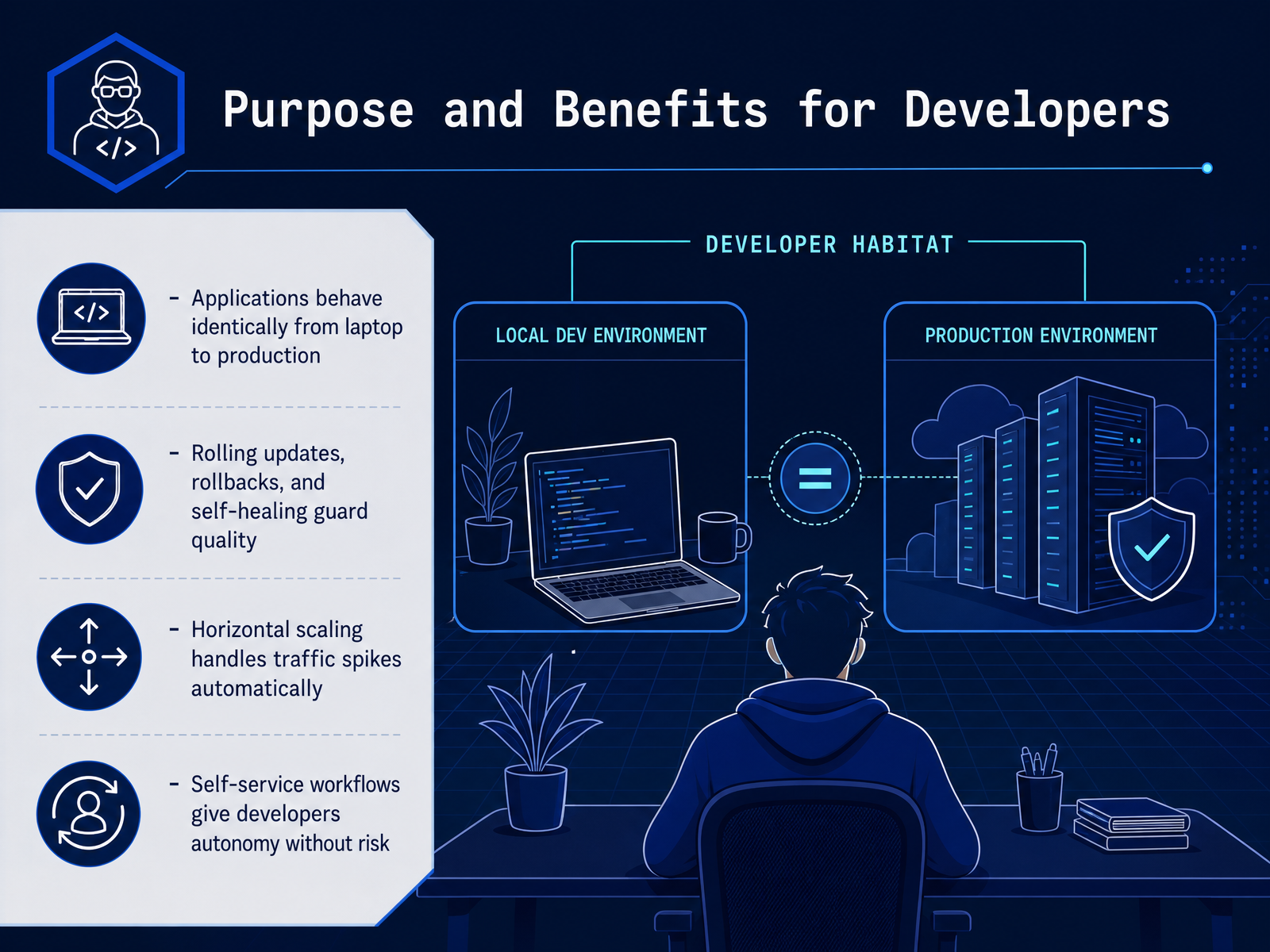
 - 07Purpose and Benefits for DevelopersNow let’s talk about what all of this means for you as a developer. The first big win is consistency. The same container image that runs on your laptop runs identically in staging and in production. No more environment-specific surprises. Next, Kubernetes actively protects your application’s quality. Rolling updates mean new versions go out gradually, and if something breaks, a rollback is often one command away. The platform also self-heals; if a pod crashes, it restarts automatically. That frees you from late-night firefighting. Then there’s scale. When traffic spikes, Kubernetes can automatically spin up additional replicas to handle the load, and scale back down when demand drops. You declare the desired state, and it handles the math. And perhaps most importantly, Kubernetes enables self-service. You can deploy through pipelines and manage your own resources with role-based access controls, getting autonomy without stepping on production stability. So, for developers, Kubernetes removes the gap between writing code and running it reliably. It gives you a consistent, safe, and scalable path to ship. Next, we’ll look at its purpose and benefits from a platform engineer’s perspective.
 turing.comgeeksforgeeks.orgibm.com+22 min
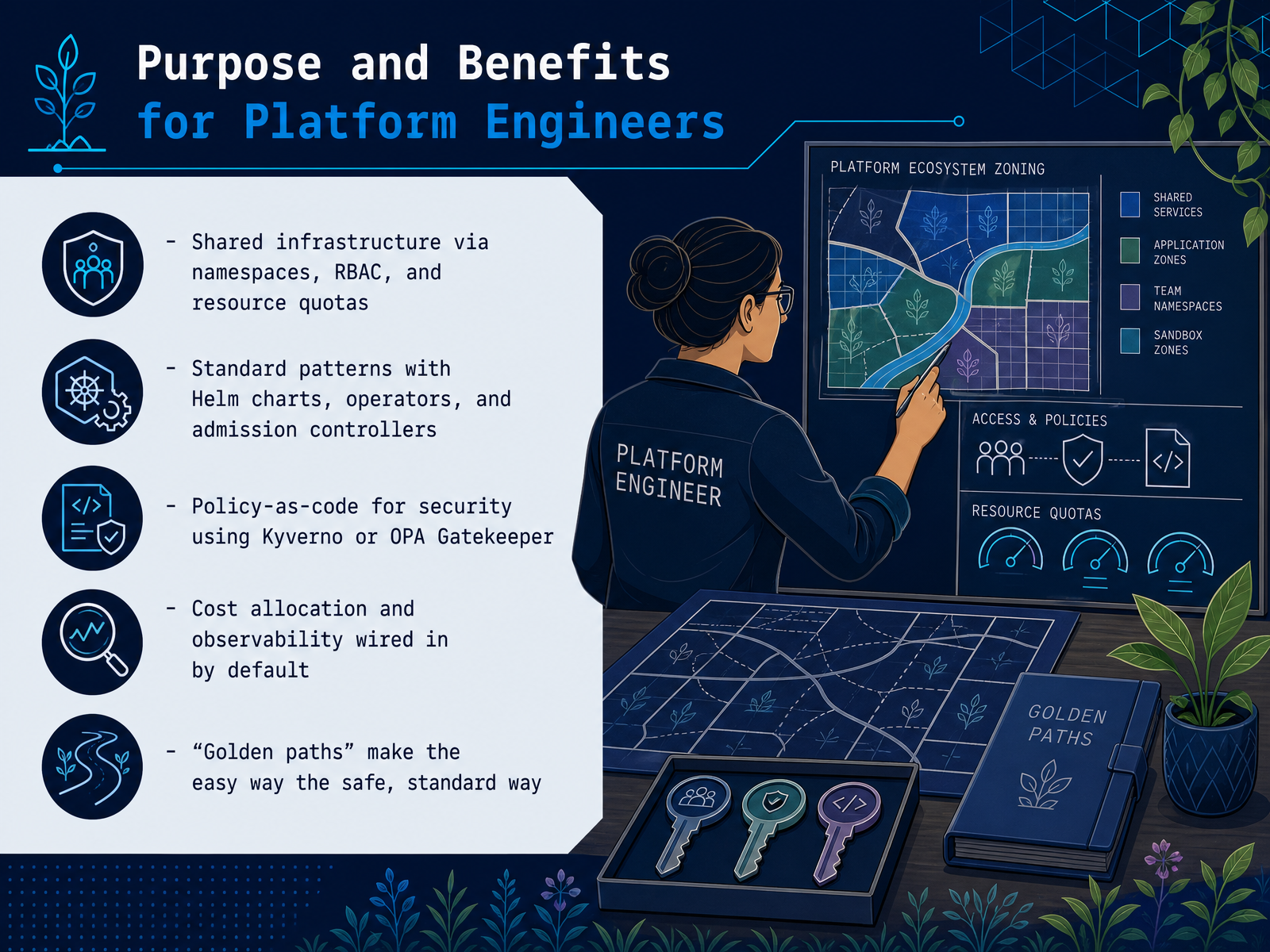
 - 08Purpose and Benefits for Platform EngineersNow, let's look at what Kubernetes actually does for platform engineers, because that's where the real leverage shows up. First, shared infrastructure. You use namespaces to carve up one cluster for many teams, RBAC to control who touches what, and resource quotas to stop one team from starving everyone else. That is multitenancy without multiplying clusters. Second, standard patterns. Helm charts package your deployments so every service looks the same. Operators encode operational knowledge, like how to run a database, into software. And admission controllers sit in front of the API to enforce your rules on everything coming in. Third, policy as code. Tools like Kyverno or OPA Gatekeeper let you write security requirements as code, not as a wiki page. If a pod tries to run as root, it is blocked at the door, automatically. And observability, meaning metrics, logs, and traces, gets wired in by default, so cost allocation and troubleshooting are built into the foundation, not bolted on later. The payoff is the golden path. Your platform team defines the easy way to deploy, and that easy way is also the secure, compliant, standard way. A developer clicks one template, and the platform handles the rest. That is how you scale DevOps without scaling chaos. Up next, we will walk through an actual example of deploying and scaling a service.
 turing.comgeeksforgeeks.orgibm.com+22 min
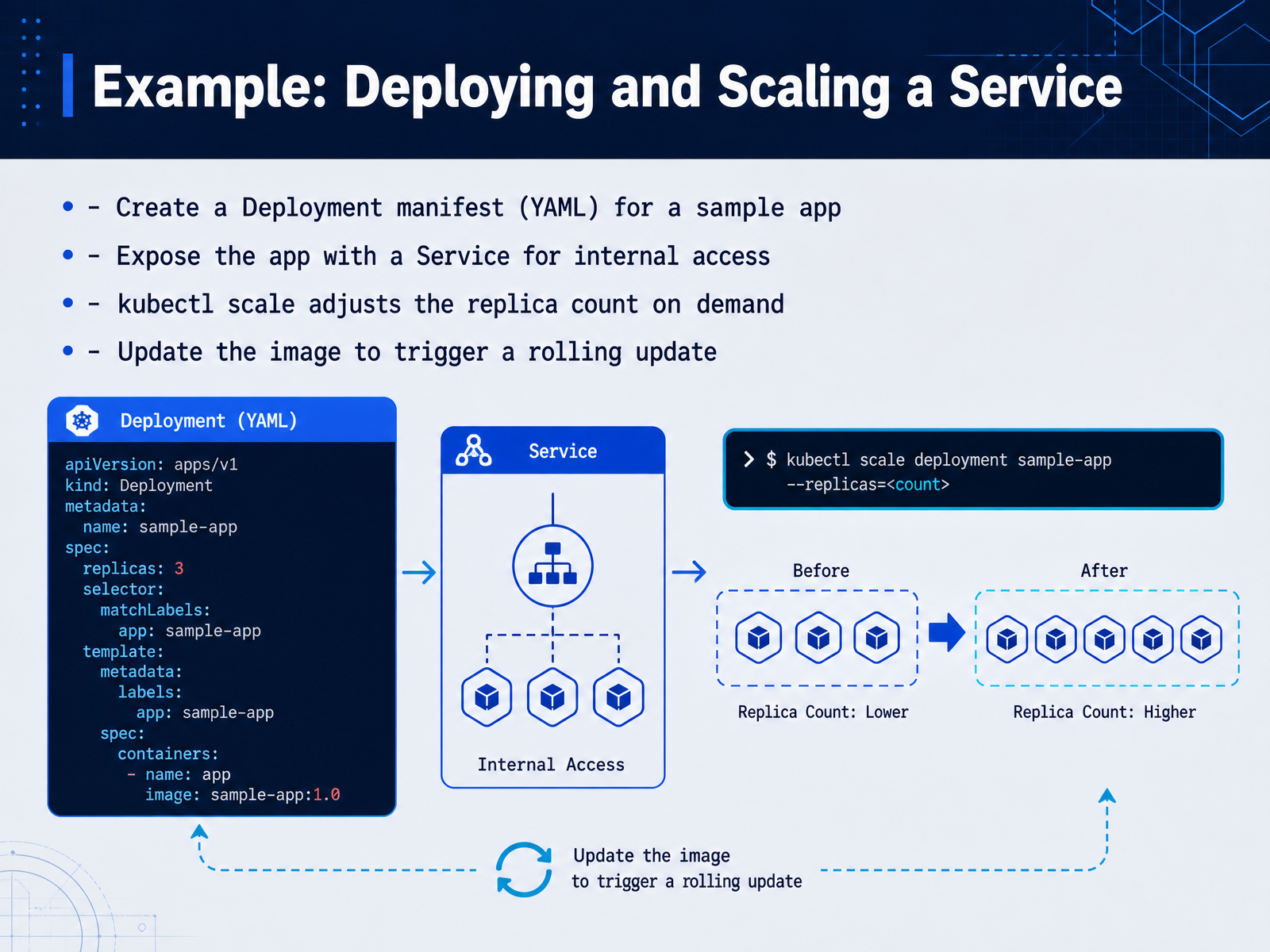
 - 09Example: Deploying and Scaling a ServiceLet's tie the concepts together with a concrete deployment workflow. You'll define a Deployment manifest in YAML, describing the container image, the replicas you want, and the update strategy. This declarative file is your desired state; Kubernetes constantly works to match it. Once applied, you expose that app with a Service, giving it a stable network endpoint for internal access. Now, demand spikes. Instead of touching the manifest or redeploying, you run kubectl scale to adjust the replica count on the fly. Kubernetes schedules those new pods immediately. Next, a new version of your image is ready. You update the image tag in the manifest and apply it. Kubernetes triggers a rolling update, spinning up new pods with the updated image while keeping the old ones serving traffic until the new ones pass their health checks. That's zero-downtime deployment in action. And if something fails, you roll back with a single command. This workflow shows the core promise: declarative infrastructure, effortless scaling, and safe updates. Next, we'll examine rolling updates, rollbacks, and liveness probes in more detail.
 turing.comgeeksforgeeks.orgibm.com+21 min
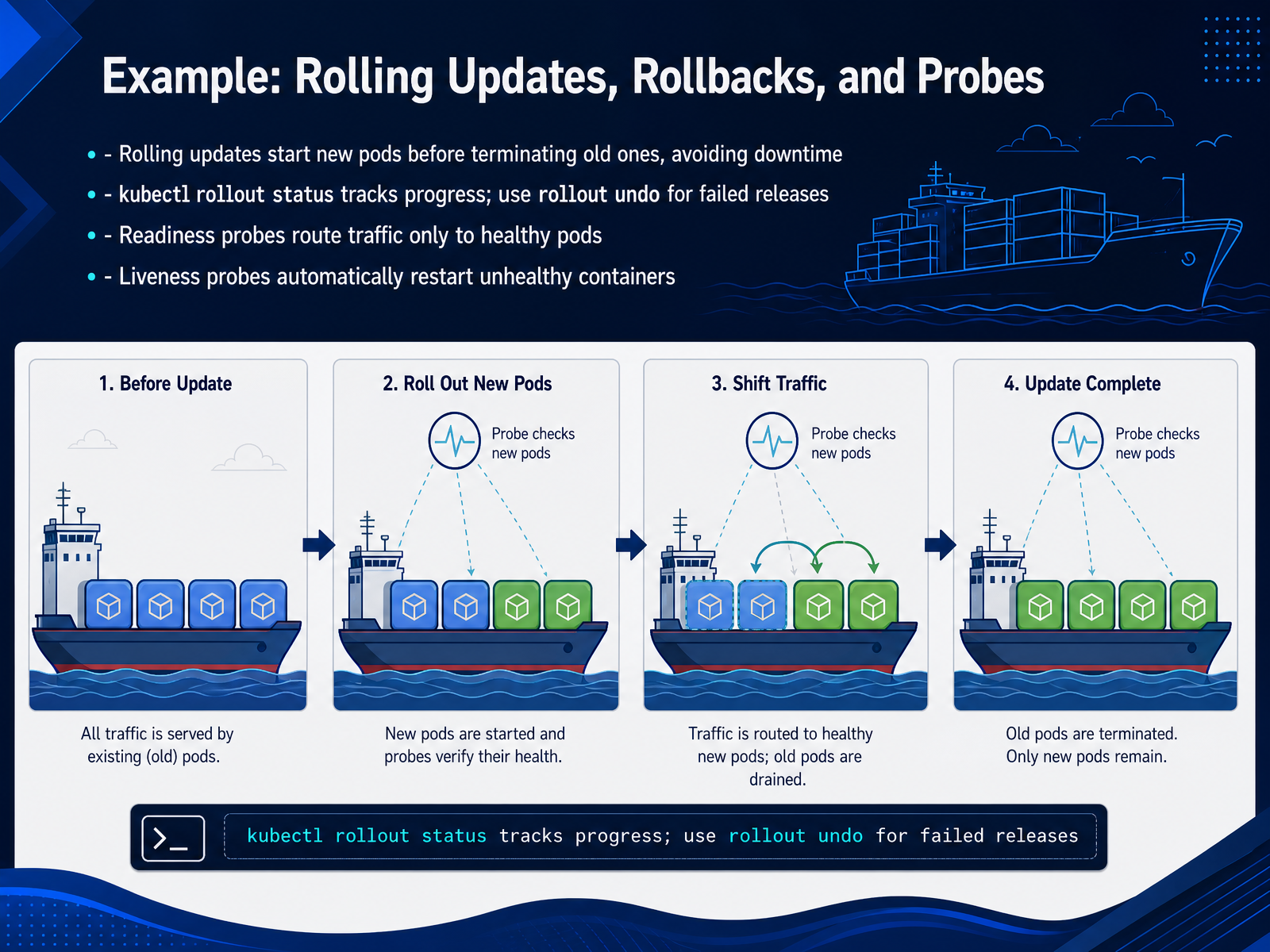
 - 10Example: Rolling Updates, Rollbacks, and ProbesA rolling update is where Kubernetes really earns its keep. When you push a new image, it doesn’t just swap everything at once. It starts new pods first, waits for them to become healthy, and only then terminates the old ones. That means zero downtime for your users. You can watch it happen with kubectl rollout status. And if something goes sideways? kubectl rollout undo takes you straight back to a known good state. But the real magic is in the probes. Your readiness probe decides whether a pod gets traffic or not. If the app inside is still warming up, the pod stays out of the loop. Your liveness probe is the safety net — if the app hangs or crashes, Kubernetes restarts the container automatically. Same deployment, same cluster, a release that protects itself. Now let’s look at some common patterns and pitfalls.
 turing.comgeeksforgeeks.orgibm.com+21 min
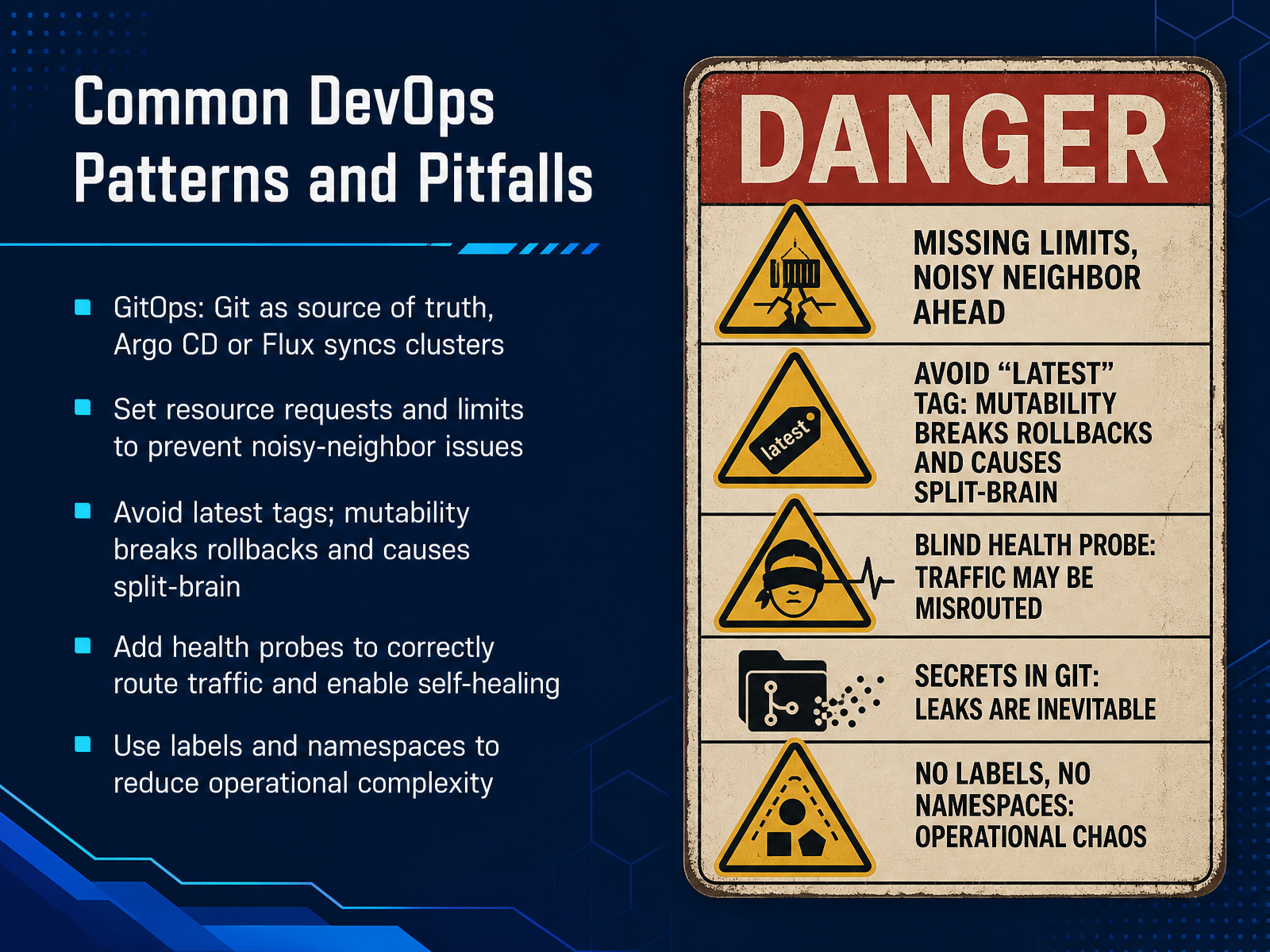
 - 11Common DevOps Patterns and PitfallsLet’s look at some common patterns and pitfalls. First, GitOps: make Git the single source of truth. Tools like Argo CD or Flux watch your repo and sync the cluster automatically, which prevents configuration drift. Next, set explicit resource requests and limits for every container. Without them, one runaway pod can starve its neighbors and trigger a cascade of failures. Avoid using mutable image tags like latest. Because tags can be overwritten, different pods may run different builds without you realizing it, breaking rollbacks and creating split-brain confusion. Put health probes on your deployments. Readiness checks route traffic only to pods that can take it, and liveness checks let the kubelet restart pods that are stuck. Without probes, your app will still get traffic when it’s not ready. Finally, use namespaces and labels intentionally. They make it possible to apply policies at scale and cut down on operational complexity. Consistent patterns separate the clusters that are self-healing from the ones that wake people up at 3 a.m. Before we wrap up, let’s look at when Kubernetes simply isn’t the right tool for the job.
 sedai.iooctopus.comoctopus.com+21 min
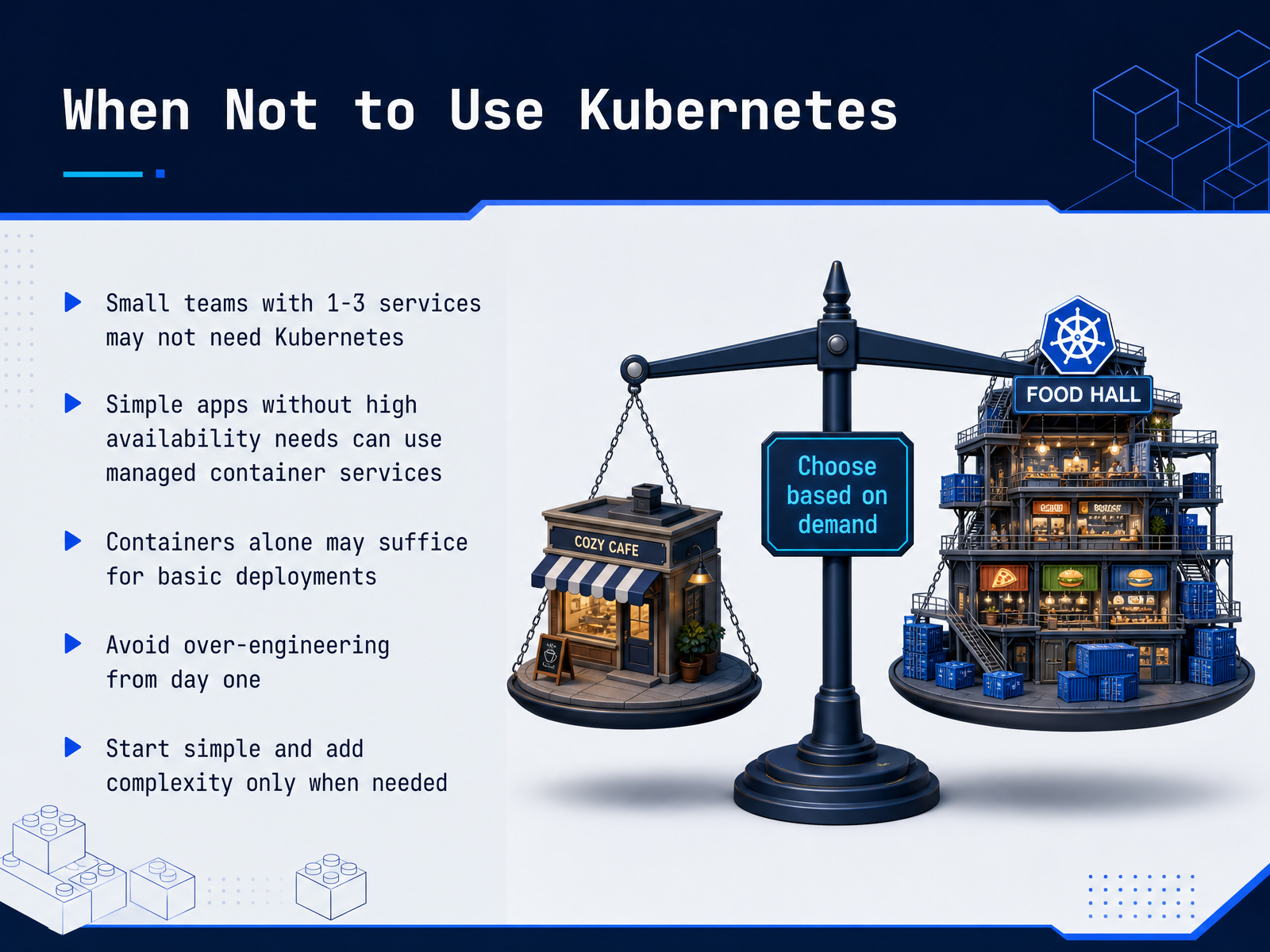
 - 12When Not to Use KubernetesLet’s balance the conversation. Kubernetes is powerful, but it is not always the right answer. If you are a small team running one to three services, a managed container service may solve your problem with far less overhead. If your application does not demand high availability, containers alone might be enough. The real risk is over-engineering from day one. You can burn weeks maintaining a cluster that only runs three containers. So start simple. Deploy on a platform that abstracts the complexity. Add Kubernetes when you genuinely need its orchestration, scaling, or self-healing capabilities. That moment usually arrives when your service count grows, or your traffic patterns become unpredictable. This judgement is part of the craft. Knowing when not to use a tool is as valuable as knowing when to use it. And that leads us to the next topic: platform engineering, which is about hiding Kubernetes complexity from developers so they can focus on features.
 turing.comgeeksforgeeks.orgibm.com+22 min
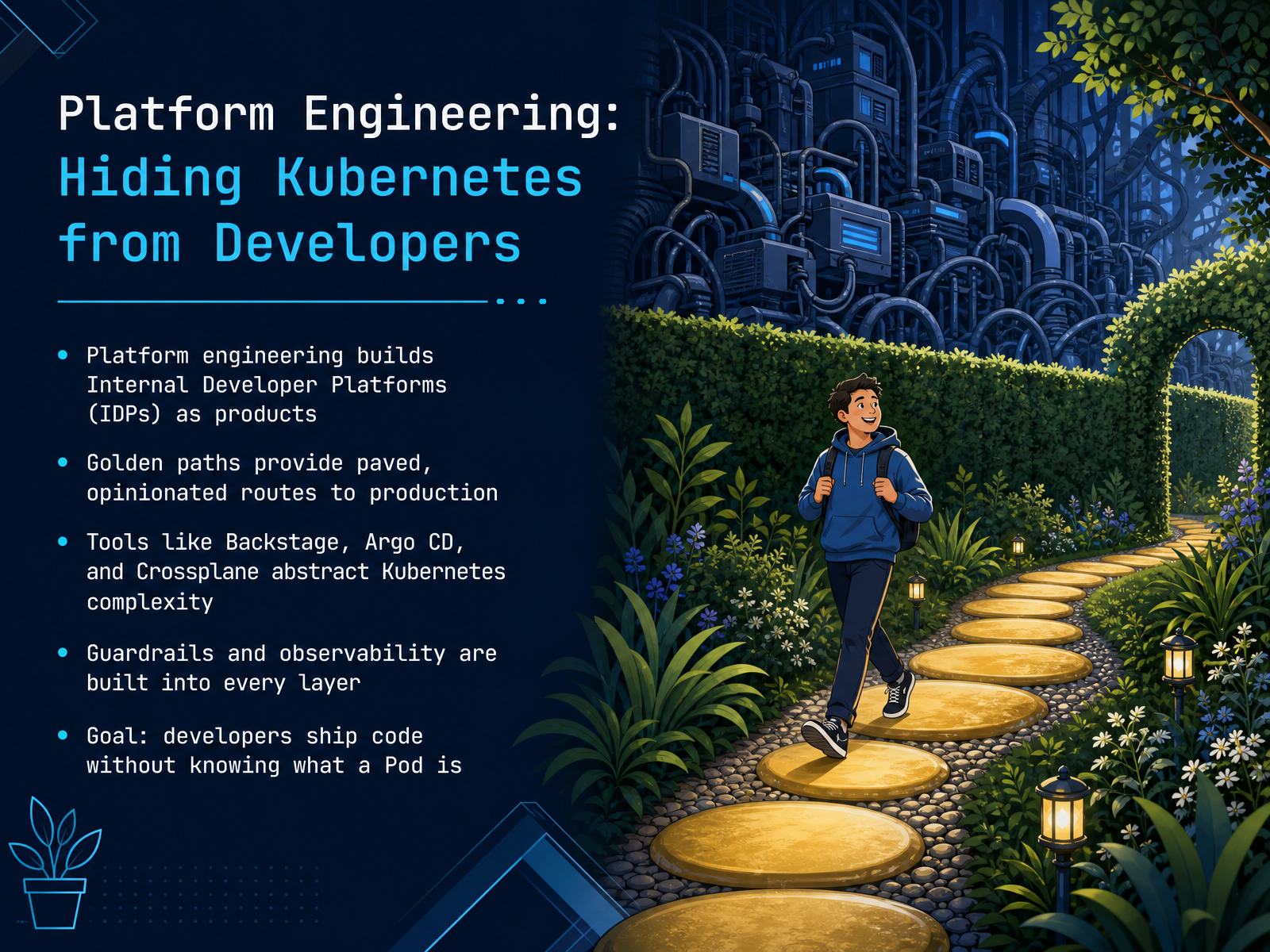
 - 13Platform Engineering: Hiding Kubernetes from DevelopersNow, let's talk about hiding Kubernetes from developers altogether. That is the goal of platform engineering. It treats infrastructure as a product, building an Internal Developer Platform, or IDP, that developers actually want to use. The core mechanism is the golden path. Think of it as a paved, opinionated route to production for common tasks like spinning up a service or adding a database. The easy way becomes the secure way. Tools like Backstage provide the self-service portal, Argo CD handles GitOps delivery, and Crossplane exposes cloud infrastructure as APIs, all absorbing the underlying complexity. Guardrails and observability are baked into every layer, so policy compliance and monitoring are automatic from the start. The payoff is a massive reduction in cognitive load. Instead of juggling a dozen tools, developers use a template to scaffold a service. The platform wires CI, commits the GitOps config, and deploys automatically. They can ship code without ever knowing what a Pod is. Next, we'll wrap up with key takeaways and your next steps.
 alekseialeinikov.comlenshq.iocast.ai+21 min
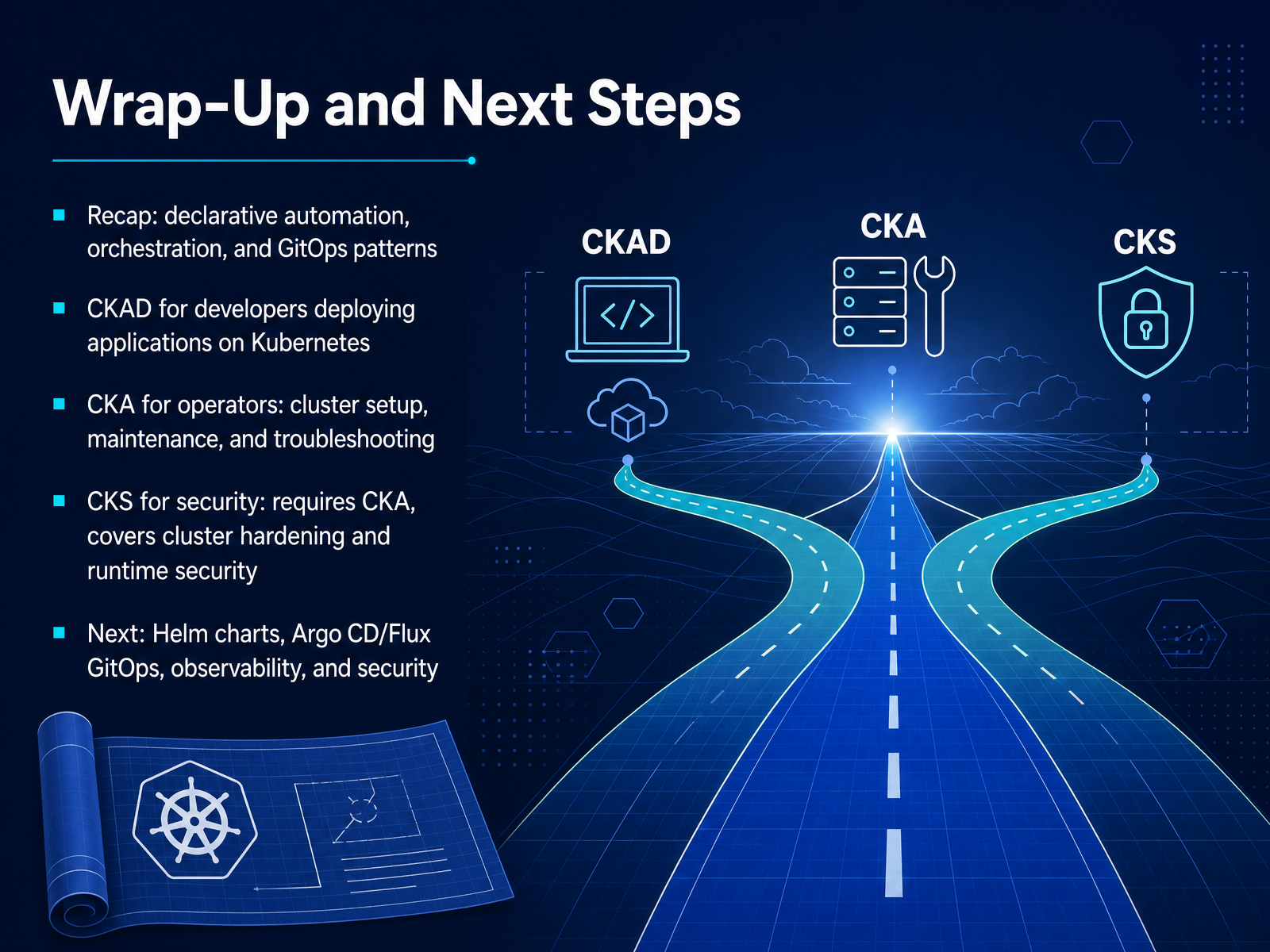
 - 14Wrap-Up and Next StepsLet's wrap this up with a clear view of the road ahead. We covered a lot of ground: declarative automation, orchestration, and the GitOps patterns that keep your clusters in sync with Git. That foundation is your launchpad. Now, choose your next move based on your role. If you're a developer shipping applications to Kubernetes, the C K A D certification is your target. It validates everything we discussed around building and deploying workloads. If you're operating the platform, the C K A is the industry standard for cluster setup, maintenance, live troubleshooting, and networking. And for those responsible for security, the C K S is the senior credential. Remember, it requires an active C K A first. From here, the natural next topics are Helm charts for package management, Argo CD or Flux for GitOps, building out your observability stack with Prometheus and Grafana, and layering in security best practices. You have the core concepts solid now. The best next step is to break something in your own lab cluster and fix it. That hands-on reps is what turns this knowledge into real skill. Thanks for sticking through the course. Now go deploy something and make it resilient.
 prodopshub.comexamcert.appeitt.academy+22 min
Take the deck with you
Download this course as a file — free, no sign-up needed.
- PDF handoutEvery slide page, ready to print or share.15 pages · 4.2 MBDownload
- Narrated PowerPointThe deck that presents itself — every slide carries the digital human's narration video.15 pages · 15.8 MBDownload
- PowerPoint slidesThe full deck as a .pptx — open it in PowerPoint, Keynote, or Google Slides.15 pages · 4.1 MBDownload
Free to use in your own training — please keep the PersonWise credit page at the end.
Have your own deck? Turn it into a course
Sources consulted
Web sources consulted while building this course.
- 7 Reasons Kubernetes Is Important for DevOps — turing.com
- Why Kubernetes used in Devops? — geeksforgeeks.org
- The Benefits & Advantages of Kubernetes — ibm.com
- Understanding the Importance of Kubernetes in DevOps — jellyfish.co
- 7 Features that Make Kubernetes Ideal for CI/CD - The New Stack — thenewstack.io
- Kubernetes Anti-Patterns in 2026: Hidden Mistakes That Impact Cost & Reliability | Sedai — sedai.io
- Kubernetes Deployment Anti-patterns - Part 1 | Octopus blog — octopus.com
- Kubernetes Deployment Anti-patterns - Part 2 | Octopus blog — octopus.com
- Avoid These Kubernetes Anti-Patterns: A Guide for Virtualization Professionals – Nutanix.dev — nutanix.dev
- 10 Kubernetes Anti-Patterns That Break Production Systems — cloudoptimo.com
- Platform Engineering on Kubernetes: A 2026 Guide - Aleksei Aleinikov — alekseialeinikov.com
- What Is Platform Engineering? A Practical Guide for Kubernetes Teams — Lens Blog — Lens — lenshq.io
- Enterprise Kubernetes Best Practices - Cast AI — cast.ai
- Kubernetes Best Practices: The Complete Production Guide for 2026 - HyScaler — hyscaler.com
- Setting Kubernetes Standards with Platform Engineering - The New Stack — thenewstack.io
- Kubernetes Roadmap for DevOps 2026: A Complete Step-by-Step Guide — prodopshub.com
- Kubernetes & Cloud Native Certification Roadmap 2026 — examcert.app
- CKA vs CKAD vs CKS — which cert first? (2026 guide) | EITT — eitt.academy
- DevOps / SRE Roadmap 2026: 5 Certifications, 18–24 Months — CertQuests — certquests.com
- Medium — aws.plainenglish.io