Begin
12 pages · ~24 min
AI Tools for Customer Success
This training introduces customer success professionals to AI tools that enhance workflow efficiency, improve client interactions, and drive proactive account management.
A digital instructor presents all 12 pages. Hold “Ask” at any point and ask out loud — the answer comes from this course. No sign-up needed.
What you’ll learn
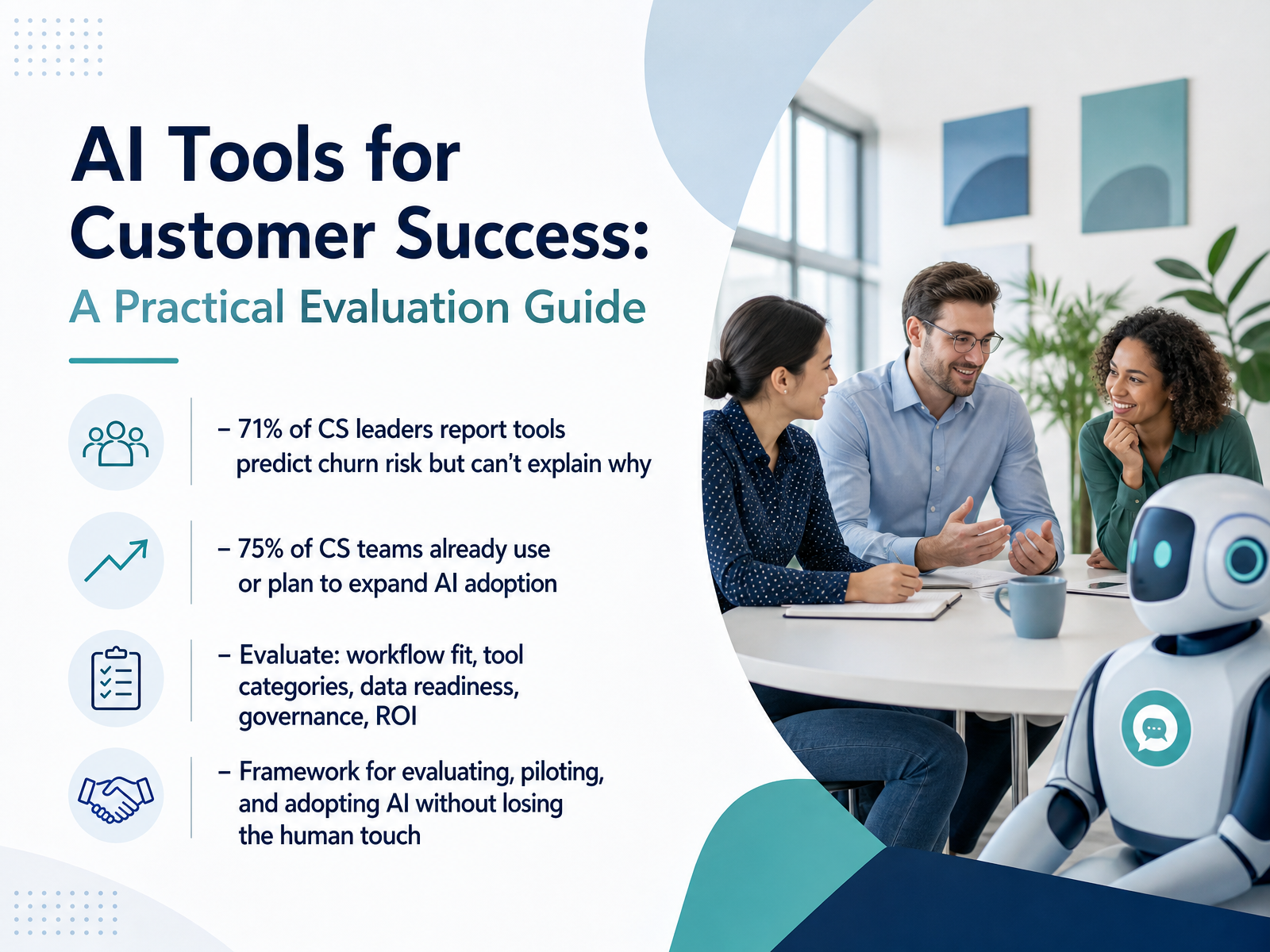
- 01AI Tools for Customer Success: A Practical Evaluation GuideWelcome. If you're in customer success, you already know the pressure: more accounts, tighter timelines, and the constant question of where AI actually helps. Here's the reality. A recent survey found that seventy-one percent of CS leaders say their current tools predict churn risk but can't explain why. Meanwhile, seventy-five percent of teams are already using or expanding AI. So the opportunity isn't about chasing hype. It's about making smart choices. In this session, we'll walk through a practical framework to evaluate AI tools across five key areas: workflow fit, the main tool categories, your data readiness, governance, and, of course, ROI. You'll learn how to pilot and adopt these tools while keeping the human judgment and relationship-building that your customers count on. This isn't about replacing your expertise. It's about giving you more time to focus on the conversations that matter. Let's start by grounding ourselves in the daily reality of your current workflow.getperspective.aicoworker.aioutlit.ai+21 min
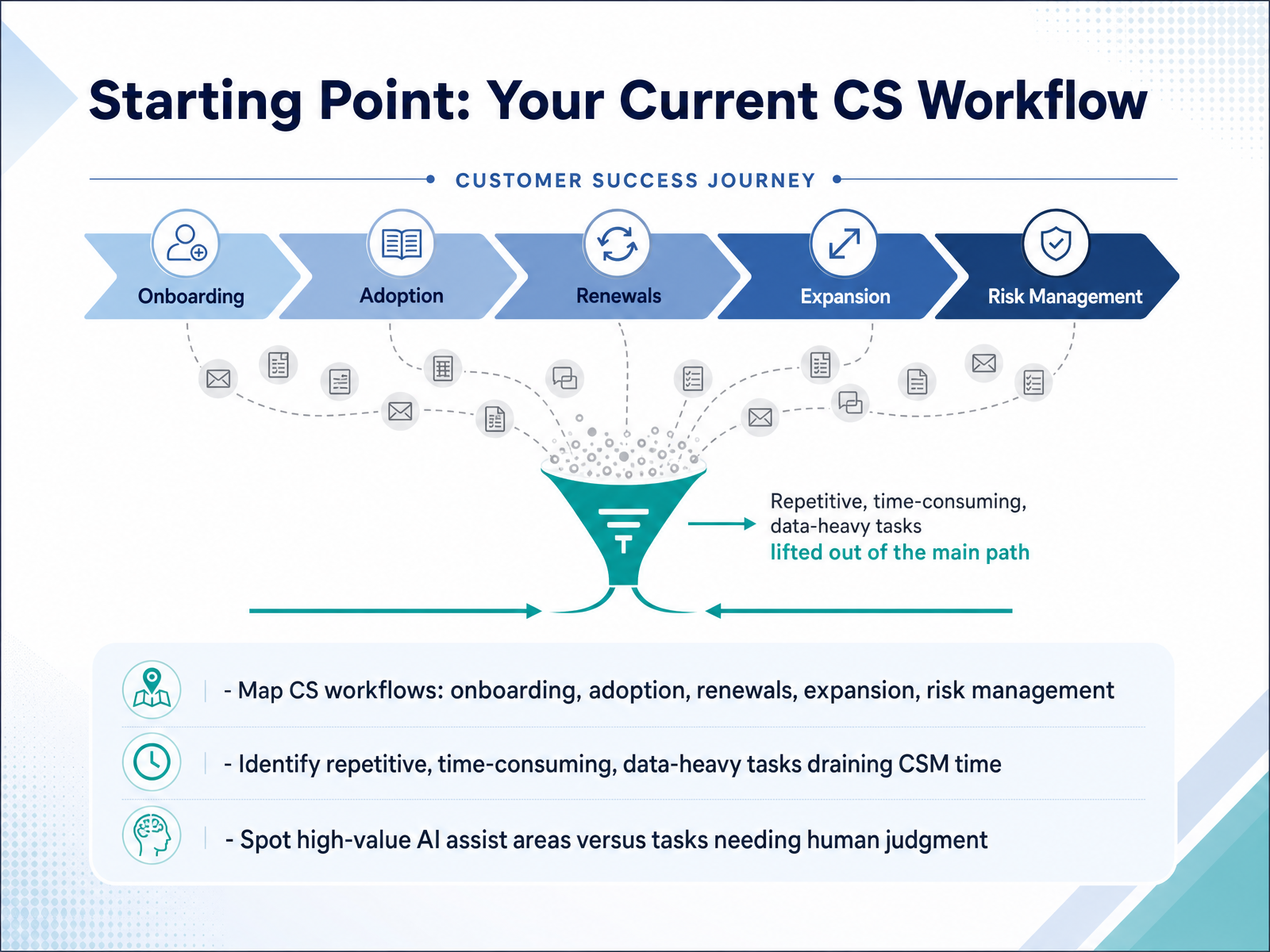
- 02Starting Point: Your Current CS WorkflowBefore you look at any tool, take a step back and map your current workflow. Start with the core motions you run every day: onboarding, adoption, renewals, expansion, and risk management. For each one, identify the repetitive, time-consuming, and data-heavy tasks that eat up your team's hours. Those are your prime candidates for AI assistance. But resist the urge to automate everything. Some tasks demand human judgment and relationship-building, like navigating a sensitive renewal conversation or diagnosing a complex account situation. AI can draft, summarize, and flag, but it shouldn't replace your read on the customer. The goal here is to spot where AI can save time without eroding trust. Do that mapping first, and you'll know exactly where to pilot. Next, we'll look at the three main jobs AI tools do well in customer success.
 customerscore.iostatisfy.compulserevops.com+22 min
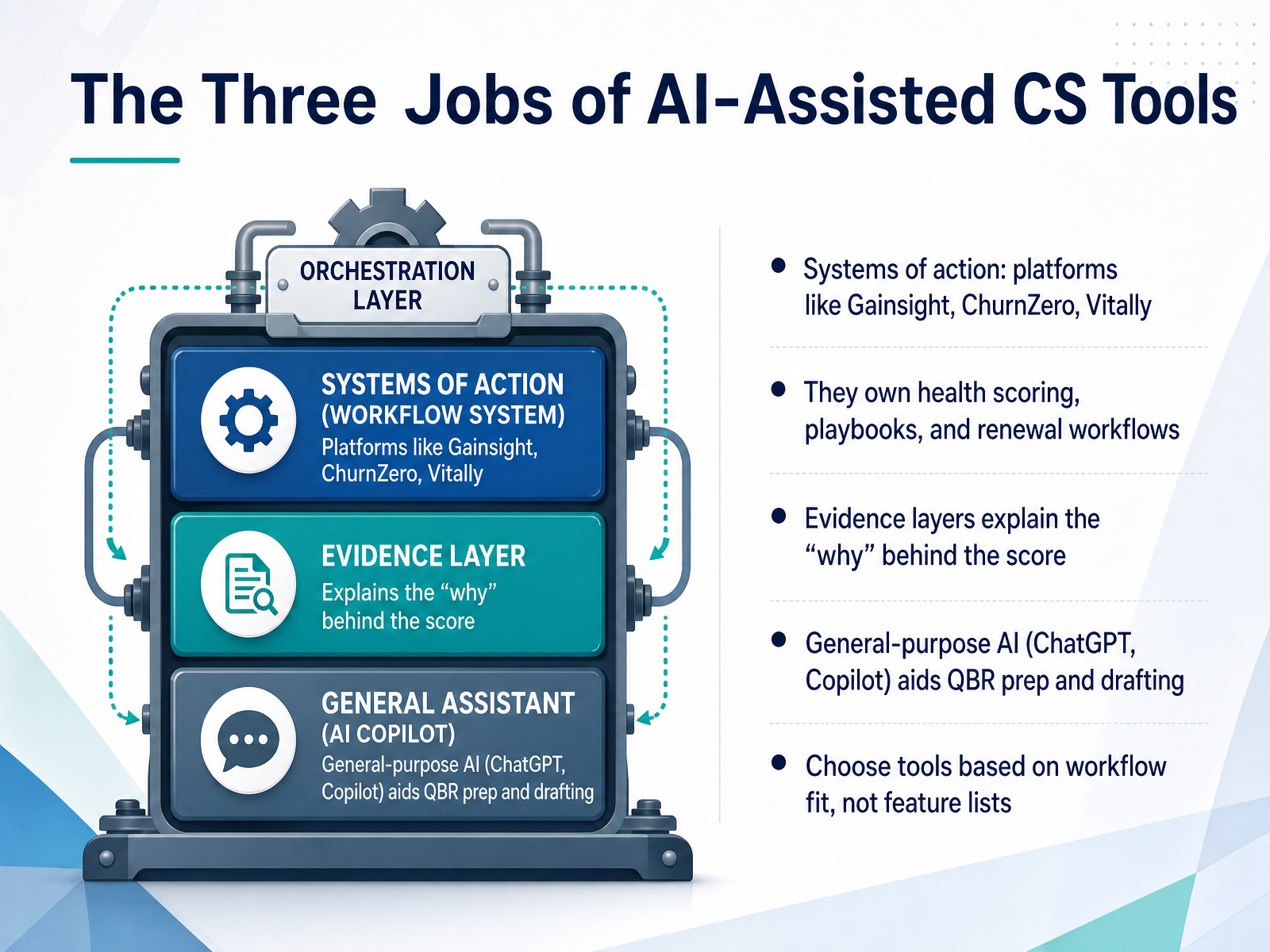
 - 03The Three Jobs of AI-Assisted CS ToolsLet’s break down the three jobs that AI-assisted tools actually do in customer success. First, you have systems of action. These are platforms like Gainsight, ChurnZero, and Vitally. They’re your system of record. They own health scoring, playbooks, and renewal workflows. These are the tools your team runs on daily. Second, you have the evidence layer. This is what explains the why behind the score. It pulls signals from calls, tickets, and Slack to tell you if an account is truly healthy or quietly at risk. Third, you have general-purpose AI, tools like ChatGPT or Copilot. These aren’t platforms at all. They help CSMs draft renewal emails, prep QBRs, and summarize meetings. Now, here is the key trade-off. Don’t buy based on feature lists. Every vendor will seem to have everything. Instead, match the tool to your workflow. If your team lives in playbooks, invest in a system of action. If your scores feel like guesswork, add an evidence layer. And if prep work eats your week, start with general-purpose AI. Choose the tool for the job it actually does in your daily routine. Up next, we’ll look at which specific tool categories matter most at your stage.
 inveo.ioresources.rework.comthrivestack.ai+22 min
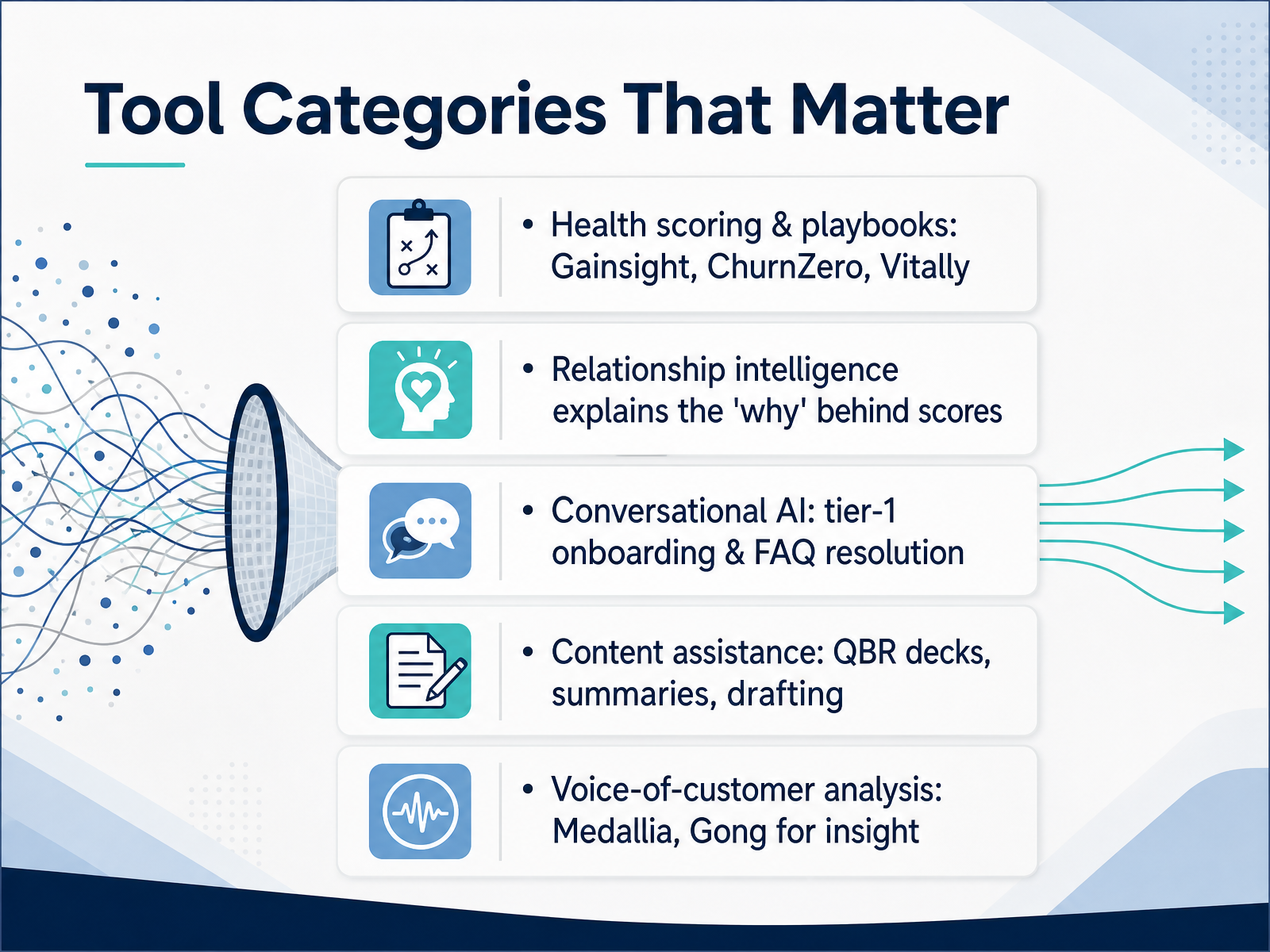
 - 04Tool Categories That MatterNow let's look at the tool categories that actually matter for your daily work. First, health scoring and playbooks. Platforms like Gainsight, ChurnZero, and Vitally track account health, automate playbooks, and manage renewal workflows. They're your system of record for what your team does. But a score alone doesn't tell you why an account is slipping. That's where relationship intelligence comes in. Tools like Staircase AI or BuildBetter read emails, calls, and Slack to surface sentiment shifts and stakeholder changes—the why behind the score. Then there's conversational AI, which handles tier-one onboarding and FAQ resolution, freeing your CSMs from repetitive questions. For content, AI assists with QBR decks, account summaries, and drafting outreach—cutting prep time significantly. And finally, voice-of-customer analysis, through platforms like Medallia or Gong, identifies patterns across tickets and calls to show what customers struggle with at scale. These categories aren't either-or. You'll likely combine a health platform with one or two of the others, depending on your biggest bottleneck. Remember, each tool is a collaborator, not a replacement for your judgment. Keep that in mind as we move to evaluation criteria for your team.
 inveo.ioresources.rework.comthrivestack.ai+21 min
 - 05Evaluation Criteria for Your TeamNow, let's talk about how you'll actually make the decision. Start with six evaluation criteria: data readiness, workflow fit, ease of use, governance, time-to-value, and total cost. Build a weighted scorecard, and score the AI features only on your own data, not on the vendor's sample set. Watch for three common risks: overlapping features you already own, vendor lock-in, and implementation complexity that quietly eats your team's time. Most importantly, require a real-data pilot before you commit. A demo is theater. A pilot is a test, and you write the test. Give every finalist the same three weeks, the same scenario, and let your CSMs answer one honest question: is this faster or slower than what we do today? That answer predicts adoption better than any feature matrix. Coming up, we'll look at what data readiness really means and why it makes or breaks AI quality.
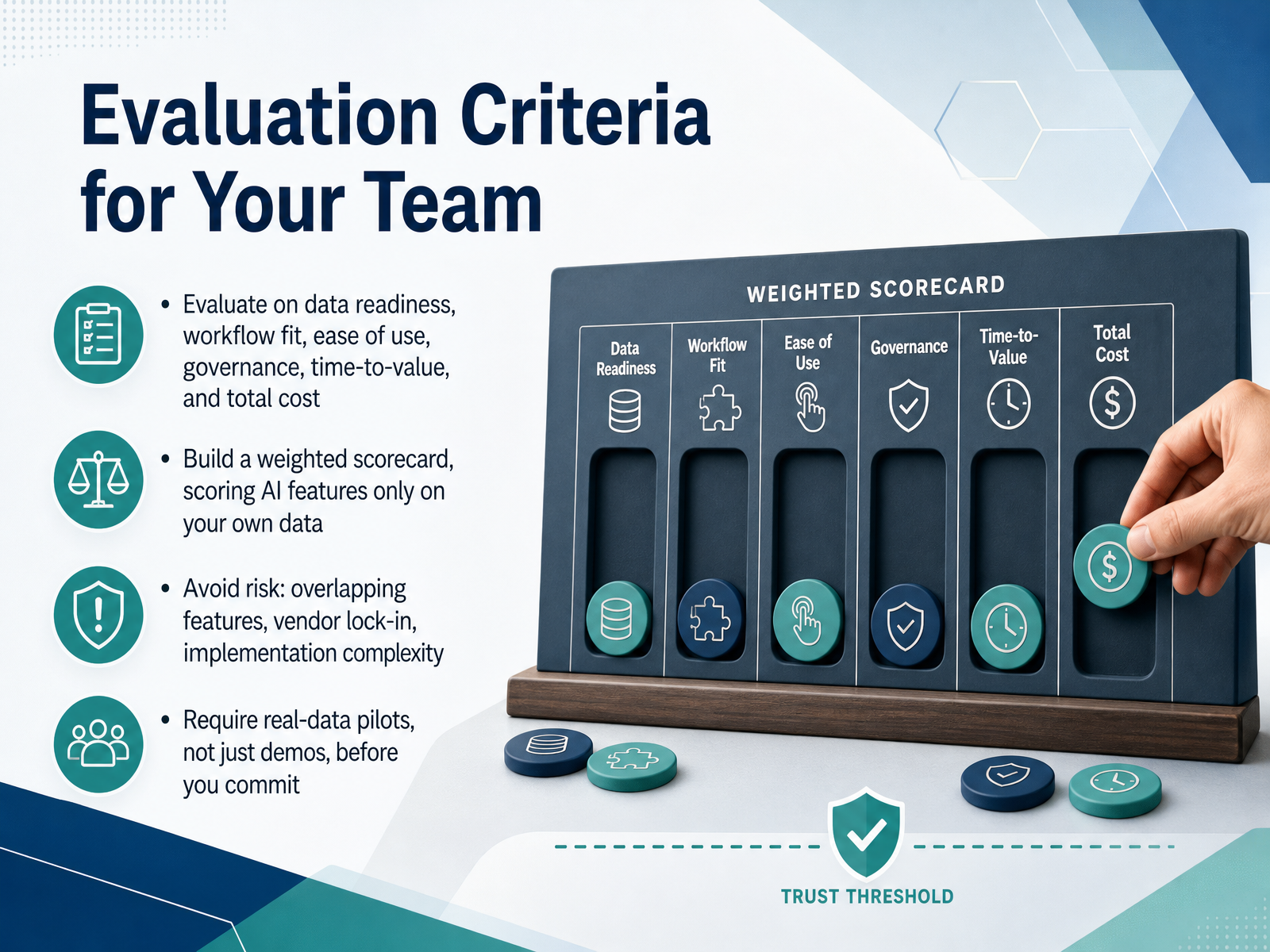 topickz.comsaasmentic.comvelaris.io+21 min
 - 06Data Readiness and AI QualityNow let's talk about what actually determines whether an AI tool will work for you: data. The model choice matters far less than the quality of the data you feed it. Garbage in, garbage out still holds. Before you pilot anything, map your core inputs. That means CRM records, support history, product usage, and engagement signals. Then ask yourself a harder question: do these systems agree on who the customer is? Identity resolution is where most initiatives stumble. The same company can look like two different accounts across systems, and your AI will treat them as two separate customers, double-contacting them or misjudging their value. Build a unified profile first. Next, check freshness and completeness. If critical fields are empty for half your accounts or your data is weeks old, the tool will produce confidently wrong answers. And don't skip governance. You need clear consent, PII protection, and audit trails before you turn any tool loose on customer data. Get these foundations right, and the AI becomes a reliable collaborator. Skimp here, and you'll spend more time explaining bad outputs than saving accounts. Next, let's look at how to use AI without losing the human touch.
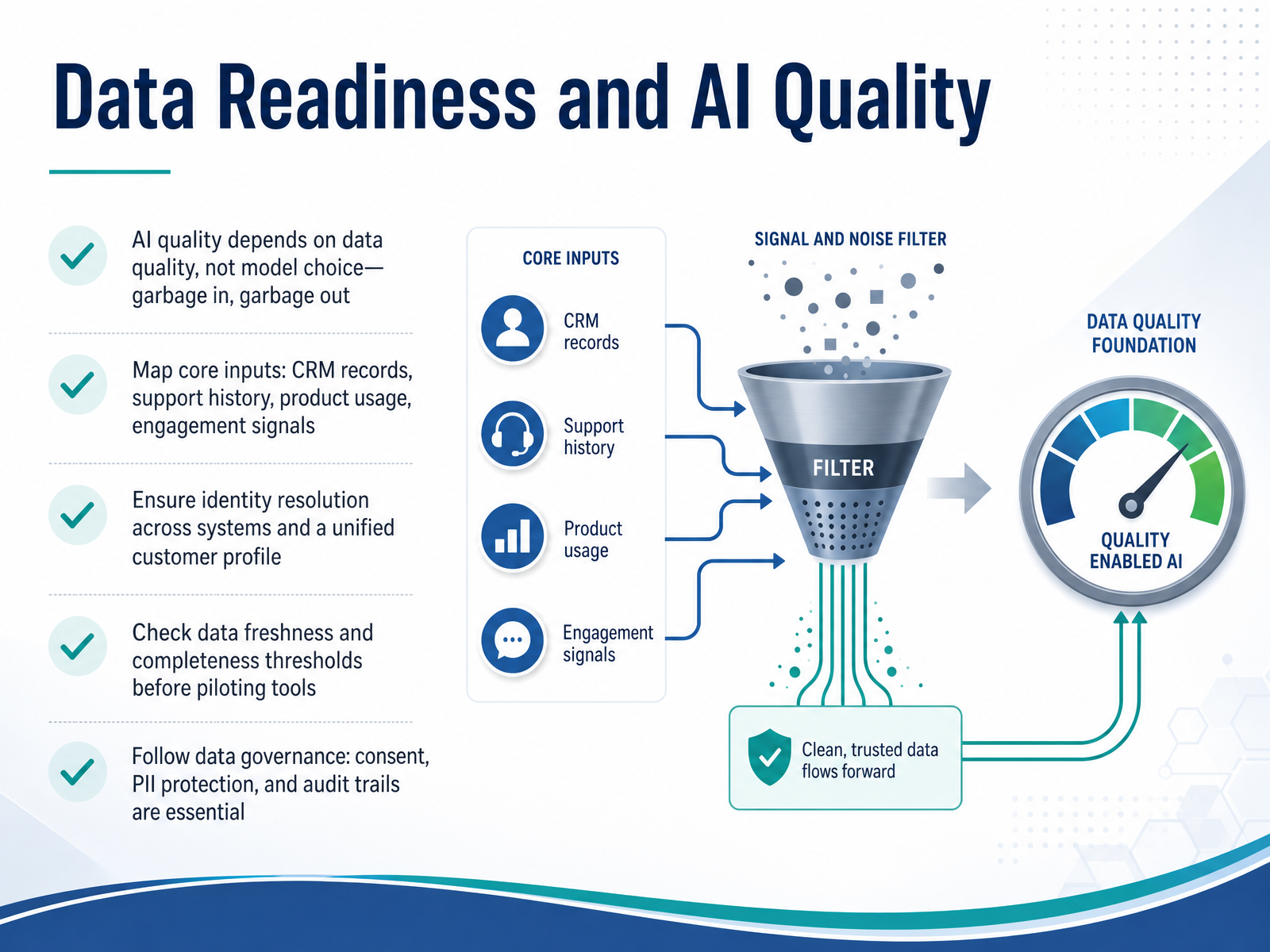 coworker.aitopickz.comsaasmentic.com+22 min
 - 07Using AI Without Losing the Human TouchNow let's talk about the guardrails that keep AI from eroding the relationships you've worked hard to build. The key is to treat AI as a collaborator, not a replacement. For every customer-facing output, put a human-in-the-loop review gate in place. That means a CSM checks tone, context, and brand voice before anything goes out. A good way to know if your team is genuinely reviewing is to track the override rate — the percentage of AI-drafted touches that get edited or rejected. If it's below fifteen percent, people are rubber-stamping, which is risky. If it's above twenty-five percent, your model needs tuning. The sweet spot is fifteen to twenty-five percent. And when the AI flags an account as high-risk for churn, don't let an automated email be your only response. Escalate those accounts to a human-led conversation, because that's where judgment and empathy make the difference. So the principle is simple: let AI handle the drafting and the data, but keep humans in charge of the message. Next, let's look at how to pilot these tools the right way, starting small and measuring early.
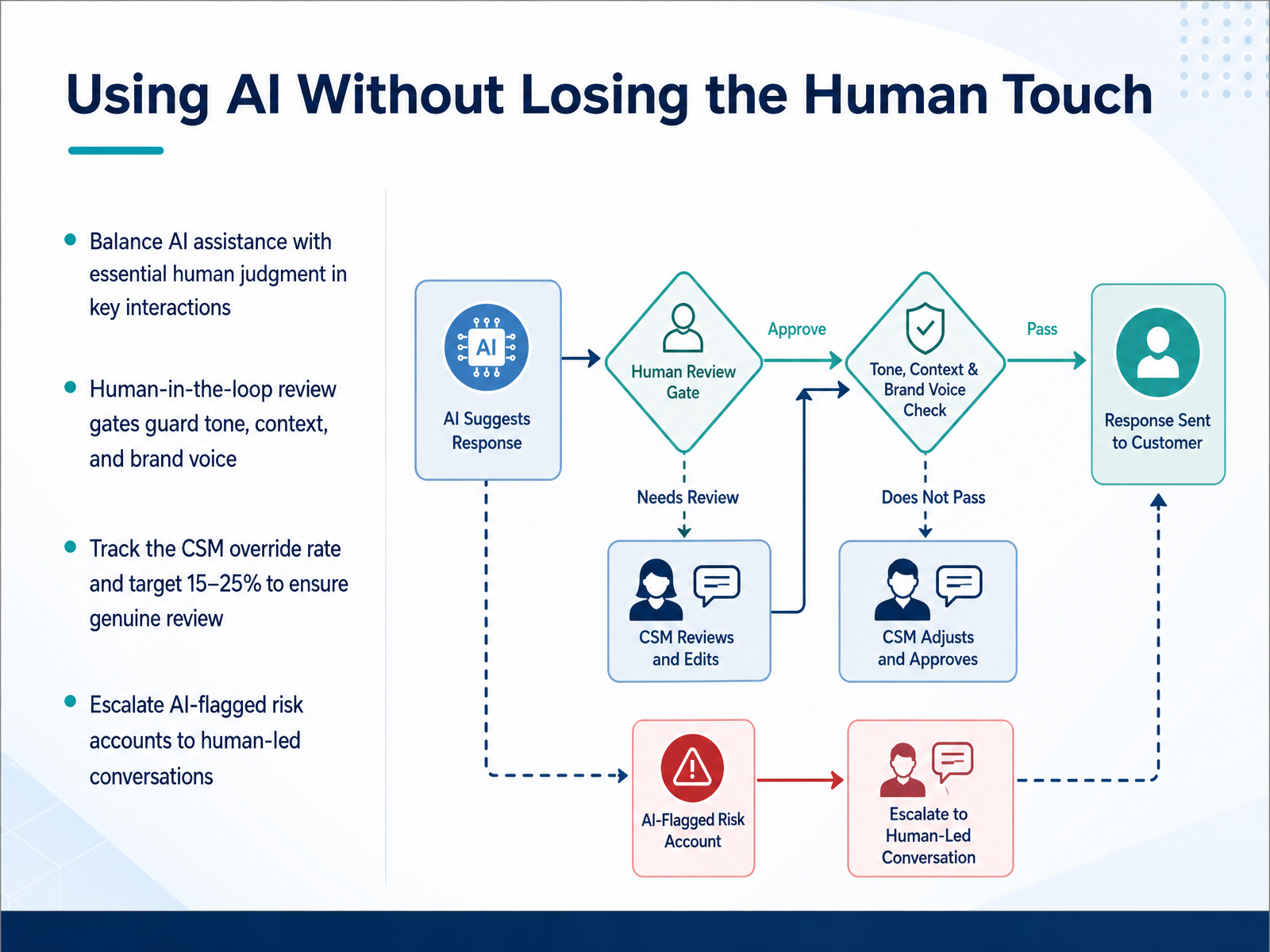 customerscore.iostatisfy.compulserevops.com+21 min
 - 08Pilot Design: Start Small, Measure EarlyNow let's talk about designing your pilot. Start small. Pick one workflow, ideally account health scoring or QBR auto-prep, since both are internal and low-risk. Define your success metrics before you launch, and capture a baseline for at least sixty days. You cannot prove improvement without a comparison point. Track both halves of your CSM's time: customer-facing minutes and administrative minutes. The shift in that ratio is your earliest signal of real value. Watch your override rate, the percentage of AI suggestions your team edits or rejects. Target eighteen to thirty-two percent. Below that suggests rubber-stamping; above that means the model is poorly tuned or trust is missing. Finally, set expectations. Efficiency gains show up first, often within a quarter. Full ROI on retention and expansion typically lands between six and twelve months. A focused pilot with clear metrics beats a broad rollout with vague optimism. Now, let's look at how you take what works and scale it through adoption and team enablement.
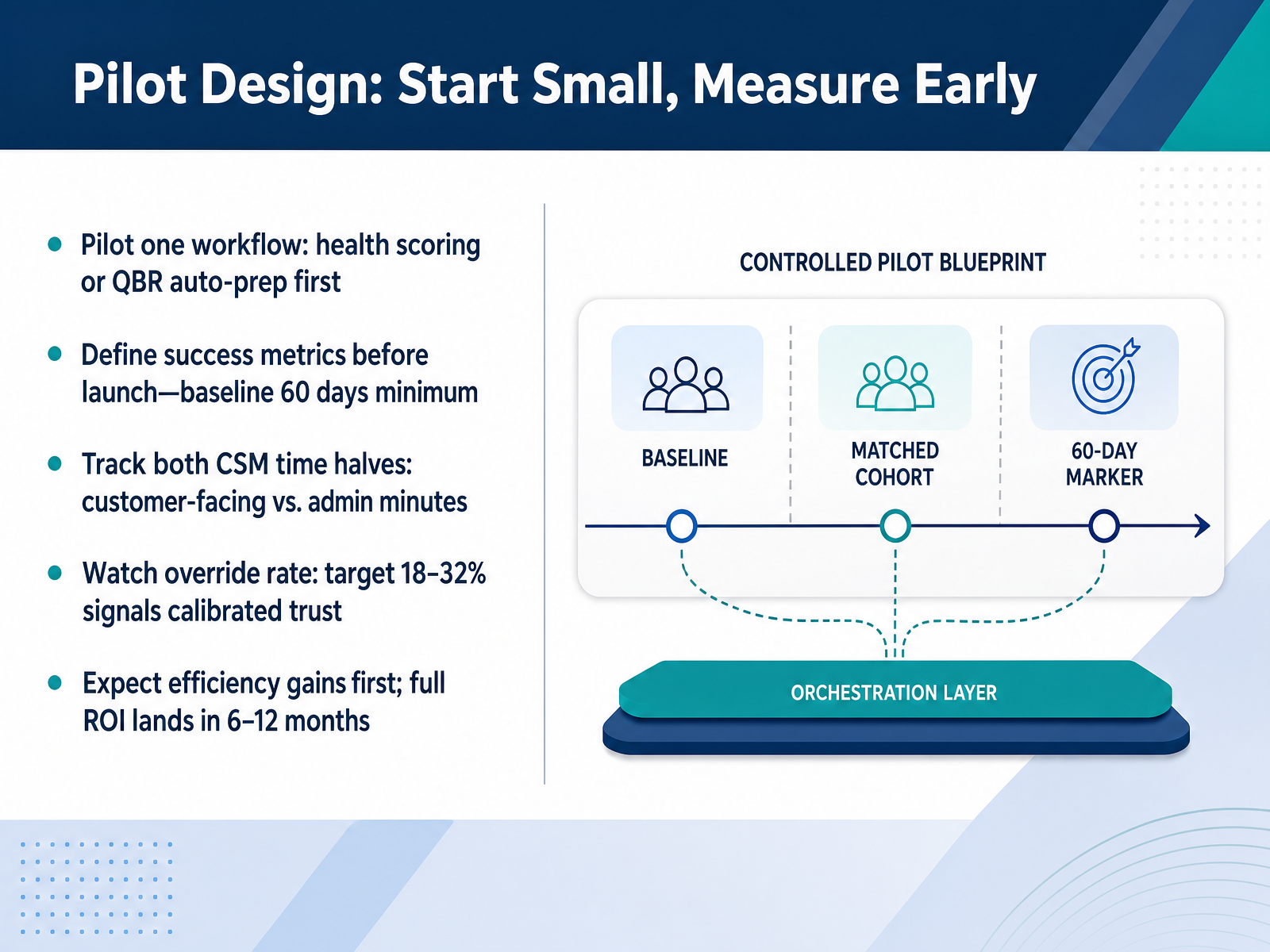 customerscore.iostatisfy.compulserevops.com+22 min
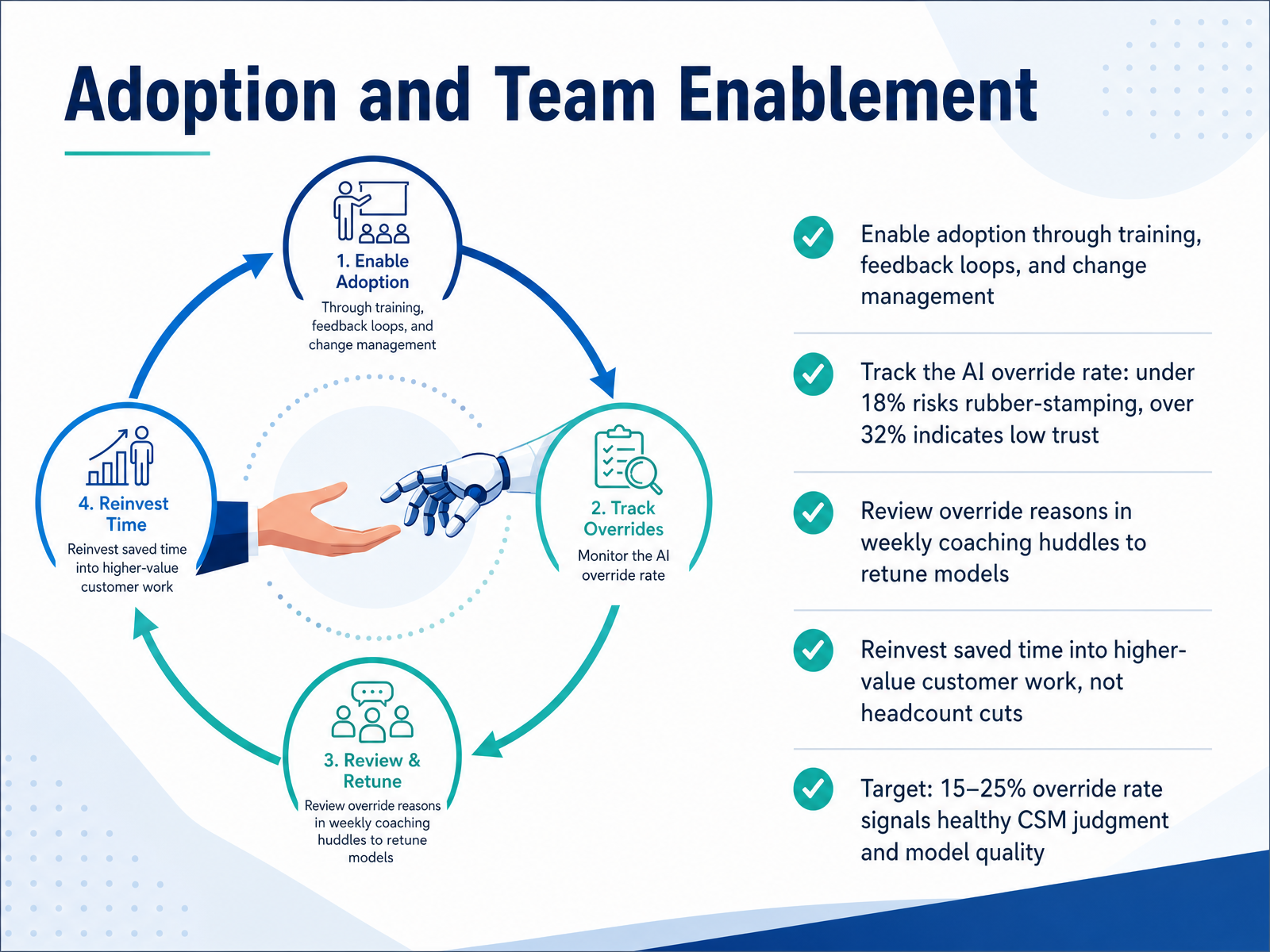
 - 09Adoption and Team EnablementAdoption is where most AI initiatives succeed or stall, so let's talk about the operational side. Start with training, feedback loops, and change management — your CSMs need to see this as a tool that sharpens their judgment, not something that replaces it. Now, here's a metric that matters more than raw usage: the AI override rate. That's the percentage of AI-drafted touches a CSM edits or rejects before sending. If it's under eighteen percent, watch out — your team is rubber-stamping output, which is a brand risk. If it's over thirty-two percent, you have a trust problem or a poorly tuned model. Your target zone is fifteen to twenty-five percent. That sweet spot tells you CSMs are catching real errors while accepting the bulk of the drafts. Bring the top override reasons into your weekly coaching huddles — tone too formal, missing context, an incorrect risk flag — and feed those back to the team tuning the models. That's how you turn a metric into a continuous improvement loop. One more point: reinvest the time you save into higher-value customer work like expansion conversations. Teams that treat AI as a headcount-reduction tool see relationship erosion and churn spikes. Teams that reinvest see account loads grow by one-point-three to one-point-five times without degrading quality. That's the difference between short-term savings and compounding returns. Next, let's address the guardrails you'll need around risks, governance, and compliance.
 customerscore.iostatisfy.compulserevops.com+22 min
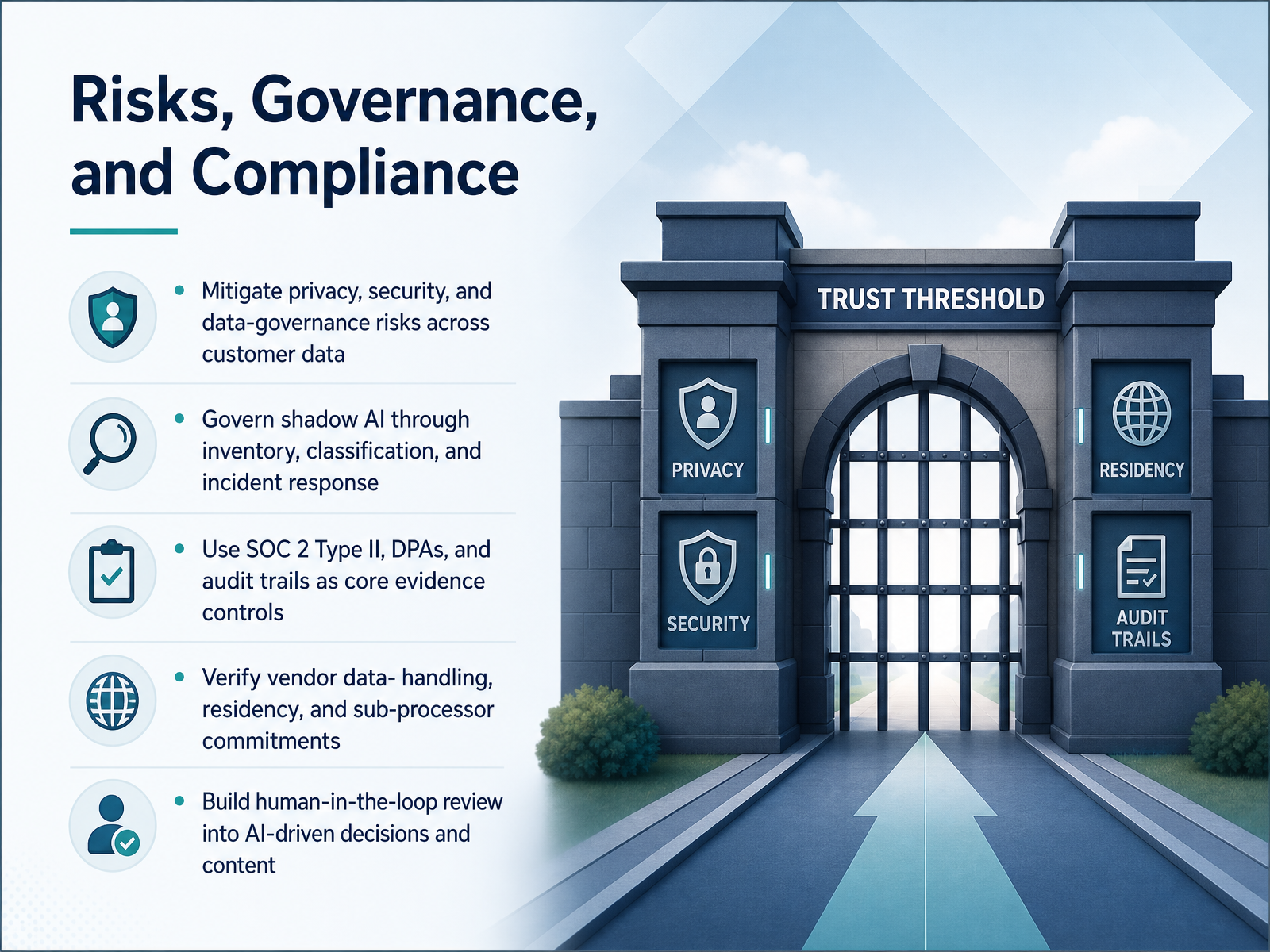
 - 10Risks, Governance, and ComplianceLet's talk about the guardrails. AI tools need customer data, but that data comes with obligations. Start by inventorying which AI tools your team actually uses. Many get adopted quietly, beyond formal review. That shadow AI is a real governance gap. For every tool in place, classify what data it touches and what decisions it informs. Then verify your vendors' commitments. Look for current SOC 2 Type Two reports, data-processing agreements, clear data-residency statements, and their sub-processor lists. Don't stop at logos. Ask for the actual documentation. And remember, the EU AI Act is moving from guidance to enforcement, so your risk register needs to be live, not a spreadsheet. Finally, build human review into any AI-generated content or decision. Use AI for drafts, summaries, and prioritization, but keep a person accountable for what leaves your CSM team. That human-in-the-loop is your best defense. Governance protects your customers, your renewals, and your reputation. Now, let's turn to measuring the actual business impact of these efforts.
 topickz.comsaasmentic.comvelaris.io+22 min
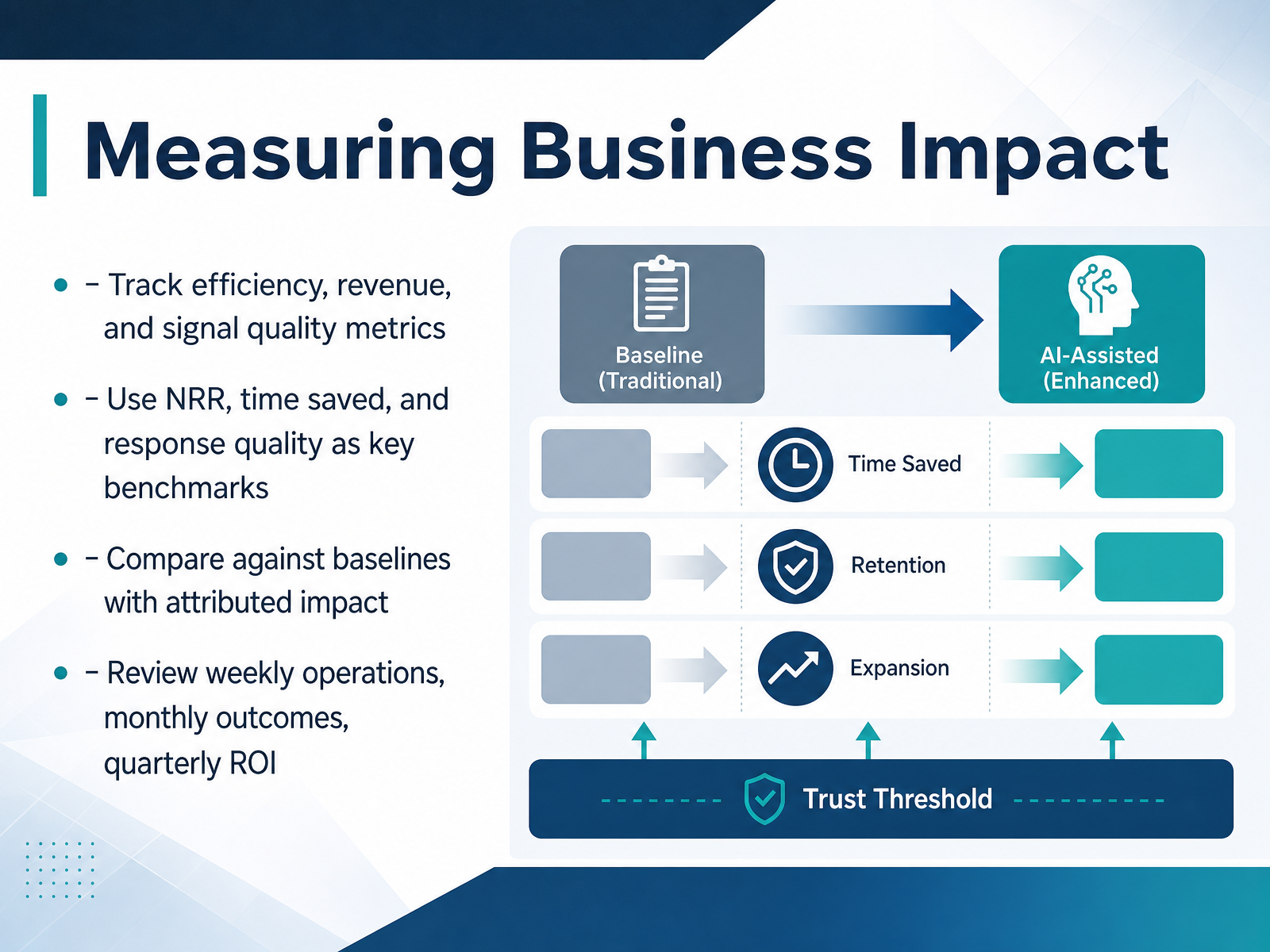
 - 11Measuring Business ImpactNow let’s talk about measuring the business impact of these AI tools. This is where you move from anecdote to evidence. You’ll want to track three buckets: efficiency, revenue, and signal quality. For efficiency, measure time saved per CSM on prep work like drafting emails, building QBR decks, and updating the CRM. For revenue, anchor on net revenue retention, or NRR, and also keep an eye on expansion opportunities surfaced by AI signals. For signal quality, watch your false positive rate on churn alerts; anything above ten percent erodes trust fast. The key is to set a baseline before you deploy. Without that, you can’t attribute impact credibly. Compare against that baseline using matched cohorts where possible, so you’re not crediting AI for seasonal dips or product changes. Then establish a review cadence: weekly for operational metrics like override rates, monthly for business outcomes like NRR, and quarterly for ROI. One caution: don’t fall for vanity metrics. A deflection rate only matters if the issue is actually resolved, so track true resolution, not just AI touch. And be honest about fully loaded costs, including licenses, tuning, and management time. When you’ve done that, you’ll have numbers a CFO can defend. Next, let’s turn this into a practical action plan you can start using this week.
 pulserevops.comcustomerscore.iostatisfy.com+22 min
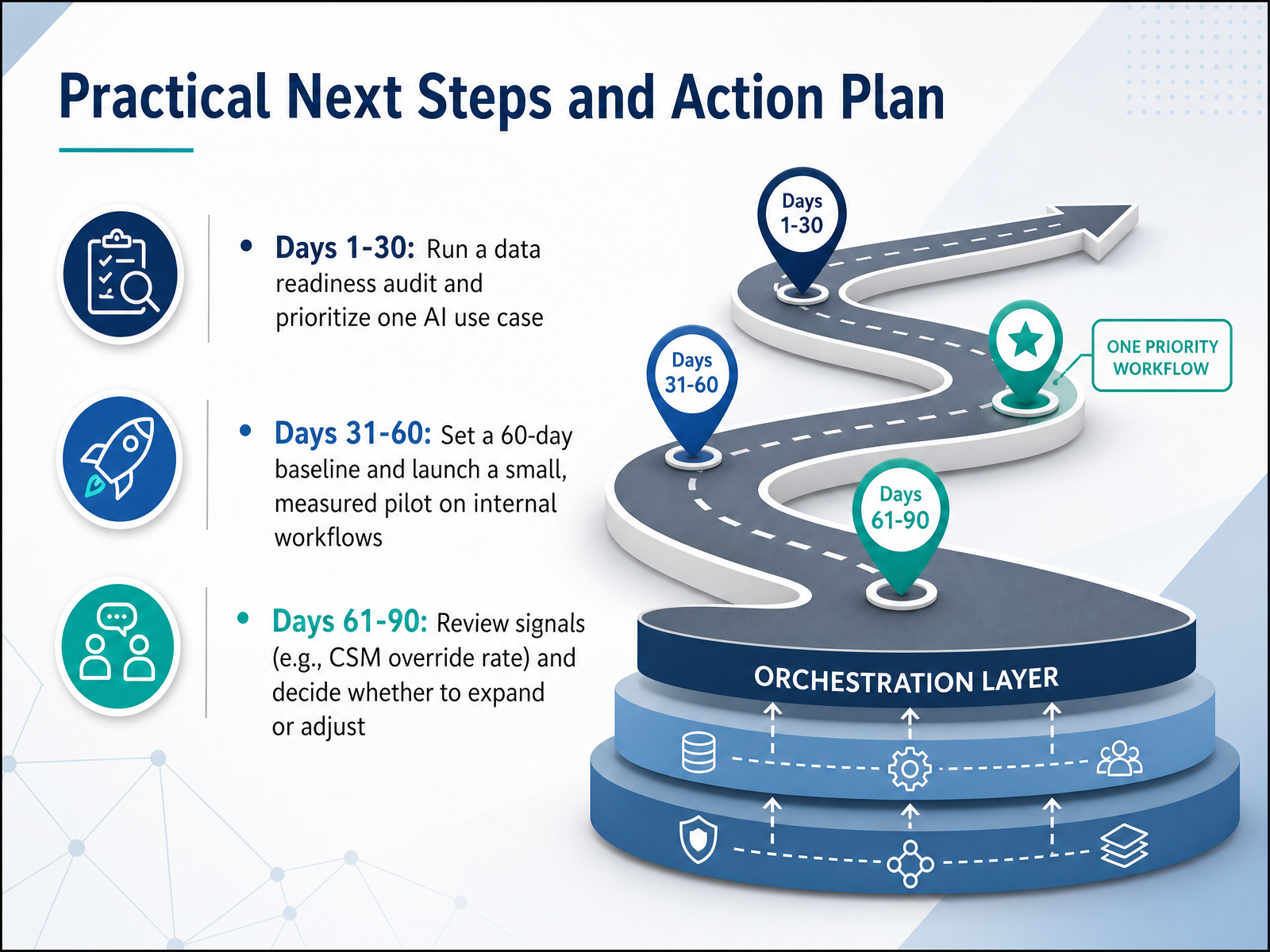
 - 12Practical Next Steps and Action PlanSo where do you go from here? Start with a ninety-day action plan. In the first thirty days, run a data readiness audit. Check that your customer data is complete, current, and accessible for the AI tool you're considering. Then pick just one use case, ideally something internal like account health scoring or QBR preparation. In days thirty-one through sixty, set your baseline. Track your current metrics for at least sixty days so you have something to compare against. Then launch a small pilot on internal workflows only, not customer-facing ones. Give a few CSMs access and let them review every AI output before it's used. In days sixty-one through ninety, review the signals. Look at your CSM override rate. If it's above thirty-two percent, your model needs tuning. If it's below eighteen percent, your team might be rubber-stamping AI output. Decide whether to expand or adjust based on what the data tells you. Remember, efficiency gains show up first, but retention and expansion improvements take longer. Set expectations with your stakeholders that real ROI comes in six to twelve months. Start small, measure carefully, and let the results guide your next move. Thanks for your time, and good luck building a customer success practice that works smarter, not harder.
 customerscore.iostatisfy.compulserevops.com+22 min
Take the deck with you
Download this course as a file — free, no sign-up needed.
- PDF handoutEvery slide page, ready to print or share.13 pages · 3.0 MBDownload
- Narrated PowerPointThe deck that presents itself — every slide carries the digital human's narration video.13 pages · 12.3 MBDownload
- PowerPoint slidesThe full deck as a .pptx — open it in PowerPoint, Keynote, or Google Slides.13 pages · 2.9 MBDownload
Free to use in your own training — please keep the PersonWise credit page at the end.
Have your own deck? Turn it into a course
Sources consulted
Web sources consulted while building this course.
- Best AI Tools for Customer Success Teams in 2026 — getperspective.ai
- Best AI Tools for Customer Success Teams in 2026 — coworker.ai
- AI Customer Success Agent for Retention & Growth | Outlit — outlit.ai
- 12 best AI tools for customer success management in 2026 — timetoreply.com
- Obi for Customer Success Leaders - AI Agent for Onboarding & Retention | Cor — getcor.ai
- AI Customer Success: A Practical Pilot | Customerscore.io — customerscore.io
- How to Move AI in Customer Success from Productivity to Revenue Impact — Statisfy Blog — statisfy.com
- How should a 2027 CS team measure AI-augmented CSM productivity? — pulserevops.com
- How to Measure Product Adoption in 2026: Metrics for ... — userpilot.com
- The 15 customer success metrics that actually matter in 2026 — blog.hubspot.com
- Customer Success Platform: 3 Proven, Effective Categories — inveo.io
- "Best AI Tools for Customer Success in 2026" — resources.rework.com
- AI Customer Success Platforms in 2026 | ThriveStack — thrivestack.ai
- Best AI Tools for Customer Success & Health in 2026 — blog.buildbetter.ai
- Customer Success Software Stopped Advising and Started Doing — yespress.io
- How to Evaluate Customer Success Platforms (Without Buying a $120K Spreadsheet) | TopickZ.com — topickz.com
- How to Choose Customer Success Software in 2026 – saasmentic.com — saasmentic.com
- Evaluating a Customer Success Platform — velaris.io
- We Tested 12 AI-Powered Customer Success Platforms for 8 Months (Here's What Actually Delivers ROI) - Axis Intelligence — axis-intelligence.com
- Medium — medium.com