Begin
15 pages · ~30 min
Technical Documentation Writing Practices
Learn effective technical documentation writing practices to create clear, user-friendly manuals and guides for technical audiences.
A digital instructor presents all 15 pages. Hold “Ask” at any point and ask out loud — the answer comes from this course. No sign-up needed.
What you’ll learn
- 01Technical Documentation Writing PracticesWelcome. If you are responsible for technical documentation, you already know the problem: the content is accurate on the day it ships, and then the product changes. Endpoints get renamed. Permissions shift. And readers end up opening support tickets for questions a good page should have answered. This course is about fixing that. We will cover audience analysis, information architecture, writing style, tooling, review workflows, and maintenance. You will learn how to design, write, test, and maintain documentation that actually holds up. The goal is practical: faster onboarding, lower support load, and docs that developers trust enough to build on. Let us get started. First, we will look at why documentation quality is not a soft skill, but a business metric that affects your bottom line.buildwithfern.comgithub.commintlify.com+21 min
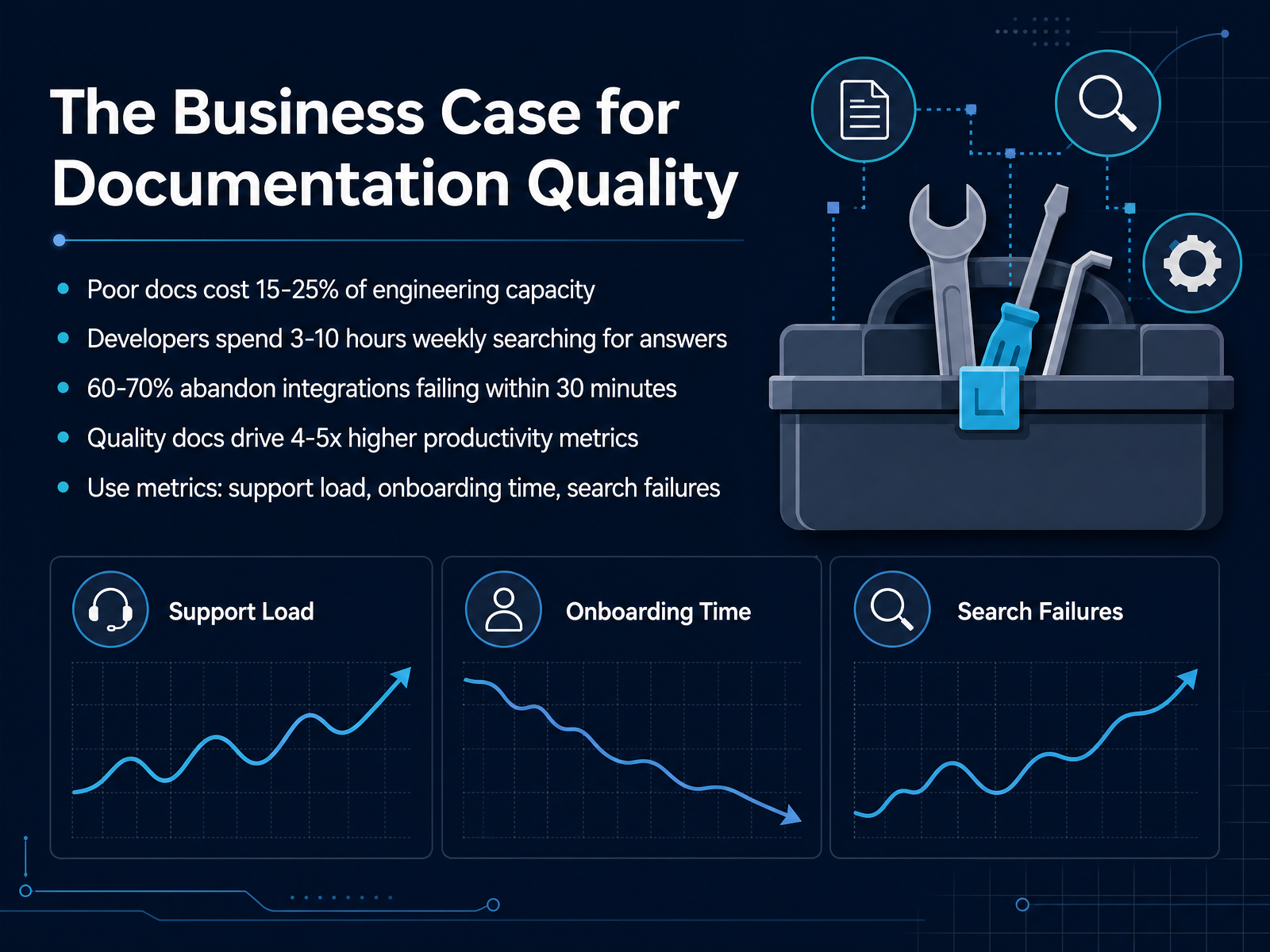
- 02The Business Case for Documentation QualityLet's talk about the business case for documentation quality, because this is where you justify every investment you'll make. Poor documentation can cost your organization between fifteen and twenty-five percent of engineering capacity. Think about that: on a hundred-person team, that's up to twenty-five engineers effectively working to compensate for missing or unclear docs. Developers spend anywhere from three to ten hours a week just searching for information. That's not building features; that's hunting. And for API products specifically, sixty to seventy percent of developers will abandon an integration if they can't get a working example within thirty minutes. That's lost customers, not just lost time. On the flip side, organizations with strong documentation show four to five times higher productivity metrics. The numbers are too big to ignore. To prove impact, track metrics like support ticket volume, onboarding time, and search failures. These are concrete, measurable signals. They connect your documentation work directly to engineering velocity and business outcomes. So when you're making the case for more resources, bring those numbers. In our next segment, we'll look at how audience analysis shapes documentation use cases and priorities.
 getdx.comapiscout.devpushfeedback.com+22 min
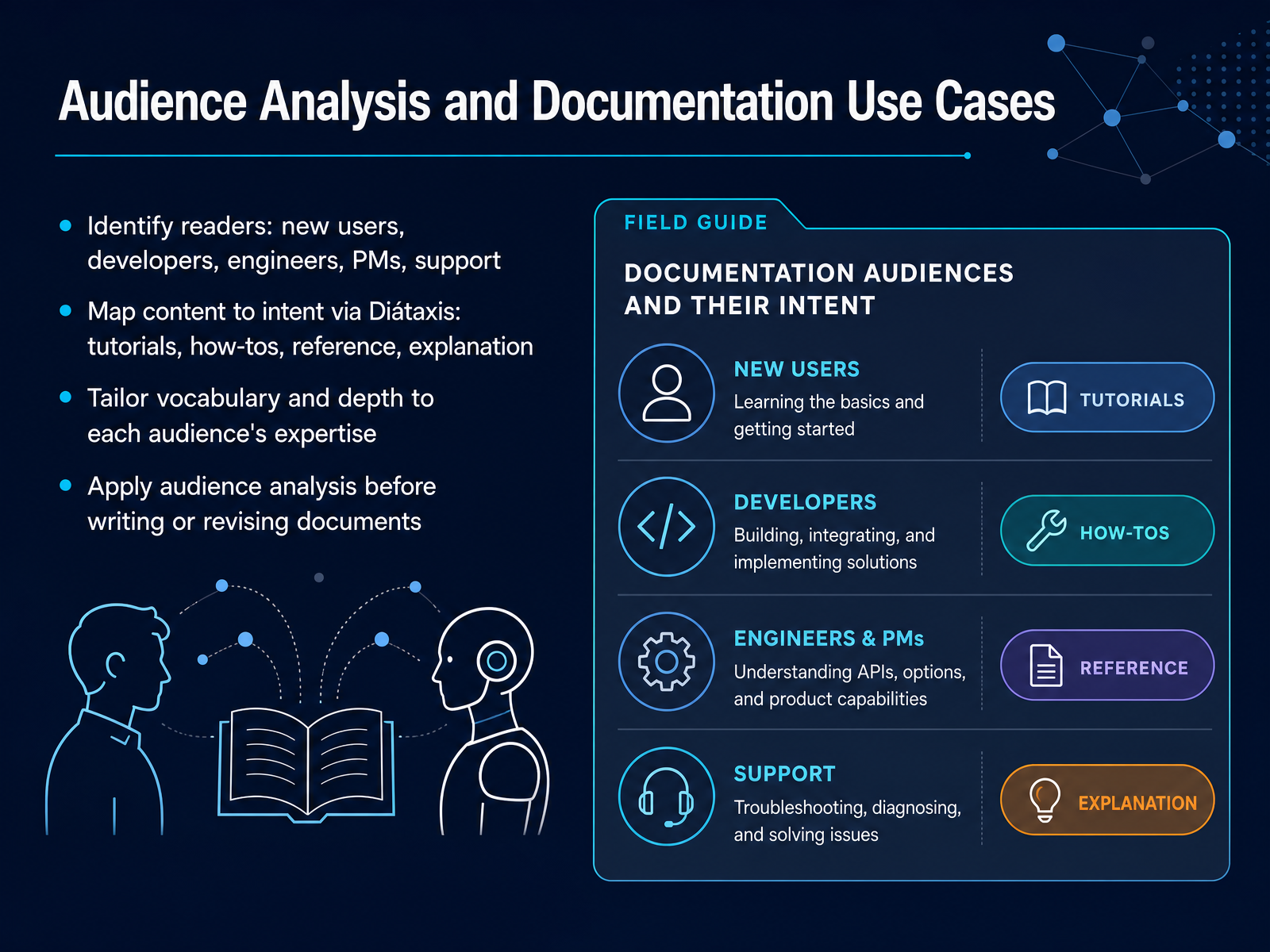
 - 03Audience Analysis and Documentation Use CasesNow let's talk about who you're actually writing for. Audience analysis is the foundation of every documentation decision you'll make. You're not writing for a generic reader, you're writing for a person with a specific role and a specific problem to solve. Identify your readers first: new users, developers, engineers, product managers, support staff. Each group brings different expertise and different expectations. Once you know who they are, map their intent using the Diátaxis framework. Tutorials for learning. How-tos for completing a task. Reference for looking up exact specifications. And explanation for understanding why something works the way it does. A common pitfall is mixing these modes on one page. A tutorial clogged with reference detail stops teaching. Reference docs padded with explanation become hard to scan. So tailor your vocabulary and depth to match each audience's expertise. A senior engineer doesn't need you to define an API endpoint. A new user absolutely does. The key rule: apply audience analysis before you write, and again before you revise. Ask yourself what they already know, what they need to learn, and what they'll do with the information. Get that right, and the structure of your document will follow naturally. Next, we'll look at how to organize that content into a clear information architecture.
 developers.google.comdevelopers.google.comsoftwarephilosopher.com+22 min
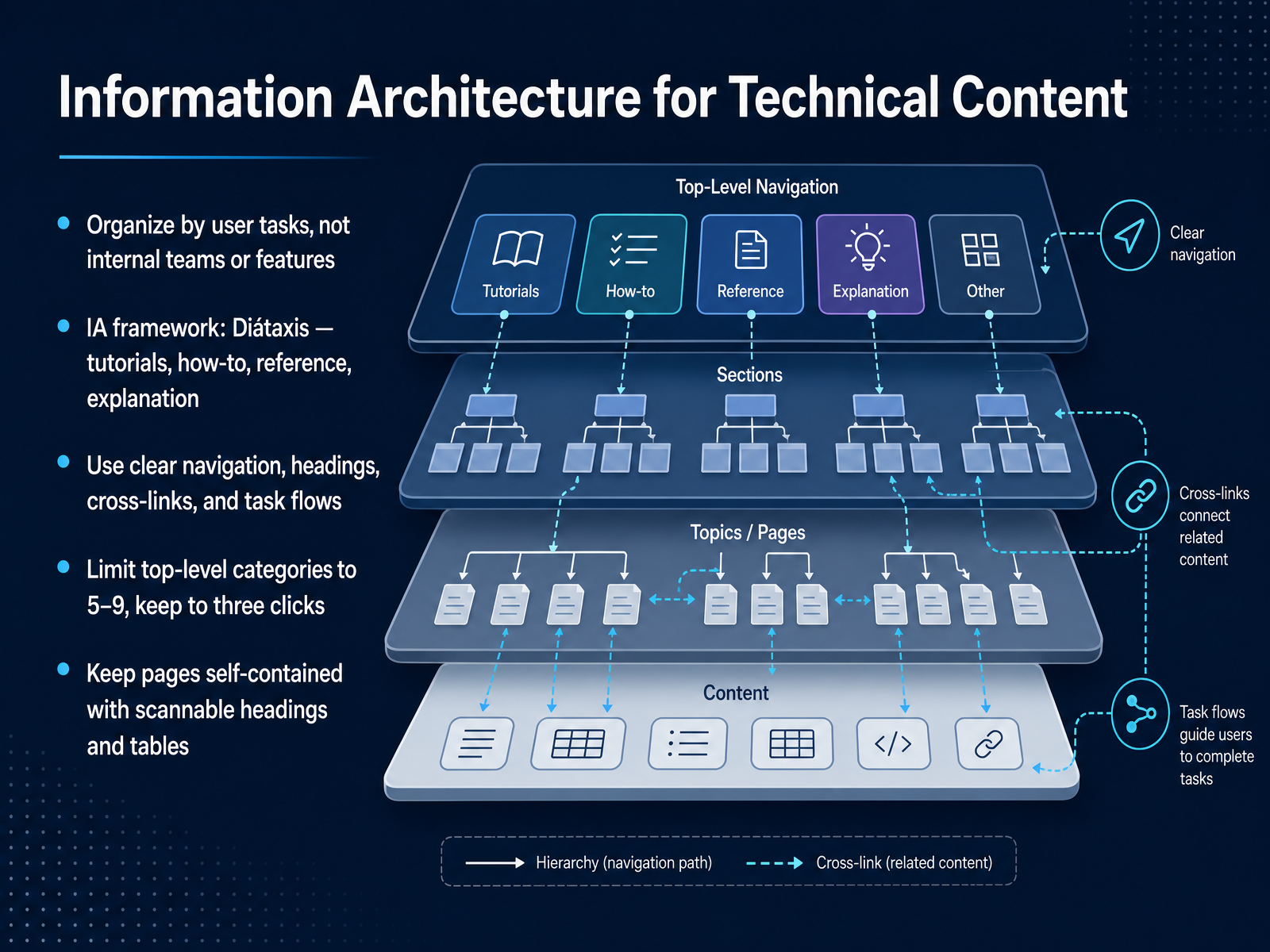
 - 04Information Architecture for Technical ContentLet’s talk about how you structure your documentation. The first rule is simple: organize by user tasks, not by your internal teams or feature names. Your readers don’t care about your org chart. They care about getting their job done. The Diátaxis framework gives you a proven way to do this. It splits content into four types: tutorials for learning, how-to guides for tasks, reference for lookup, and explanation for understanding. If a new page is teaching a concept, it belongs in explanation, not crammed into an API reference. Keep your top-level categories between five and nine, and make sure users can reach any page within three clicks. Each page should be self-contained, with scannable headings and tables, so a reader can land from search and get their answer without reading everything around it. When you’re deciding where something goes, ask: what is the user trying to do? That question will guide your IA better than any internal naming convention. Next, we’ll look at how to write the content itself—keeping it clear, accurate, and maintainable.
 developers.cloudflare.comgitbook.comhelp.zeroheight.com+22 min
 - 05Writing Clear, Accurate, and Maintainable ContentLet's focus on the craft itself. Writing clear, accurate, and maintainable content starts with plain language. Use precise terminology, but keep sentences direct. For procedures, write imperative numbered steps and state the expected result. Don't say 'you should now see a success message'; say 'verify the success message appears.' Avoid vague pronouns and inconsistent naming. If you call it an 'enclosure' in one section, don't call it a 'cabinet' in the next. Jargon and corporate filler add mental friction, so cut them. Structure content as modular blocks that you can reuse. This reduces maintenance. Finally, set the context before the action and state the goal first. Say 'To generate a deploy token, navigate to the settings page' instead of 'navigate to settings to get the token.' This structure helps the reader understand and complete the step more easily. These habits turn dense information into an efficient resource. Next, we'll explore style guides and how to manage terminology for localization readiness.
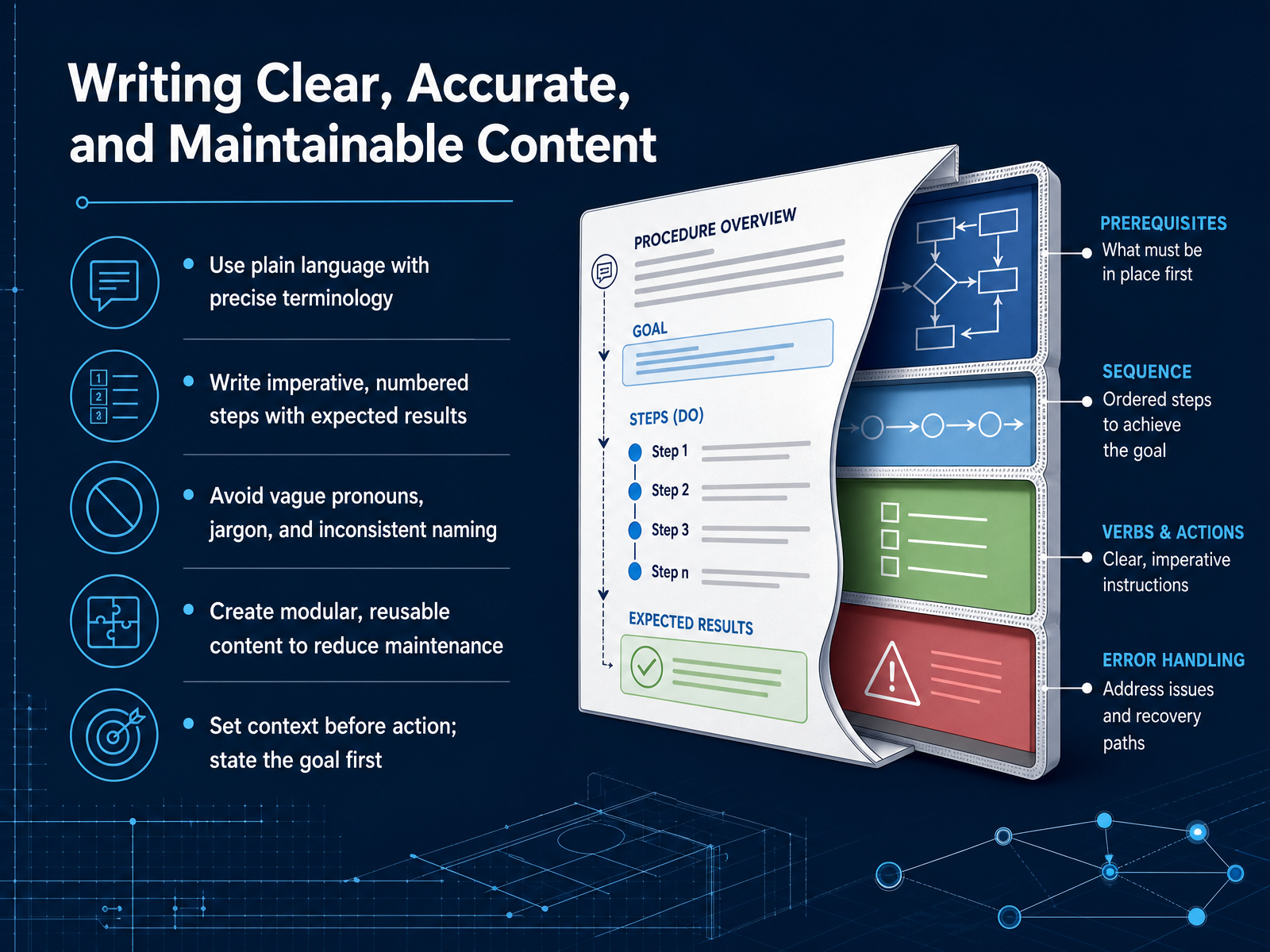 buildwithfern.comgithub.commintlify.com+21 min
 - 06Style Guides, Terminology Management, and Localization ReadinessLet’s talk about what holds your documentation together: a solid style guide, consistent terminology, and a mindset that makes localization easier. First, pick a style guide that actually fits your product and your audience. A generic guide won’t cover your API naming or your UI voice. Your guide should align with how your code is written, how your interface labels things, and how your product is named. Second, manage your terminology like it’s part of your codebase. Use one term for one concept everywhere, including capitalization. If you call it a “pod” in one place and a “deployment” in another, translators—and your users—will think those are different things. Keep a shared termbase so every team, from engineering to marketing, uses the same approved wording. Third, write short, clear sentences. This isn’t just good style; it’s a localization requirement. English sentences can expand significantly when translated, so shorter sentences reduce translation cost and prevent layout breakage. Use active voice and avoid phrasal verbs. Finally, remember that consistency is your best tool. If you standardize your sentence structure and formatting, translation memory tools work harder for you, which saves time and money. Your documentation isn’t just read; it’s often translated. So design it with that in mind from the start. Next, we’ll look at how to use diagrams, screenshots, and visuals effectively to support your written content.
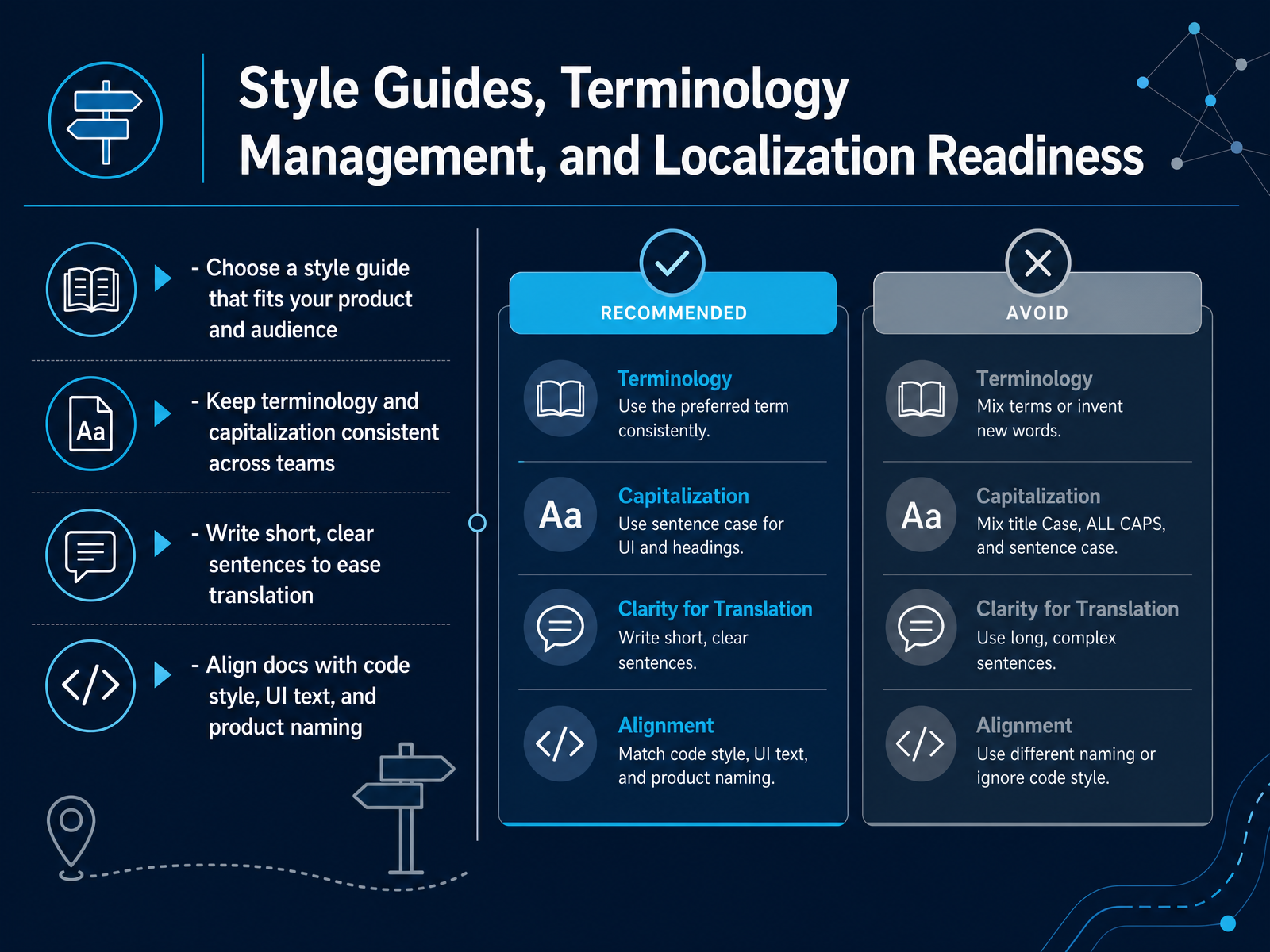 2 min
2 min - 07Effective Use of Diagrams, Screenshots, and Visual DocumentationLet's talk about visuals. The rule is simple: use a diagram or screenshot only when it makes the reader's job easier than text alone could. Every image you add carries maintenance cost, so before you create one, ask if a table or a short list would do the job just as well. When visuals do earn their place, keep them precise and reusable. For architecture, sequence, or flowchart diagrams, stick to a consistent style and keep text inside the graphic to a minimum. For UI screenshots, crop tightly to the relevant button or panel, and never embed code or terminal output in an image. That text should remain searchable text. And plan for change. Products evolve, so make sure your visuals are easy to update, ideally as SVG files, and revisit them each release to catch stale screenshots. Finally, don't forget accessibility. Write concise descriptive alt text for every informative image, use empty alt text for decorative ones, and remember that WCAG compliance is a baseline, not a bonus. Introduce each image with a full sentence so readers know what to look for, and avoid text-heavy graphics that complicate localization. Now, keeping all of this sustainable across releases brings us to tooling, automation, and the docs-as-code approach, which we'll cover next.
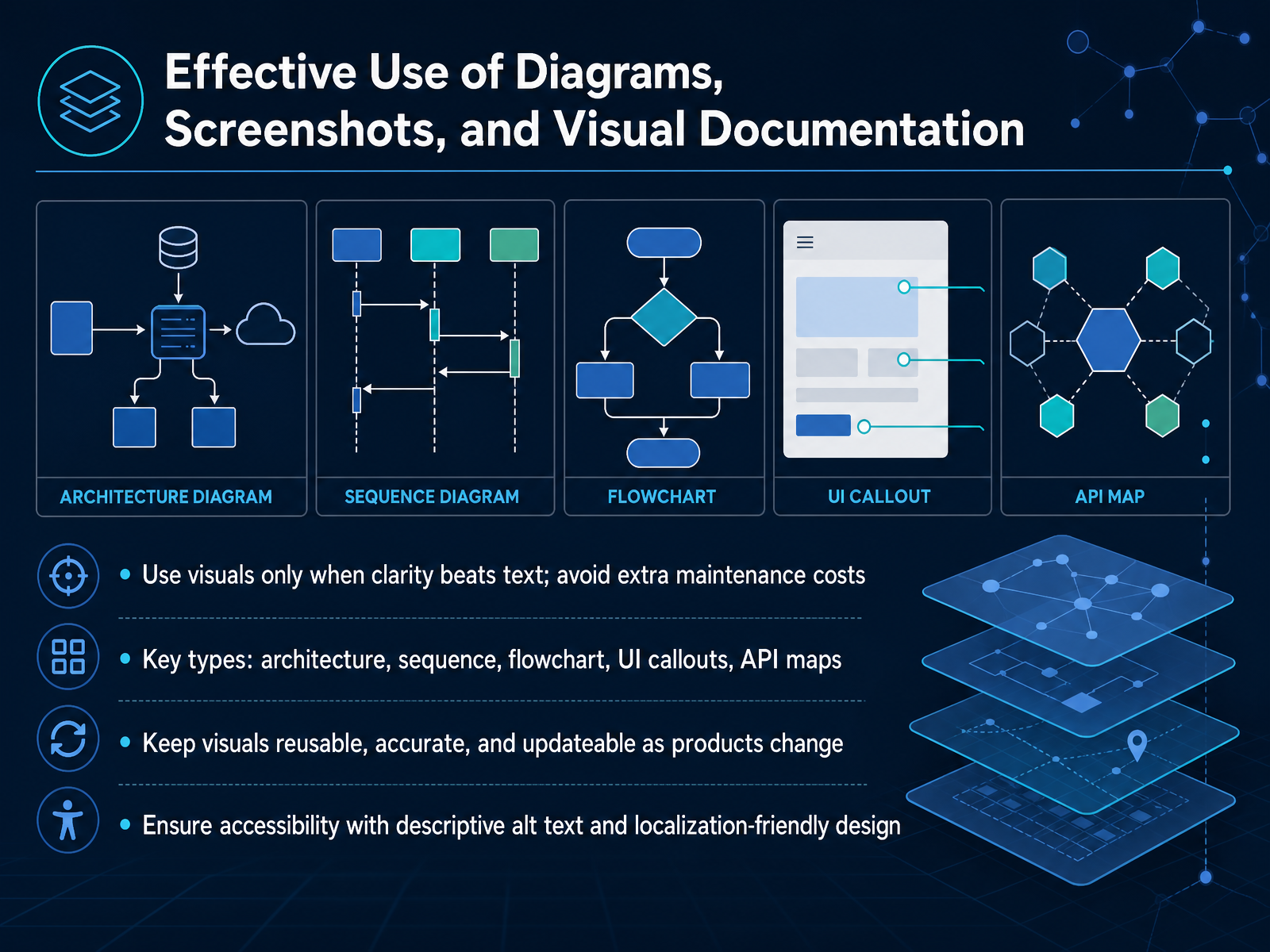 2 min
2 min - 08Documentation Tooling, Automation, and Docs-as-CodeNow let's talk about tooling and automation. The core idea of docs-as-code is simple: your documentation lives in Git, just like your source code. Every change goes through a pull request, and the same review culture that protects your code now protects your docs. CI/CD does the heavy lifting, building previews for every pull request and publishing the site when changes merge. That doesn't mean manual checks disappear though. Automate the boring stuff: lint for style with tools like Vale, check that links aren't broken, and generate API reference directly from your OpenAPI spec so it can't drift. Consistent validation means CI can block a merge on a broken link or an invented field, just like it would a failing test. Pick tools that fit the workflow your engineers already use. If they live in pull requests, your docs should too. AI agents can draft and update pages, but remember: the model proposes and you dispose. Human review is your safety net for accuracy. The takeaway is that documentation should be treated as a first-class product in your engineering workflow, not an afterthought. Coming up next, we'll cover review, testing, and quality assurance for documentation.
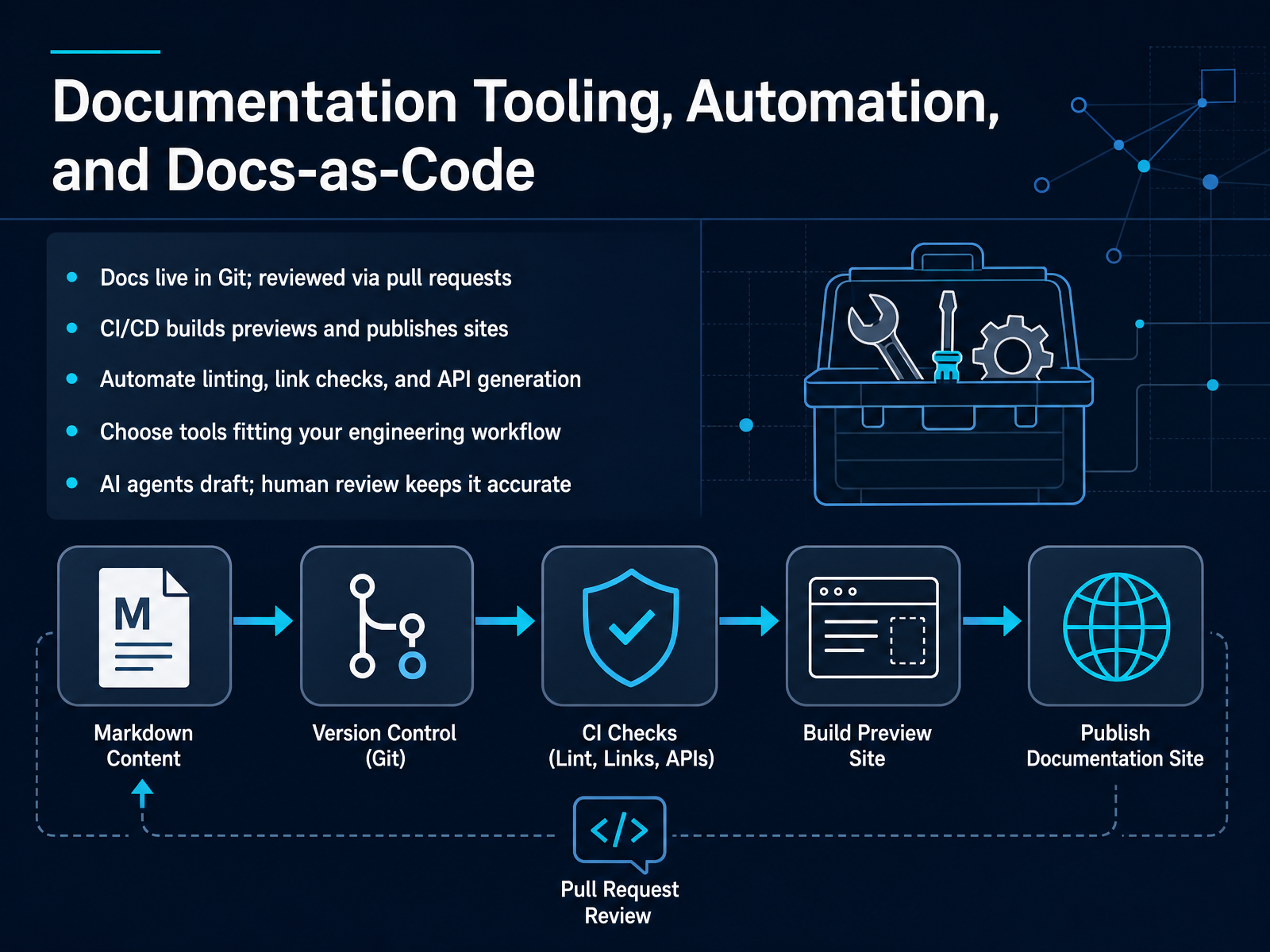 buildwithfern.comgithub.commintlify.com+22 min
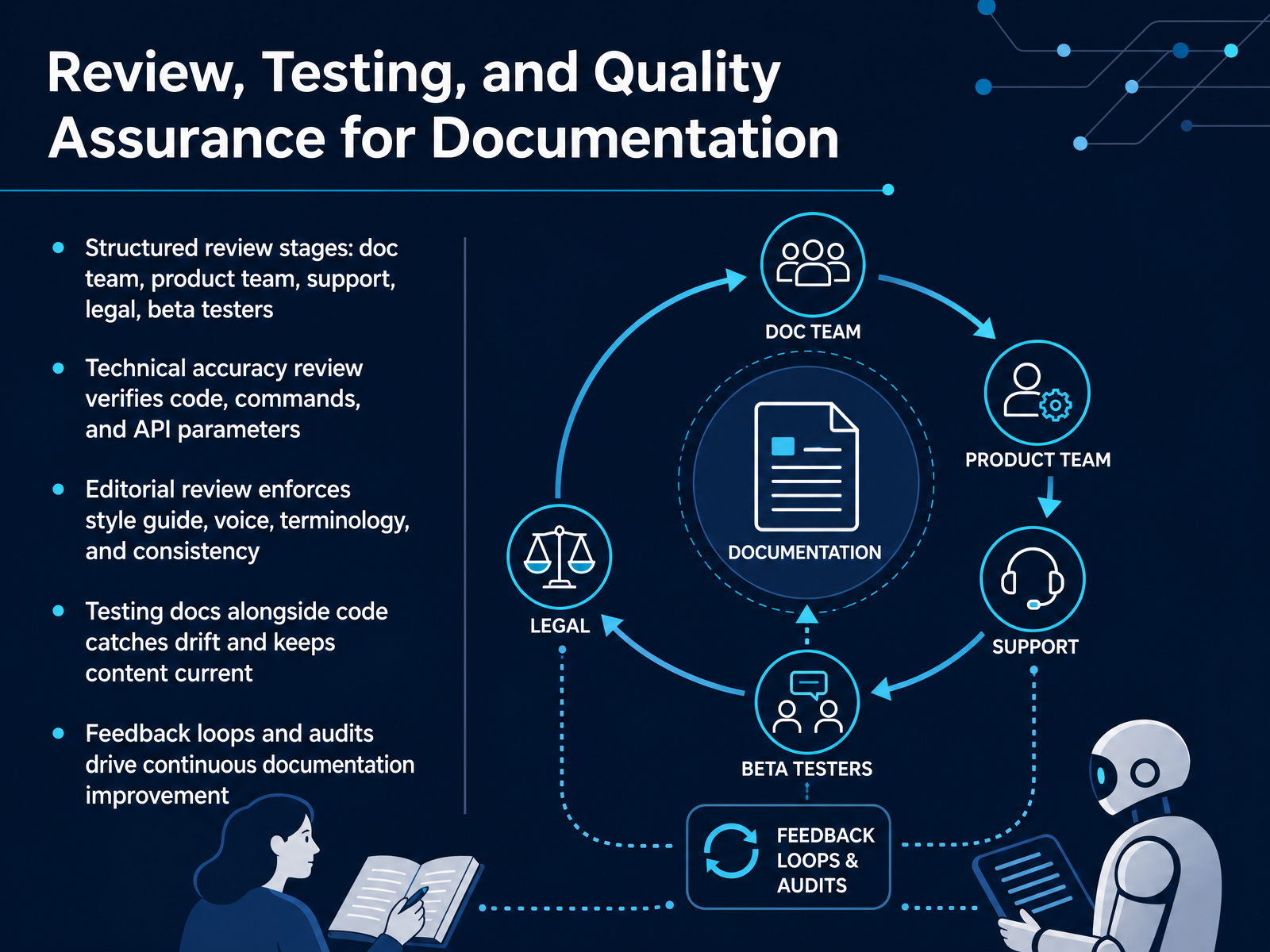
 - 09Review, Testing, and Quality Assurance for DocumentationLet's walk through how you actually gate quality before anything goes live. Review isn't one pass; it's structured stages with distinct owners. Start with your doc team for a cold read, checking structure and clarity. Then the product team verifies technical accuracy. This means code compiles, commands run, and API parameters match production. Next, bring in support and field engineers. They catch real-world pitfalls, like missing troubleshooting steps. Legal reviews for compliance, disclaimers, and licensing. Finally, beta testers try the docs with fresh eyes, reporting where they get stuck. Each stage is a filter. If the SME signs off in under ten minutes, that's a red flag, not a win. A rubber-stamped review gives false authority. Editorial review is separate. It enforces style guide, voice, and terminology consistency across pages. And here's the crucial habit: test docs alongside code. Run the steps on a clean setup. If a parameter changes in the pull request, that doc is already drifting. You want feedback loops that are continuous, not annual. Use audits and support tickets to drive updates. Short version: a doc is only good when it's verified, consistent, and tested against the real product. Next, we'll cover governance, maintenance, and continuous improvement.
 2 min
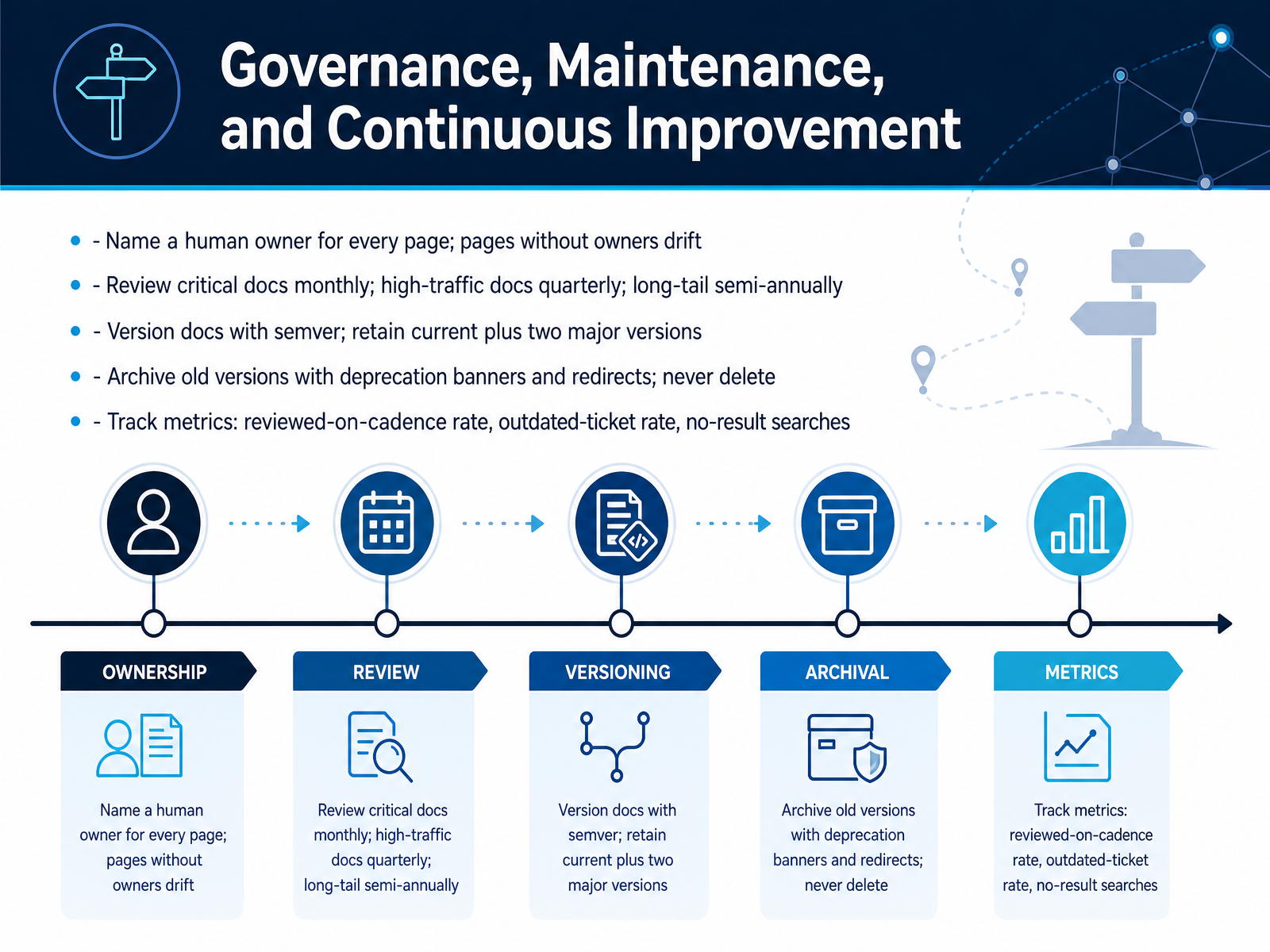
2 min - 10Governance, Maintenance, and Continuous ImprovementNow let’s talk about governance. This is what keeps documentation from rotting. Every page needs a named human owner, not a team, a specific person. Pages without owners drift. It’s that simple. Next, reviews run on a tiered schedule. Critical docs, like API references and security policies, are reviewed monthly. Your top twenty high-traffic pages, quarterly. And long-tail pages, semi-annually. Versioning follows semantic versioning. And here’s the rule: keep the current version plus two major versions. Archive older ones with a deprecation banner and a redirect. Never delete. Just never. A broken link from an old ticket is worse than an outdated page with a clear warning. Finally, measure what matters. Track the rate of pages reviewed on cadence, the number of outdated-doc tickets, and your no-result search rate. If those metrics trend the wrong way, your governance is slipping. Here’s the takeaway: documentation drift is never a writing failure. It’s an ownership and process failure. Fix the process, and the docs follow. Next, we’ll look at designing the documentation workflow itself.
 2 min
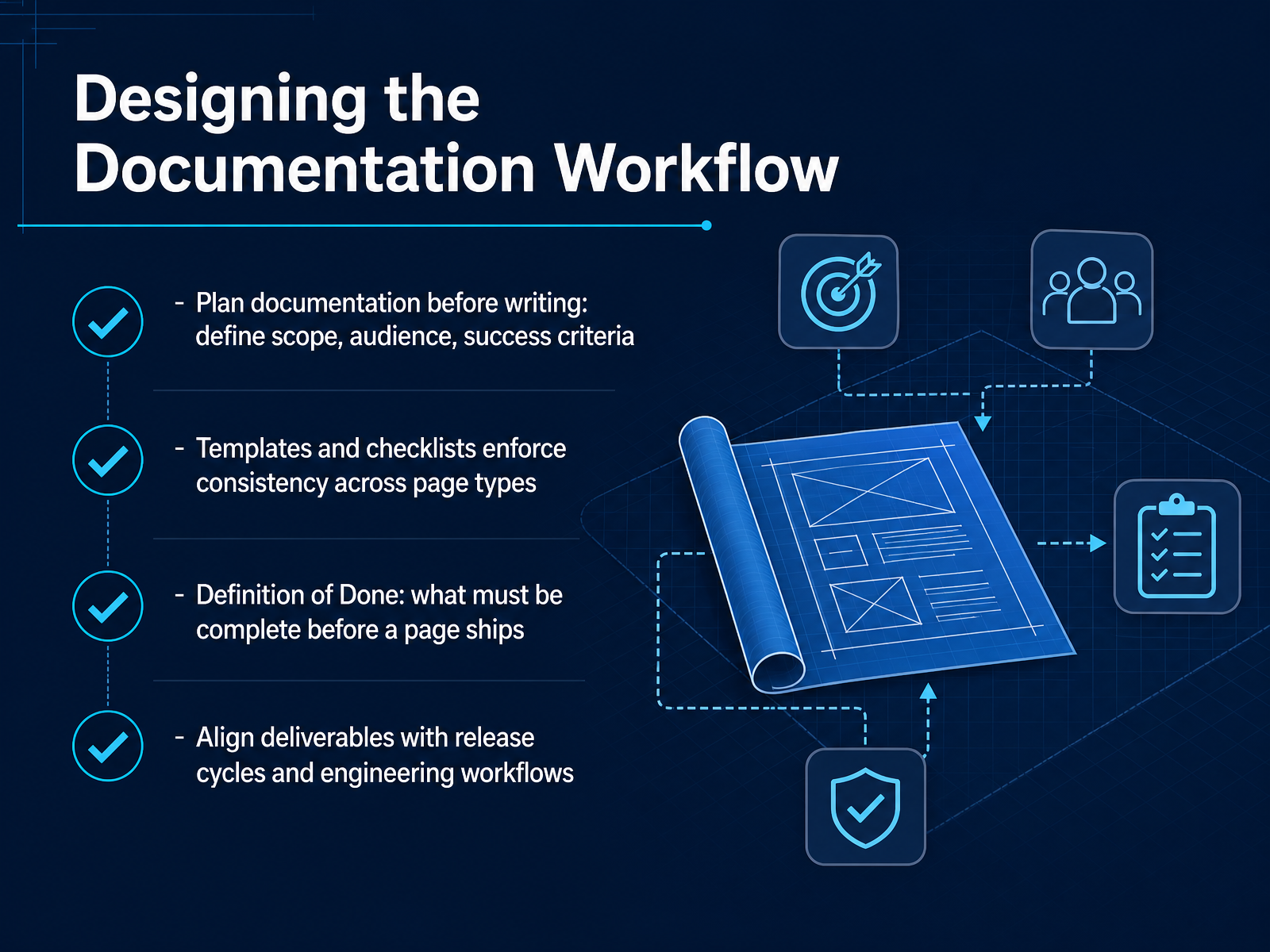
2 min - 11Designing the Documentation WorkflowLet’s talk about the workflow behind the writing. The goal here is to make documentation a deliberate part of your development process, not an afterthought. Start by planning before you write. Define the scope, the audience, and the success criteria for each page. Ask yourself: what task is the reader trying to complete, and what proves they finished it? That clarity guides everything that follows. Next, use templates and checklists. A well-structured template makes the correct format the path of least resistance. Each page type gets a skeleton, so authors fill in the structure instead of inventing it. This enforces consistency far more reliably than a style guide nobody reads. Then, establish a Definition of Done. Before a page ships, it must be reviewed, linked correctly, and pass your automated checks for style, links, and broken snippets. Finally, align your deliverables with your release cycle. Documentation updates should move through the same pull requests as the code they describe. If an API changes, the docs change in the same commit. That is what keeps everything current. Now, let’s move on to writing the procedures and task-oriented content themselves, where the reader’s ability to complete a single job is the only thing that matters.
 buildwithfern.comgithub.commintlify.com+22 min
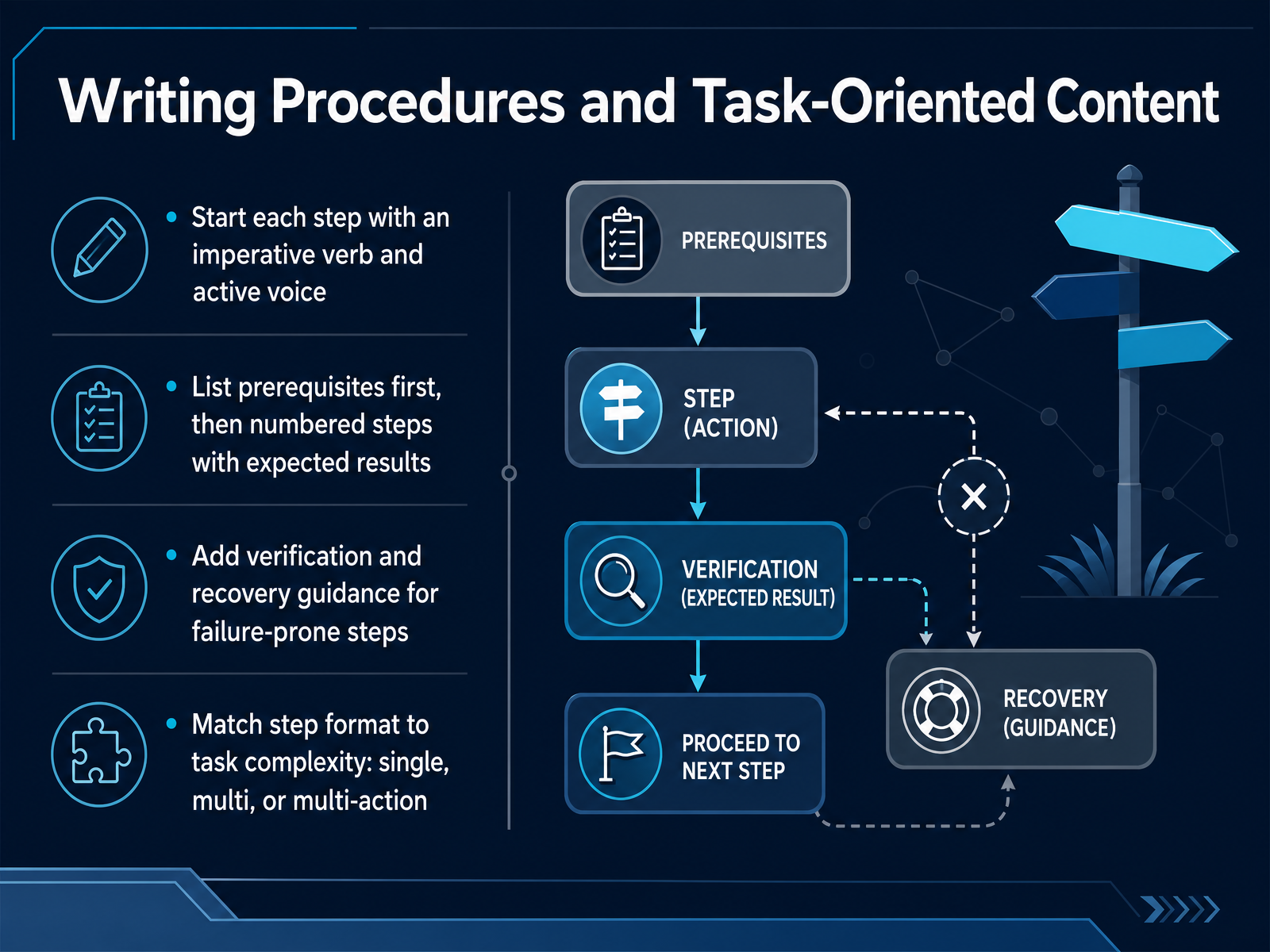
 - 12Writing Procedures and Task-Oriented ContentLet's talk about writing procedures that actually guide someone through a task. Every step should start with a strong imperative verb and stay in the active voice. Write "Open the config file", not "The config file should be opened." List prerequisites up front, then use numbered steps, and tell the reader what they should see after each action. If a step commonly fails, add a quick verification and a recovery tip right there, so the reader doesn't have to hunt for answers. Match the format to the task. Use a single bullet for a simple action. For a longer process, stick to numbered steps. And for a menu sequence, combine small clicks with a right-pointing angle bracket, like File, then New, then Document. Keep steps short and focused on one decision at a time. That's how you turn a dense manual into a reliable path to a working result. Next, we'll look at how to keep your API reference and code samples just as precise.
 buildwithfern.comgithub.commintlify.com+21 min
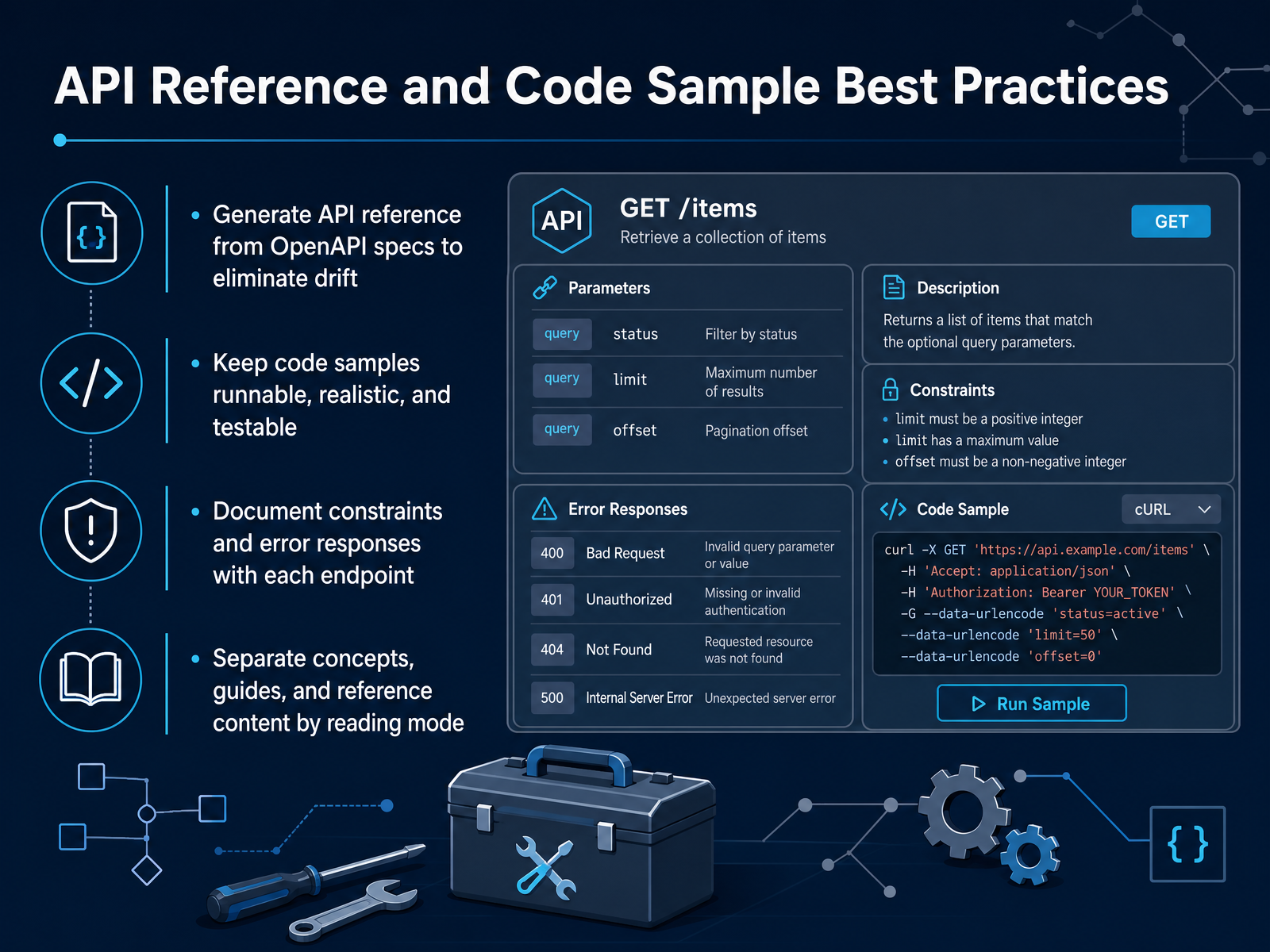
 - 13API Reference and Code Sample Best PracticesLet’s talk about the API reference and code samples, because this is where docs either earn trust or lose it fast. Rule one: generate your reference from the OpenAPI spec, never hand-write it. When the spec is the source of truth, a renamed endpoint or a new field appears in the docs in the same commit that changes the contract. No drift, no support tickets about stale parameters. Rule two: make every code sample runnable, realistic, and testable. A snippet with placeholders that fail on paste is worse than no snippet, because the reader spends time debugging your example instead of their integration. Include the imports, the setup, the real error handling, and a realistic response payload. Rule three: put constraints and error responses on the endpoint that enforces them. Rate limits should appear on the rate-limited endpoint, not buried on a separate page. And every documented error code needs its meaning and recovery step in the same place. Rule four: separate concepts, guides, and reference by reading mode. Reference pages are for quoting; how-to guides are for completing a task. Mixing them forces readers to dig through prose to find a type definition. That separation also matters for what we’ll cover next: writing for both humans and AI agents.
 buildwithfern.comgithub.commintlify.com+22 min
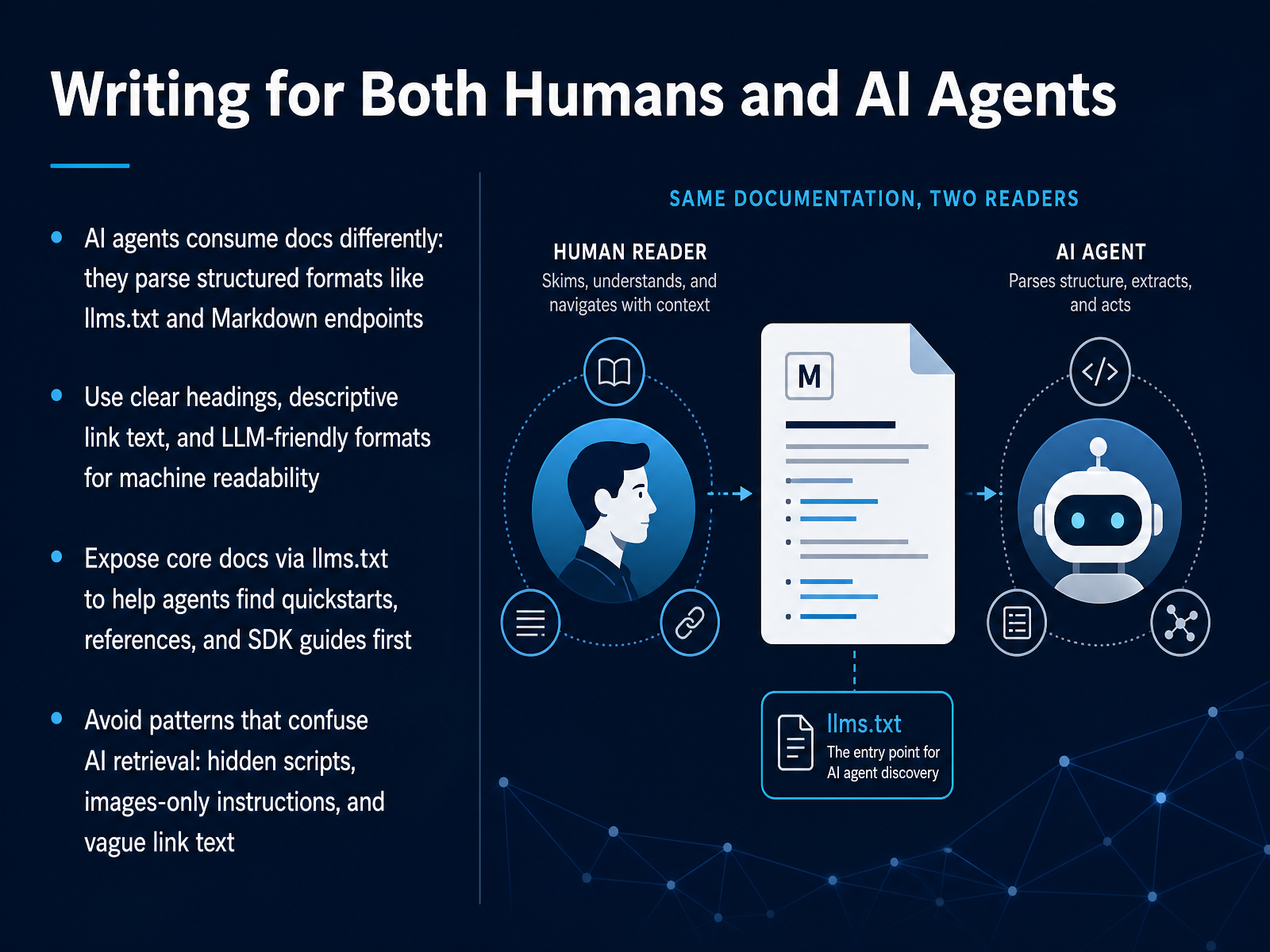
 - 14Writing for Both Humans and AI AgentsNow let's talk about writing for both humans and AI agents. This is no longer optional. AI coding assistants and retrieval agents are reading your docs every day. They parse structured formats like llms.txt and Markdown endpoints, so your documentation needs to be machine-readable without losing its human touch. Use clear headings and descriptive link text. If your link says 'click here', an agent cannot tell where it leads. Expose your core documentation through an llms.txt file. That gives agents a direct path to quickstarts, references, and SDK guides first. And avoid patterns that confuse retrieval. Hidden scripts, images-only instructions, and vague link text will break the agent's ability to answer questions. The good news is that what works for humans mostly works for agents. Descriptive headings, one concept per section, and explicit steps. Write with that structure, and both audiences will find what they need. We'll put this into practice in a hands-on project next.
 buildwithfern.comgithub.commintlify.com+21 min
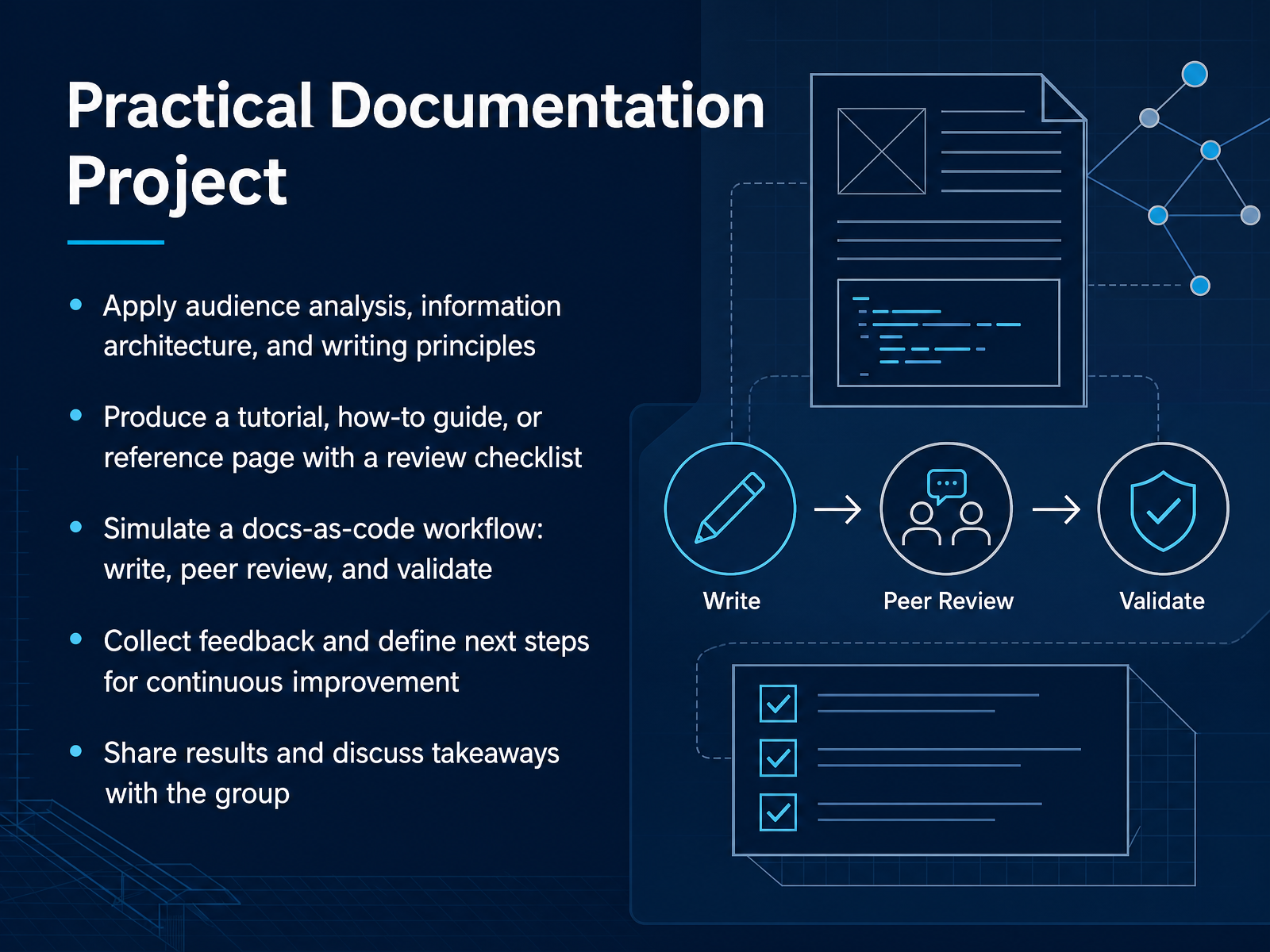
 - 15Practical Documentation ProjectThis is the final piece: putting it all together in a practical documentation project. You'll apply audience analysis, information architecture, and the writing principles we've covered. Choose a topic and produce one deliverable: a tutorial, a how-to guide, or a reference page. Use a review checklist to assess clarity, accuracy, and consistency. We'll simulate a docs-as-code workflow, so you'll write, get peer feedback, and validate your work just like a real release cycle. After you refine your draft, collect structured feedback and define your next steps for continuous improvement. The goal here is not perfection, but a solid, repeatable process. Finally, share your results with the group. Discussing your takeaways helps everyone internalize best practices. This exercise ties the entire course together, so give it your full effort. You've learned a lot. Now, apply it, and finish strong.
 developers.google.comdevelopers.google.comsoftwarephilosopher.com+21 min
Take the deck with you
Download this course as a file — free, no sign-up needed.
- PDF handoutEvery slide page, ready to print or share.16 pages · 3.7 MBDownload
- Narrated PowerPointThe deck that presents itself — every slide carries the digital human's narration video.16 pages · 29.7 MBDownload
- PowerPoint slidesThe full deck as a .pptx — open it in PowerPoint, Keynote, or Google Slides.16 pages · 3.6 MBDownload
Free to use in your own training — please keep the PersonWise credit page at the end.
Have your own deck? Turn it into a course
Sources consulted
Web sources consulted while building this course.
- How to write technical documentation: a complete guide (August 2026) | Fern — buildwithfern.com
- vercel-labs/writing-guidelines — github.com
- How to write technical documentation that developers actually use — mintlify.com
- 10 Essential Best Practices for Technical Writing in 2026 — rewritebar.com
- Developer documentation best practices: a practical checklist — mintlify.com
- Developer documentation: How to measure impact and ... — getdx.com
- Developer Experience Gap in API Documentation 2026 | APIScout — apiscout.dev
- How to measure the quality of your technical documentation | PushFeedback — pushfeedback.com
- API Analytics: Measuring Developer Experience 2026 | APIScout — apiscout.dev
- Documentation in Developer Experience - Avoiding Work Delays — networkperspective.io
- Audience | Technical Writing | Google for Developers — developers.google.com
- Documents | Technical Writing | Google for Developers — developers.google.com
- How to identify software documentation audience? - Software Philosopher — softwarephilosopher.com
- Better Documentation: Types of Software Documentation — intersect-training.org
- 2.2 Audience analysis – Technical Writing — openoregon.pressbooks.pub
- Information architecture · Cloudflare Style Guide — developers.cloudflare.com
- information architecture best practices | Guides | GitBook Documentation — gitbook.com
- How to structure your documentation’s information architecture (IA) – zeroheight — help.zeroheight.com
- Info Architecture for Docs: February 2026 | Fern — buildwithfern.com
- Information Architecture for Technical Writing (9 Easy Steps) — instantdocs.com