Begin
16 pages · ~32 min
Business Process Mapping
A foundational course teaching professionals how to create clear business process maps to analyze and improve workflows and operational efficiency.
A digital instructor presents all 16 pages. Hold “Ask” at any point and ask out loud — the answer comes from this course. No sign-up needed.
What you’ll learn
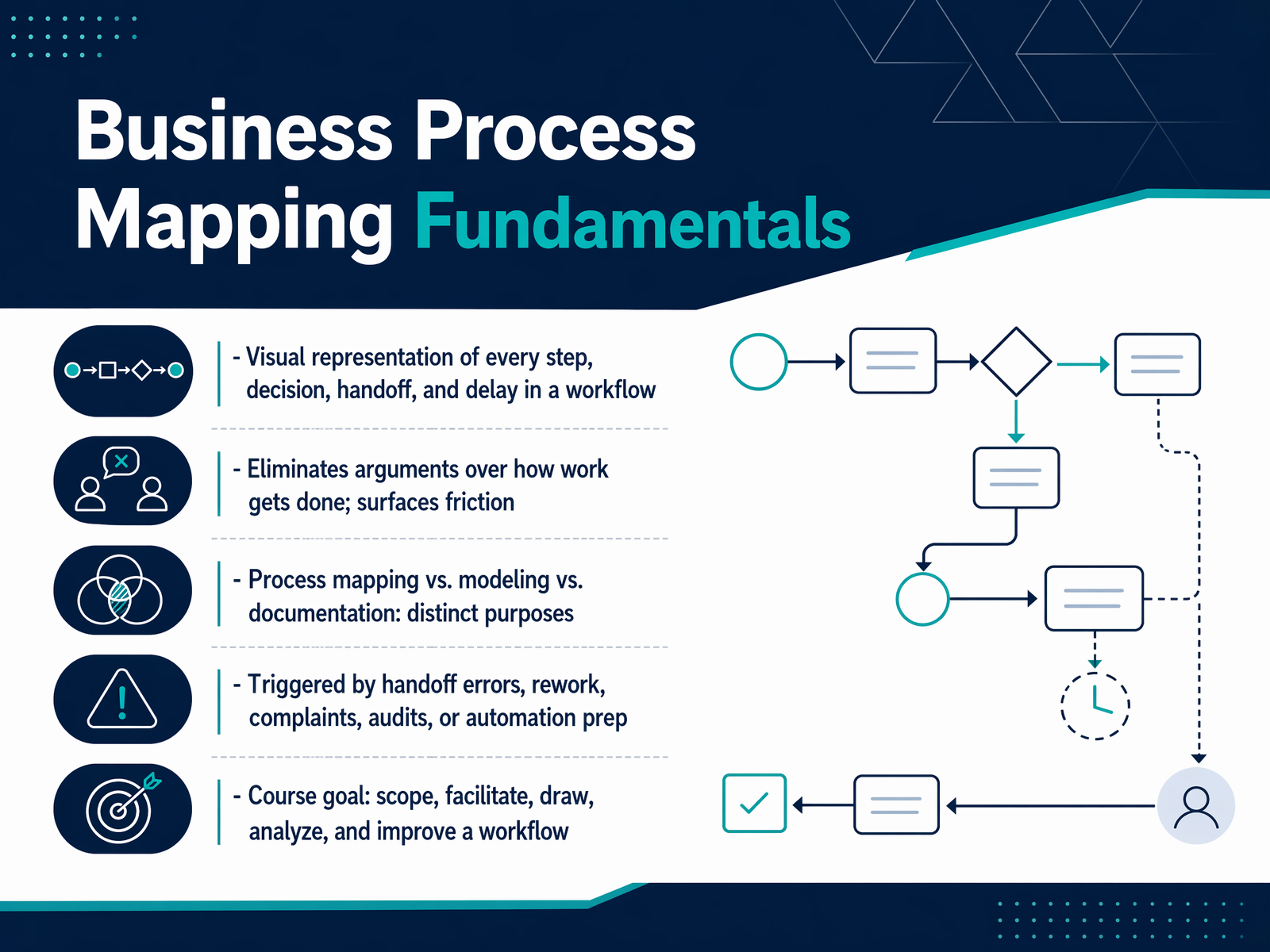
- 01Business Process Mapping FundamentalsWelcome to Business Process Mapping Fundamentals. If you work in operations, service, or project delivery, you already know your workflows better than anyone. The challenge is making that invisible knowledge visible, so everyone can see the steps, handoffs, and delays the same way. That is exactly what this course is about. Process mapping creates a visual representation of every step, decision, handoff, and delay in a workflow. It eliminates arguments about how work gets done. Instead of debating opinions, you point at the diagram and fix the friction. We will clarify the differences between process mapping, process modeling, and process documentation. Each has a distinct purpose, and using the right one saves time. You will learn the real triggers for mapping: handoff errors, rework, audit findings, or preparing for automation. By the end, you will be able to scope a process, facilitate a mapping session, draw the workflow, analyze it, and plan improvements. Let's begin by grounding ourselves in the foundational concepts and terminology.apfx.aiasana.comzapier.com+22 min
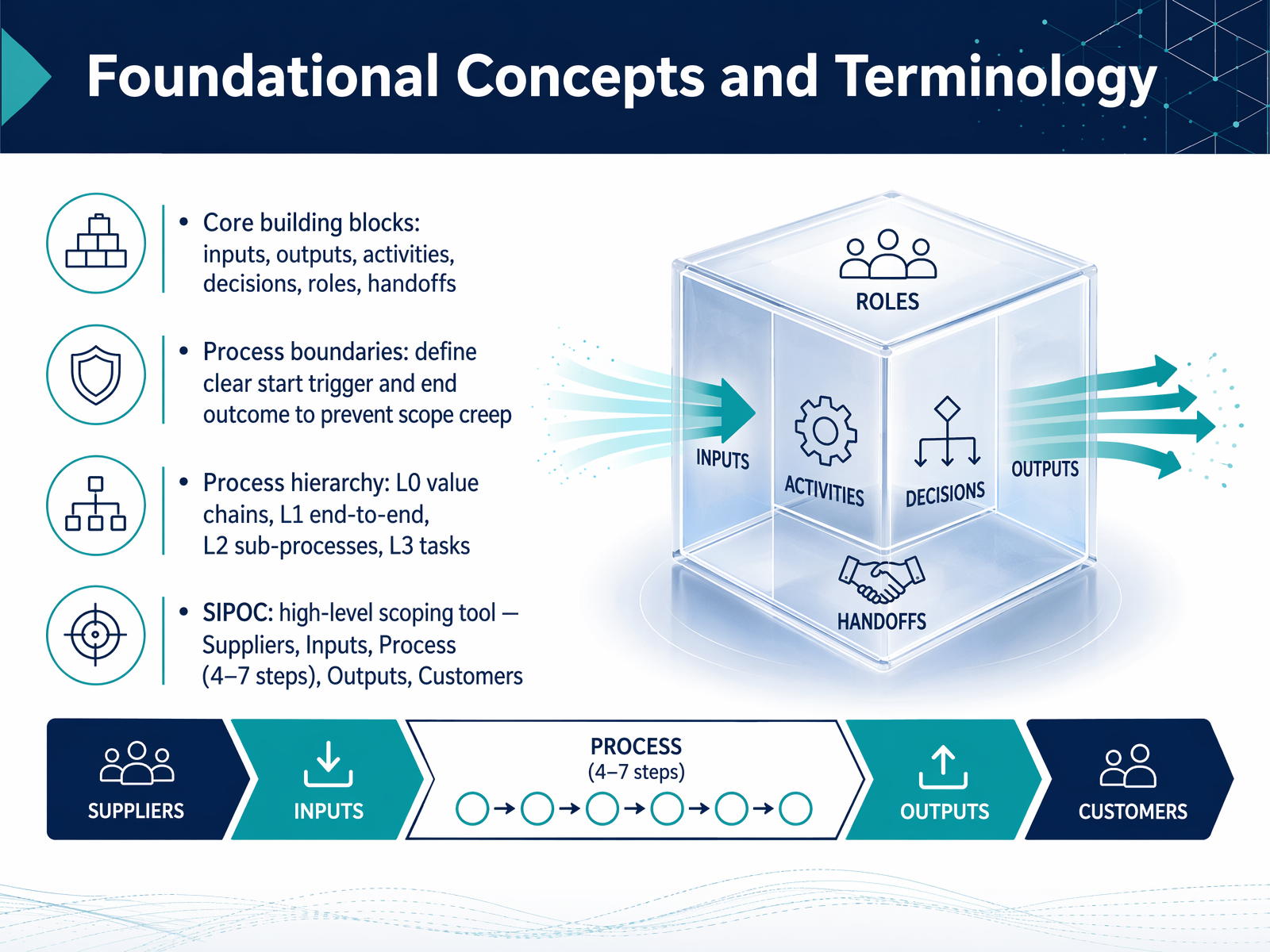
- 02Foundational Concepts and TerminologyNow let's get our terms straight so we're all drawing from the same toolbox. Process mapping uses a few core building blocks that you'll see in every diagram. Think of inputs as what triggers or feeds the work, outputs as what the process produces, and activities as the actual tasks people or systems perform. Decisions are those yes-or-no branch points, and roles tell us who owns each step. Handoffs are the moments work moves between people or teams, and those are often where friction hides. To keep your map focused, always define your process boundaries. Agree on a clear start trigger and a clear end outcome. This is how you prevent scope creep. It also helps to understand the hierarchy: a Level zero value chain is the big picture, a Level one end-to-end process is the full workflow, and Levels two and three break things down into sub-processes and detailed tasks. We also have a tool called SIPOC, which stands for Suppliers, Inputs, Process, Outputs, and Customers. It's a high-level scoping tool, not a detailed map. Use it to define four to seven macro steps and agree on scope before you dive into the details. Next, we'll look at the core mapping notations and symbols you'll use to build these diagrams.
 apfx.aiasana.comzapier.com+22 min
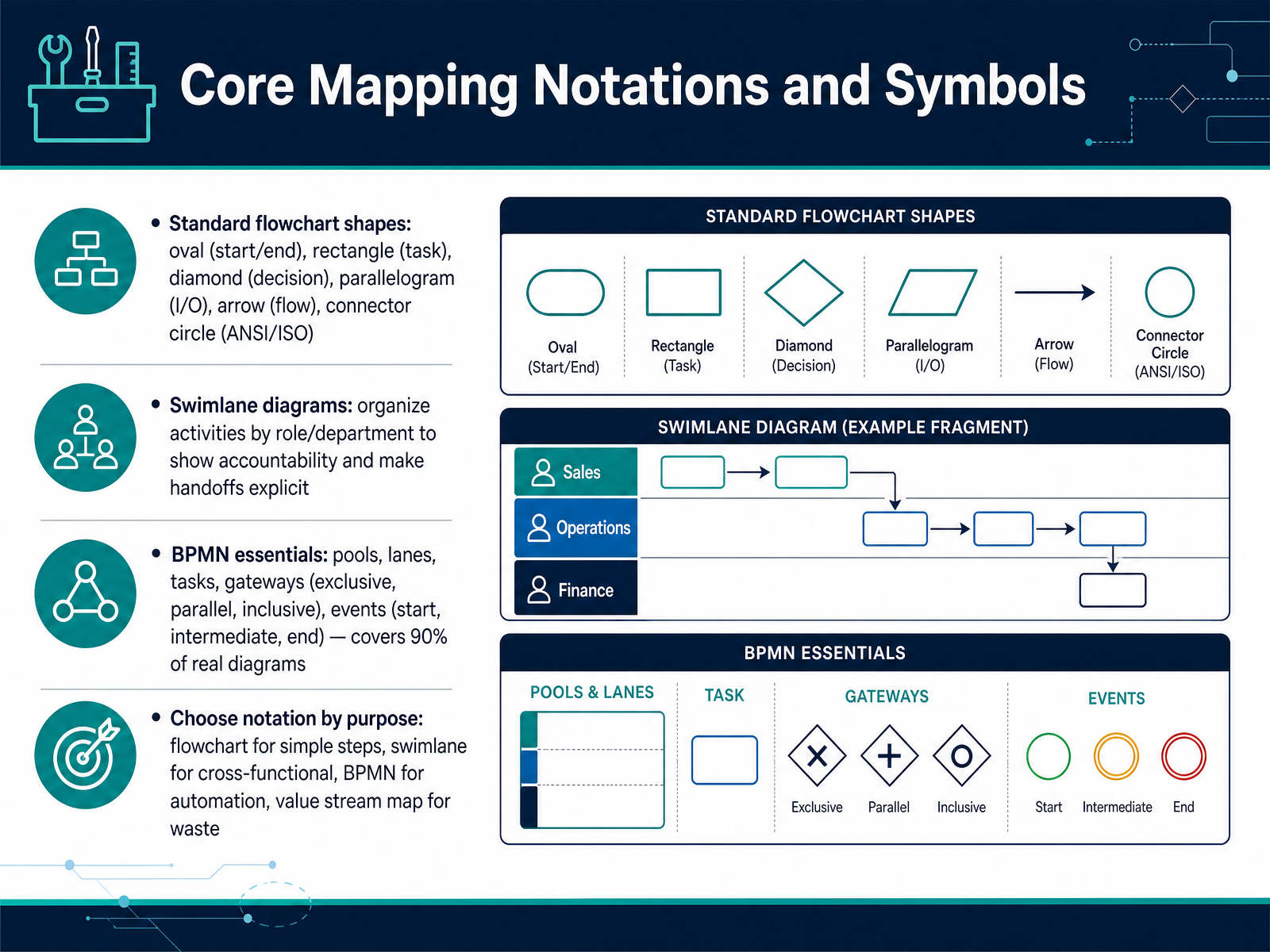
 - 03Core Mapping Notations and SymbolsNow let's look at the visual language you'll use to build your map. There are three main notations, and the right choice depends on what you're trying to solve. First, the standard flowchart. You've seen these shapes before: an oval marks the start and end, a rectangle is a task, a diamond is a decision point, and arrows show the flow between them. Use this for simple, straight-line sequences. Next, swimlane diagrams. These organize tasks into horizontal or vertical bands, each representing a role or department. When a task crosses a lane, you immediately see the handoff. If you're fixing a cross-functional workflow where delays happen between teams, this is your starting point. Finally, BPMN, or Business Process Model and Notation. It adds precise symbols for events, tasks, and gateways. Gateways are diamonds that control the path: an exclusive gateway sends the flow down one branch, a parallel gateway activates all branches at once, and an inclusive gateway activates one or more. BPMN is the standard when your map needs to feed into an automation engine. The key takeaway is to match the notation to your purpose. A flowchart explains the steps. A swimlane exposes accountability gaps. BPMN creates a bridge to automated execution. If you're documenting a simple procedure, don't reach for BPMN. If you're mapping a process that spans sales, operations, and finance, a swimlane will serve you best. Next, we'll move into planning and scoping a mapping effort.
 apfx.aiasana.comzapier.com+22 min
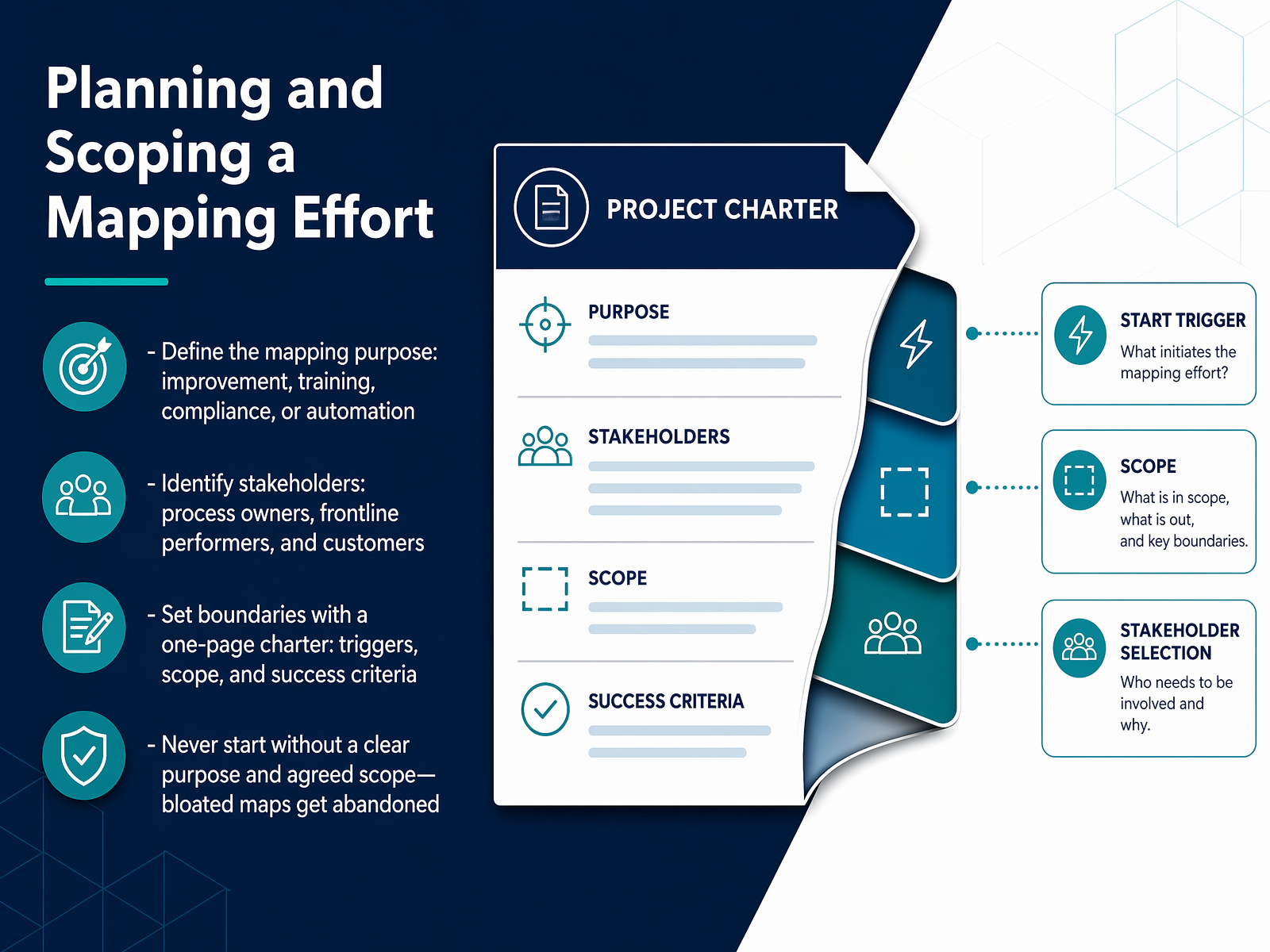
 - 04Planning and Scoping a Mapping EffortNow let's focus on the planning and scoping phase. Before you draw anything, you must define the purpose. Are you mapping to improve a bottleneck, to train new staff, or to prepare for automation? The purpose changes what you document and how deep you go. Next, identify the right stakeholders. You need to include process owners, the frontline performers who do the work daily, and even the internal or external customers who receive the output. If you leave out the people who touch the work, the map will miss the real exceptions and workarounds. After that, set clear boundaries. Use a simple one-page charter to capture the trigger that starts the process, the end point, and the success criteria. This contract prevents scope creep. The biggest mistake you can make is starting without an agreed purpose and scope. Maps that try to show everything become bloated, confusing, and often get abandoned. Once you have your charter signed, you are ready to prepare for the workshop. We'll cover data gathering and workshop preparation next.
 sc.eduaits.uillinois.eduwww3.designindaba.com+22 min
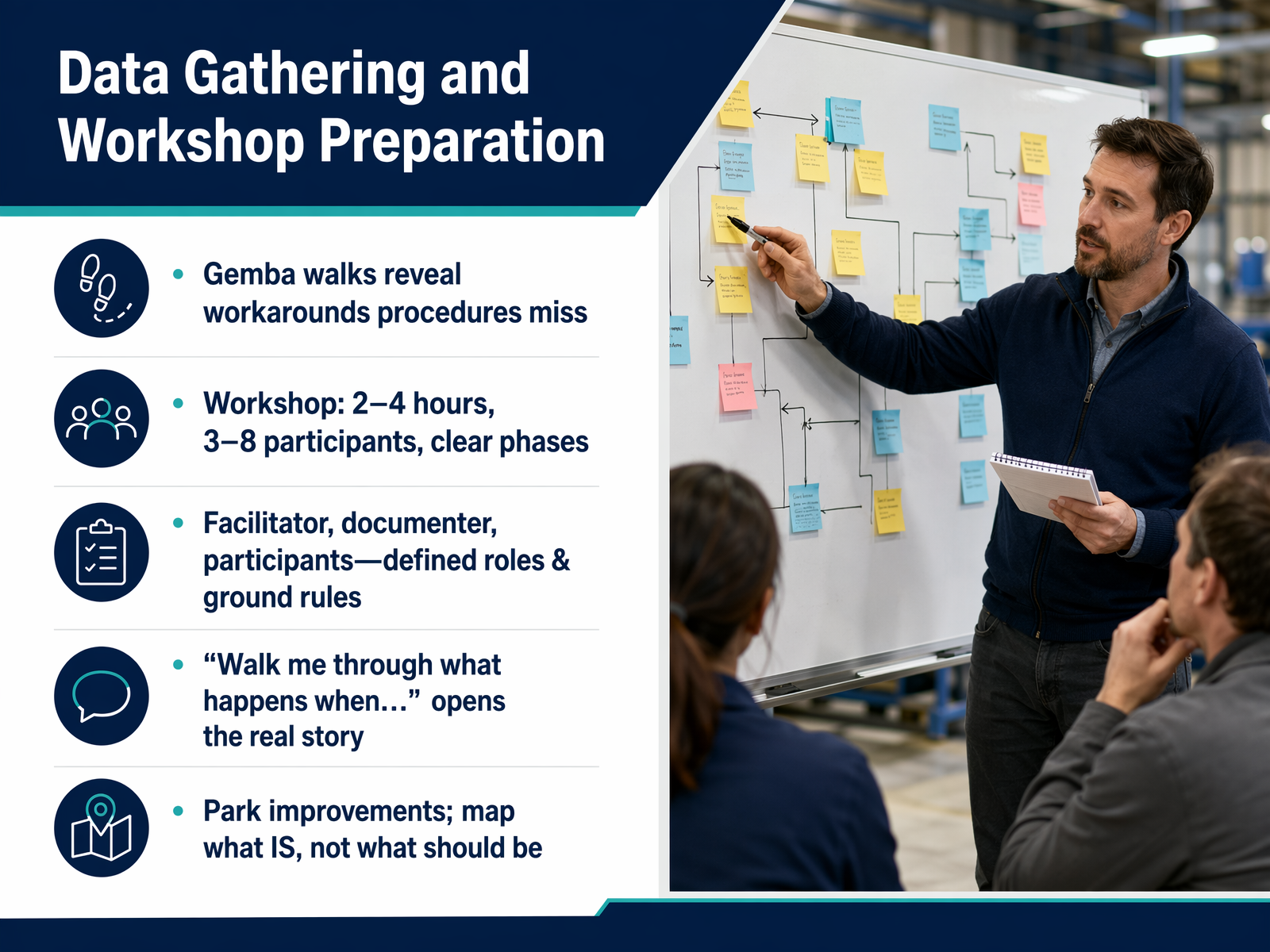
 - 05Data Gathering and Workshop PreparationNow let's get into the practical work of gathering data and preparing your workshop. Before you even schedule a session, plan a Gemba walk. This means going to the actual place where the work happens and observing. You'll often uncover workarounds, shortcuts, and real steps that formal procedures completely miss. When you do schedule the workshop, aim for a two-to-four-hour session with three to eight participants. Make sure you include the people who actually do the work, not just managers. Assign clear roles: a facilitator to guide the discussion, a documenter to capture the map, and participants who own the process steps. Set ground rules early, and agree to park improvement ideas for later. Your goal here is to map what IS, not what should be. The most powerful tool you have is a simple opening question. Walk me through what happens when a trigger event occurs. This invites the real story, not the official version. We'll put all of this into practice next, when we discuss facilitating an effective mapping workshop.
 bpminstitute.orgh2kinfosys.comdev.to+22 min
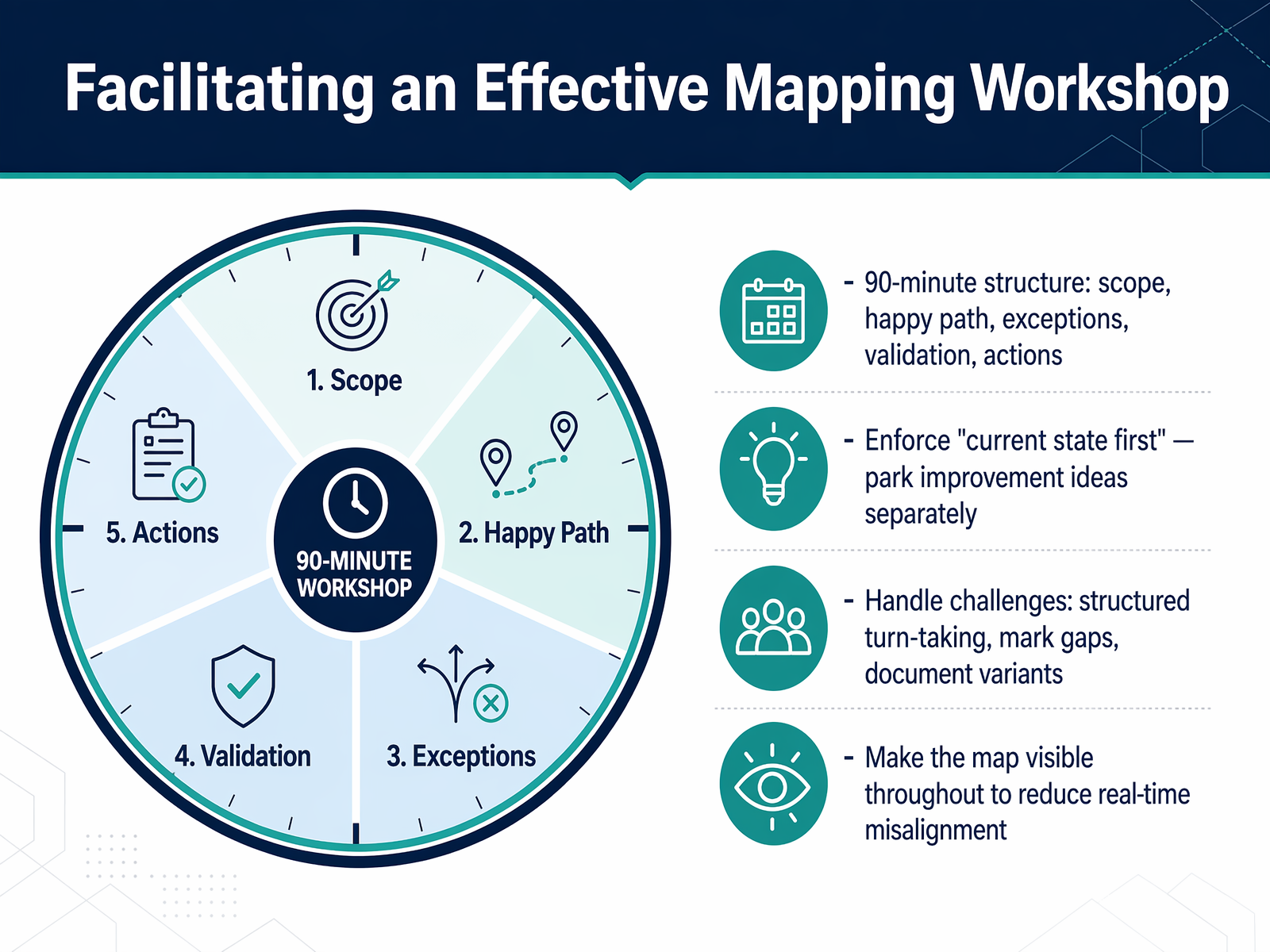
 - 06Facilitating an Effective Mapping WorkshopLet's shift from planning into the actual workshop. Today we'll walk through a 90-minute structure that keeps the group focused and productive. Start by framing the scope: name the process, the trigger, and the outcome, and make sure everyone agrees on those boundaries. Then spend the bulk of the time walking the happy path, what happens when everything goes right. Park exceptions and improvement ideas on a visible list as they come up, so they don't derail the flow. After that, go back to the parking lot and layer in the most important exceptions and decision points. Ask how often they happen and who handles them. Finally, validate the full picture by reading it back to the group and assigning owners for each step. Throughout the workshop, keep the map visible on a shared screen or a whiteboard. That real-time visual prevents misalignment and lets people correct the record immediately. Up next, we'll put these workshop techniques into practice as we document the As-Is Process.
 bpminstitute.orgh2kinfosys.comdev.to+22 min
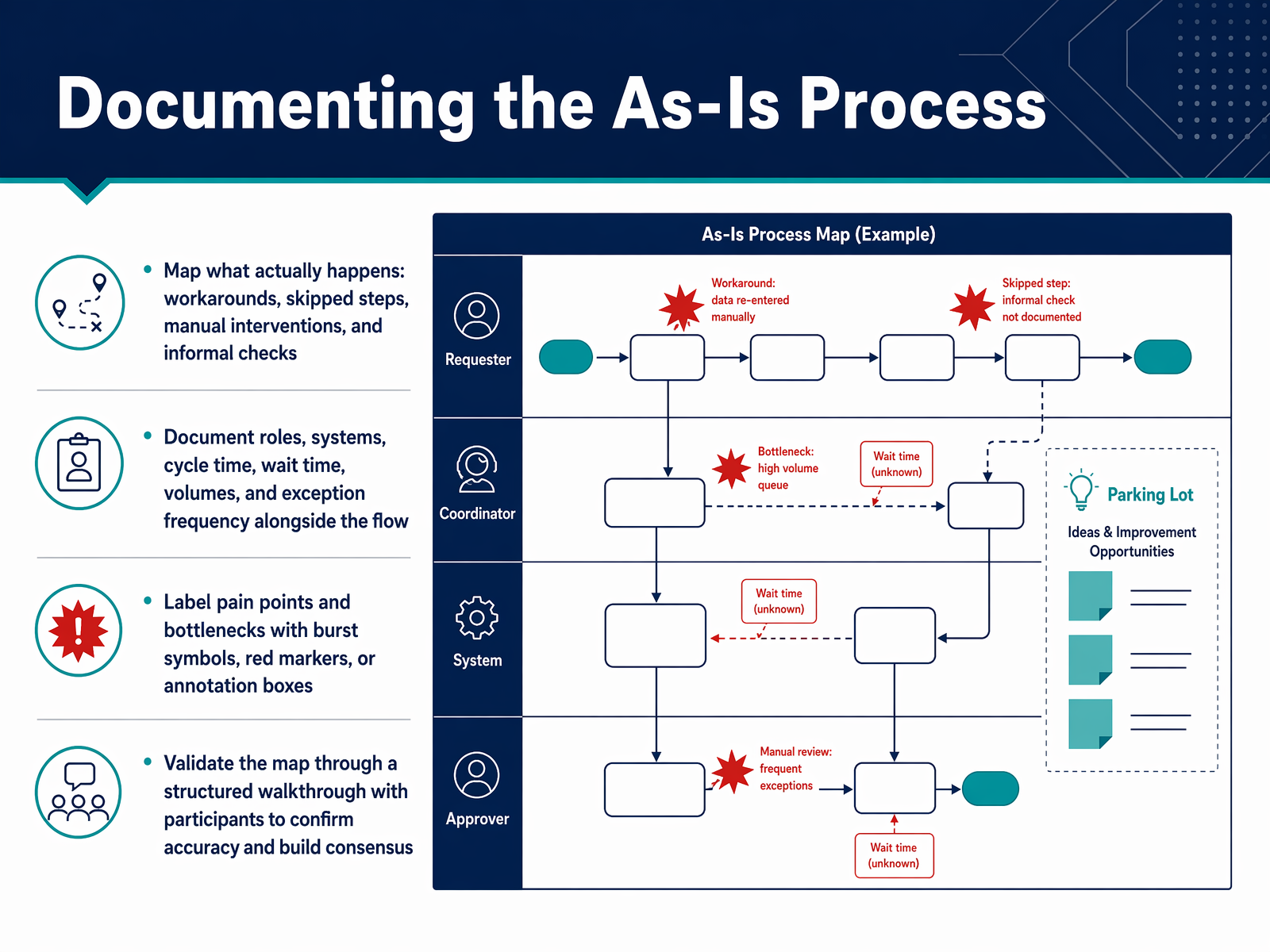
 - 07Documenting the As-Is ProcessNow we get to the heart of the work: documenting the as-is process. The rule here is simple but strict. You must map what actually happens, not what the procedure manual says should happen. That means capturing the workarounds people use every day, the steps that get skipped when volume spikes, the manual interventions, and the informal checks that keep things running. If you leave those out, your map describes a process nobody follows, and the real friction stays invisible. Alongside the flow, document the roles and systems involved at each step. Add cycle time, wait time, volumes, and how often exceptions occur. This data turns a picture into a diagnostic tool. As you build the map, use visual markers—burst symbols, red flags, annotation boxes—to label the pain points and bottlenecks right where they live. This makes the problems impossible to ignore later. Finally, validate the map through a structured walkthrough with the people who do the work. Read the process back to them step by step and ask, 'Does this match reality?' That walkthrough confirms accuracy and builds the consensus you need before any improvement work begins. In the next slide, we'll take this validated map and start analyzing it for improvement opportunities.
 apfx.aiasana.comzapier.com+22 min
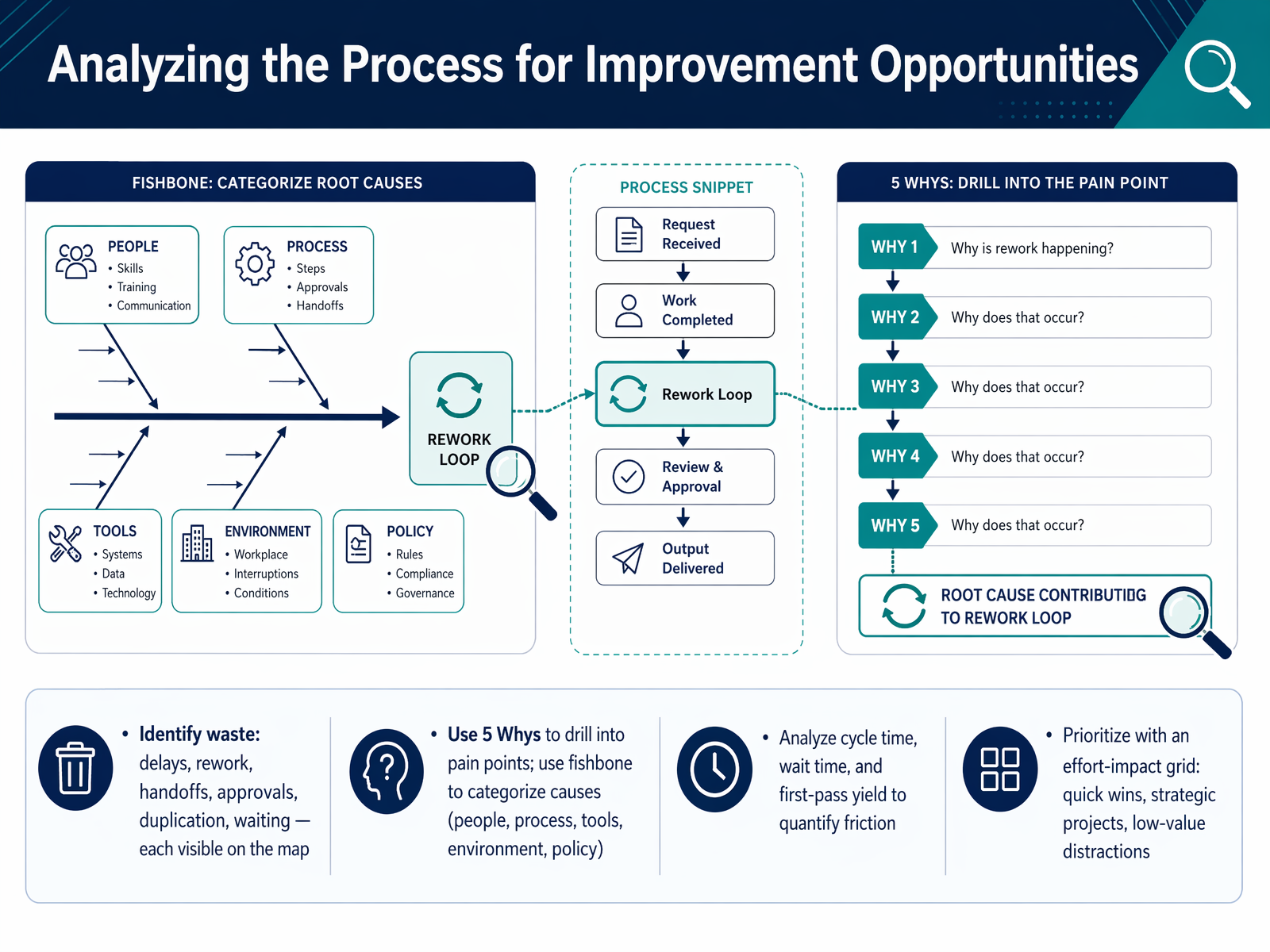
 - 08Analyzing the Process for Improvement OpportunitiesNow that the map is drawn, the real work begins: analyzing the process for improvement opportunities. Your map makes friction visible, so let's walk through how to spot it. First, look for the classic forms of waste. Delays, rework loops, excessive handoffs, duplicated steps, and long waiting periods all show up on the diagram. If you see a queue building up before a step, or an approval that sits idle for days, you have found a target. Once you have identified a pain point, use the Five Whys technique to drill down to the root cause. Keep asking "why" until you move past the symptom and hit the underlying issue. To structure that thinking, a fishbone diagram can help you categorize causes into buckets like people, process, tools, environment, or policy. Next, quantify the friction with hard numbers. Analyze cycle time, wait time, and first-pass yield. These metrics turn a gut feeling about a bottleneck into a measurable fact. Finally, you need to prioritize. Use an effort-impact grid to sort your findings. Low-effort, high-impact items are your quick wins. High-effort, high-impact work becomes a strategic project. Everything else might be a low-value distraction. This grid keeps your team from getting sidetracked. With a prioritized list in hand, you are ready to move from diagnosis to design. Next, we will walk through designing and documenting the to-be process.
 apfx.aiasana.comzapier.com+22 min
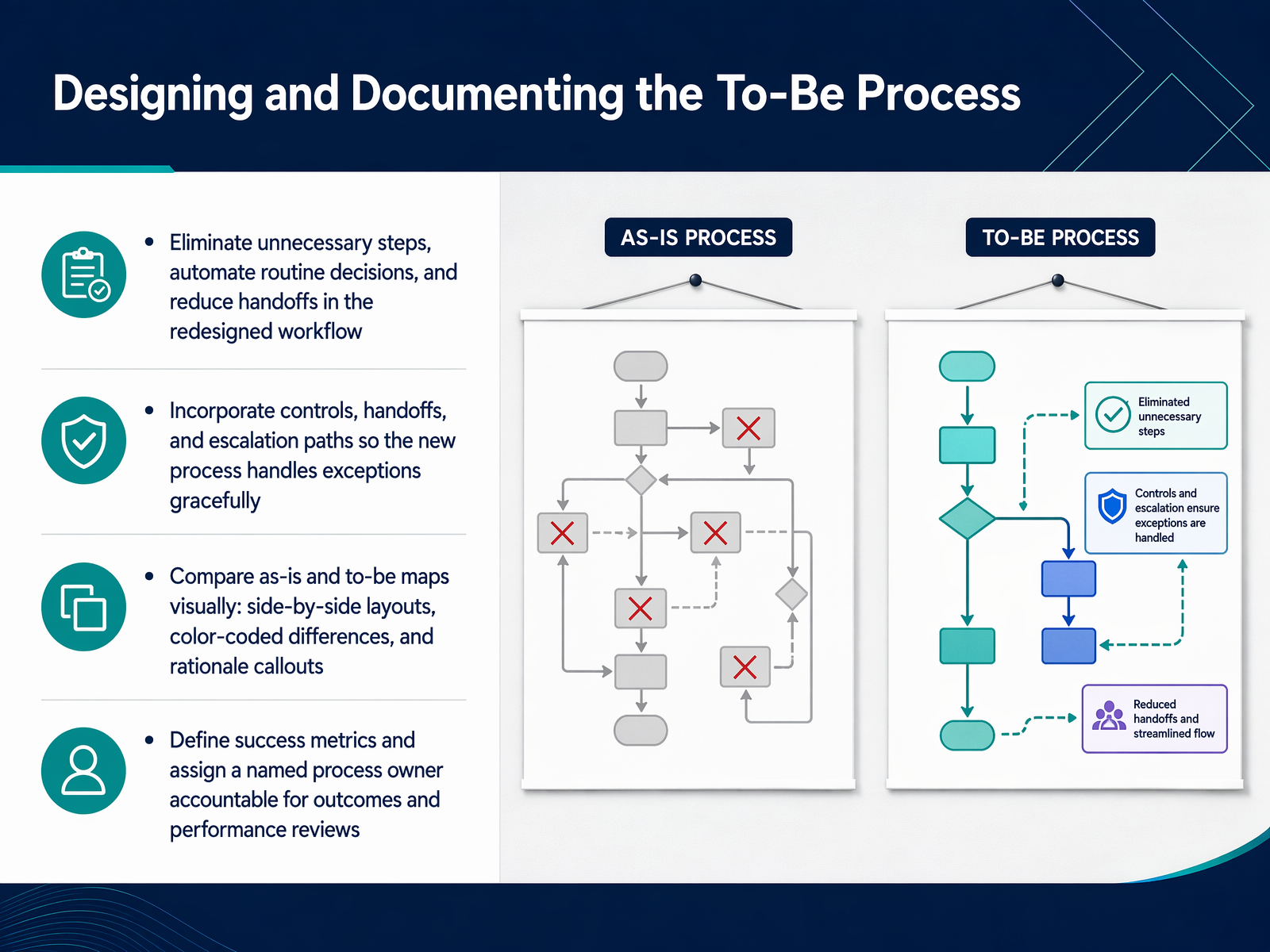
 - 09Designing and Documenting the To-Be ProcessNow that we have a clear picture of the current state, let's focus on designing the to-be process. This is where you transition from analysis to action. Start by eliminating unnecessary steps, automating routine decisions, and reducing handoffs. For example, if a form currently waits three days for a manager's approval that is always granted, look for a way to automate that approval based on a clear rule. Next, incorporate controls, explicit handoffs, and escalation paths so the new process handles exceptions gracefully, not just the happy path. A powerful way to communicate this redesign is to compare the as-is and to-be maps visually. Use side-by-side layouts, color-coded differences, and rationale callouts to show exactly what changed and why. Finally, define the success metrics for your new workflow, and assign a named process owner who is accountable for the outcomes and ongoing performance reviews. Without a single owner, the new process will drift. Let's look next at how to build the governance that keeps these maps accurate and alive, in our discussion on sustaining and governing process maps.
 apfx.aiasana.comzapier.com+22 min
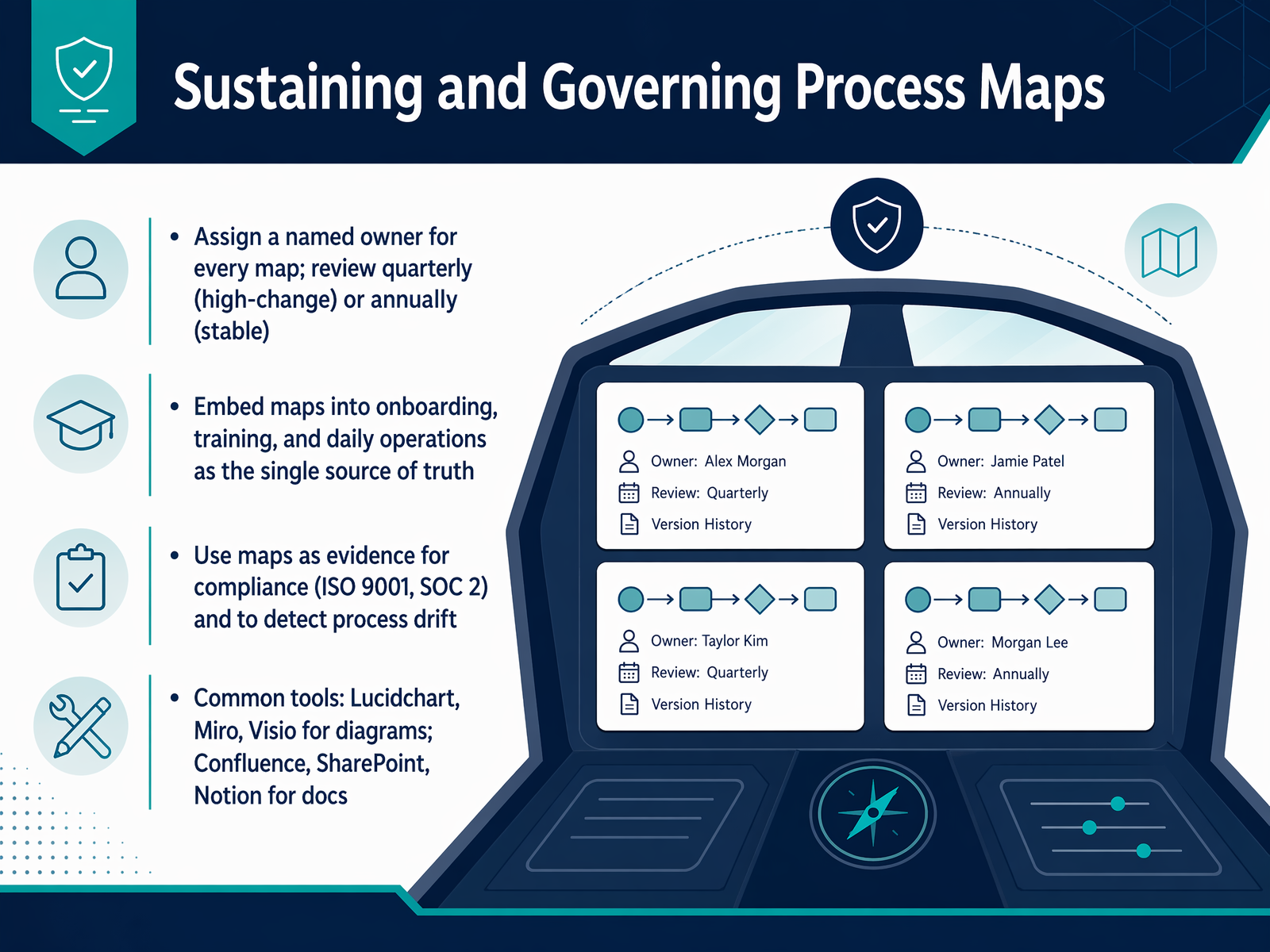
 - 10Sustaining and Governing Process MapsNow that we have a clear picture of the workflow, we need to keep it that way. A map is only useful if it reflects reality, so let's talk about sustaining and governing your process maps. The first rule is to assign a named owner. Every map needs one person accountable for its accuracy, not a committee. For high-change processes like customer onboarding, schedule a quarterly review. For stable back-office tasks, an annual review is usually enough. Embed these maps directly into your onboarding, training, and daily operations as the single source of truth. Don't let them sit in a folder. Process maps also serve as powerful evidence for compliance frameworks like ISO 9001 or SOC 2. During an audit, a living map with a review history shows the auditor that you are in control. It also helps you detect process drift before it becomes a risk. In terms of tools, teams often use Lucidchart, Miro, or Visio for the diagrams, and Confluence, SharePoint, or Notion to hold the surrounding documentation and version history. The goal is to make governance a normal habit, not a special project. Next, we will look at common beginner mistakes and how to avoid them.
 processcamp.ioclearwork.ioblog.workhint.com+22 min
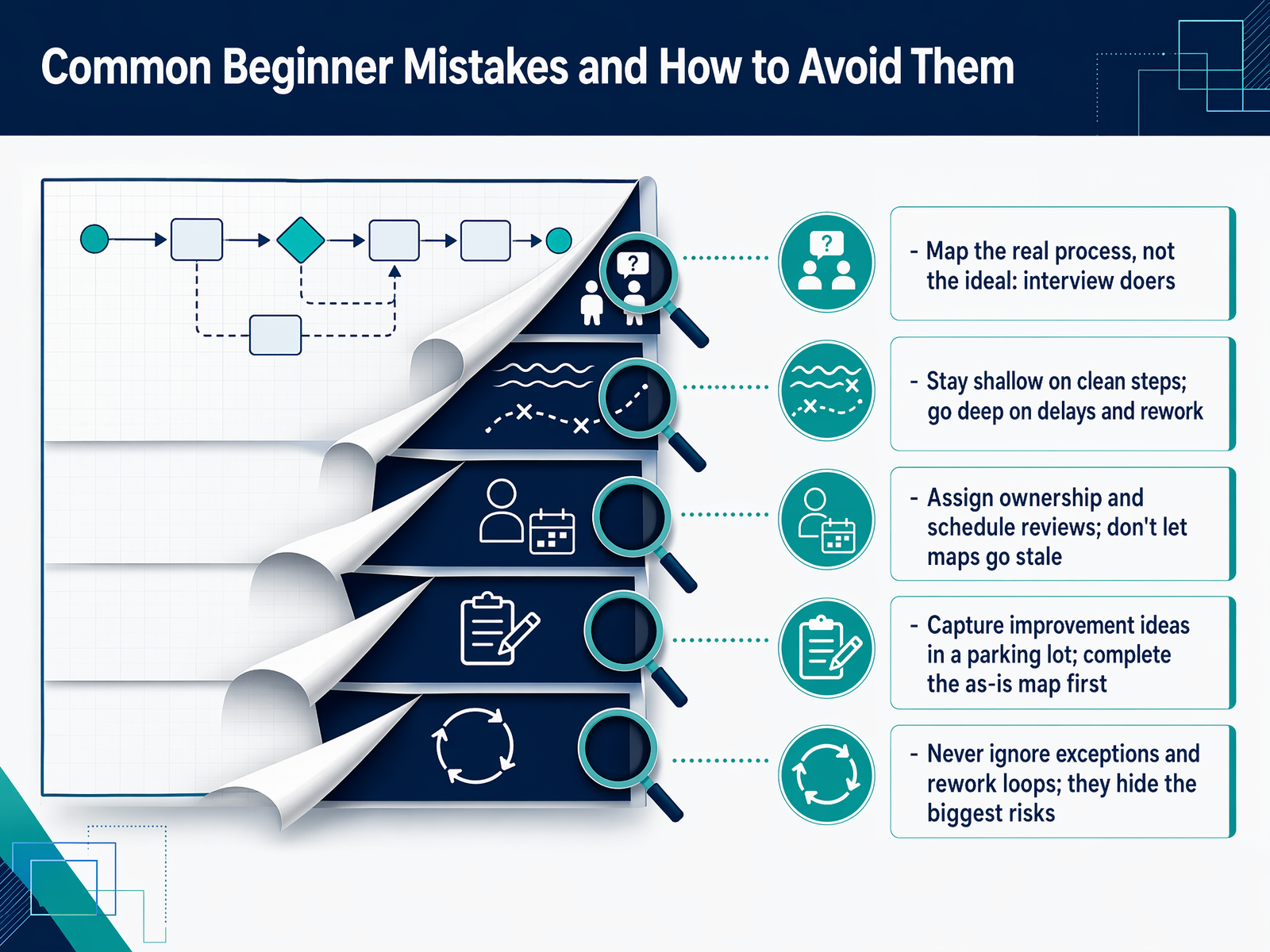
 - 11Common Beginner Mistakes and How to Avoid ThemLet's look at some common mistakes teams make when they first start mapping, so you can avoid them. The biggest one is mapping the ideal process instead of the real one. Interview the people who do the work daily. They know the workarounds, the skipped steps, and the informal checks that live outside the official procedure. If your map looks too clean, you are probably missing the real process. Another mistake is spending too much time on straightforward steps while glossing over delays and rework loops. Those are precisely where the biggest risks hide. Exceptions and rework loops are not distractions; they are usually the source of bottlenecks, errors, and hidden costs. Go deep where the process breaks down. It is also common to jump straight into problem-solving during the session. When someone says 'we should fix this,' capture the idea in a parking lot and keep the team focused on finishing the as-is map first. Trying to design the future state before you understand the current state leads to solving the wrong problem. Finally, many maps go stale. Assign a clear owner and schedule a review cadence. A map that sits in a folder for eighteen months creates more confusion than clarity. Keep it alive. Next, we will explore the tools and technology that support process mapping.
 signavio.comskills.visual-paradigm.comapfx.ai+22 min
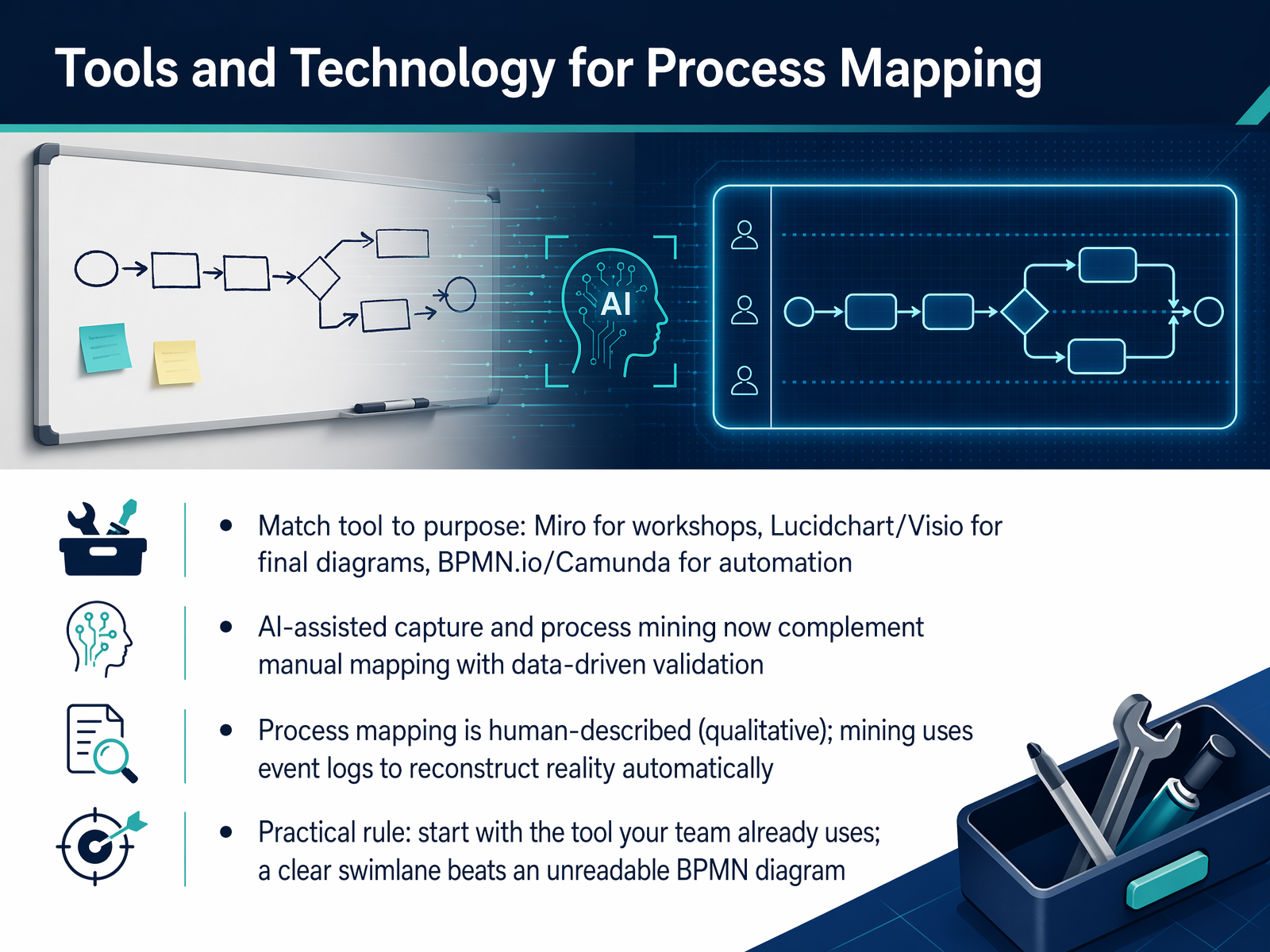
 - 12Tools and Technology for Process MappingNow let's talk about the tools and technology that support process mapping. The most important rule is to match the tool to your purpose. For collaborative workshops where you're discovering the as-is process, Miro is often the best fit because of its real-time canvas and sticky-note feel. When you need a clean, finalized diagram for documentation, Lucidchart or Visio work well. And if your map is heading toward automation, tools like BPMN.io or Camunda are designed to turn your diagram into executable workflow. But here's the practical rule: start with the tool your team already uses. A clear, readable swimlane diagram beats an unreadable BPMN diagram every time. It's also worth understanding where technology is headed. AI-assisted capture and process mining are now complementing manual mapping. Think of it this way: process mapping is human-described and qualitative. It captures why work happens. Process mining uses event logs from your systems to reconstruct what actually happened across thousands of cases. It's data-driven validation. Most mature operations programs use both. Mining finds the anomalies, and mapping helps you understand why they occur. Next, we'll move into practical application and how to select your first mapping project.
 apfx.aiasana.comzapier.com+22 min
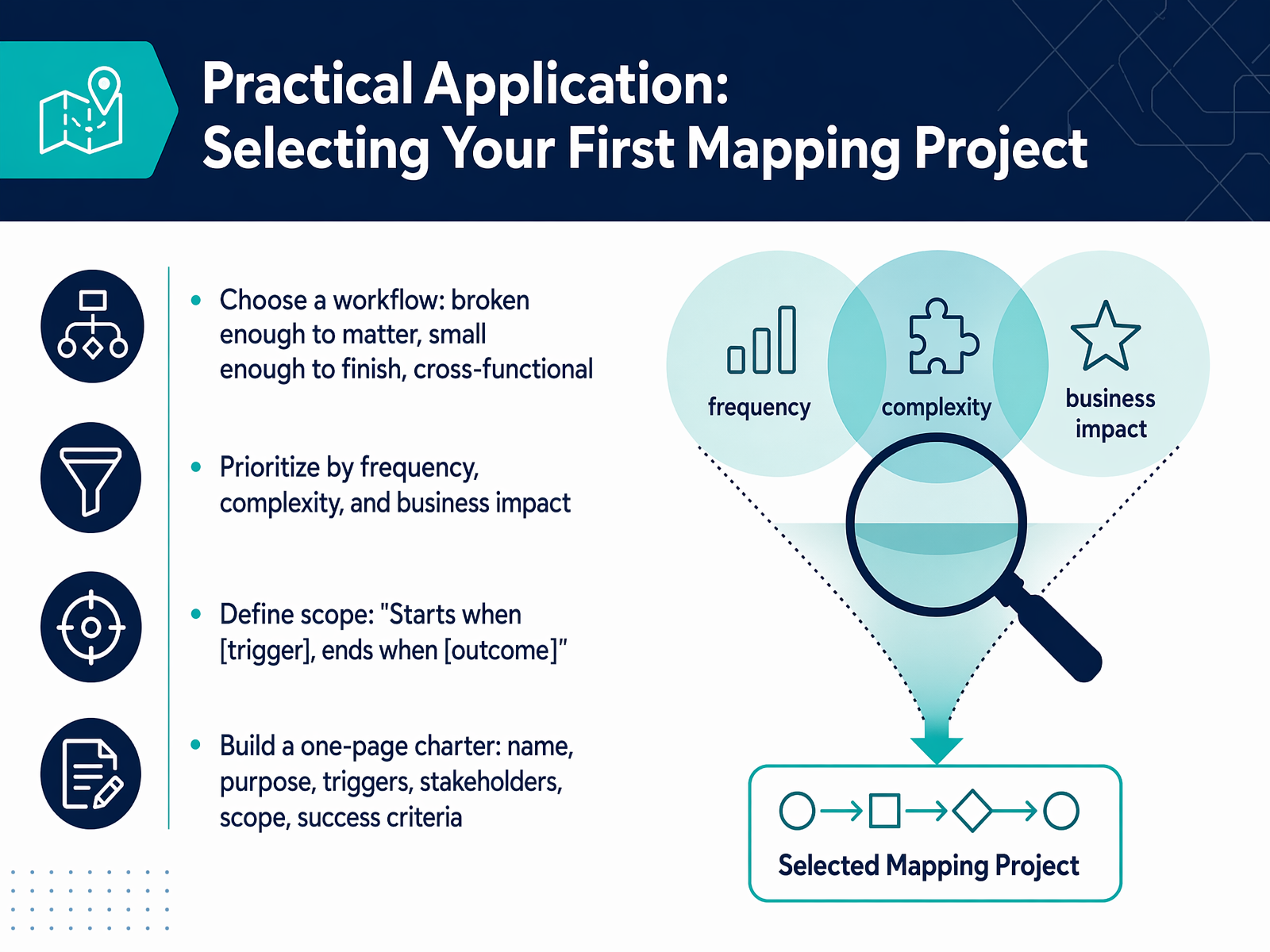
 - 13Practical Application: Selecting Your First Mapping ProjectNow let's talk about how to put this into practice by selecting your very first mapping project. Choosing the right one makes all the difference. You want a workflow that is broken enough to matter—something causing real pain—but small enough to finish. If it's too big, you'll get stuck. Also, make sure it's cross-functional, meaning it involves handoffs between teams, because that's where the real friction usually hides. Once you have a candidate, prioritize it by asking three questions: how often does it run, how complex is it, and what's the business impact if it fails? Then, define a clear scope. Use the trigger-to-outcome pattern. For example, 'Starts when a customer submits a return request, and ends when the refund is confirmed.' Finally, build a simple one-page charter. It doesn't need to be fancy. Just capture the project name, its purpose, the trigger, the key stakeholders, the scope you just defined, and your success criteria. This document becomes your team's contract, preventing scope creep before it starts. Coming up next, we'll look at a thirty-day action plan to keep your momentum going after the training.
 sc.eduaits.uillinois.eduwww3.designindaba.com+22 min
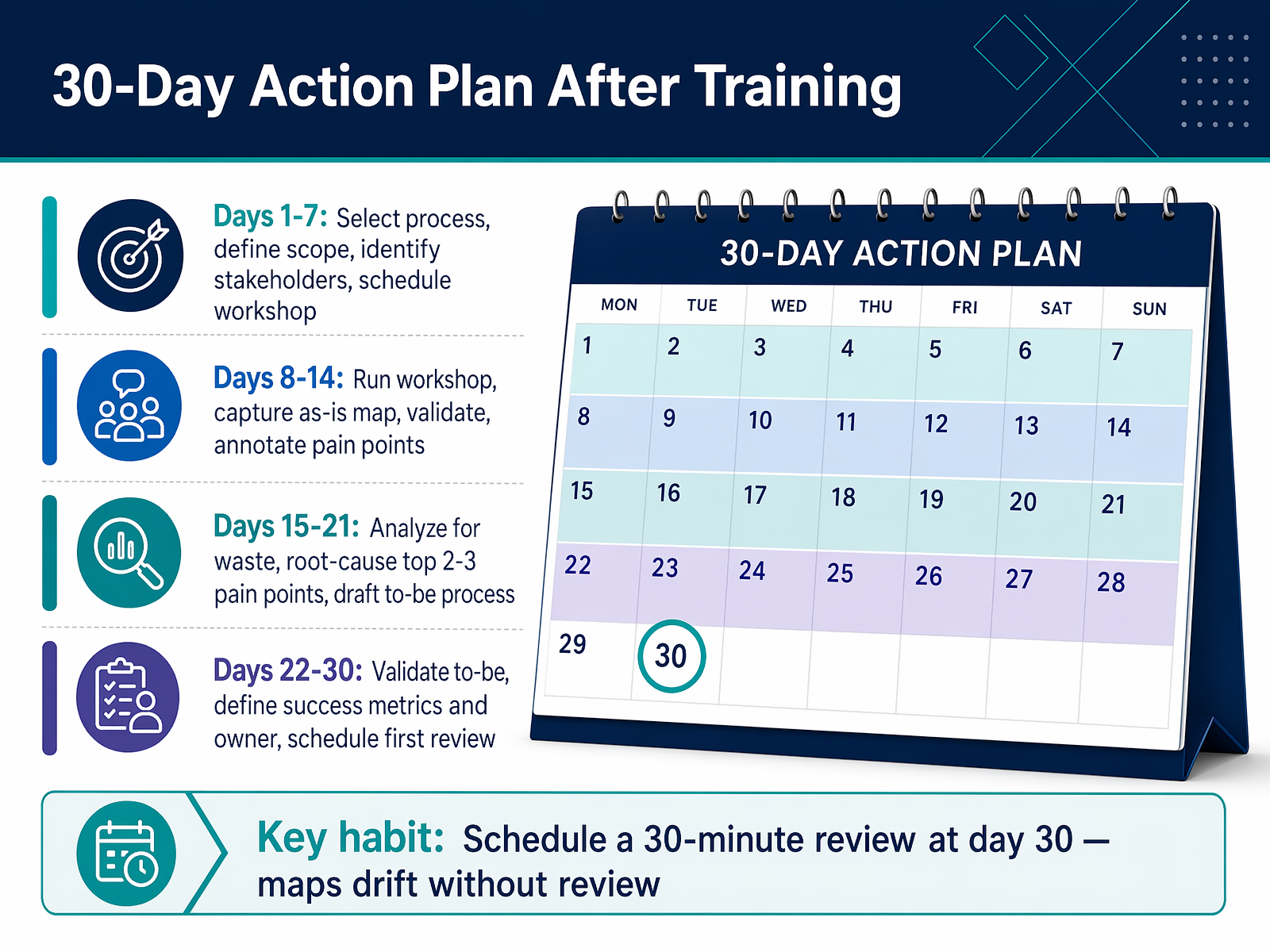
 - 1430-Day Action Plan After TrainingSo, how do you make sure your new mapping skills don't gather dust? Let's walk through a practical thirty-day action plan. In the first week, select a real process, define its scope, identify the right stakeholders, and schedule the workshop. During days eight through fourteen, run the workshop, capture the as-is map, validate it, and annotate the pain points. For the third week, analyze the map for waste, root-cause your top two or three pain points, and draft a to-be process. And in the final week, validate that to-be design, define success metrics and a process owner, and schedule your first review. The most critical habit is scheduling a thirty-minute review at day thirty. Maps drift without a regular review cadence. Now, let's look at the resources available to continue your learning and certification.
 processcamp.ioclearwork.ioblog.workhint.com+21 min
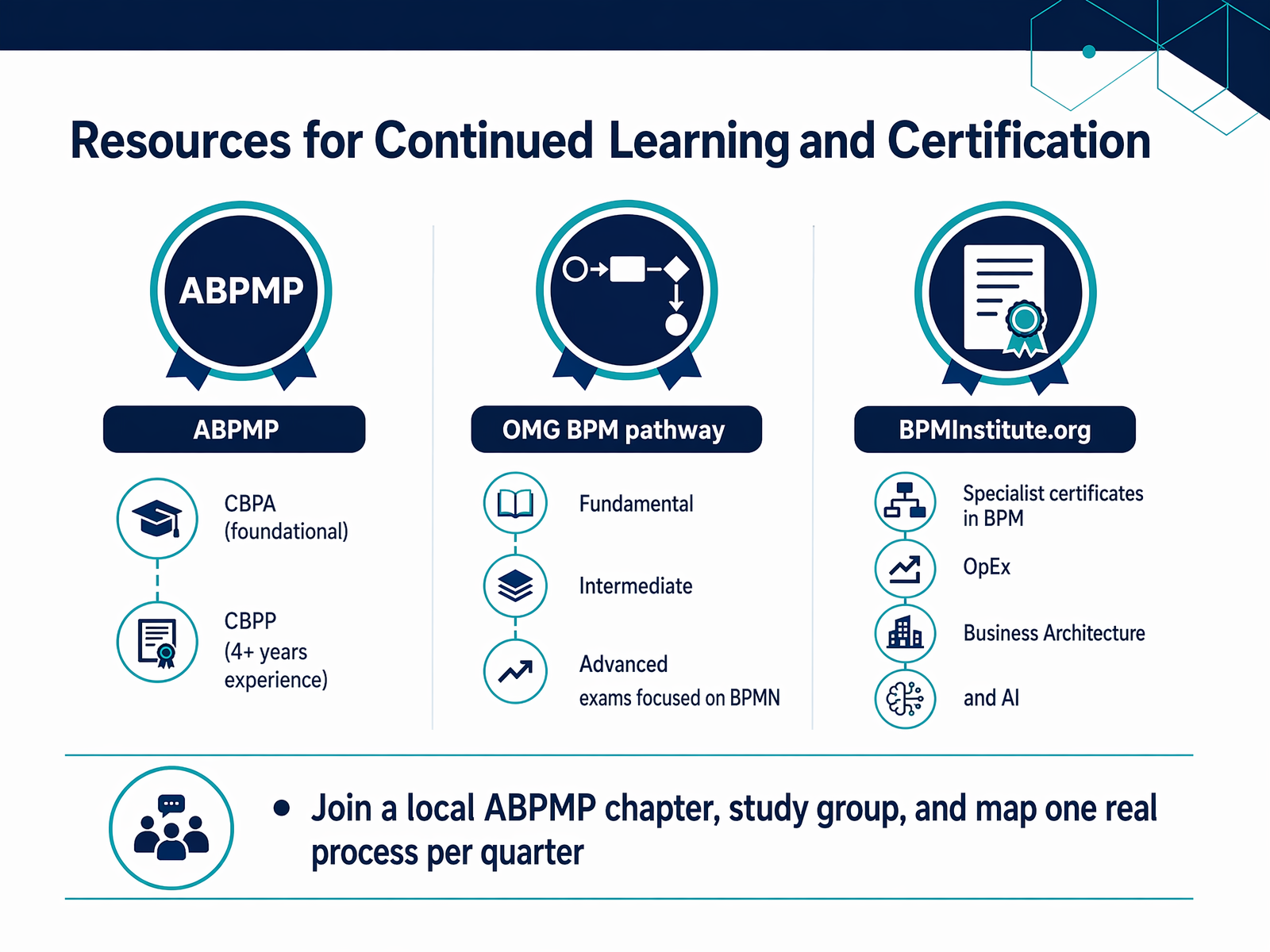
 - 15Resources for Continued Learning and CertificationSo, how do you take your mapping skills further? Let's look at the main certification paths and resources. First, from ABPMP, the Certified Business Process Associate, or CBPA, is the foundational credential. It's ideal if you have a degree or about a year of hands-on process work. The Certified Business Process Professional, or CBPP, is the next level. It requires a minimum of four years of documented experience and tests your practical application, not just the theory. Another path is the OMG BPM certification, which focuses specifically on BPMN modeling. It moves through Fundamental, Intermediate, and Advanced exams. If you want to specialize, BPMInstitute dot org offers certificate programs in areas like Operational Excellence, Business Architecture, and even applying AI to process work. Finally, don't overlook the power of community. Join a local ABPMP chapter, find a study group, and commit to mapping one real process from your own work every quarter. That consistent practice is what truly builds mastery. Now, let's wrap up with our course summary and key takeaways.
 2 min
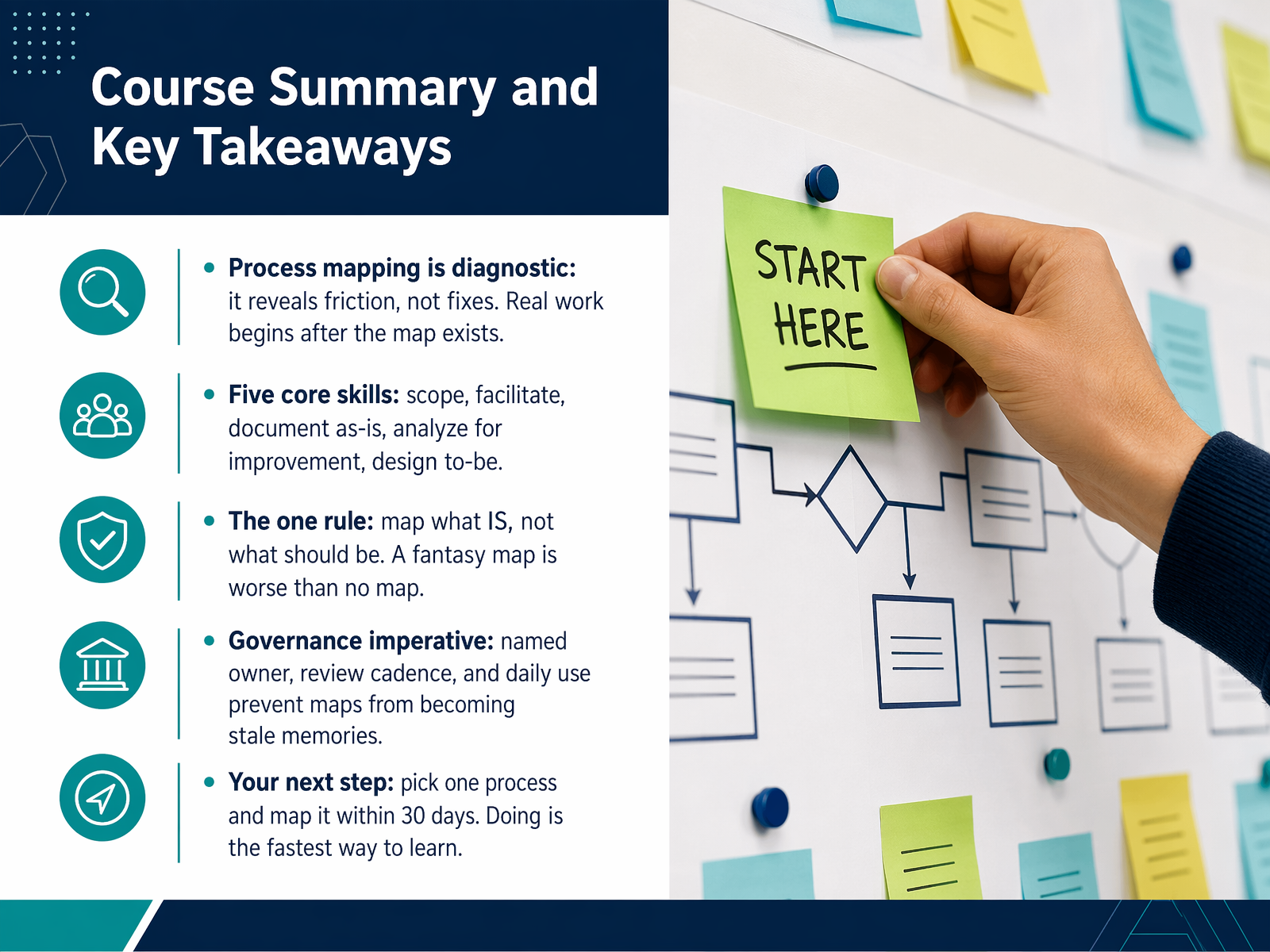
2 min - 16Course Summary and Key TakeawaysLet's pull everything together. Process mapping is diagnostic. It reveals friction, but it doesn't fix anything on its own. The real work begins after the map exists, when you decide which bottlenecks to attack first. We covered five core skills: scoping the process, facilitating a workshop with the people who do the work, documenting the as-is state, analyzing for improvement, and designing the future state. Remember the one rule: map what is, not what should be. A fantasy map is worse than no map at all. We also talked about governance. Every map needs a named owner, a regular review cadence, and daily use, otherwise it becomes a stale memory. Your next step is simple. Pick one process and map it within thirty days. Doing is the fastest way to learn. Thank you for joining this course. Now go make a workflow visible.
 apfx.aiasana.comzapier.com+22 min
Take the deck with you
Download this course as a file — free, no sign-up needed.
- PDF handoutEvery slide page, ready to print or share.17 pages · 4.0 MBDownload
- Narrated PowerPointThe deck that presents itself — every slide carries the digital human's narration video.17 pages · 18.0 MBDownload
- PowerPoint slidesThe full deck as a .pptx — open it in PowerPoint, Keynote, or Google Slides.17 pages · 3.7 MBDownload
Free to use in your own training — please keep the PersonWise credit page at the end.
Have your own deck? Turn it into a course
Sources consulted
Web sources consulted while building this course.
- Process Mapping for Operations Teams: A Practical Guide | APFX — apfx.ai
- What Is Process Mapping? Steps, Types, Examples & Template [2026] — asana.com
- Process mapping: Definition, examples, & guide | Zapier — zapier.com
- Process Map Guide: Steps, Examples, and How to Create One — monday.com
- Process Mapping: How to Map Business Processes? - SAP Signavio — signavio.com
- 1. BACKGROUND — sc.edu
- Charter How‐to Guide — aits.uillinois.edu
- Project Charter Template - Business Plan Templates — www3.designindaba.com
- Free Project Charter Template + Guide & Examples — learnsixsigma.co.uk
- Free Project Charter Template Exel Template » Learn Lean Sigma — learnleansigma.com
- How to Facilitate Successful Process Mapping Sessions — bpminstitute.org
- How To Facilitate Successful Process Mapping Sessions — h2kinfosys.com
- How to Run a Process Discovery Workshop - DEV Community — dev.to
- The Process Governance Playbook — processcamp.io
- Process Documentation Best Practices for 2026: AI Automation, Governance Models & Real-Time Updates — clearwork.io
- Process Governance Framework: How To Keep Workflows Owned, Reviewed, And Improving - The Workhint Blog — blog.workhint.com
- The Operations Manager Guide to Process Documentation: Building the Backbone of Operational Excellence | ProcessReel | ProcessReel — processreel.com
- Process Documentation Guide 2026: Workflows + Screenshots — screensnap.pro
- Process Mapping Mistakes — signavio.com
- BPMN Mistakes to Avoid — skills.visual-paradigm.com