Begin
14 pages · ~28 min
ServiceNow Knowledge Management Essentials
Learn ServiceNow Knowledge Management concepts, purpose, and practical examples in this training designed for users seeking to understand and apply knowledge management effectively.
A digital instructor presents all 14 pages. Hold “Ask” at any point and ask out loud — the answer comes from this course. No sign-up needed.
What you’ll learn
- 01Knowledge Management in ServiceNow: Concepts, Purpose, and ExamplesWelcome. This session is about Knowledge Management in ServiceNow, and here is the promise. We will explain the core concepts, connect knowledge management to real outcomes like ticket deflection, walk through the article lifecycle, and use practical examples from daily work. The scope is ServiceNow knowledge management for knowledge base owners, service desk staff, reviewers, and internal trainers. Here is the agenda. Concepts, purpose, features, lifecycle, governance, finding knowledge, and worked examples. Four guiding questions will frame everything we cover. First, where does knowledge live. Second, who owns it. Third, who reviews it. And fourth, how is it found when someone needs it. Keep those four questions in mind. They map directly to the concerns you deal with, like stale content, inconsistent tagging, and articles nobody can locate. Let us start with the building blocks.servicenow.comservicenow.comkminsider.com+21 min
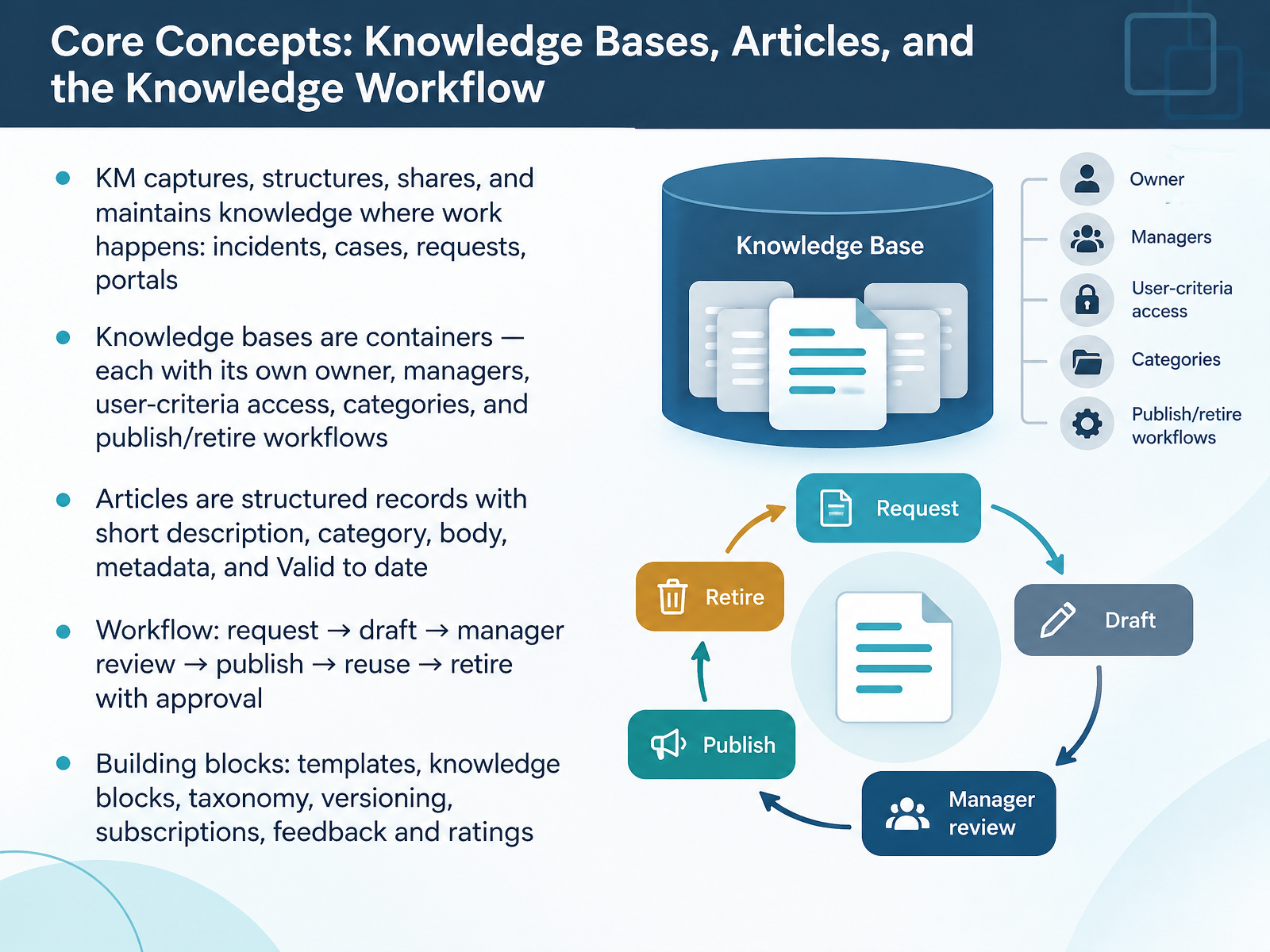
- 02Core Concepts: Knowledge Bases, Articles, and the Knowledge WorkflowLet's start with the building blocks you work with every day. Knowledge Management captures, structures, shares, and maintains knowledge right where the work happens: incidents, cases, requests, and portals. Think of knowledge bases as containers. Each one has its own owner, managers, user-criteria access, categories, and publish or retire workflow. So your HR base and your IT base can follow different rules. Articles are structured records. They carry a short description, a category, a body, metadata, and a Valid to date that drives your review cycle. The workflow runs from request to draft, then manager review, publish, reuse, and retire with approval. Around that, you have templates, knowledge blocks, taxonomy, versioning, subscriptions, and feedback and ratings. Next, we look at why this structure actually matters to your service desk.
 servicenow.comservicenow.comkminsider.com+22 min
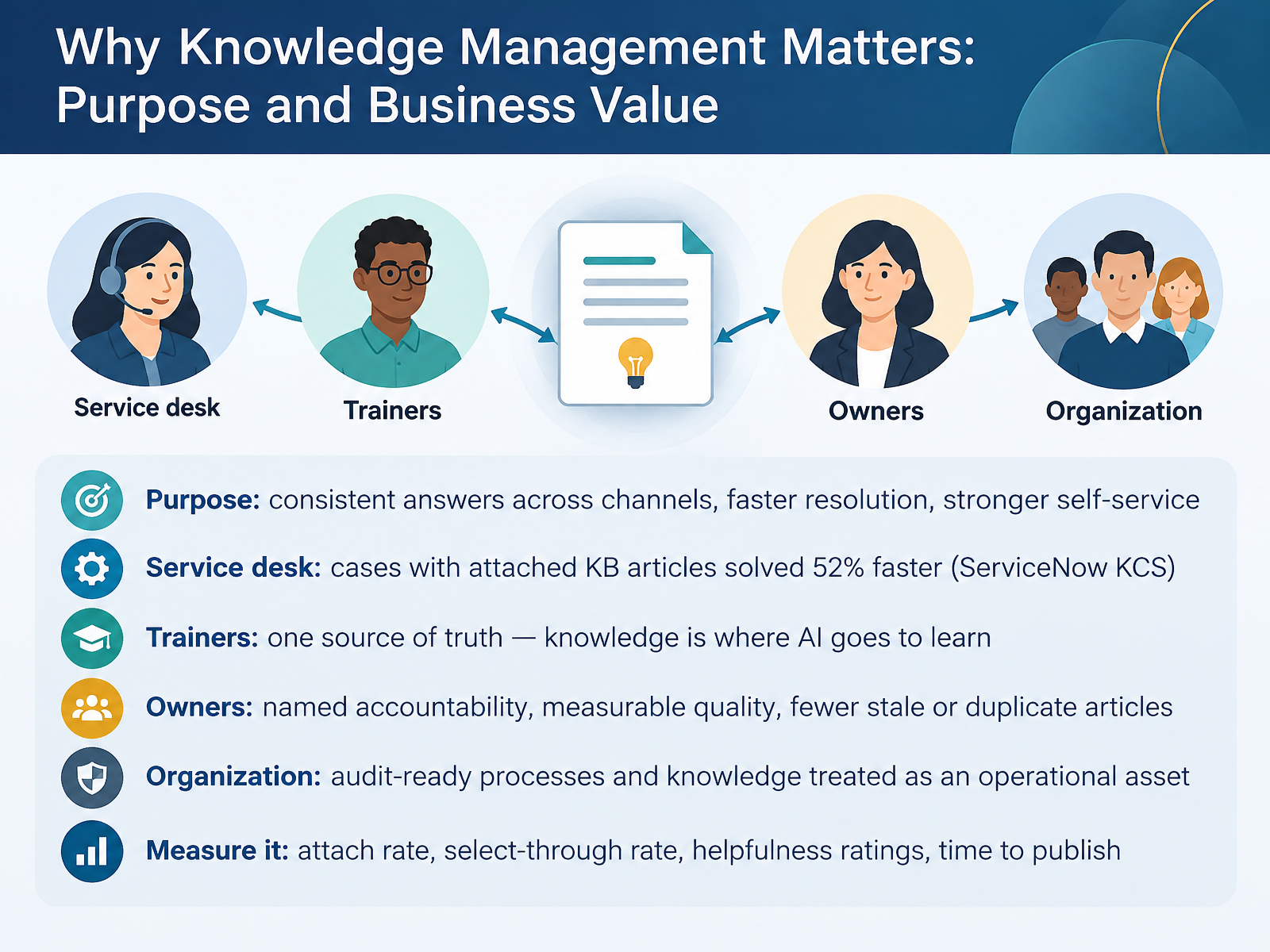
- 03Why Knowledge Management Matters: Purpose and Business ValueLet's look at why knowledge management matters, in business terms. The purpose is consistent answers across channels, faster resolution, and stronger self-service. Consider the service desk first. In ServiceNow's own KCS case study, cases with a knowledge article attached were solved fifty two percent faster. That number comes from real behavior, so if attach rate in your instance is low, that's the first fix worth making. For trainers, the value is one source of truth. Knowledge is where AI goes to learn, so weak articles produce weak AI answers. For owners, it's named accountability. Clear ownership and regular review mean measurable quality and fewer stale or duplicate articles. At the organization level, you get audit-ready processes and knowledge treated as an operational asset. Measure it with attach rate, select-through rate, helpfulness ratings, and time to publish. Two cautions: a published article nobody trusts won't deflect tickets, and inconsistent tagging quietly undermines search. Next, we'll walk through key ServiceNow Knowledge features at a glance.
 servicenow.comservicenow.commjbtech.com+22 min
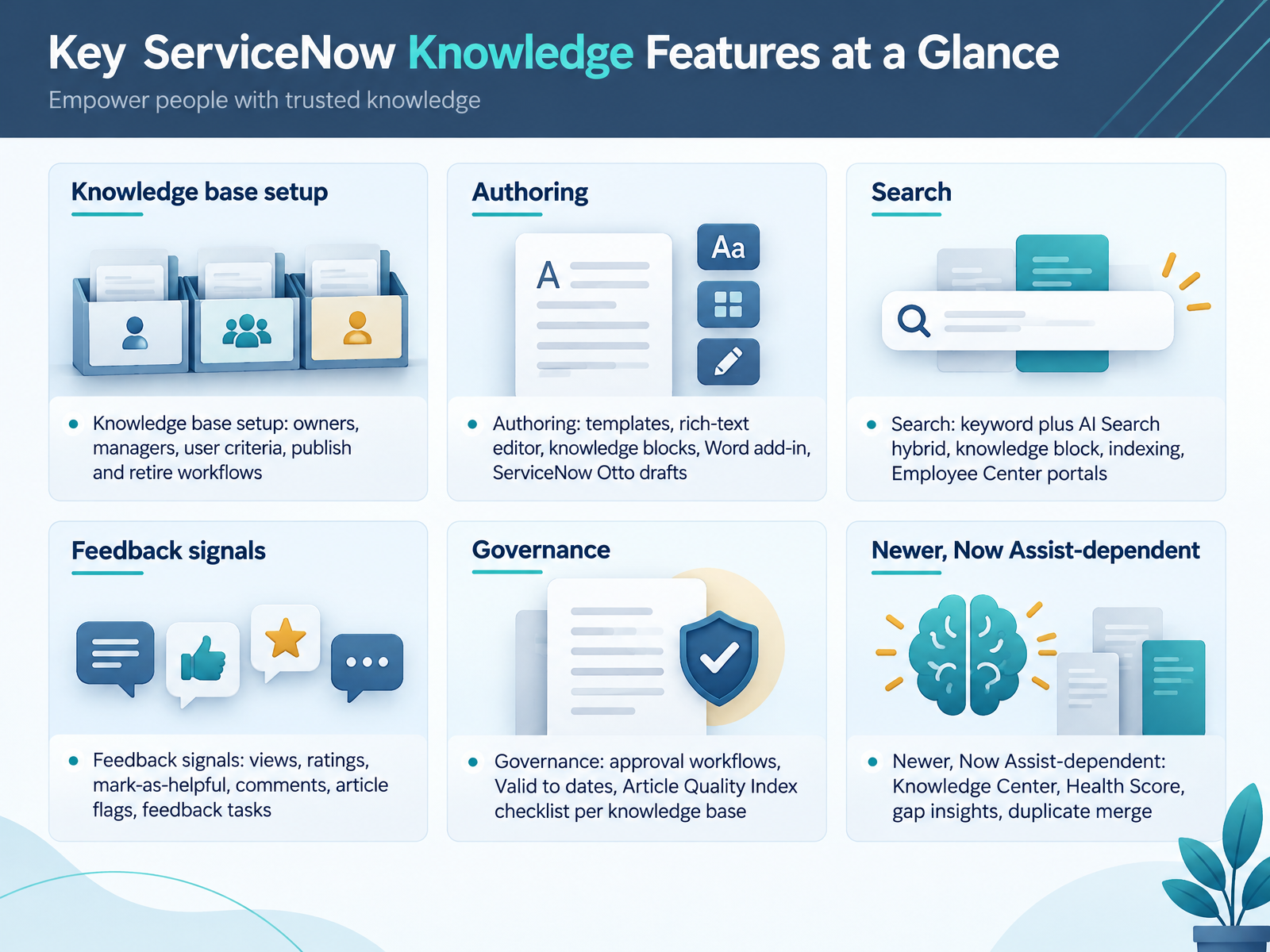
- 04Key ServiceNow Knowledge Features at a GlanceLet's walk through the features you'll actually touch. Setup happens at the knowledge base level. You assign an owner, managers, and user criteria for read and contribute access. Then you pick a publish workflow and a retire workflow, either instant or approval-based, per knowledge base. For authoring, you get templates, a rich-text editor, reusable knowledge blocks, a Word add-in, and Otto drafts. Search blends keyword with AI Search, and knowledge blocks are indexed too. Feedback signals include views, ratings, mark-as-helpful, comments, flags, and the feedback tasks they trigger. Governance covers approval workflows, Valid to dates, and an Article Quality Index checklist per knowledge base. The newer, Now Assist-dependent tools are Knowledge Center, Health Score, gap insights, and duplicate merge. Treat those as a phase two. Next, we'll follow the article lifecycle in practice: draft, review, publish, maintain.
 servicenow.comucsdservicedesk.service-now.comservicenow.com+22 min
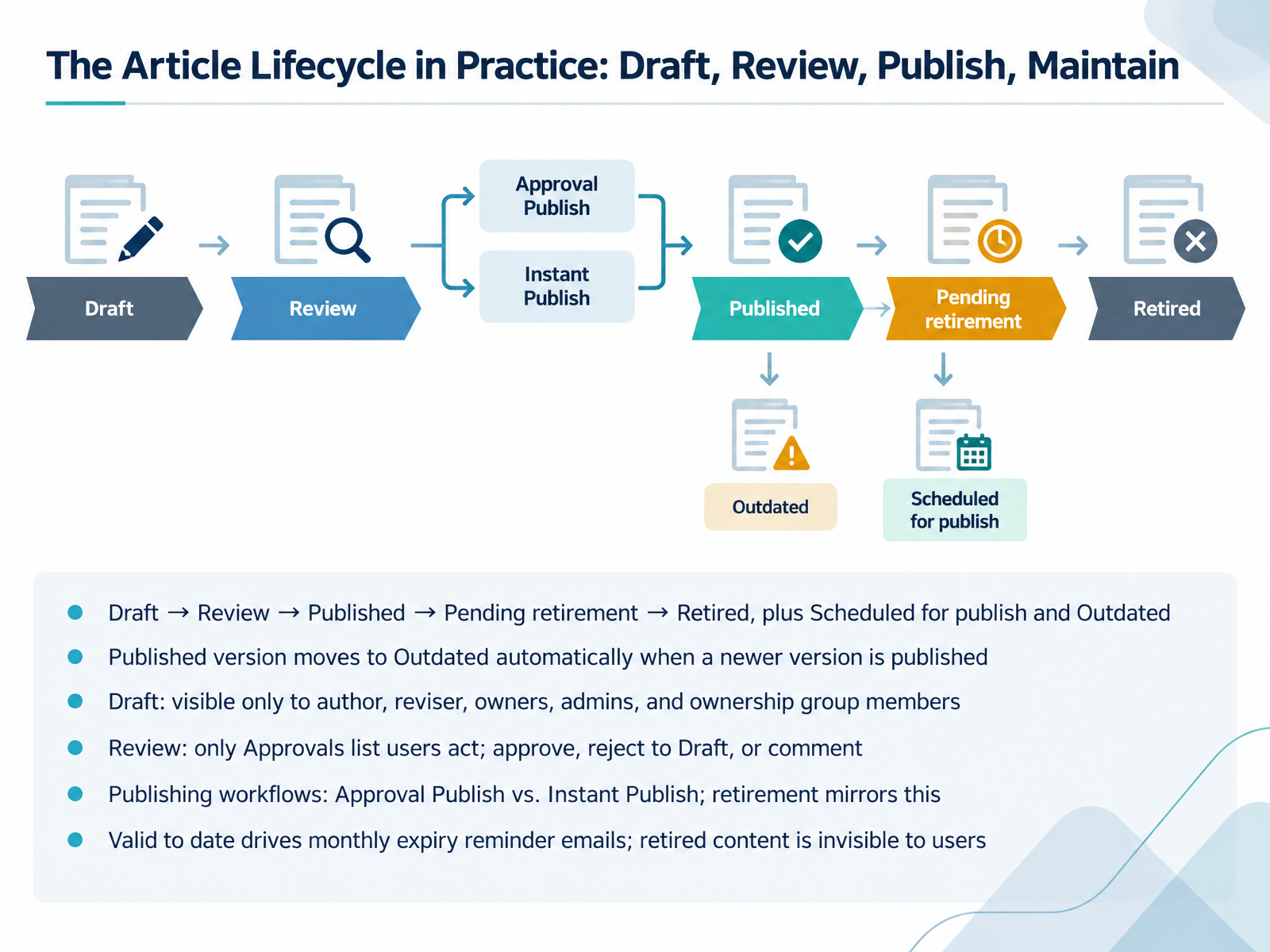
- 05The Article Lifecycle in Practice: Draft, Review, Publish, MaintainNow let's walk through the article lifecycle as it actually plays out. An article moves from Draft to Review to Published, then to Pending retirement, and finally Retired. Two states sit alongside that path: Scheduled for publish, and Outdated. Keep the Outdated state in mind. When you publish a newer version, the previous published version flips to Outdated automatically. Readers can still open it, but it is no longer the current version. In Draft, visibility is tight. Only the author, the reviser, knowledge base owners, admins, and ownership group members can see it. In Review, only the users on the Approvals list can act. They approve, reject back to Draft, or comment. Which path you take depends on the knowledge base workflow. Approval Publish sends the article to a manager first. Instant Publish makes it live right away. Retirement follows the same pattern, so Approval Retire or Instant Retire. The Valid to date drives monthly expiry reminder emails, which land on the first day of each month. Retired content disappears from user searches, though admins and knowledge admins can still view and republish it. Next, we look at Governance and Roles: Who Owns, Reviews, and Approves Knowledge.
 servicenow.comucsdservicedesk.service-now.comservicenow.com+22 min
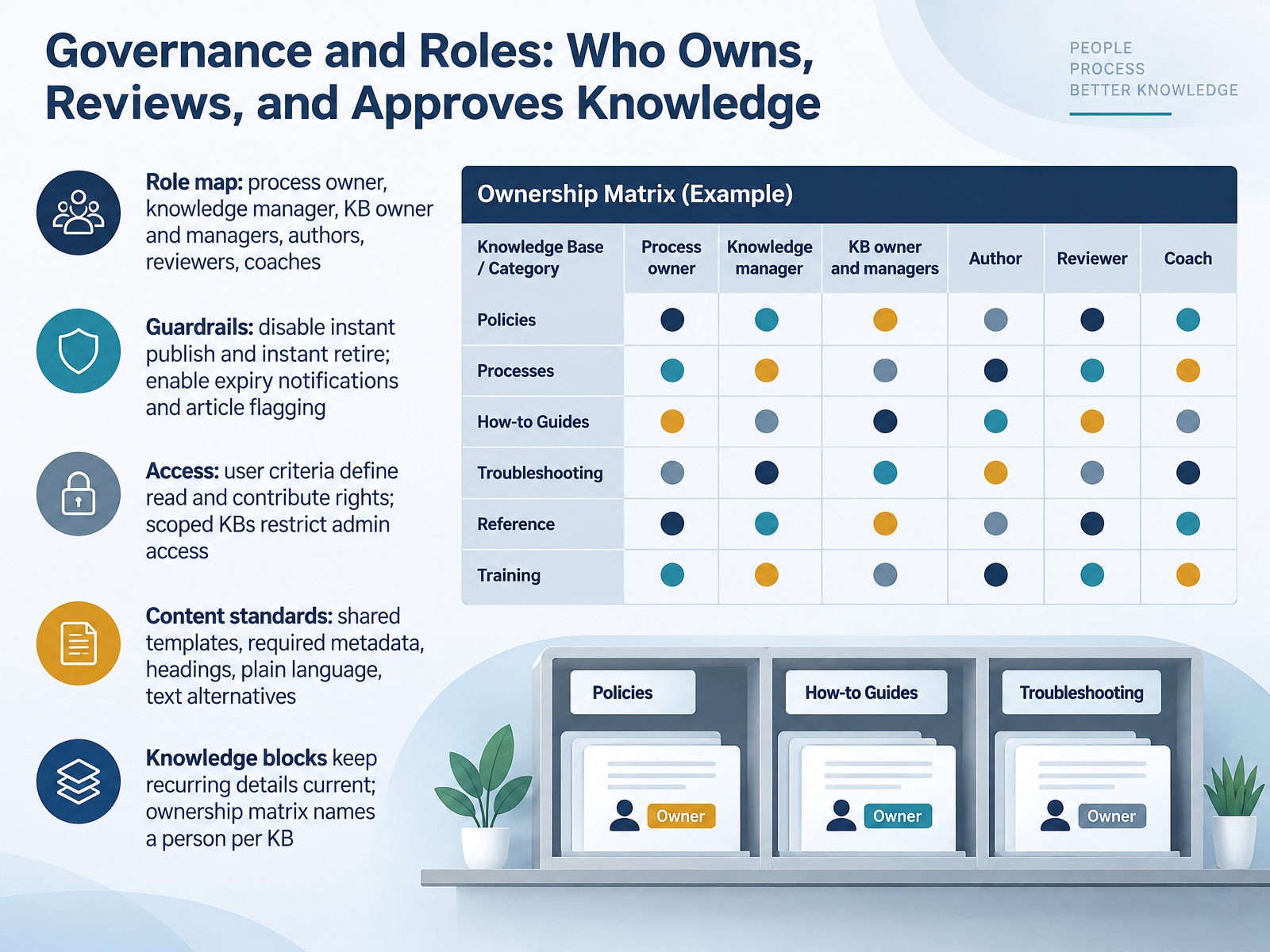
- 06Governance and Roles: Who Owns, Reviews, and Approves KnowledgeNow let's look at governance. Who owns knowledge, who reviews it, and who approves it. Start with the role map. The process owner is accountable for the process overall. The knowledge manager approves, publishes, and keeps articles current. Below them sit knowledge base owners and managers, then authors, reviewers, and coaches. One rule matters most. Put a name on every knowledge base in your ownership matrix, not a team. Then set the guardrails. Turn off instant publish and instant retire, so nothing goes live or disappears without review. Turn on expiry notifications and article flagging, so stale content gets caught before users find it. Next, access. User criteria define who can read and contribute. Scoped knowledge bases restrict admin rights to application admins. Finally, content standards. Shared templates, required metadata, real headings, plain language, and text alternatives for images and video. And use knowledge blocks for recurring details like support hours, so one update corrects every article. Next, we'll cover content quality and review practices that hold up over time.
 servicenow.comservicenow.comservicenow.com+22 min
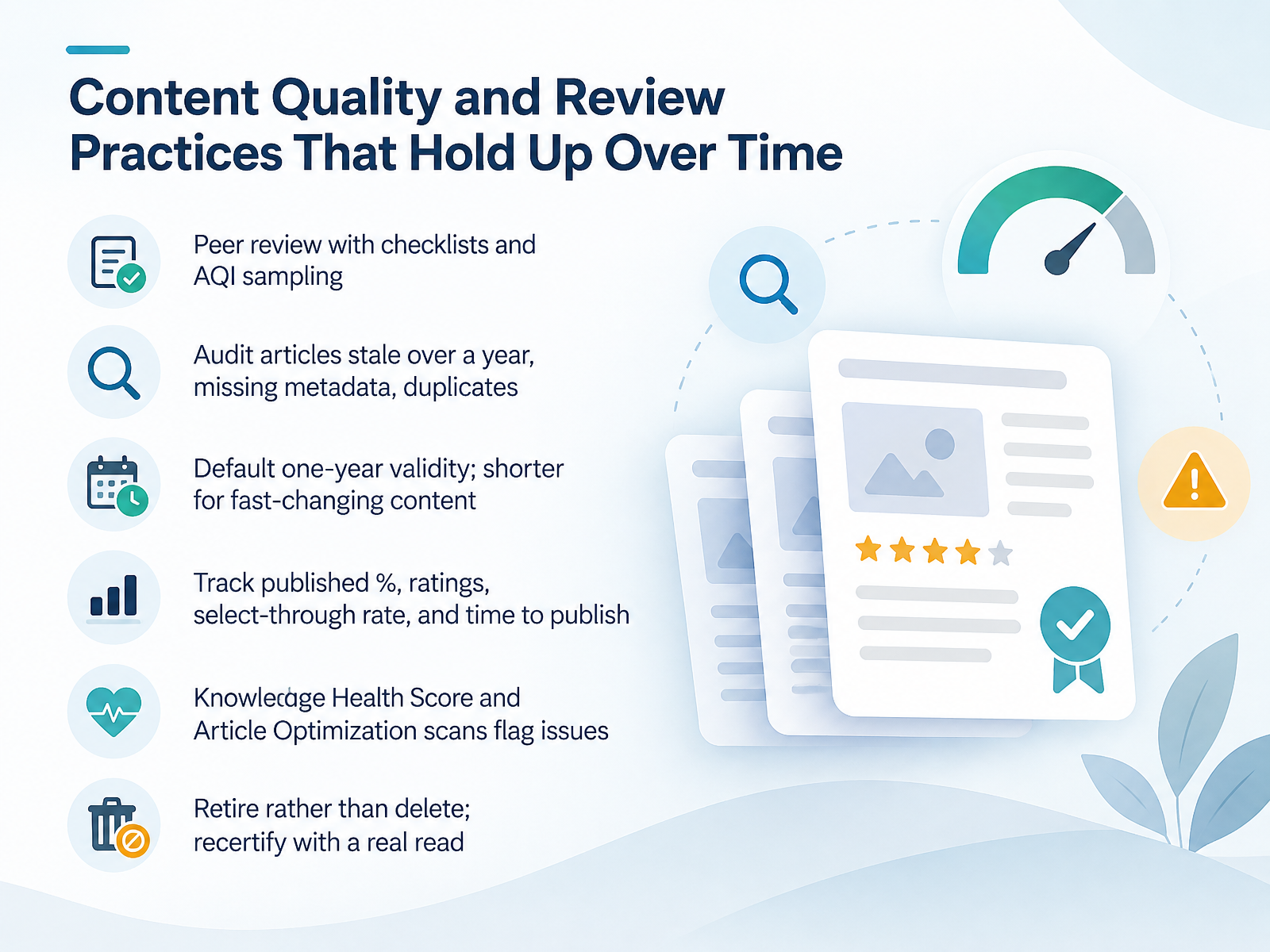
- 07Content Quality and Review Practices That Hold Up Over TimeLet's talk about keeping content quality steady over time. Start with peer review. Use a short checklist, and sample articles with the Article Quality Index so reviewers aren't guessing. Then run an audit. Flag articles that haven't been updated in over a year, articles missing metadata, and duplicates. Set a default validity of one year, and shorten it for fast-changing content like product steps or policy changes. Track a few numbers: percent published, average rating, select-through rate, and time to publish. The Knowledge Health Score and Article Optimization scans will surface issues for you. One important habit: retire articles instead of deleting them, and recertify with a real read, not a checkbox. That's what keeps trust in the base. Next, we'll look at finding and using knowledge during support work.
 servicenow.comservicenow.comkminsider.com+22 min
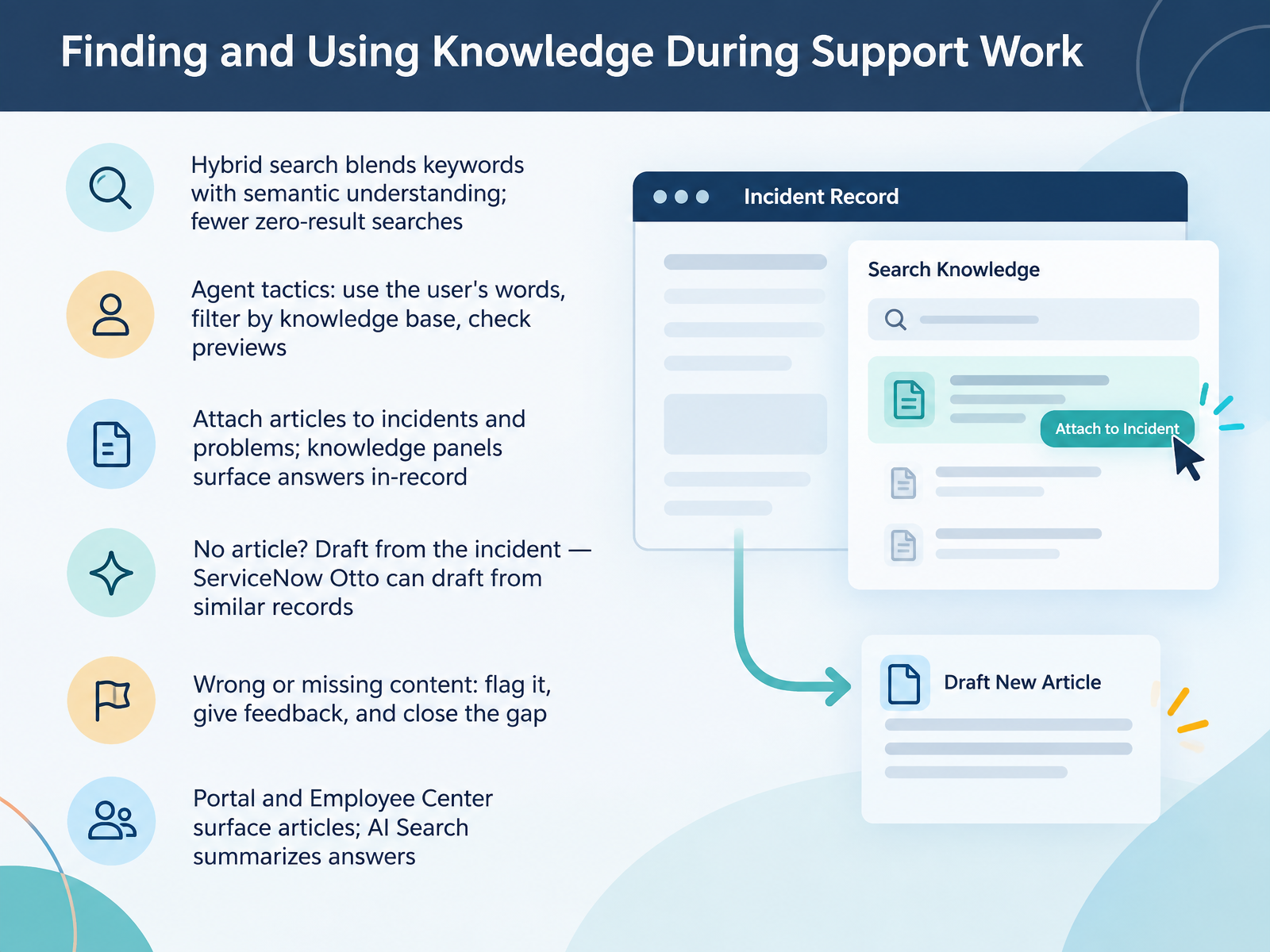
- 08Finding and Using Knowledge During Support WorkLet's move on to finding and using knowledge during support work. Hybrid search blends keywords with semantic understanding, so you get fewer zero-result searches. As an agent, try using the user's own words as your query. Filter by knowledge base to narrow results. And check the preview before you open an article. When you find the right one, attach it to the incident or problem. Knowledge panels also surface answers right inside the record. If no article exists, draft one from the incident. ServiceNow Otto can draft from similar records. If content is wrong or missing, flag it and give feedback. That is how you close the gap. On the portal and Employee Center, AI Search summarizes answers for users. Quick takeaway: search smart, attach what helps, and flag what doesn't. Next, we'll walk through a worked example, from recurring incident to published resolution article.
 servicenow.comservicenow.comservicenow.com+22 min
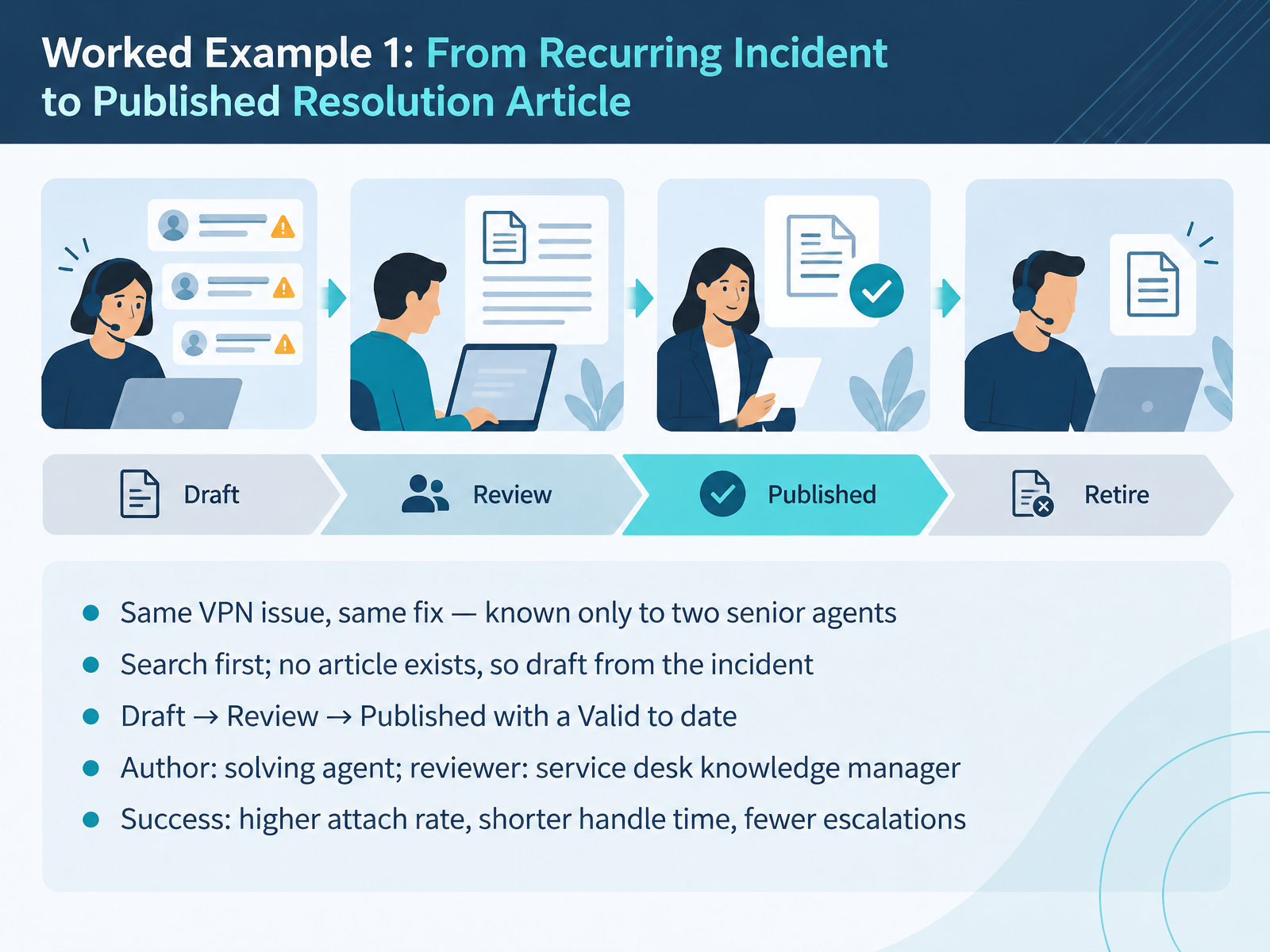
- 09Worked Example 1: From Recurring Incident to Published Resolution ArticleLet us walk through a worked example. A recurring VPN issue keeps coming in, with the same fix every time. Only two senior agents know it. So first, search the knowledge base. No article exists. Now draft one directly from the incident record. The solving agent is the author. The service desk knowledge manager reviews it. Then it moves from Draft to Review to Published, with a Valid to date set so it gets rechecked. Watch the outcome. Higher attach rate of articles to tickets. Shorter handle time. Fewer escalations. Nothing dramatic, just the fix written down where the next agent can find it. Next, we look at Worked Example 2: A Service Desk Onboarding Knowledge Base for Trainers.
 servicenow.comservicenow.commjbtech.com+21 min
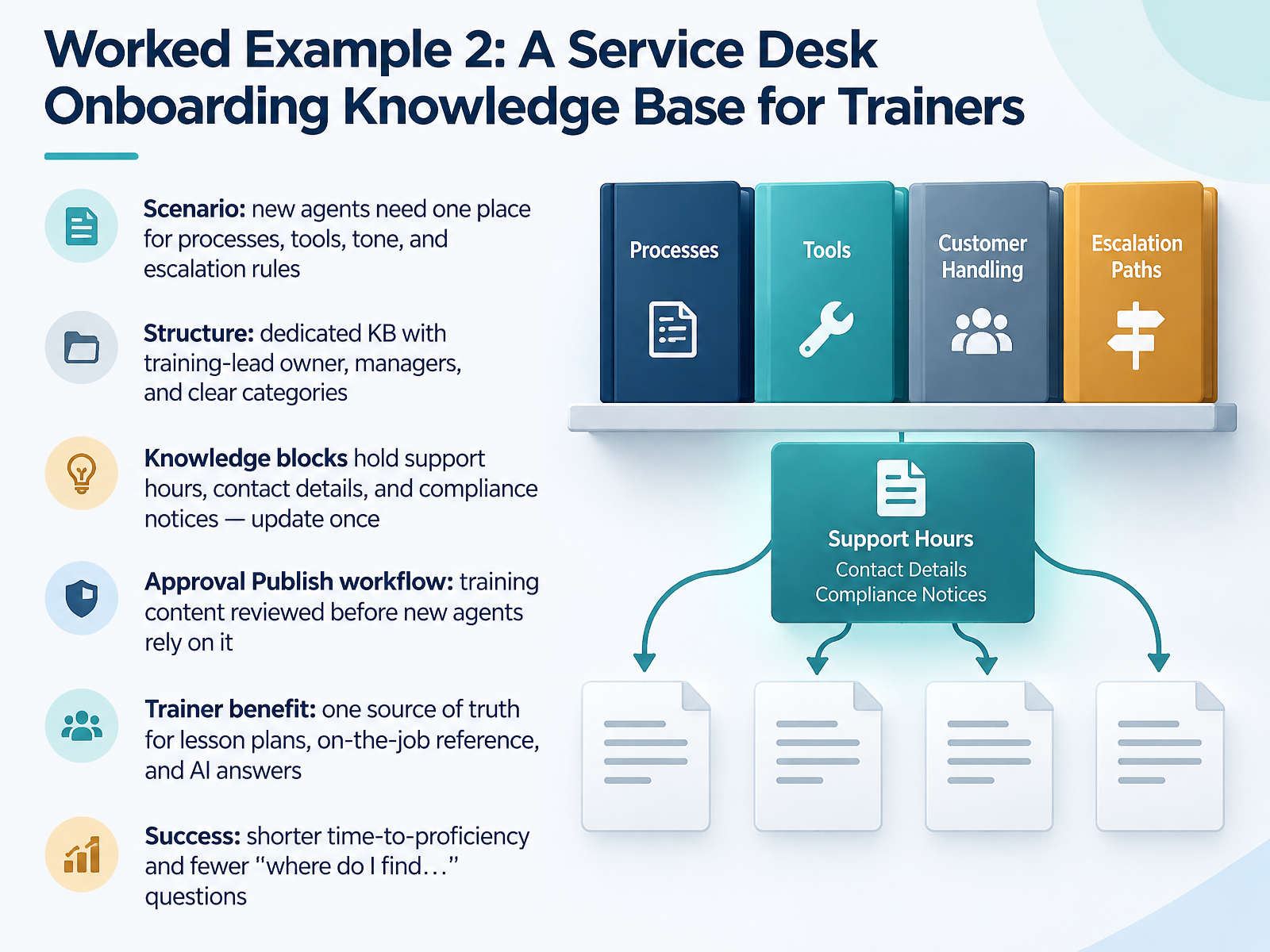
- 10Worked Example 2: A Service Desk Onboarding Knowledge Base for TrainersOur second worked example is a service desk onboarding knowledge base, built for trainers. Here is the scenario. New agents need one place for processes, tools, tone, and escalation rules. So you create a dedicated knowledge base with the training lead as owner, managers as contributors, and clear categories. Pause here and map those categories to your own onboarding checklist. Next, use knowledge blocks for support hours, contact details, and compliance notices. You update the block once, and every article that references it stays current. Pause and confirm those blocks exist before new agents start. Then apply the Approval Publish workflow. Training content gets reviewed before new agents rely on it. For trainers, the payoff is one source of truth for lesson plans, on-the-job reference, and AI answers. Success looks like shorter time-to-proficiency and fewer where do I find questions. Next, we look at Worked Example 3: A User-Facing Article Improved by Feedback.
 servicenow.comservicenow.comkminsider.com+21 min
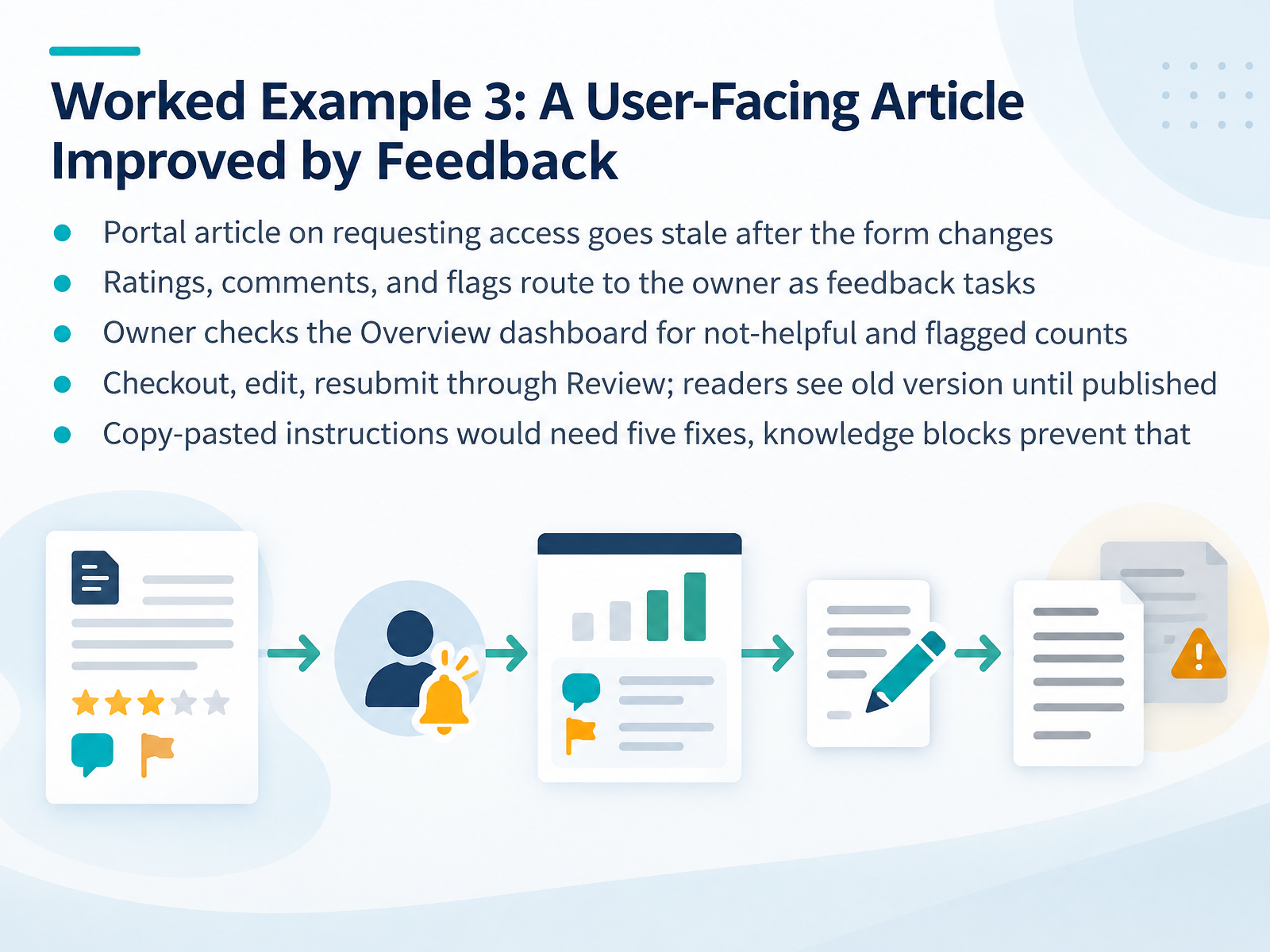
- 11Worked Example 3: A User-Facing Article Improved by FeedbackLet's walk through a feedback loop in practice. Say your portal has an article on requesting access, and the request form changes. The article goes stale, and readers start rating it poorly, leaving comments, or flagging it. Those ratings, comments, and flags route to the owner as feedback tasks. The owner opens the Overview dashboard and checks the not-helpful count and the flagged count for the last thirty days. That tells them it's worth fixing now, not next quarter. The owner then checks out the article, edits it, and resubmits it through Review. Readers keep seeing the old version until the new one is published. Here's the payoff. If those instructions were copy-pasted into several articles, you'd likely need five separate fixes. Using knowledge blocks, you update the block once and every article that references it stays current. Next, we'll look at a review-driven cleanup and retirement cycle.
 servicenow.comservicenow.comkminsider.com+22 min
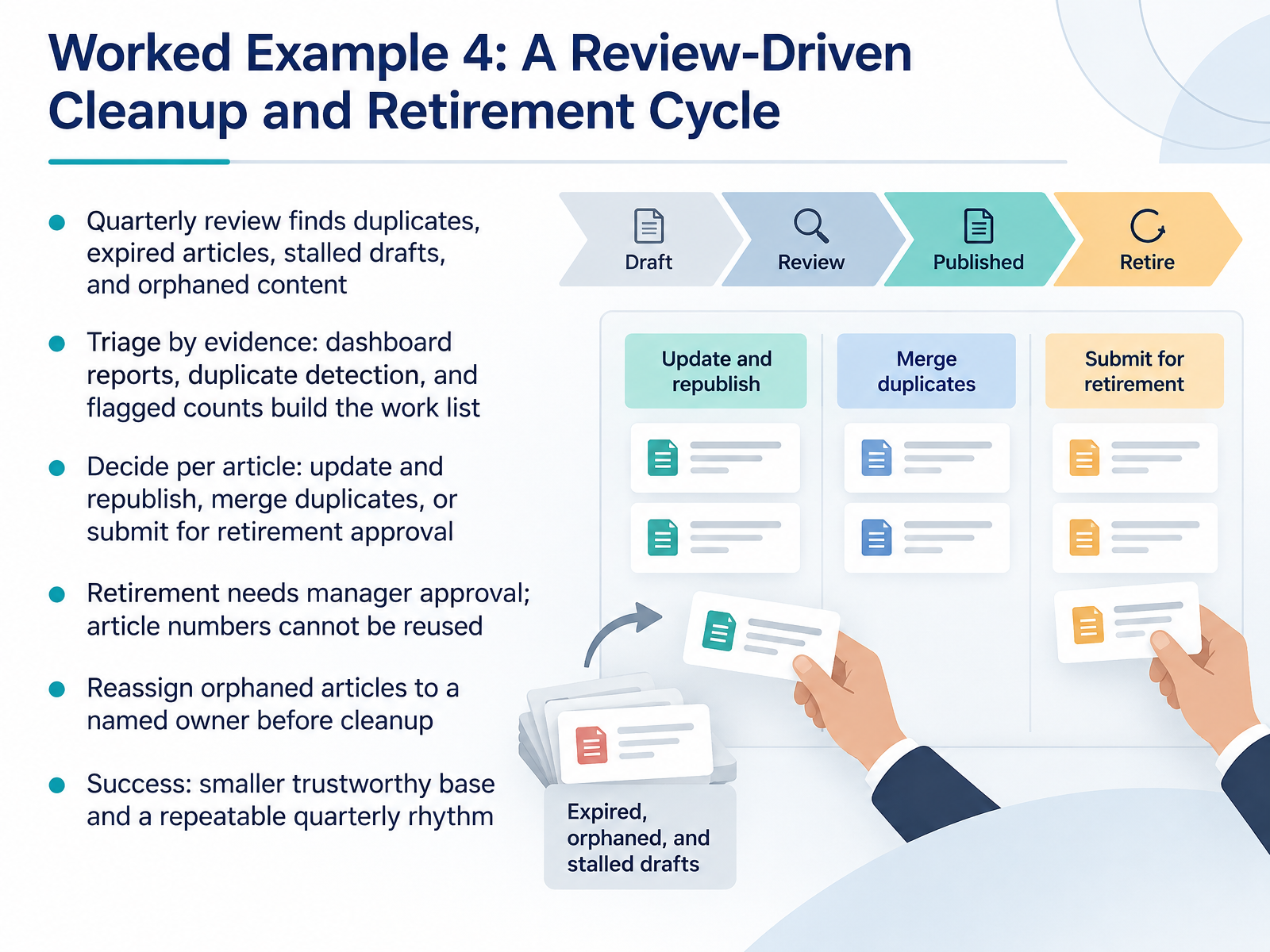
- 12Worked Example 4: A Review-Driven Cleanup and Retirement CycleLet's walk through a review-driven cleanup cycle. Each quarter, your review surfaces duplicates, expired articles, stalled drafts, and orphaned content. Start with evidence, not opinions. Pull dashboard reports, run duplicate detection, and count flagged articles to build your work list. Then decide per article. Update and republish it. Merge the duplicates. Or submit it for retirement approval. Retirement needs manager approval, and here is the detail people forget. Once an article number is retired, it cannot be reused. So confirm before you submit. For orphaned articles, reassign each one to a named owner before cleanup starts. No owner, no maintenance. Success looks modest but real. A smaller, trustworthy base and a repeatable quarterly rhythm. Next, we'll look at common pitfalls and practical first steps by role.
 servicenow.comucsdservicedesk.service-now.comservicenow.com+22 min
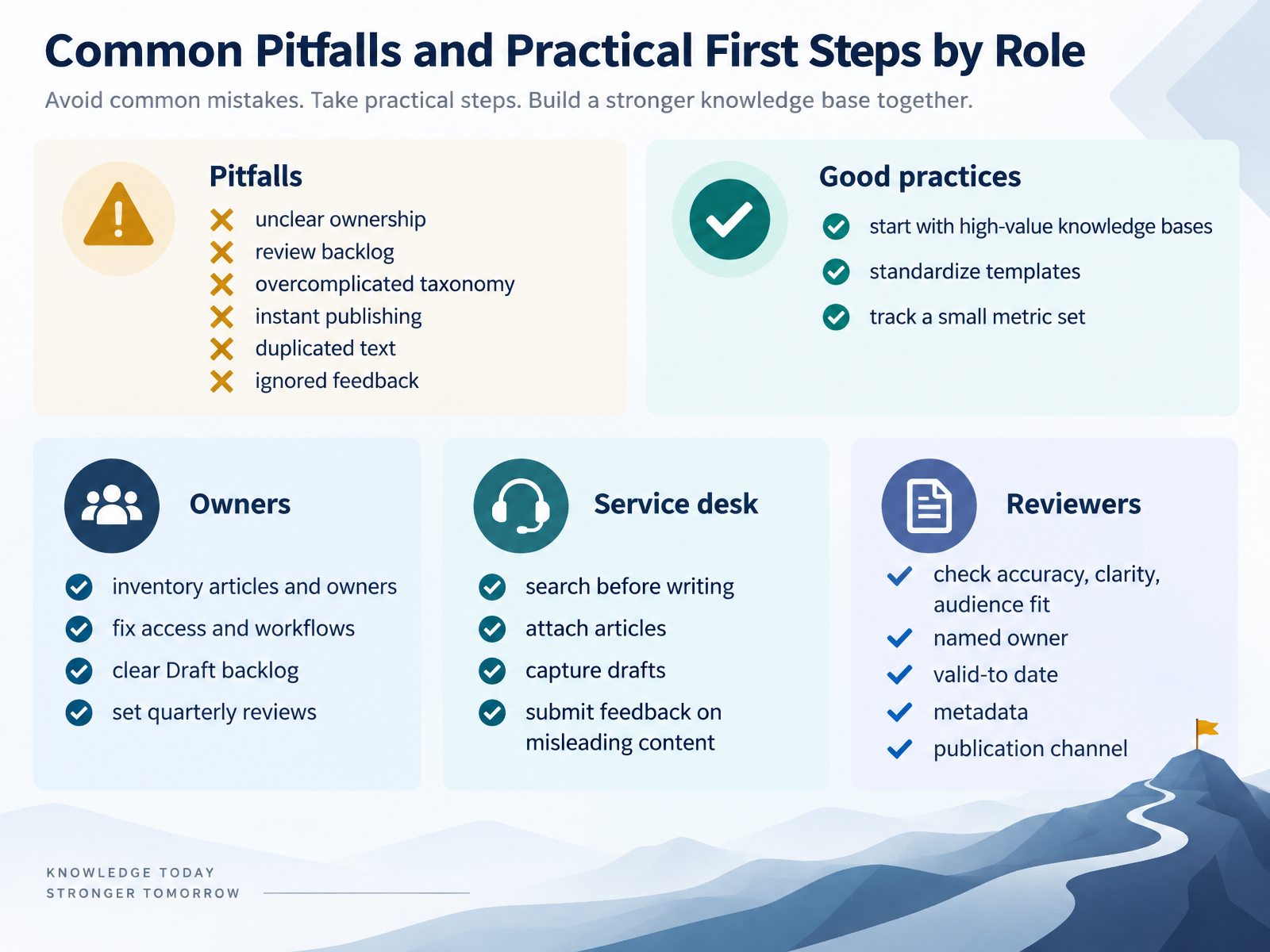
- 13Common Pitfalls and Practical First Steps by RoleLet's finish with the pitfalls you'll actually hit, and what each role can do about them this quarter. The usual suspects are unclear ownership, a review backlog, an overcomplicated taxonomy, instant publishing, duplicated text, and feedback nobody reads. You don't fix all of that at once. Start with high-value knowledge bases, standardize your templates, and track a small metric set, like freshness and not-helpful feedback. Now, by role. If you own a knowledge base, inventory articles and their owners, fix access and workflows, clear the Draft backlog, and set quarterly reviews. On the service desk, search before you write, attach articles to tickets, capture quick drafts, and flag misleading content. Reviewers, on every pass, check accuracy, clarity, audience fit, a named owner, the valid-to date, metadata, and the publication channel. Pick one item per role and start there. Next up: Key Takeaways, Knowledge Check, and Next Steps.
 servicenow.comservicenow.comservicenow.com+22 min
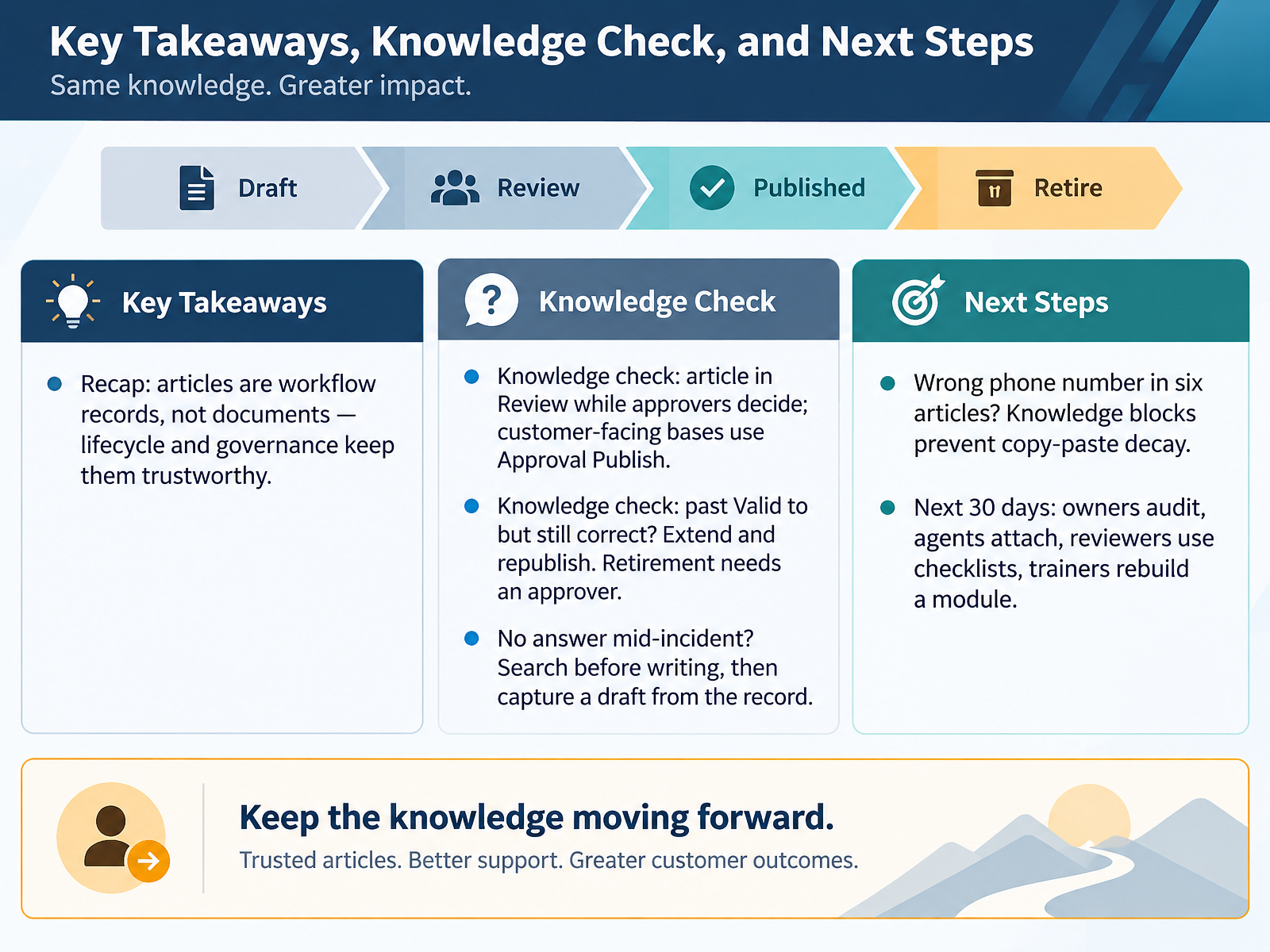
- 14Key Takeaways, Knowledge Check, and Next StepsLet's close by pulling this together. First, remember that articles are workflow records, not documents. The lifecycle and governance are what keep them trustworthy. In a knowledge check, if an article sits in Review while approvers decide, that is normal. Customer-facing bases use Approval Publish, so nothing goes live without a second look. Second, if an article is past its Valid to date but still correct, extend the date and republish it. Retirement needs an approver, so treat it as a decision, not a clean-up click. Third, when you hit a gap mid-incident and there is no answer, search before writing. Then capture a draft from the record, so the context comes with it. Fourth, if the same wrong phone number shows up in six articles, that is copy-paste decay. Knowledge blocks fix it once and update everywhere. So here is your next thirty days: owners audit their articles, agents attach knowledge to tickets, reviewers use the checklists, and trainers rebuild one module. Start with whichever is already in front of you. Thank you for your time today. Keep the content current, and your knowledge base will keep earning trust.
 servicenow.comucsdservicedesk.service-now.comservicenow.com+22 min
Take the deck with you
Download this course as a file — free, no sign-up needed.
- PDF handoutEvery slide page, ready to print or share.15 pages · 3.4 MBDownload
- Narrated PowerPointThe deck that presents itself — every slide carries the digital human's narration video.15 pages · 13.7 MBDownload
- PowerPoint slidesThe full deck as a .pptx — open it in PowerPoint, Keynote, or Google Slides.15 pages · 3.3 MBDownload
Free to use in your own training — please keep the PersonWise credit page at the end.
Have your own deck? Turn it into a course
Sources consulted
Web sources consulted while building this course.
- Exploring Knowledge Management — servicenow.com
- Knowledge Center - ServiceNow — servicenow.com
- ServiceNow Knowledge Management: Features, Pricing, and Alternatives (2026) — kminsider.com
- Knowledge Management dashboard — servicenow.com
- Explore ServiceNow Otto in Knowledge Management — servicenow.com
- Knowledge Center Back to Basics: A Platform Academ... - ServiceNow Community — servicenow.com
- The Next Evolution of Customer Self-Service - Workflow™ — servicenow.com
- ServiceNow Knowledge Management: Why Your Knowledge Base Isn't Reducing Ticket Volume | MJB Technology Solutions — mjbtech.com
- ServiceNow: Implementing KCS Delivered 52% Faster Time to Relief — library.serviceinnovation.org
- ServiceNow White Paper Template — servicenow.com
- Knowledge article states — servicenow.com
- IT Services - Article Lifecycle Stages - Services & Support — ucsdservicedesk.service-now.com
- Knowledge workflows — servicenow.com
- ServiceNow Knowledge Article Lifecycle & Workflows — servicenowwithrunjay.com
- Retire a knowledge article — servicenow.com
- Knowledge Management Best Practices for AI Readiness — servicenow.com
- Ask the Experts: Live Answers to your Knowledge Ce... - ServiceNow Community — servicenow.com
- Master the knowledge management process - ServiceNow — servicenow.com
- Knowledge Health Score — servicenow.com
- Combined Knowledge Management release notes for upgrades from Vancouver to Yokohama — servicenow.com