Begin
14 pages · ~28 min
Technical Writing Tools for Software Manuals
This training teaches technical writers to use industry-standard tools for creating clear, accurate software manuals. Ideal for documentation professionals and technical communicators.
A digital instructor presents all 14 pages. Hold “Ask” at any point and ask out loud — the answer comes from this course. No sign-up needed.
What you’ll learn
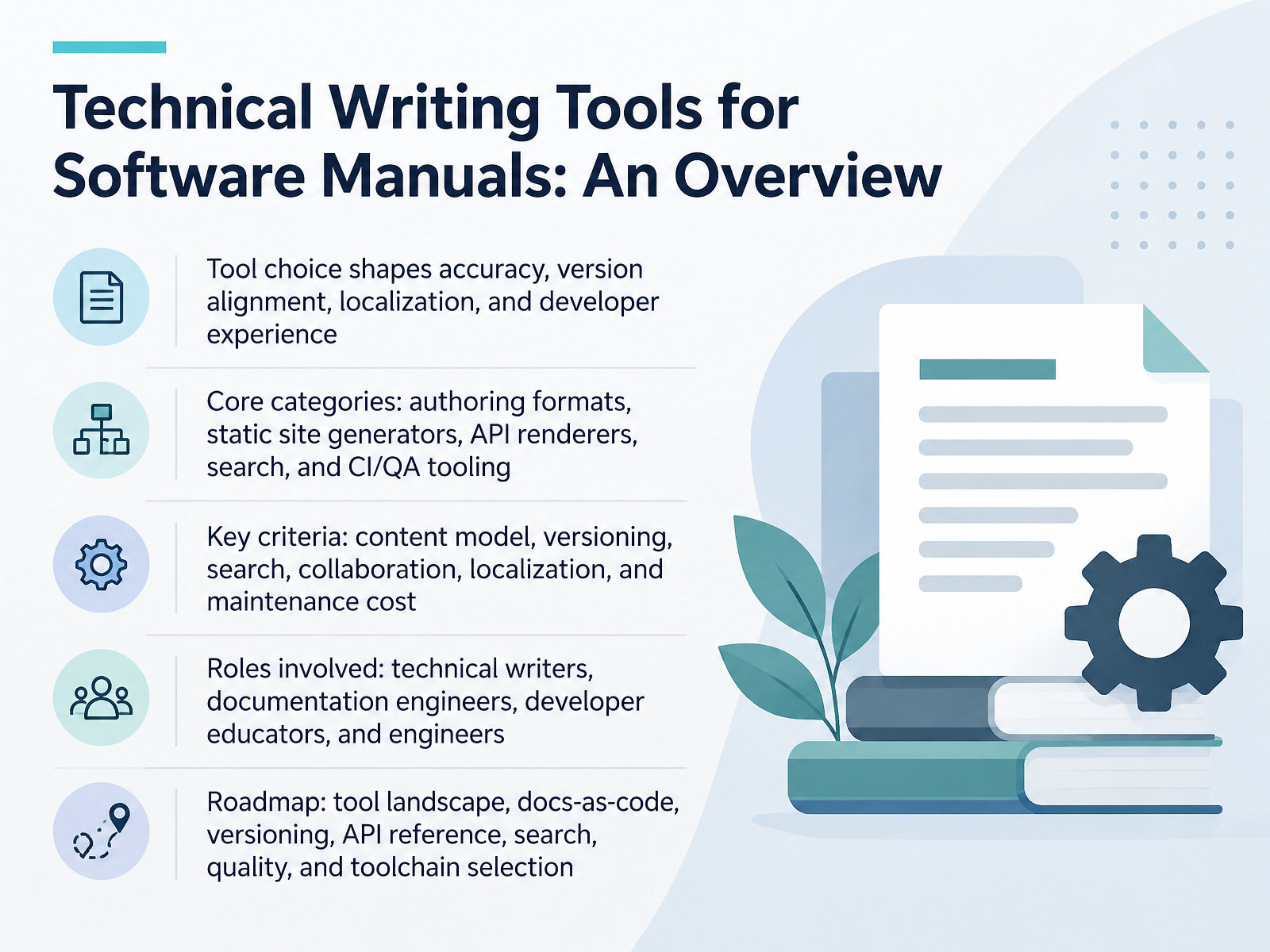
- 01Technical Writing Tools for Software Manuals: An OverviewWelcome. Over the next fourteen slides, we are going to work through the tooling that sits behind software manuals and versioned documentation. This is not a product pitch. It is a set of decisions you will make and then live with for years. Tool choice shapes how accurate your docs stay, how well they align with releases, how smoothly localization runs, and how developers actually experience your docs. Most of your options fall into five categories. Authoring formats. Static site generators. API renderers. Search. And CI and QA tooling. When you evaluate them, weigh six criteria. Your content model. Versioning. Search. Collaboration. Localization. And maintenance cost, which is usually the one teams underestimate. The roles in the room matter too. Technical writers, documentation engineers, developer educators, and the engineers who often own the build. Across this course we will cover the tool landscape, docs-as-code, versioning, API reference, search, quality, and how to select a toolchain. Let us start with the 2026 Documentation Toolchain Landscape.docsio.coinfrasity.comexploregit.com+22 min
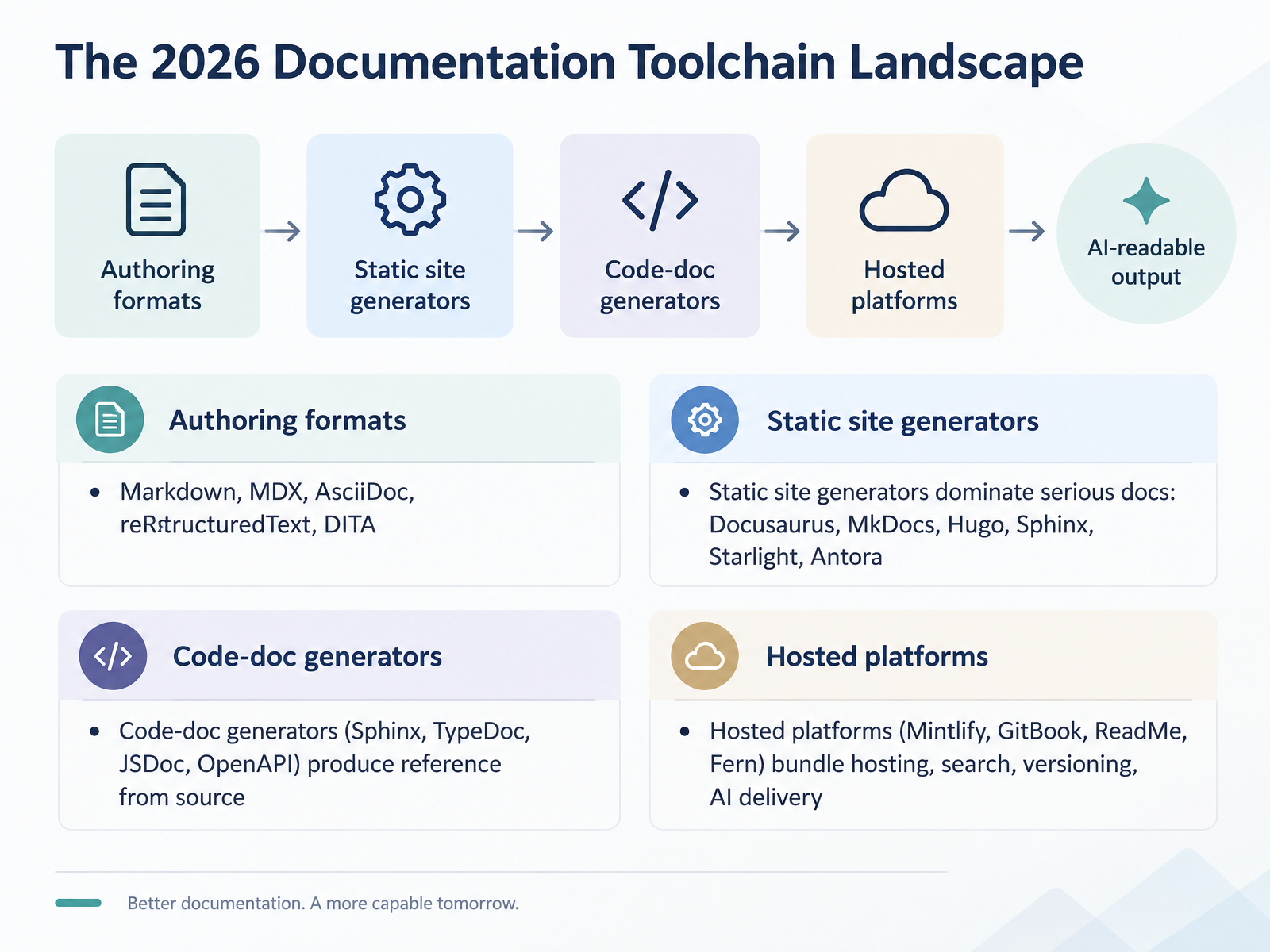
- 02The 2026 Documentation Toolchain LandscapeLet's map the toolchain you're actually choosing from in 2026. Four categories matter: authoring formats, static site generators, code-doc generators, and hosted platforms. Authoring formats are your source language. Markdown and MDX dominate. AsciiDoc fits large structured manuals, reStructuredText suits Sphinx projects, and DITA still holds in regulated environments. Static site generators dominate serious docs, and the shortlist is Docusaurus, MkDocs, Hugo, Sphinx, Starlight, and Antora. Docusaurus brings built-in versioning. MkDocs is fast to set up but its ecosystem is fragmenting. Antora handles multi-repo, multi-version AsciiDoc. Code-doc generators produce reference straight from source: Sphinx for Python, TypeDoc for TypeScript, JSDoc, and OpenAPI specs. Treat these as complements to your narrative site, not replacements. Hosted platforms like Mintlify, GitBook, ReadMe, and Fern bundle hosting, search, versioning, and AI delivery. You trade control and cost predictability for less infrastructure work. The real decision is where content lives and who maintains the build. Next, we compare static site generators directly: Docusaurus, MkDocs, Sphinx, Hugo, and Antora.
 docsio.coinfrasity.comexploregit.com+22 min
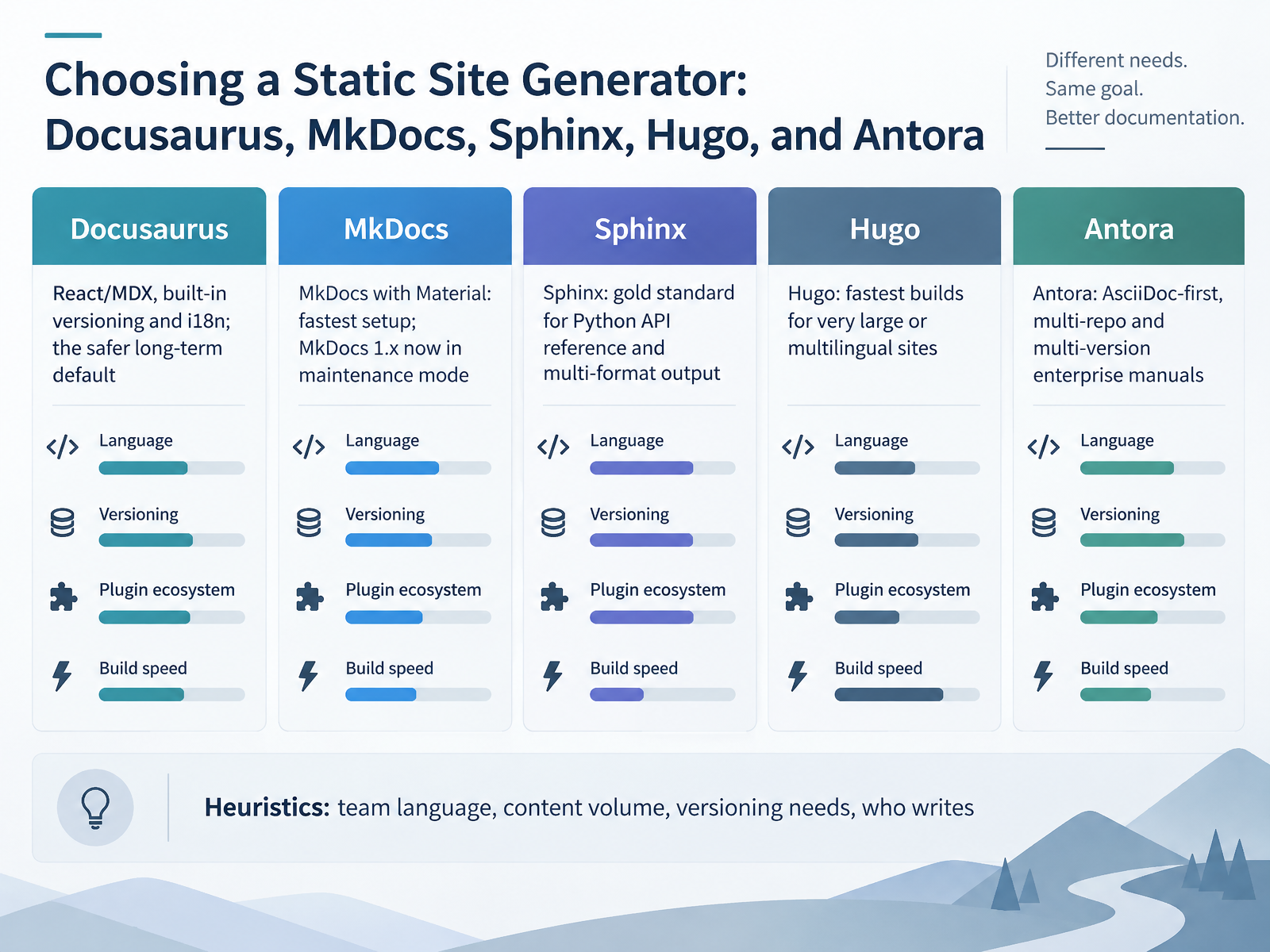
 - 03Choosing a Static Site Generator: Docusaurus, MkDocs, Sphinx, Hugo, and AntoraNow, which generator do you actually pick. Start with your team's language and who writes. Docusaurus is the safer long-term default. It runs on React and MDX, with versioning and internationalization built in, not bolted on. The cost is a Node toolchain and upgrade friction. MkDocs with Material is the fastest path to a polished site, especially for Python teams. But MkDocs one is in maintenance mode, so treat that as a real risk. Sphinx remains the gold standard for Python API reference and multi-format output. It auto-generates from docstrings and cross-references across projects. reStructuredText is the tradeoff. Hugo builds very large or multilingual sites the fastest. Versioning is manual, so plan for extra work. Antora is AsciiDoc-first, aimed at multi-repo, multi-version enterprise manuals. It fetches content from many repositories, and that power shows up as setup cost. So decide on three things: content volume, versioning needs, and who owns the writing. Under two hundred pages, keep it simple. Over two thousand, look at Hugo or Antora. Next, we move into Docs-as-Code Principles and Workflows.
 docsio.coinfrasity.comexploregit.com+22 min
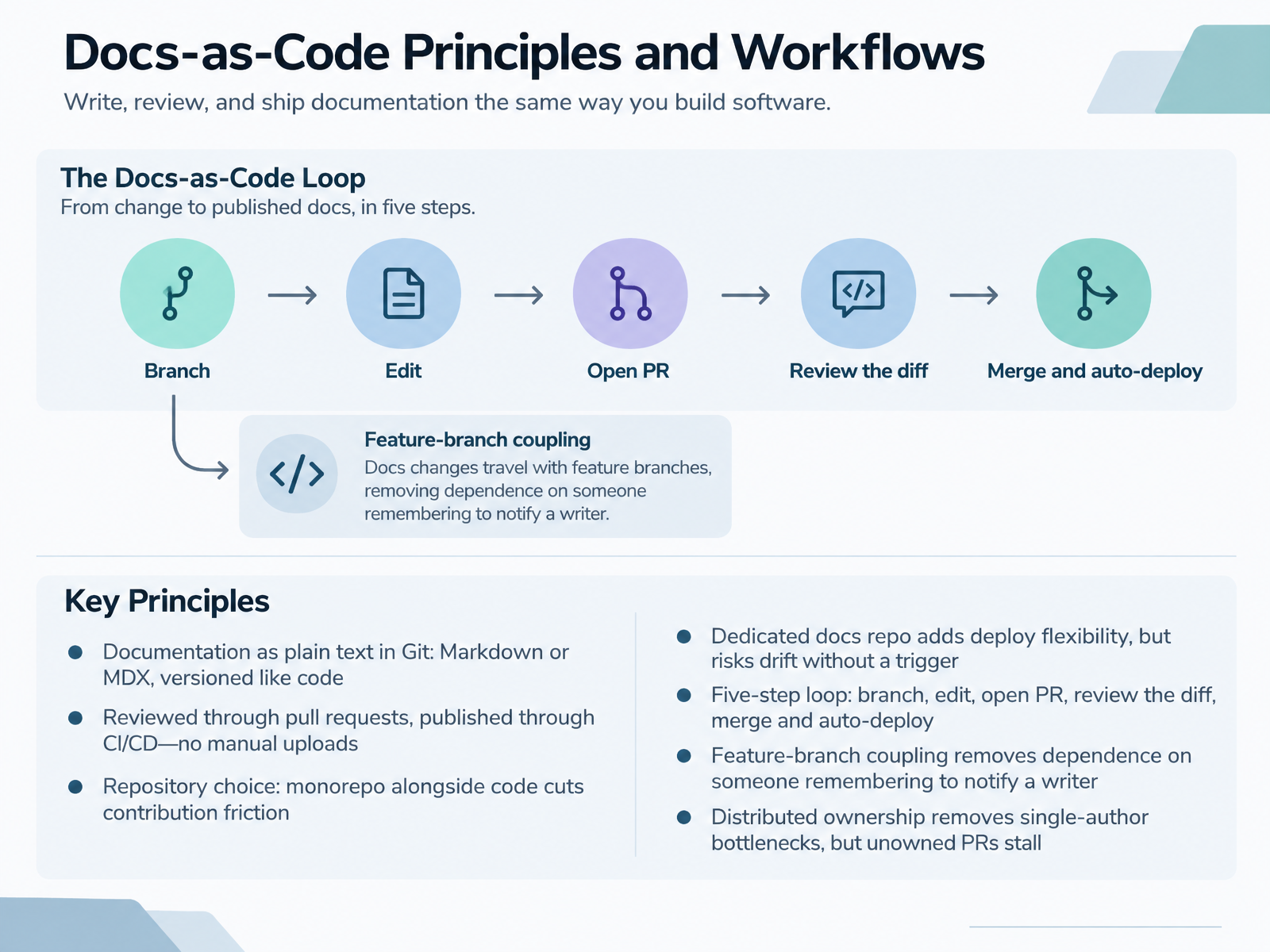
 - 04Docs-as-Code Principles and WorkflowsLet's talk about docs as code. The core idea: your documentation is plain text in Git, written in Markdown or MDX, and versioned exactly like code. Changes move through pull requests, then publish through CI or CD, with no manual uploads.
Now the first real decision: repository structure. A monorepo, with docs alongside the code, cuts contribution friction. The files sit in the same context as the code they describe. A dedicated docs repo gives you deploy flexibility and cleaner commit history, but without a trigger, like a webhook or an action on the product repo, it drifts.
The five-step loop is simple. Branch, edit, open a pull request, review the diff, merge and auto-deploy.
What makes this work is feature-branch coupling. If the writer branches from the same feature branch the developer is working on, both changes merge together. That removes your dependence on someone remembering to notify a writer. The most reliable source of documentation drift disappears.
The other payoff is distributed ownership through pull-request review. It removes single-author bottlenecks. But be honest about the tradeoff: unowned pull requests stall. The mechanism gives you the review path, not the reviewer. You still need explicit ownership and review turnaround norms, because sprint pressure erodes goodwill every time.
So the takeaway: pick your repo structure based on team composition and how tightly docs couple to code, then enforce the loop with process, not memory.
Next, we look at automating documentation quality in CI and CD.
 mintlify.comdocsascode.codev.to+22 min
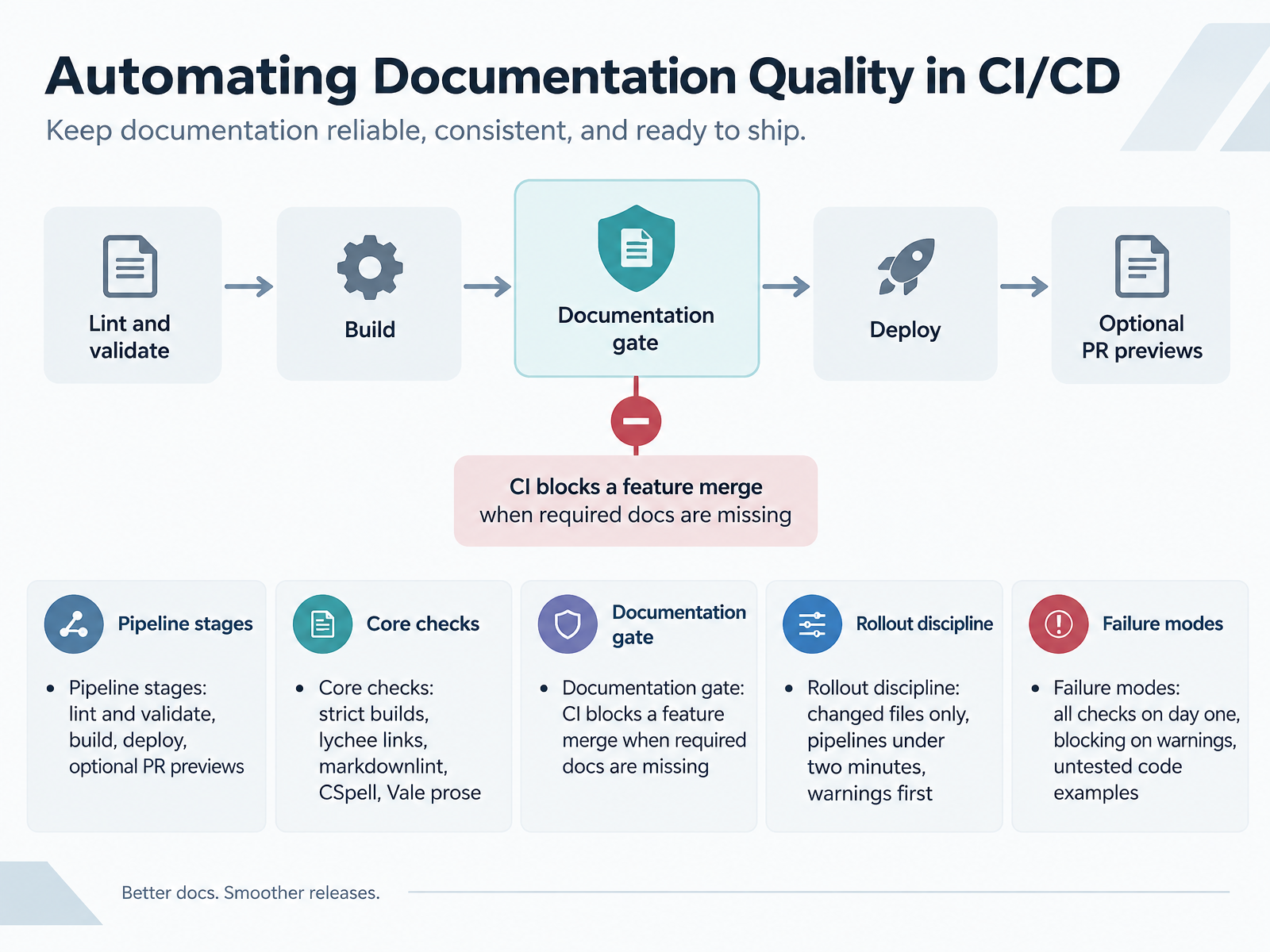
 - 05Automating Documentation Quality in CI/CDNow let's look at how you enforce documentation quality automatically in the pipeline. The stages are straightforward. Lint and validate first, then build, then deploy. Pull request previews are optional, but valuable, because reviewers see rendered output instead of raw Markdown. For the core checks, four tools do most of the work. A strict build flag fails on warnings, not just errors. Lychee validates links. Markdownlint catches structural issues. CSpell handles spelling. Vale enforces prose style. Next comes the documentation gate. A CI check blocks a feature merge when required docs are missing. That is the difference between a stated value and an actual constraint. Sprint pressure erodes social norms, but it does not erode a failing check. Rollout discipline matters more than tool choice. Run checks on changed files only. Keep the pipeline under two minutes. Ship as warnings first, then promote rules to errors. Watch for these failure modes. Turning on every check day one buries the team in findings nobody fixes. Blocking on warnings too early kills adoption. And untested code examples are the most common documentation bug of all. The pipeline should catch what humans keep missing. Next, we move into structured authoring, content reuse, and format choice.
 mintlify.comdocsascode.codev.to+22 min
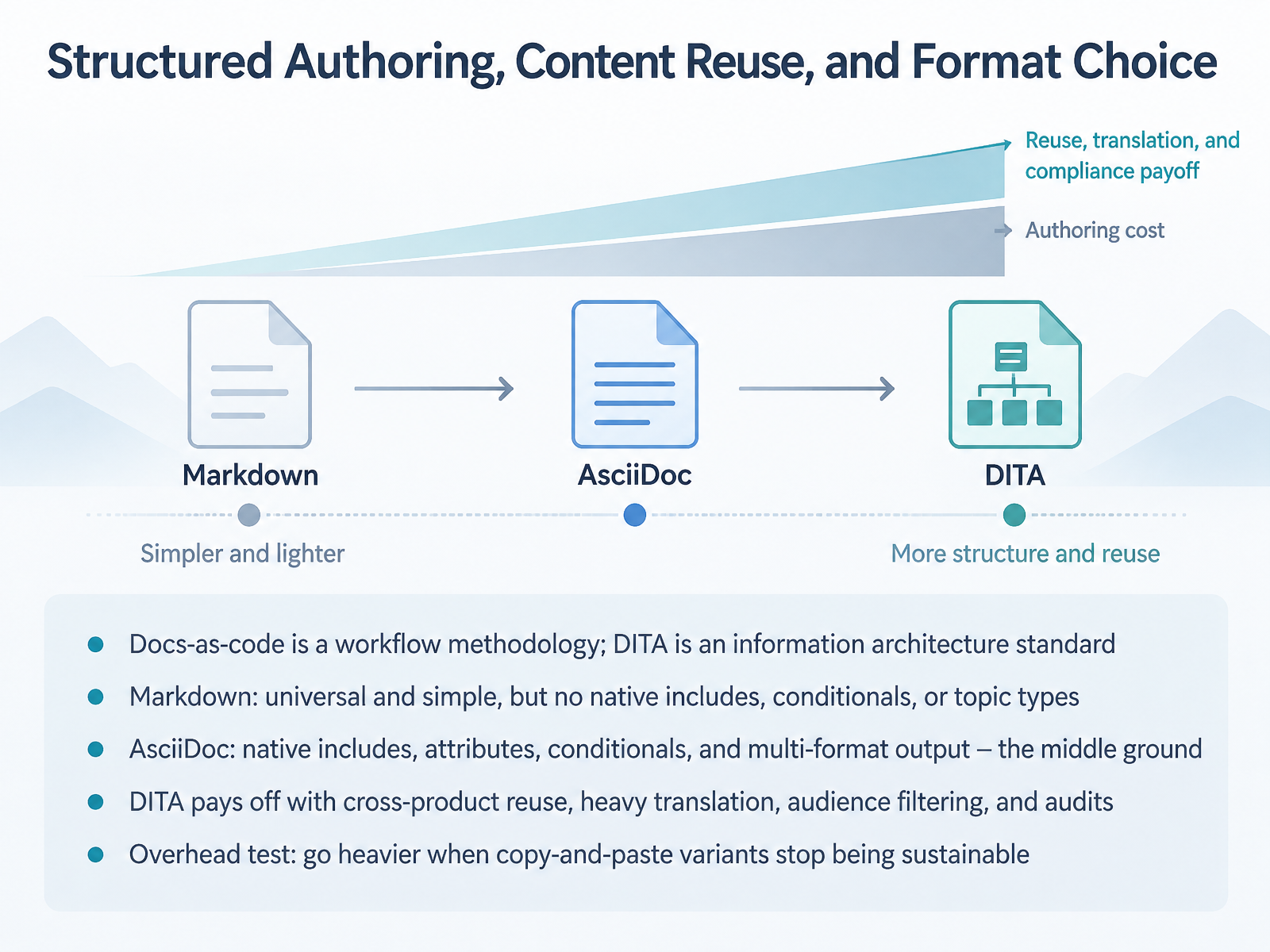
 - 06Structured Authoring, Content Reuse, and Format ChoiceLet's separate two things people often confuse. Docs-as-code is a workflow methodology. DITA is an information architecture standard. You can run docs-as-code with DITA, and mature teams often do.
Now compare formats. Markdown is universal and simple, but it has no native includes, conditionals, or topic types. Large Markdown sets drift toward inconsistency.
AsciiDoc is the middle ground. Native includes, attributes, conditionals, and multi-format output, all in plain text. Its ecosystem is smaller than Markdown's, but it covers a lot of DITA-like ground without XML overhead.
DITA pays off under specific pressure. Cross-product reuse, heavy translation, audience filtering, and audit requirements. Topic types and content references are enforced by schema, not convention. The cost is tooling, training, and content modeling up front.
So use the overhead test. Go heavier when copy-and-paste variants stop being sustainable. If you are maintaining near-duplicate versions and reviewers keep missing updates, the lighter format is already failing you. Next, versioning and release-aligned documentation.
 dita-lang.orgdlnext.acm.orgdrexplain.com+22 min
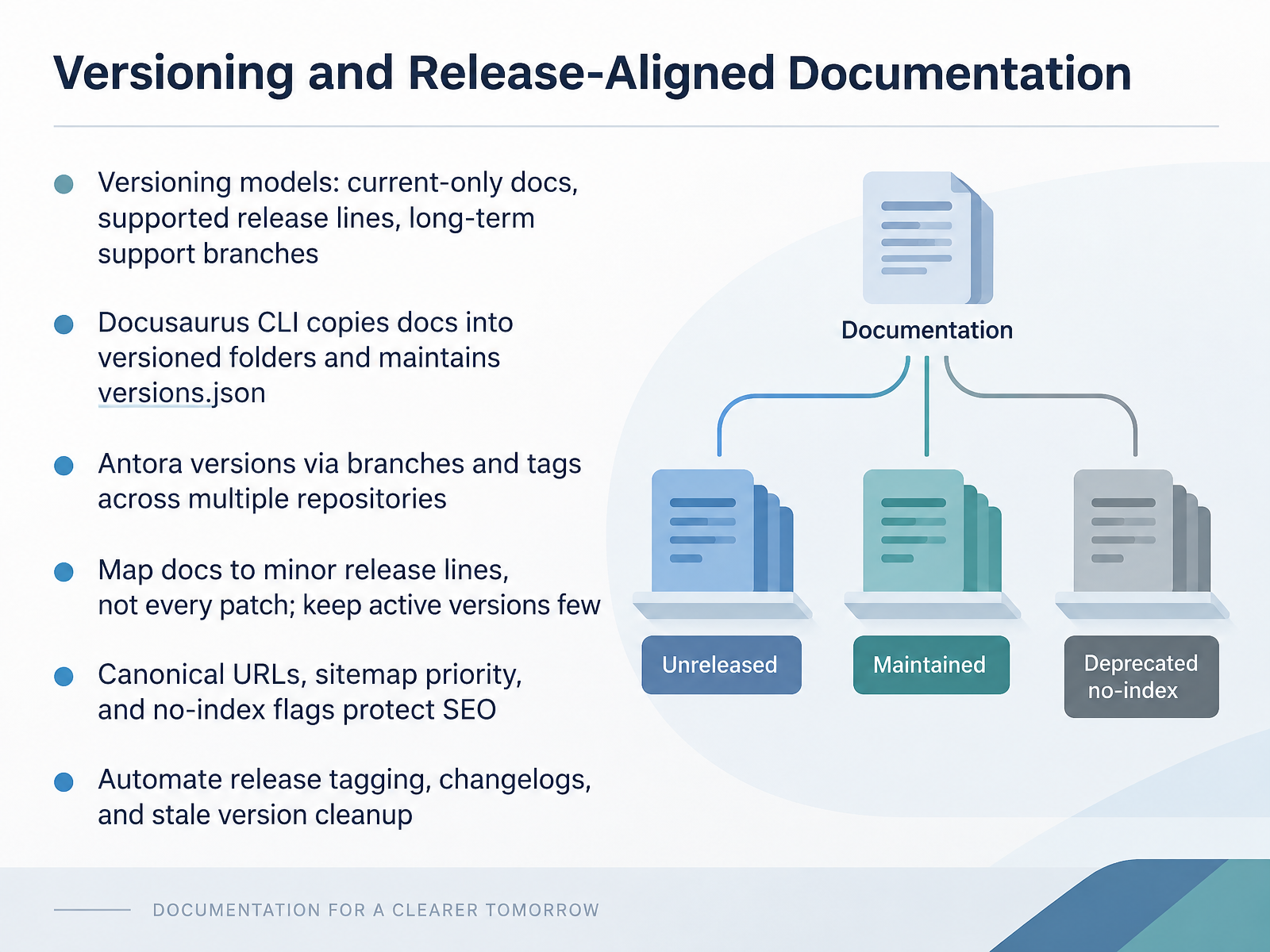
 - 07Versioning and Release-Aligned DocumentationNow let's talk about versioning and release-aligned documentation. First, pick a versioning model. Current-only docs are cheapest to maintain. Supported release lines cost more but match what users have installed. Long-term support branches cost the most, so reserve them for enterprise products. Next, know how your generator handles versions. Docusaurus copies docs into versioned folders and maintains a versions.json file that lists versions newest to oldest. Antora versions via branches and tags across multiple repositories, so content can live with the code. Then, map documentation to minor release lines, not every patch. Keep active versions few, ideally under ten. Stale versions nobody reads add build time and maintenance cost. For search engines, set canonical URLs pointing older versions to the latest, give latest pages higher sitemap priority, and no-index deprecated versions. Finally, automate release tagging, changelogs, and cleanup of stale version directories. That keeps versioning sustainable. Let's move on to API reference and developer documentation tooling.
 docusaurus.iodocs.readthedocs.comantora.org+22 min
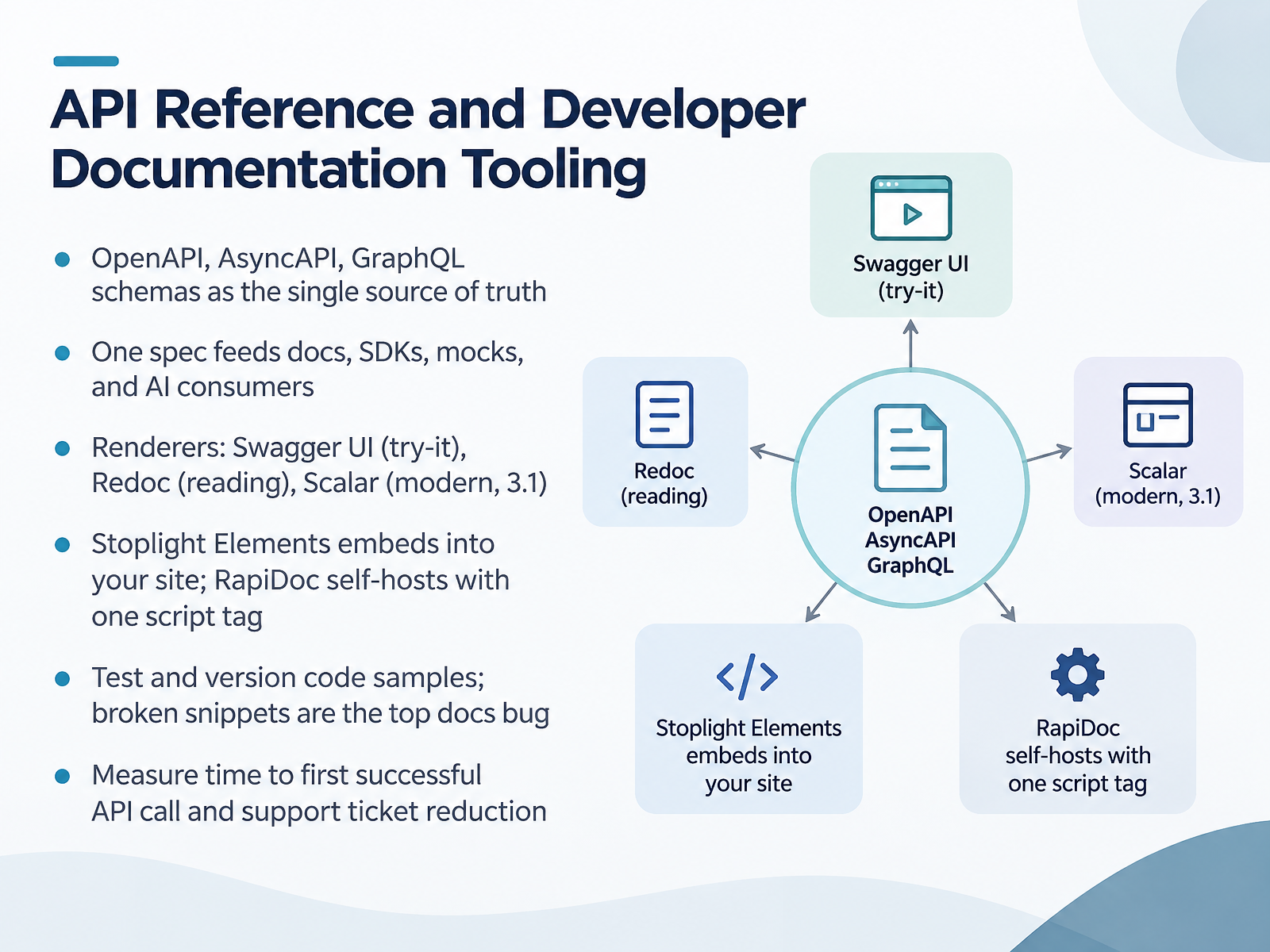
 - 08API Reference and Developer Documentation ToolingLet's look at tooling for API reference and developer documentation. Start with the contract, not the renderer. OpenAPI, AsyncAPI, and GraphQL schemas should be your single source of truth. One spec feeds docs, SDKs, mocks, and AI consumers. Fix the spec, and every downstream artifact updates.
Now the renderer. Swagger UI is the default, strongest for try-it-out, weakest on long-form reading. Redoc is the opposite, a clean three-column reference, no open source try-it console. Scalar is the modern option with strong OpenAPI 3.1 support and both reading and testing. Stoplight Elements embeds into your existing site as web components. RapiDoc self-hosts with one script tag and no build pipeline.
One rule that matters more than the renderer choice. Test and version your code samples. Broken snippets are the top documentation bug, and they erode trust fast. Then measure time to first successful API call, and track support ticket reduction. Those two numbers tell you whether the docs actually work.
Next, we move on to search, information architecture, and findability.
 2 min
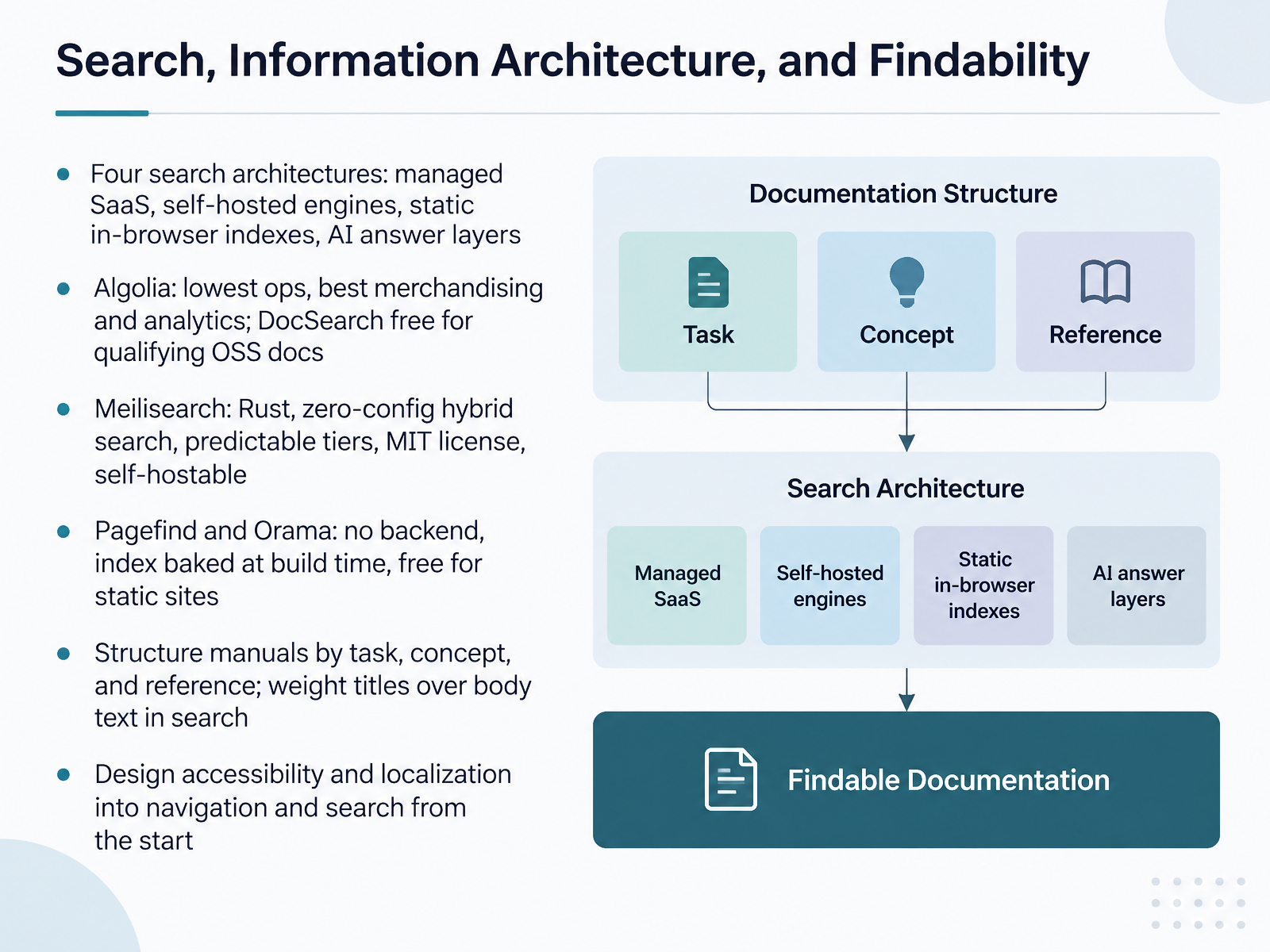
2 min - 09Search, Information Architecture, and FindabilityNow, let's talk about search, information architecture, and findability. You have four architectures to choose from. Managed SaaS, self-hosted engines, static in-browser indexes, and AI answer layers. They differ mainly in who operates the index and what you pay for. Algolia gives you the lowest ops and the best merchandising and analytics, and its DocSearch program is free for qualifying open source documentation. Meilisearch is a Rust engine with zero-config hybrid search, predictable pricing tiers, an MIT license, and self-hosting. Pagefind and Orama require no backend. The index is baked at build time, and they are free for static sites. That makes them a strong fit for docs under tens of thousands of pages. Two design rules matter more than the engine choice. Structure manuals by task, concept, and reference, and weight titles above body text in your ranking. And design accessibility and localization into navigation and search from the start, not after launch. Next, we move on to prose linting, style enforcement, and review quality.
 2 min
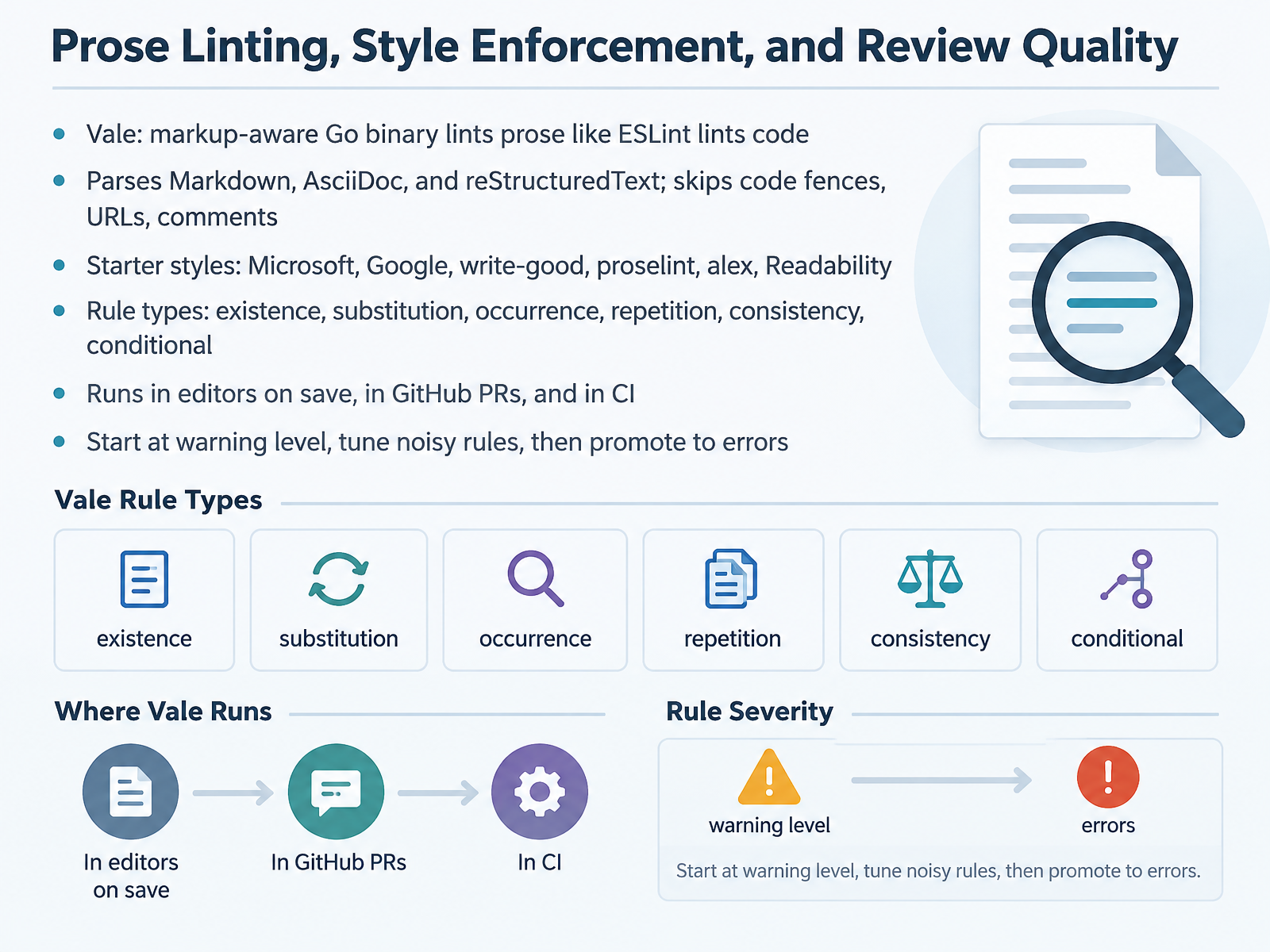
2 min - 10Prose Linting, Style Enforcement, and Review QualityNow let's talk about prose linting and review quality. Your main tool here is Vale. Think of it as ESLint for prose. It's a single Go binary, no runtime to install, and it parses markup before any rule runs. That means it understands Markdown, AsciiDoc, and reStructuredText, and it skips code fences, URLs, and comments by default.
You get starter styles out of the box: Microsoft, Google, write-good, proselint, alex, and Readability. A common starting stack is Microsoft plus write-good plus alex. Rule types cover the practical cases: existence, substitution, occurrence, repetition, consistency, and conditional.
Vale runs in your editor on save, in GitHub pull requests as inline comments, and in CI. One rollout note: start at warning level. Tune the noisy rules, then promote the important ones to errors. If you start with errors, your team revolts.
Next, let's look at localization and multilingual manuals.
 mintlify.comdocsascode.codev.to+22 min
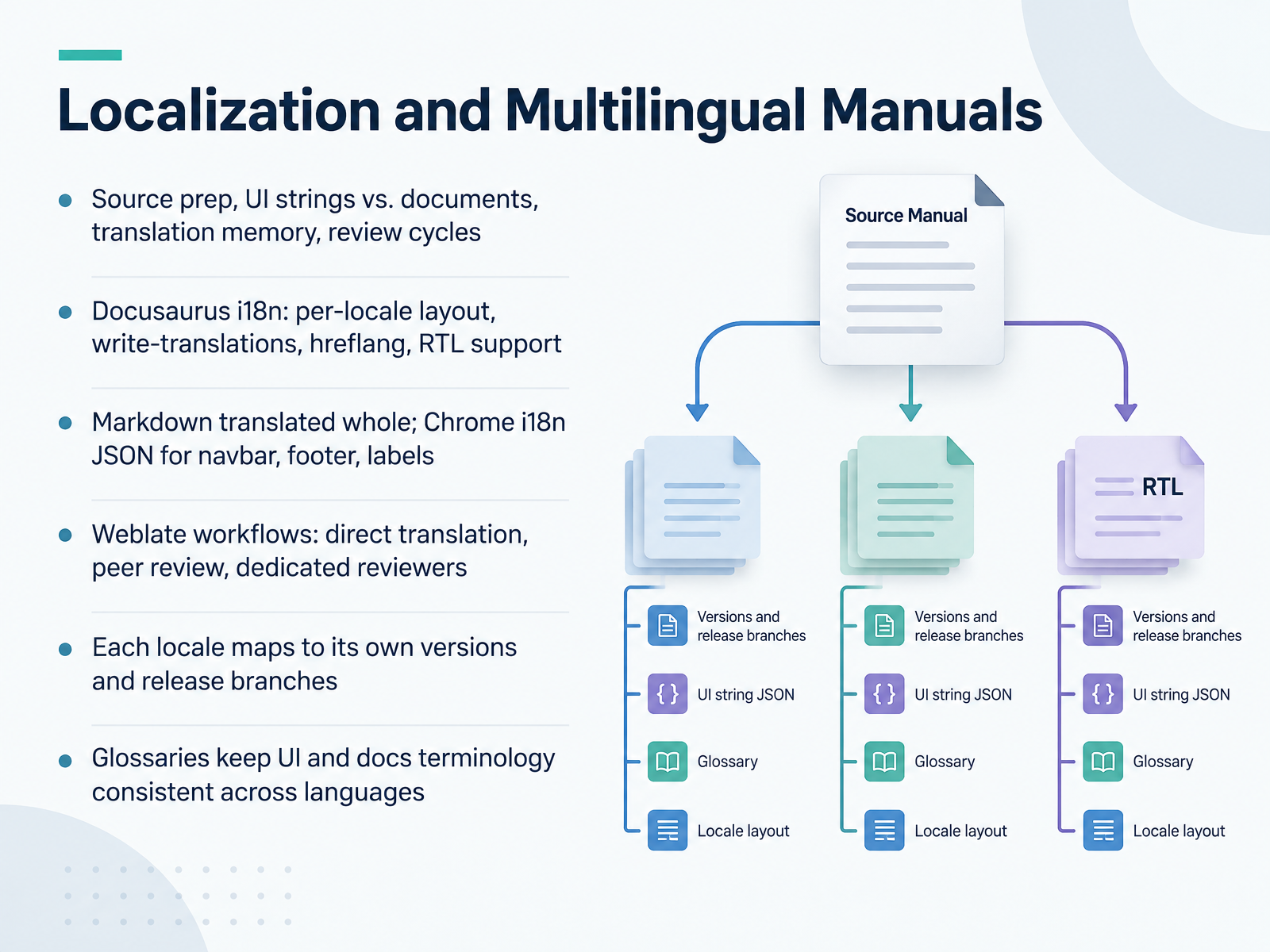
 - 11Localization and Multilingual ManualsNow let's look at localization: shipping the same manual in multiple languages. Start with source preparation. UI strings and document prose are different problems, so treat them separately. UI strings live in key value files. Long form pages are translated as whole files, which preserves context. Translation memory reuses approved segments so you don't pay twice for the same sentence.
Docusaurus handles i18n per locale. You generate the shell JSON with the write translations command, and it writes locale specific files for the navbar, footer, and labels. Markdown and MDX page bodies are translated as whole documents, not split sentence by sentence. You get hreflang tags automatically, and right to left locales like Arabic and Hebrew work without extra plumbing.
For review, Weblate gives you three workflow choices. Direct translation is fastest for small teams. Peer review requires a second person to approve strings. Dedicated reviewers separate translators from approvers, which is what you want for regulated or high visibility docs.
Two constraints matter. Each locale maps to its own versions and release branches, so your versioning strategy multiplies with every language you add. And glossaries keep UI labels and documentation terminology aligned across languages.
Next, we'll cover selecting and migrating a documentation toolchain.
 2 min
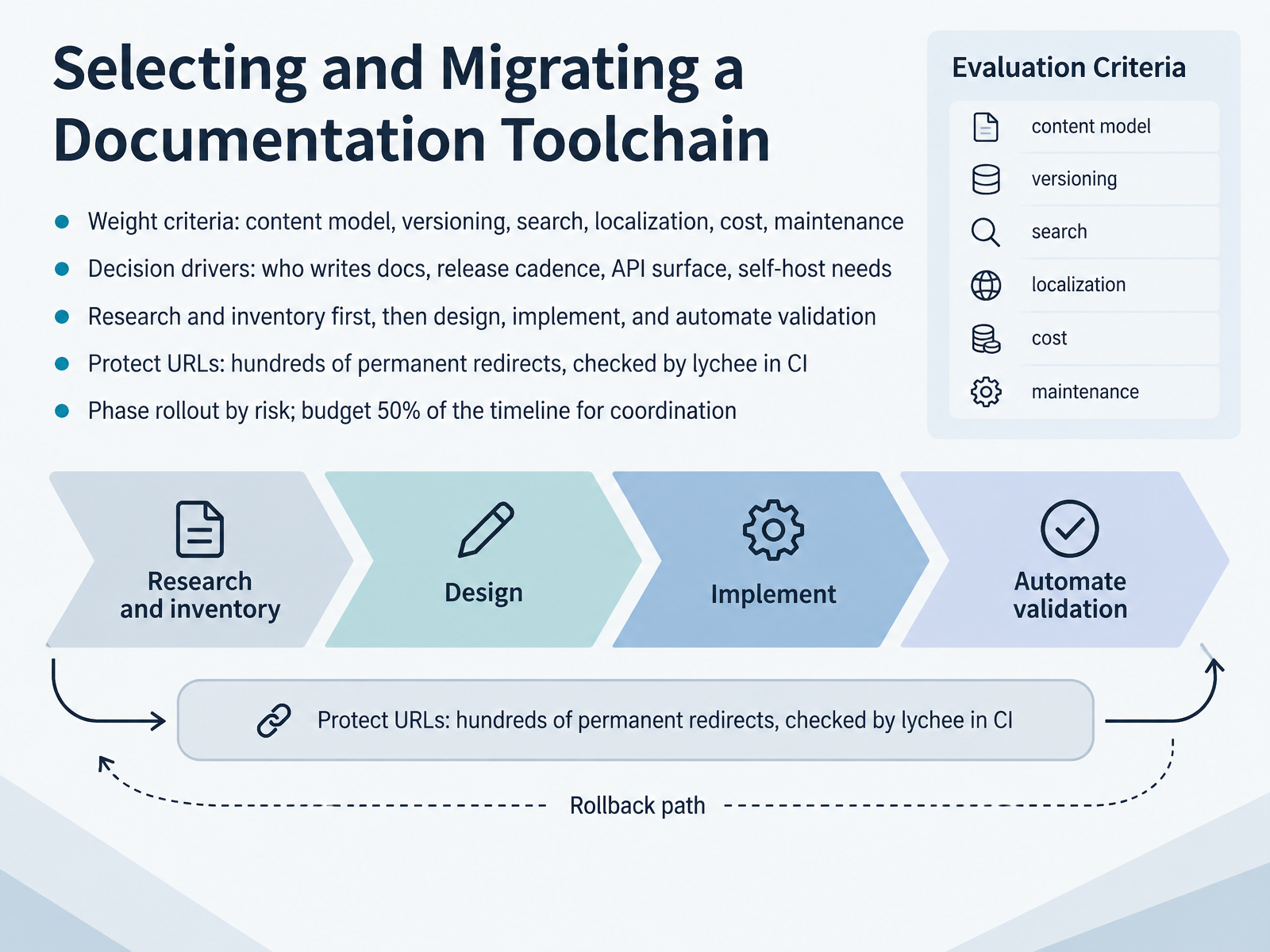
2 min - 12Selecting and Migrating a Documentation ToolchainNow let's talk about selecting and migrating a documentation toolchain. Start by weighting criteria honestly: content model, versioning, search, localization, cost, and ongoing maintenance. Then add decision drivers. Who actually writes the docs? What is your release cadence? How large is your API surface? Do you need self-hosting? One team moved 810 redirects while migrating from Docusaurus to Markdoc, and that redirect list is why they kept their external links alive. So research first. Inventory every existing page, design the target structure, then implement and automate validation. A link checker like lychee in continuous integration will catch broken URLs before they ship. Also protect your permanent redirects, since hundreds of permalinks may depend on them. Finally, phase the rollout by risk. Pilot with low-risk repos, then medium, then high. And budget fifty percent of your timeline for coordination. Polls, stakeholder notifications, localization updates, and reviews take as long as the technical work itself. In practice, that coordination is what actually determines whether the migration finishes on time. Next, we'll look at AI-Ready Documentation and Total Cost of Ownership.
 2 min
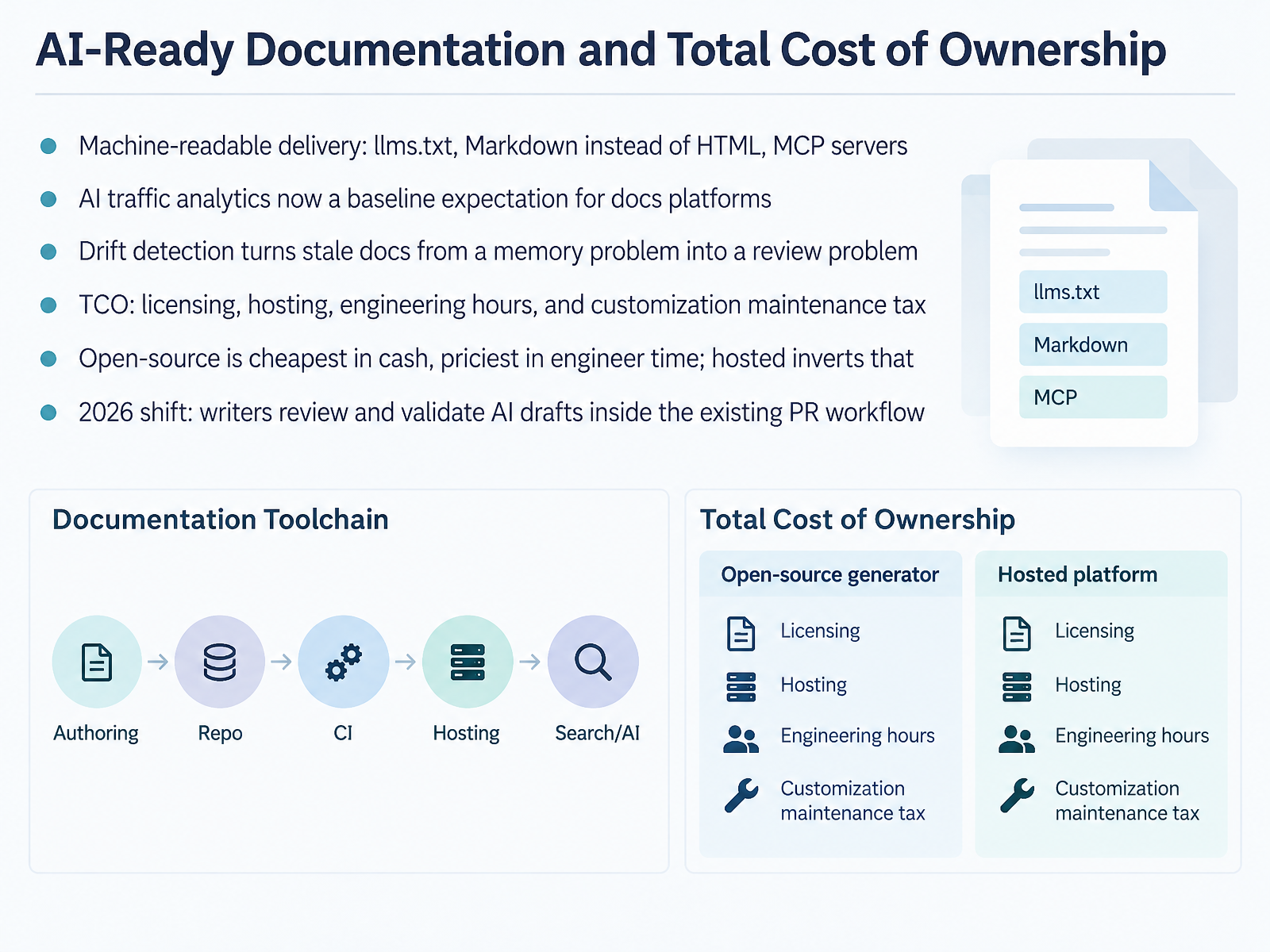
2 min - 13AI-Ready Documentation and Total Cost of OwnershipLet's talk about AI-ready documentation and total cost of ownership. Start with delivery. Serve Markdown instead of HTML, publish an llms dot txt file, and expose an MCP server so coding agents can read your docs directly. Then check analytics: if your platform cannot show you AI agent traffic, you are flying blind. Next, drift detection. It turns stale docs from a memory problem into a review problem, because the platform proposes updates instead of waiting for someone to notice. Now the money. Total cost of ownership is licensing, hosting, engineering hours, and the customization maintenance tax. Open source is cheapest in cash and priciest in engineer time. Hosted inverts that. And here is the twenty twenty-six shift: writers review and validate AI drafts inside the existing pull request workflow. Same pipeline, same accountability. Building a Sustainable Toolchain Roadmap and Governance Model is next.
 mintlify.comdocsascode.codev.to+22 min
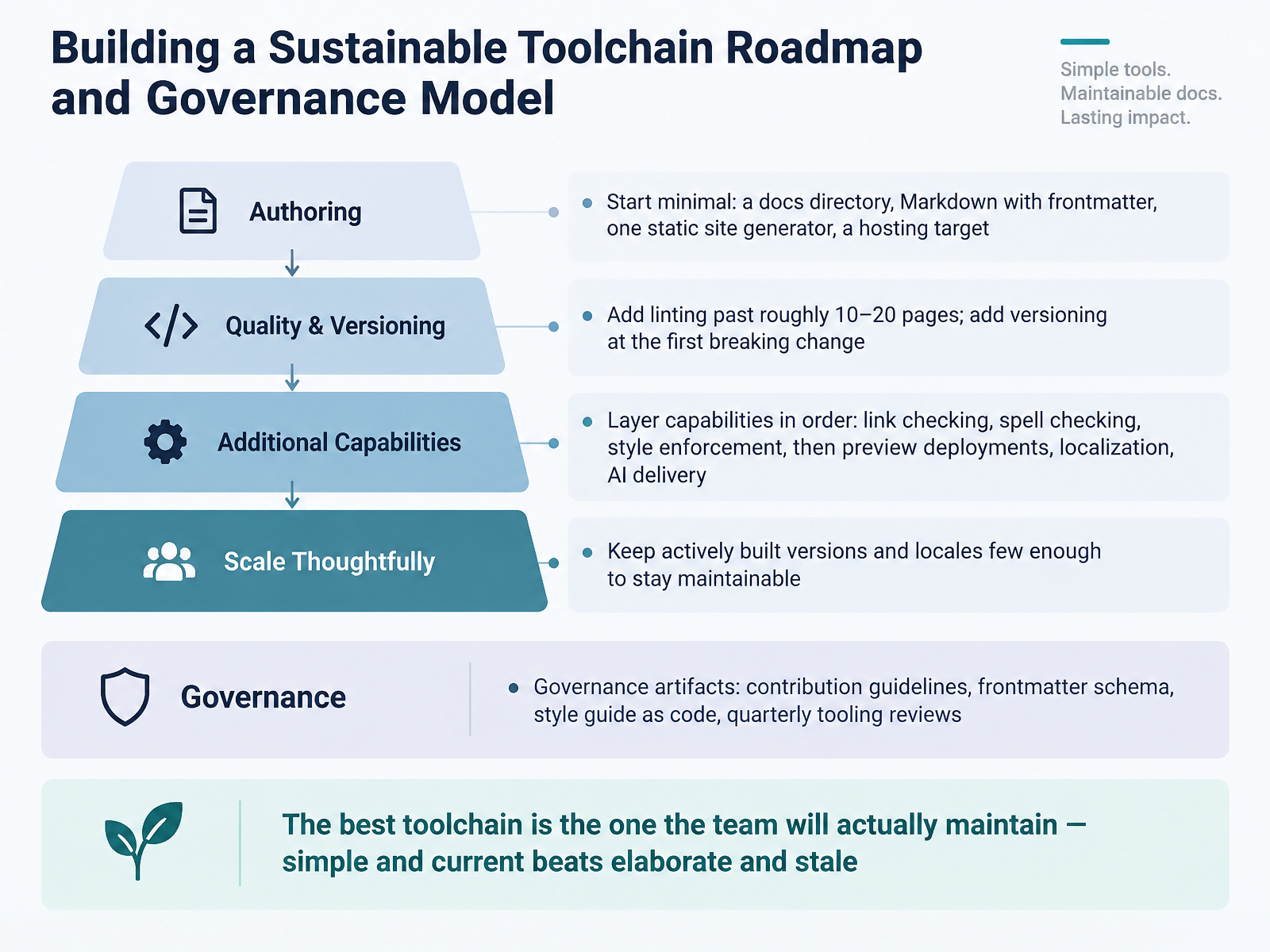
 - 14Building a Sustainable Toolchain Roadmap and Governance ModelLet's pull this into a roadmap you can actually run. Start minimal. One docs directory, Markdown with frontmatter, one static site generator, one hosting target. That is a working pipeline. Add linting past roughly ten to twenty pages, and add versioning at your first breaking change, not before. Layer the rest in order: link checking, spell checking, style enforcement, then preview deployments, localization, and A I delivery. Keep actively built versions and locales few enough that you can maintain them. Docusaurus recommends keeping versions under about ten for the same reason. Governance is a short list of artifacts: contribution guidelines, a frontmatter schema, your style guide as code, and quarterly tooling reviews. Those artifacts are what keep the pipeline honest. The best toolchain is the one the team will actually maintain. Simple and current beats elaborate and stale. So, across the course, the pattern holds. Match tools to your real workflow, migrate incrementally, and govern what you build. Thank you for working through this with me. Start small, stay current, and keep shipping docs your readers can trust.
 mintlify.comdocsascode.codev.to+22 min
Take the deck with you
Download this course as a file — free, no sign-up needed.
- PDF handoutEvery slide page, ready to print or share.15 pages · 3.2 MBDownload
- Narrated PowerPointThe deck that presents itself — every slide carries the digital human's narration video.15 pages · 17.7 MBDownload
- PowerPoint slidesThe full deck as a .pptx — open it in PowerPoint, Keynote, or Google Slides.15 pages · 3.1 MBDownload
Free to use in your own training — please keep the PersonWise credit page at the end.
Have your own deck? Turn it into a course
Sources consulted
Web sources consulted while building this course.
- Open Source Documentation Tools: The 2026 Guide | Docsio — docsio.co
- Best Frameworks for Scalable Documentation Sites (2026) — infrasity.com
- Best Open-Source Documentation Site Generator for Developers: mkdocs vs docusaurus vs sphinx | ExploreGit — exploregit.com
- Best open source Documentation Site Builders: ranked and compared — faun.dev
- Sphinx vs MkDocs: Which to Pick in 2026 | Docsio — docsio.co
- What is docs-as-code? Approach, workflows, and how to adopt it — mintlify.com
- Docs-as-Code Workflow Fundamentals · Docs As Code — docsascode.co
- Docs-as-Code: The Complete CI/CD Workflow (From Git to Production) - DEV Community — dev.to
- CI/CD for Technical Writers: How Documentation Goes from Rep — git-and-github-for-technical-writers.hashnode.dev
- Docs-as-Code in 2026: The Complete Guide | Unmarkdown™ Blog — unmarkdown.com
- How DITA Compares — dita-lang.org
- Implementing Structured Authoring Practices in a Docs-as-Code Framework | Proceedings of the 42nd ACM International Conference on Design of Communication — dlnext.acm.org
- Docs as Code for user documentation in 2026: Pros and Cons - Articles — drexplain.com
- Choosing an Authoring Model for Complex Product Documentation: Unstructured, Docs as Code, or Structured XML - Linivis Blog — linivis.com
- XML vs DITA: How I Learned the Difference and When I Use Each — technicalwriterhq.com
- Versioning | Docusaurus — docusaurus.io
- Read the Docs: documentation simplified — Read the Docs ... — docs.readthedocs.com
- Antora — antora.org
- How Antora Can Help You and Your Team :: Antora Docs — docs.antora.org
- Antora vs Read the Docs — vioscale.ai