Begin
14 pages · ~28 min
Customer Service Tool Selection
This training helps customer service professionals select the right tools to improve response efficiency and service quality.
A digital instructor presents all 14 pages. Hold “Ask” at any point and ask out loud — the answer comes from this course. No sign-up needed.
What you’ll learn
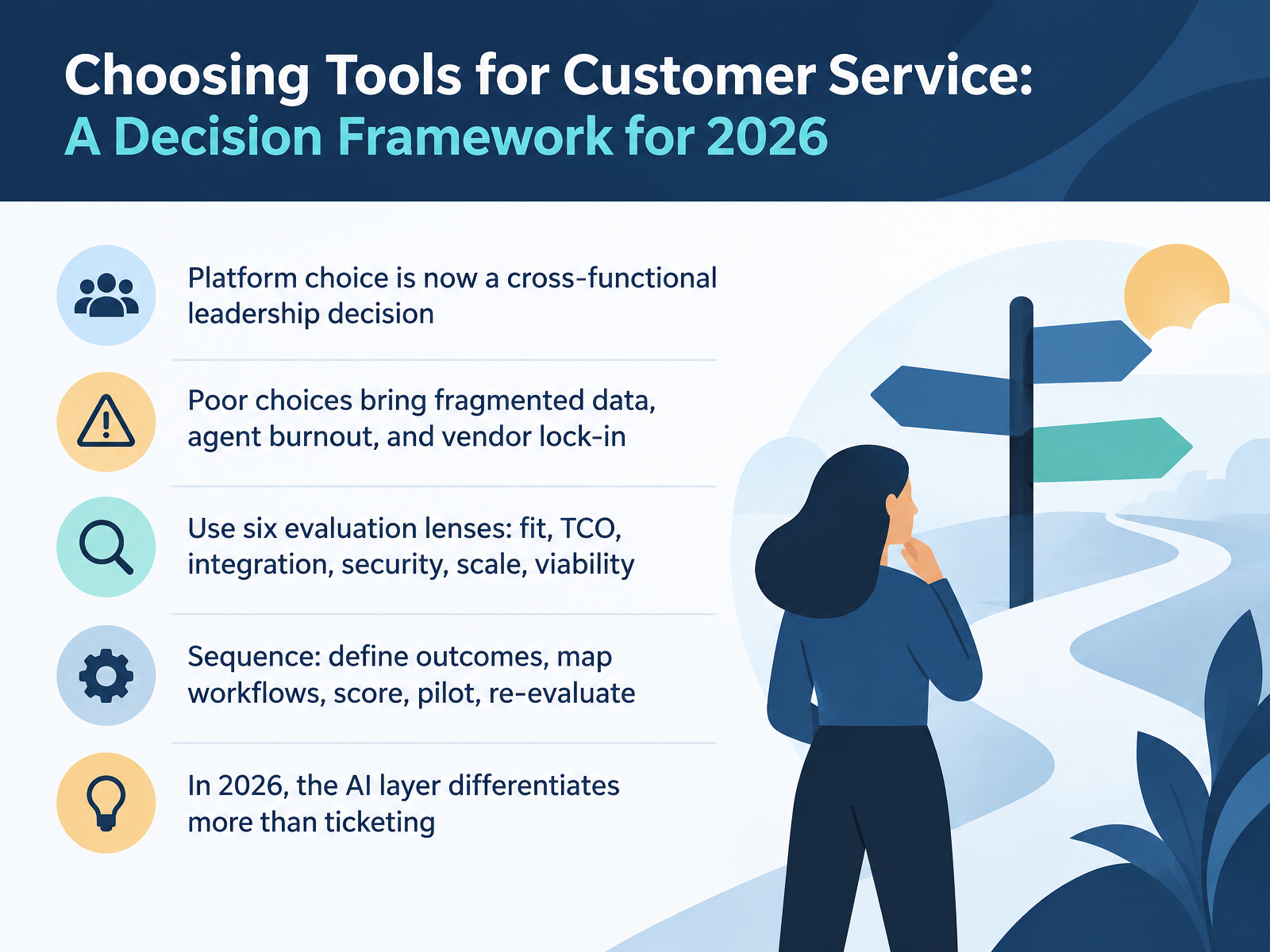
- 01Choosing Tools for Customer Service: A Decision Framework for 2026Welcome. Over the next fourteen slides, we will work through a practical framework for choosing customer service tools in 2026. The goal is simple: help you make a decision you can defend to your finance team, your security team, and your agents. Let's start with the big shift. Platform choice is no longer an IT purchase. It is a cross-functional leadership decision. Poor choices are expensive. They show up as fragmented data, agent burnout, and vendor lock-in that is very hard to undo. So we will use six evaluation lenses: fit, total cost of ownership, integration, security, scale, and vendor viability. We will follow a sequence: define outcomes, map workflows, score the options, run a pilot, then re-evaluate. And here is the headline for 2026. The A I layer differentiates platforms more than ticketing does. Two vendors can look identical on paper until you pilot them on your real enquiries. That is where the real gap shows. Let's look at the landscape.intercom.comsupportbench.comthesaaseducation.com+22 min
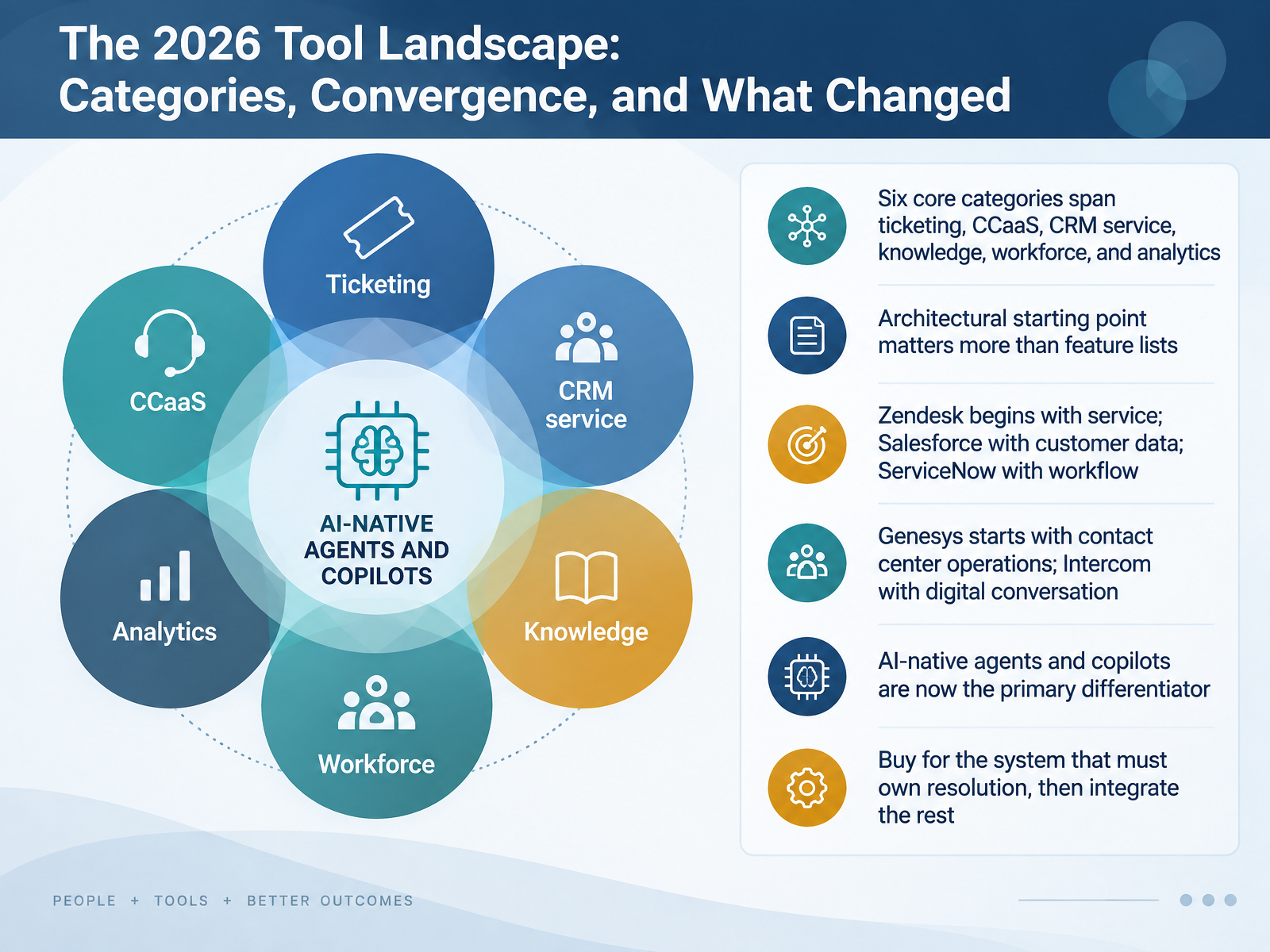
- 02The 2026 Tool Landscape: Categories, Convergence, and What ChangedLet's look at the tool landscape you're actually choosing from in 2026. Six core categories span ticketing, contact center as a service, C R M service, knowledge, workforce, and analytics. But here's the practical point. Architectural starting point matters more than feature lists. Zendesk begins with service. Salesforce begins with customer data. ServiceNow begins with workflow. Genesys starts with contact center operations, and Intercom with digital conversation. So ask yourself, what must this system own? Buy for the system that must own resolution, then integrate the rest. For example, if resolution depends on order changes and field teams, ServiceNow fits. If your agents mainly answer email using a knowledge base, that same platform is unnecessary complexity. One more change. AI-native agents and copilots are now the primary differentiator, not a nice-to-have. Next, we'll weigh suites against best-of-breed, and the consolidation trade-off.
 intercom.comsupportbench.comthesaaseducation.com+22 min
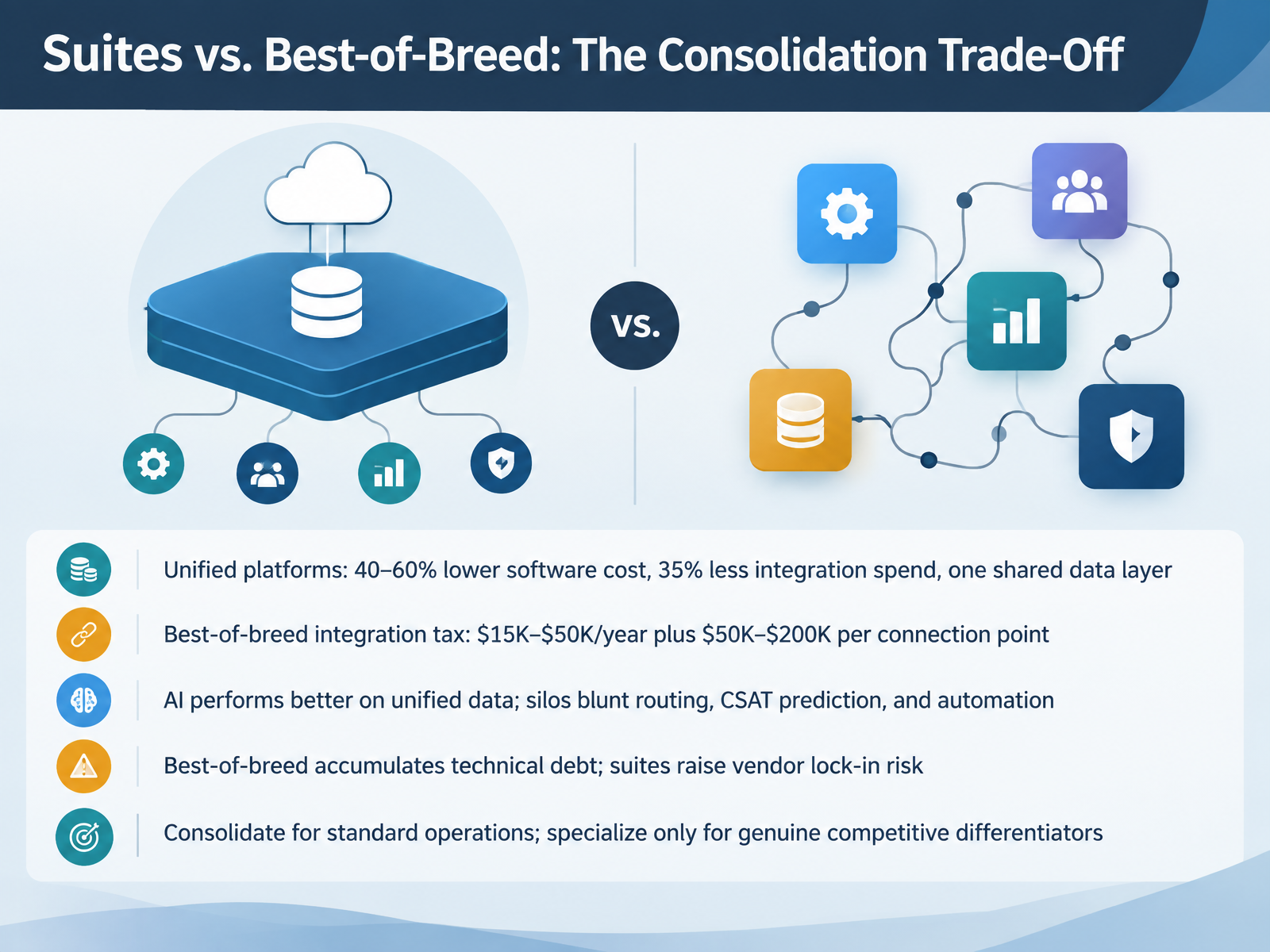
 - 03Suites vs. Best-of-Breed: The Consolidation Trade-OffLet's walk through the consolidation trade off. Unified platforms typically cut software costs by forty to sixty percent, and reduce integration spend by about thirty five percent, because everything shares one data layer. Best of breed works differently. You pay an integration tax of fifteen thousand to fifty thousand dollars a year, plus fifty thousand to two hundred thousand dollars per connection point. That adds up fast. There's an AI angle here too. AI performs better on unified data. Silos blunt routing, C S A T prediction, and automation. So weigh two risks honestly. Best of breed accumulates technical debt. Suites raise vendor lock in risk. Here's my guidance. Consolidate for standard operations like ticketing and knowledge management. Specialize only where a capability is a genuine competitive differentiator. Next, we'll look at defining requirements and mapping workflows before you talk to vendors.
 intercom.comsupportbench.comthesaaseducation.com+22 min
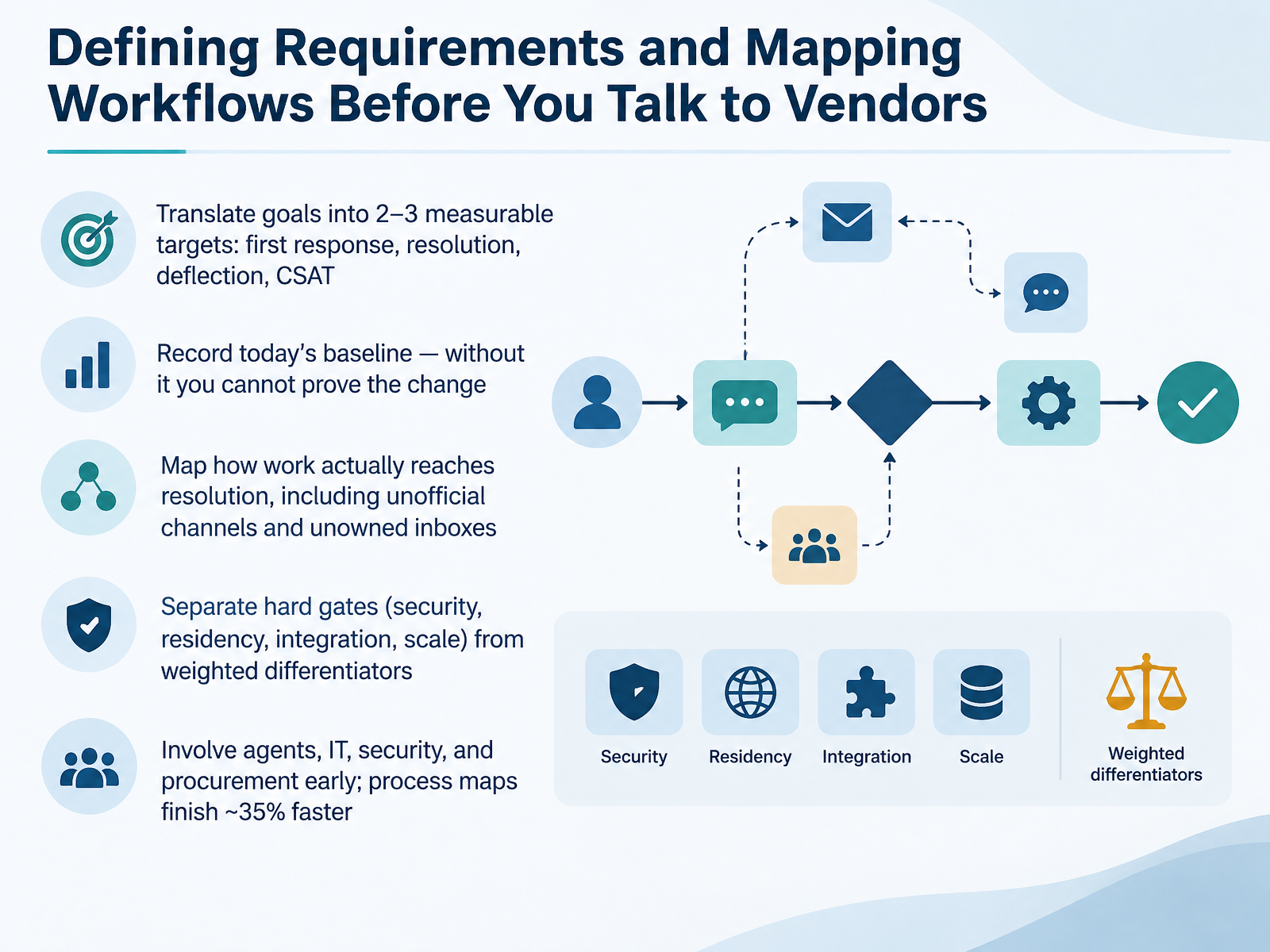
 - 04Defining Requirements and Mapping Workflows Before You Talk to VendorsBefore you talk to a single vendor, define what success looks like. Pick two or three measurable targets. First response time, resolution time, deflection, CSAT. Then record today's baseline. Without it, you cannot prove the change later, and 'it feels better' is not a business case.
Next, map how work actually reaches resolution. Include the unofficial channels. The personal messaging number, the shared inbox nobody owns. That is where the real volume hides.
Then separate hard gates from weighted differentiators. Security, data residency, integration, and scale are pass or fail. Everything else gets a score and a weight.
Finally, bring agents, IT, security, and procurement in early. Teams that build a process map before configuration finish roughly thirty-five percent faster. Fewer surprises, fewer rebuilds, and a shorter path to value.
Let's turn to integration, data architecture, and avoiding lock-in.
 omq.aibdq.cloududeskglobal.com+22 min
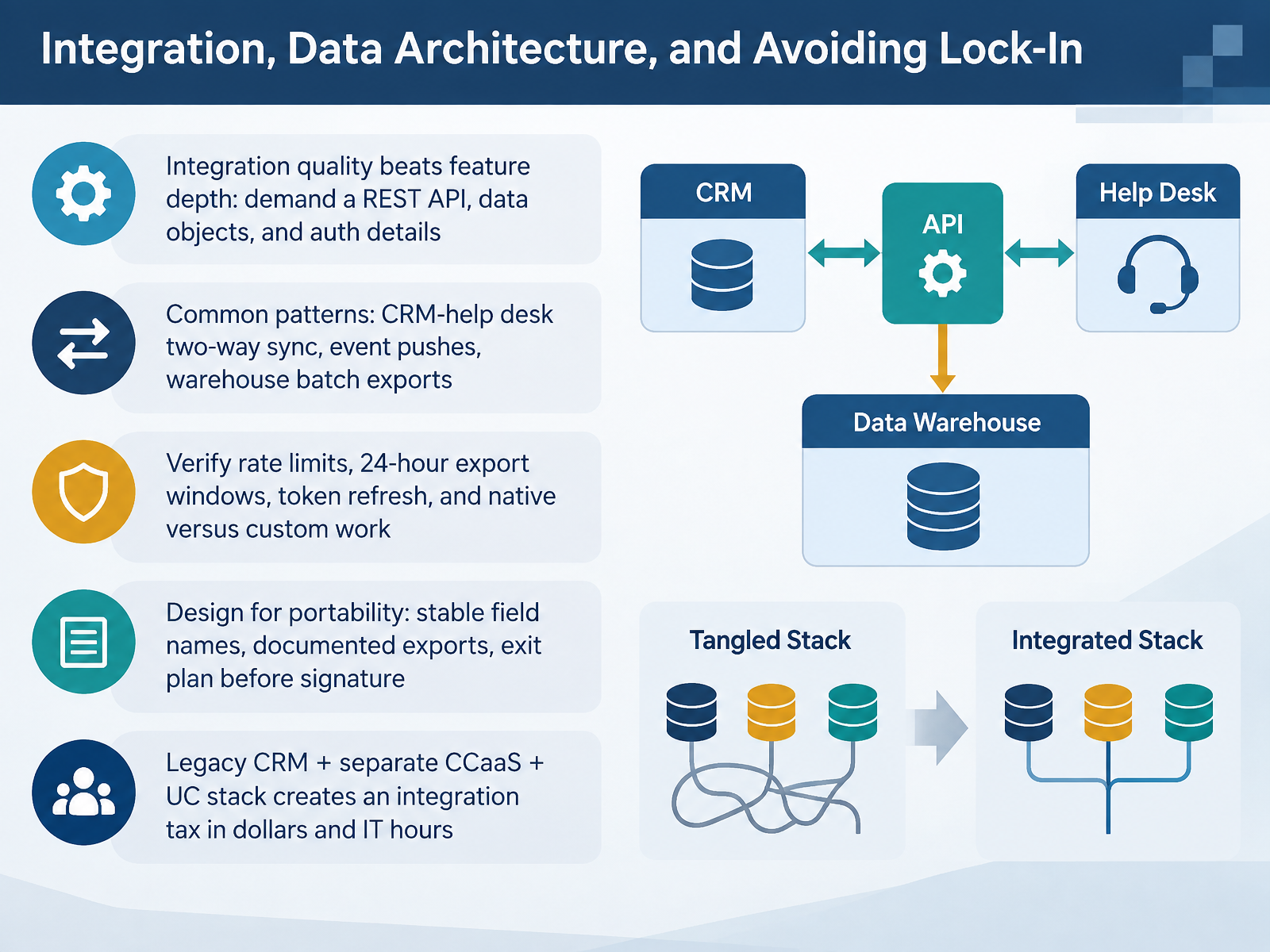
 - 05Integration, Data Architecture, and Avoiding Lock-InLet's talk about integration, data architecture, and avoiding lock-in. Start with this principle. Integration quality beats feature depth. A long feature list means nothing if the data cannot move. So before you sign, demand three things: a REST API, the specific data objects it exposes, and how it authenticates. Ask whether the API is read-only or read-write, and whether it uses API keys or OAuth. Now, the common patterns you will see. A two-way CRM and help desk sync. Event pushes, like a ticket created or resolved. And batch exports into your data warehouse. Verify the fine print before you commit. Check rate limits. Check whether exports are capped in short windows, often just twenty-four hours at a time. Check how quickly access tokens expire and how refresh tokens rotate. And ask what is native versus custom-built work your IT team must maintain. Then, design for portability. Stable field names. Documented exports. And an exit plan written before signature, not after. Here is the trade-off to hold onto. A legacy CRM, a separate contact center platform, and a standalone unified communications stack create an integration tax, paid in dollars and in IT hours. The fix is intentional architecture, not just another tool. Next, we turn to security, privacy, and compliance essentials for support tools.
 nice.compraesidia.aihoverbot.ai+22 min
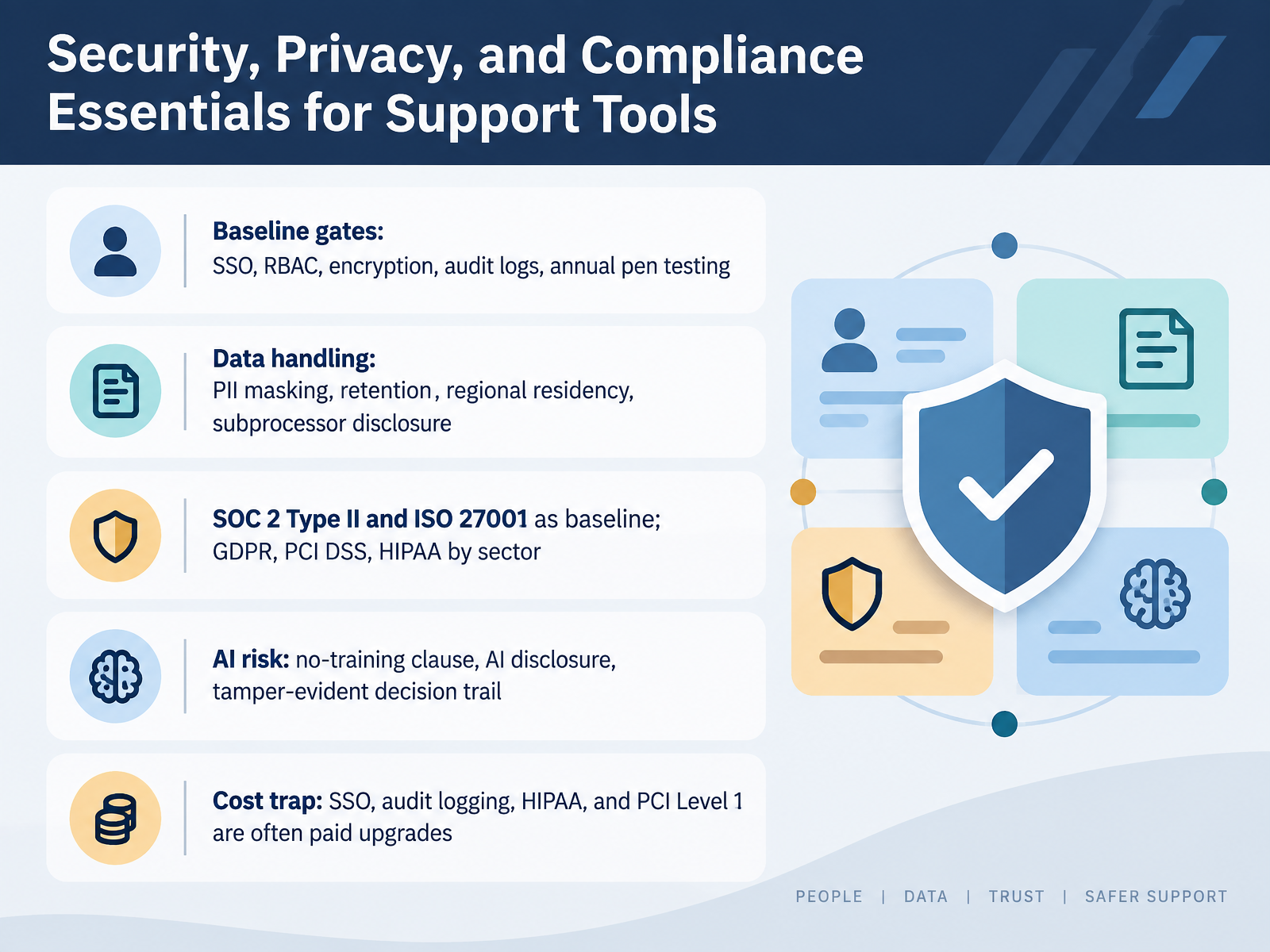
 - 06Security, Privacy, and Compliance Essentials for Support ToolsNow let's talk about security, privacy, and compliance. This is where deals stall, so make these baseline gates, not nice-to-haves. Single sign-on, role-based access control, encryption, audit logs, and annual penetration testing.
On data handling, four questions decide most of this. How is personal data masked? How long is it retained? Where does it reside? And who are the subprocessors?
On certifications, treat SOC 2 Type Two and ISO 27001 as your baseline. Then layer in what your sector requires. GDPR, PCI DSS, or HIPAA.
For AI specifically, insist on a no-training clause, a clear AI disclosure, and a tamper-evident decision trail. What did the agent see, what did it decide, and who approved it?
Here is the cost trap. SSO, audit logging, HIPAA, and PCI Level One are often paid upgrades. Price them before you sign, not after. Now let's move on to total cost of ownership and commercial models.
 nice.compraesidia.aihoverbot.ai+22 min
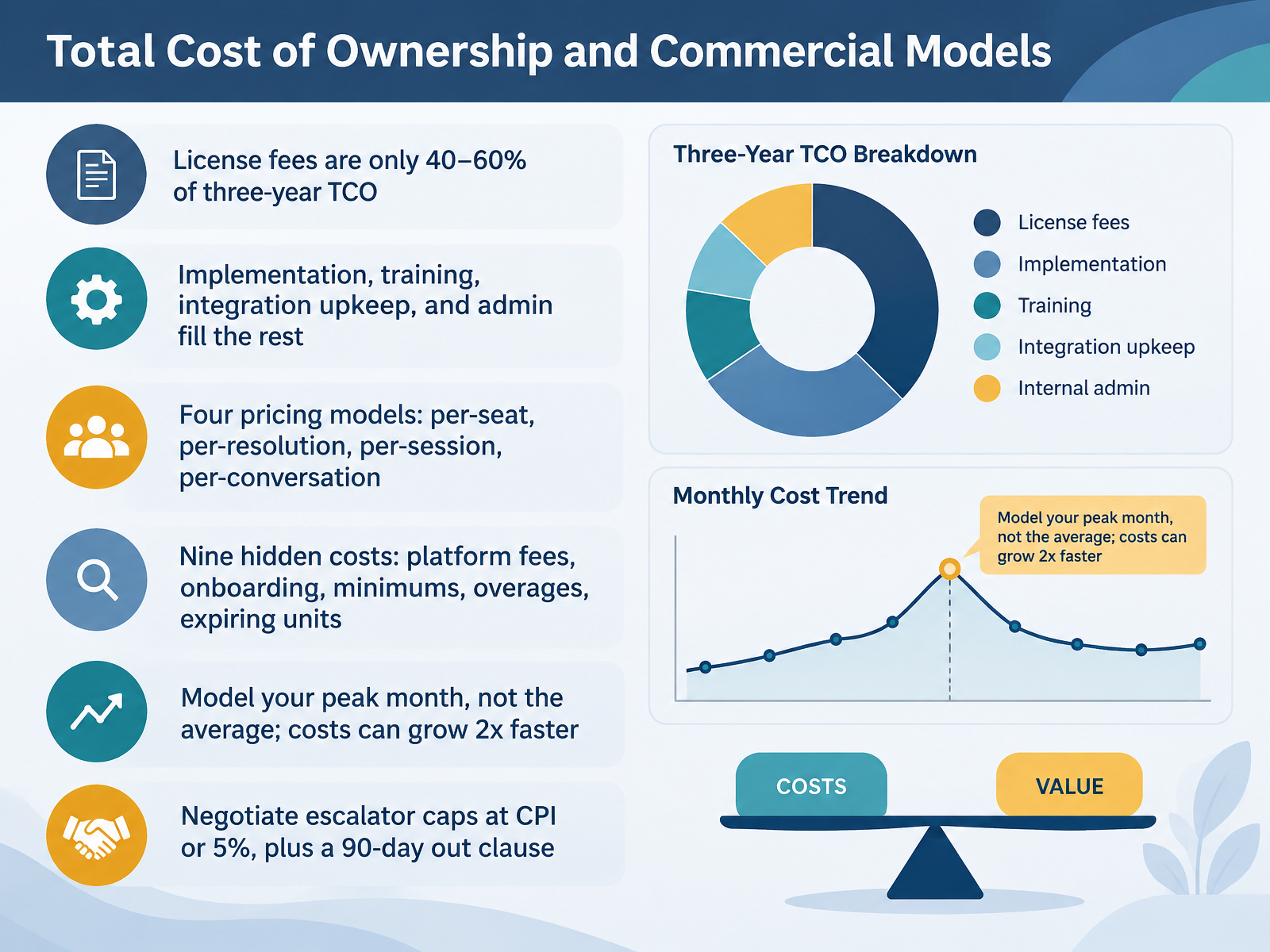
 - 07Total Cost of Ownership and Commercial ModelsNow let's talk about money. The sticker price is not the cost.
Across enterprise software, license fees are typically only forty to sixty percent of your three-year total cost of ownership. The rest is implementation, training, integration upkeep, and admin. So compare on T C O, never on the monthly subscription.
Know your pricing model. Per seat. Per resolution. Per session. Per conversation. And watch the hidden costs. Platform fees. Onboarding. Minimum commitments. Overage rates. Units that expire.
Here's the trap. Model your peak month, not the average. A fourth-quarter surge can run your bill two times faster than a smooth forecast.
So negotiate hard. Cap escalators at C P I or five percent. And get a ninety-day out clause tied to performance.
Next, we look at evaluating A I and automation features on evidence, not claims.
 omq.aibdq.cloududeskglobal.com+22 min
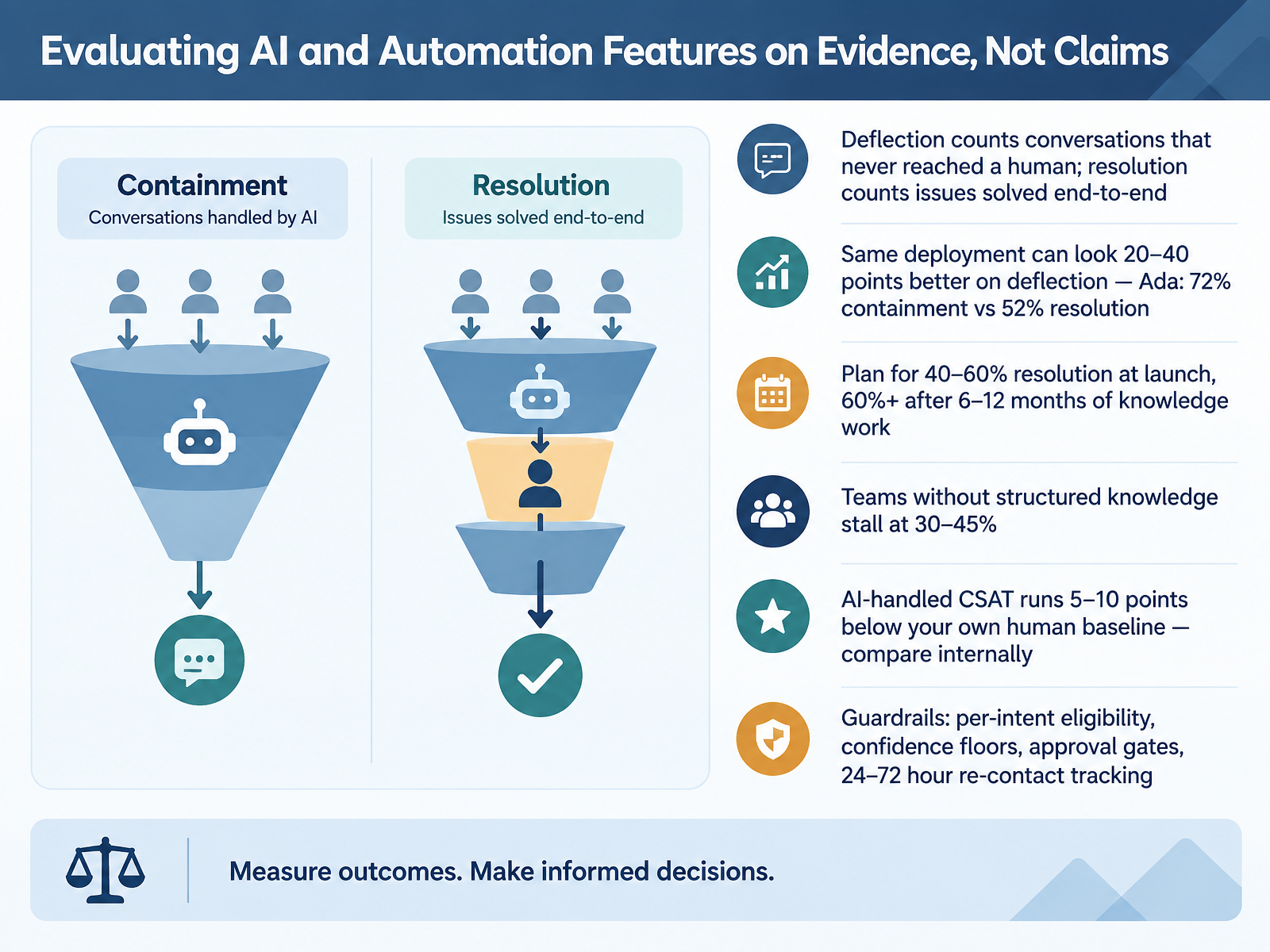
 - 08Evaluating AI and Automation Features on Evidence, Not ClaimsLet's talk about separating evidence from claims. Start with definitions. Deflection counts conversations that never reached a human, including customers who simply gave up. Resolution counts issues solved end to end. On the same deployment, deflection can look twenty to forty points better. One vendor reports seventy-two percent containment against fifty-two percent resolution on identical conversations. So before you compare any number, fix the definition in writing.
Now, what should you actually plan for? Expect forty to sixty percent resolution at launch, and sixty percent or more after six to twelve months of knowledge and workflow work. Teams without structured knowledge stall between thirty and forty-five percent. That plateau is a documentation problem, not a model problem.
On satisfaction, AI-handled CSAT typically runs five to ten points below your own human baseline. Compare internally, not to an industry average.
Finally, guardrails. Set per-intent eligibility, confidence floors, approval gates for consequential actions, and re-contact tracking within twenty-four to seventy-two hours. A resolution rate that climbs while re-contacts climb is not resolution. It is containment with better branding.
Next, scalability, reliability, and global support requirements.
 aissist.ioaissist.ioclonedesk.ai+22 min
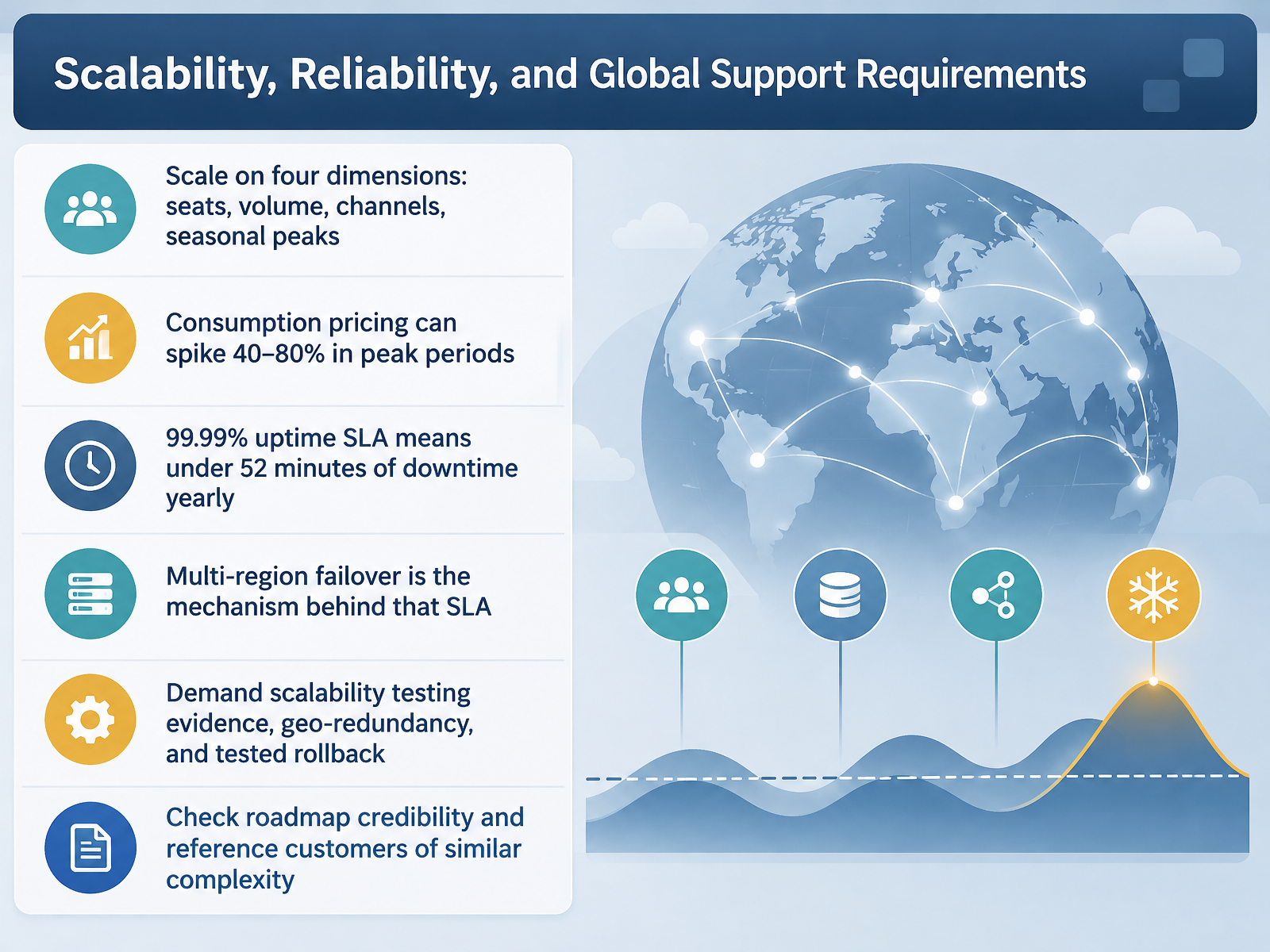
 - 09Scalability, Reliability, and Global Support RequirementsLet's talk about scale and reliability, because this is where promising demos meet production reality. Scale comes on four dimensions: seats, interaction volume, channels, and seasonal peaks. Test all four, not just your average month. Here is the pricing trap. Consumption based pricing, where you pay per conversation or per resolution, can spike forty to eighty percent during peak periods. A holiday surge or an open enrollment window can blow up your forecast. So model your worst month, not your best. Next, reliability. A ninety nine point nine nine percent uptime SLA sounds impressive, and it is. It means under fifty two minutes of unplanned downtime per year. But the SLA is the promise, not the mechanism. Multi-region failover is the mechanism. If a region goes down, traffic shifts automatically, and customers never notice. So ask for evidence: demand scalability test results, geo-redundancy architecture, and a rollback that has actually been tested. Then check roadmap credibility. Ask which reference customers match your size, your channels, and your complexity. If nobody on that list looks like you, treat the roadmap as a claim, not a commitment. Running Pilots, Proof-of-Value, and Vendor Selection.
 nice.compraesidia.aihoverbot.ai+22 min
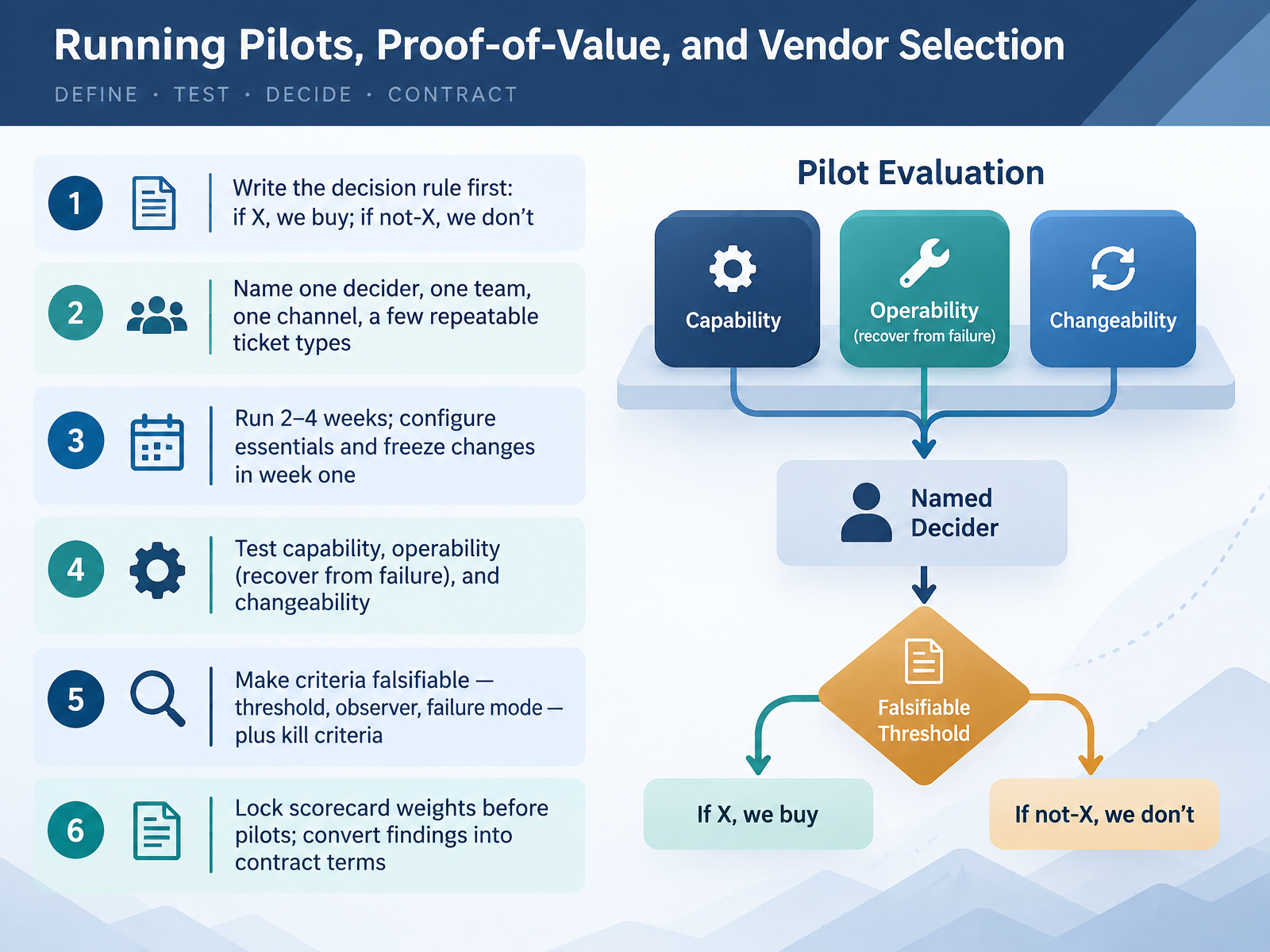
 - 10Running Pilots, Proof-of-Value, and Vendor SelectionNext, let's talk about running pilots that actually decide something. Start by writing the decision rule before you configure anything. If X, we buy. If not X, we don't. Name one decider, one team, one channel, and a few repeatable ticket types. Run two to four weeks. Configure only the essentials, then freeze changes in week one so your baseline holds. Test three things: capability, operability, and changeability. Capability means the workflow works. Operability means you can recover when it fails. Changeability means an admin can safely adjust a rule. Make every criterion falsifiable. Name the threshold, the observer, and the likely failure mode. Add kill criteria too, the conditions that stop the pilot early. Lock your scorecard weights before pilots begin, so results can't be rationalized afterward. Then convert what you proved into contract terms, not good intentions. The goal is a pilot that could produce a no, because a pilot that can't fail isn't a decision. It's a demo. Coming up next, Implementation, Migration, and Cutover Without Losing the Customer.
 omq.aibdq.cloududeskglobal.com+22 min
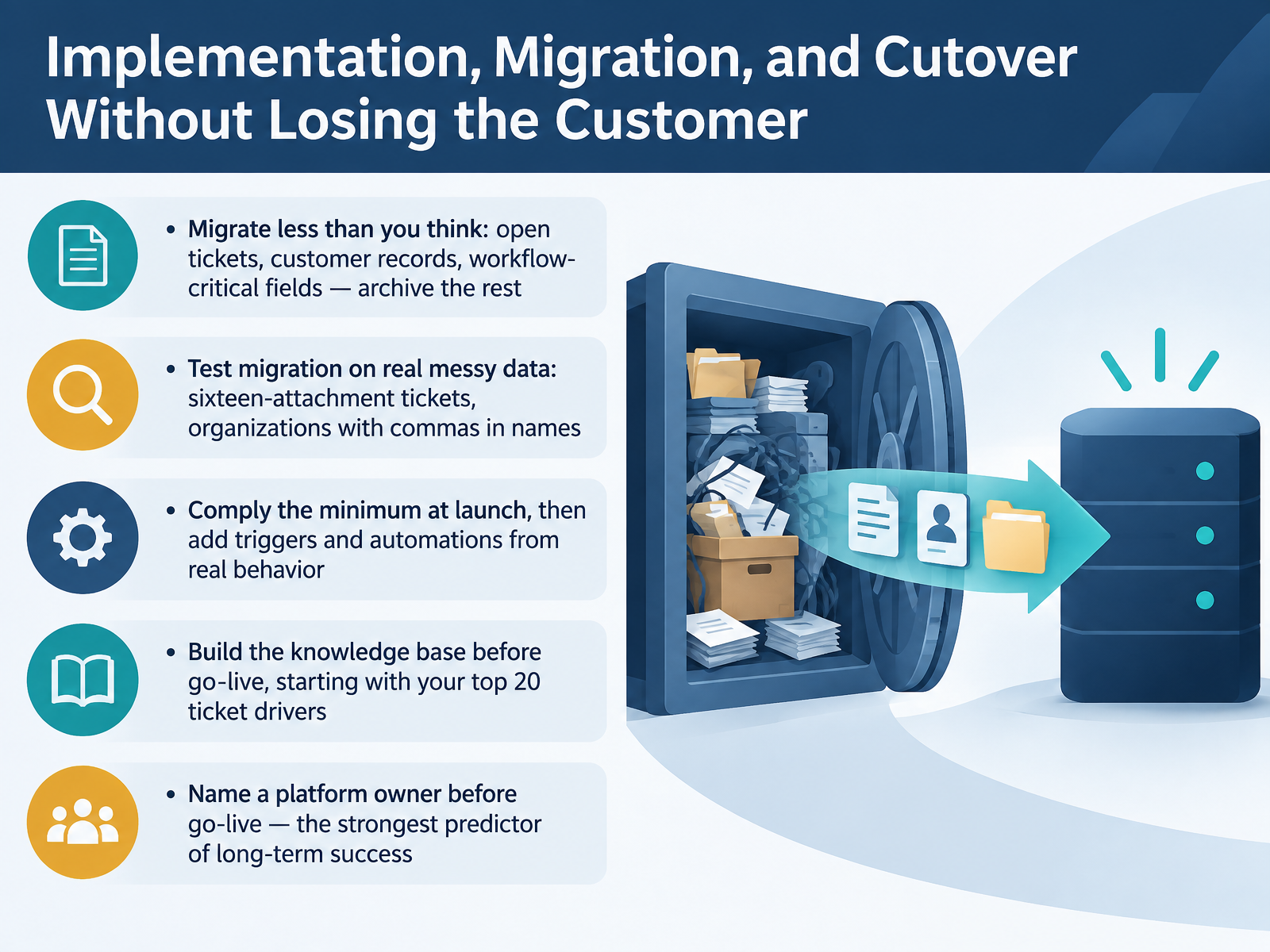
 - 11Implementation, Migration, and Cutover Without Losing the CustomerNow let's talk about cutover. This is where projects get won or lost, in front of live customers. Five decisions matter. First, migrate less than you think. Move open tickets, customer records, and the fields your workflows actually depend on. Archive the rest. If your plan is to occasionally look up old tickets, an export will serve you better than importing years of history that distorts reporting. Second, test migration against messy real data, not clean samples. The ticket with sixteen attachments. The organization with a comma in its name. Sample data never contains those. Third, comply the minimum at launch, then add triggers and automations based on real ticket behavior. Building every rule in advance means debugging hypothetical scenarios. Fourth, build the knowledge base before go live, starting with your top twenty ticket drivers. That is where the return lives. And fifth, name a platform owner before go live. Without one, triggers accumulate unmanaged, macros go stale, and the system quietly degrades. That single decision is the strongest predictor of long term success. Next, adoption, change management, and the first ninety days.
 aissist.ioaissist.ioclonedesk.ai+22 min
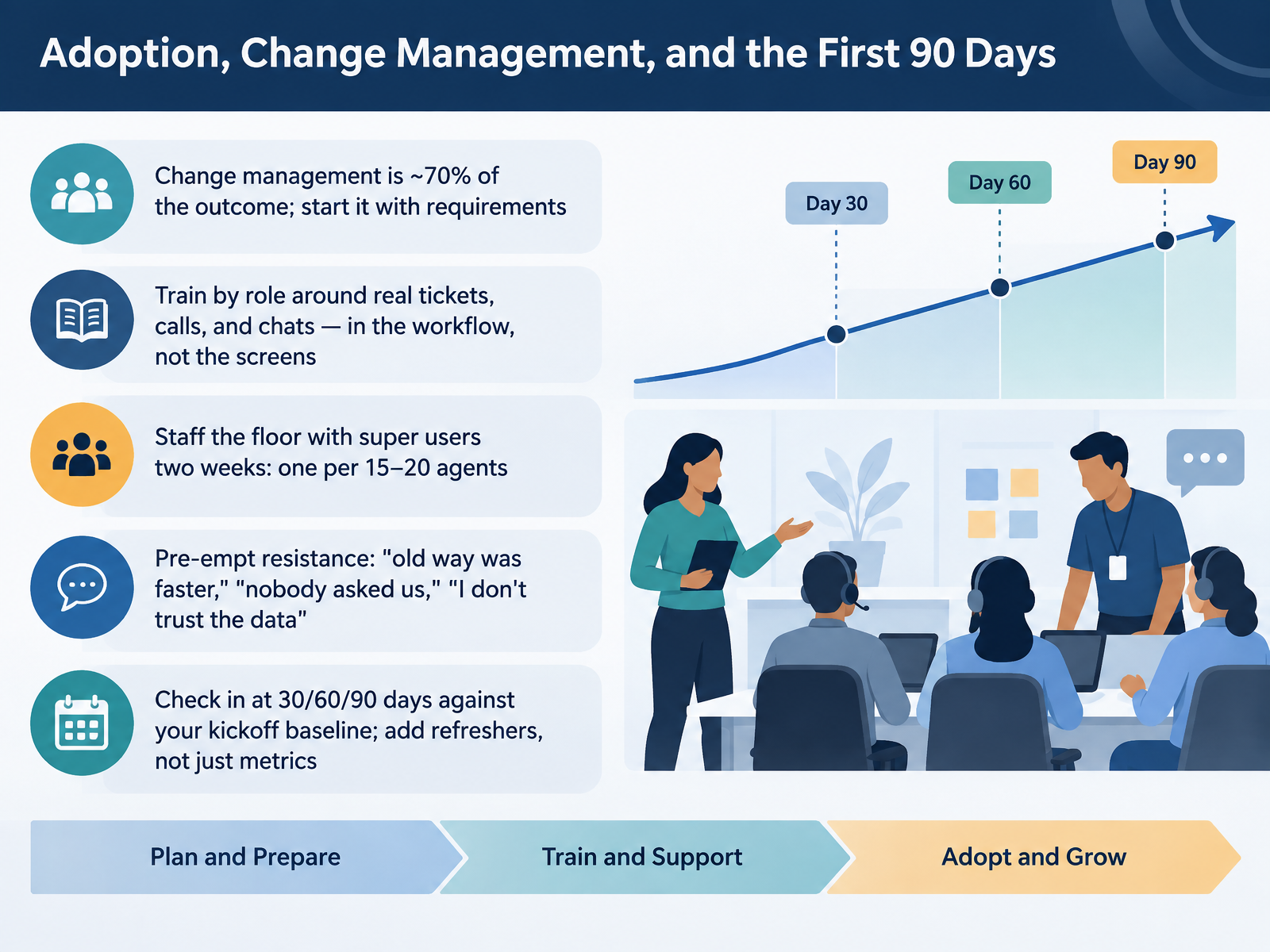
 - 12Adoption, Change Management, and the First 90 DaysLet's talk about adoption and the first ninety days. Here's the hard truth. Change management is about seventy percent of your outcome. So start it with requirements, not after go-live. Train by role, using real tickets, calls, and chats. Not screens. Train the work, in the workflow. Then staff the floor with super users for two weeks. One super user per fifteen to twenty agents. Expect resistance, and name it. Old way was faster. Nobody asked us. I don't trust the data. Answer each one directly. And check in at thirty, sixty, and ninety days against your kickoff baseline. When gaps show up, add refreshers, not just metrics. That's how adoption holds. Next, we look at measuring tool ROI and knowing when to re-evaluate.
 1 min
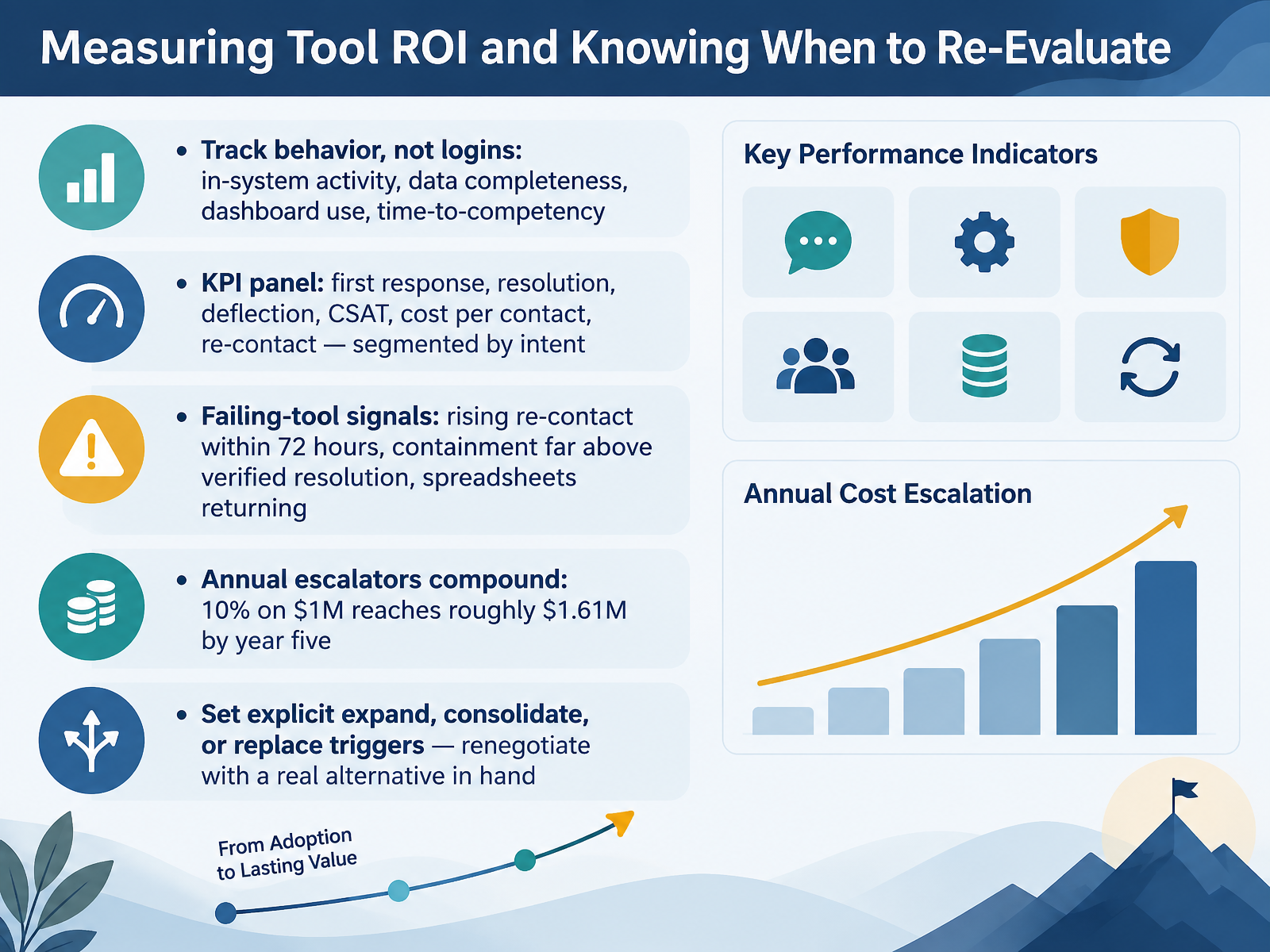
1 min - 13Measuring Tool ROI and Knowing When to Re-EvaluateNow let's talk about measuring tool return on investment, and knowing when to re-evaluate. Start with behavior, not logins. Track in-system activity, data completeness, dashboard use, and time-to-competency. A tool everyone signs into but nobody relies on is not working. Build a KPI panel: first response, resolution, deflection, CSAT, cost per contact, and re-contact, segmented by intent. Watch for failing-tool signals. Rising re-contact within 72 hours. Containment far above verified resolution. Spreadsheets quietly returning. And remember, annual escalators compound. Ten percent on a one-million-dollar contract reaches roughly one point six one million by year five. So set explicit expand, consolidate, or replace triggers, and renegotiate with a real alternative in hand. Now let's put it all together in your 90-day tool selection action plan.
 aissist.ioaissist.ioclonedesk.ai+22 min
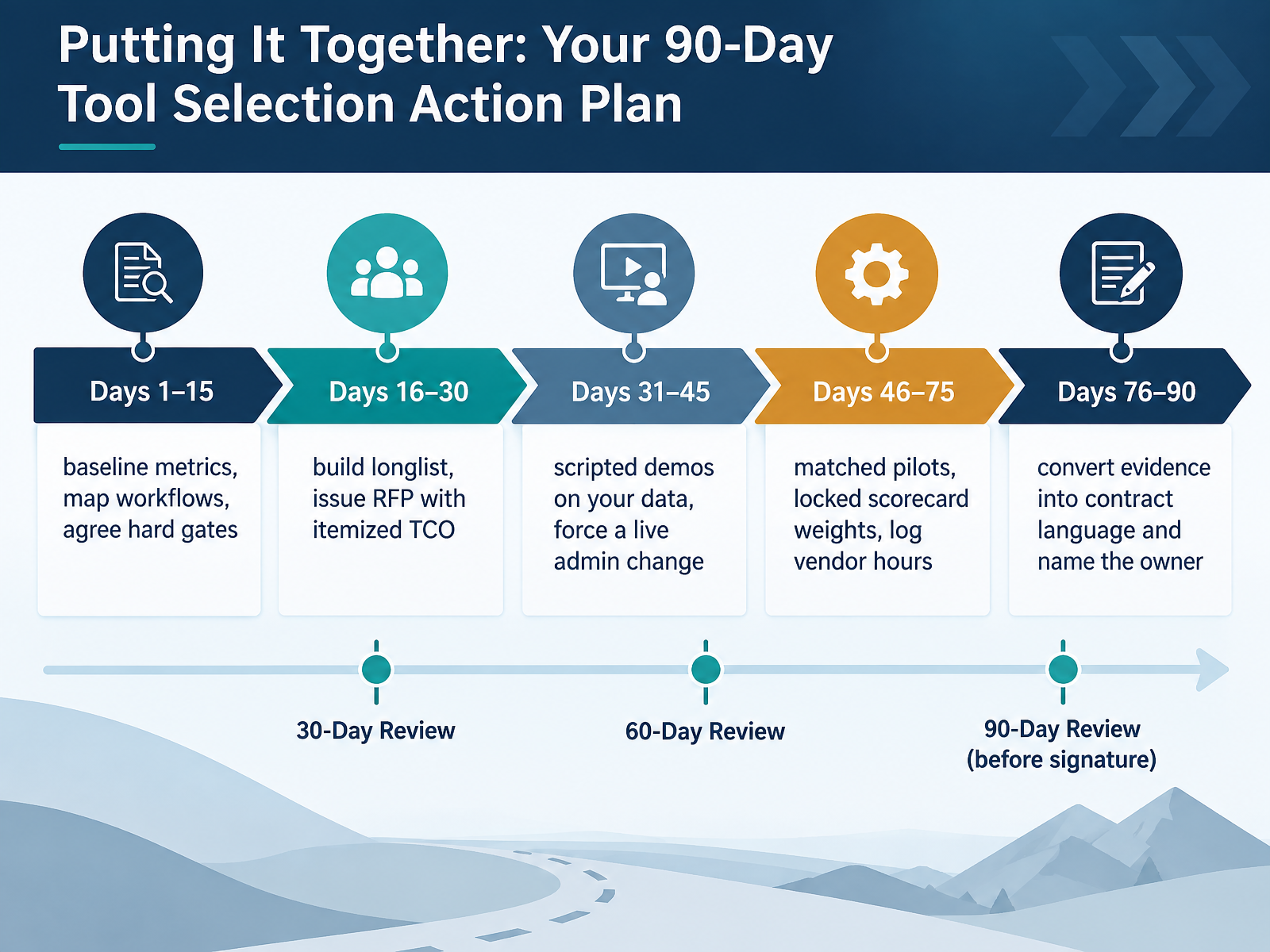
 - 14Putting It Together: Your 90-Day Tool Selection Action PlanLet's pull it all together into a ninety-day plan you can actually run. Days one through fifteen: baseline your metrics and map how work really flows, including the unofficial channels. Then agree your hard gates, security, data residency, integration, before any vendor sees your requirements. Days sixteen through thirty: build the longlist and issue an RFP with itemized total cost of ownership. Not just the seat price. Implementation, add-ons, overage, all of it. Days thirty-one through forty-five: scripted demos on your data, and force a live admin change in the room. If they can't make a simple change live, note it. Days forty-six through seventy-five: run matched pilots, lock your scorecard weights before results arrive, and log every hour of vendor help, because that predicts your renewal experience. Days seventy-six through ninety: convert proven evidence into contract language. Turn anything critical you validated into an acceptance criterion. Then name the owner. One person accountable before go-live. That single decision is the strongest predictor of whether this still works a year from now. Thank you for working through this course. You now have the criteria and the plan. Go run it with confidence.
 omq.aibdq.cloududeskglobal.com+22 min
Take the deck with you
Download this course as a file — free, no sign-up needed.
- PDF handoutEvery slide page, ready to print or share.15 pages · 3.3 MBDownload
- Narrated PowerPointThe deck that presents itself — every slide carries the digital human's narration video.15 pages · 13.8 MBDownload
- PowerPoint slidesThe full deck as a .pptx — open it in PowerPoint, Keynote, or Google Slides.15 pages · 3.3 MBDownload
Free to use in your own training — please keep the PersonWise credit page at the end.
Have your own deck? Turn it into a course
Sources consulted
Web sources consulted while building this course.
- Customer Service Platform Comparison 2026 — intercom.com
- Unified Platform vs Best-of-Breed Guide — supportbench.com
- Best Customer Support Software for Enterprise Teams — thesaaseducation.com
- The ISG Customer Experience Management Buyers Guide 2026 — CX Today — cxtoday.com
- Customer Service and Support Software Options 2026 — viewpointanalysis.com
- Customer Service Software Comparison 2026 – ROI & Costs — omq.ai
- How to Choose the Right Customer Service Platform in 2026 — BDQ Cloud — bdq.cloud
- How to Choose Customer Service Software: 2026 Buyer's Guide — udeskglobal.com
- True cost of AI customer service software: 7 platforms, August 2026 — usefini.com
- How to Evaluate Customer Service Software: The Scorecard for Scaling Support Teams | TopickZ.com — topickz.com
- AI Customer Service Governance & Compliance: The Enterprise Framework | NiCE CXone | NiCE — nice.com
- Govern Customer-Support AI Agents Under the EU AI Act | Praesidia — praesidia.ai
- Compliance Chatbot for Customer Support | HoverBot — hoverbot.ai
- Autonomous Agents for Customer Service — delight.ai
- Change Intelligence Platform for CX | Searvis — searvis.io
- AI Customer Service Benchmark 2026 by Industry | Aissist.io — aissist.io
- AI Customer Service Statistics 2026: First-Party Resolution Data — aissist.io
- AI Customer Service Statistics 2026: 60+ Sourced Benchmarks — clonedesk.ai
- Containment vs Resolution: The AI Customer Service Metric Most SMEs Get Wrong | Omago — omago.ai
- What Resolution Rate Can AI Customer Support Achieve? (2026 Benchmarks) | Lorikeet — lorikeetcx.ai