Begin
14 pages · ~28 min
How Web Servers Work
This training explains how web servers function, designed for beginners to understand client-server communication and request handling.
A digital instructor presents all 14 pages. Hold “Ask” at any point and ask out loud — the answer comes from this course. No sign-up needed.
What you’ll learn
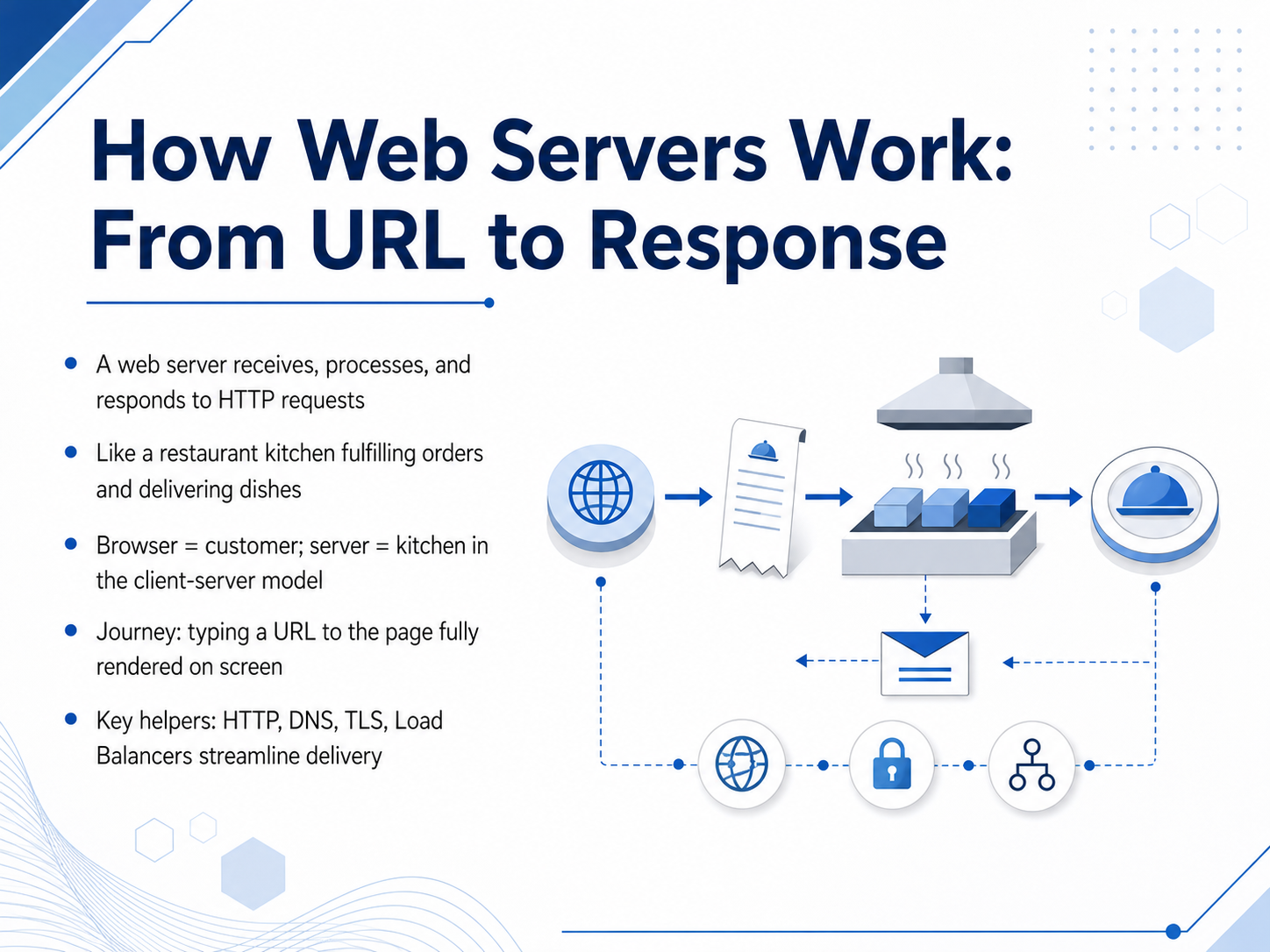
- 01How Web Servers Work: From URL to ResponseWelcome. In this course, we are going to explore exactly how a web server works, from the moment you type a URL to the moment a page appears on your screen. Think of a web server as a restaurant kitchen. You, the customer, place an order—that is an HTTP request. The kitchen receives the order, prepares the meal, and sends the dish back to you—that is the response. We call this the client-server model: the browser is the customer, and the server is the kitchen. Along the way, key helpers like HTTP, DNS, TLS, and load balancers work together to make the delivery fast and secure. By the end, you will understand the full journey behind every webpage you visit. Let's start by building a solid foundation with the Internet's backbone: HTTP, URLs, and DNS.1 min
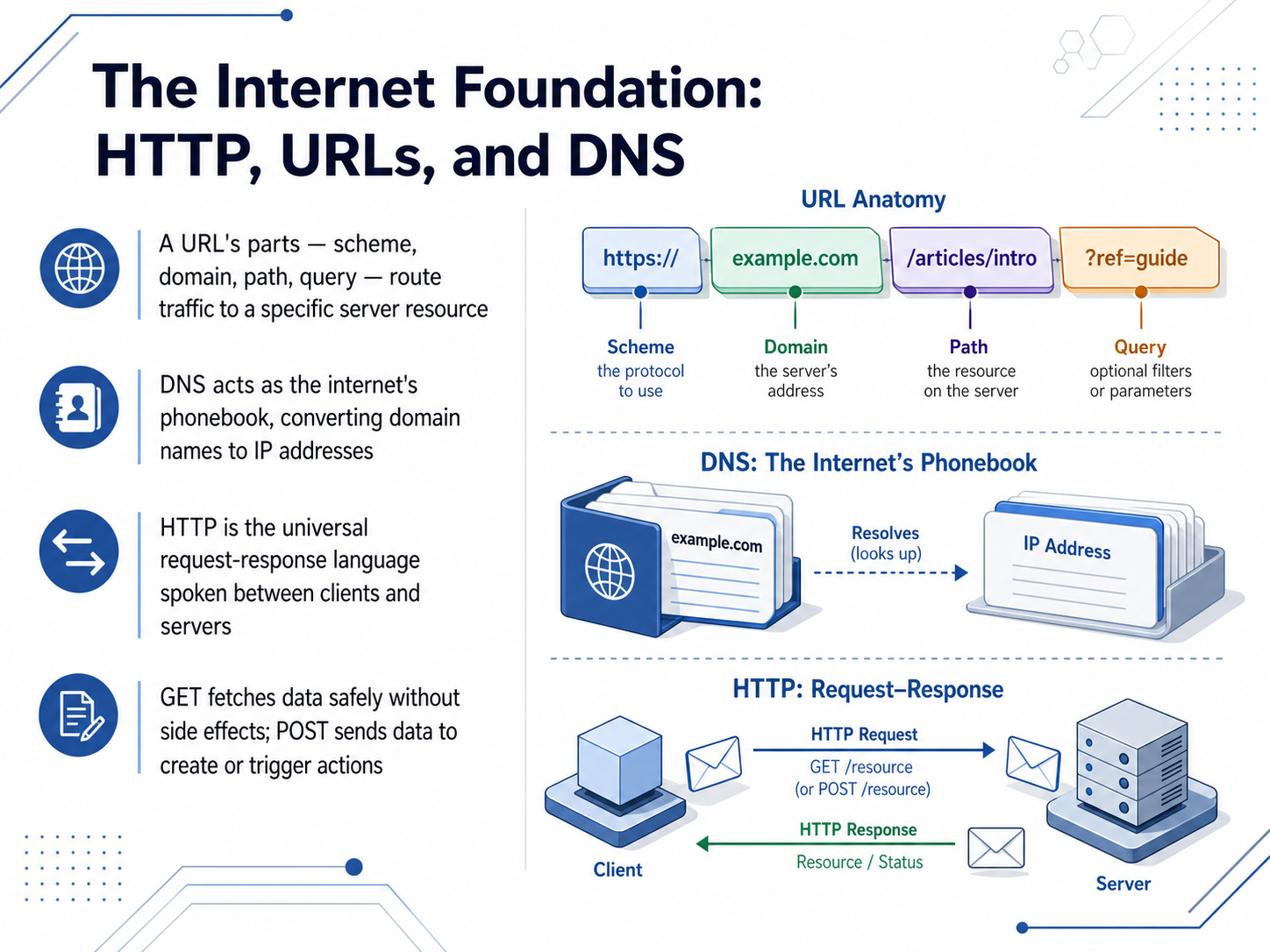
- 02The Internet Foundation: HTTP, URLs, and DNSNow let's look at the internet's foundation: HTTP, URLs, and DNS. Think of a URL as a complete address for content. Its parts—like the scheme, domain, path, and query—work together to route your request to a specific resource on a server. But how does your browser actually find that server? That's where DNS comes in. DNS acts like the internet's phonebook. You type a domain name, and DNS converts it into the machine-readable IP address where the server lives. Once the browser knows the address, it needs a language to talk to the server. That language is HTTP, the universal request-response protocol between clients and servers. Two key HTTP methods are GET and POST. GET fetches data safely without making changes. POST sends data to create something new or trigger an action. Next, we'll step behind the counter to see the server hardware and software that power these interactions.
 developer.mozilla.orgadevguide.comteshahch.com+22 min
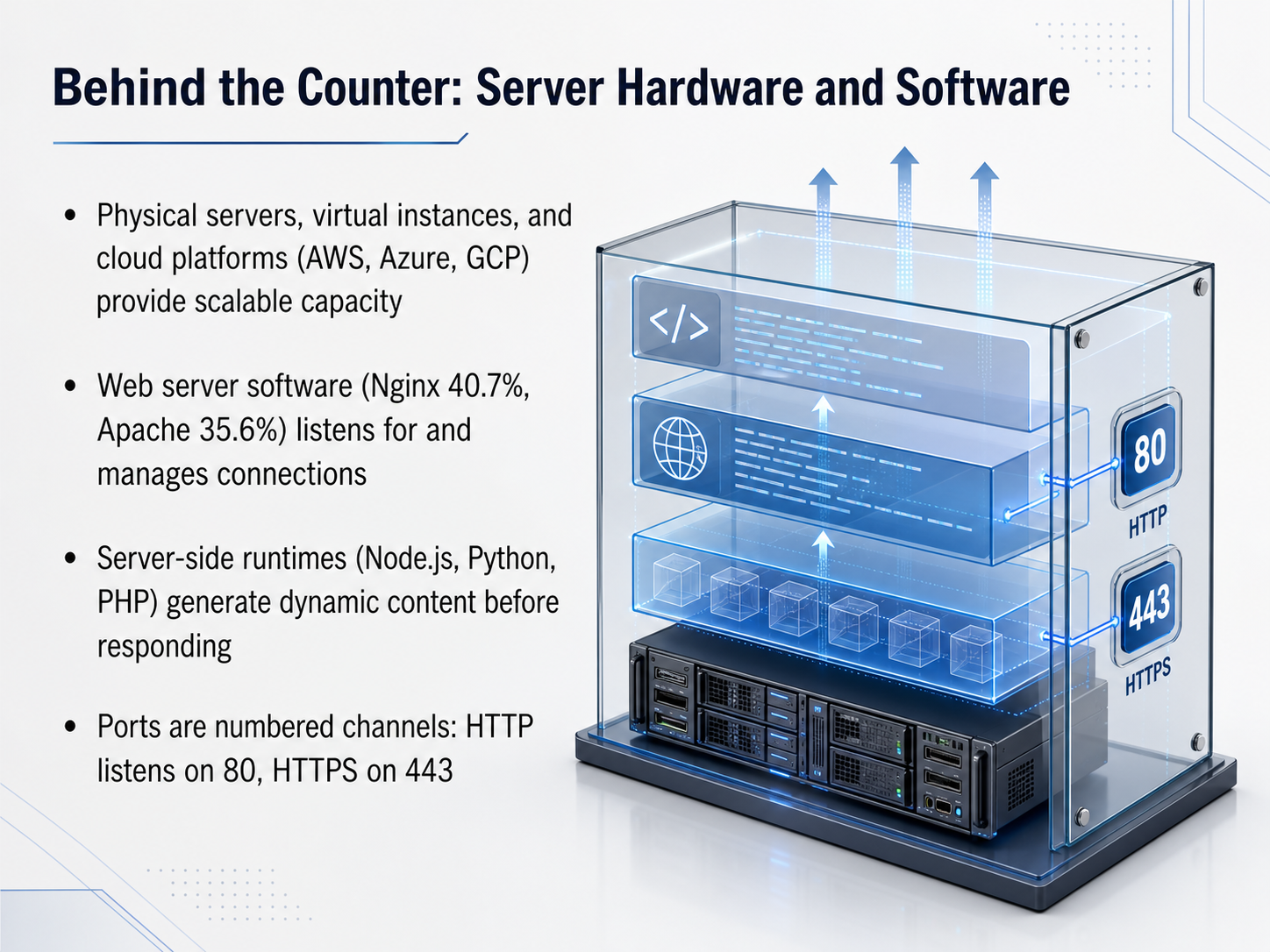
 - 03Behind the Counter: Server Hardware and SoftwareNow let's look behind the counter at the actual hardware and software that powers the web. Servers can run on physical machines, virtual instances, or cloud platforms like AWS, Azure, and GCP, which allow capacity to scale up as traffic grows. On that hardware sits the web server software. The two most common options are Nginx, with about forty point seven percent market share, and Apache, at roughly thirty-five point six percent. Their job is to listen for incoming connections and manage those requests. When a page needs dynamic content, the web server hands off work to a server-side runtime like Node.js, Python, or PHP, which generates the final response. All of this communication happens over numbered channels called ports. By convention, standard HTTP traffic arrives on port eighty, and secure HTTPS traffic arrives on port four forty-three. Next, we'll see how the server knows exactly which content to deliver when a request arrives, in 'Request Handlers: How the Server Finds Your Content.'
 w3techs.comwmtips.comenterno.io+21 min
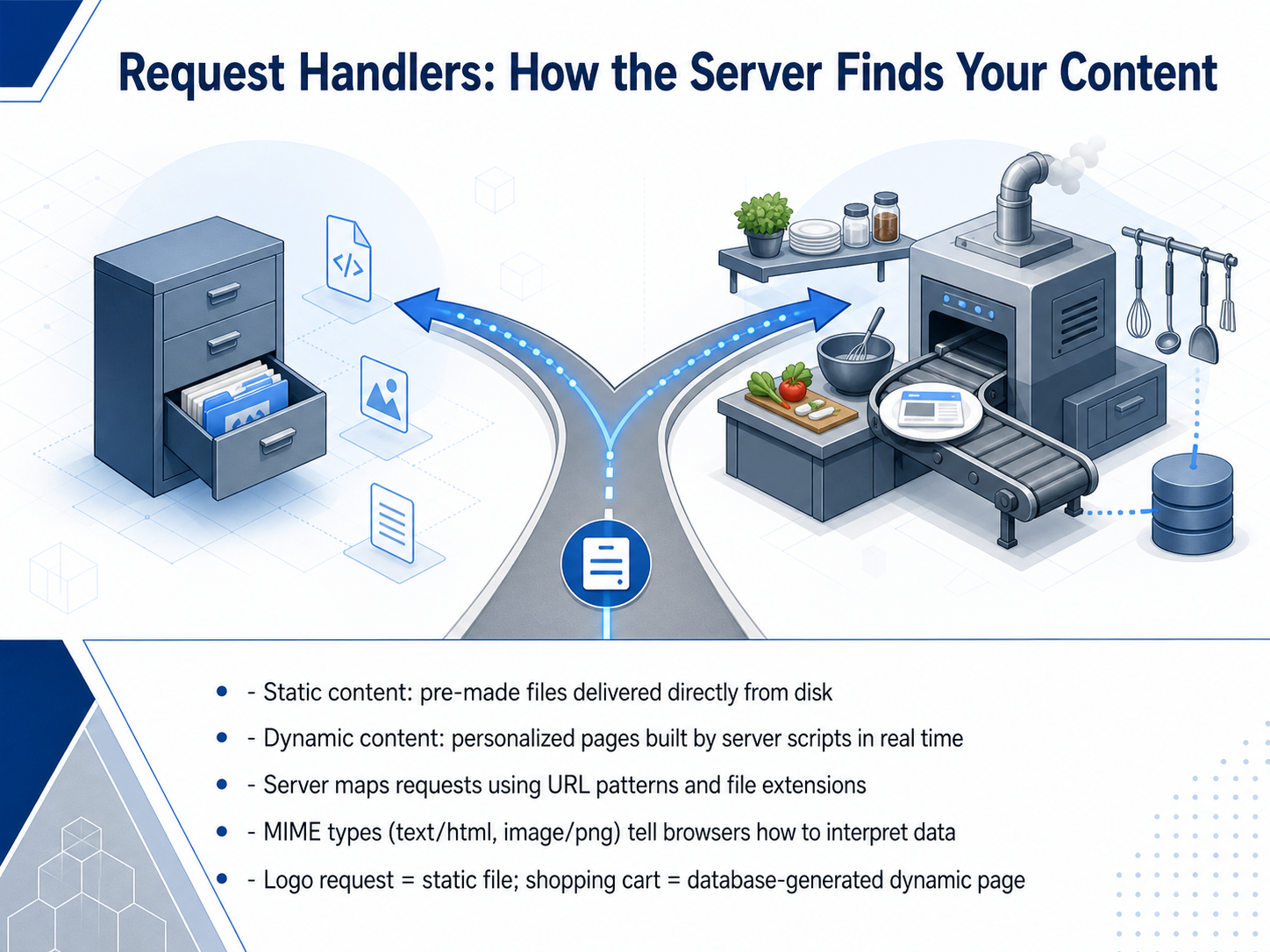
 - 04Request Handlers: How the Server Finds Your ContentNow let's look at how the server actually finds your content. There are two main types. First, static content. These are pre-made files, like images or style sheets, that sit on the server's disk. When you request a logo, the server simply grabs that file and sends it back. Second, dynamic content. These pages don't exist as files; they are built on the fly for you. Think of your shopping cart. A server script talks to a database, assembles your specific items, and generates a unique HTML page in real time. The server knows what to do by looking at the URL pattern and file extensions. It might see a path ending in '.png' and serve a static image, or a path like '/cart' and trigger a script. The server also sends back a MIME type, like 'text/html' for a webpage or 'image/png' for a picture. This label tells your browser how to correctly interpret the incoming data. So, a logo request means a quick static file delivery, while a shopping cart view triggers complex, database-generated dynamic content. Next, we'll decode the response itself by exploring status codes and their meanings.
 2 min
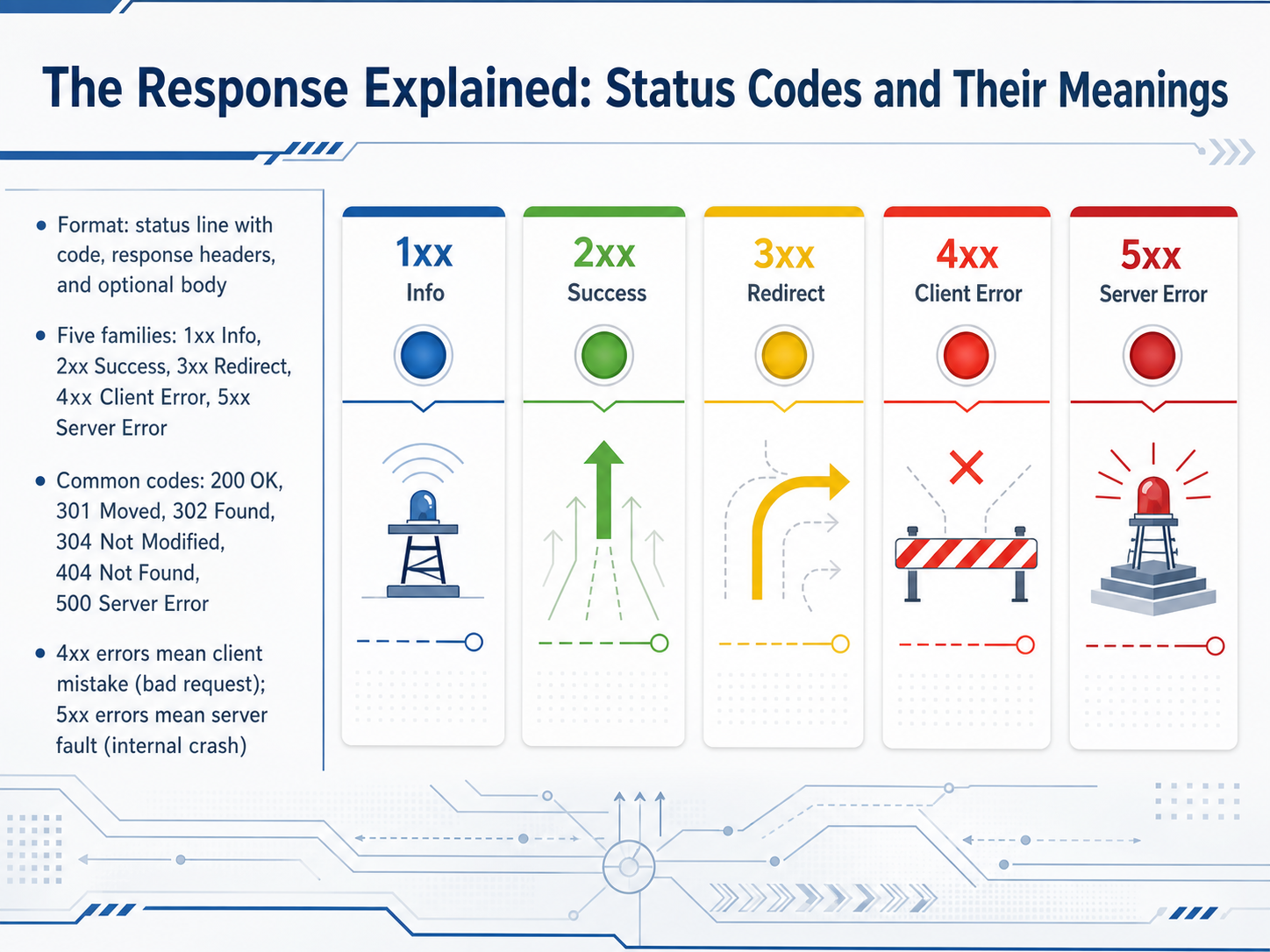
2 min - 05The Response Explained: Status Codes and Their MeaningsNow let's look at what comes back in the response. You might see a short line, some headers, and sometimes a body. But the first thing to spot is the three-digit status code. That number instantly tells you whether the request was understood, successful, or hit a problem. All codes fall into five families based on the first digit. One hundred series means informational, two hundred series signals success, three hundred tells you there is a redirect, four hundred means a client error, and five hundred series points to a server error. This is the most useful rule to remember. If you see a four hundred code like 404 Not Found, the request itself was wrong. You can correct your URL and try again. If you see a five hundred code like 500 Internal Server Error, your request was probably fine, but something crashed on the server side. So in general, four hundred errors are yours to fix, and five hundred errors are the server's to fix. A quick example. When you ask for a page that moved permanently, the server returns a 301 Moved Permanently, and your browser follows the new address automatically. Next, we will uncover what the server tells you in the response headers and how those hidden details keep the web fast and secure.
 developer.mozilla.orgiana.orgdevhints.io+22 min
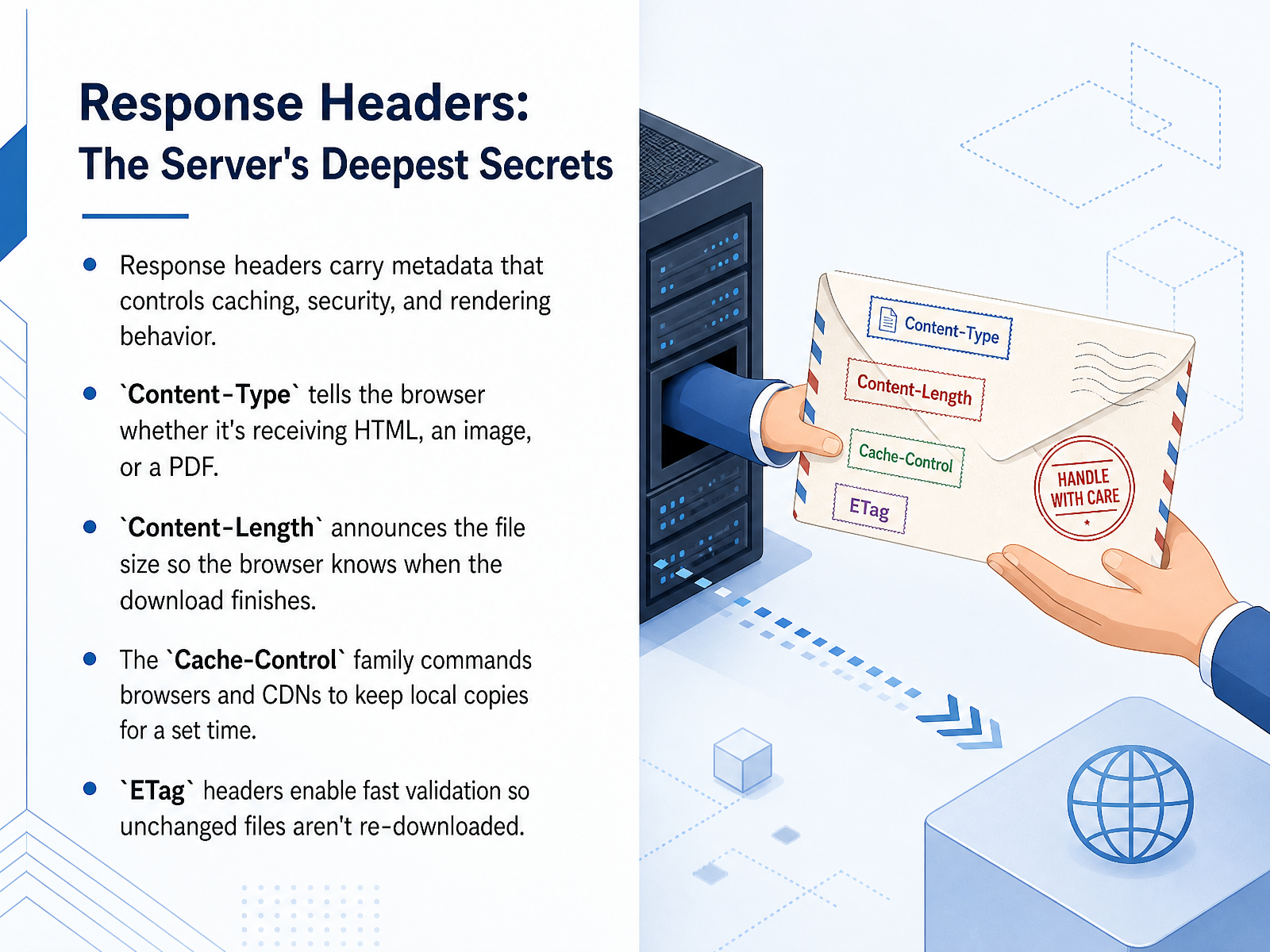
 - 06Response Headers: The Server's Deepest SecretsNow that the server has selected the content, it needs to attach a label with handling instructions. These are called response headers. Think of them as private notes from the server that tell the browser what to do next. The Content-Type header is crucial. It identifies the payload, for example, text HTML for a webpage, image PNG for a picture, or application PDF for a document. Without it, the browser might display raw code instead of a rendered page. Another essential header is Content-Length. It declares the exact file size in bytes, allowing the browser to draw a progress bar and precisely know when the download is complete. For traffic management, we have the Cache-Control family. These commands dictate whether a browser or a middleman server can store a local copy, and for exactly how many seconds. Finally, the ETag header acts like a unique fingerprint for a file. When a browser asks for the same resource again, it sends the ETag back. The server can instantly reply, 'Nothing changed, use your copy,' saving bandwidth. Up next, we will see these headers in action as we explore the art of not repeating yourself with caching.
 1 min
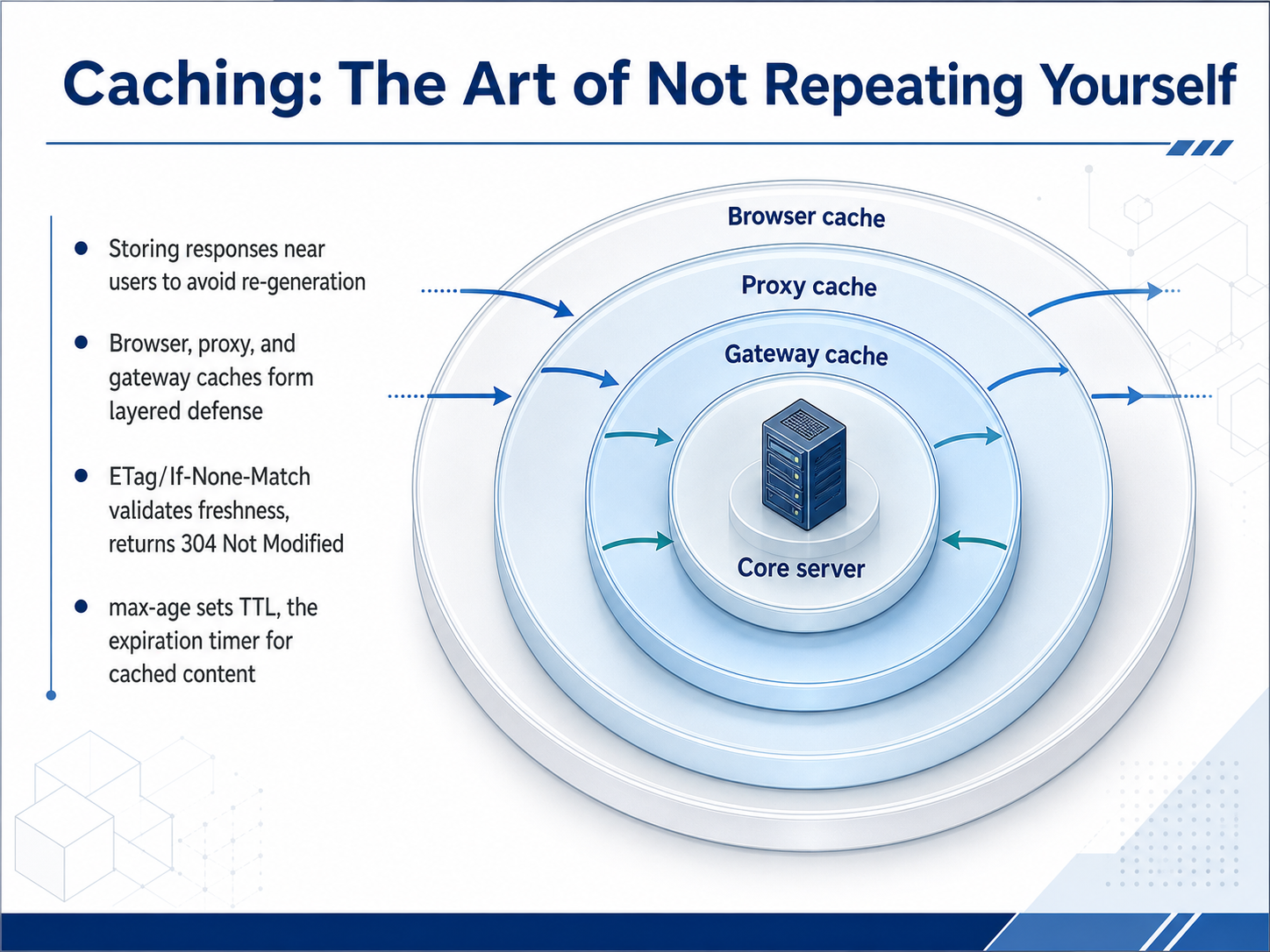
1 min - 07Caching: The Art of Not Repeating YourselfNow, let's talk about caching. Think of it as the art of not repeating yourself. When a server generates the same response over and over, it wastes time and resources. Caching solves this by storing a copy of the response closer to the user. This forms a layered defense. Your browser keeps a local cache, your company might use a proxy cache, and larger networks rely on gateway caches. To keep things fresh, servers use a tag called an ETag. The browser sends it back with an If-None-Match header to ask, "Has this changed?" If not, the server quickly responds with a 304 Not Modified status, saving bandwidth. We can also control timing with a cache directive called max-age. It acts like an expiration timer, setting a TTL, or time to live, in seconds. Once that timer runs out, the browser fetches a fresh copy. Next, we will move from efficient delivery to secure delivery as we explore making it secure with HTTPS and the TLS handshake.
 2 min
2 min - 08Making It Secure: HTTPS and the TLS HandshakeNow we need to lock the door on these conversations. That is where HTTPS comes in. Think of standard HTTP as sending a postcard through the mail. Anyone handling it can read the message. HTTPS encrypts that postcard inside a locked, opaque envelope, ensuring privacy and integrity during transit. This protection comes from TLS, which wraps our HTTP request in a secure layer. To establish trust, websites use TLS certificates, which act like a digital passport issued by a trusted Certificate Authority. Your browser checks this passport instantly. When you connect, a rapid secret greeting called the TLS handshake happens behind the scenes. The two sides agree on a cipher and exchange session keys without anyone eavesdropping. Today, this is mandatory for all websites. It protects your login, your searches, and even the articles you read. Up next, we will explore what happens when millions of these secure requests arrive at once, using load balancers.
 1 min
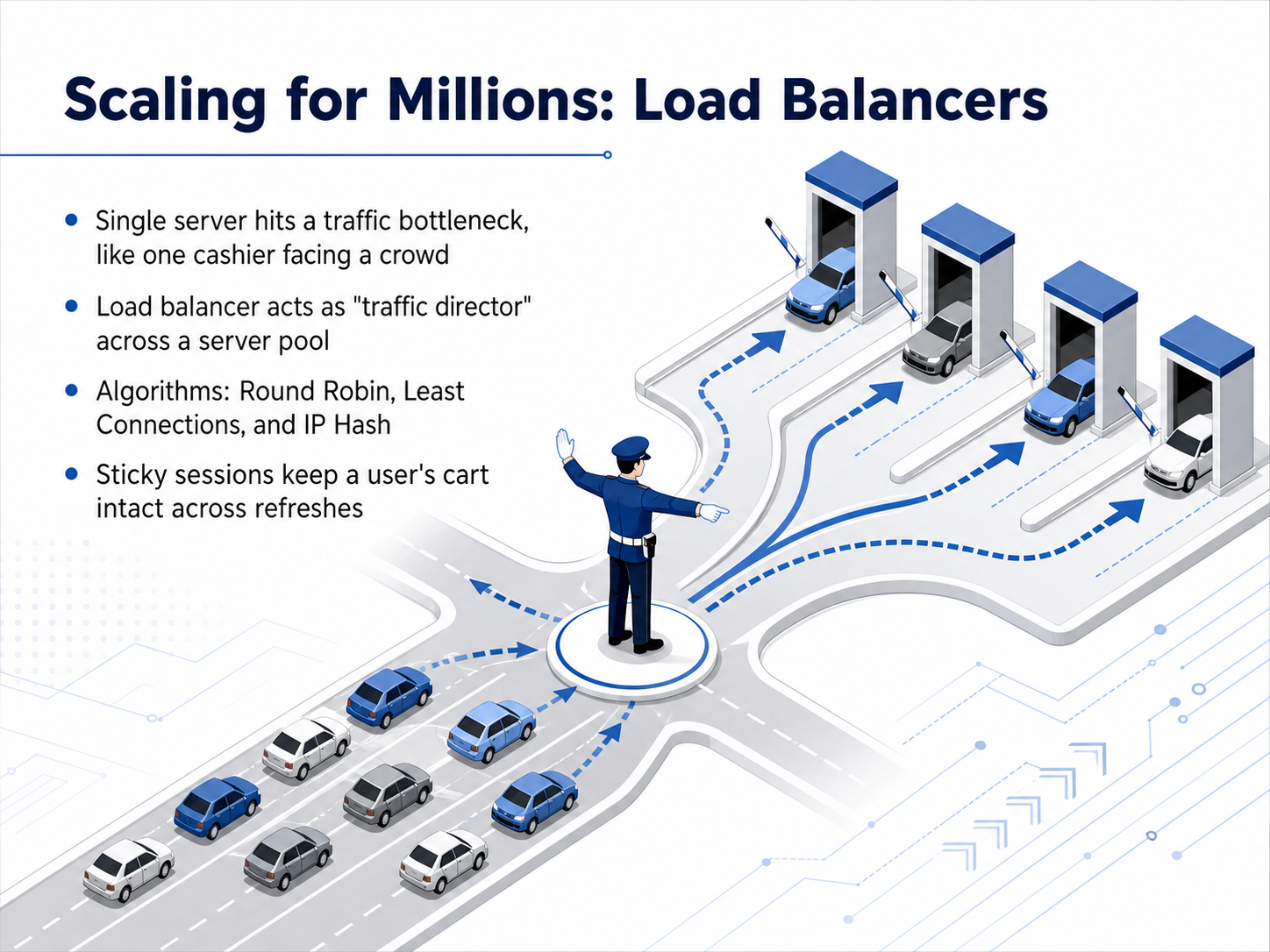
1 min - 09Scaling for Millions: Load BalancersNow what happens when a single server becomes too popular? Picture one cashier and a crowd of hundreds. That server becomes a bottleneck, slowing everything down. The solution is a load balancer, which works like a smart traffic director. It sits in front of a farm of servers and decides which one should handle each new request. There are a few common strategies for that decision. Round Robin simply cycles through the list of servers in turn. Least Connections sends traffic to the server with the fewest active tasks. And IP Hash ensures that requests from your specific computer always route to the same server. That last idea is crucial for something called sticky sessions, which keep you logged in and your shopping cart intact even when you refresh the page. Up next, we take this global by exploring Content Delivery Networks, or CDNs.
 1 min
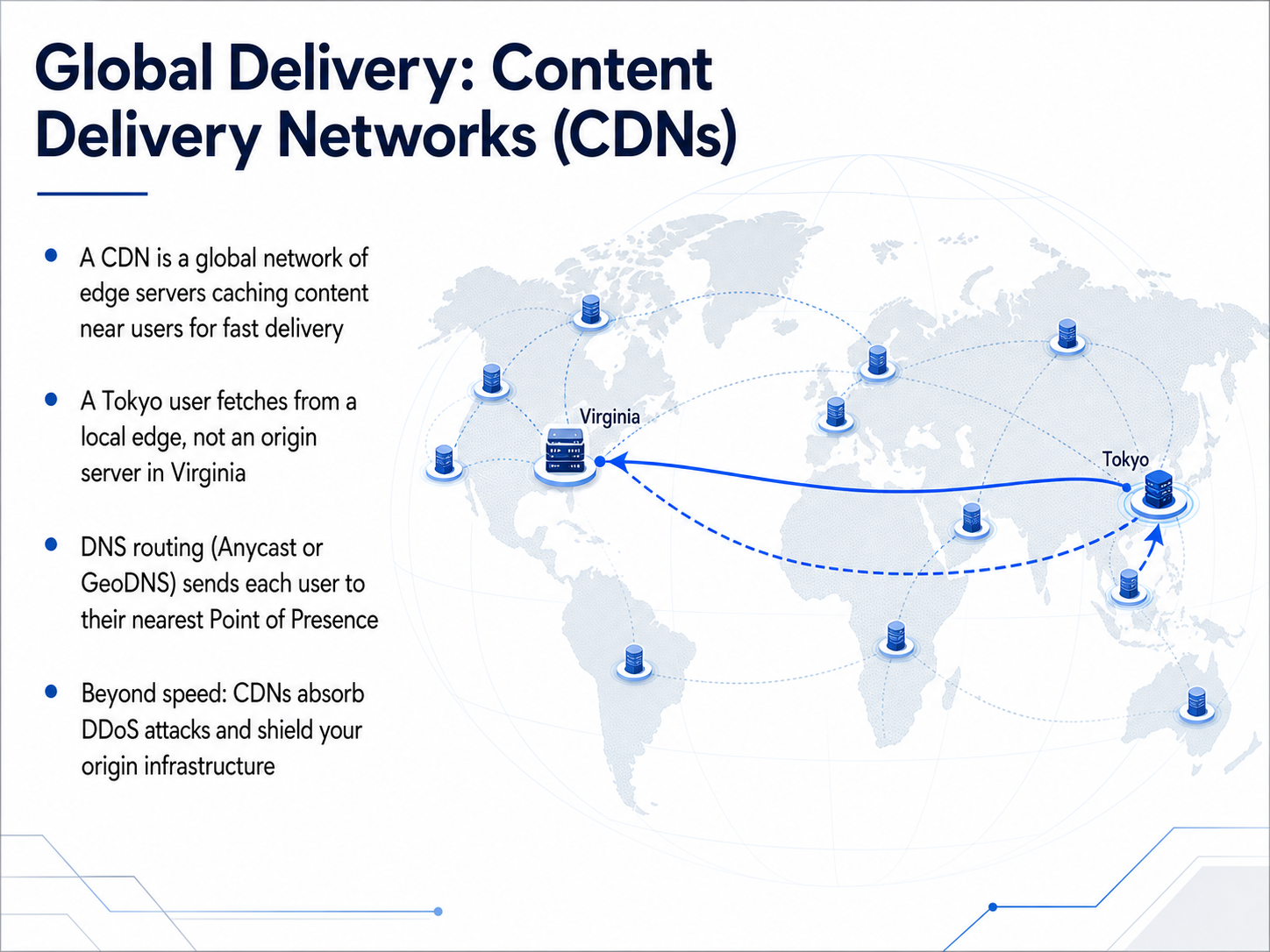
1 min - 10Global Delivery: Content Delivery Networks (CDNs)Now let’s zoom out and see how CDNs deliver content across the entire planet. A Content Delivery Network is really a global fleet of edge servers that cache your files close to users. Think of it this way: if a Tokyo user requests your site, they fetch data from a local edge node, not from your origin server all the way back in Virginia. That cuts the round trip time from hundreds of milliseconds down to just a few. The magic behind directing each user to the nearest node is smart routing. Most CDNs use a combination of Anycast and GeoDNS. With Anycast, the same IP address is advertised from many locations, and the Internet’s own routing protocol sends the user to the topologically closest one. GeoDNS does something similar by returning a region specific IP when the domain is looked up. The result is the same: every user lands at their nearest Point of Presence, or PoP. But speed is only half the story. Because every request first hits the edge, the CDN acts like a giant shield. A DDoS attack that would flatten a single origin server gets distributed across hundreds of data centers and absorbed. This global cushion protects your infrastructure by design. In short, a CDN shortens physical distance and wraps your origin in a defensive layer, making the web fast and safe for everyone. Next, let’s look at how CDNs optimize data flow even further with Power at the Edge: Tiered Caching and Edge Computing.
 youngju.devdevelopers.cloudflare.comvectree.io+22 min
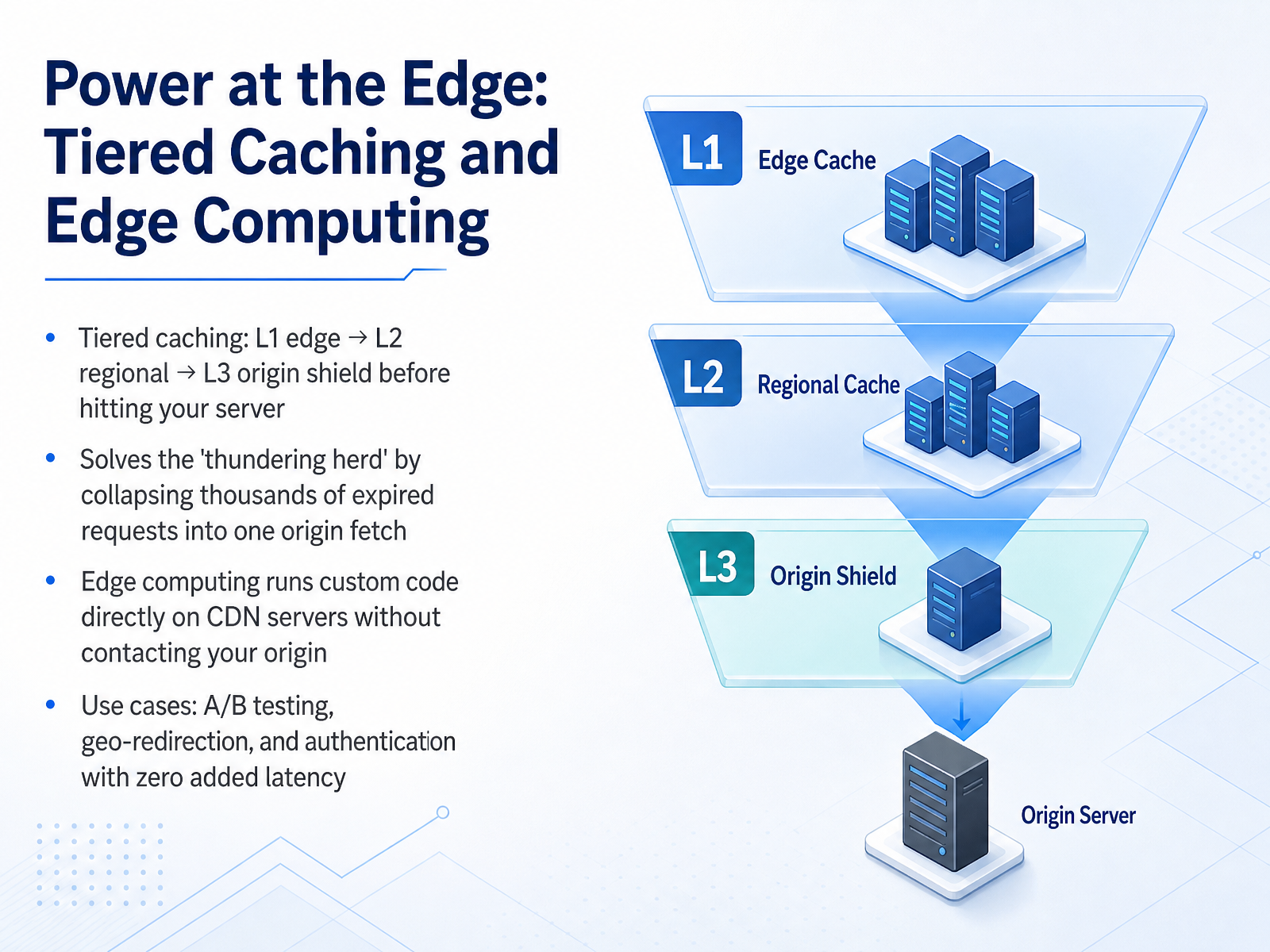
 - 11Power at the Edge: Tiered Caching and Edge ComputingNow let’s look at how modern CDNs use caching layers to absorb traffic before it ever reaches your server. Think of it as a series of safety nets. The first layer, L1, sits right at the edge, closest to the user. If it doesn’t have the content, the request falls back to a regional L2 cache, and then to a central L3 origin shield. This tiered design solves a classic problem called the 'thundering herd.' When a popular piece of content expires, thousands of requests could hit your origin at the same moment. Instead, the CDN collapses those requests into a single origin fetch from the L3 shield, protecting your infrastructure. Going a step further, edge computing lets you run custom code directly on the CDN servers, with no round trip to your origin at all. This unlocks zero-latency use cases like A/B testing, where you split traffic between two page versions, geo-redirection to send users to the correct regional site, or even handling authentication right at the edge. With these techniques, you shift work away from your server and serve users faster. Up next, we’ll explore how modern protocols make these connections even more efficient in 'Modern Voice: HTTP/2 and HTTP/3.'
 2 min
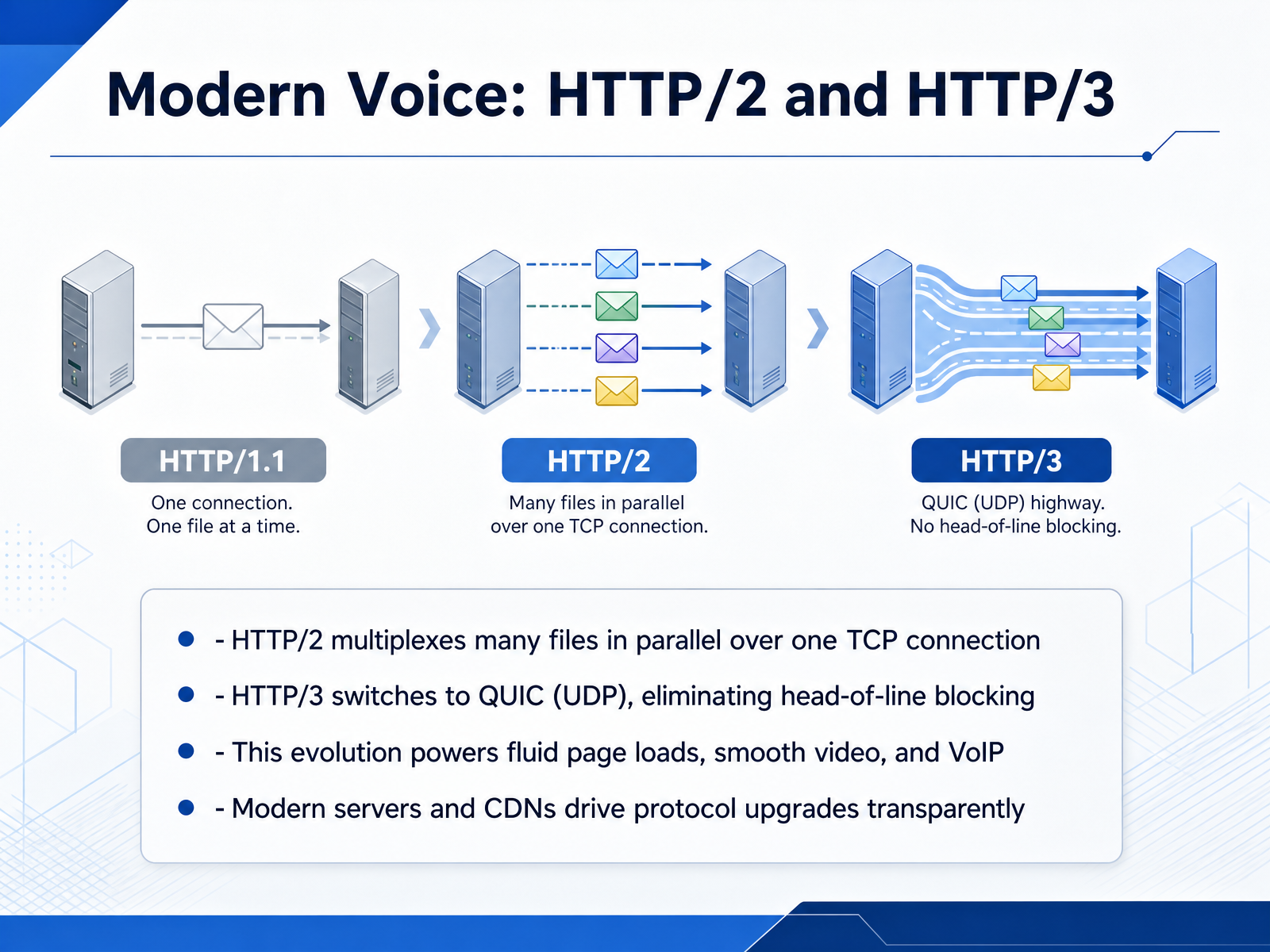
2 min - 12Modern Voice: HTTP/2 and HTTP/3As the web grew, so did the protocol. HTTP/2 introduced multiplexing, which lets the server send many files at the same time over a single TCP connection. Think of it as a multi-lane delivery truck instead of a single lane, so images, styles, and scripts arrive together, and the page paints faster. HTTP/3 goes a step further. It switches the transport from TCP to QUIC, built on UDP. This eliminates a problem called head-of-line blocking, where one lost packet could hold up everything behind it. The result is fluid page loads, smooth video playback, and crystal-clear voice and video calls. The best part is that modern servers and CDNs handle these upgrades transparently. Your browser and the server negotiate the best version automatically, so you get the performance without any extra work. Up next, we pull everything together in The Full Journey: End-to-End Request Walkthrough.
 1 min
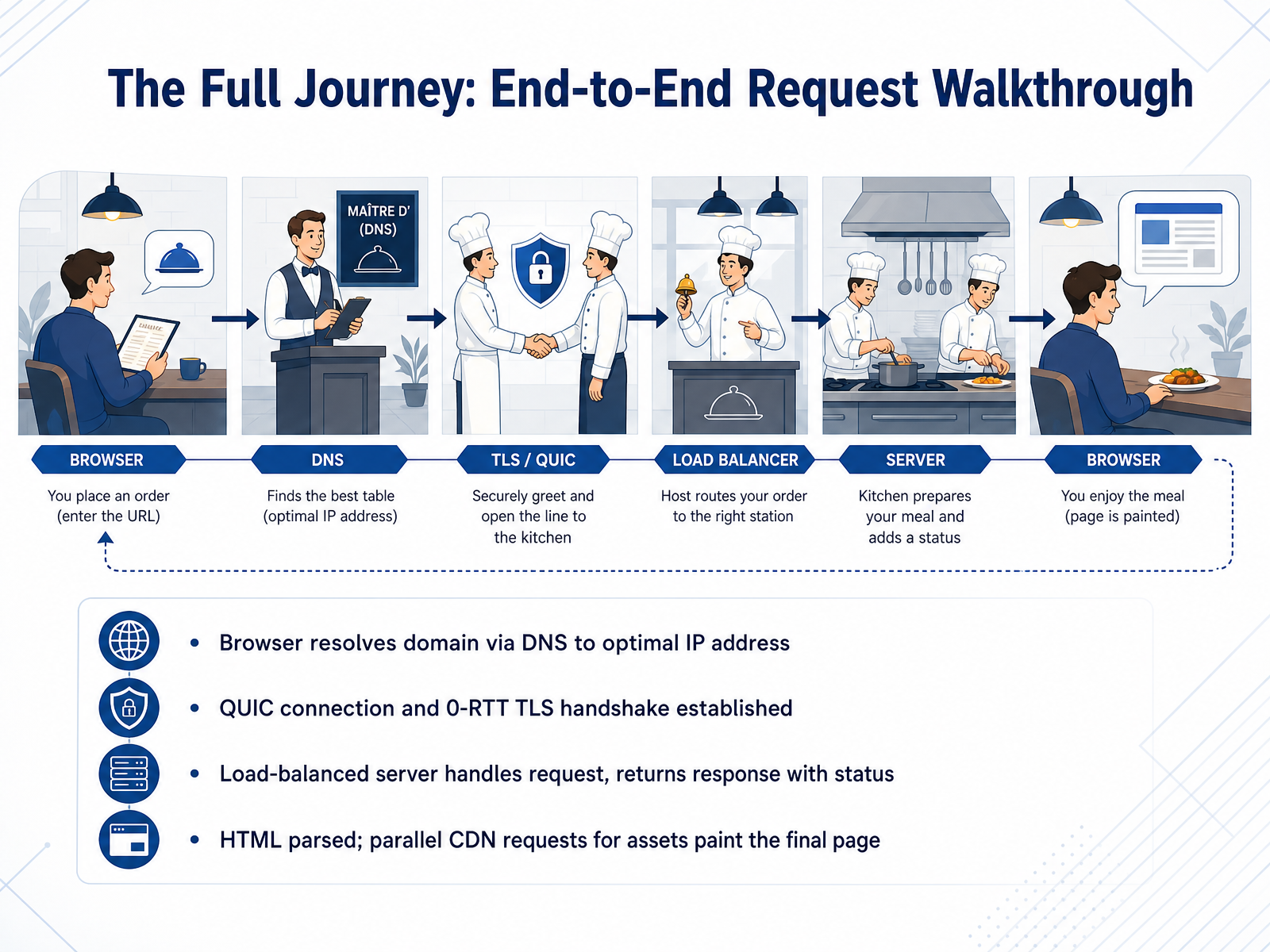
1 min - 13The Full Journey: End-to-End Request WalkthroughNow let's put all the pieces together and walk through an entire request from start to finish. It all begins when you type a URL and hit enter. Your browser first asks DNS to resolve that domain into an optimal IP address, picking the fastest route to the server. Once it has the IP, a QUIC connection is established with a zero-RTT TLS handshake, so the secure channel is ready almost instantly. The request arrives at a load-balanced server, which processes it and sends back a response complete with a status code, like 200 OK. When the HTML arrives, the browser parses it and discovers links to images, stylesheets, and scripts. It fetches those assets in parallel from CDNs close to your location, and as they arrive, the final page paints onto your screen. In just a few hundred milliseconds, a globally distributed system works together to deliver a seamless experience. Next, we review our key takeaways in 'Course Summary and Your Path Forward.'
 2 min
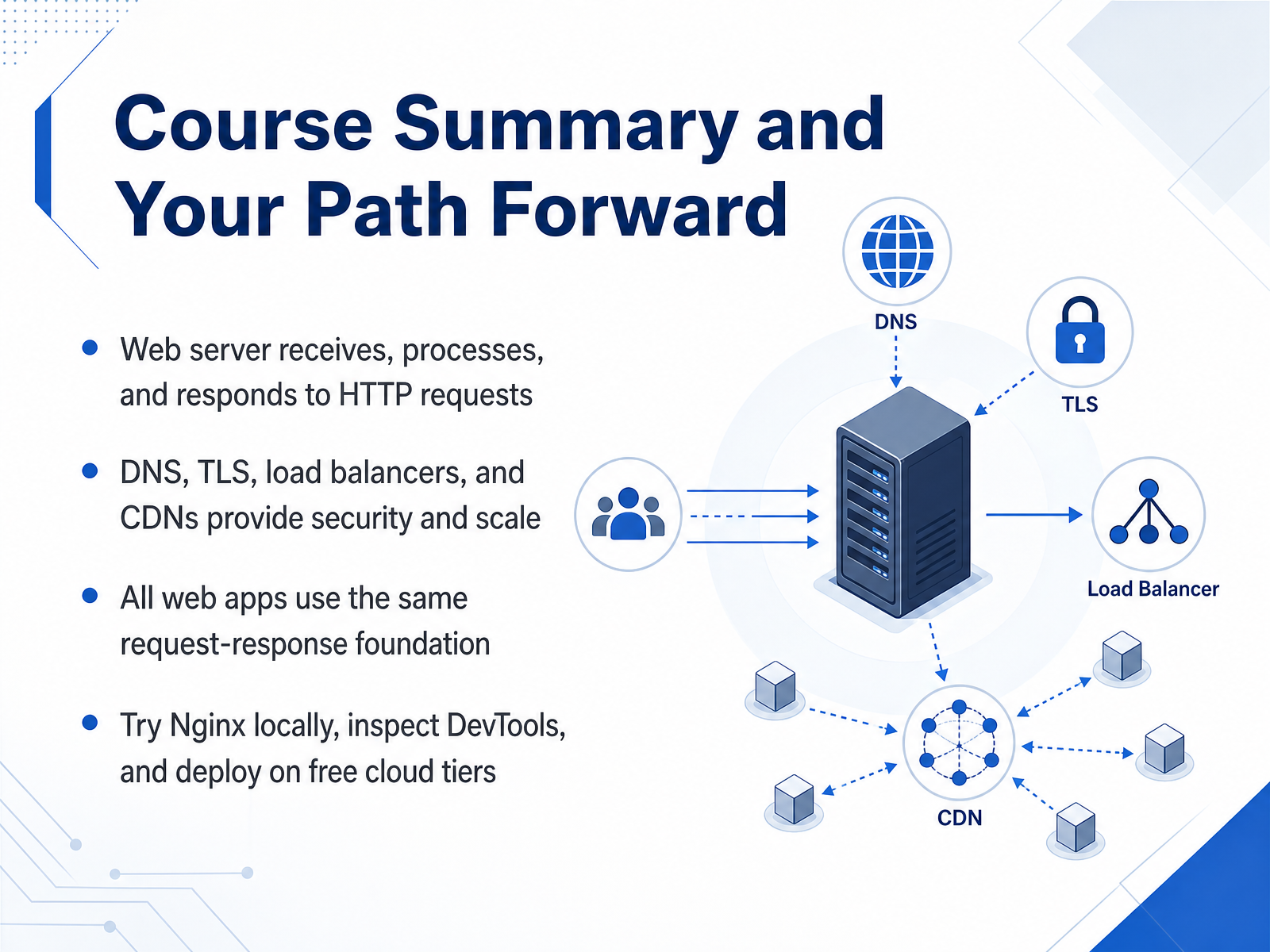
2 min - 14Course Summary and Your Path ForwardThat brings us to the end of our journey into how web servers work. To recap, a web server receives an H T T P request, processes it — whether it is fetching static files or generating dynamic content — and then returns a response. Technologies like D N S, T L S, load balancers, and C D Ns work behind the scenes to add security and scale that foundation. The key takeaway is that every modern web application, from a simple blog to a global platform, is built on this same request-response cycle. Your next step is to get hands-on. Try running Nginx on your local machine, open your browser’s DevTools to watch network requests in real time, and deploy a small project on a free cloud tier. Thank you for joining me, and I encourage you to keep exploring — the best way to learn is by building.
 2 min
2 min
Take the deck with you
Download this course as a file — free, no sign-up needed.
- PDF handoutEvery slide page, ready to print or share.15 pages · 3.5 MBDownload
- Narrated PowerPointThe deck that presents itself — every slide carries the digital human's narration video.15 pages · 14.4 MBDownload
- PowerPoint slidesThe full deck as a .pptx — open it in PowerPoint, Keynote, or Google Slides.15 pages · 3.4 MBDownload
Free to use in your own training — please keep the PersonWise credit page at the end.
Have your own deck? Turn it into a course
Sources consulted
Web sources consulted while building this course.
- HTTP request methods - MDN Web Docs — developer.mozilla.org
- HTTP Methods Explained: GET vs POST vs PUT vs DELETE | ADevGuide — adevguide.com
- HTTP Methods Explained: GET, POST, PUT, PATCH & DELETE — teshahch.com
- The Verbs of the Web: A Beginner's Guide to HTTP Methods (GET, POST, PUT, DELETE) - DEV Community — dev.to
- HTTP Methods Explained: GET vs POST, POST vs PUT, and More — api7.ai
- Usage Statistics and Market Share of Web Servers, July 2026 — w3techs.com
- Top 25+ Web Servers by Market Share (2026) — wmtips.com
- https://enterno.io/en/s/research-web-server-market-share-2026 — enterno.io
- Web Servers Market Share | Aguko.com — aguko.com
- Historical trends in the usage statistics of web servers, July 2026 — w3techs.com
- HTTP response status codes - MDN Web Docs - Mozilla — developer.mozilla.org
- Hypertext Transfer Protocol (HTTP) Status Code Registry — iana.org
- HTTP Status cheatsheet — devhints.io
- HTTP Status Codes — Reference & Cheat Sheet | UtiloKit — utilokit.com
- https://miniwebtool.com/http-status-code-reference/ — miniwebtool.com
- CDN Complete Guide — Cache, Edge Compute, Origin Shield, and HTTP Caching Headers (2025) | Chaos and Order — youngju.dev
- Content Delivery Network (CDN) Reference Architecture — developers.cloudflare.com
- Content Delivery Networks (CDNs) — Visual Explainer | Vectree — vectree.io
- How CDNs Work End to End — Complete Guide | ADHDecode — adhdecode.com
- CDN System Design: How Content Delivery Networks Work - Ajit Singh — singhajit.com