Begin
20 pages · ~40 min
Data Privacy Fundamentals
An introductory course on data privacy fundamentals, teaching learners key concepts and best practices for protecting personal information.
A digital instructor presents all 20 pages. Hold “Ask” at any point and ask out loud — the answer comes from this course. No sign-up needed.
What you’ll learn
- 01Data Privacy FundamentalsWelcome to Data Privacy Fundamentals. This course is a practical introduction to handling personal and sensitive information responsibly at work. Use the approved processes for collecting, accessing, sharing, retaining, and reporting data.grove.hrpriv.gc.ca4spotconsulting.com+22 min
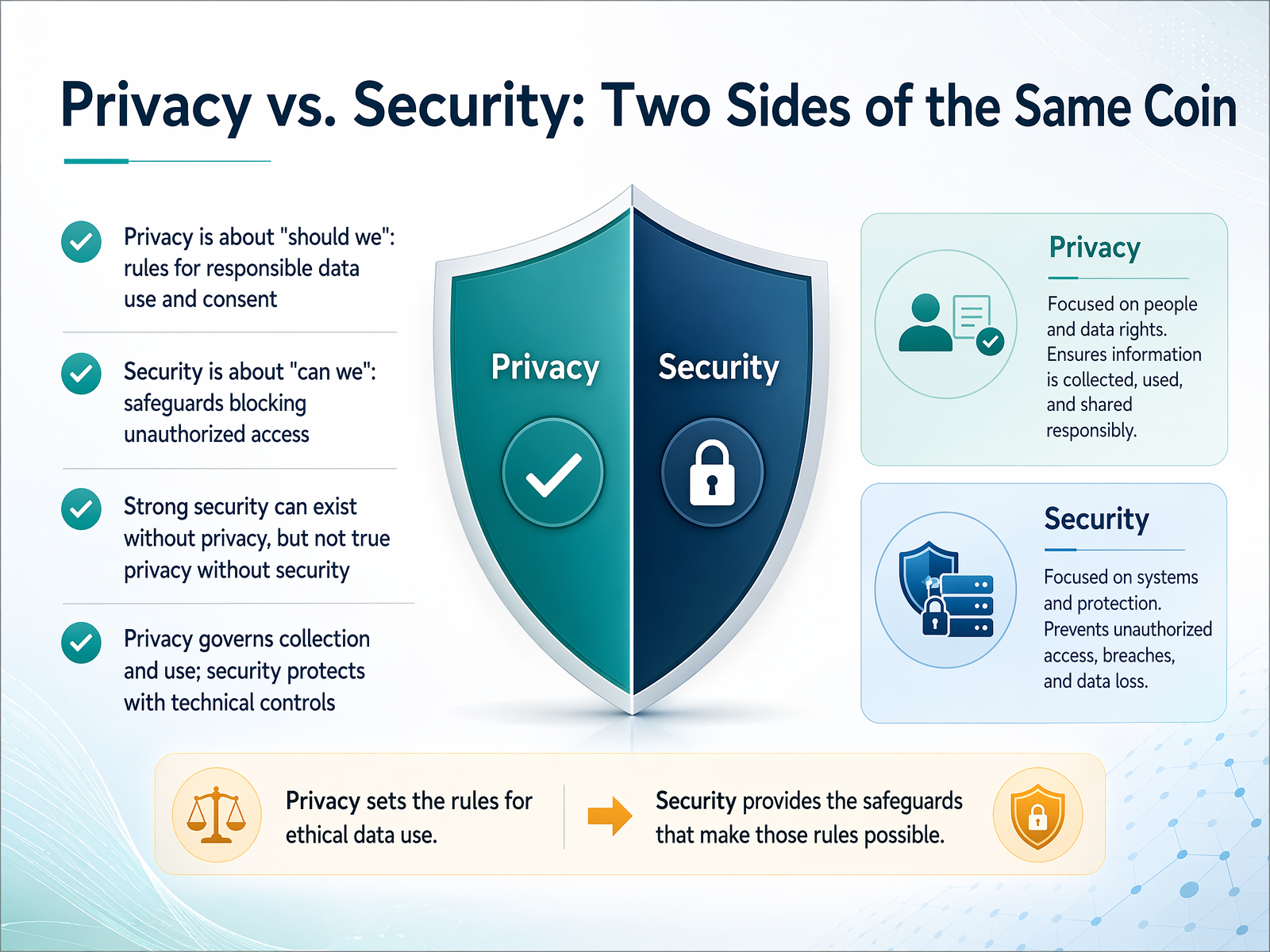
- 02Privacy vs. Security: Two Sides of the Same CoinNow let's clarify two terms that often get mixed up: privacy and security. Think of them as two sides of the same coin, each asking a different question. Privacy asks 'should we.' It's about the rules for collecting, using, and sharing personal data responsibly. It's making sure we're fair and transparent and that we have a good reason to handle someone's information. Security asks 'can we.' It's about the technical safeguards, like passwords and encryption, that block unauthorized access. It's the lock on the door. You can have strong security without respecting privacy, for example, a perfectly secure system that collects data without permission. But true privacy always requires security. You can't make promises about responsible data use if you can't keep the data safe from intruders. So, privacy governs how we use data, while security protects how we access it. And we need both working together to get it right. Next, let's look at why this distinction matters so much in the real world.
 alation.comalasconnect.comtraining-central.net+22 min
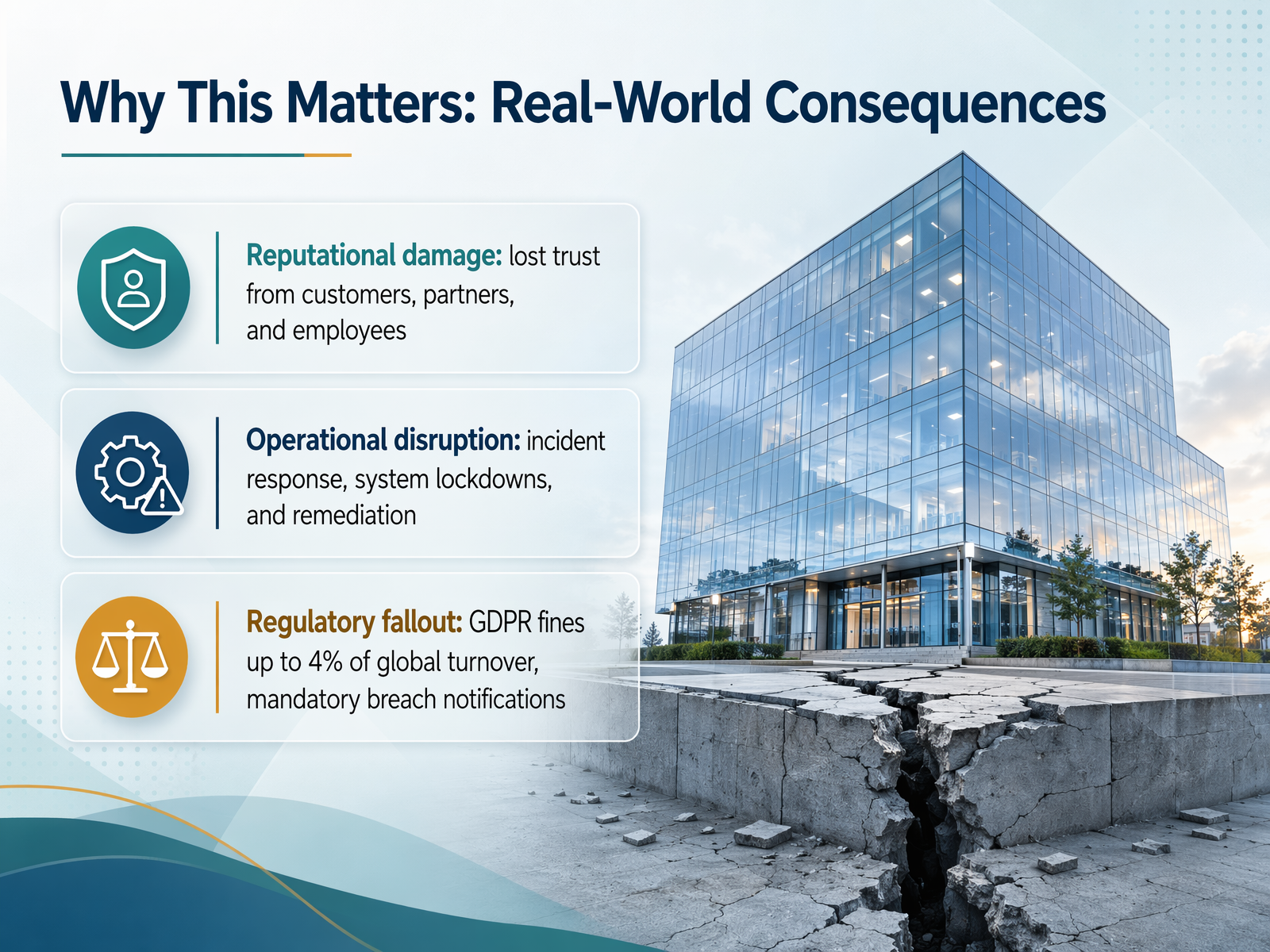
 - 03Why This Matters: Real-World ConsequencesCareful data handling protects people, trust, and day-to-day operations. If an issue occurs, use approved communication and escalation channels. Consistent habits help prevent avoidable problems.
 grove.hrpriv.gc.ca4spotconsulting.com+21 min
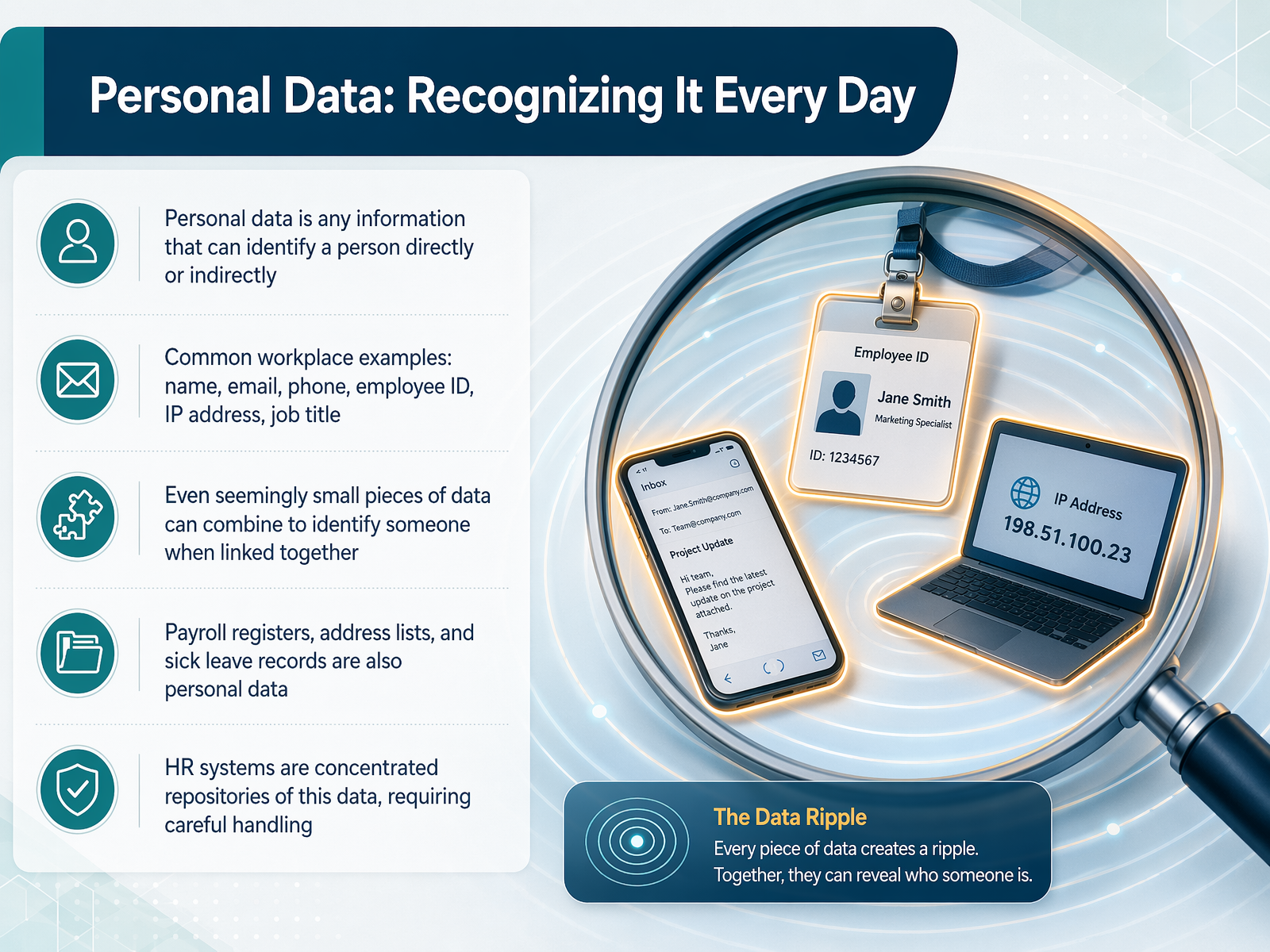
 - 04Personal Data: Recognizing It Every DayNow, let’s talk about personal data and how to recognize it in our daily work. Personal data is any information that can identify a living person, either directly or indirectly. Think of the basics we see all the time: a name, an email address, a phone number, or an employee ID. Even a job title or an IP address counts. What’s important to remember is that small pieces of data can combine to identify someone when they are linked together. A job title alone might not tell you who someone is, but a job title plus a department and a location often does. As we go through our tasks, from processing payroll to updating contact lists, we are constantly handling this kind of information. Recognizing it is the first step to protecting it. Next, we’ll build on this by looking at sensitive data, where even more care is required.
 gov.ukgdprlearninghub.comcitizensinformation.ie+21 min
 - 05Sensitive Data: When Extra Care Is RequiredNow, let's talk about sensitive data, also known as special category data. This isn't just ordinary information like a name or work email. It's data that requires extra care and, by law, demands heightened protection. Think of it as information that, if mishandled, could create a significant risk for a colleague. Common examples include health records, biometric data like fingerprints used for building access, and information revealing racial or ethnic origin. Trade union membership also falls into this category. In our daily work, especially in HR, we handle particularly sensitive items like bank account details for payroll, and sick leave documentation, which is a type of health data. Other examples you might encounter are disability accommodation requests, background check results, and drug test data. The key rule is simple: because this data is sensitive, we must always pause and treat it with a higher level of security and confidentiality than a standard work document. Next, we'll explore the core principles that guide us: collect, use, and keep only what you need.
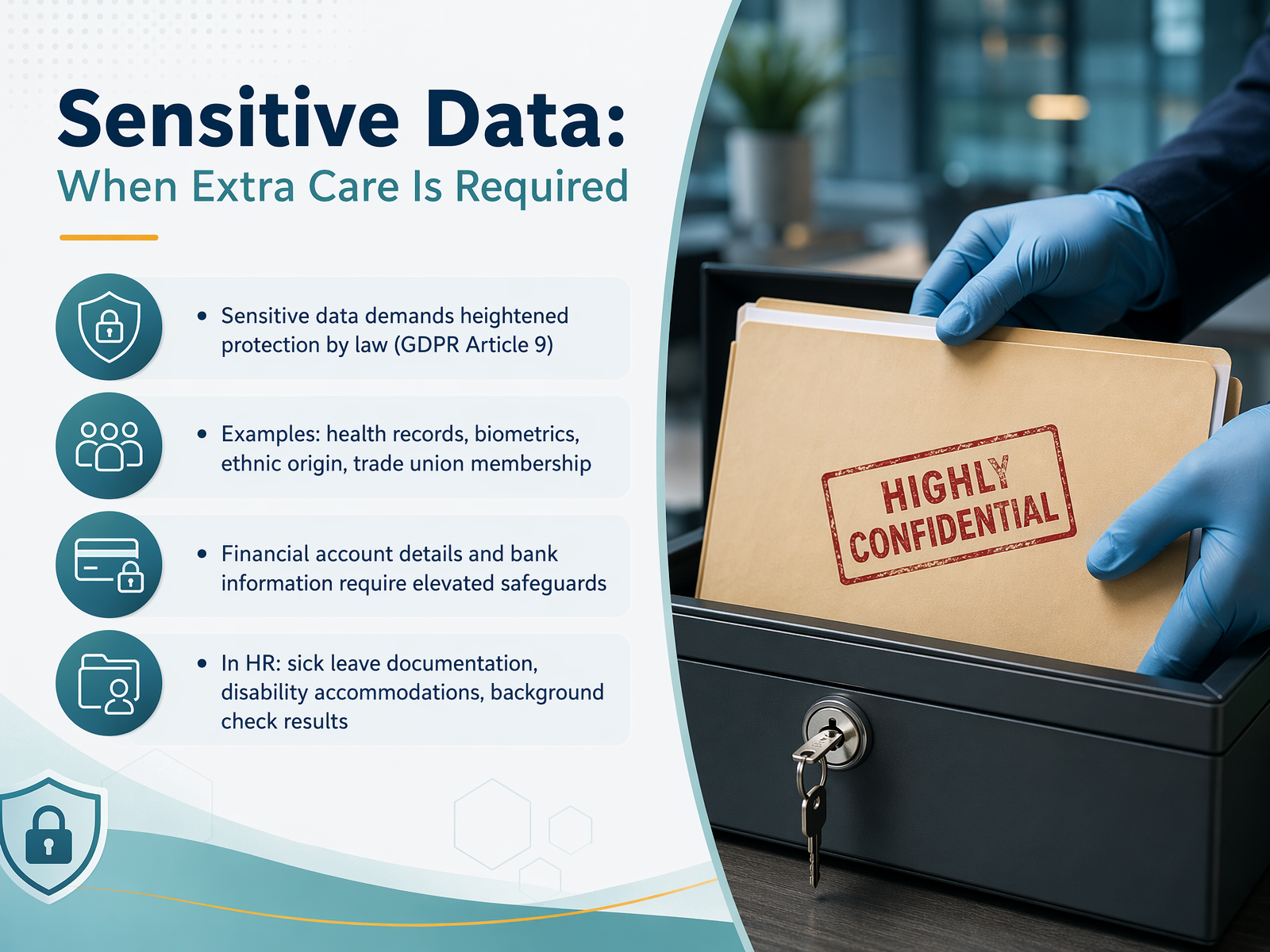 gov.ukgdprlearninghub.comcitizensinformation.ie+21 min
 - 06The Core Principles: Collect, Use, and Keep Only What You NeedNow let's talk about three principles that work together to keep our data handling safe and responsible. Think of them as a simple filter: collect only what you need, use it only for the reason you collected it, and keep it only as long as you have to. First, data minimization. This means we take just the adequate, relevant, and necessary information for the specific task. For example, if we need to send a work anniversary card, we only need the employee's name and start date—not their full personnel file. Second, purpose limitation. We use the data strictly for the reason we originally stated. If someone gives us their bank details for payroll, we cannot repurpose that information later for a marketing campaign without a new, justified reason. Third, storage limitation. We retain personal data only as long as legally required or operationally needed. Once the purpose expires, we should securely delete or anonymize the records. A good example here is recruitment: interview notes for unsuccessful candidates should be deleted within a reasonable timeframe, not kept indefinitely. Together, these three principles help us minimize risk and respect everyone's privacy. Next, we'll look at how to respect data requests and escalate questions when they come in.
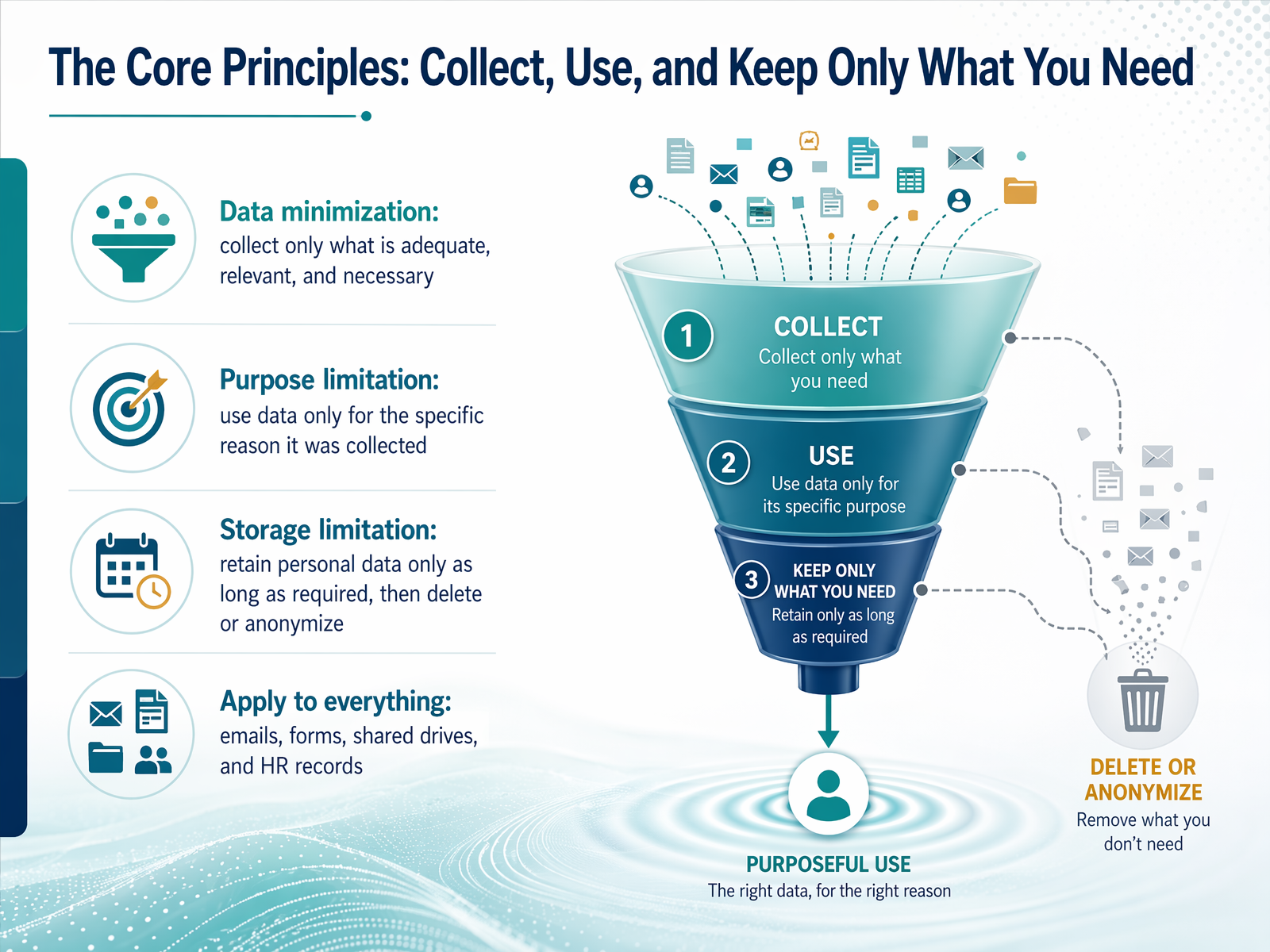 grove.hrpriv.gc.ca4spotconsulting.com+22 min
 - 07Respect Data Requests and Escalate QuestionsNow, let's talk about something you might encounter directly: handling data requests from our colleagues or customers. When someone asks about their personal information—like confirming what data we hold or requesting a correction—we have a clear, consistent way to handle it. First, always follow our approved process. Record the request right away and use the official workflow. Never promise a specific outcome yourself; instead, escalate the request to the right team, such as HR or Legal, who are trained to manage these responses. Second, remember that we only keep, update, or remove data according to our organization's retention guidelines. This protects both the individual's privacy and our compliance. And finally, be aware that in many jurisdictions, access requests must be answered within one month, so timely action really matters. Up next, we'll look at how these privacy principles apply to your daily work, specifically in email and messaging.
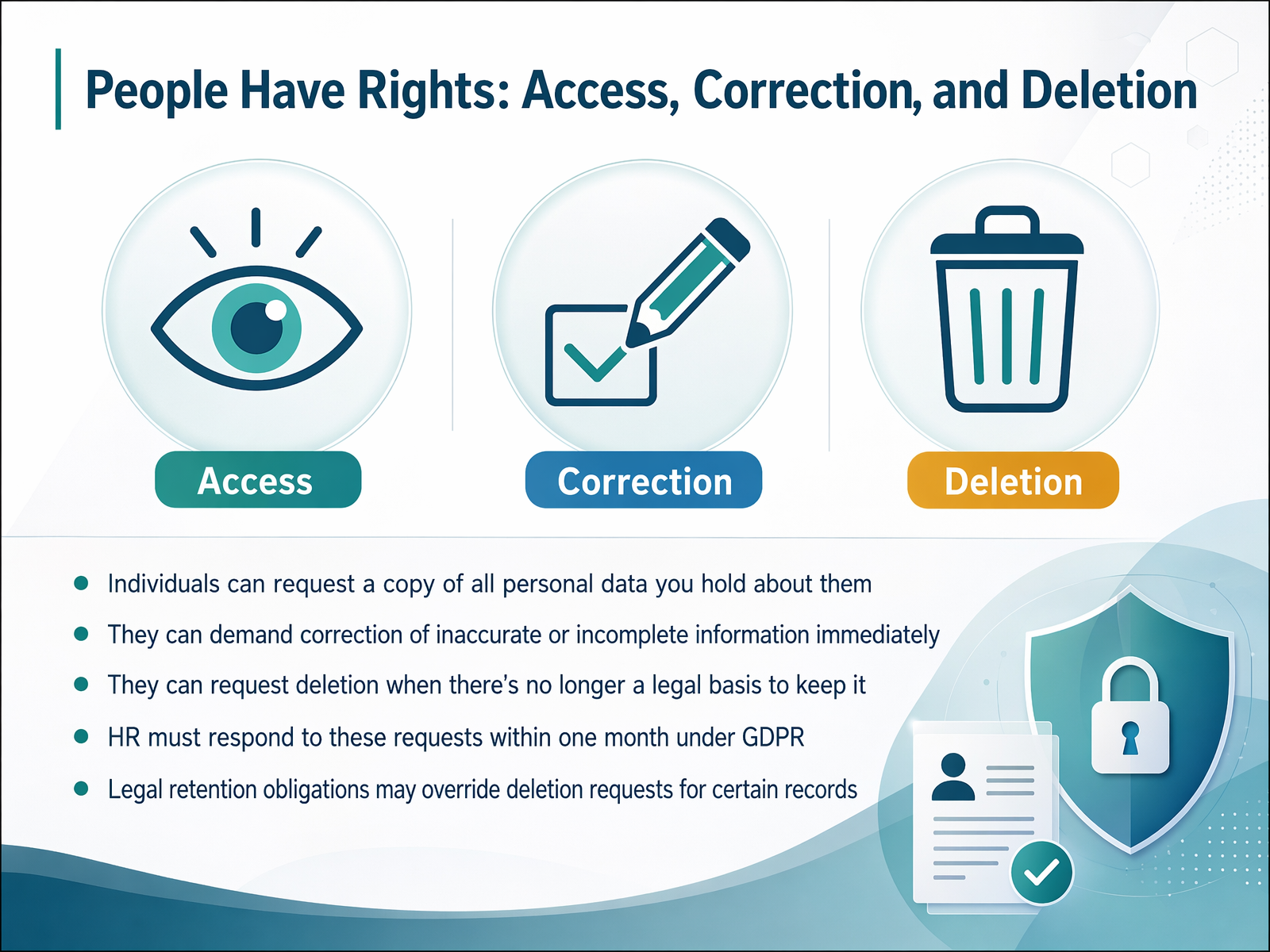 grove.hrpriv.gc.ca4spotconsulting.com+21 min
 - 08Privacy in Daily Workflows: Email and MessagingNow let's talk about email and messaging, where a few small habits can make a huge difference in protecting information. The most common mistake we see is a misdirected email, often caused by autocomplete. You type a name, and the system fills in the wrong person, like a client with a similar name instead of a colleague. So, always double-check the recipient before you hit send. When emailing a large group, avoid mass CC and use BCC instead to protect everyone's addresses. Also, pause before using reply-all to make sure everyone really needs to see your response. For sharing sensitive data, think links, not attachments. A secure link with view-only permissions gives you more control. You can even set an expiration date or revoke access later, which you can't do with an attachment. And finally, never forward work emails to your personal inbox. Keeping your work and personal accounts strictly separate is a simple but powerful way to prevent data from leaving our secure environment. Up next, we'll continue our tour of daily workflows by looking at shared drives and collaboration tools.
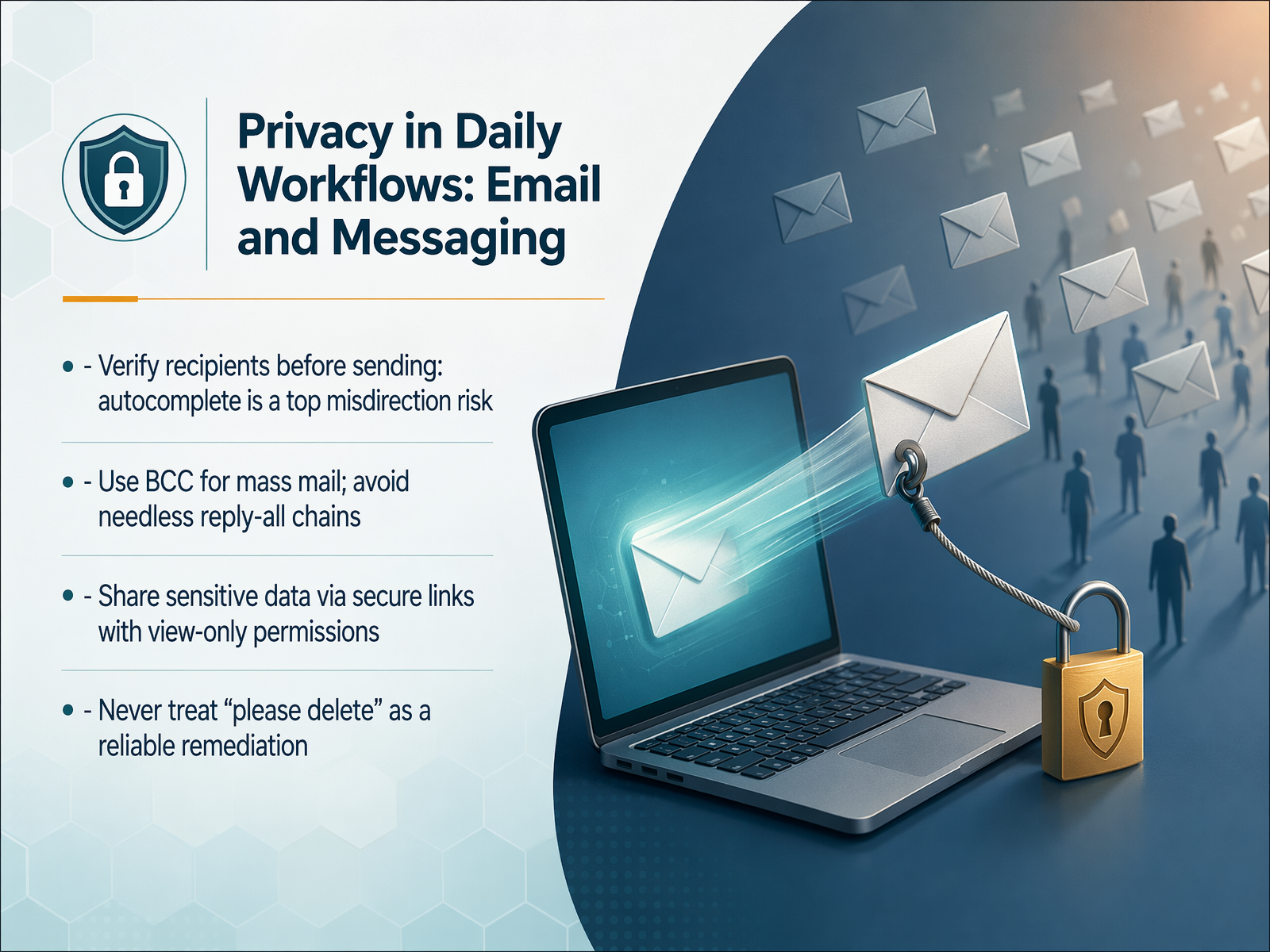 buralog.jpbeyondencryption.comaccountablehq.com+22 min
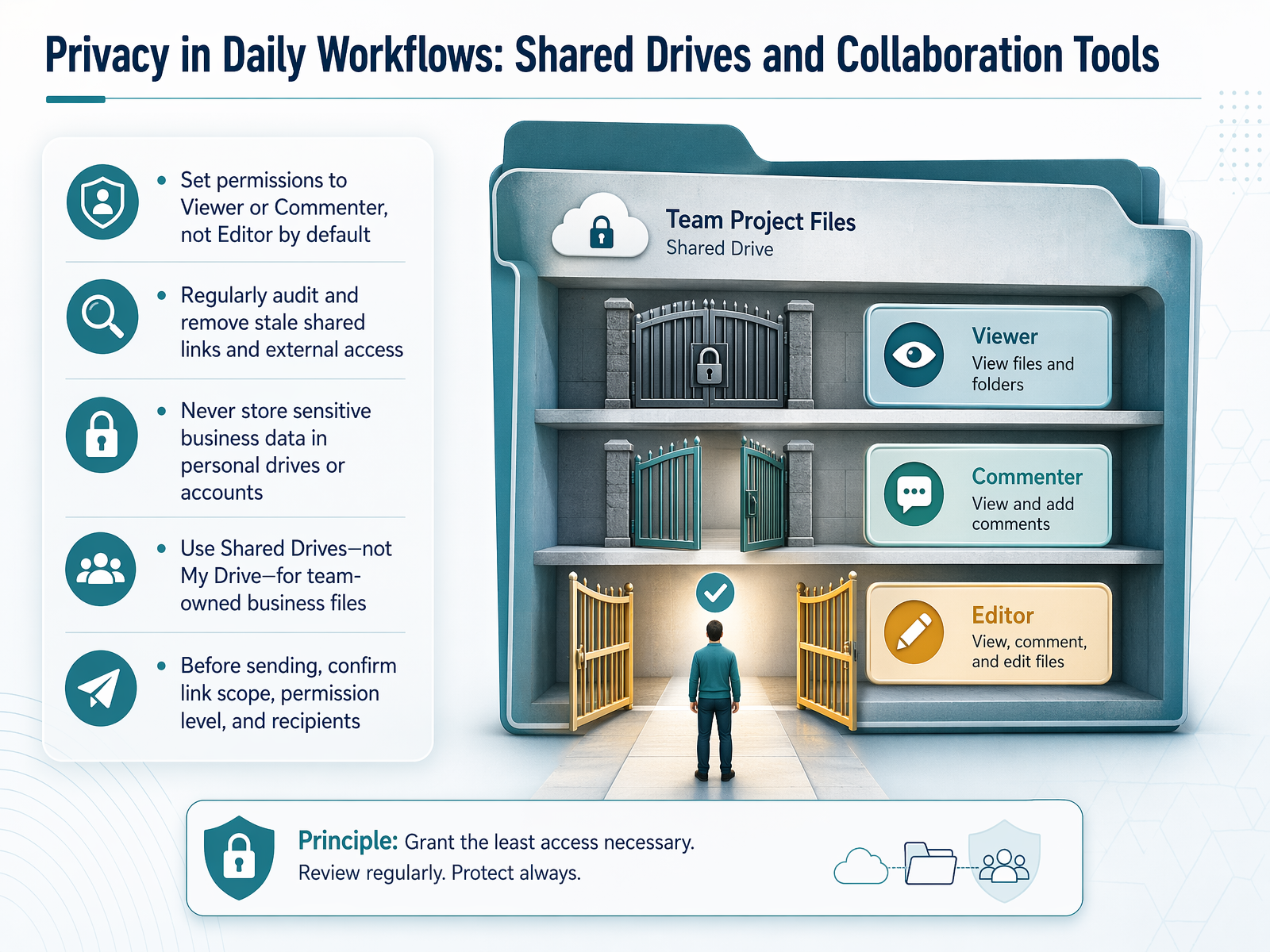
 - 09Privacy in Daily Workflows: Shared Drives and Collaboration ToolsLet's look at how data privacy shows up in our everyday collaboration tools. When you share a file from a shared drive, the default permission often defaults to Editor. We want to break that habit. Before you hit send, ask yourself: does this person truly need to edit, or is Viewer or Commenter enough? Granting the minimum access is one of the simplest and most effective ways to protect information. It's also critical to clean up old shared links regularly. A link you shared with a partner six months ago might still be active, giving them ongoing access to a folder they no longer need. And remember, deleting the email you used to send that link does not revoke their access to the file. You must go into the file's sharing settings to remove them. Also, never store sensitive business data in your personal drive or a personal email account. If you leave the company, that data leaves with you, and the organization loses control. Let's keep confidential work inside our shared drives. Finally, when you share a link, verify the settings before sending. Use expiration dates whenever possible, so access automatically cuts off after a project wraps up. These small checks prevent big headaches. Now, let's move from digital spaces to physical ones with our next topic: Privacy in Daily Workflows, focusing on Physical Spaces and Devices.
 buralog.jpbeyondencryption.comaccountablehq.com+22 min
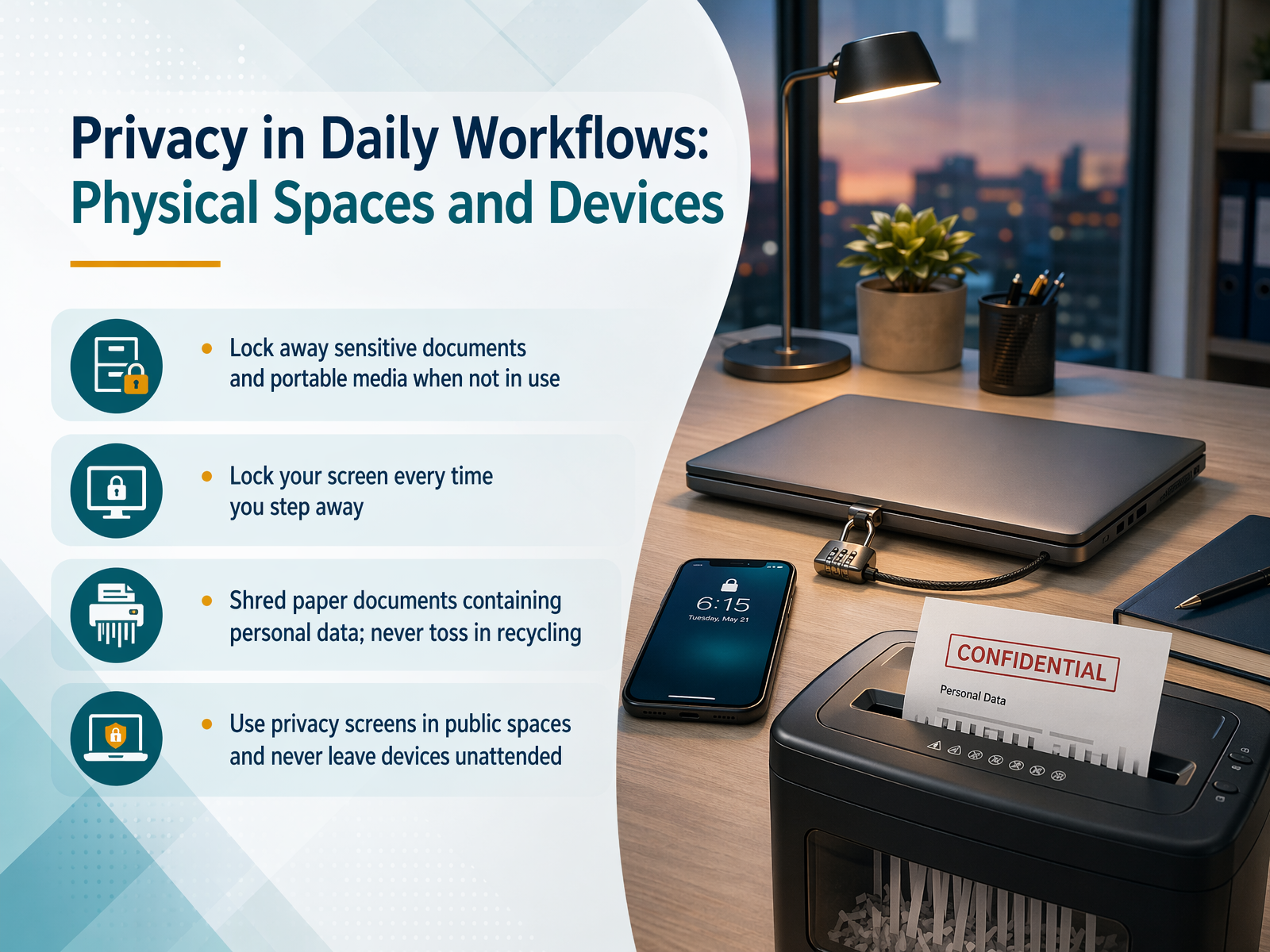
 - 10Privacy in Daily Workflows: Physical Spaces and DevicesNow let's talk about privacy in our physical spaces and with our devices. It's easy to focus on digital threats and forget that the papers on our desk or an unlocked screen can be a direct path to a data breach. First, always lock away sensitive documents and portable media, like USB drives, when you're not using them. Think of it as closing a confidential file before you walk away. Second, lock your screen every single time you step away from your computer, even if it's just for a moment to grab a coffee. It only takes a second for someone to see something they shouldn't. Third, never put paper documents containing personal data into the general recycling bin. You must shred them. Personal data includes things like a colleague's home address, a phone number, or payroll information, and it all needs to be completely destroyed. Finally, never leave devices or documents unattended in public spaces, like a coffee shop, a shared lobby, or even an unlocked car. A moment of inattention is all it takes for a device to disappear. These small habits are some of our strongest defenses. Now, let's shift from physical spaces to a major digital threat: phishing and social engineering, and how to spot the red flags.
 gov.ukgdprlearninghub.comcitizensinformation.ie+22 min
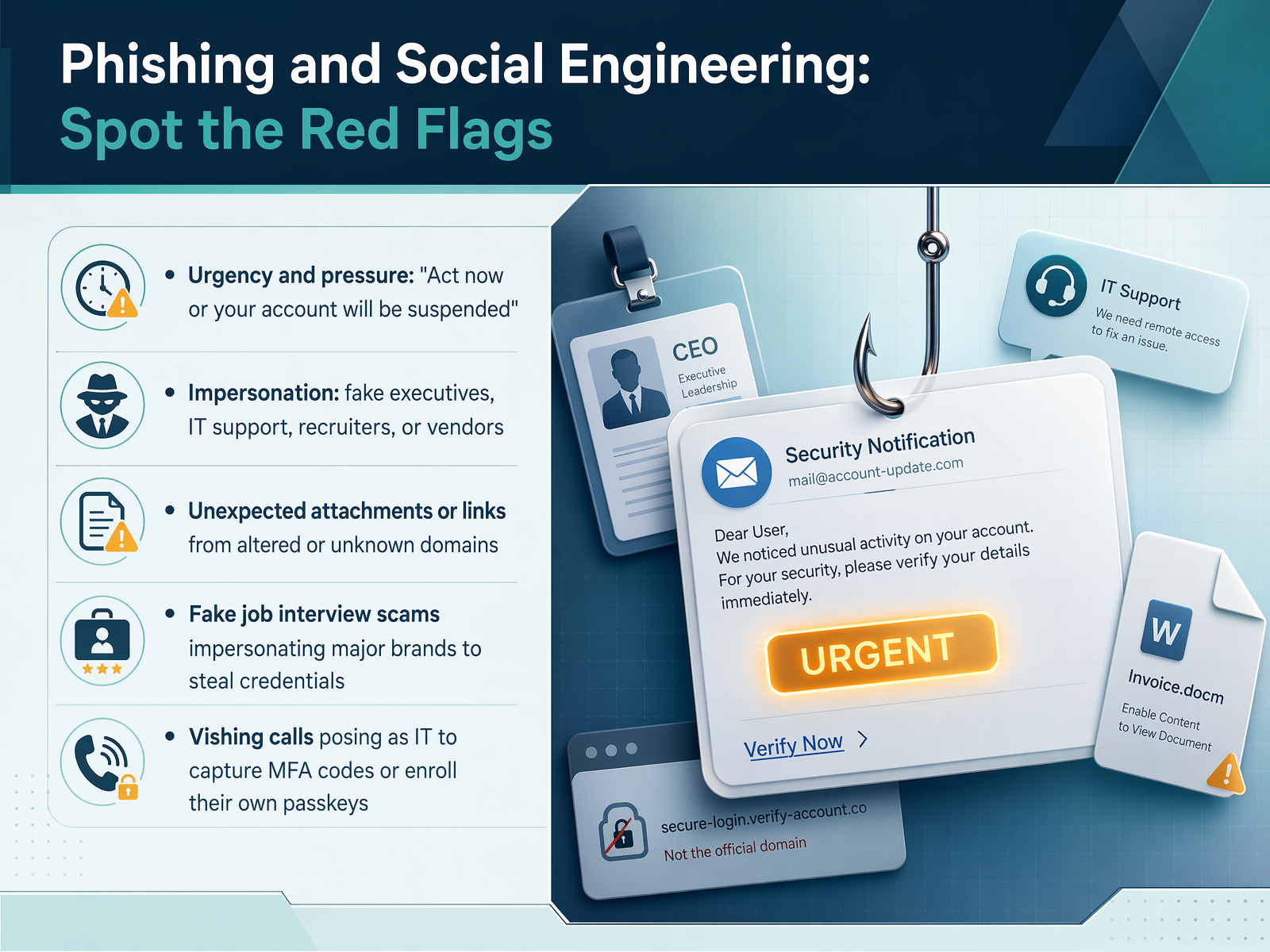
 - 11Phishing and Social Engineering: Spot the Red FlagsNow let’s look at phishing and social engineering, and how to spot the red flags. These attacks rely on trust and urgency, not just technical tricks. The first flag is extreme pressure. A message says your account will be suspended unless you act right now. Real IT or vendors don’t demand instant action that way. Next, watch for impersonation. Attackers pretend to be an executive, IT support, a recruiter, or a vendor you know. We’ve seen campaigns impersonating Netflix, Coca-Cola, and FIFA in fake job interviews to steal credentials. Another flag is unexpected attachments or links, especially from unknown senders or addresses that look almost right. Also, be alert to vishing, voice phishing. A caller claiming to be IT may try to walk you through setting up a passkey or ask you to share a multi-factor authentication code. A real enrollment never happens over a phone call with a stranger. Finally, job scams that use well-known brand names to collect your login details are on the rise. If a hiring process asks you to authenticate on an unfamiliar page, stop and verify through the company’s official website. Let’s move on and learn how to recognize suspicious requests in practice.
 2 min
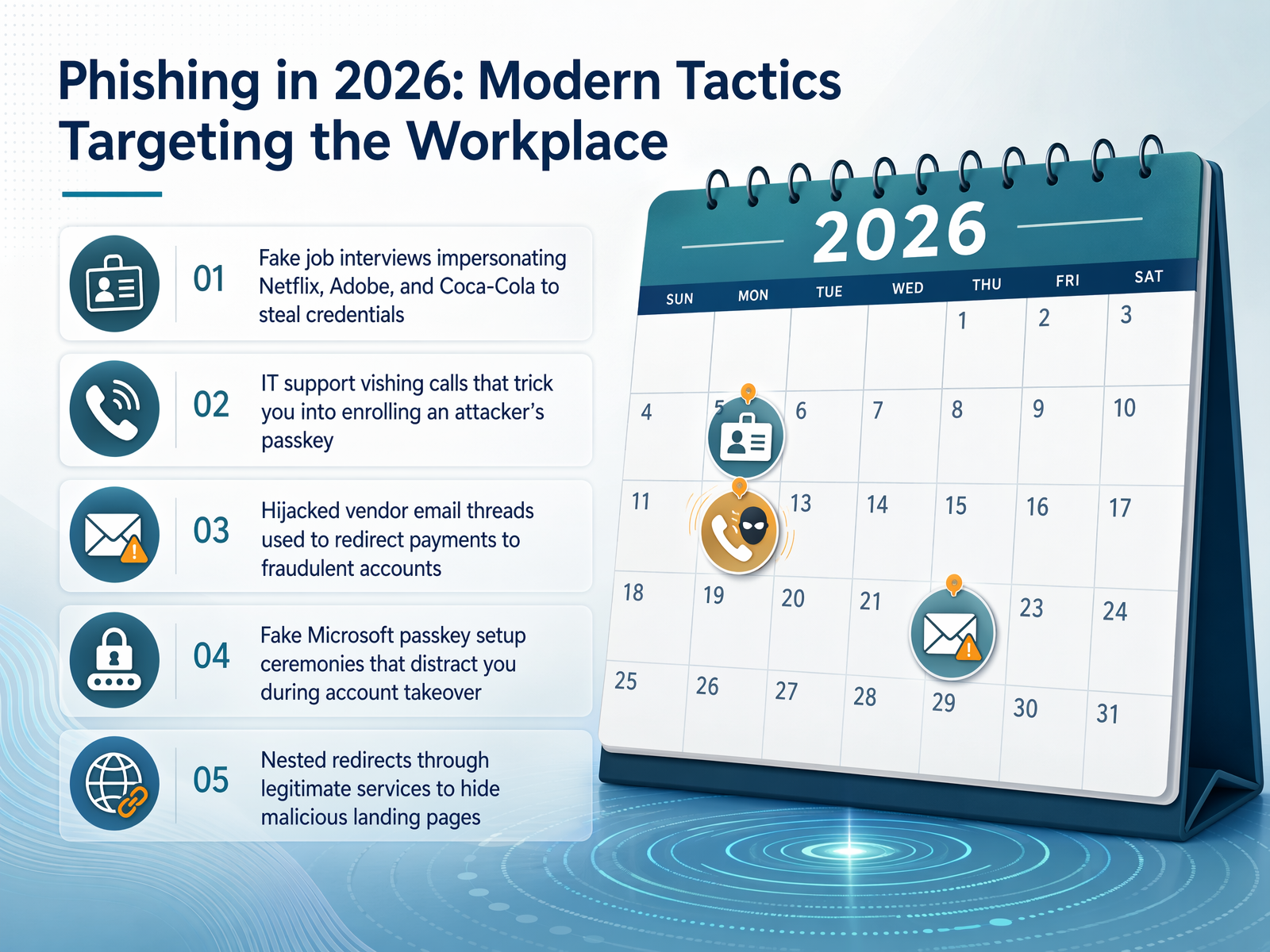
2 min - 12Recognize Suspicious RequestsRecognize suspicious requests. If a message asks for credentials, software installation, payment changes, or unusual data sharing, pause and verify through a known channel. Follow the approved organization process for reporting concerns.
 2 min
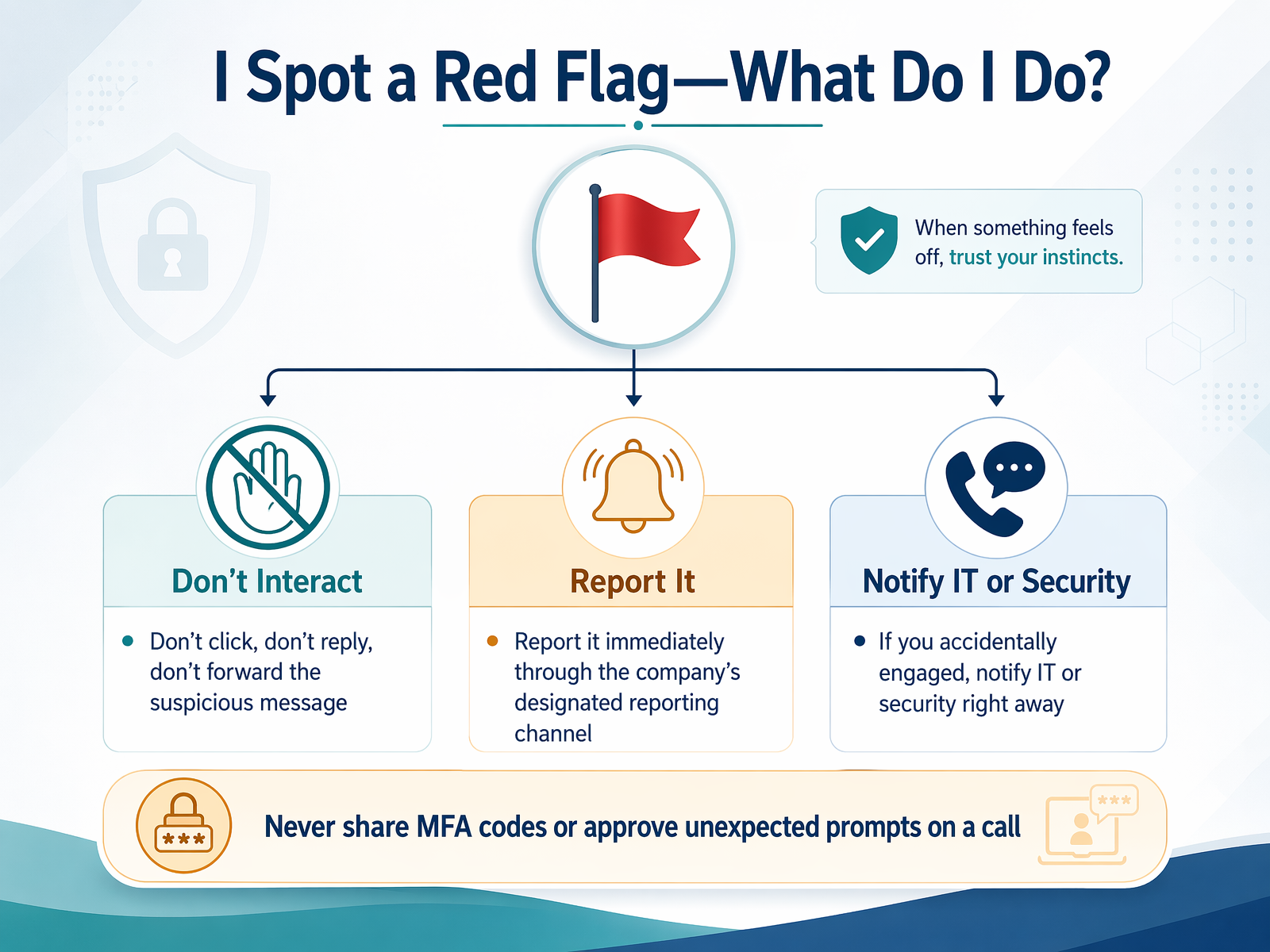
2 min - 13I Spot a Red Flag—What Do I Do?Alright, let’s get practical. You’ve spotted a red flag—maybe a suspicious email, a strange chat message, or even an unexpected phone call. What do we actually do? First, and this is key, don’t click, reply, or forward it. If you’ve already clicked a link, stop right there. Don’t enter any information. Second, report it immediately through our designated reporting channel. Think of it like spotting a fire alarm—you pull it right away so the right people can jump in. Third, if you accidentally engaged with an attacker, maybe you shared a code or logged into a fake page, notify IT or security right away. We all make mistakes, but hiding one can turn a small spark into a big fire. Quick action limits the damage. Attackers rely on silence and embarrassment to move deeper into our systems. Remember, security is a team sport. Now, let’s shift focus to keeping that security strong when you’re out of the office. Next, we’ll talk about Working Remotely: Securing Your Connection.
 2 min
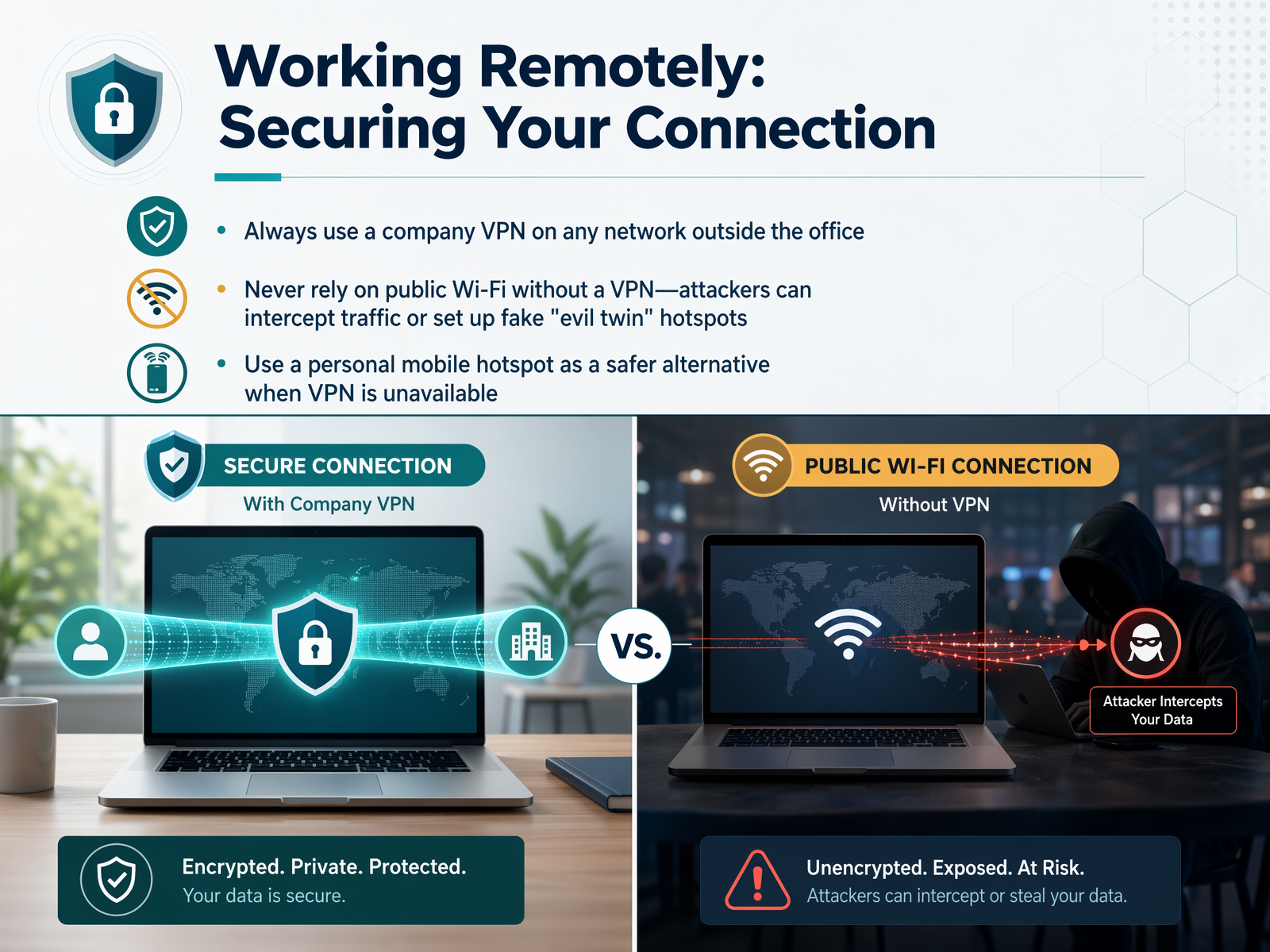
2 min - 14Working Remotely: Securing Your ConnectionNow let's talk about keeping your connection safe when you're working outside the office. Public Wi-Fi at a coffee shop or airport is really convenient, but it's also a big risk. On an open network, attackers can easily intercept what you're sending, or even set up a fake hotspot with a friendly name like 'Free Guest Wi-Fi' to trick you. That's why our first rule is simple: always use the company VPN whenever you're on any network that isn't the office. The VPN creates an encrypted tunnel for your data, so even if someone intercepts it, they can't read it. If for some reason the VPN isn't available, your personal mobile hotspot is a much safer alternative than public Wi-Fi, because it's a private connection you control. And here's the most important habit to build: before you open your email, a file share, or any internal portal, take a quick second to confirm the VPN is connected and active. That one small check prevents a lot of avoidable exposure. Next, we'll look at device and data hygiene when you're working remotely.
 2 min
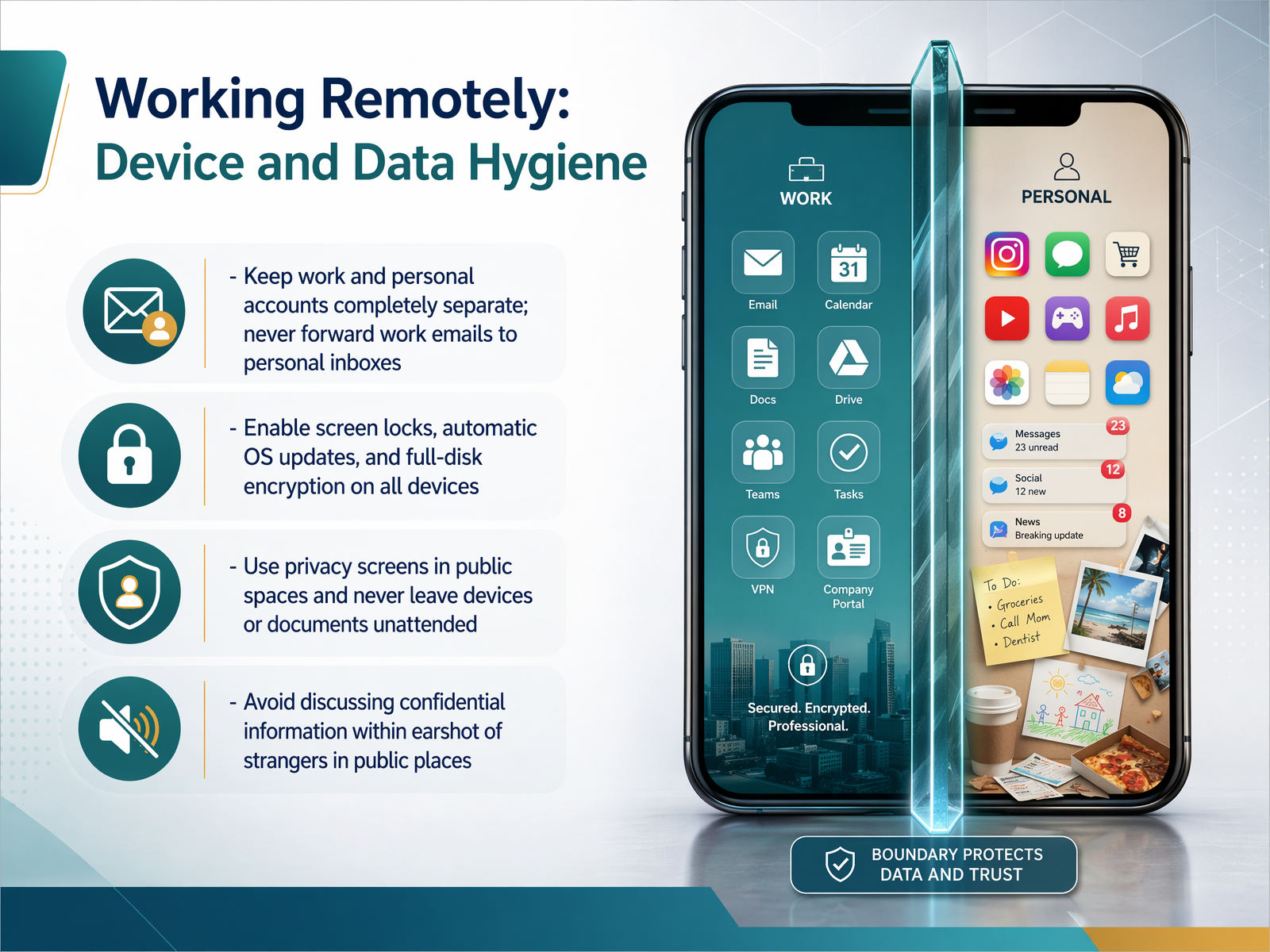
2 min - 15Working Remotely: Device and Data HygieneNow let's talk about working remotely and keeping our devices and data safe. When we're outside the office, we need to be extra careful. First, always keep your work and personal accounts completely separate. Never forward work emails to your personal inbox, because that bypasses our security controls. Next, make sure all your devices have screen locks, automatic updates, and full-disk encryption turned on. Encryption scrambles your data so no one can read it if a device is lost. In public spaces like cafes or airports, use a privacy screen to block shoulder surfers. Never leave your laptop or documents unattended, not even for a moment. And be mindful of your voice. Avoid discussing sensitive projects where strangers might overhear you. If you need to take a confidential call, move to a private area. These small habits make a big difference when we're working on the go. Up next, we'll cover the rules for using your own devices at work, in 'Bring Your Own Device: Know the Rules'.
 1 min
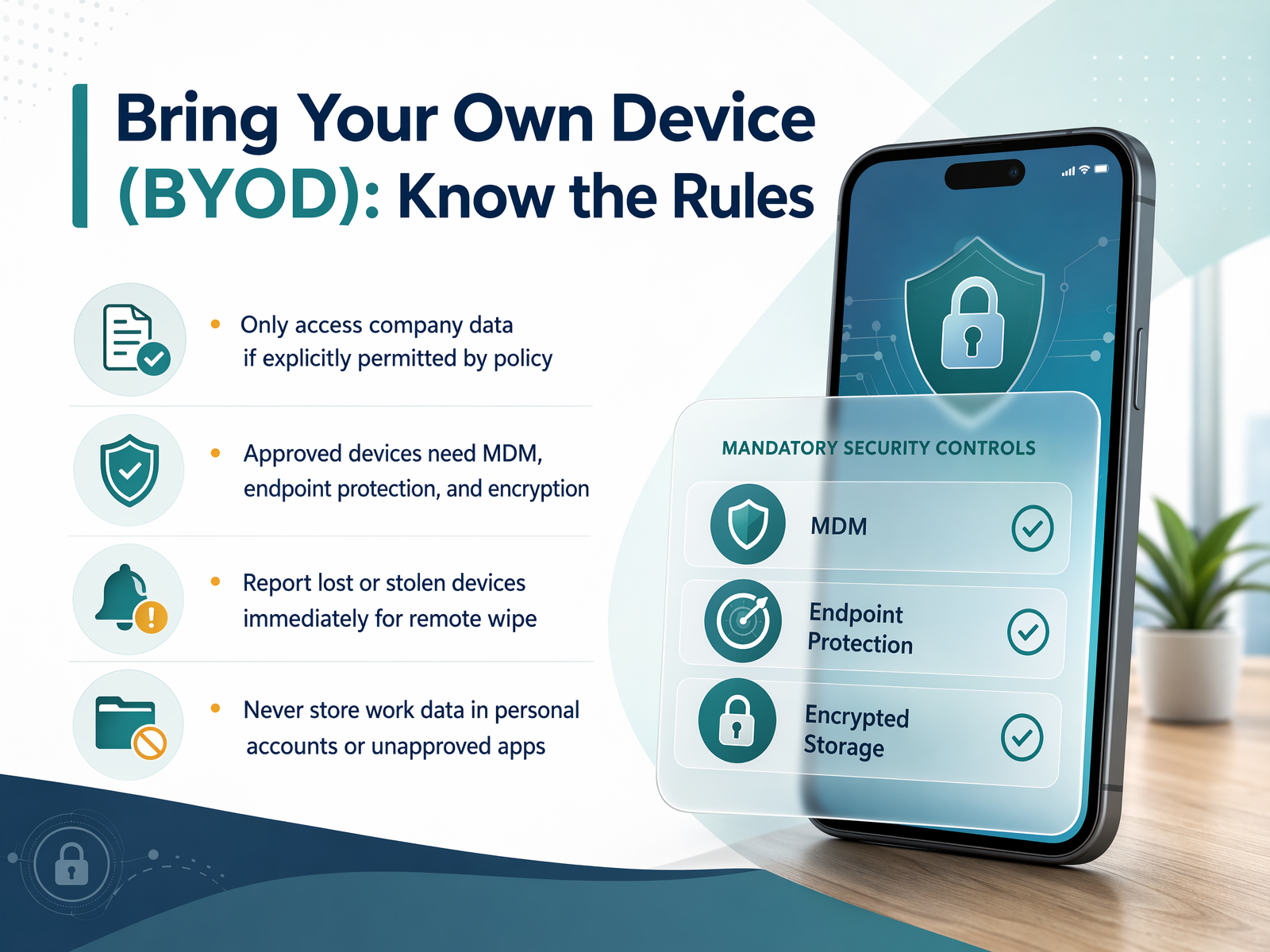
1 min - 16Bring Your Own Device (BYOD): Know the RulesNow, let's talk about a common but sometimes tricky area: using your personal devices for work, often called Bring Your Own Device, or BYOD. The key rule is simple—only access company data on a personal device if you have explicit permission. If your device is approved, it must meet our security standards. This usually means it's enrolled in our mobile device management system, has up-to-date endpoint protection, and uses encrypted storage. Think of these as the non-negotiable safety belt for your phone or laptop. Another critical rule: if a device is lost or stolen, report it immediately. Speed matters here because we can remotely revoke its access to company systems, locking out anyone who might try to get in. And finally, physical security. Never leave your laptop, tablet, or even paper documents unattended in a public space like a cafe or airport lounge. If you step away, take them with you. Next, we'll walk through the exact steps to take if something does go wrong, in 'If Something Goes Wrong: Reporting Steps.'
 2 min
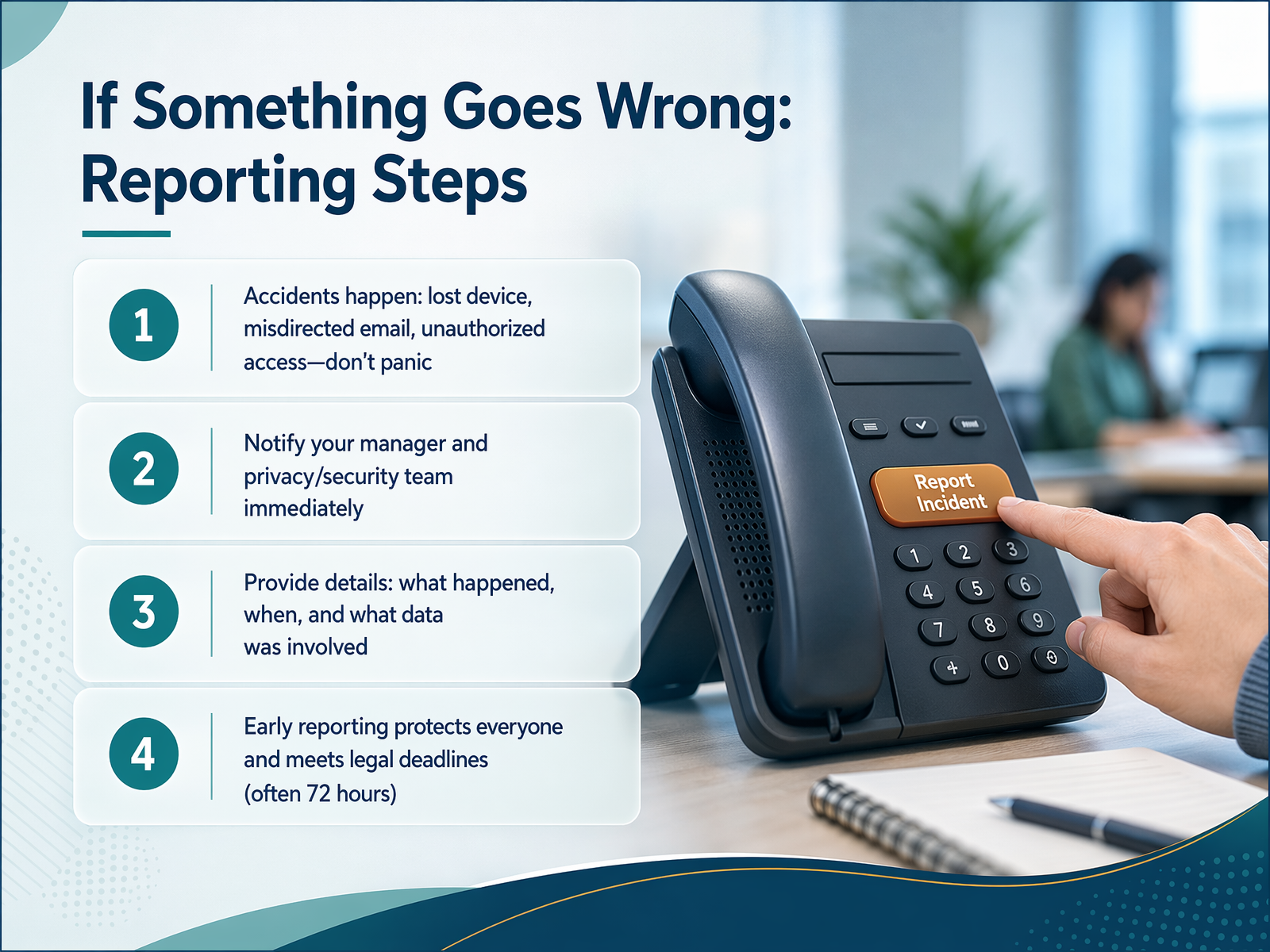
2 min - 17If Something Goes Wrong: Reporting StepsIf a device is lost, an email is misdirected, or information may have been seen by the wrong person, report it promptly through the approved organization channel. Describe what happened and follow the response instructions. Do not hide the event or attempt an unapproved cleanup.
 grove.hrpriv.gc.ca4spotconsulting.com+22 min
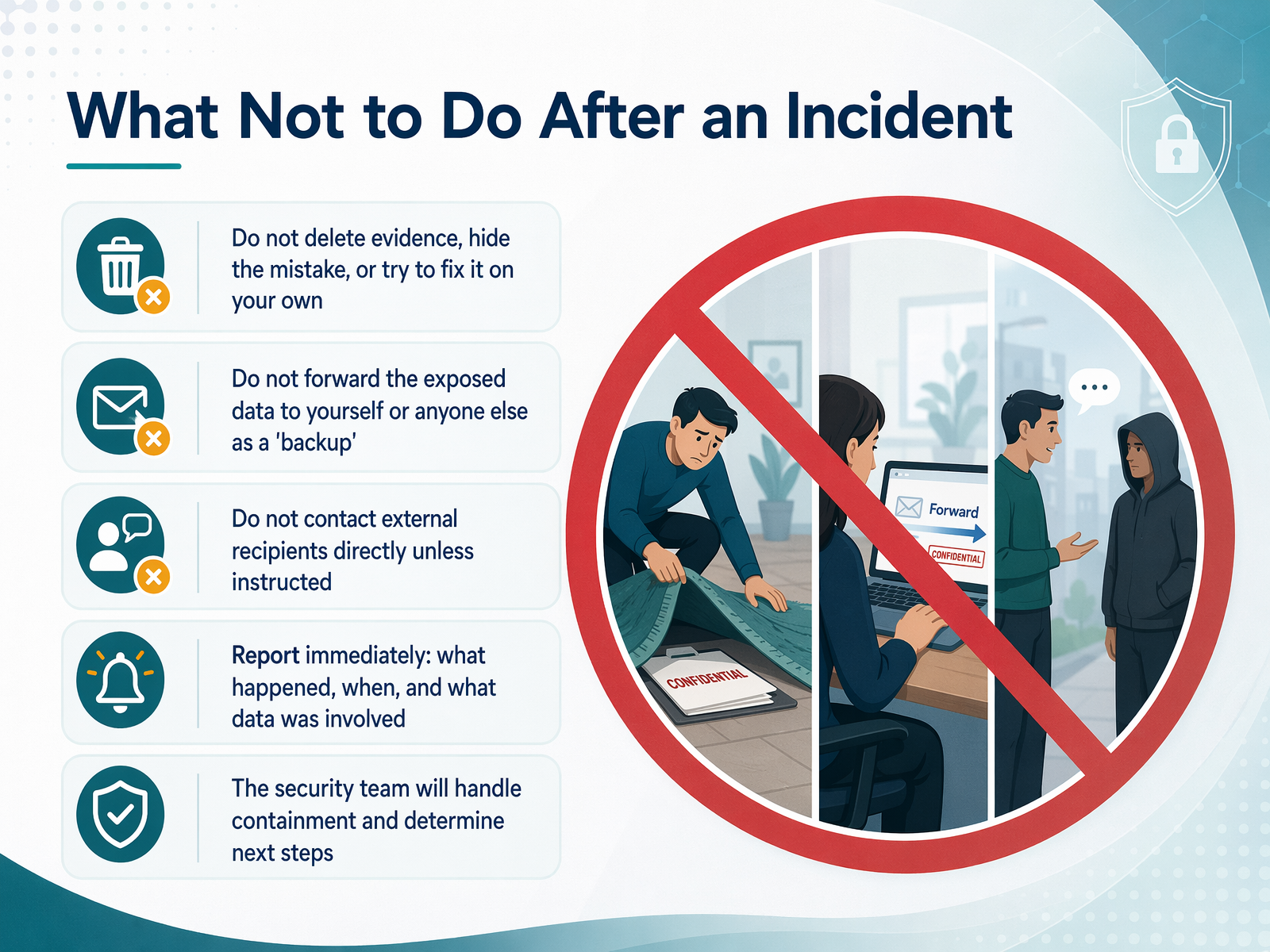
 - 18What Not to Do After an IncidentNow let's talk about what not to do after an incident. When we realize something went wrong, our first instinct might be to jump in and fix it ourselves. But doing that can actually make things worse. Never delete evidence or try to correct the mistake alone. Don't forward exposed data to yourself or others as a backup, because that just spreads the problem further. And don't contact external recipients directly. Our security team needs to handle containment to make sure it's done properly. One thing we see often is someone assuming that deleting the email revokes access to a Drive link. It doesn't. The link is separate from the email, so the file can still be open to anyone who has the URL. The most important action you can take is to report the incident immediately. Early action is what protects people and the company. So pause, don't touch anything, and reach out to security right away. Next, we'll look at building your privacy habit with practical micro-commitments.
 buralog.jpbeyondencryption.comaccountablehq.com+21 min
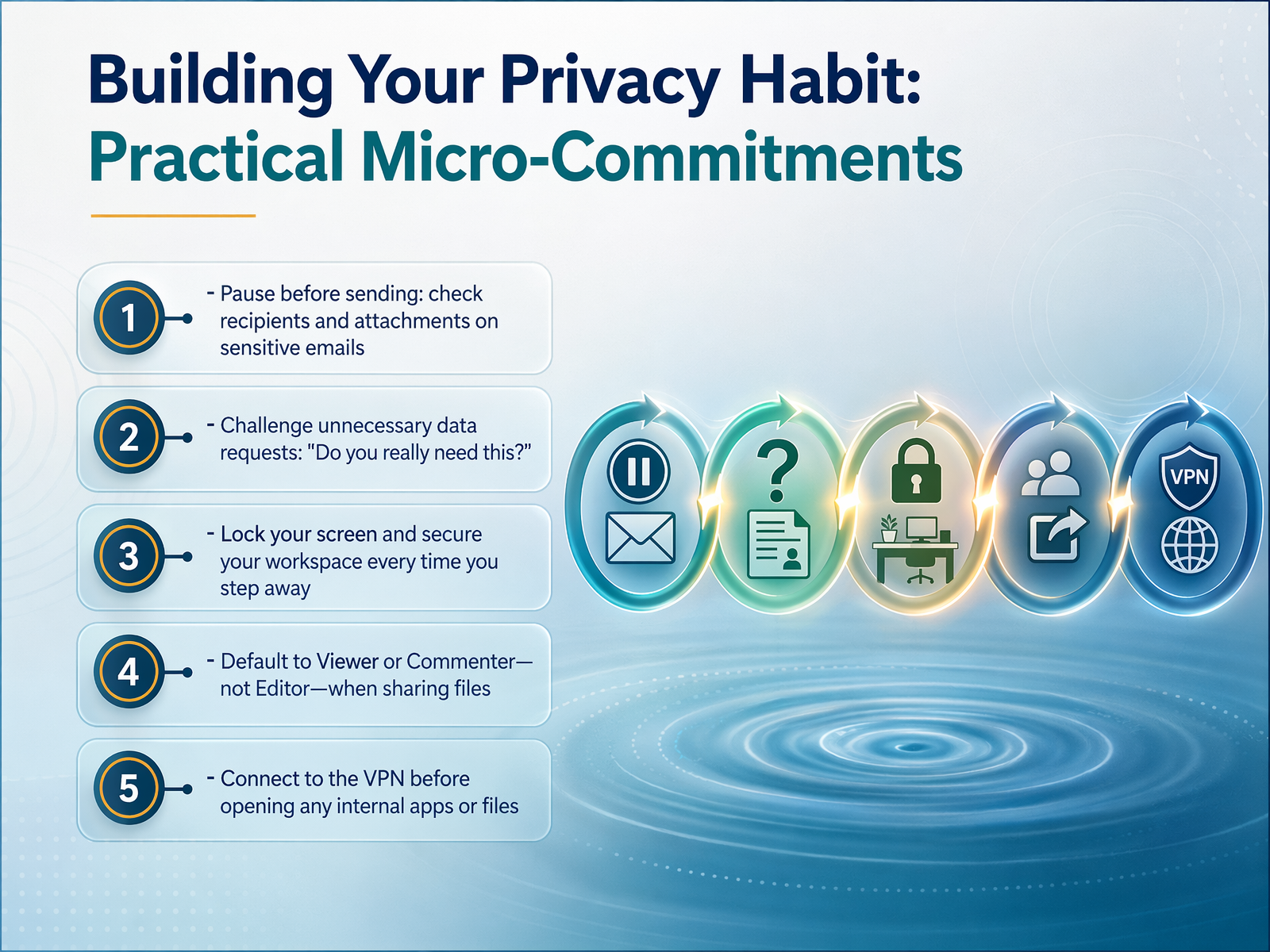
 - 19Building Your Privacy Habit: Practical Micro-CommitmentsAlright, let's turn these principles into everyday practice. Building a privacy habit doesn't require a complete overhaul of your day. It's really about a few small, deliberate micro-commitments that can prevent a big incident. First, make it a rule to pause before you send any email. Take a second to double-check the recipients and the attachments. Autocomplete is a leading cause of misdirected emails, so this simple pause is a powerful defense. Next, challenge unnecessary data requests. If someone asks for information that feels excessive, just ask, 'Why do you need this, and do you really need it?' This is data minimization in action, and it's everyone's responsibility. Also, get into the habit of locking your screen every single time you leave your desk, even if it's just for a minute. An unlocked screen in a busy office or a coffee shop is an open invitation for a privacy breach. And when you're sharing sensitive files, don't just send a standard link. Set the permissions to 'viewer-only' and add an expiration date. This keeps control in your hands. These five small actions are the foundation of a strong privacy practice. Now, let's pull it all together in our final slide, 'Quick Recap and Your Privacy Toolkit.'
 grove.hrpriv.gc.ca4spotconsulting.com+22 min
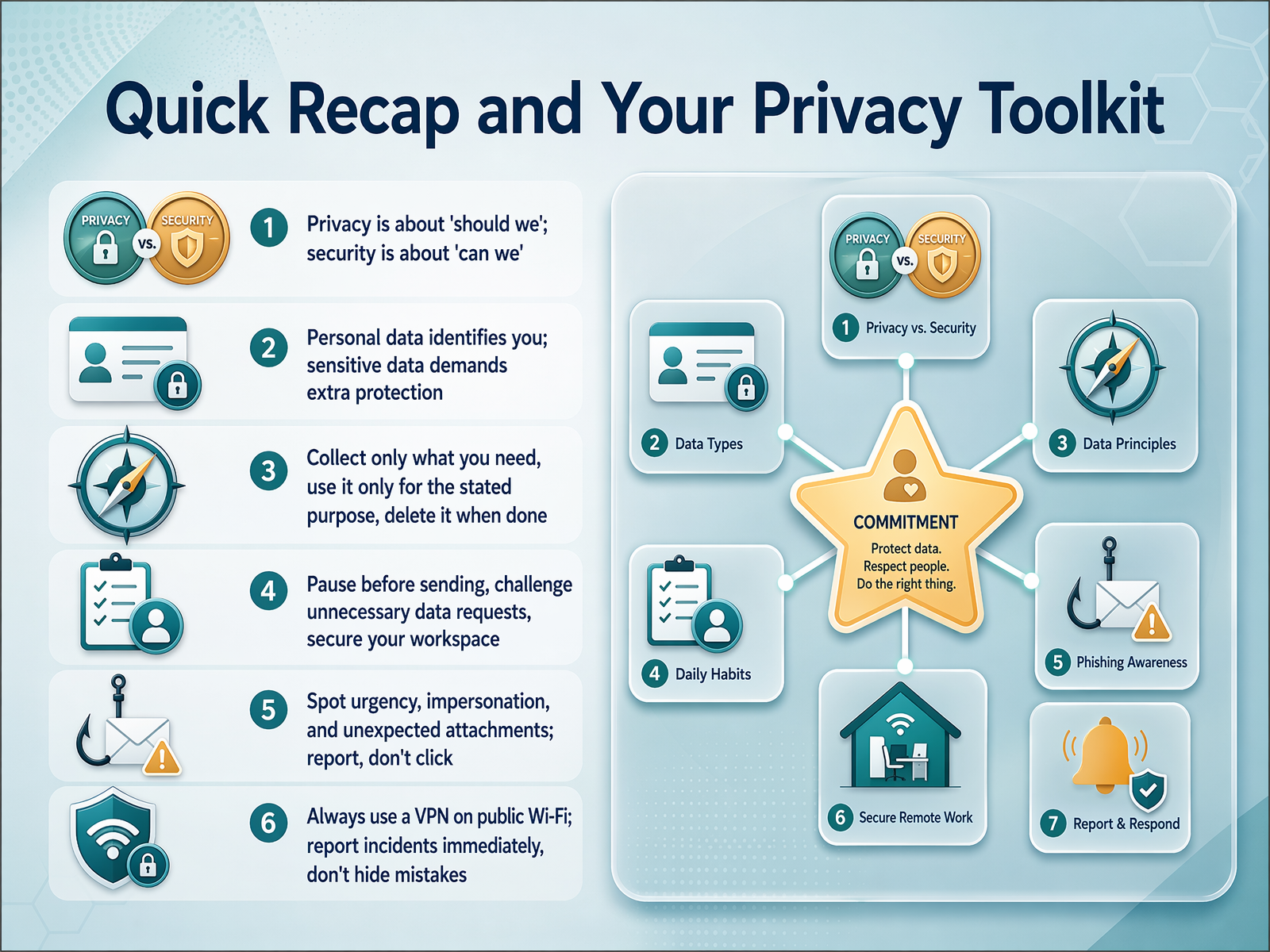
 - 20Quick Recap and Your Privacy ToolkitLet's bring everything together with a quick recap and look at your privacy toolkit. First, remember the difference between privacy and security. Privacy is about 'should we' use this data, while security is about 'can we' protect it. You need both, but true privacy always requires strong security. Next, know your data types. Personal information like names and emails need protection, but sensitive data like health or financial details demand extra care. Think of it as a higher fence. A core habit is data minimization. Only collect what you truly need, use it only for the stated purpose, and delete it when you're done. Don't let old spreadsheets or interview notes pile up. Build good daily habits. Lock your screen when you step away, double-check email recipients before you hit send to avoid autocomplete mistakes, and use least-privilege sharing permissions. If someone only needs to view a file, don't give them edit access. Stay alert to threats. Verify any unexpected request, especially if it's urgent or asks for money or credentials. Don't click suspicious links, and report incidents immediately. If you click something by mistake, speak up right away. That's how we protect everyone. Finally, your toolkit is close by. You can find the full policy, our Data Protection Officer contact, and the reporting channel on the company intranet. Thank you for being part of our privacy culture. Your daily actions keep our team, our partners, and our business safe.
 grove.hrpriv.gc.ca4spotconsulting.com+22 min
Take the deck with you
Download this course as a file — free, no sign-up needed.
- PDF handoutEvery slide page, ready to print or share.21 pages · 5.3 MBDownload
- Narrated PowerPointThe deck that presents itself — every slide carries the digital human's narration video.21 pages · 18.8 MBDownload
- PowerPoint slidesThe full deck as a .pptx — open it in PowerPoint, Keynote, or Google Slides.21 pages · 5.1 MBDownload
Free to use in your own training — please keep the PersonWise credit page at the end.
Have your own deck? Turn it into a course
Sources consulted
Web sources consulted while building this course.
- GDPR for HR: Employee Data Processing Guide [2026] — grove.hr
- Privacy in the Workplace - Office of the Privacy Commissioner of Canada — priv.gc.ca
- HR Data Minimization: 6-Step Compliance Guide — 4spotconsulting.com
- GDPR Data Minimisation and Purpose Limitation: Official — legiscope.com
- Principle (c): Data minimisation | ICO — ico.org.uk
- Data Privacy vs. Data Security: Definition & Comparison | Alation — alation.com
- Data Privacy vs. Security: What's the Difference and Why it Matters - Alasconnect — alasconnect.com
- Data Privacy vs Data Security: Key Differences & Examples – Training Central — training-central.net
- Data protection vs. security vs. privacy: Key differences | TechTarget — techtarget.com
- Privacy vs. Security: Exploring the Differences & Relationship | Okta — okta.com
- Personal data an employer can keep about an employee — gov.uk
- Processing of personal data at work - GDPR Learning Hub — gdprlearninghub.com
- Data protection in the workplace — citizensinformation.ie
- Opinion 8/2001 on the processing of personal data in the employment context — datenschutz.hessen.de
- The Intersection of PII and Sensitive HR Data: A Compliance Guide | PrivaSift — privasift.com
- Operational rules to prevent accidental data exposure via Gmail and Google Drive shared links | buralog|ITトラブルと業務改善の実務メモ — buralog.jp
- The Hidden Risk in Your Business: Email Autofill — beyondencryption.com
- Common HIPAA Breaches in the Workplace: What Causes Them and How to Prevent — accountablehq.com
- When Autocomplete Sends Confidential Emails to the Wrong Person - Optrics Inc — optrics.com
- When "Please Delete That Email" Isn't Enough: The Real Cost of Accidental Data Sharing — virtru.com