Begin
12 pages · ~24 min
Documenting Decisions
Learn to document project decisions effectively using decision logs and rationale to improve transparency and track reasoning.
A digital instructor presents all 12 pages. Hold “Ask” at any point and ask out loud — the answer comes from this course. No sign-up needed.
What you’ll learn
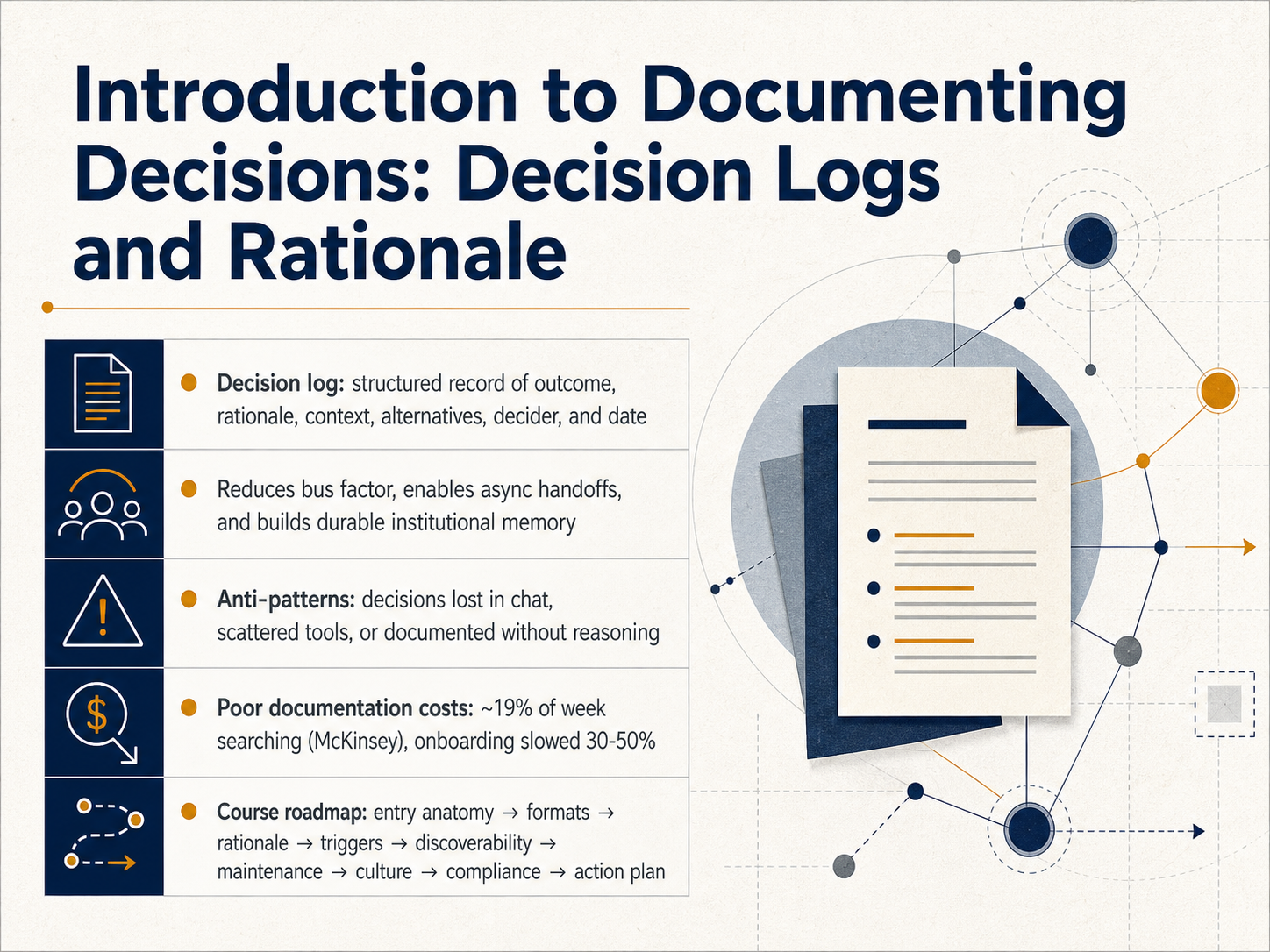
- 01Introduction to Documenting Decisions: Decision Logs and RationaleWelcome to Documenting Decisions. In this course, we will build a practical skill together: how to create decision logs that make your team's thinking traceable and truly transferable. You have probably seen the costs of undocumented choices. Research from McKinsey shows knowledge workers spend around nineteen percent of their week just searching for information. Onboarding can be delayed by thirty to fifty percent when new members can't find the rationale behind past work. A decision log solves this by giving you a structured snapshot. It captures the outcome, the reasoning, the context, the alternatives you weighed, who made the call, and the date. This simple habit reduces your bus factor, supports smooth async handoffs, and builds durable memory your whole team can rely on. To get there, we need to move past anti-patterns. Things like decisions trapped in chat, scattered across different tools, or written down without the why. Over the next session, we will walk through the anatomy of a decision entry, weigh different formats, learn to document rationale clearly, set triggers for when to write, and discuss discoverability, maintenance, culture, and compliance. By the end, you will have a concrete action plan. Let's start the engine by looking at our next slide: What Belongs in a Decision Log — And What Doesn't.linkedin.comevizi.comthiago-mendes.medium.com+22 min
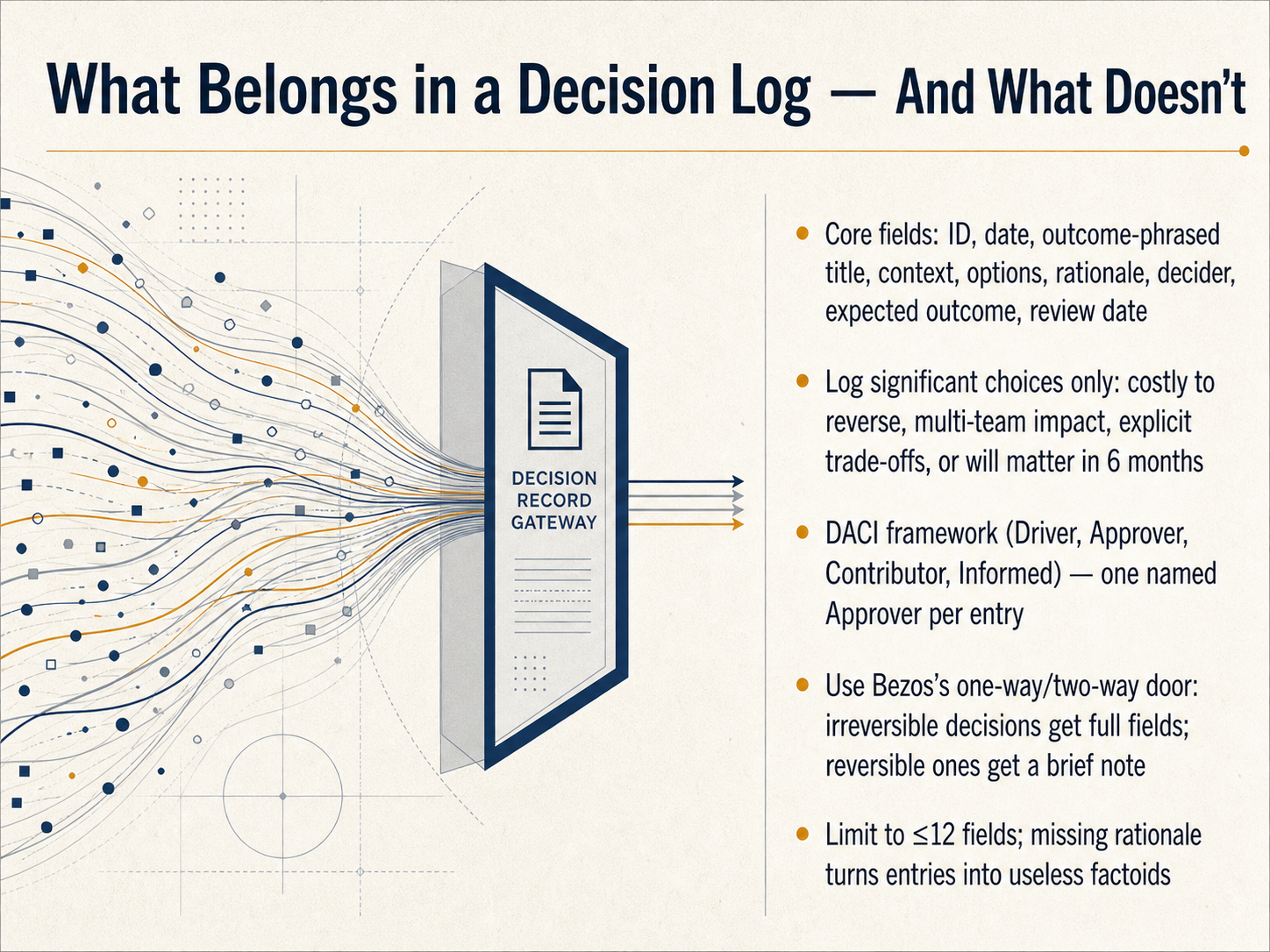
- 02What Belongs in a Decision Log — And What Doesn'tLet's get practical about what belongs in a decision log and, just as importantly, what doesn't. A strong log means you're capturing the logic of a choice so that anyone can understand it months later. Start with the core fields: a unique ID, the date, a title phrased as a clear outcome, a few sentences of context, the options you considered, your rationale, a named decider, the expected outcome, and a future review date. To keep this manageable, log only the decisions that truly matter. Ask yourself if the choice is costly to reverse, affects multiple teams, involves an explicit trade-off, or will still be relevant in six months. For accountability, use the D A C I framework, which stands for Driver, Approver, Contributor, and Informed, and always name a single individual as the approver. A fast way to decide how much detail you need is Jeff Bezos’ door framework. An irreversible one-way door decision gets every field filled out. A reversible two-way door choice only needs a brief note. Finally, keep your log lean. If you build more than roughly twelve fields, people will stop filling it out entirely, and a log with a missing rationale is just a useless factoid instead of a learning tool. Now that we know what to capture, our next step is writing a self-contained rationale that others can act on.
 getfairview.comjamy.aireflect-os.com+22 min
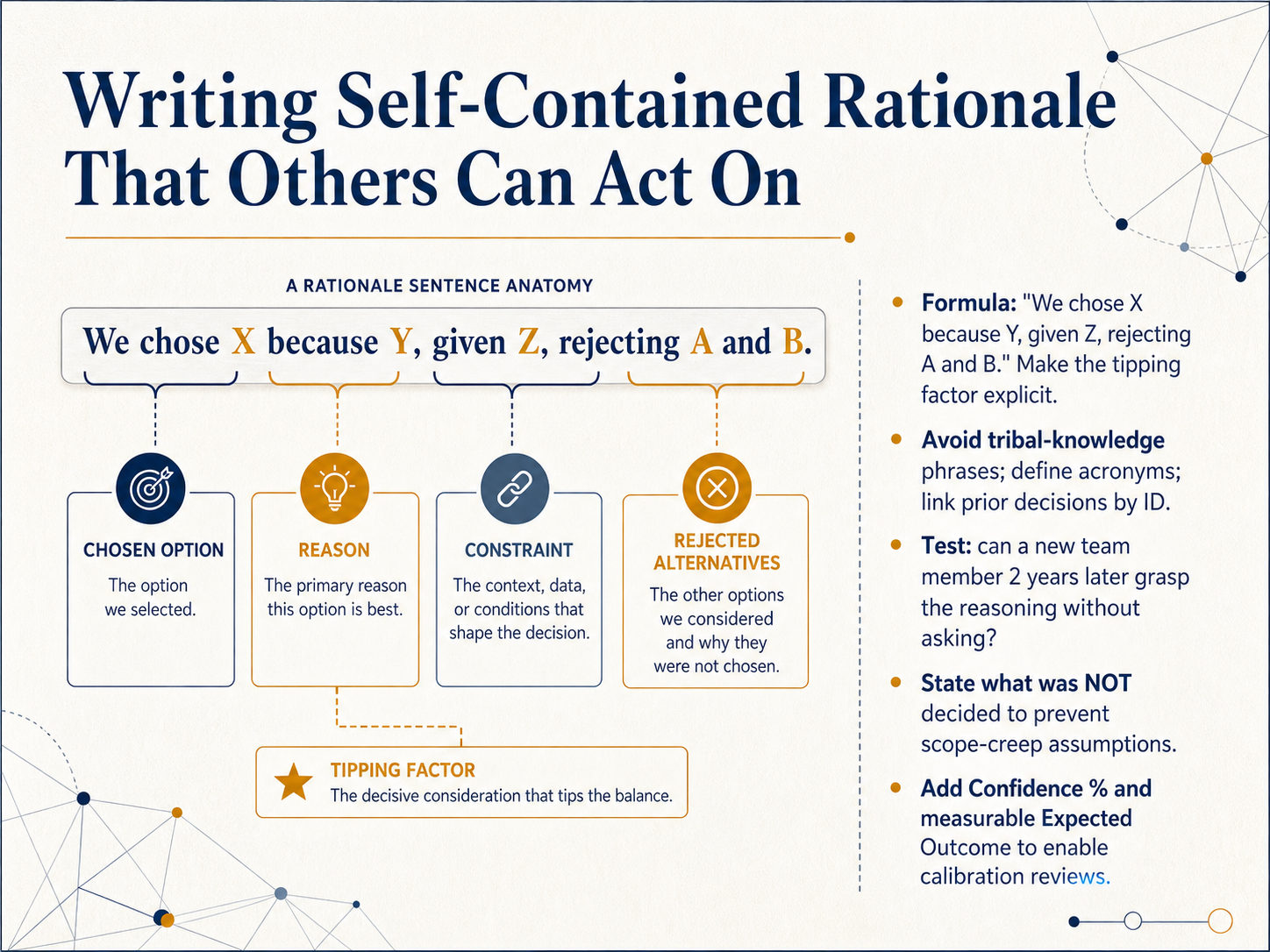
 - 03Writing Self-Contained Rationale That Others Can Act OnLet's look at writing a self-contained rationale that someone else can act on, even years later. Start with a simple formula: 'We chose X because Y, given Z, rejecting A and B.' That one sentence makes your tipping factor explicit. Next, remove tribal knowledge. Spell out acronyms, and link to prior decisions by their ID. A practical test is to ask: can a new team member grasp the reasoning two years from now, without asking anyone? Also, state what was not decided. This prevents scope creep and mistaken assumptions later. To help with calibration, add a confidence percentage and a measurable expected outcome. For example, 'We're 80 percent confident this will reduce onboarding time by 10 days.' This turns your decision log into a learning tool. Now, let's move to when you should actually write an entry: triggers, cadence, and team rhythms.
 bridgespan.orgchecklistsformanagers.comleadershipeffect.com.au+22 min
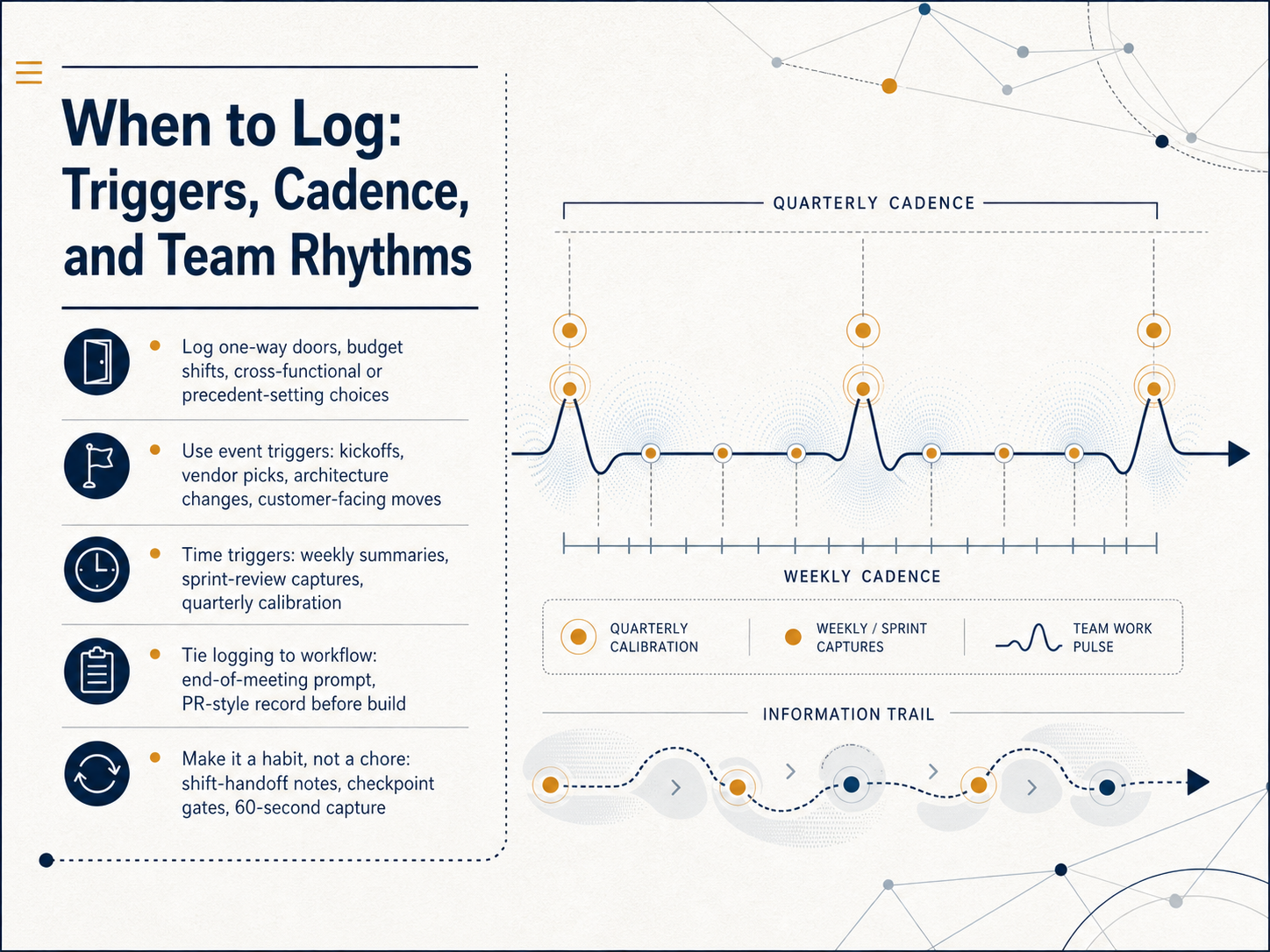
 - 04When to Log: Triggers, Cadence, and Team RhythmsNow let's talk about when to actually write things down. The goal isn't to capture every small choice, but to log the decisions that shape your project's direction. Think of one-way doors—choices that are hard or expensive to reverse. That includes budget shifts, architectural changes, cross-functional agreements, and any precedent-setting customer-facing move. You can use two kinds of triggers to build this habit. Event triggers capture choices as they happen, like right after a vendor selection, a kickoff, or a major scope change. Time triggers follow your team's natural rhythm: a quick summary at the end of the week, a capture session during sprint review, or a quarterly calibration check. The trick is to tie logging directly to your workflow. Add a sixty-second capture prompt at the end of key meetings. Write a brief record before starting a build. Treat it like shift-handoff notes or a simple checkpoint—a lightweight step that keeps everyone aligned, not a bureaucratic chore. Next, we'll look at the practical formats you can use, from lightweight markdown files to shared knowledge bases that make these logs easy to search and reuse.
 meegle.commonday.complane.so+22 min
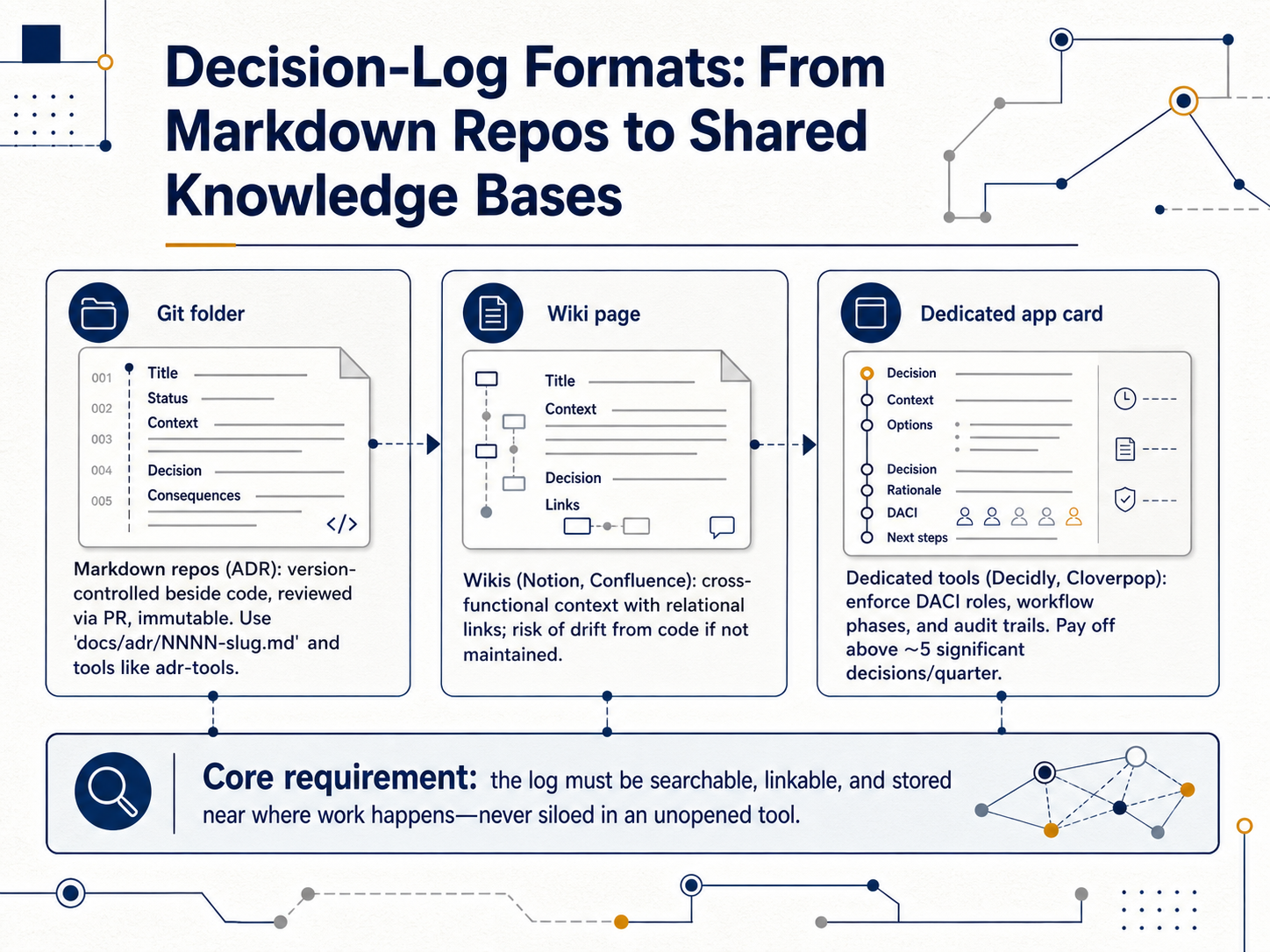
 - 05Decision-Log Formats: From Markdown Repos to Shared Knowledge BasesNow let's look at where your decisions should actually live. The format you choose directly affects whether the log stays alive or gets forgotten. The foundational approach is the Markdown repo, specifically the Architecture Decision Record pattern. You create a numbered file like zero-zero-one-slug dot md inside a docs slash adr folder. These files sit right beside your code, so they version with it, get reviewed through pull requests, and become immutable once merged. Tools like adr-tools handle the scaffolding and status tracking for you. The second format is the shared knowledge base, like Notion or Confluence. These wikis are great for cross-functional visibility and relational links, but they carry a real risk. If they aren't maintained, they drift away from what the code actually does. The third option is a dedicated decision tool, such as Decidly or Cloverpop. These enforce DACI roles, workflow phases, and automatic audit trails. The investment tends to pay off once your team makes more than about five significant decisions each quarter. No matter which path you choose, one rule is non-negotiable. The log must be searchable, linkable, and stored near where the work happens. It should never be siloed in a tool that nobody opens. Next, we'll tackle how to make past decisions truly findable through naming, tagging, and linking.
 2 min
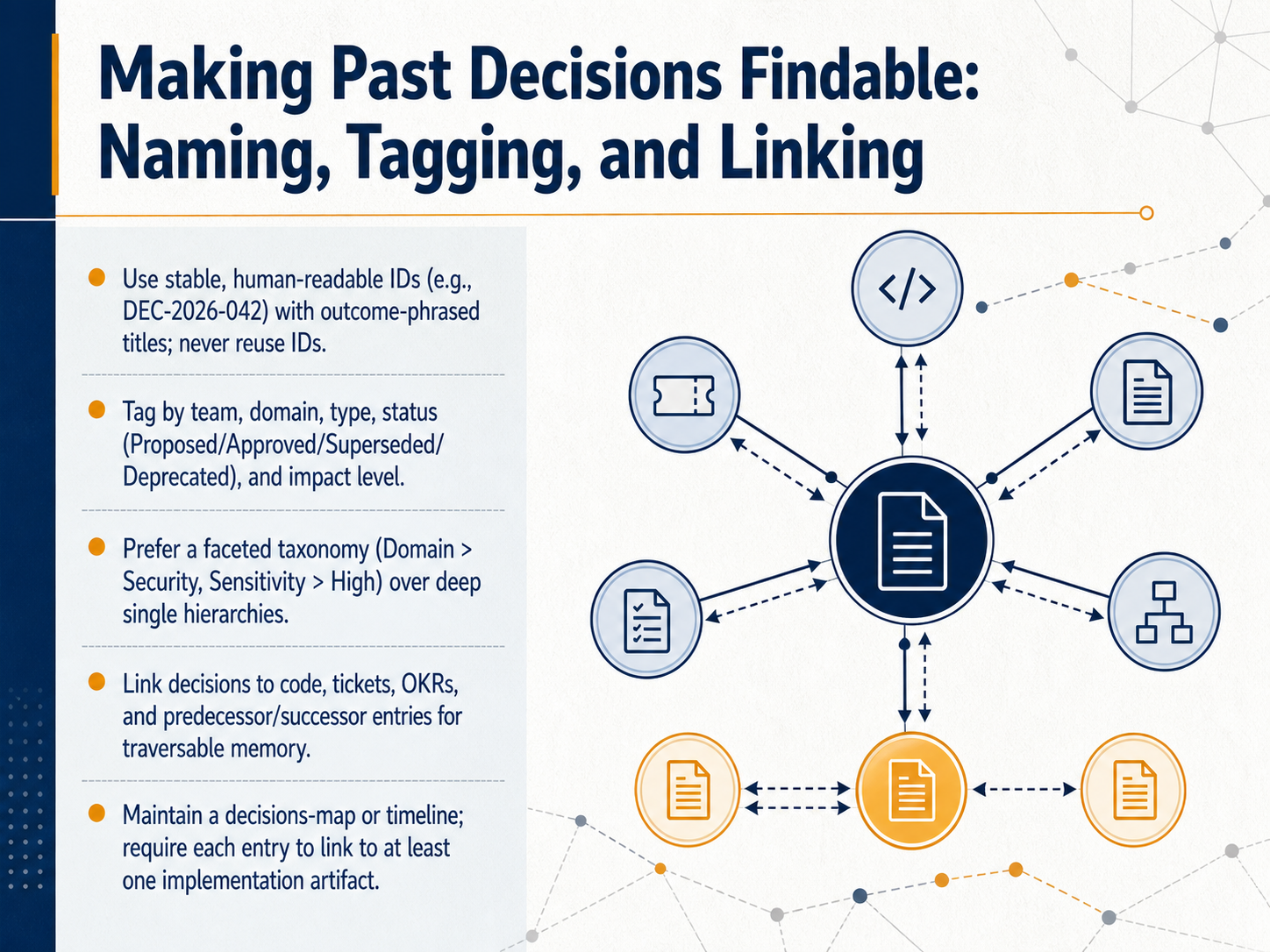
2 min - 06Making Past Decisions Findable: Naming, Tagging, and LinkingNow that you know how to structure a single decision entry, let's talk about how to make that decision findable weeks or months later. The key comes down to three things: naming, tagging, and linking. Start with a stable, human-readable identifier, like DEC dash 2026 dash 042, paired with a title that describes the outcome. Never reuse an old ID. Then apply tags so the team can filter quickly. Tag by team, domain, type, status—such as Proposed, Approved, Superseded, or Deprecated—and by impact level. When you build the tagging structure, prefer a faceted taxonomy over a deep single hierarchy. For example, use independent facets like Domain colon Security and Sensitivity colon High, rather than one rigid folder path. Finally, link the decision to the real work. Connect it to code commits, tickets, OKRs, and any predecessor or successor decisions. Maintain a decisions map or timeline, and require every entry to link to at least one implementation artifact. These connections turn your log into traversable memory, instead of a forgotten document. Next, we will look at keeping those logs alive by updating, superseding, and deprecating decisions.
 2 min
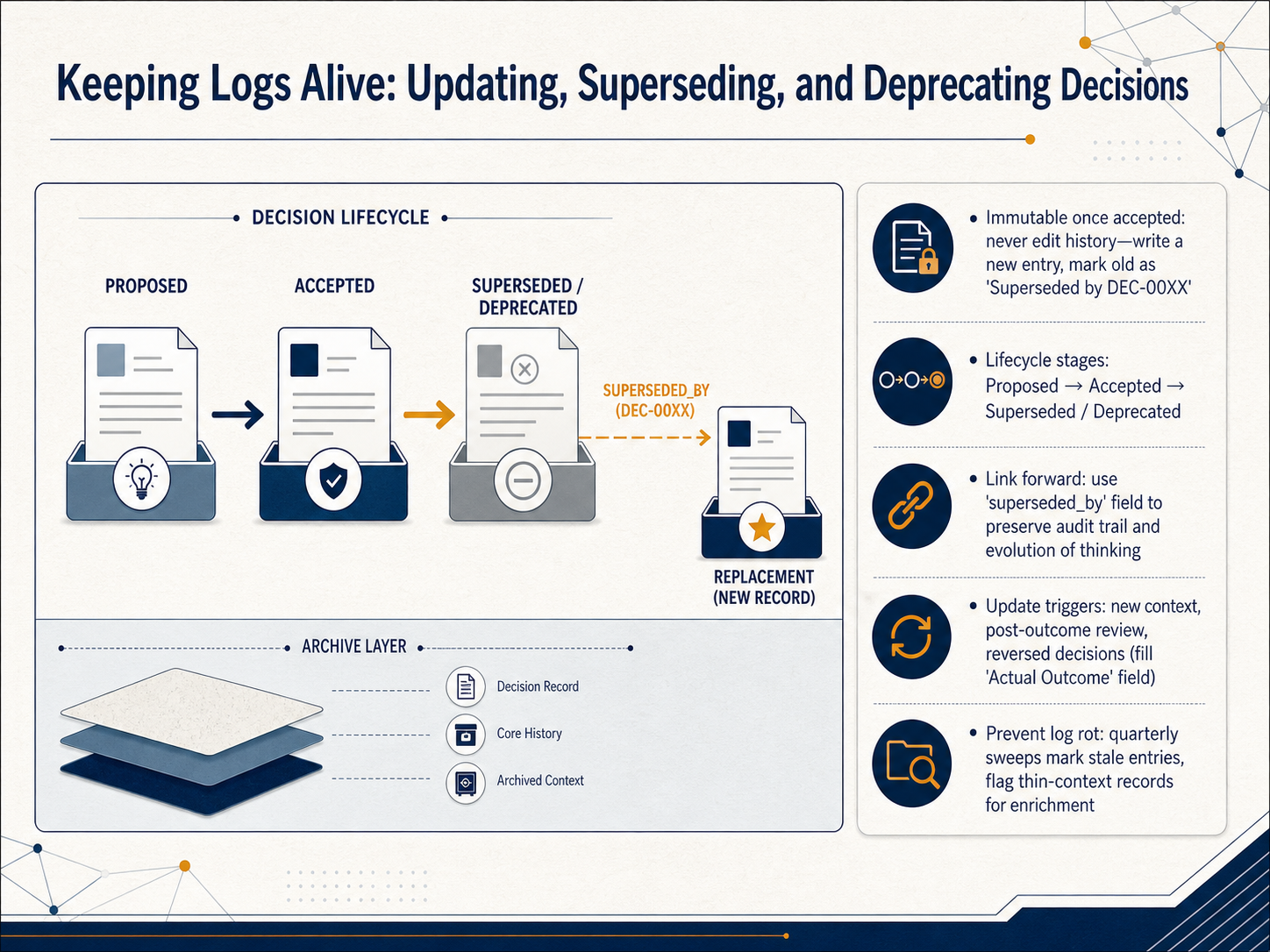
2 min - 07Keeping Logs Alive: Updating, Superseding, and Deprecating DecisionsLet's talk about keeping your decision log alive. A decision record, once accepted, becomes immutable. You should never go back and edit history. If a choice changes, you write a new entry with a new number and mark the old one clearly, for example, Superseded by DEC hyphen zero zero two four. This preserves the full audit trail and shows how your team's thinking evolved. A typical lifecycle moves from Proposed to Accepted, and then either to Superseded when a new record replaces it, or to Deprecated when the decision simply no longer applies. Use a field like superseded underscore by to link forward to the replacement, so anyone can follow the chain. Update triggers might include new context, a post-outcome review, or a reversed decision; when that happens, fill in the Actual Outcome field on the new record. To prevent log rot, run a quick quarterly sweep. Flag stale entries and enrich any records that feel too thin on context. This small habit keeps your entire catalog trustworthy and easy for anyone to pick up. Now, let's look at getting the whole team to log decisions, covering culture and adoption.
 1 min
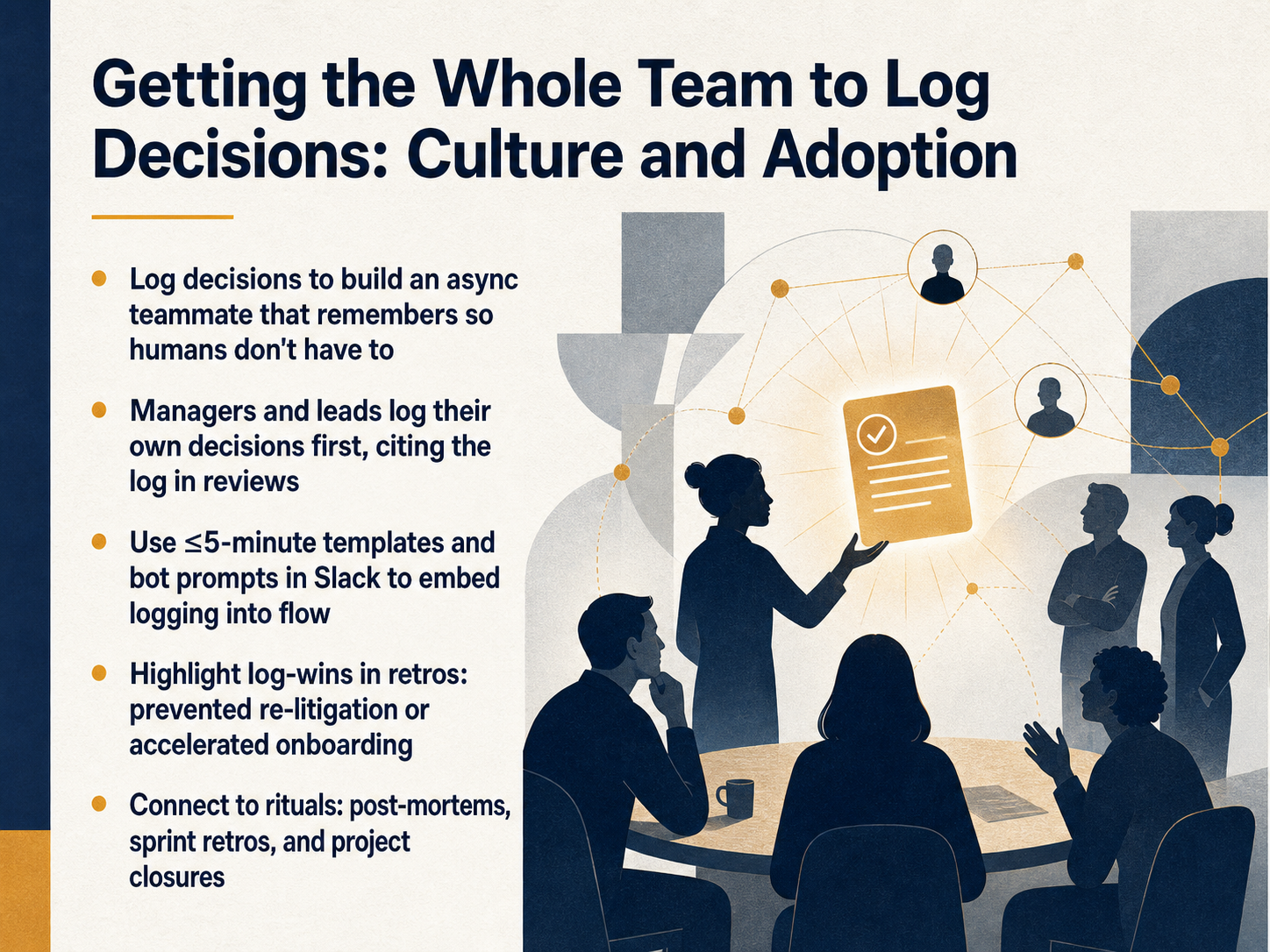
1 min - 08Getting the Whole Team to Log Decisions: Culture and AdoptionNow let's talk about the part that makes or breaks this practice: getting the whole team to actually log decisions. Think of the decision log as building an async teammate that remembers, so humans don't have to. The fastest way to make this stick is for managers and leads to log their own decisions first, and then cite those log entries in code reviews or planning sessions. When the team sees leaders using it, it stops feeling like extra paperwork and starts feeling like how we work. Next, embed logging into the flow with templates that take under five minutes, or use bot prompts in Slack to capture decisions right where they happen. You also want to highlight the wins. In retrospectives, call out the moment when a log entry prevented re-litigating an old debate, or helped a new hire ramp up a week faster. Finally, connect the log to rituals you already have: post-mortems, sprint retros, and project closures are natural moments to update and reference key decisions. That's how culture shifts from remembering to recording. In the next slide, we'll go deeper into using decision logs during onboarding, handoffs, and async work.
 monday.comgetfairview.com2 min
 - 09Decision Logs in Onboarding, Handoffs, and Async WorkDecision logs become incredibly valuable whenever someone new needs to understand why things are the way they are. Let's look at five specific moments where this practice pays off. First, onboarding. Instead of scheduling a dozen interviews to absorb tribal knowledge, new hires can simply read the last three months of decisions. This skips the folklore and lets them see the actual operating logic of the team. Second, async handoffs. When ownership shifts between time zones or people, the incoming owner gets full context without spending hours in transition meetings. Third, those constant interruptions asking 'why did we do it this way' get replaced by a sixty-second self-serve answer. Fourth, post-mortems and root cause analyses become evidence-based. The log lets you judge a decision on what was known at the time, not with the benefit of hindsight. And finally, an executive can read a timeline of decisions to accelerate strategic alignment, without a lengthy briefing. Next, we'll explore how decision logs serve as a reliable audit and compliance asset.
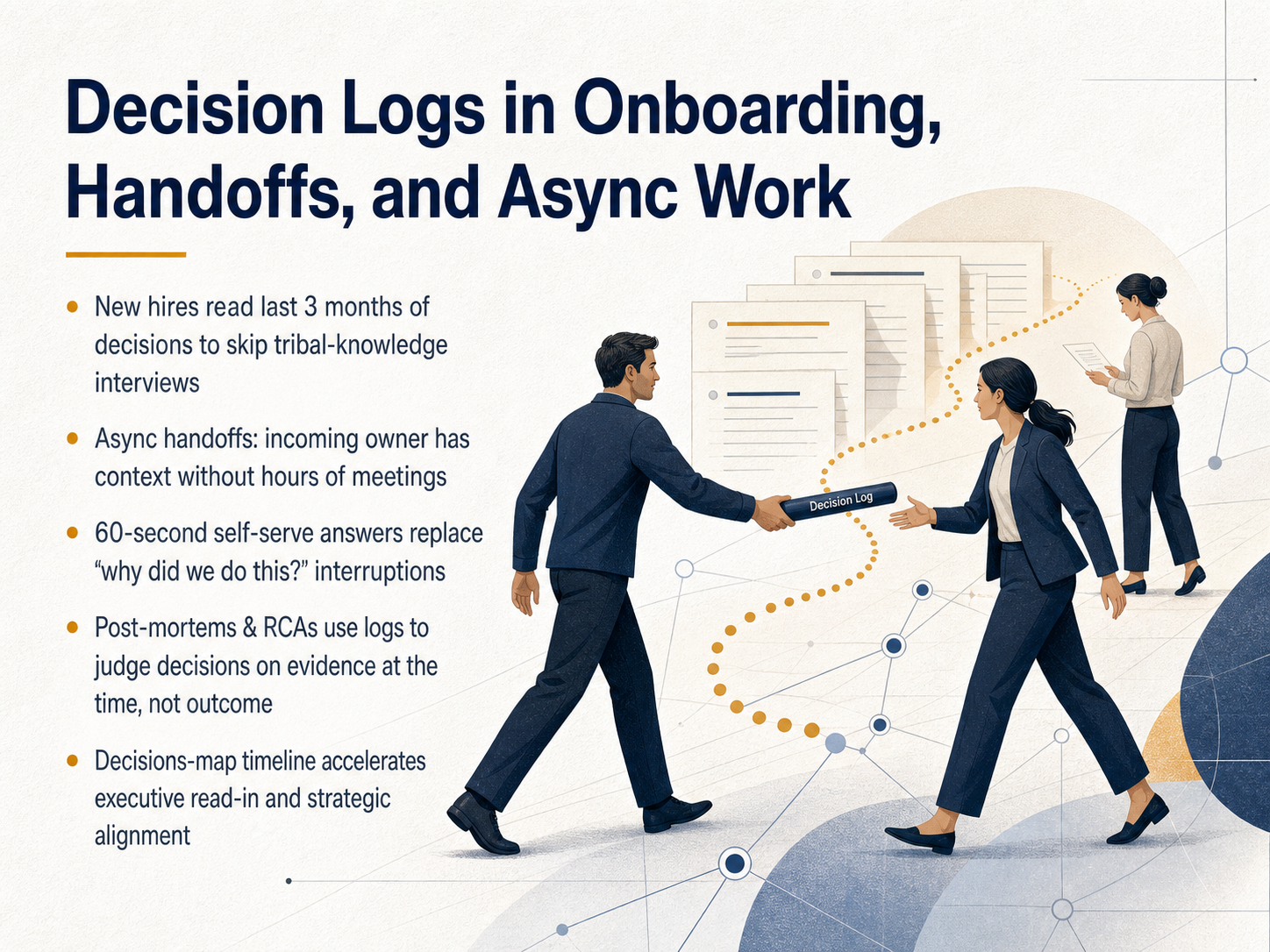 monday.comgetfairview.com2 min
 - 10Decision Logs as an Audit and Compliance AssetNow that you understand the structure of a decision log, let's talk about an equally important benefit: turning those logs into a powerful audit and compliance asset. When you pursue certifications like SOC 2, ISO 27001, or GDPR compliance, auditors don't just want to see your final system configurations. They demand proof of consistent, explainable decisions over time. Standard compliance platforms are very good at collecting evidence after the fact, like a snapshot of who had access on a specific day. But a decision log captures the 'why' at the exact moment a choice was made. It captures the logic, the inputs, and the specific controls considered. This transforms a simple record into audit-proof material. To truly satisfy an auditor, a log needs to be deterministic, meaning the same inputs always produce the same output. This allows someone to re-run and verify a decision from six months ago, getting an identical result. Combine this with an append-only, hash-chained format, and you create a trustworthy chain of custody where any attempt to alter a past entry is immediately detectable. Auditors can then verify your process, not just trust your word. Next, we'll build on this foundation by exploring lightweight templates and checklists for documenting decision entries.
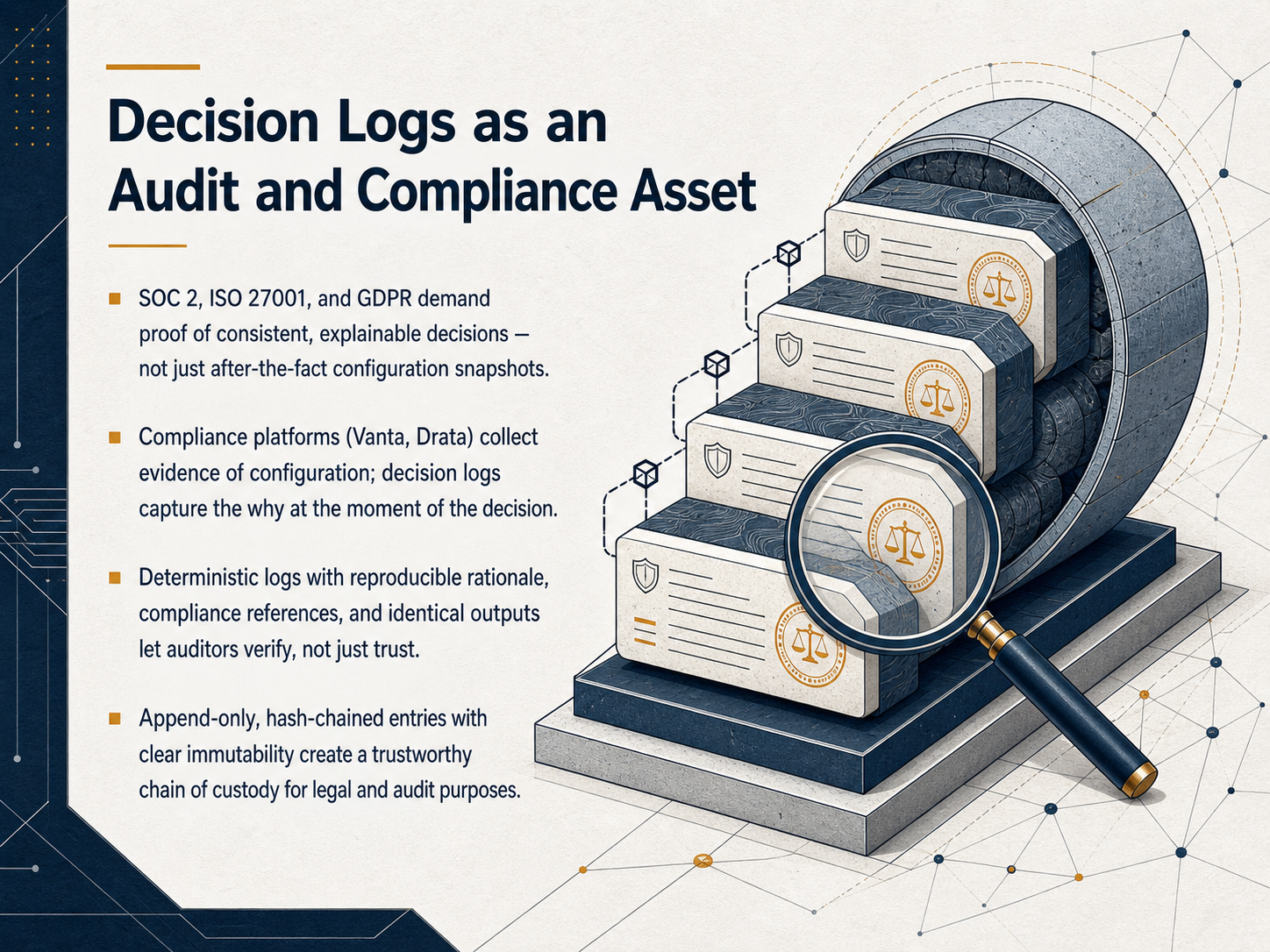 2 min
2 min - 11Lightweight Templates and Checklists for Decision EntriesNow let’s talk about the formats and checklists that make logging fast and sustainable. If you try to capture everything at once, the log will get abandoned. So start with the minimum viable entry: just five fields. Date, Decision, Context, Alternatives, and Who Decided. That’s enough to answer the big questions later: what we picked, what we ruled out, and who made the call. When a decision carries more risk, or you need calibration, add a few fields—an ID, a confidence percentage, the expected outcome, a pre-set review date, the actual outcome, and a one-sentence lesson. One more field I recommend is Revisit Conditions. This is a pre-committed trigger to reopen the decision, like ‘if churn goes above four percent.’ It keeps the team from re-litigating good decisions without a reason. For role-based formats, match the log to how you work. Engineering teams often use an architecture decision record, or ADR, with the Nygard layout. Business ops might use DACI to pin down the Driver, Approver, Contributors, and Informed. Product teams do well with a hypothesis format that states the expected change and the business impact. Finally, run a quarterly calibration checklist. Fill in recent outcomes, score your verdicts, and surface patterns like consistent overconfidence. The goal is to learn from the log, not just fill it. Up next, we’ll turn this into an action plan for starting your team’s first decision log today.
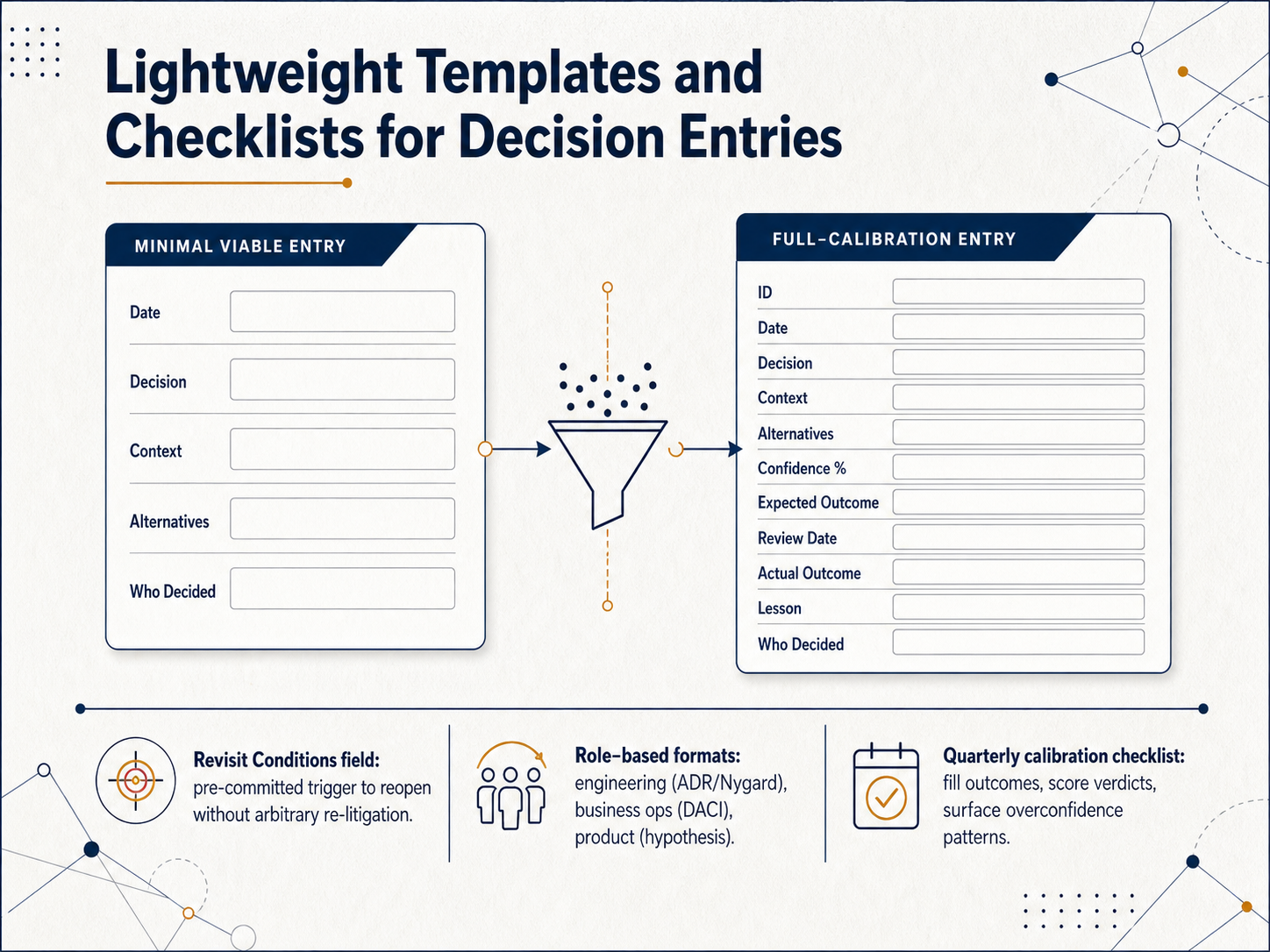 getfairview.comjamy.aireflect-os.com+22 min
 - 12Action Plan: Starting Your Team's First Decision Log TodayLet's wrap up with a concrete plan to start your team's decision log today. First, pick a format—a shared document or a simple table works perfectly—and log one live decision before the day ends. Next, think of the one decision your team has re-explained the most over the past few months. Retroactively log that one too, because capturing it now will immediately prevent the next re-litigation cycle. Then, embed the habit into your existing rhythm. Add a sixty-second check at the end of sprint reviews or steering meetings to ask, 'What did we decide today that is worth logging?' Finally, set a target of five to ten meaningful entries per quarter and track how many times a log entry saves you from rehashing an old debate. When new hires join, make reading the last three months of decisions a core onboarding step. It grounds them in your real operating logic faster than any handbook ever could. This is not paperwork. It is a lightweight asset that compounds. Start small, start today, and watch your team move faster with clarity. Thank you, and good luck building your decision memory.
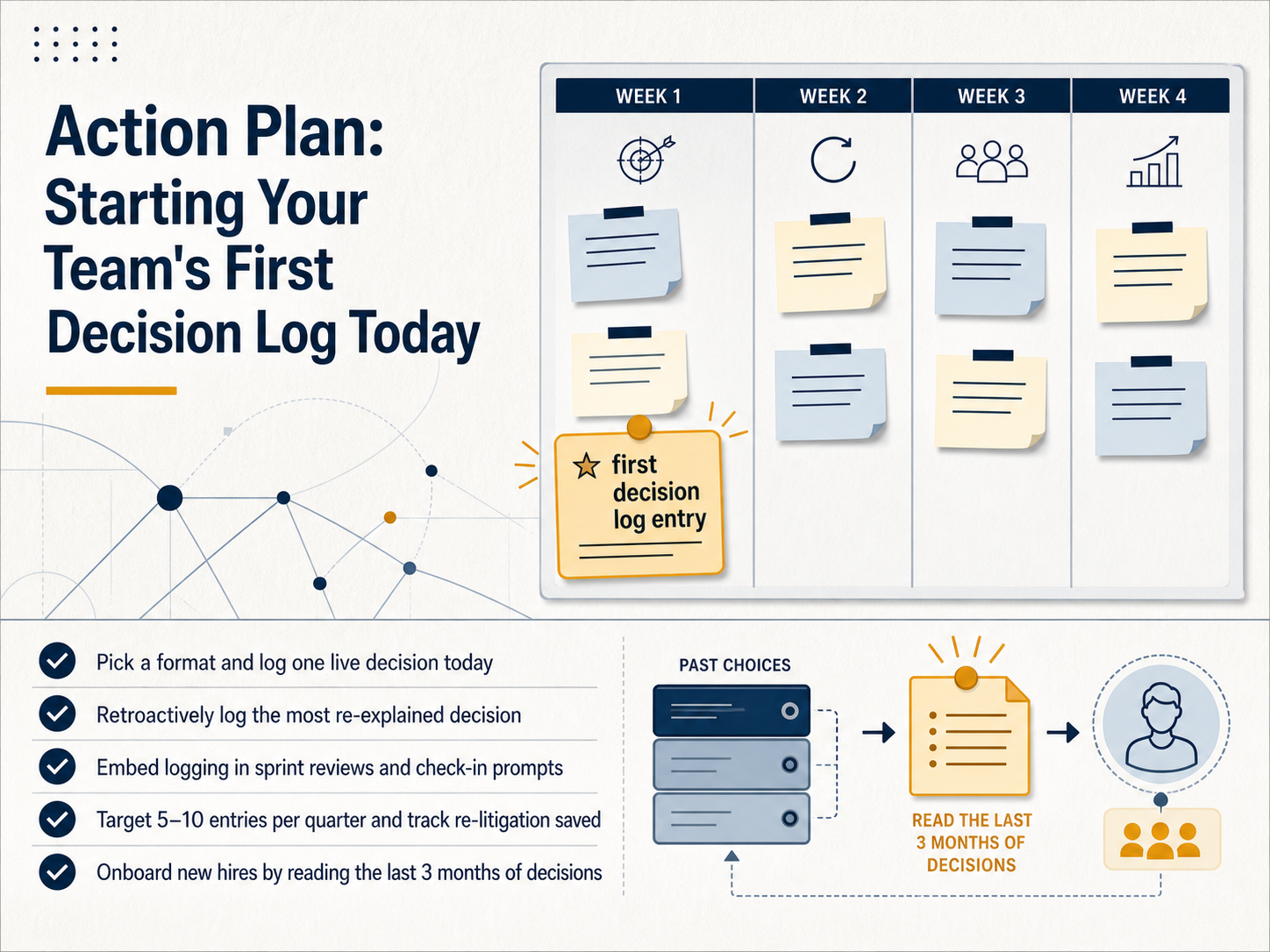 monday.comgetfairview.com2 min
Take the deck with you
Download this course as a file — free, no sign-up needed.
- PDF handoutEvery slide page, ready to print or share.13 pages · 4.0 MBDownload
- Narrated PowerPointThe deck that presents itself — every slide carries the digital human's narration video.13 pages · 14.4 MBDownload
- PowerPoint slidesThe full deck as a .pptx — open it in PowerPoint, Keynote, or Google Slides.13 pages · 4.0 MBDownload
Free to use in your own training — please keep the PersonWise credit page at the end.
Have your own deck? Turn it into a course
Sources consulted
Web sources consulted while building this course.
- The Business Impact of Poor Tech Documentation: A Global Analysis — linkedin.com
- The Hidden Cost of Poor Documentation in Software ... — evizi.com
- How to Document Decisions and Mistakes to Improve Software Projects — thiago-mendes.medium.com
- A mapping study on documentation in Continuous Software Development — sciencedirect.com
- Software Documentation Best Practices That Prevent Technical ... — fullscale.io
- Decision Log Template: Fields and Examples for Ops — Fairview — getfairview.com
- Decision Log Template: Track Meeting Decisions, Rationale, and Follow-Ups - Jamy AI — jamy.ai
- Decision Log Template: 8 Essential Fields That Work | Reflect OS — reflect-os.com
- Decision Log Template – Project Management Formula — projectmanagementformula.com
- Decision Log Template For Better Team Decisions - The Workhint Blog — blog.workhint.com
- Decision-Making Best Practices Checklist — bridgespan.org
- Decision-Making Checklist | Your Checklists — checklistsformanagers.com
- Decision Hygiene Checklist – Improve Leadership Choices — leadershipeffect.com.au
- 7 STEPS TO EFFECTIVE DECISION MAKING — umassd.edu
- How to Establish an Effective Decision Making Process in Your Team — runn.io
- Free Download Sprint Review Decision Log — meegle.com
- Decision Log: Build a System for Better Decision Tracking [2026] — monday.com
- Decision log: What it is, why teams use it, and template — plane.so
- What is a Sprint Review in Agile? — atlassian.com
- What Is A Decision Log? The Essential Tool For Project Managers — eleco.com