Begin
14 pages · ~28 min
Audience Research Tool Selection and Workflow
Learn to select and design workflows using audience research tools to optimize data-driven decision-making.
A digital instructor presents all 14 pages. Hold “Ask” at any point and ask out loud — the answer comes from this course. No sign-up needed.
What you’ll learn
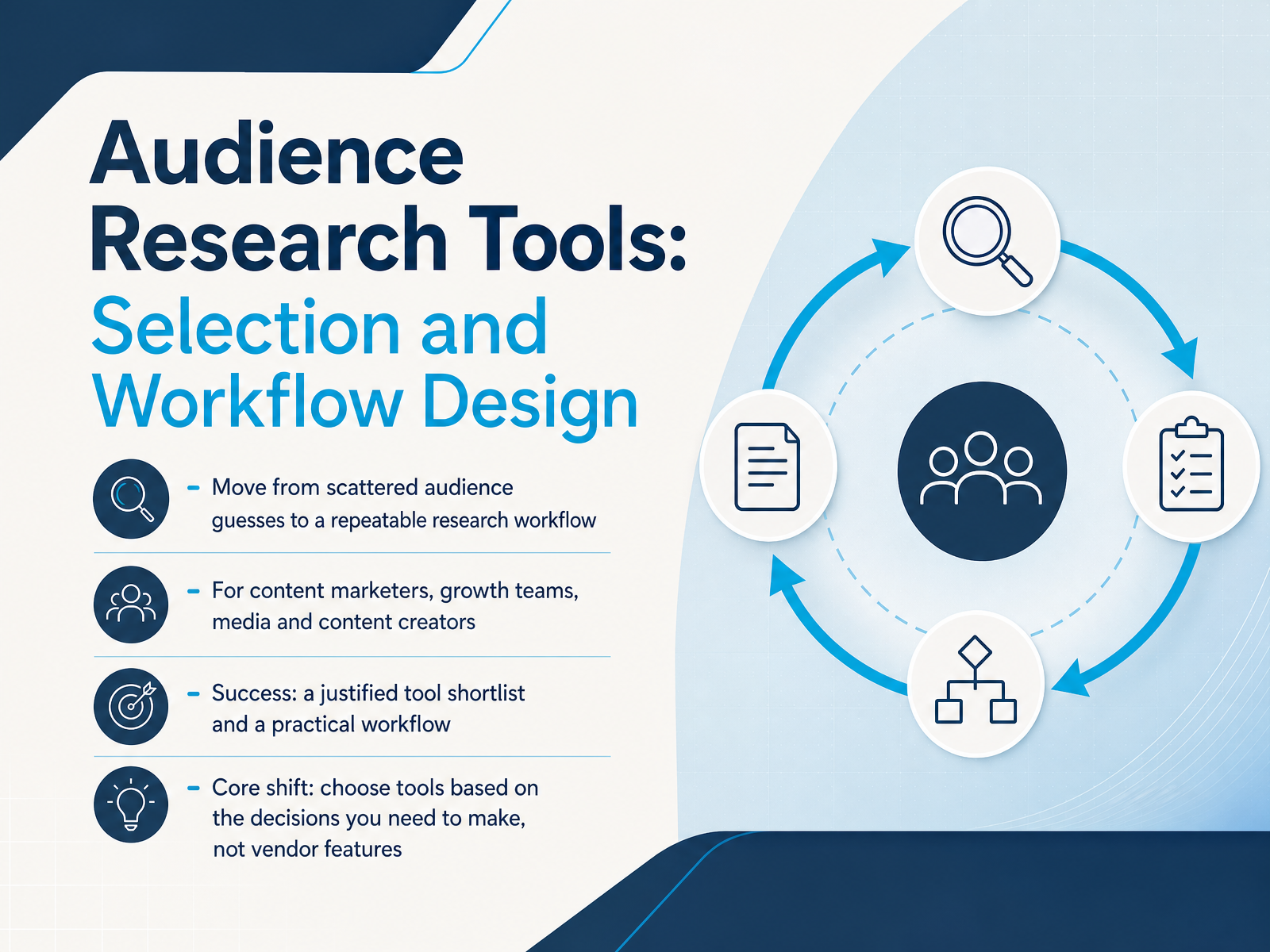
- 01Audience Research Tools: Selection and Workflow DesignWelcome. If you're a content marketer, a growth lead, or a creator, you've probably felt this: you're about to launch a campaign, and your audience picture is a mix of a few reports, some hunches, and data that lives in three different places. That approach is fragile. This course changes that. We're going to build a repeatable audience research workflow, one that moves you from scattered guesses to a justified tool shortlist and a practical process you can run before every campaign cycle, not just when something fails. The core shift is simple: choose tools based on the decisions you need to make, not on vendor features. A feature list tells you what a tool can do. Your decisions tell you what it should do. We'll keep that principle front and center throughout. Let's start by looking at why audience research usually fails, so we know exactly what we're fixing.pulsarplatform.comklinko.ghost.ioresources.rework.com+21 min
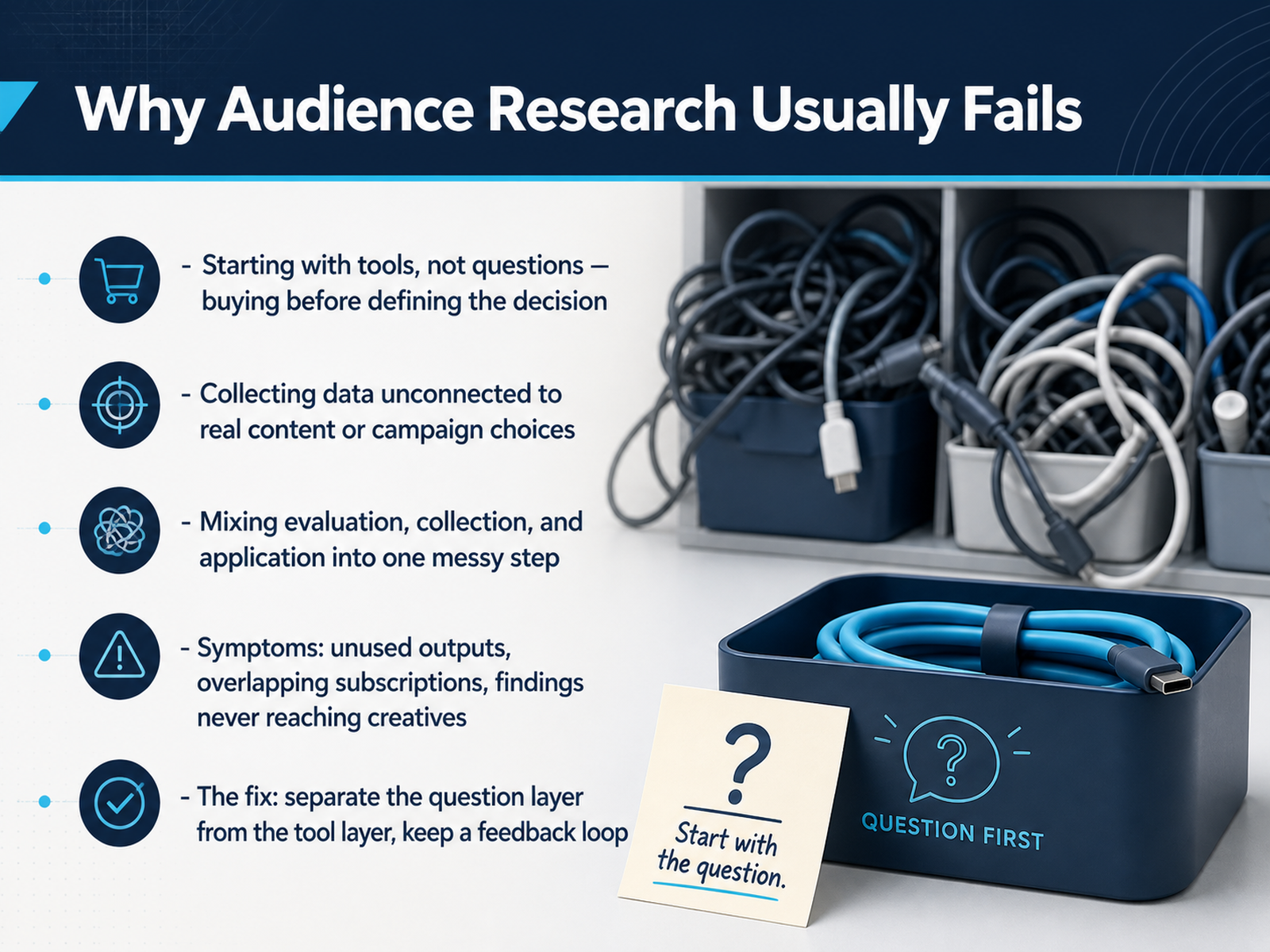
- 02Why Audience Research Usually FailsLet’s be honest about why most audience research falls apart. It rarely fails because you lack data. It fails because you pick the tool before you define the question. You buy a platform, load it with keywords, and generate a report that impresses no one at the planning meeting. The second mistake is collecting data that isn’t tied to a real decision. If you can’t say which campaign, which content pillar, or which launch this informs, you’re just filling a dashboard. And then there’s the classic pile-up: you try to evaluate, collect, and apply all in one chaotic step. That’s how you end up with overlapping subscriptions, unused outputs, and creative teams that never see the findings. The fix is structural. Separate the question layer from the tool layer. Define what you need to know before you open any vendor demo. Then pick the platform that answers that specific question, not the one with the most features. And close the loop. Insights have to flow back to the people making content, or they die in a spreadsheet. So before we compare platforms, let’s talk about how to frame the question your research actually needs to answer.
 pulsarplatform.comklinko.ghost.ioresources.rework.com+22 min
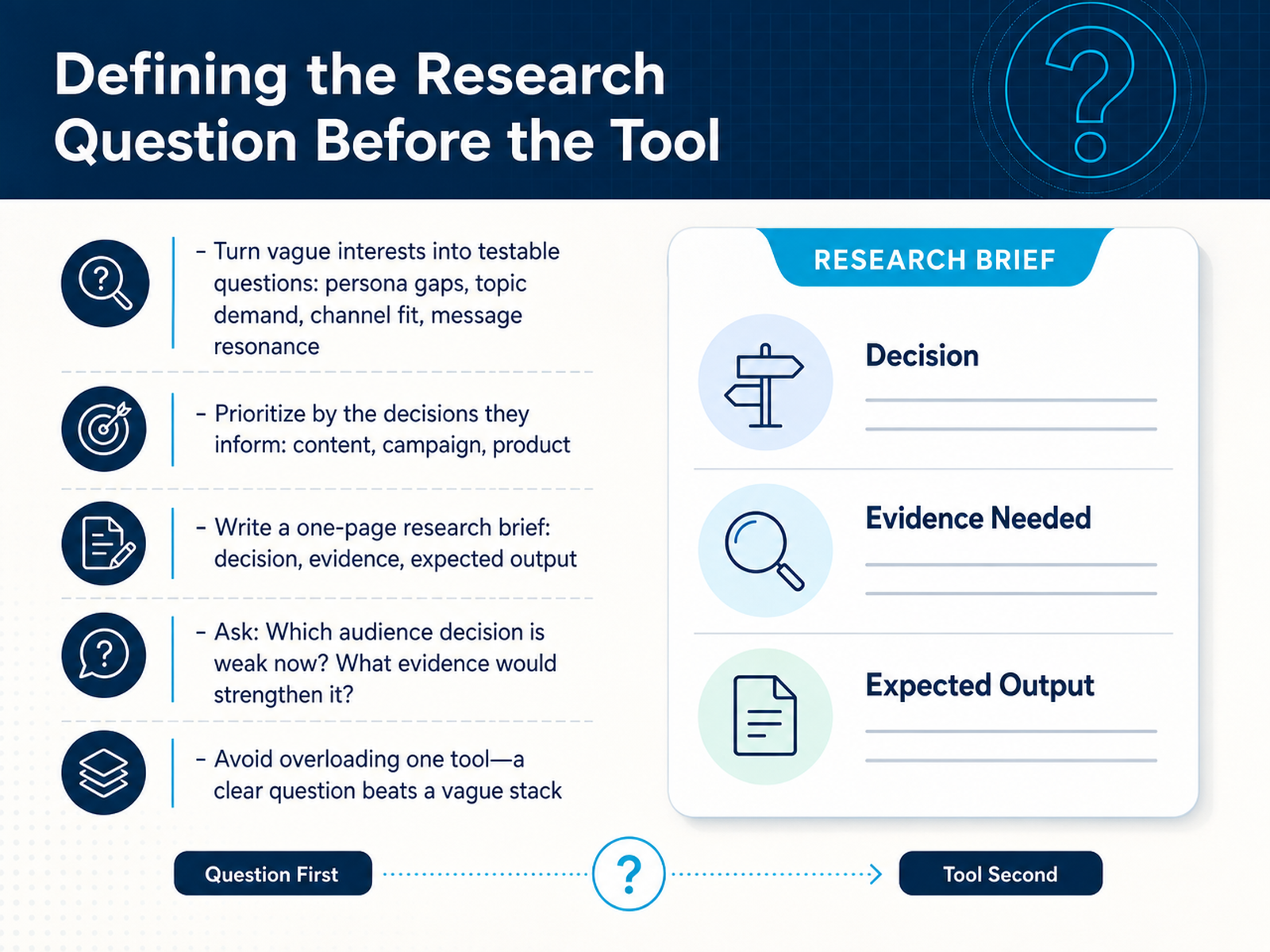
 - 03Defining the Research Question Before the ToolBefore you evaluate any tool, define the question you are actually trying to answer. Vague curiosity produces vague results. Turn that vague interest into a testable research question. For example, instead of asking who our audience is, ask which messaging angle resonates most with our current subscribers, based on their last three interactions. Prioritize these questions by the decisions they inform. A question about campaign content is different from a question about product-market fit, and they may require completely different data. The discipline of writing a one-page research brief will save you hours. On that page, state the decision you need to make, the evidence that would inform it, and the output you expect, whether that is a segment map or a message hierarchy. Ask yourself: which audience decision is weakest in our workflow right now, and what specific evidence would strengthen it? That focus prevents you from overloading a single tool with too many jobs. A clear question beats a vague stack of platforms every time. With your question defined, let's look at how different tool categories map to the specific research needs you've identified.
 pulsarplatform.comklinko.ghost.ioresources.rework.com+21 min
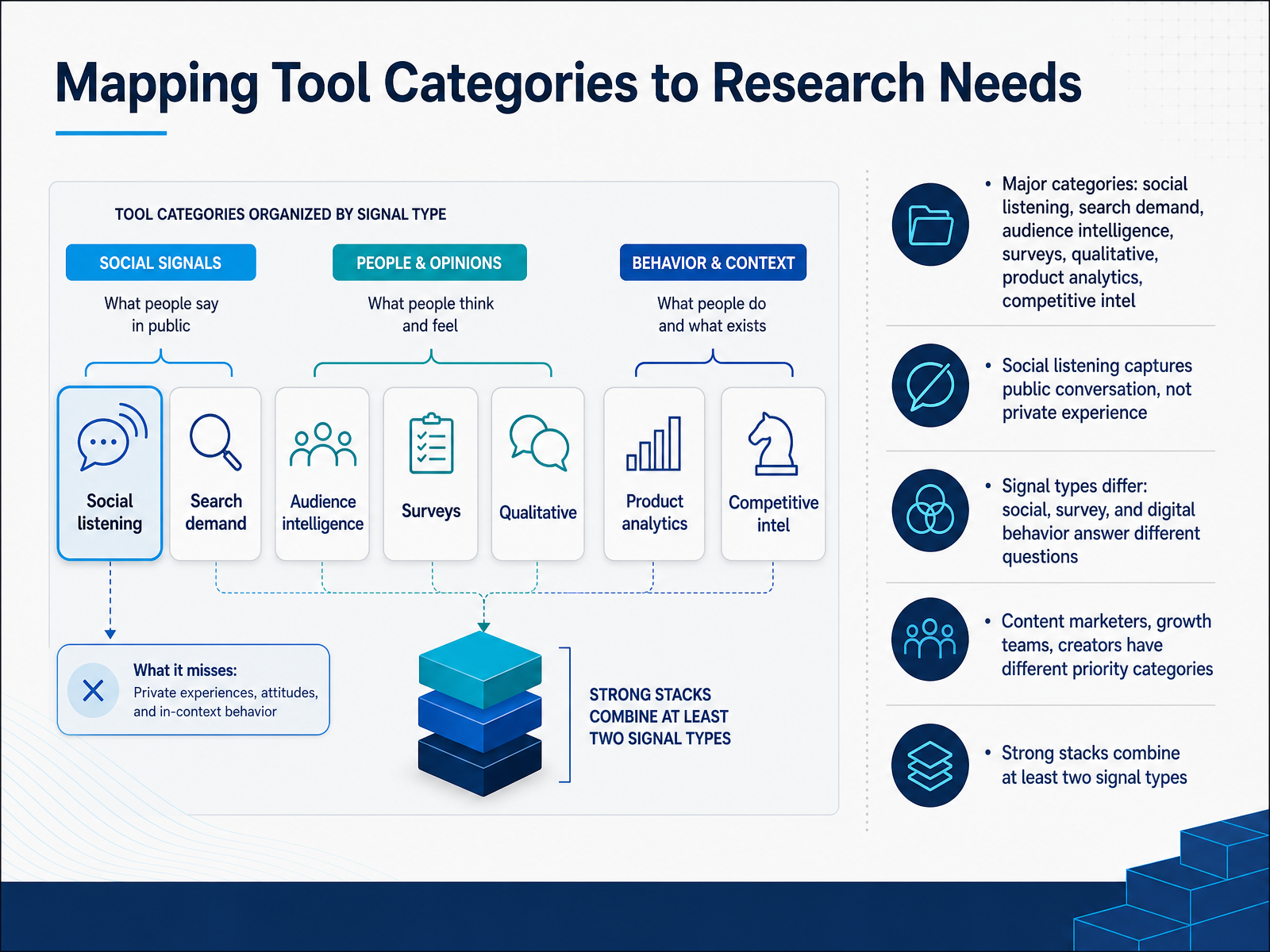
 - 04Mapping Tool Categories to Research NeedsLet's map the tool categories to the research needs they actually answer. Six main categories: social listening, search demand, audience intelligence, surveys, qualitative research, product analytics, and competitive intel. First, a core distinction: social listening captures public conversation. It tells you what people say about your brand, your category, or a trend in real time. It does not tell you about private experience. It won't reveal why a customer churned or what a buyer really needs. That's a survey or a qualitative interview. Different signal types answer different questions. Social signals reveal what people care about and discuss. Survey data reveals what people say about themselves at scale, attitudes, preferences, demographics. Digital behavior reveals what people actually do, search queries, site visits, product usage. Here's the practical part. Different teams have different priorities. Content marketers lean on search demand, what language is growing. Growth teams lean on product analytics and surveys to validate what users do in-product. Creators lean on social listening and audience intelligence to find where people hang out and what they talk about. No single category is enough. Strong stacks combine at least two signal types. For example, social listening to surface a trend, then a survey to validate that the trend matters to your broader audience. Or product analytics to spot friction, then qualitative interviews to understand why. One signal type gives you a clue. Two give you confidence. Choose your combination based on the decision you're making, not your budget. Next, let's look at a current 2026 tool map by category.
 pulsarplatform.comklinko.ghost.ioresources.rework.com+22 min
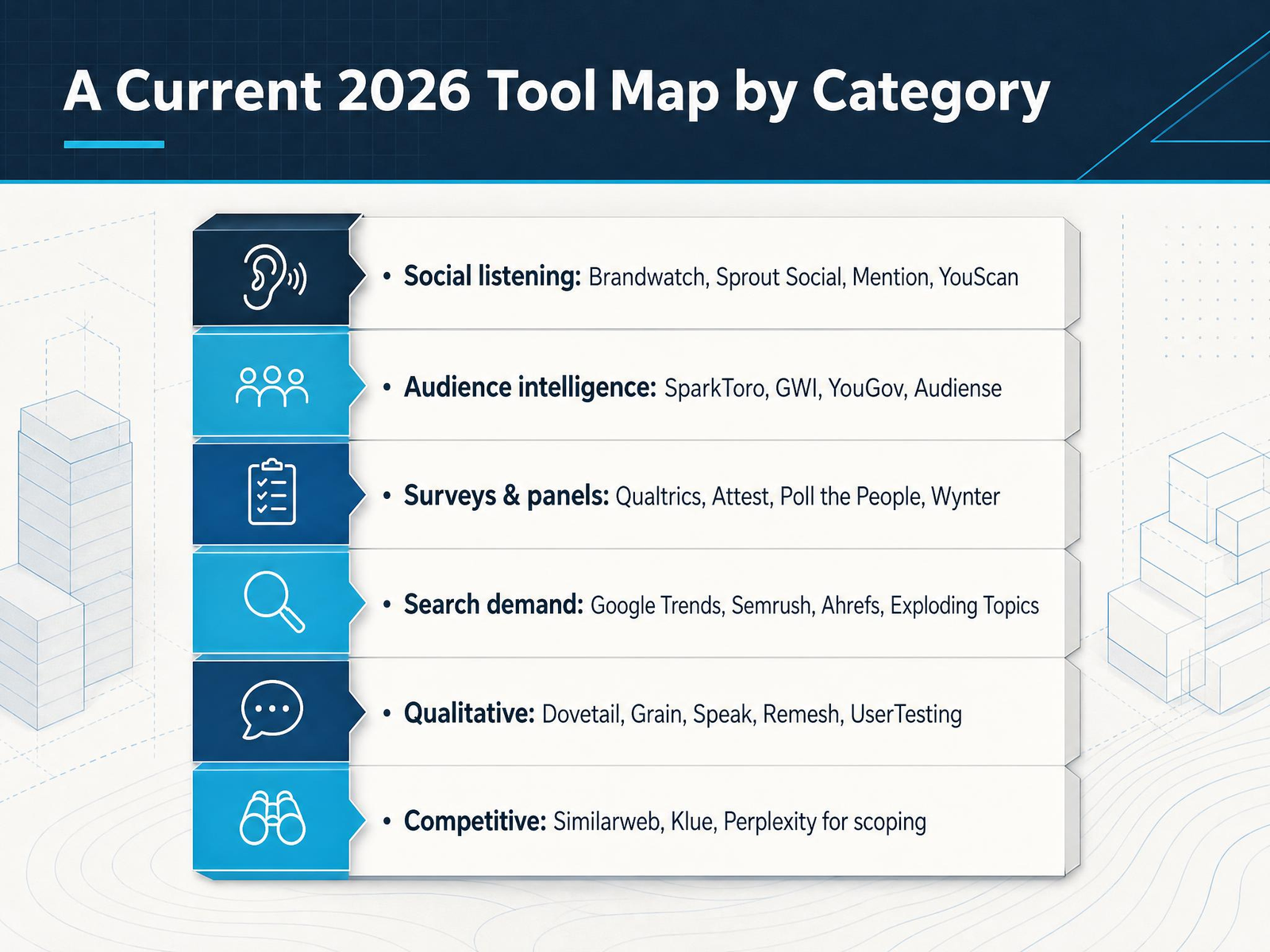
 - 05A Current 2026 Tool Map by CategoryLet's get practical about the tool landscape. Think of this as a map, not a shopping list. On the social listening side, you have Brandwatch, Sprout Social, Mention, and YouScan. These track real-time conversations, mentions, and sentiment. For audience intelligence, SparkToro, GWI, YouGov, and Audiense help you understand who your audience is, their interests, and media habits. Surveys and panels like Qualtrics, Attest, Poll the People, and Wynter give you structured answers to specific questions. For search demand, Google Trends, Semrush, Ahrefs, and Exploding Topics reveal what people are actively looking for. Qualitative tools like Dovetail, Grain, Speak, Remesh, and UserTesting help you dig into the why behind behavior. And for competitive intelligence, Similarweb, Klue, and even Perplexity for quick scoping rounds it out. You don't need all of these. You need the ones that answer your specific question. So as you look at this map, think about which gaps you're trying to fill this quarter. With that, let's move to the criteria that actually matter when you're choosing.
 pulsarplatform.comklinko.ghost.ioresources.rework.com+21 min
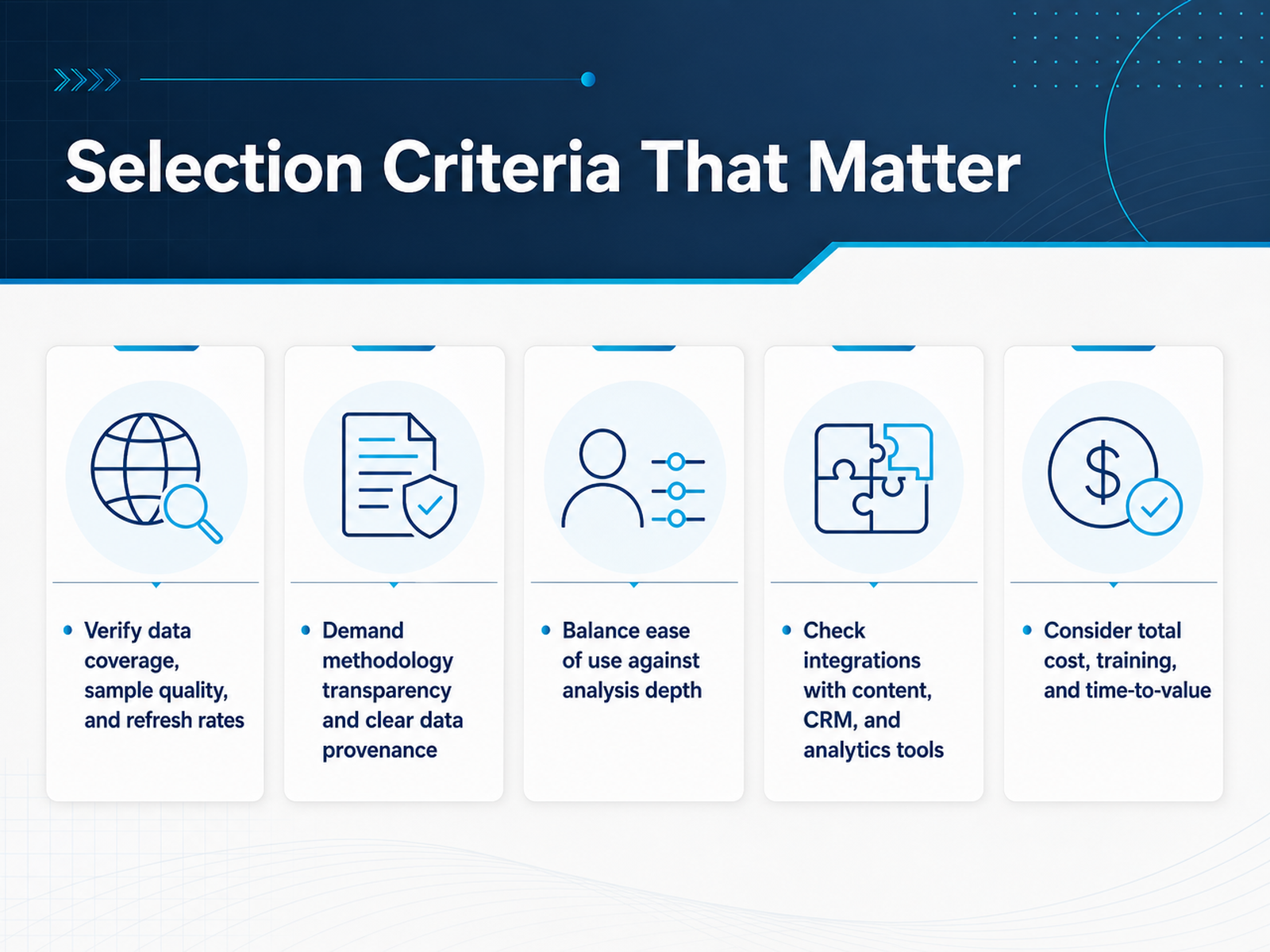
 - 06Selection Criteria That MatterLet’s get practical about what actually separates a useful tool from an expensive dashboard. Start with the data itself. Ask where it comes from, how fresh it is, and whether the sample reflects your real buyers. Panels with selection bias or stale profiles will lead you astray, no matter how polished the interface is. Transparency matters just as much. A vendor should be able to explain how insights are generated, cite their sources, and state plainly what the tool does not predict. If the methodology is a black box, walk away. Next, balance ease of use with analysis depth. A simple tool that your team actually uses beats a complex one that requires a data scientist to operate. But make sure it’s not so shallow that it can’t answer follow-up questions. Integrations are non-negotiable. The tool must plug into your content calendar, your CRM, and your analytics stack. If it creates a separate workflow where you have to export and re-upload files, it will slow you down and the insight will die in a spreadsheet. Finally, price the total cost. Look beyond the license. Include onboarding, training, and the time it takes to get your first usable insight. A tool that takes three weeks to set up is a poor fit for a campaign that launches next month. Remember, you are buying a decision-support system, not a report generator. The goal is to reduce guesswork in your workflow, not add another layer of abstraction. Keep these criteria handy as we look at the common pitfalls next.
 blog.cambium.aiinfluencers-time.comsaliencylab.com+22 min
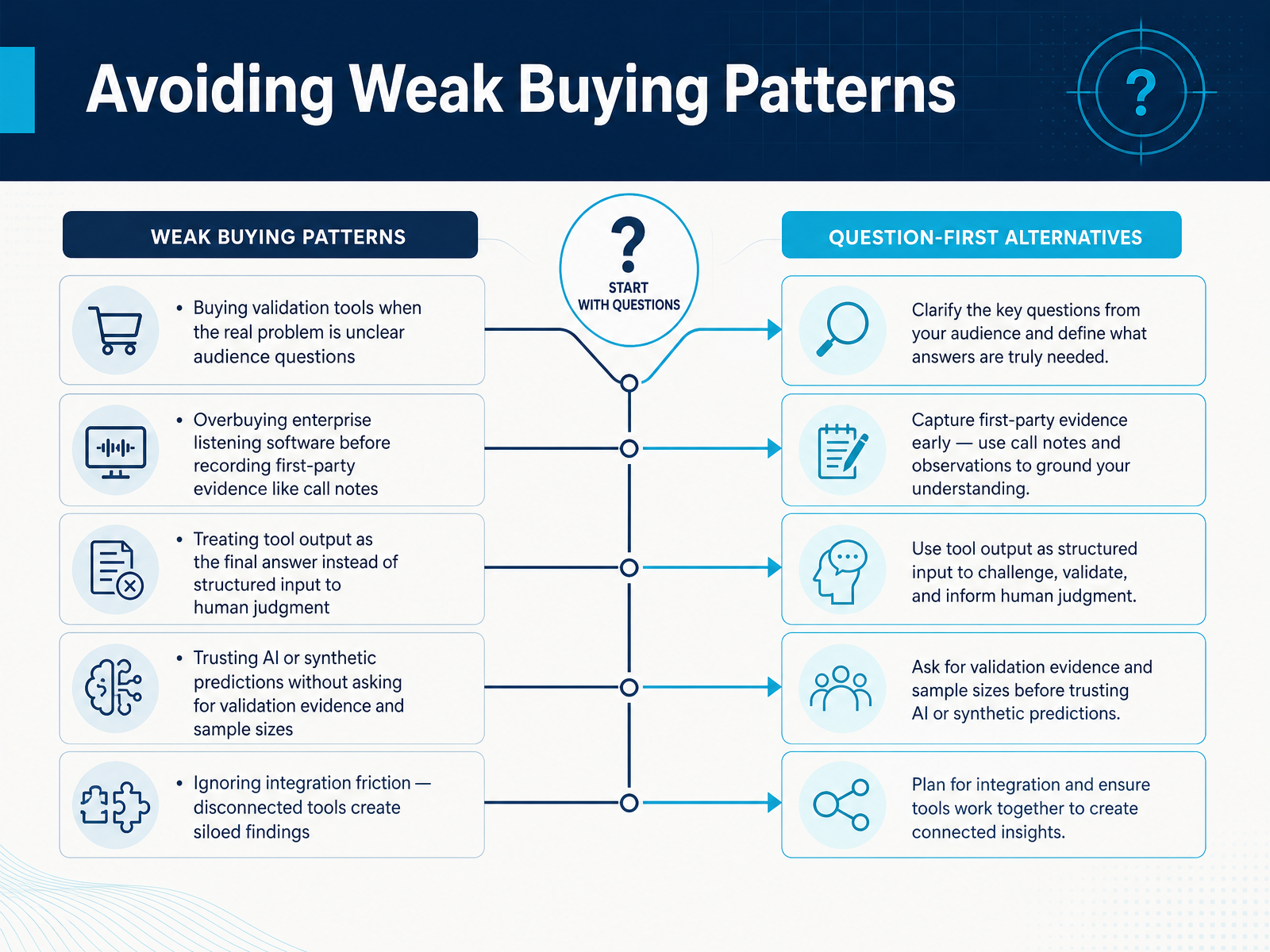
 - 07Avoiding Weak Buying PatternsLet’s talk about how buying patterns go wrong. The most common mistake is buying a validation tool when the real problem is a vague audience question. If you don’t know what you’re asking, no tool will give you a useful answer. Another pattern is overbuying. Enterprise listening software is wasted if you haven’t recorded your own call notes yet. Start with first-party evidence. Search queries, support tickets, and sales objections are often more telling than a synthetic persona. Also, treat tool output as a structured input to your judgment, not the final verdict. Audience research is still interpretation work. And be skeptical of AI predictions. Ask the vendor for backtested accuracy, sample sizes, and validation dates. If they can’t show you evidence, their confident output is just noise. Finally, watch for integration friction. A tool that doesn’t connect to your existing stack creates siloed findings that add more confusion than clarity. The takeaway here is simple: name the decision you’re making, start with the evidence you already have, and buy only what fills a real gap. That mindset sets you up perfectly for designing a repeatable research workflow.
 blog.cambium.aiinfluencers-time.comsaliencylab.com+22 min
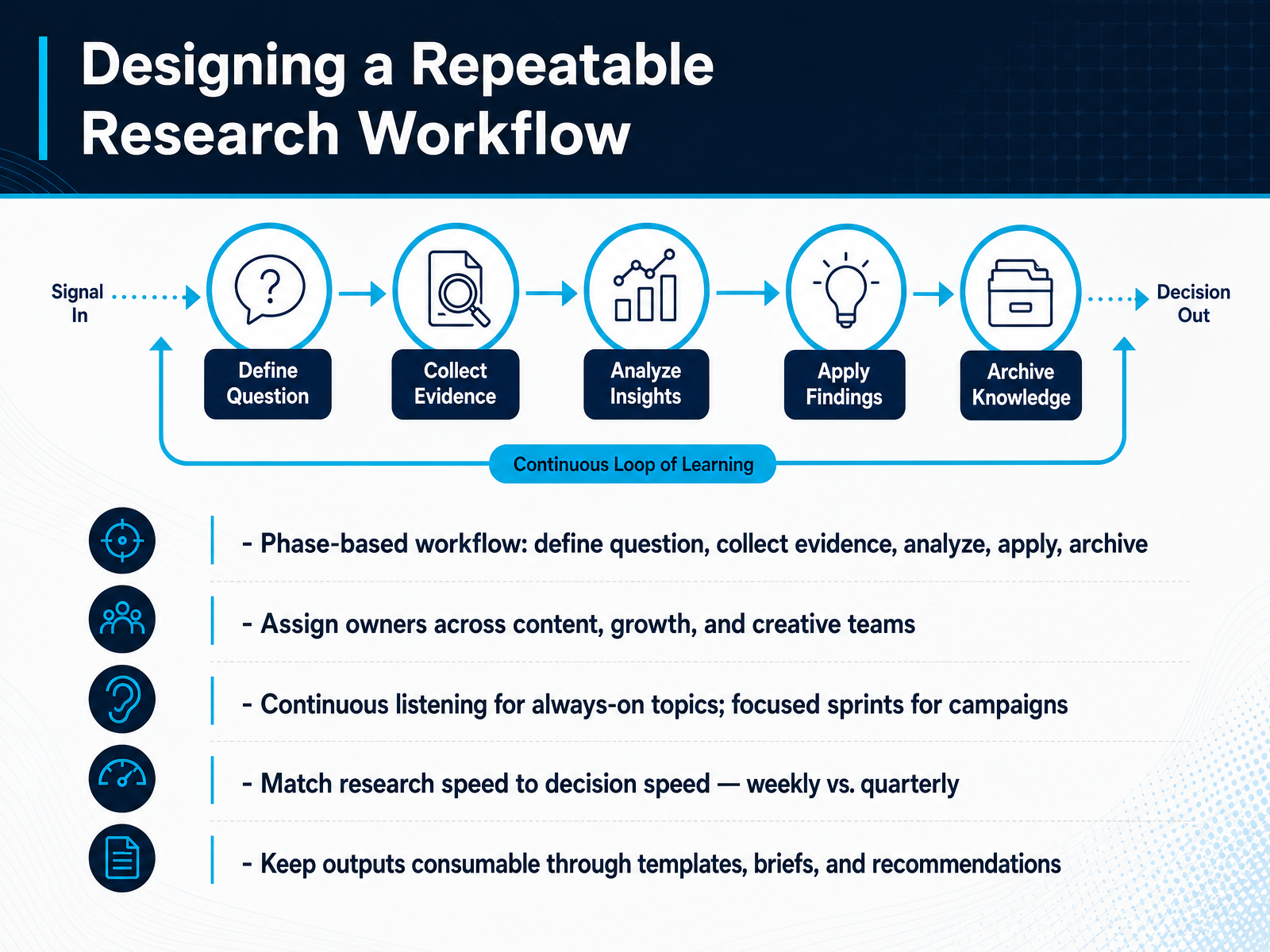
 - 08Designing a Repeatable Research WorkflowSo how do you turn all these tools into something your team actually runs every week? You need a repeatable workflow. Think of it in five phases: define the question, collect evidence, analyze, apply, and archive. Start by assigning owners from content, growth, and creative teams. Each phase needs a clear person responsible, or it won't happen. Then, split your research into two tracks. Use continuous listening for always-on topics like brand sentiment or industry shifts. Use focused sprints with surveys or deep dives for campaign-specific questions. Match your research speed to your decision speed. If you're planning next week's content, run a quick weekly check. If you're shaping next quarter's strategy, a quarterly deep dive is fine. Keep your outputs consumable. Don't hand stakeholders raw dashboards. Give them clear templates, briefs, and actionable recommendations. That's what turns data into decisions. Next, we'll look at building a lean stack from these tools.
 pulsarplatform.comklinko.ghost.ioresources.rework.com+21 min
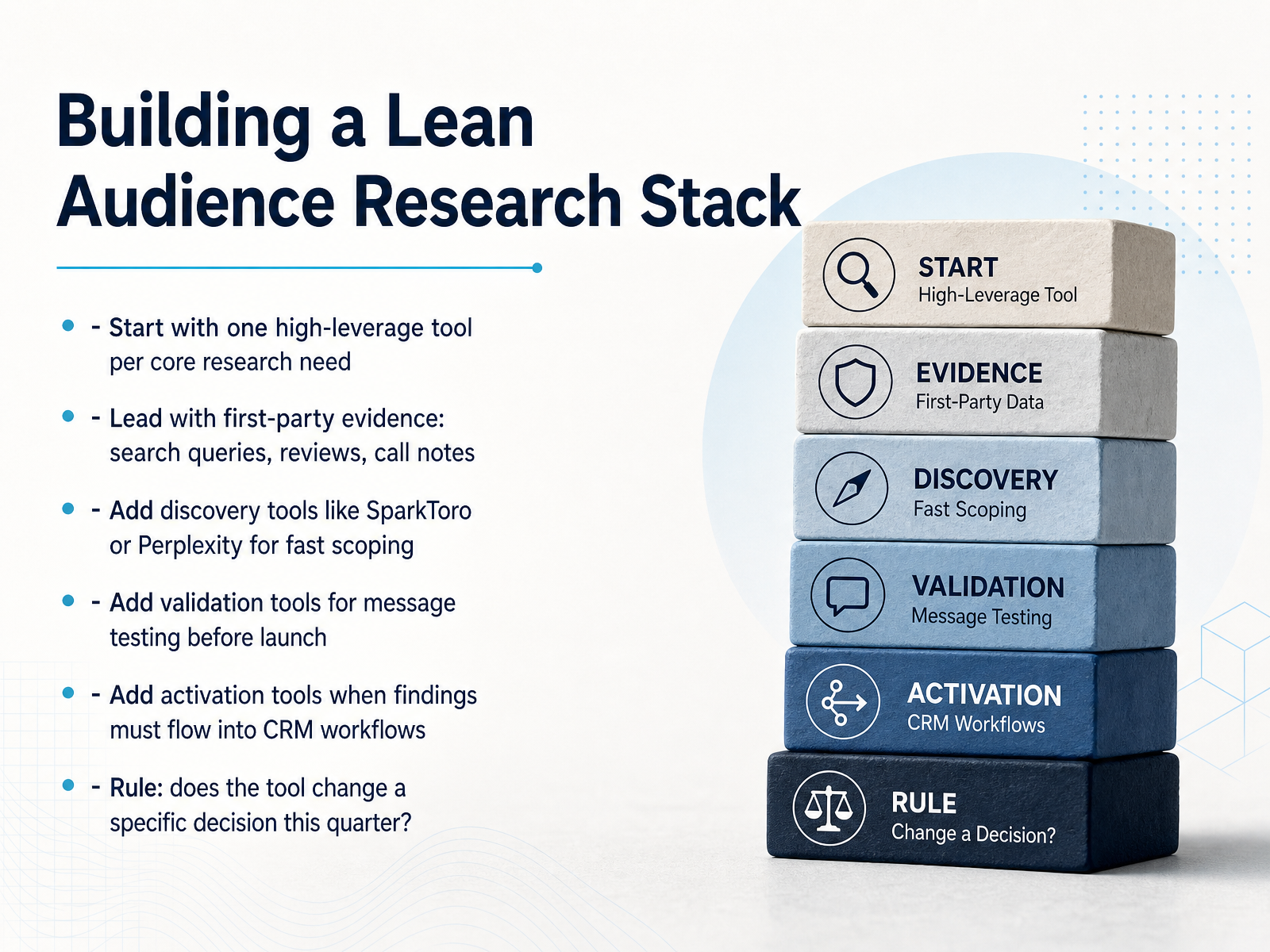
 - 09Building a Lean Audience Research StackLet's talk about building a lean research stack. The goal isn't to own every tool on the market. It's to have the right tool for the specific decision you're making this quarter. Start with your first-party evidence: search queries, reviews, sales call notes. That's your cheapest, most honest data. Then add one high-leverage discovery tool, like SparkToro or Perplexity, to scope out where your audience hangs out and how they talk. When you have a draft message, add a validation tool to test it before you spend a dollar on distribution. And if your findings need to flow into your CRM or ad platform, that's when you add an activation layer. Here's the rule that keeps the stack lean: if a tool doesn't change a specific decision you're making this quarter, you don't need it yet. Start with the evidence you already own, add tools in layers, and let your decisions dictate the purchase. Now, let's look at how to match the right type of evidence to each decision.
 pulsarplatform.comklinko.ghost.ioresources.rework.com+21 min
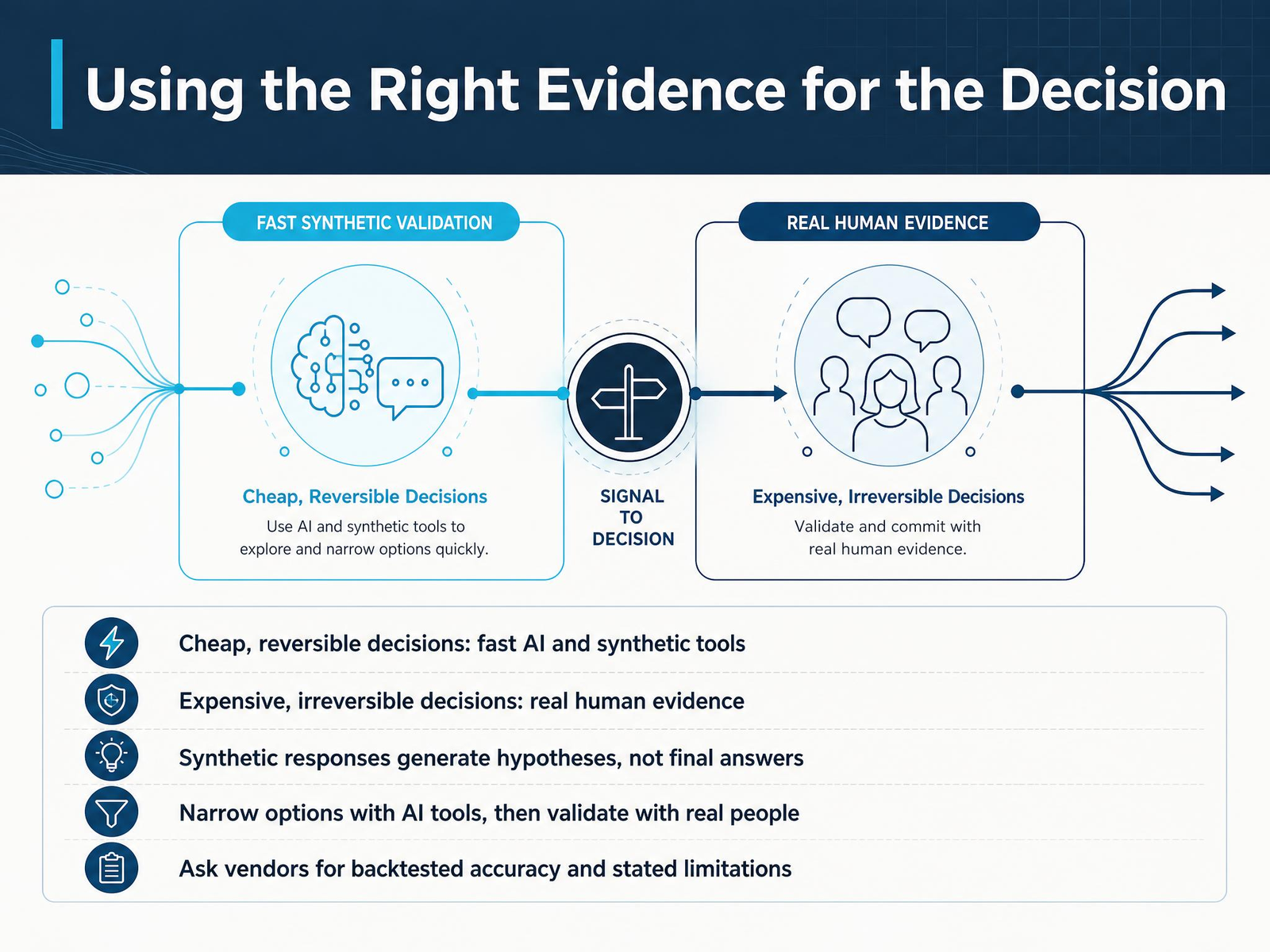
 - 10Using the Right Evidence for the DecisionNow let's talk about matching the evidence to the decision. Not every decision deserves the same level of research investment. If the choice is cheap and reversible, like trying a new headline or testing a social post, fast AI and synthetic tools are perfect. They give you directional signals quickly, so you can iterate without burning budget. But when the decision is expensive or hard to reverse, like a major launch or a pricing change, you need real human evidence. Synthetic responses are great for generating hypotheses, not final answers. Use AI to narrow your options fast, then validate the survivors with real people. And when you're evaluating vendors, ask for backtested accuracy. That means real dates, sample sizes, and clear statements of what the tool does not predict. If a vendor implies universal accuracy, that's a red flag. The practical pattern is sequencing. AI narrows the field, humans make the final call. That combination protects your budget and your credibility. Up next, we'll turn these research outputs into content decisions.
 blog.cambium.aiinfluencers-time.comsaliencylab.com+22 min
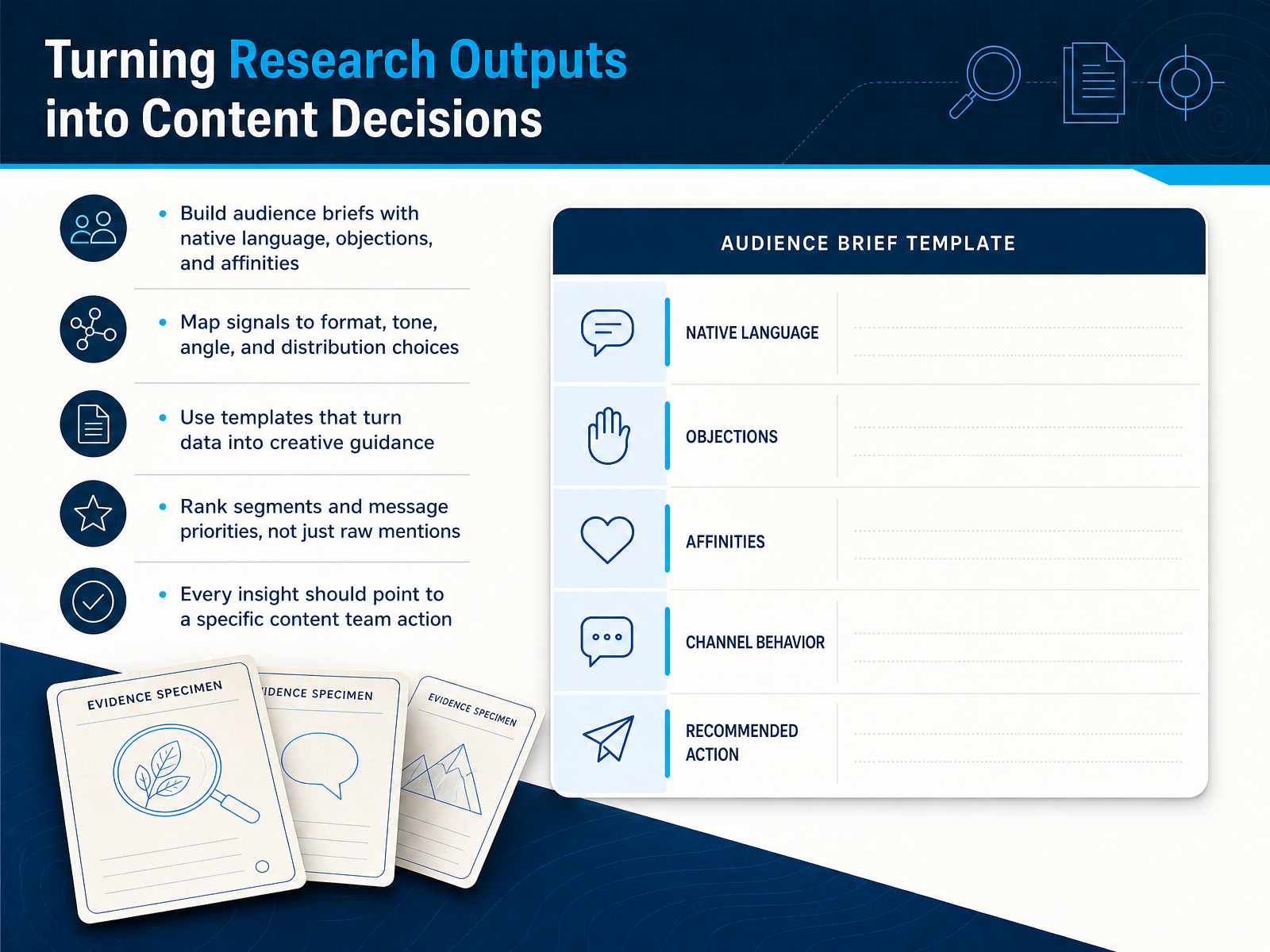
 - 11Turning Research Outputs into Content DecisionsSo once the research is in, the real work begins: turning signals into decisions. Start by building an audience brief that captures their native language, their objections, and their affinities. This becomes your shared reference for every content decision. Next, map each signal to a concrete choice: format, tone, angle, and distribution. If social listening shows your audience asking "how" questions, that points to tutorials, not thought pieces. Use templates that turn raw data into creative guidance, so your writers and designers aren't guessing. And don't just track mentions; rank your segments and message priorities based on business value, not volume. The loudest voice online isn't always your best customer. Every insight should point to a specific action: a topic to cover, an angle to test, a channel to prioritize. That's how research stops being a report and starts driving your content calendar. Up next, we'll talk about measuring whether this whole workflow is actually working.
 pulsarplatform.comklinko.ghost.ioresources.rework.com+21 min
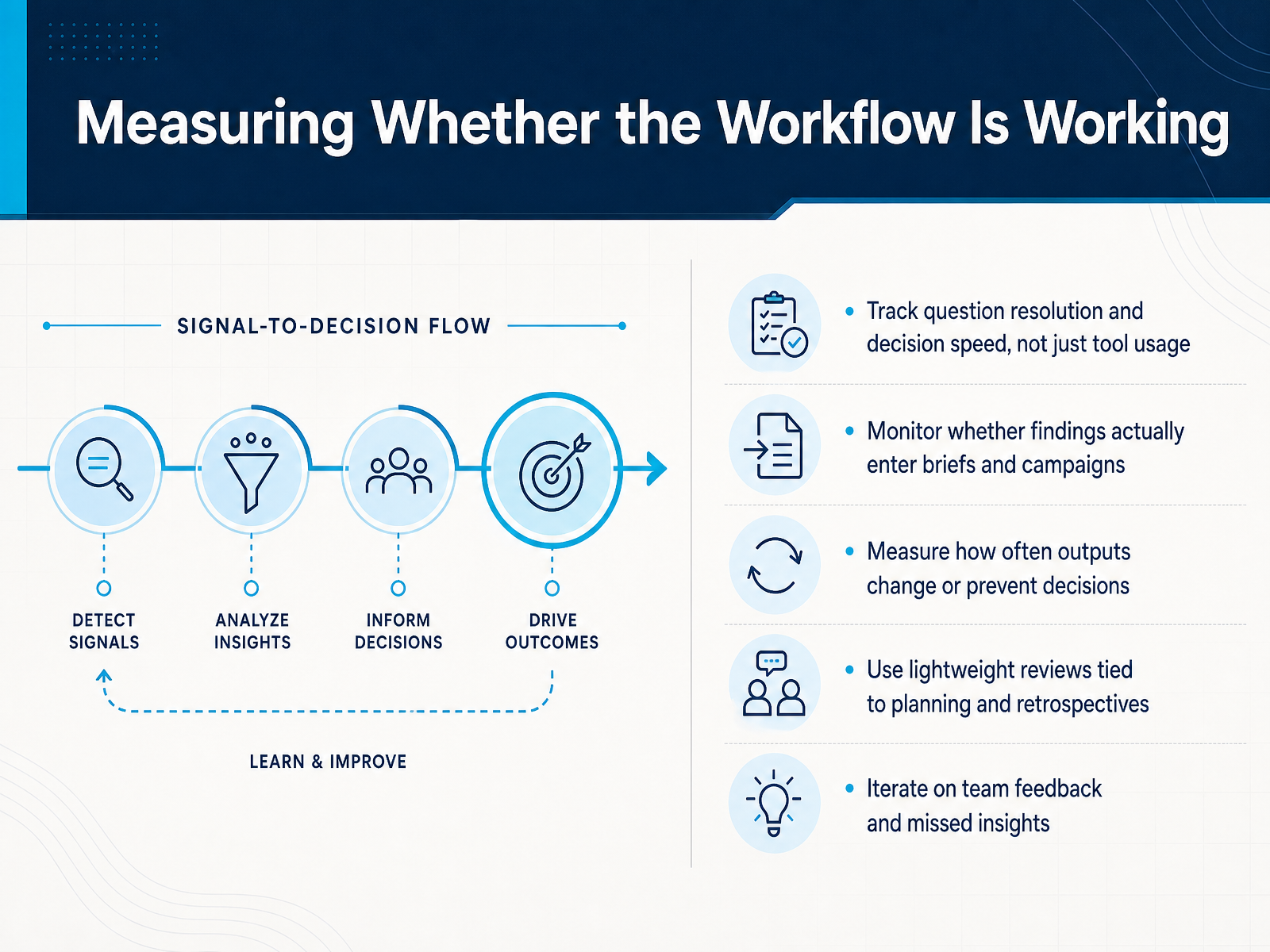
 - 12Measuring Whether the Workflow Is WorkingSo how do you know if this workflow is actually earning its keep? The real test isn't how many times you log in or export a report. It's whether your team makes better decisions faster. Track how long it takes to move from a research question to a clear answer, and whether that answer actually changes what goes into your briefs and campaigns. That's the signal that matters. Watch for output that either prevents a bad decision or shifts a good one. If research never changes anything, it's just decoration. And don't wait for a quarterly review to check in. Tie lightweight reviews to your regular planning cadence and retrospectives. Ask your team two simple things: what insight was useful, and what did we miss? Then iterate on that feedback. A measurement loop like this keeps the whole system honest, and it feeds directly into spotting the pitfalls that can quietly undermine your work.
 pulsarplatform.comklinko.ghost.ioresources.rework.com+21 min
 - 13Common Pitfalls and Early Warning SignsLet's talk about the traps that quietly drain value from audience research. The first one is tool-first buying—picking software before you've defined the question you need answered. That's how you end up with a powerful platform that nobody uses. Next, reports that never reach creative teams. If your insights stay in a deck or a dashboard that only researchers see, they might as well not exist. Siloed findings are another red flag. When data is trapped in one team or one tool, it can't inform decisions elsewhere. And watch your subscriptions—overlapping tools across similar categories burn budget without adding insight. Here's a hard truth: large samples don't guarantee validated insights. A million responses with bad methodology are still bad research. Finally, keep an eye on duplicated dashboards and stalled onboarding. Those are early signs that your stack is becoming a burden, not an advantage. The pattern is simple—check your workflows, not just your invoices. We'll turn that into a concrete plan next.
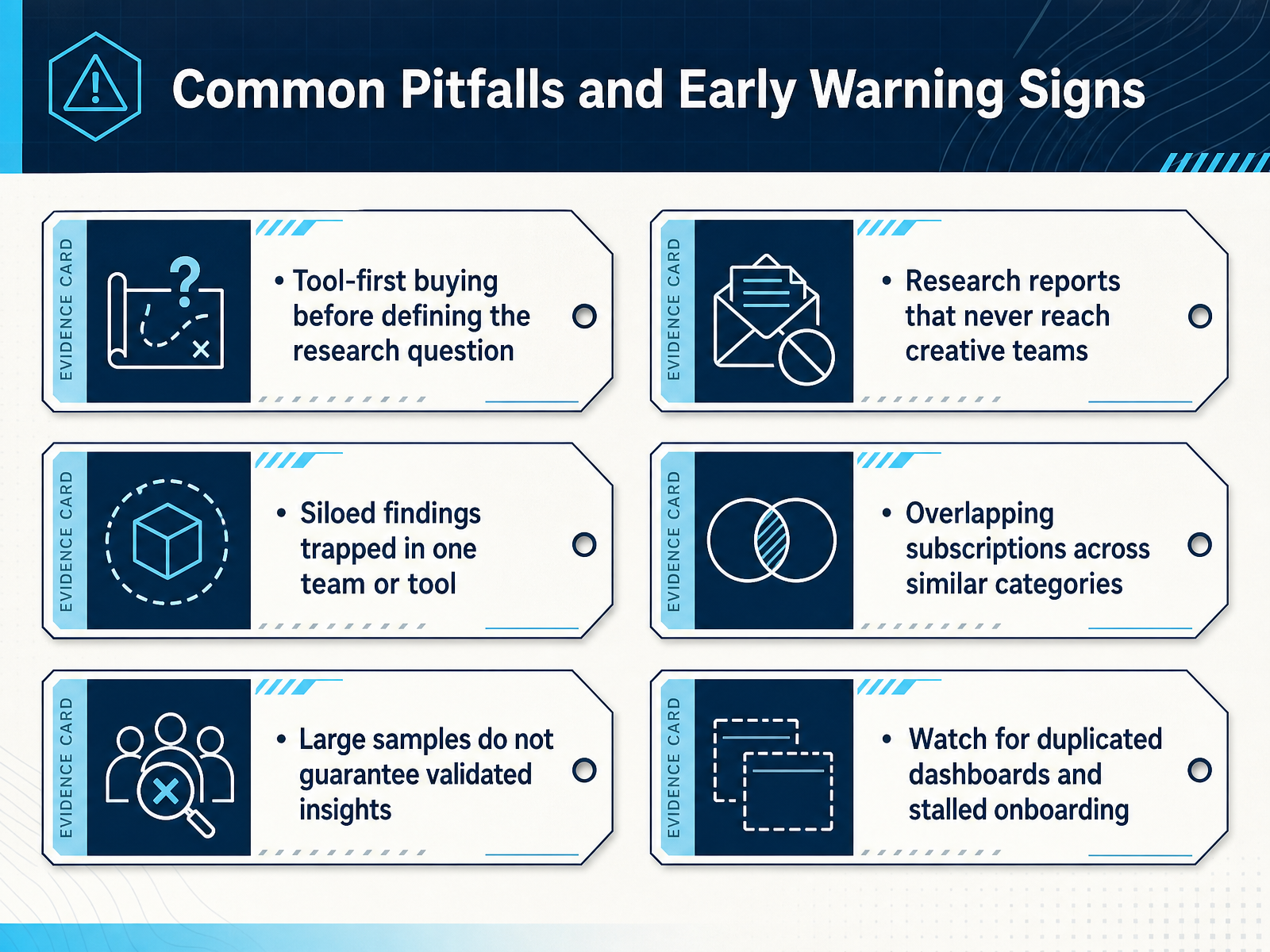 pulsarplatform.comklinko.ghost.ioresources.rework.com+22 min
 - 14Action Plan: Your First 30 DaysHere is your thirty-day action plan. Week one, define one to three key research questions. Write a one-page brief for each. No tool can help you if the question is vague. Week two, start with first-party evidence. Search queries, support tickets, review language. Then add fast scoping tools. Week three, pilot one tool against a decision you already made. Feed it historical creative and see if its predictions match reality. That single test filters out more bad vendors than any sales call. Week four, run one full sprint. Turn the findings into an audience brief your team can actually use. Then hold a review gate. Compare the tool's outputs with post-launch results. If they don't align, don't scale. This is about building a workflow you can defend, not just buying a shiny platform. Start small, prove value, and let the evidence guide what you expand. Thanks for your time today. You've got a solid foundation, now go put it to work.
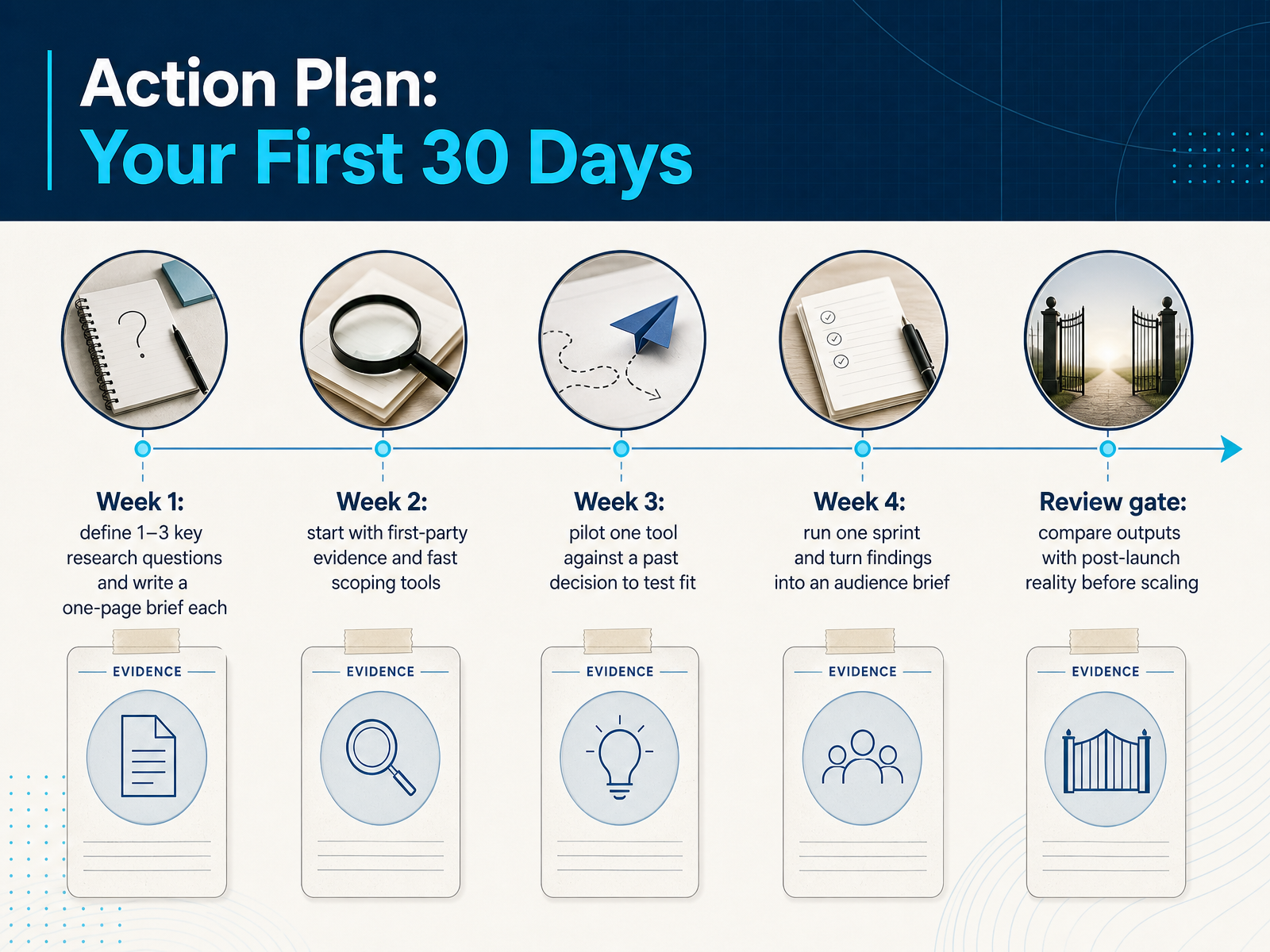 blog.cambium.aiinfluencers-time.comsaliencylab.com+22 min
Take the deck with you
Download this course as a file — free, no sign-up needed.
- PDF handoutEvery slide page, ready to print or share.15 pages · 3.5 MBDownload
- Narrated PowerPointThe deck that presents itself — every slide carries the digital human's narration video.15 pages · 16.6 MBDownload
- PowerPoint slidesThe full deck as a .pptx — open it in PowerPoint, Keynote, or Google Slides.15 pages · 3.4 MBDownload
Free to use in your own training — please keep the PersonWise credit page at the end.
Have your own deck? Turn it into a course
Sources consulted
Web sources consulted while building this course.
- Best Audience Analysis Tools 2026: Enterprise Buyer's Guide — pulsarplatform.com
- Top Audience Research Tools for Growth Teams (2026 Updated) — klinko.ghost.io
- "Best AI Tools for Market Research in 2026" — resources.rework.com
- Market Research Tools: Types and Top Platforms — onclusive.com
- Top 10 Best Market Research Software | Ranked for 2026 — worldmetrics.org
- Market Research Platforms: A GTM Buyer’s Guide — blog.cambium.ai
- Synthetic Audience Testing Tools: How to Evaluate Vendors — influencers-time.com
- AI Marketing Research Tools: How to Choose (2026) — saliencylab.com
- Best AI Tools for Audience Research: How to Pick the Right Stack | Guides | AIMKT — theaimkt.com
- How to Evaluate Brand Tracking Tools in 2026 — morningconsult.com