Begin
14 pages · ~28 min
Social Media Marketing Plan Template Guide
This training teaches marketers how to structure, use, and adapt a social media marketing plan template to build effective, customized strategies.
A digital instructor presents all 14 pages. Hold “Ask” at any point and ask out loud — the answer comes from this course. No sign-up needed.
What you’ll learn
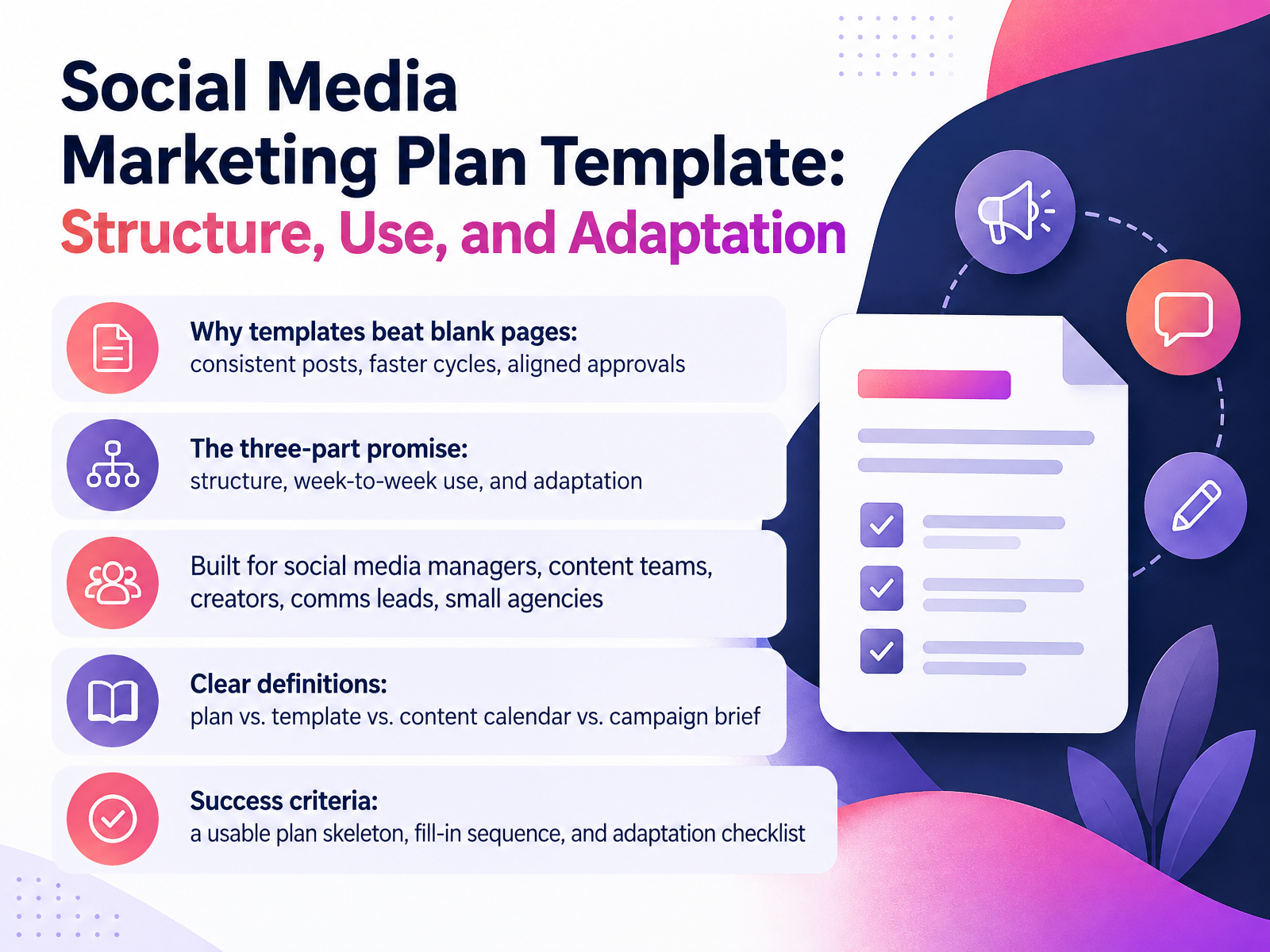
- 01Social Media Marketing Plan Template: Structure, Use, and AdaptationWelcome. In this course, we'll work through a social media marketing plan template: how it's structured, how to use it week to week, and how to adapt it to your own team or client. Let's start with why templates matter. A blank page slows you down. A good template gives you consistent posts, faster cycles, and approvals everyone can follow. Here's our three-part promise: structure, week-to-week use, and adaptation. This is built for social media managers, content teams, creators, communications leads, and small agencies. First, let's define four terms, because people mix them up. A plan is your strategy on paper: goals, audience, channels. A template is the reusable skeleton you fill in. A content calendar schedules individual posts by date and channel. A campaign brief covers one initiative, like a product launch. When you finish, you'll have three things: a usable plan skeleton, a fill-in sequence, and an adaptation checklist. As we go, pause after each key instruction and before each new section. Now, let's look at why templates beat starting from scratch.monday.comrock.socontentdrifter.com+22 min
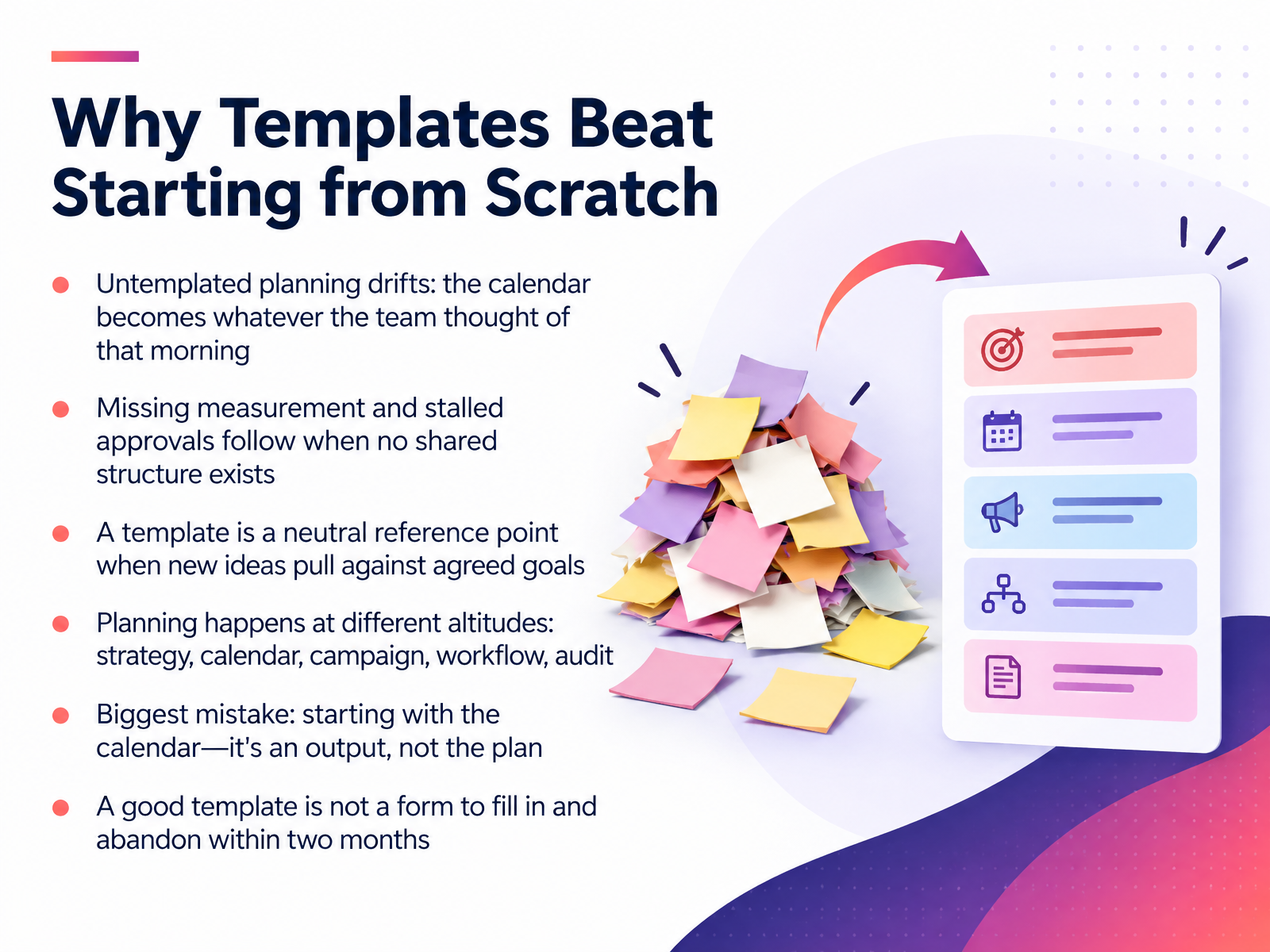
- 02Why Templates Beat Starting from ScratchSo let's talk about why a template beats starting from scratch. Without one, planning drifts. The calendar becomes whatever the team thought of that morning. Measurement gets skipped, and approvals stall, because there's no shared structure to move work through. A template fixes that. It's a neutral reference point when a new idea pulls against the agreed goals. You're not rejecting the idea. You're checking it against the plan. One thing to keep straight: planning happens at different altitudes. Strategy, calendar, campaign, workflow, audit. Each template serves a different job. And the biggest mistake we see is starting with the calendar. The calendar is an output, not the plan. Last point. A good template is not a form you fill in and abandon in two months. Treat it as a living document you revisit and prune. So before you build anything, pick the altitude you're planning at. That single choice saves weeks of rework. Next, we'll walk through the core structure, the sections every plan needs.
 monday.comblog.hubspot.comrock.so+22 min
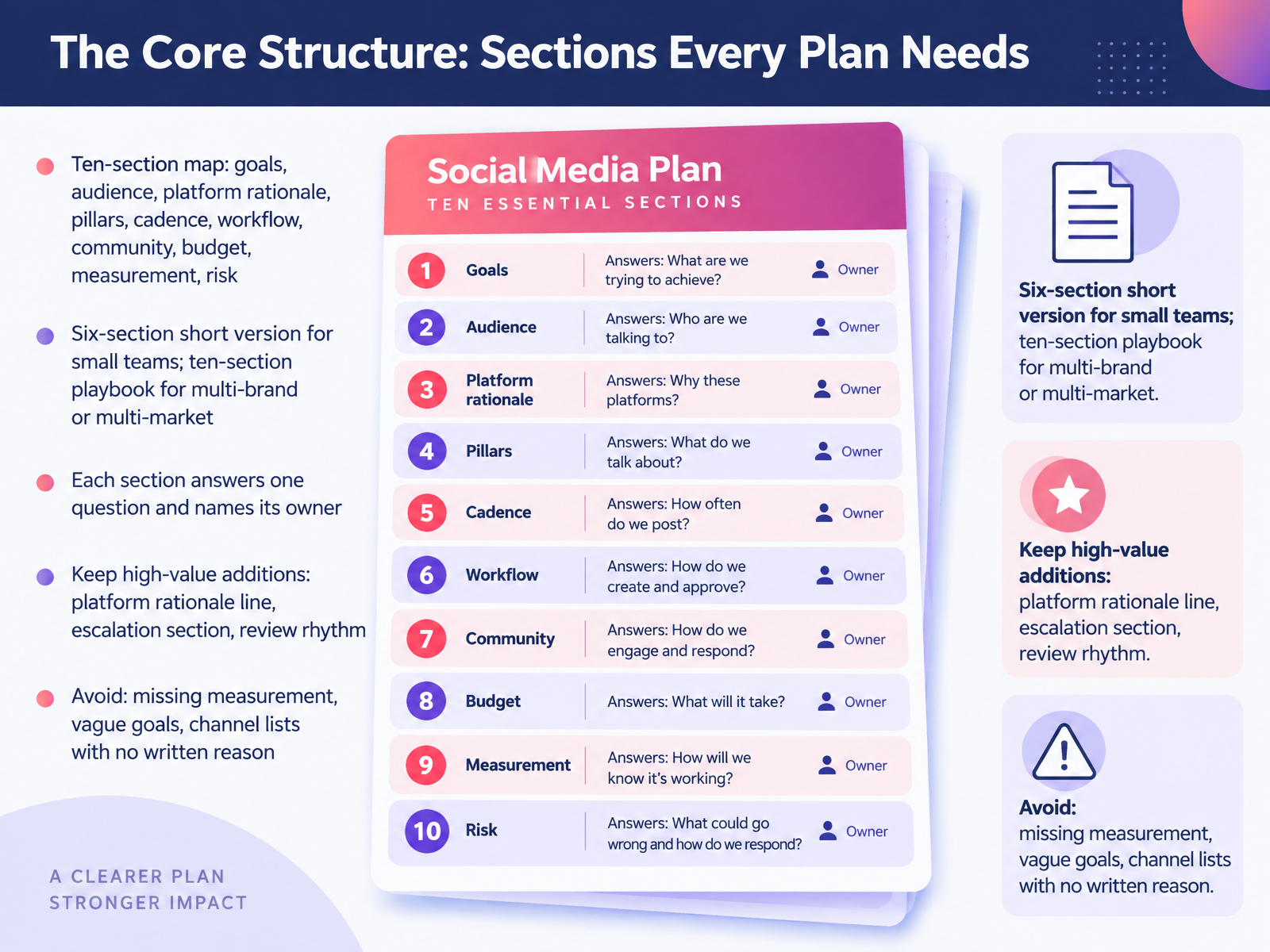
- 03The Core Structure: Sections Every Plan NeedsNow let's map the core structure. A full plan has ten sections: goals, audience, platform rationale, content pillars, cadence, workflow, community, budget, measurement, and risk. Small teams can run a six-section short version. Multi-brand or multi-market teams need the full ten-section playbook.
Here's the rule that keeps it usable. Each section answers one question, and each section names its owner. So the platform rationale line answers why we're on this channel, and one person owns it. If you can't write that sentence, you probably shouldn't be on that platform yet.
Keep three high-value additions: the platform rationale line, an escalation section for when comments go sideways, and a written review rhythm. Avoid missing measurement, vague goals like grow followers, and channel lists with no written reason.
Your takeaway: build the section map first, assign owners second, then fill in the calendar. Next, we'll look at objectives and audience, the decisions that anchor the plan.
 monday.comrock.socontentdrifter.com+22 min
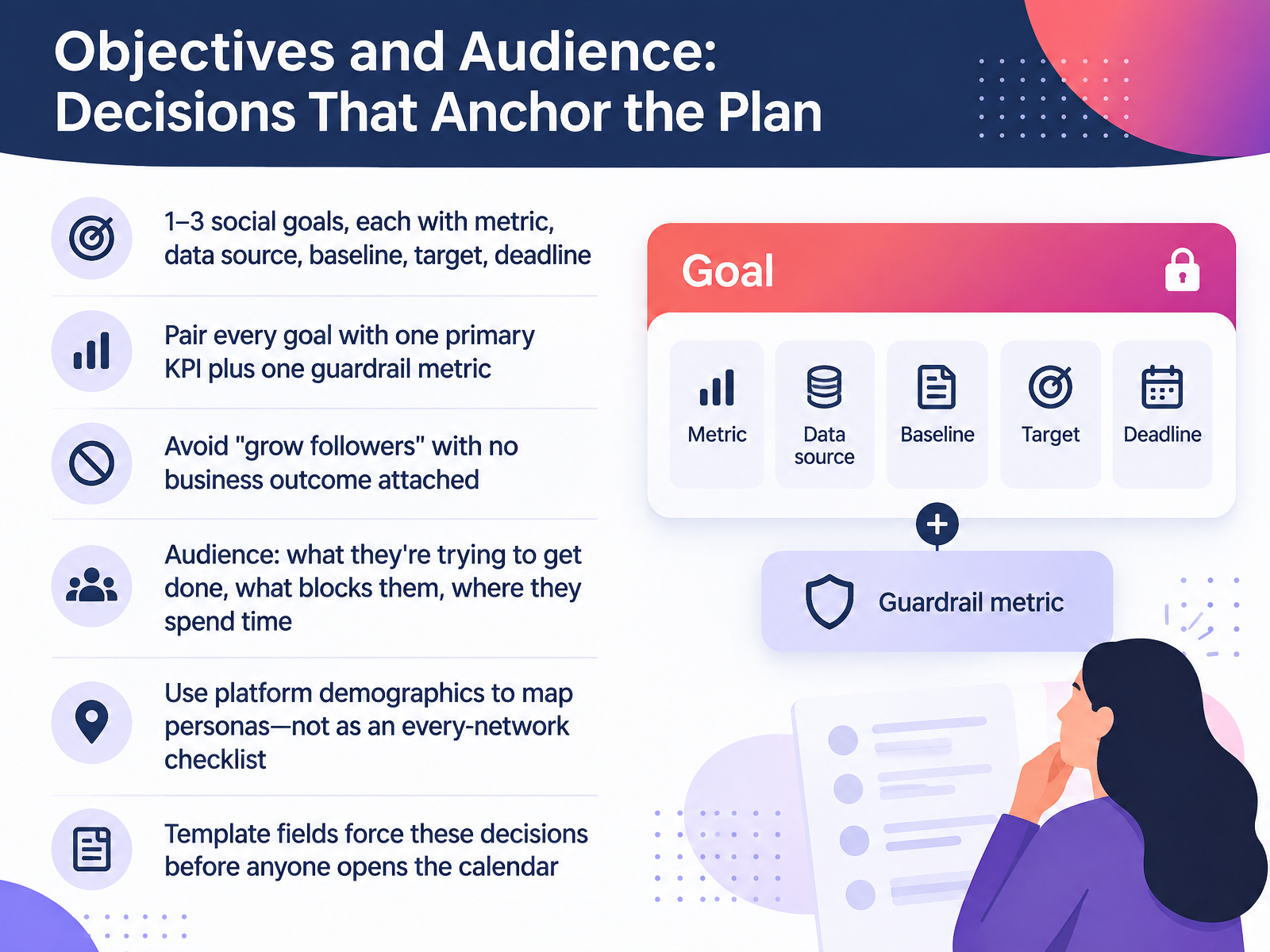
- 04Objectives and Audience: Decisions That Anchor the PlanLet's talk about the decisions that anchor everything else: objectives and audience. Set one to three social goals. For each one, name the metric, where you read it, your baseline, your target, and a deadline. Then pair every goal with one primary K P I and one guardrail metric. The primary tells you if you're winning. The guardrail stops you from winning badly, like chasing reach while saves collapse. And skip goals like grow followers with no business outcome attached. Now the audience. For each group, write what they're trying to get done, what blocks them, and where they already spend time. Use platform demographics to map personas, not as an every-network checklist. Ask where your twenty-eight-year-old operations manager compares tools, not whether you should be on TikTok. The template fields force these decisions before anyone opens the calendar. So fill goals and audience first, and treat the calendar as the output. Next, we look at channel fit and choosing platforms you can sustain.
 monday.comrock.socontentdrifter.com+22 min
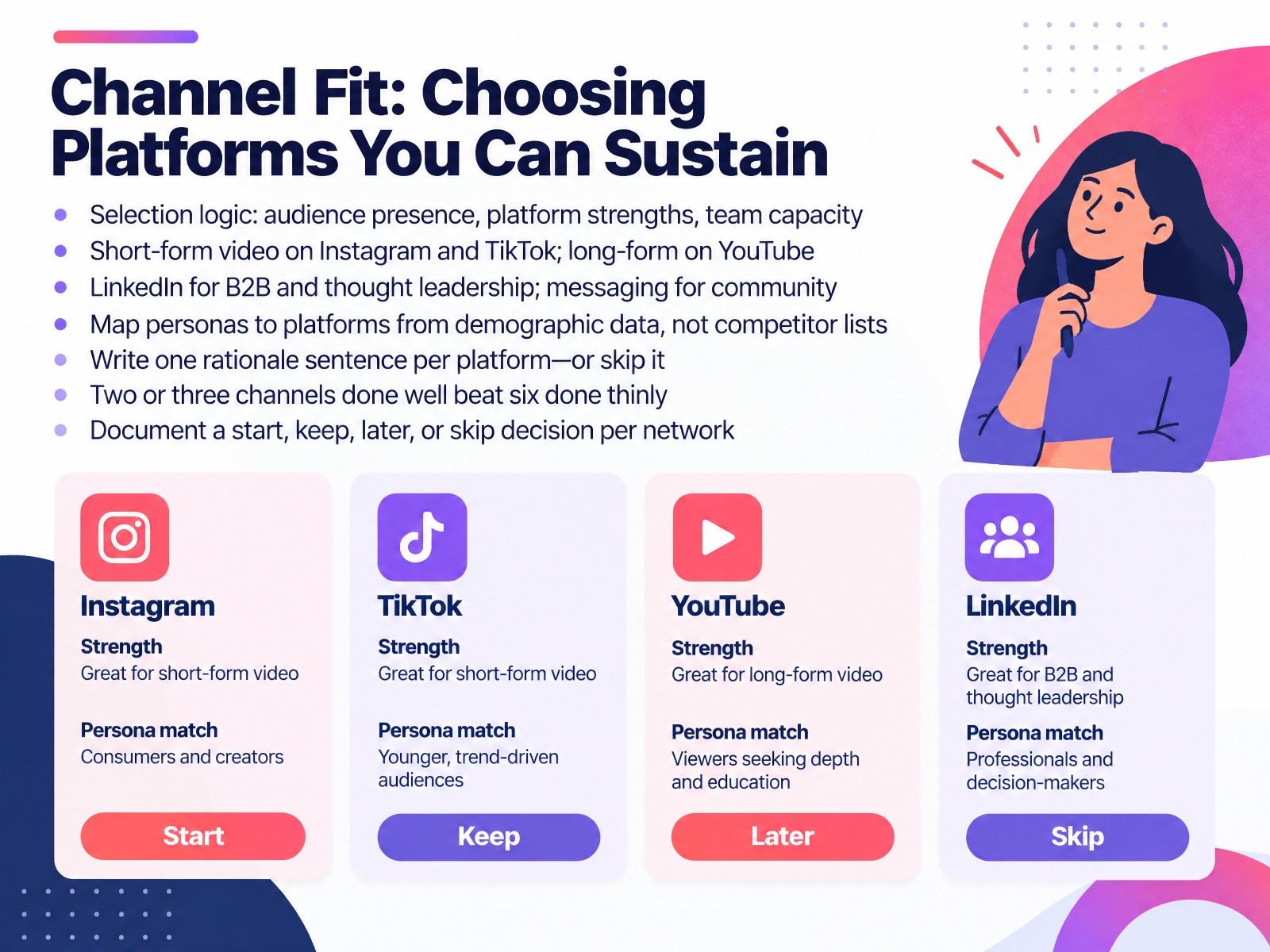
- 05Channel Fit: Choosing Platforms You Can SustainNow let's talk about channel fit. Choosing platforms starts with three questions. Is your audience there? Does the platform's strengths match the format you can make? And can your team actually sustain it? Short-form video lives on Instagram and TikTok. Long-form belongs on YouTube. LinkedIn is where B2B and thought leadership happen, and messaging apps carry community. Map each persona to a platform using demographic data, not a competitor's channel list. YouTube and Facebook reach most age groups, while Instagram and TikTok skew younger, so check the numbers before you commit. Then write one rationale sentence per platform. If you can't write that sentence, skip the platform. Remember this rule: two or three channels done well beat six done thinly. So document one decision per network. Start, keep, later, or skip. Next, we'll look at content pillars and mix, the backbone of the calendar.
 sproutsocial.compewresearch.orgsearchengineland.com+22 min
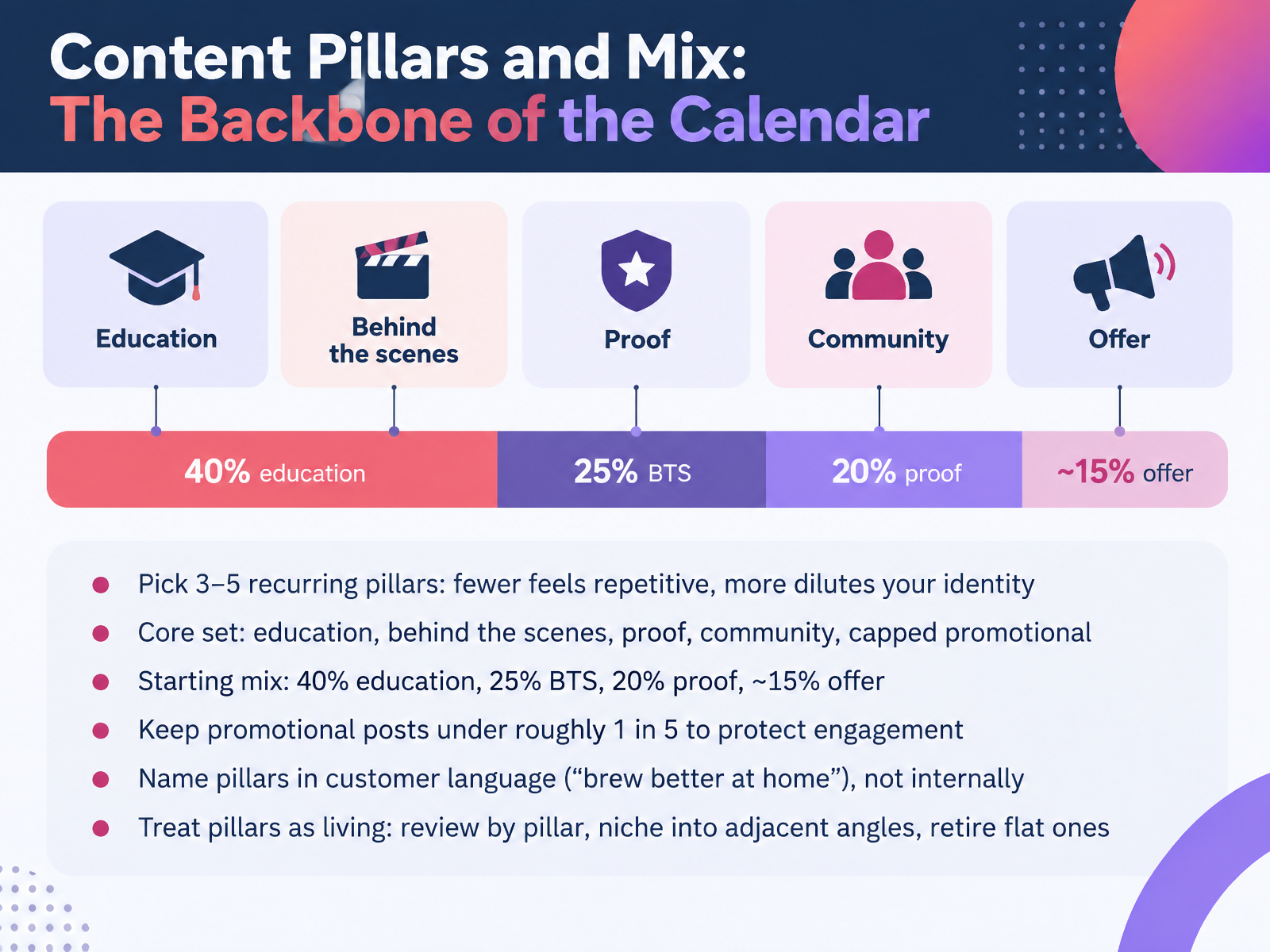
- 06Content Pillars and Mix: The Backbone of the CalendarNext, let's talk about content pillars. These are the three to five recurring topics your account is known for. Fewer feels repetitive. More dilutes your identity. A solid core set looks like this: education, behind the scenes, proof, community, and a capped amount of promotional. For a starting mix, try forty percent education, twenty five percent behind the scenes, twenty percent proof, and about fifteen percent offer. Here's the rule that protects engagement: keep promotional posts under roughly one in five. Then name your pillars in customer language. Say brew better at home, not educational content. And treat pillars as living. Review performance by pillar, niche into adjacent angles, and retire the ones that go flat. Your takeaway: put every post in a bucket, and let the mix tell you what to make next. That sets up our next section, Formats, Cadence, and the Editorial Calendar.
 blog.hootsuite.comsocialscheduler.aisproutsocial.com+21 min
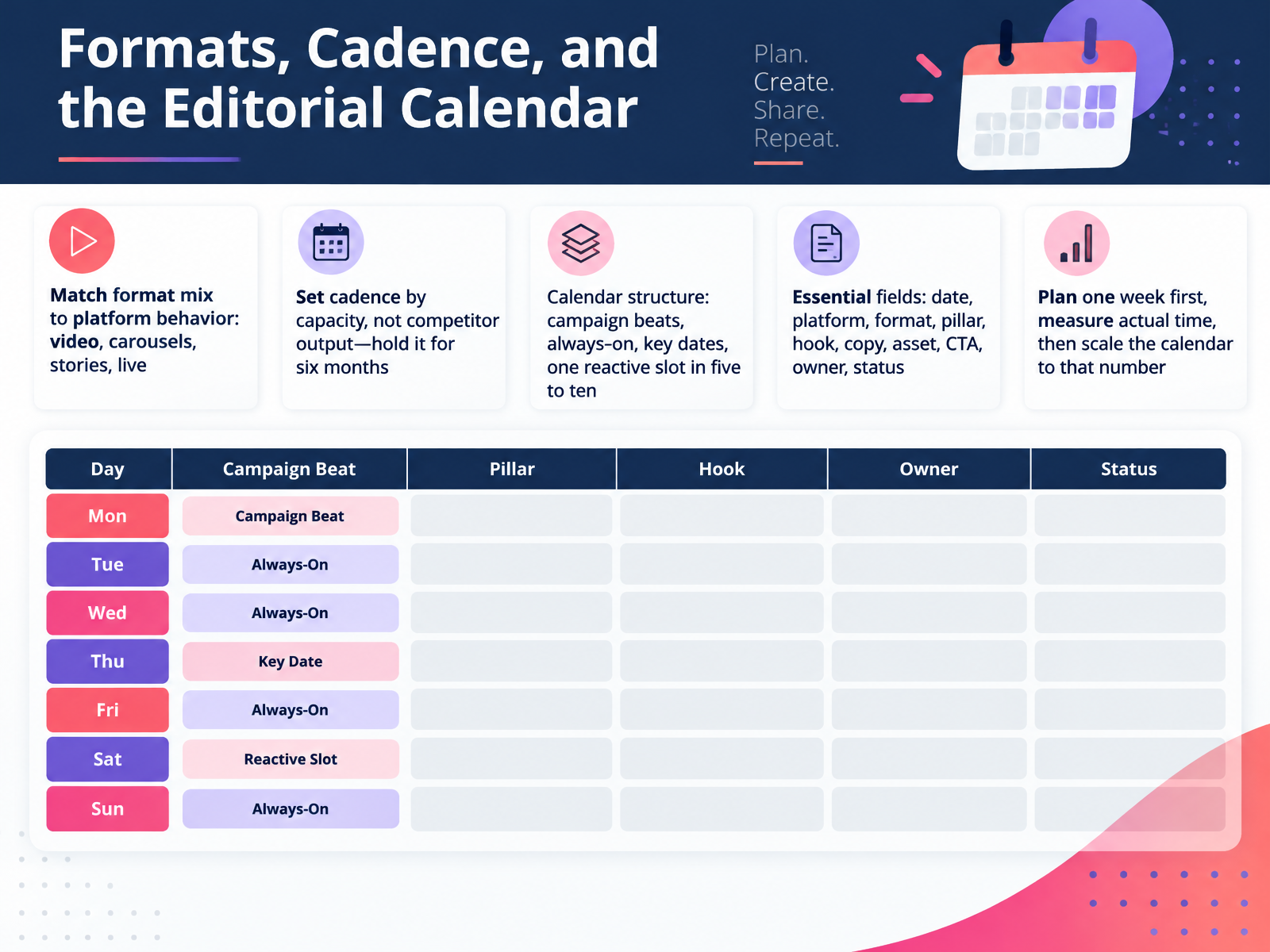
- 07Formats, Cadence, and the Editorial CalendarNow let's talk format, cadence, and the editorial calendar. First, match your format mix to platform behavior. Video, carousels, stories, live. Each one works differently, so give the platform what it rewards. Next, set cadence by your capacity, not a competitor's output. Pick a rhythm you can hold for six months, then hold it. For calendar structure, plan four things: campaign beats, always-on content, key dates, and one reactive slot in every five to ten posts. Keep the essential fields: date, platform, format, pillar, hook, copy, asset, call to action, owner, and status. Here's the practical move. Plan one week first. Measure how long it actually took, then scale the calendar to that number. Takeaway: capacity sets the pace, and the calendar proves it. Next, we'll look at production workflow, roles, and approvals.
 blog.hootsuite.comsocialscheduler.aisproutsocial.com+21 min
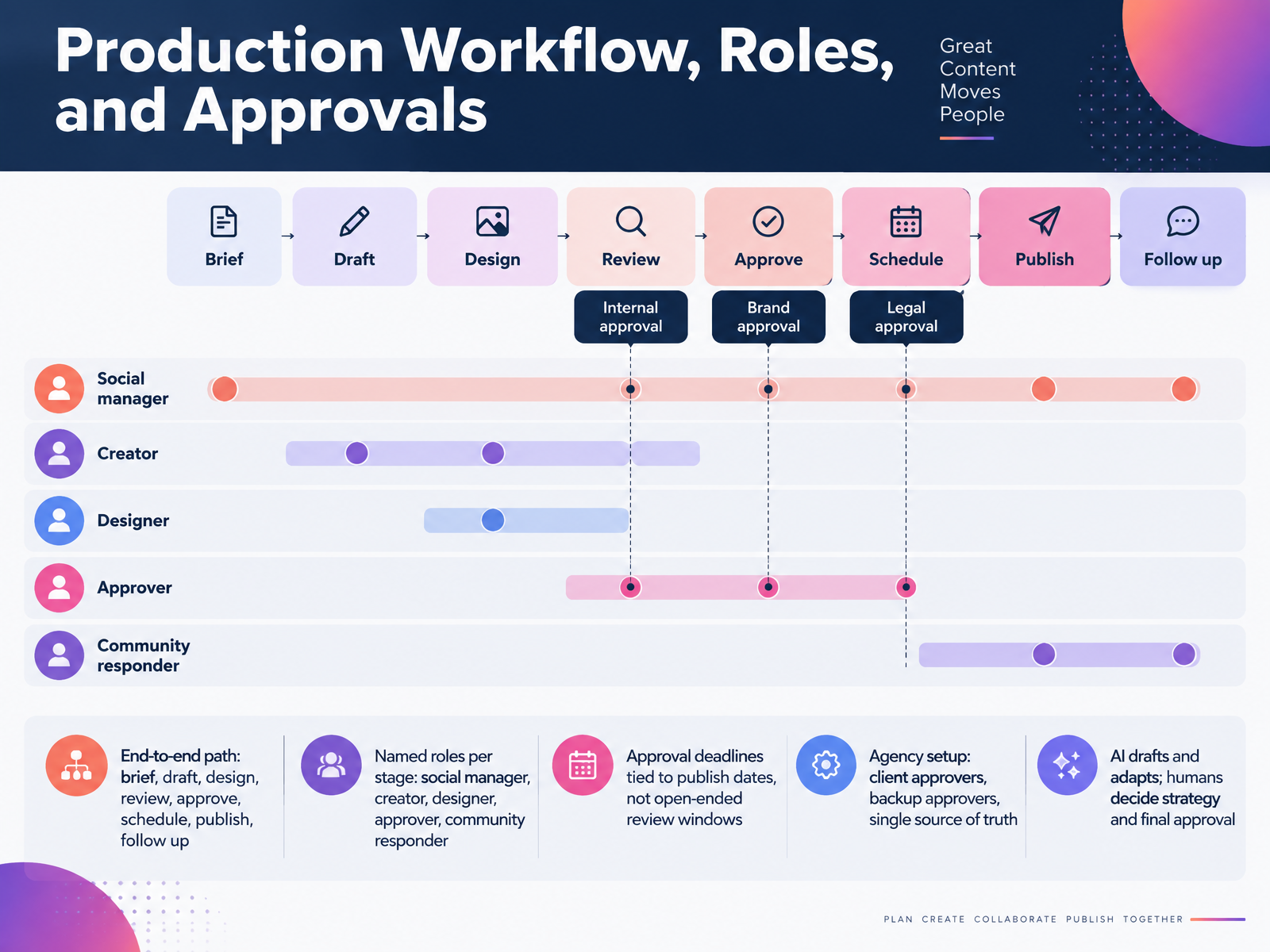
- 08Production Workflow, Roles, and ApprovalsNow let's map the production workflow. Every post should follow one path: brief, draft, design, review, approve, schedule, publish, then follow up. Name a person for each stage. Social manager, creator, designer, approver, community responder. When a name is missing, work stalls. Next, tie approval deadlines to publish dates, not open-ended review windows. If a post goes live Thursday, the approval is due Tuesday. For agency work, list client approvers and a backup approver, and keep one source of truth, so feedback never lives in three inboxes. And use AI to draft and adapt. Humans decide strategy and final approval. Takeaway: build the chain once, and every campaign runs faster.
 fiftyandfive.comkompozy.iomonday.com+21 min
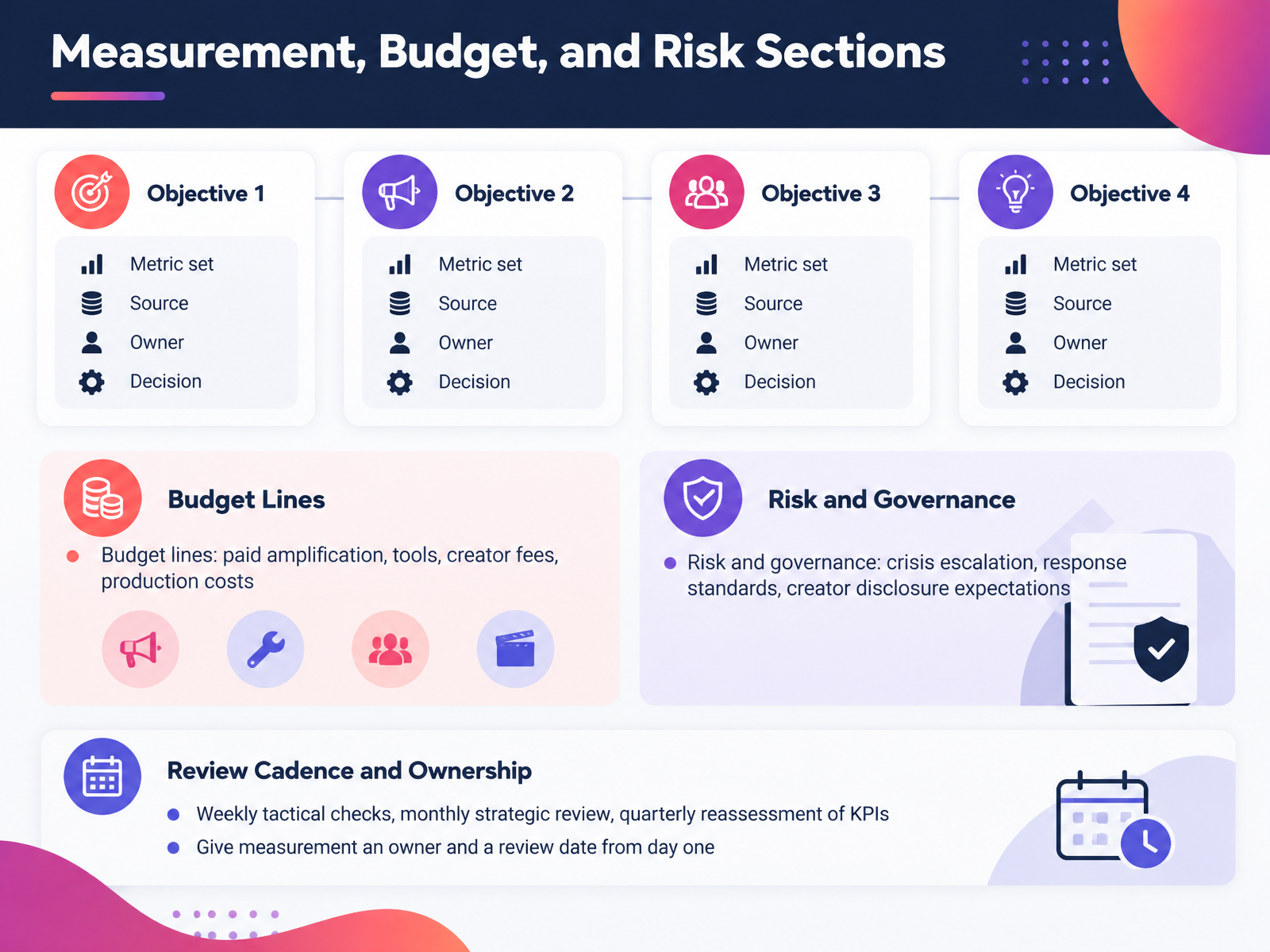
- 09Measurement, Budget, and Risk SectionsNow let's talk about the sections that keep your plan honest: measurement, budget, and risk. Start with measurement. Map each objective to its own metric set, its data source, an owner, and the decision it informs. Say your objective is qualified leads. Your metric might be form fills from social, tracked in your customer relationship management system. That decision belongs to your demand generation lead. Then protect three review rhythms. Weekly tactical checks on live campaigns. Monthly strategic reviews against targets. And a quarterly reassessment of the KPIs themselves, because trends shift. Next, spell out budget lines: paid amplification, tools, creator fees, and production costs. Finally, add risk and governance: crisis escalation steps, response standards, and creator disclosure expectations. One takeaway: give measurement an owner and a review date from day one. Now let's walk through the template step by step.
 monday.comrock.socontentdrifter.com+22 min
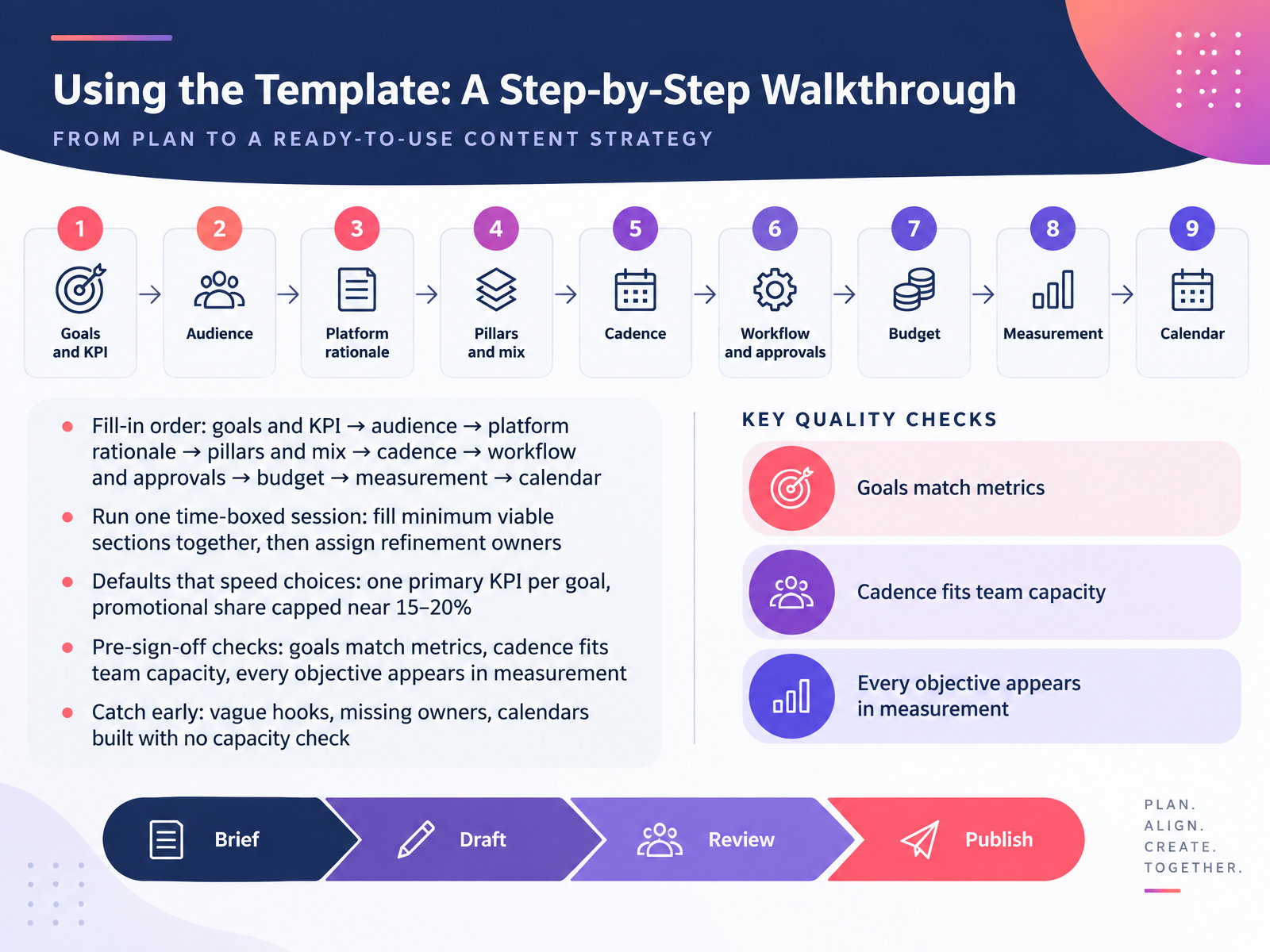
- 10Using the Template: A Step-by-Step WalkthroughNow let's walk through using the template, step by step. Fill it in this order: goals and KPIs first, then audience, platform rationale, pillars and mix, cadence, workflow and approvals, budget, measurement, and the calendar last. The calendar is the output, not the starting point.
Run one time-boxed session. Fill the minimum viable sections together as a team, then assign owners to refine each section afterward.
Two defaults speed up choices. Pair each goal with one primary KPI. And cap promotional content near fifteen to twenty percent of your mix, so the feed doesn't read as one long ad.
Before sign-off, check three things. Goals match metrics. Cadence fits real team capacity. And every objective shows up in measurement.
Catch problems early: vague hooks, missing owners, and calendars built with no capacity check.
Next, we'll look at adapting the template to your context.
 monday.comrock.socontentdrifter.com+22 min
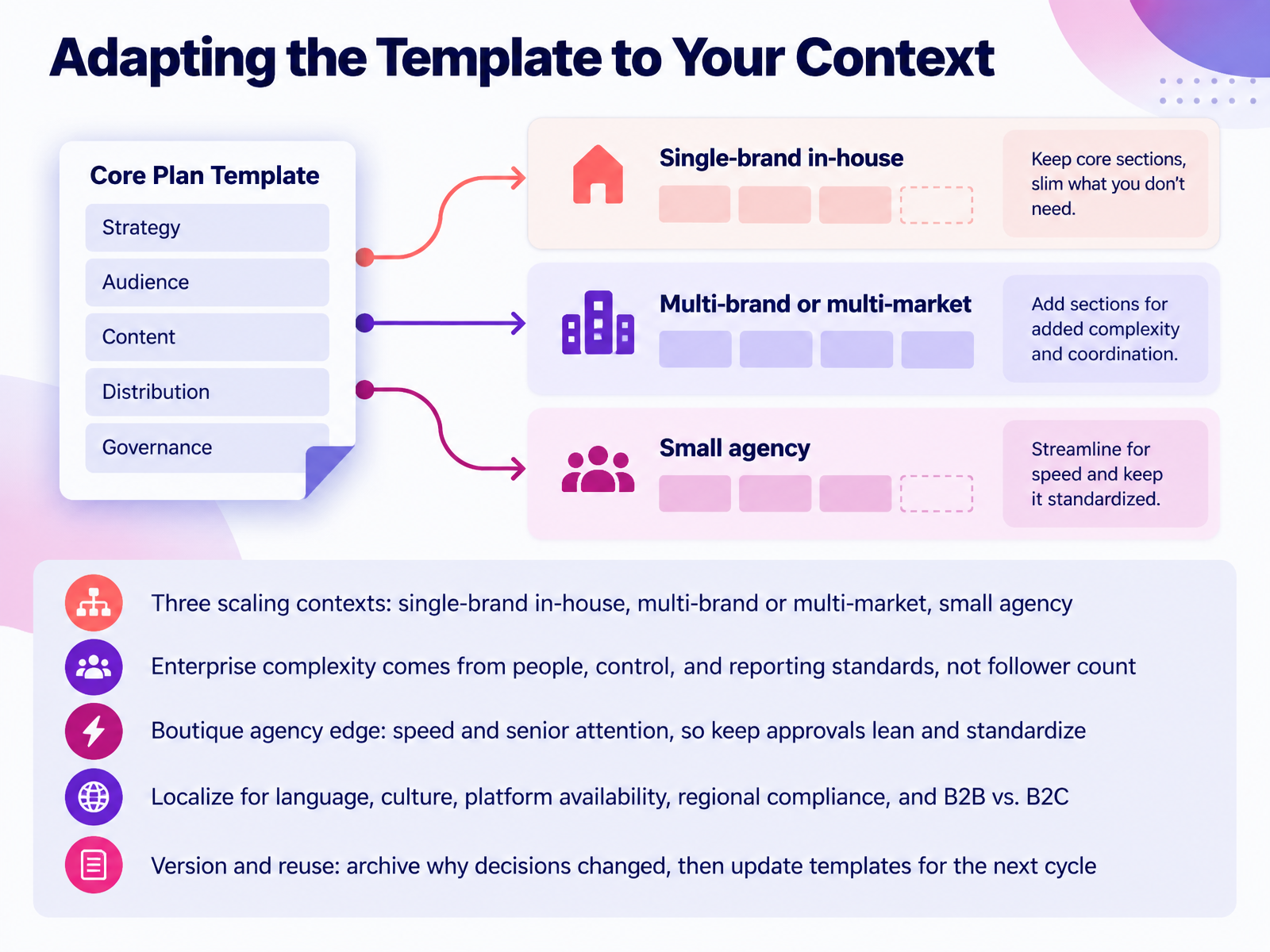
- 11Adapting the Template to Your ContextNow let's talk about adapting the template to your context. Start by naming your scaling situation. A single-brand in-house team keeps one voice and one calendar. A multi-brand or multi-market team needs shared structure with local variation. A small agency needs repeatable process across many clients. Here's the key point. Enterprise complexity comes from people, control, and reporting standards, not follower count. So build role-based approvals and one reporting standard before you add channels. If you run a boutique agency, your edge is speed and senior attention. Keep approvals lean, then standardize the workflow so it holds as you add clients. Next, localize. Check language, culture, platform availability, regional compliance, and whether you're selling business to business or business to consumer. Finally, version and reuse. Archive why decisions changed, then update the template for the next cycle. Your takeaway is simple. Name your context, keep only the controls you need, and log your changes. Next, we look at keeping the plan alive, with pitfalls and practical fixes.
 fiftyandfive.comkompozy.iomonday.com+22 min
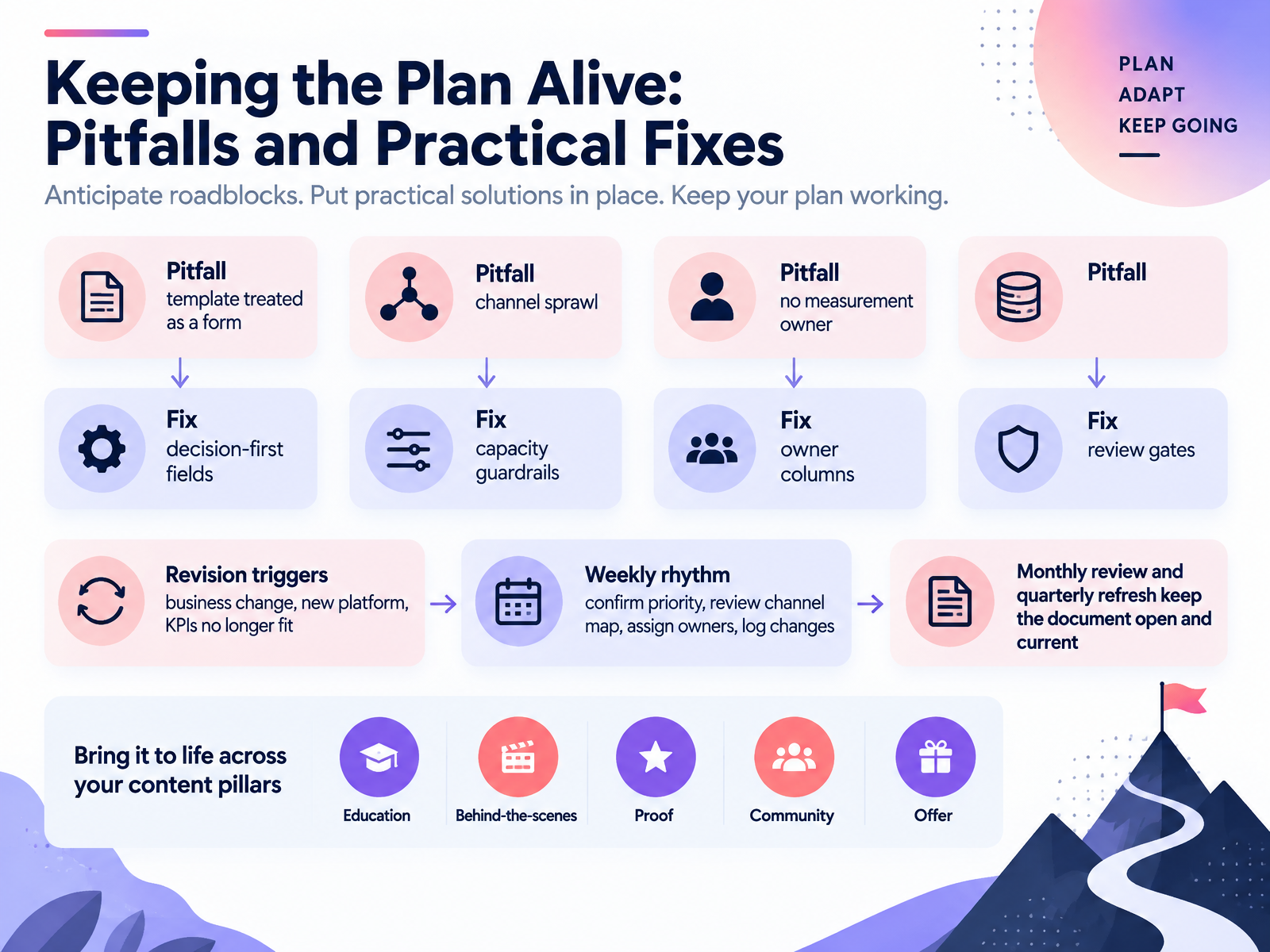
- 12Keeping the Plan Alive: Pitfalls and Practical FixesLet's talk about keeping the plan alive, because a template dies the moment it becomes a form you fill in once. Three pitfalls to watch. Treating the template as a checkbox. Channel sprawl, where you post everywhere just because you can. And no one owning measurement, so numbers get reported but nobody acts on them. The fixes are practical. Make fields decision-first, so each one forces a choice, not a description. Add capacity guardrails, so cadence matches the team you actually have. Add owner columns for every task and metric. And set review gates, so nothing goes live or passes without a check. Then watch for revision triggers: a business change, a new platform, or key numbers that no longer fit. Run a weekly rhythm. Confirm the priority. Review the channel map. Assign owners. Log changes. Monthly reviews and quarterly refreshes keep the document open and current. So before your next cycle, name the measurement owner and set your first review gate. From One Plan to a Repeatable Playbook.
 fiftyandfive.comkompozy.iomonday.com+22 min
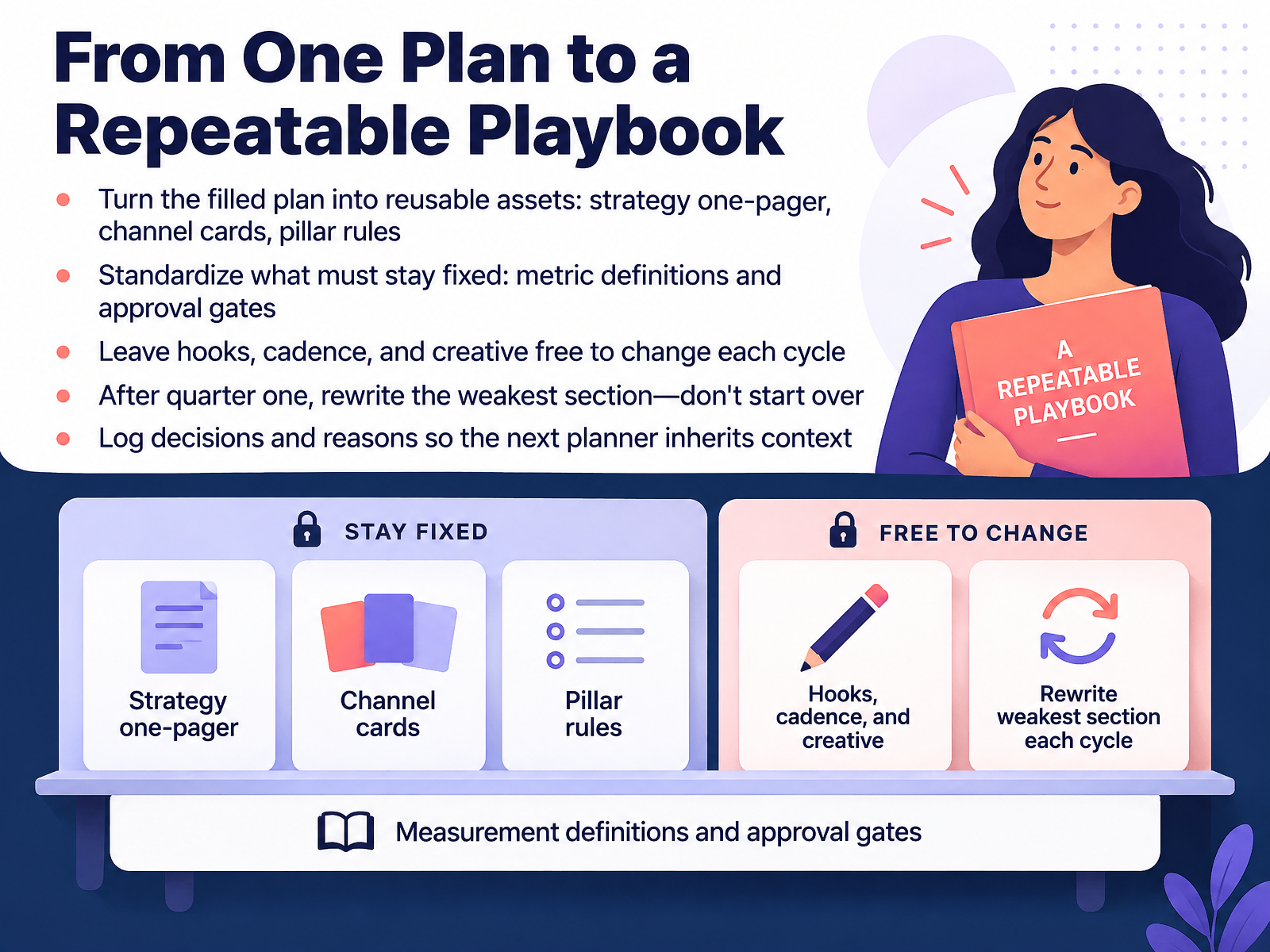
- 13From One Plan to a Repeatable PlaybookNow let's make your plan work harder than once. Turn the filled plan into reusable assets: a strategy one-pager, channel cards, and pillar rules. Standardize what must stay fixed, like metric definitions and approval gates. But leave hooks, cadence, and creative free to change each cycle. After quarter one, rewrite the weakest section. Don't start over. And log decisions with their reasons, so the next planner inherits context instead of guessing. Quick example: if your metric is saves, define it once, then test new hooks freely without redefining success. Your takeaway: fix the rules, free the creative. Next, the Action Plan: your First Draft This Week.
 monday.comrock.socontentdrifter.com+22 min
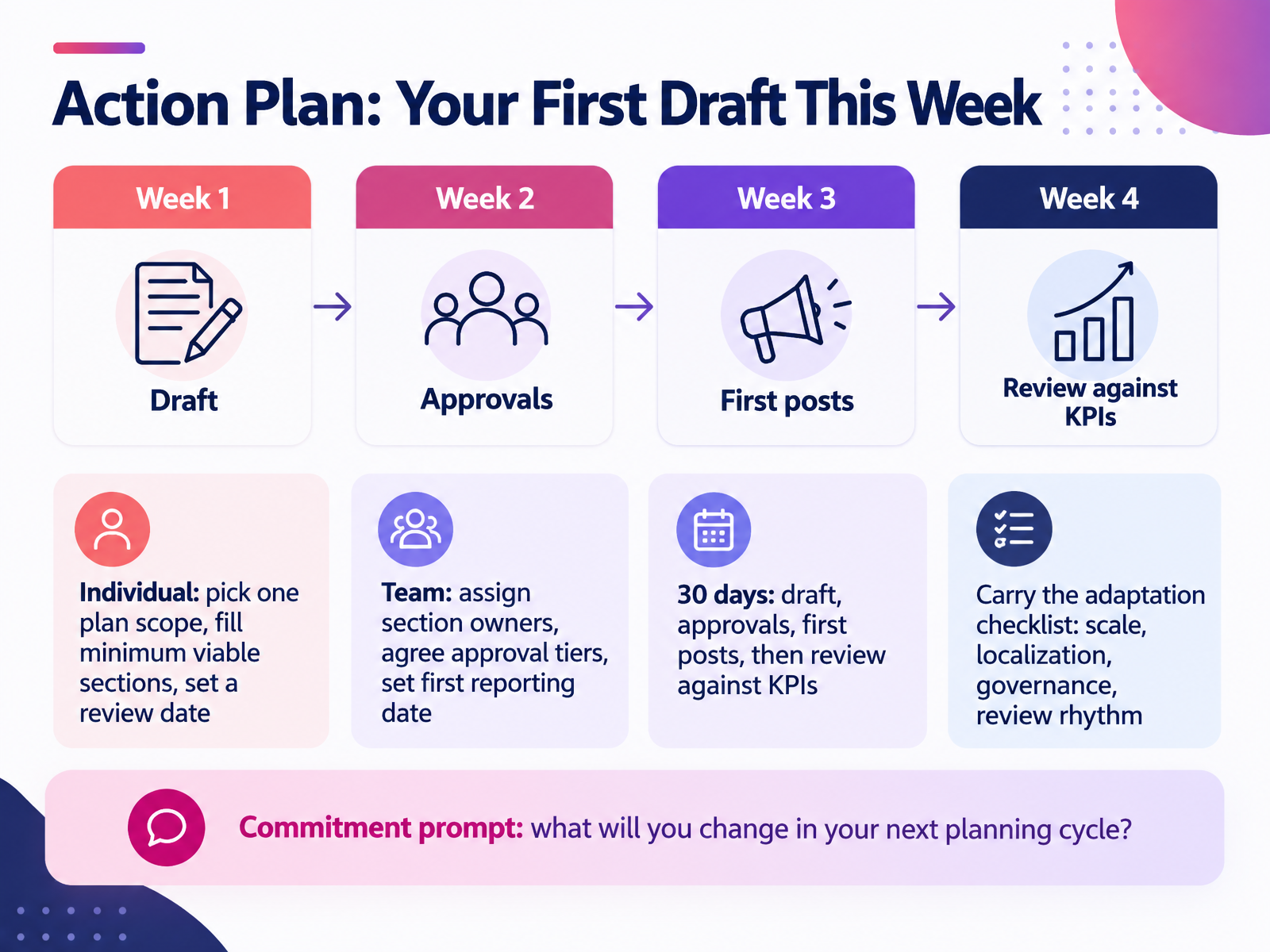
- 14Action Plan: Your First Draft This WeekLet's end with what you'll do next. If you're planning solo, pick one plan scope. Fill only the minimum viable sections first, meaning the essential blocks like goals, audience, and cadence, then set a review date. If you're working as a team, assign a section owner for each part, agree your approval tiers, and set your first reporting date. Across the next thirty days, draft the plan, run approvals, publish your first posts, then review results against your KPIs. Keep the adaptation checklist close: scale, localization, governance, and review rhythm. Here's your commitment prompt: what will you change in your next planning cycle? Thank you for working through this with me. Pick one action this week, and your template becomes a working plan.
 monday.comrock.socontentdrifter.com+21 min
Take the deck with you
Download this course as a file — free, no sign-up needed.
- PDF handoutEvery slide page, ready to print or share.15 pages · 3.4 MBDownload
- Narrated PowerPointThe deck that presents itself — every slide carries the digital human's narration video.15 pages · 13.3 MBDownload
- PowerPoint slidesThe full deck as a .pptx — open it in PowerPoint, Keynote, or Google Slides.15 pages · 3.3 MBDownload
Free to use in your own training — please keep the PersonWise credit page at the end.
Have your own deck? Turn it into a course
Sources consulted
Web sources consulted while building this course.
- Social media plan template: strategy, content, and tracking [2026] — monday.com
- Social Media Marketing Plan: Template, Pillars, Pipeline — rock.so
- Social Media Strategy Template: Free CSV | Content Drifter — contentdrifter.com
- Social Media Playbook Template (Free, 10 Sections) — oppira.com
- Social Media Marketing Plan Template for UK Small Businesses — deliveredsocial.com
- How to create a great social media strategy in 2026 [+New data] — blog.hubspot.com
- 30-Day Social Media Plan [Template] | Sprout Social — sproutsocial.com
- How to Make Social Media Plans (With Templates & Tips) | Canva — canva.com
- Social Media Demographics to Inform Your 2026 Strategy | Sprout Social — sproutsocial.com
- Americans' Use of Social Media in 2026 | Pew Research Center — pewresearch.org
- The 20 most popular social media platforms in 2026 — searchengineland.com
- 10 SNS プラットフォーム完全比較レポート 2026年|Instagram / Threads / TikTok / YouTube Shorts / LINE 公式 / X / Facebook / LinkedIn / Pinterest × 国内 MAU + 主要層 + 投稿フォーマット + 業種適合度ヒートマップ + 広告メニュー + 学習コスト + 法規制|SNSはじめるくん — sns-hajimerukun.jp
- 20+ Top Social Media Platforms to Grow Your Brand in 2026 — buffer.com
- How to plan social media content in 2026: 10 steps — blog.hootsuite.com
- Social Media Content Calendar: How to Build One (2026) — socialscheduler.ai
- A Guide to Social Media Content Pillars | Sprout Social — sproutsocial.com
- How to use content pillars to organize your social media strategy - SocialBee — socialbee.com
- Content Calendar for Social Media: The Complete 2026 Guide — postplanify.com
- Boutique vs. Big Social Media Agency: Which Is Right for Your Brand? — fiftyandfive.com
- Enterprise social media in 2026: the operating model for governance, approvals, brand consistency, and ROI at scale · Kompozy — kompozy.io