Begin
14 pages · ~28 min
Content Marketing Plan Template Guide
This training teaches marketers how to structure, use, and adapt a content marketing plan template to build effective, tailored content strategies.
A digital instructor presents all 14 pages. Hold “Ask” at any point and ask out loud — the answer comes from this course. No sign-up needed.
What you’ll learn
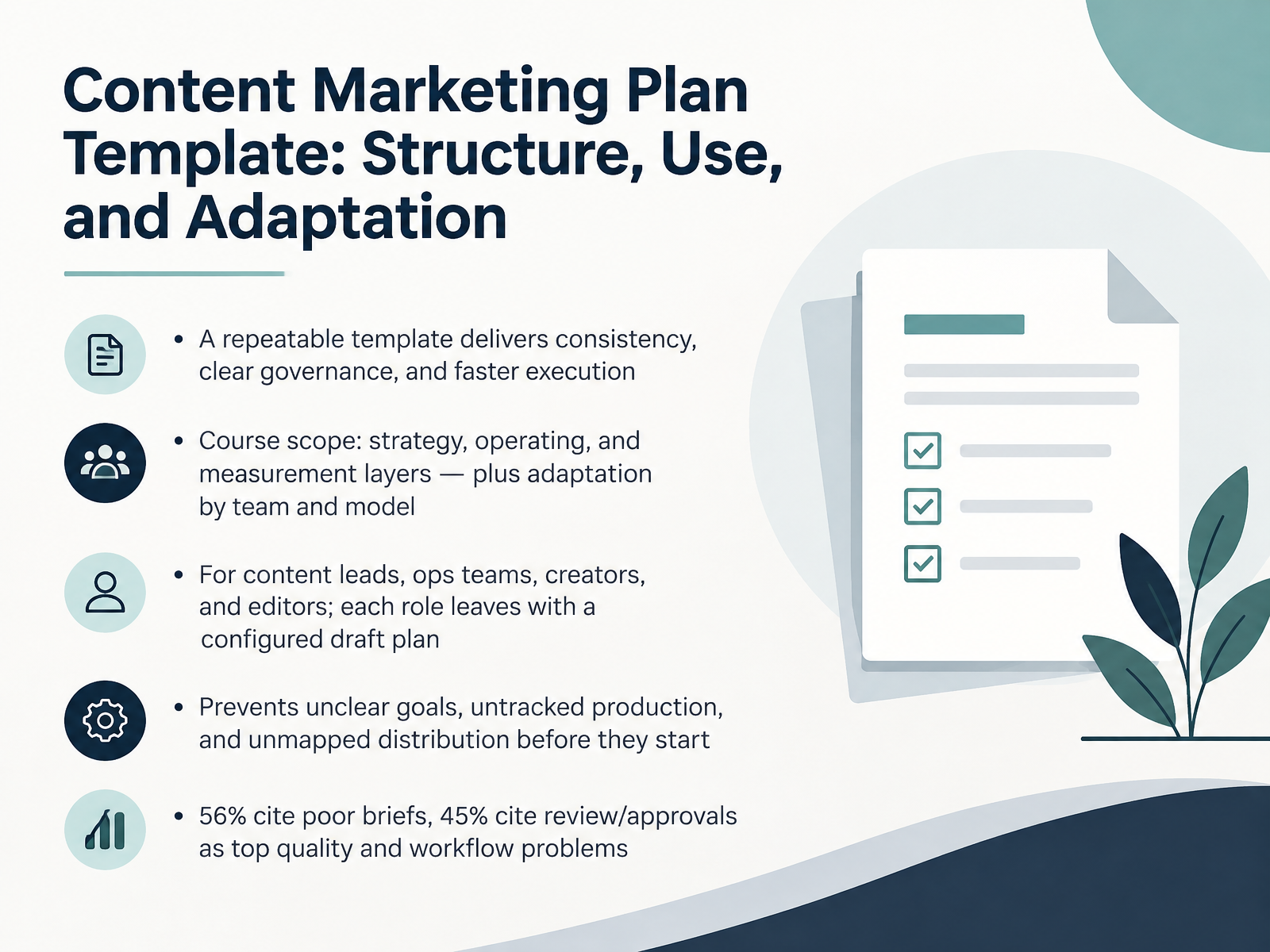
- 01Content Marketing Plan Template: Structure, Use, and AdaptationWelcome. This course is about a content marketing plan template, and how to actually use one. Not a document that sits in a folder, but a working structure your team runs on.
Here's the goal. By the end, each of you should have a configured draft plan for your own role, whether you lead content, run operations, create, or edit.
A repeatable template gives you three things. Consistency in what ships. Clear governance over who decides. And faster execution, because people stop re-litigating the same steps every week.
We'll cover three layers: strategy, operating, and measurement. Then we'll adapt the template by team shape and operating model.
Why this matters: fifty-six percent of teams cite poor or incomplete briefs as a top reason quality drops, and forty-five percent name internal review and approvals as their biggest bottleneck. A template won't fix everything, but it puts those problems on the page before they cost you a week.
So keep one question in mind: where does your current plan break? Now let's look at why content teams need a planning template right now.canto.commarketingprofs.comama.org+22 min
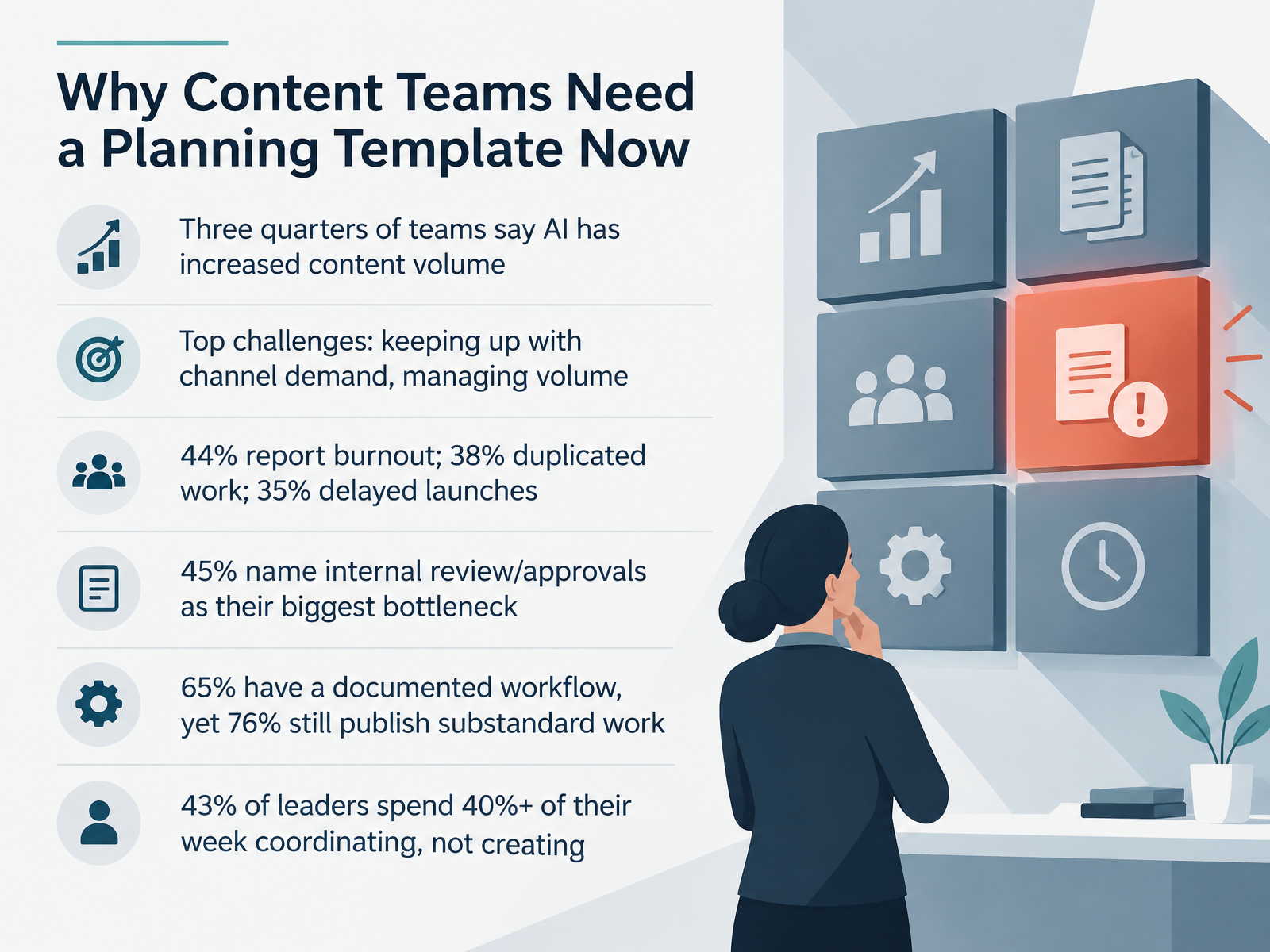
- 02Why Content Teams Need a Planning Template NowSo why does your team need a planning template right now? Look at the pressure. Three quarters of teams say AI has increased the volume of content they produce. The top challenges are keeping up with channel demand and managing that volume. And the cost shows up in real ways. Forty-four percent report burnout. Thirty-eight percent report duplicated work. Thirty-five percent report delayed launches. Forty-five percent name internal review and approvals as their biggest bottleneck. Here is the strange part. Sixty-five percent of teams have a documented workflow, yet seventy-six percent still publish substandard work. Documentation is not the same as a working system. And forty-three percent of leaders spend forty percent or more of their week coordinating instead of creating. That is roughly two full days. So before you open the template, do one quick thing. Write down your biggest bottleneck, whether it is reviews, briefs, or channel volume. That one line will tell you where to adapt the template first. Next, we will break down the core concepts: plan, calendar, brief, and style guide.
 canto.commarketingprofs.comama.org+22 min
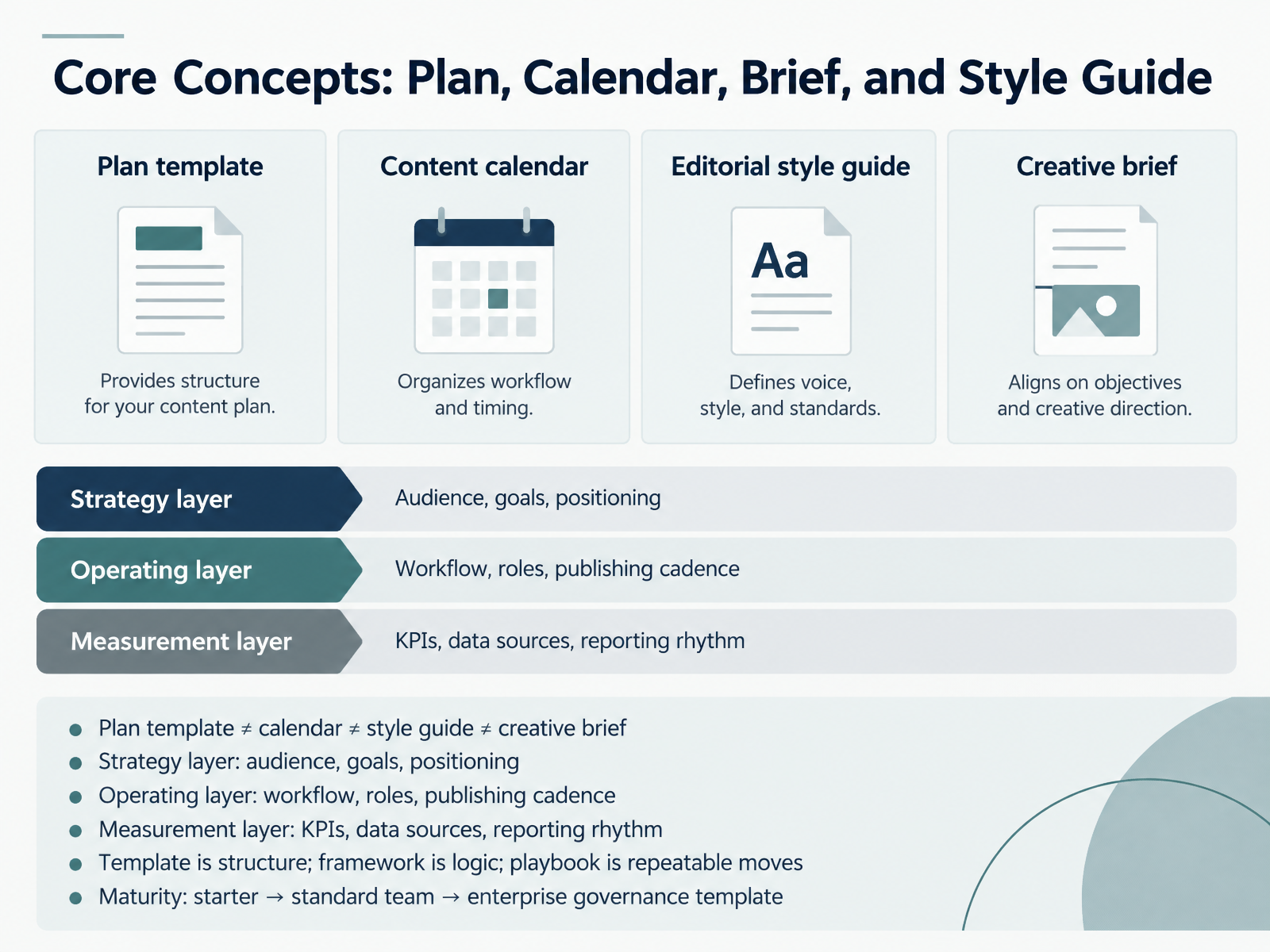
- 03Core Concepts: Plan, Calendar, Brief, and Style GuideBefore we get into building anything, let's separate four things people often blend together. A plan template is not a calendar, not a style guide, and not a creative brief. Each one does a different job.
Think of the plan in three layers. The strategy layer covers audience, goals, and positioning. The operating layer covers workflow, roles, and publishing cadence. The measurement layer covers KPIs, data sources, and how often you report.
Here's a quick example. If your plan says leads are the goal, but the calendar has no decision-stage content and nobody owns approval, the strategy never reaches the calendar. That's a broken link between layers.
One more distinction. The template is structure. The framework is the logic behind it. The playbook is the repeatable moves your team runs. Templates mature too, from a starter version, to a standard team template, to enterprise governance. So pick the level that matches how your team actually works today.
Your next action: take your current plan and label each section as strategy, operating, or measurement. Anything you can't label is a gap worth fixing.
Next, we'll walk through the strategy and audience sections in detail.
 hubspot.comblog.hubspot.cominfo.ironhorse.io+22 min
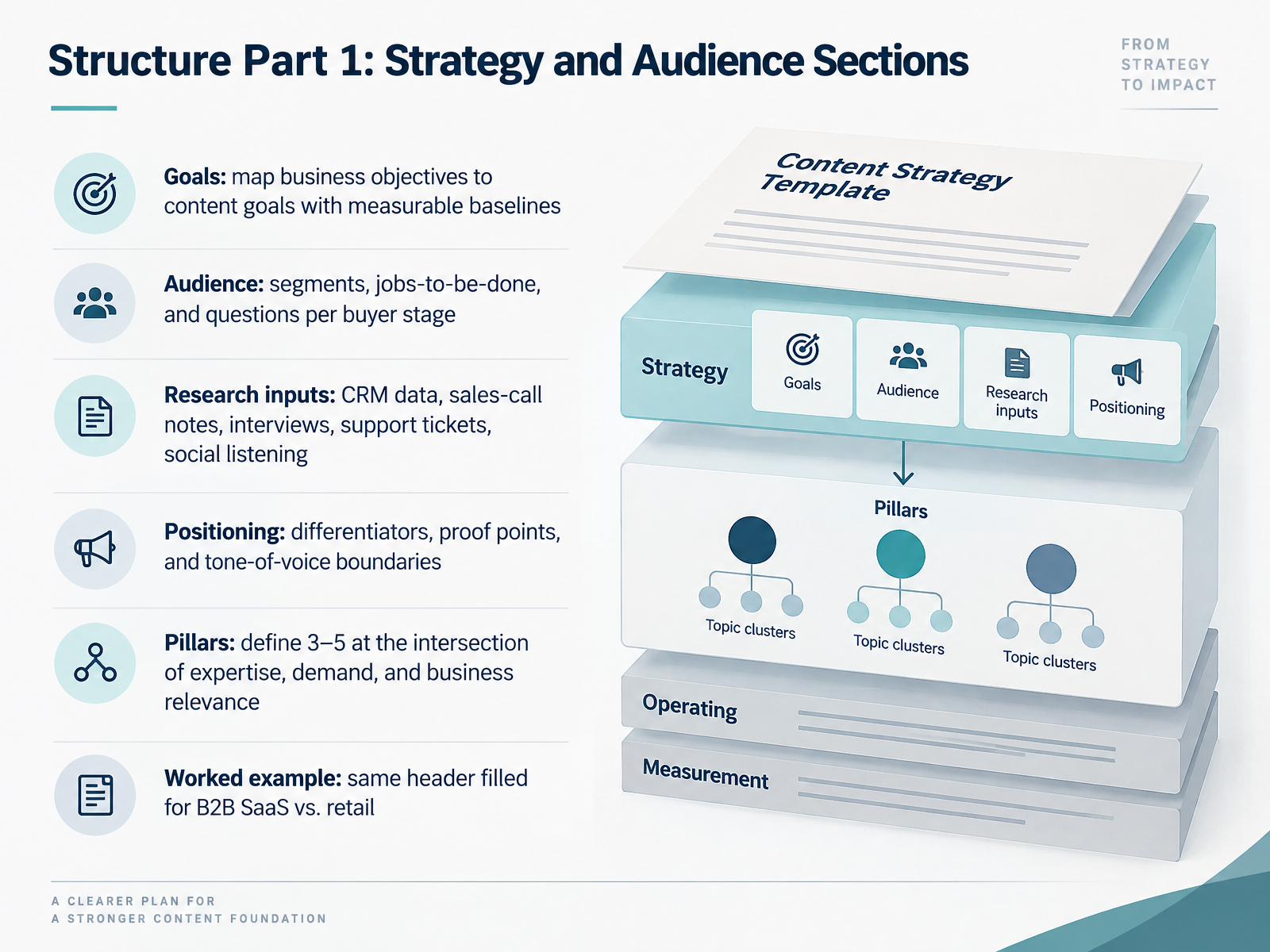
- 04Structure Part 1: Strategy and Audience SectionsNow let's look at the first half of the template: strategy and audience. Start with goals. Map each business objective to a content goal with a measurable baseline, so every piece has a job and a way to prove it worked. Next, audience. Define segments, then write their jobs-to-be-done and the questions they ask at each buying stage. Ground it in real research: CRM data, sales-call notes, customer interviews, support tickets, and social listening. Then positioning: your differentiators, proof points, and clear tone-of-voice boundaries. From there, pick three to five content pillars at the intersection of your expertise, actual demand, and business relevance. The same header works for a B2B SaaS company and a retailer. Only the inputs change. Your action: fill these six rows for your top segment before moving on. Next, we'll cover workflow, roles, and the calendar.
 blog.hubspot.comsearchengineland.comfloyi.com+22 min
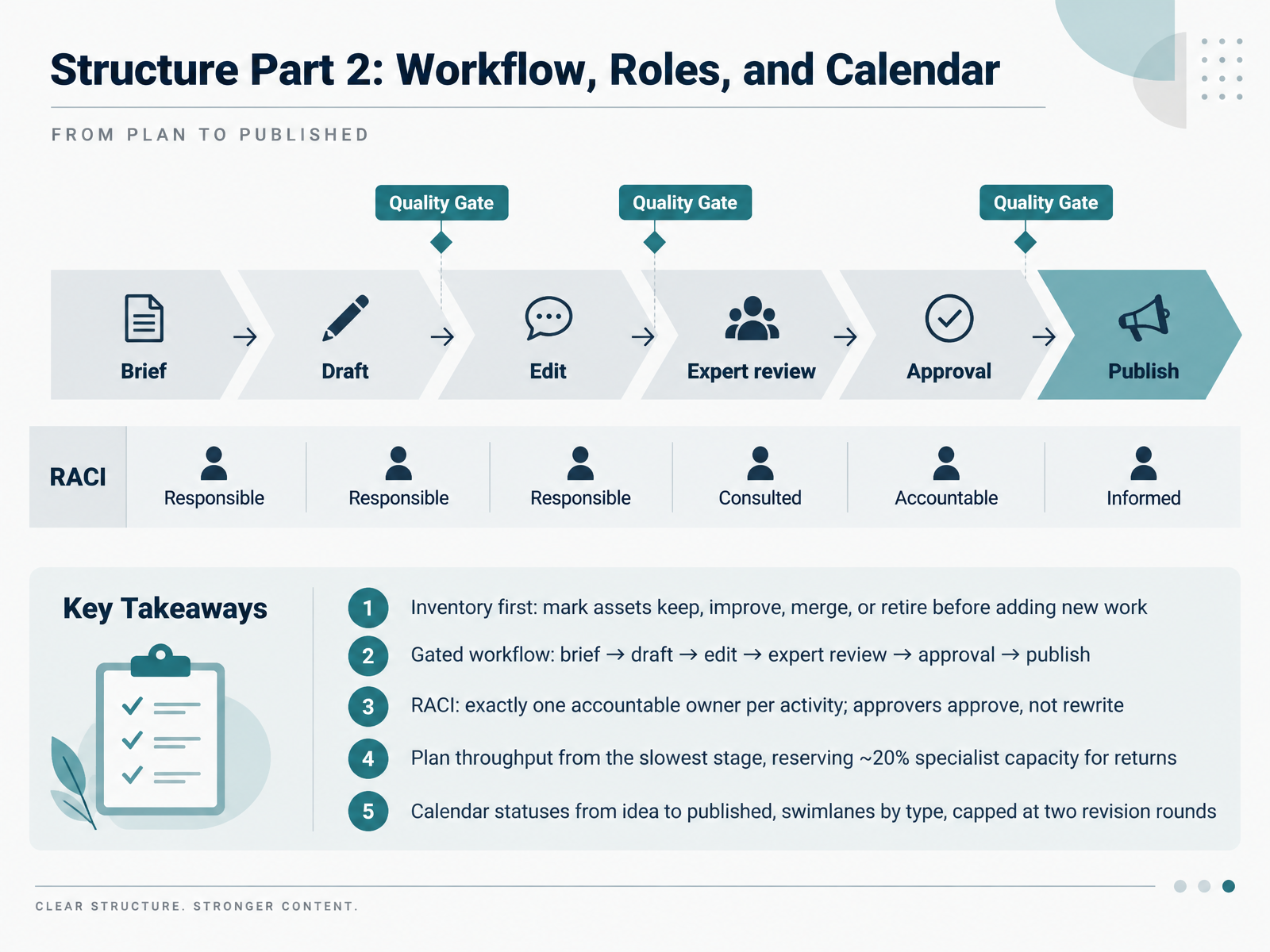
- 05Structure Part 2: Workflow, Roles, and CalendarNow let's look at the workflow layer of your plan template. Start with inventory. Before you add new work, mark every existing asset as keep, improve, merge, or retire. Then set a gated workflow: brief, draft, edit, expert review, approval, publish. Nothing skips a gate.
Assign R A C I clearly. Exactly one accountable owner per activity. And agree that approvers approve, not rewrite. When an approver turns review into a second drafting pass, they become the bottleneck for everything.
Plan throughput from your slowest stage, not your drafting speed. If writers produce twenty drafts and expert review clears six, you get fourteen waiting items, not progress. So cap starts at the bottleneck, and reserve about twenty percent of specialist capacity for returns and urgent fixes.
In the calendar, track statuses from idea to published, use swimlanes by content type, and cap revisions at two rounds. Try this next: add these four sections to your template this week and mark one owner per gate.
Next, we move to Structure Part 3: Distribution, Measurement, and Governance.
 relato.comamicited.comcrispycontent.de+22 min
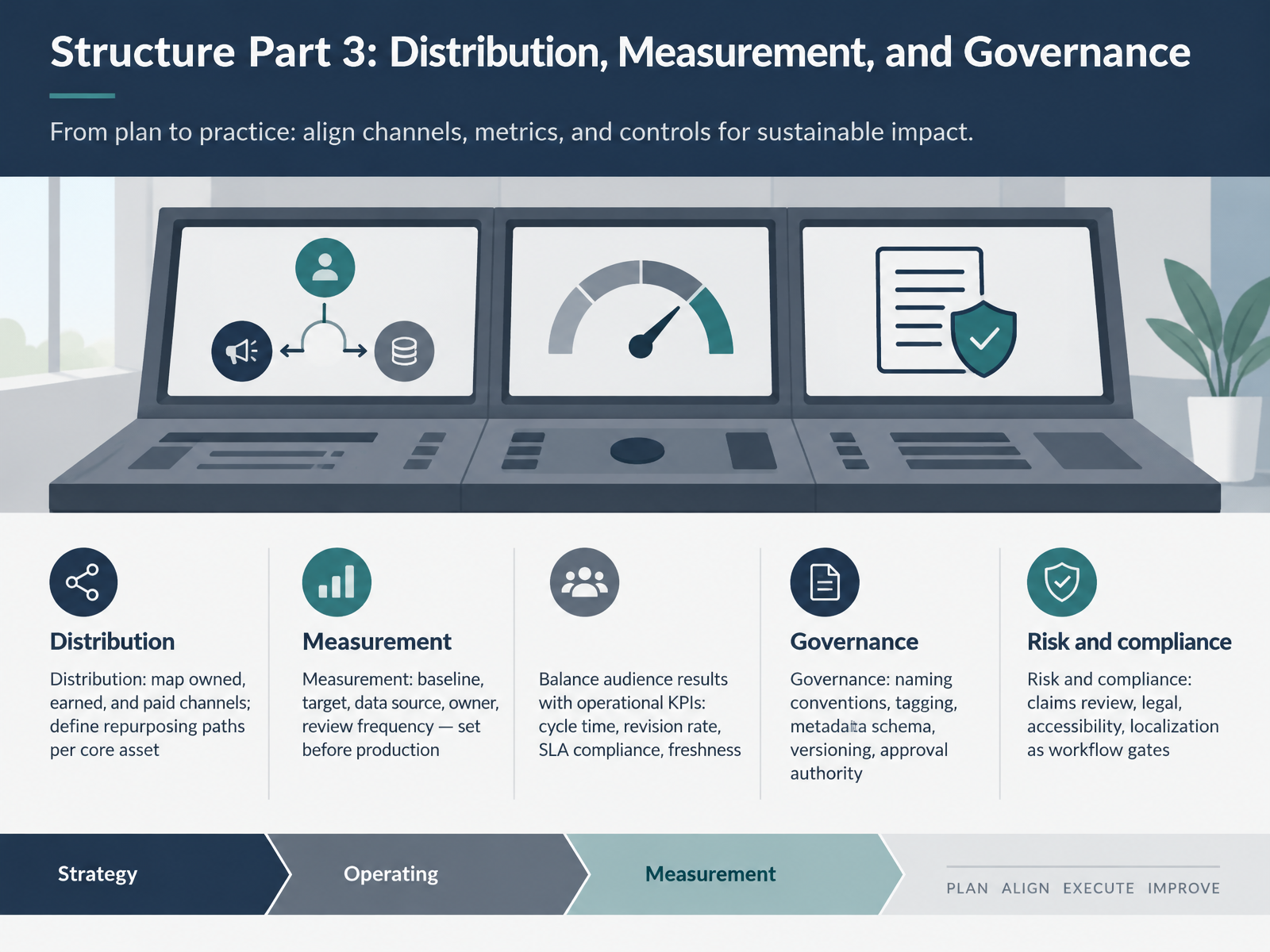
- 06Structure Part 3: Distribution, Measurement, and GovernanceNow for the third layer of structure: distribution, measurement, and governance. Start with distribution. Map your owned, earned, and paid channels on one page. Then, for each core asset, write the repurposing path. For example, one webinar becomes chaptered video, a carousel, and a sales one-pager. Next, measurement. Before production begins, set baseline, target, data source, owner, and review frequency for each metric. Balance audience results with operational numbers like cycle time, revision rate, SLA compliance, and freshness. A program that grows traffic while doubling approval time is not sustainable. Then governance. Agree on naming conventions, tagging, metadata schema, versioning, and who has final approval. Treat claims review, legal, accessibility, and localization as workflow gates, not afterthoughts. Your next action: pick one core asset and document its distribution path and its metric owners this week. Next, we walk through filling the template step by step.
 brightspot.comrelato.comamicited.com+22 min
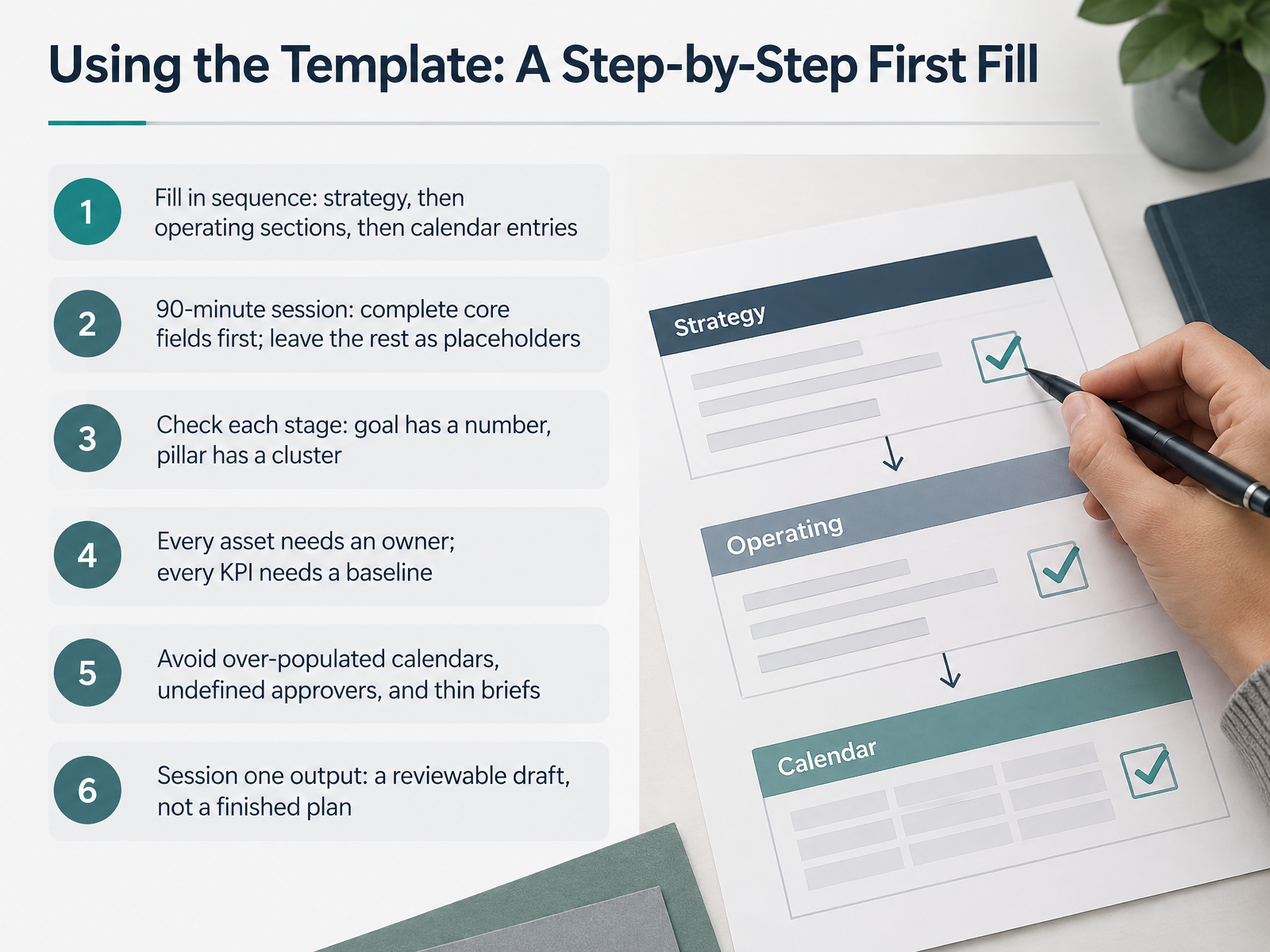
- 07Using the Template: A Step-by-Step First FillNow let's fill the template in for the first time. Work in sequence: strategy first, then the operating sections, then calendar entries. Book a ninety-minute session and finish the core fields only. Leave the rest as placeholders, clearly marked.
Check each stage as you go. Your goal has a number attached. Each pillar has a cluster behind it. Every asset has a named owner. Every KPI has a baseline, even an imperfect one. Three things to avoid: a calendar packed beyond your capacity, approvers who were never named, and briefs too thin to write from.
The output of session one is a reviewable draft, not a finished plan. Next, we look at the operating rhythm that keeps it current.
 blog.hubspot.comsearchengineland.comfloyi.com+21 min
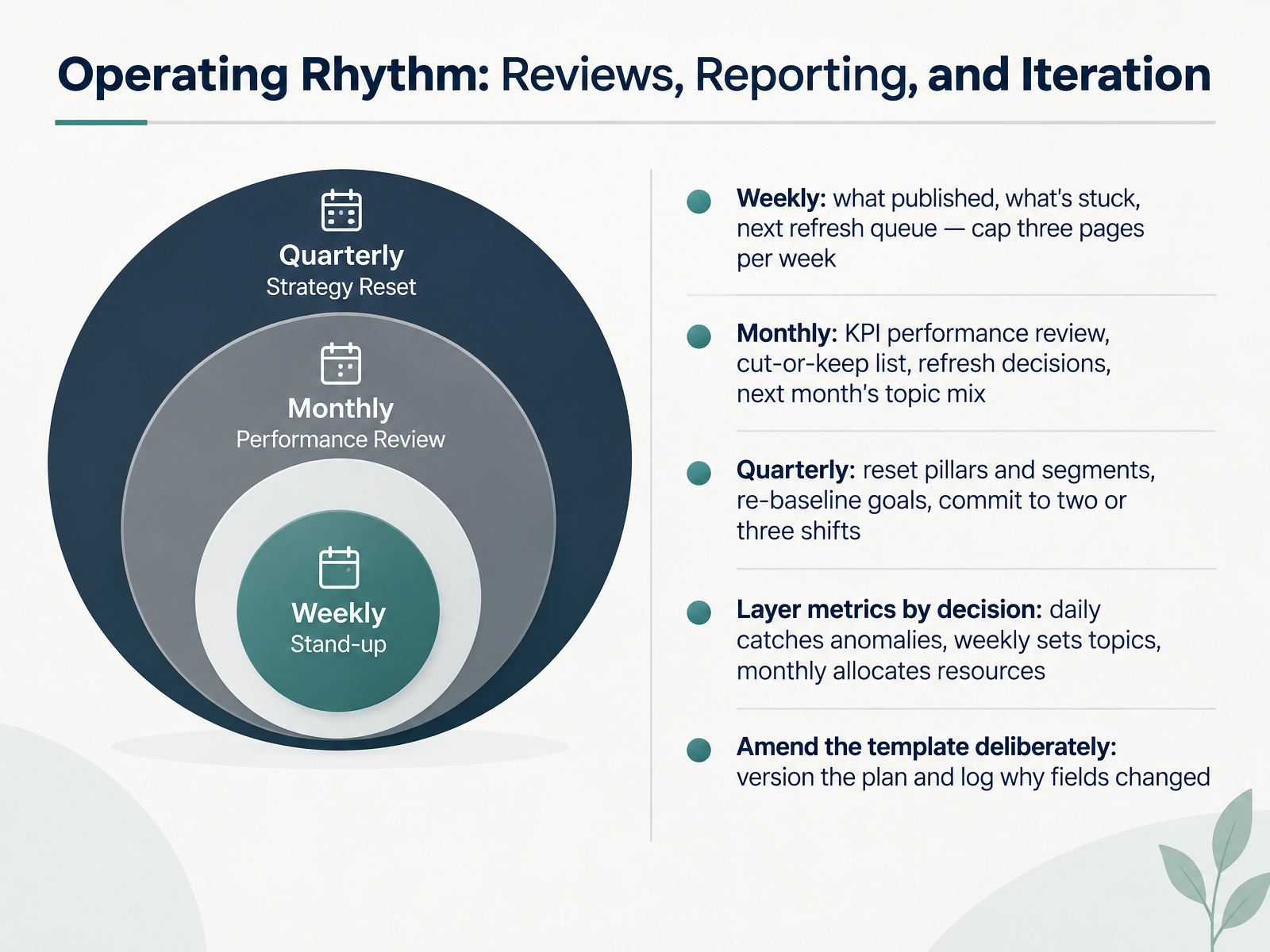
- 08Operating Rhythm: Reviews, Reporting, and IterationNext, let's set the operating rhythm that keeps the plan alive. Weekly, keep it to three pages. What published, what's stuck, and what goes into next week's refresh queue. Three pages is the cap on purpose, because if you queue ten updates, none of them finish.
Monthly is where you allocate resources. Review KPI performance, build a cut-or-keep list, make refresh decisions, and set next month's topic mix. Quarterly, reset your pillars and segments, re-baseline the goals, and commit to two or three shifts. Not ten.
Match metrics to the decision they support. Daily data catches anomalies. Weekly data sets topics. Monthly data decides where the hours go. Don't kill a quarter-long strategy because of one bad day.
And amend the template deliberately. Version the plan, and log why a field changed. Your next action: put these three reviews on the calendar before the quarter starts, each with a named owner.
Now let's look at adapting the template to your team size and structure.
 brightspot.com1 min
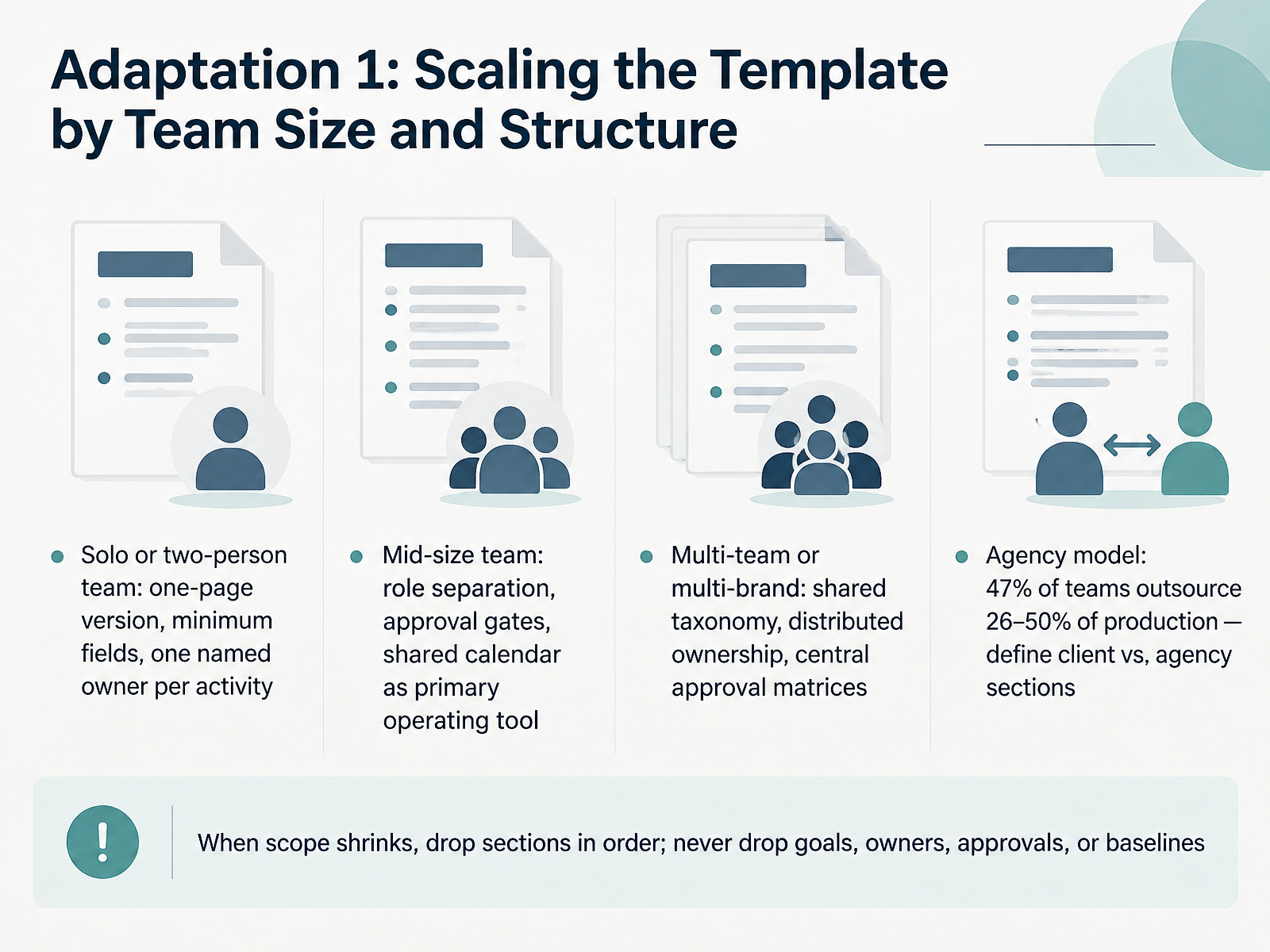
- 09Adaptation 1: Scaling the Template by Team Size and StructureSo how do you actually scale this template as the team grows? Start with size. If you're a solo or two-person team, use a one-page version with the minimum fields, and name one owner per activity. That single name is what stops a draft from sitting there because each person thinks the other is reviewing it. A mid-size team needs role separation, approval gates, and a shared calendar as the main operating tool, so status lives in one place instead of in email. For multiple teams or brands, add a shared taxonomy, distribute ownership, and run a central approval matrix. If you work with an agency, remember that forty-seven percent of teams outsource twenty-six to fifty percent of production, so spell out which sections belong to the client and which to the agency. And when scope shrinks, drop sections in order. Never drop goals, owners, approvals, or baselines. When you get back to your desk, pick your team model and cut the template down to that version this week. Next, we'll look at Adaptation 2: Tailoring by Business Model, Channel Mix, and Regulation.
 relato.comamicited.comcrispycontent.de+22 min
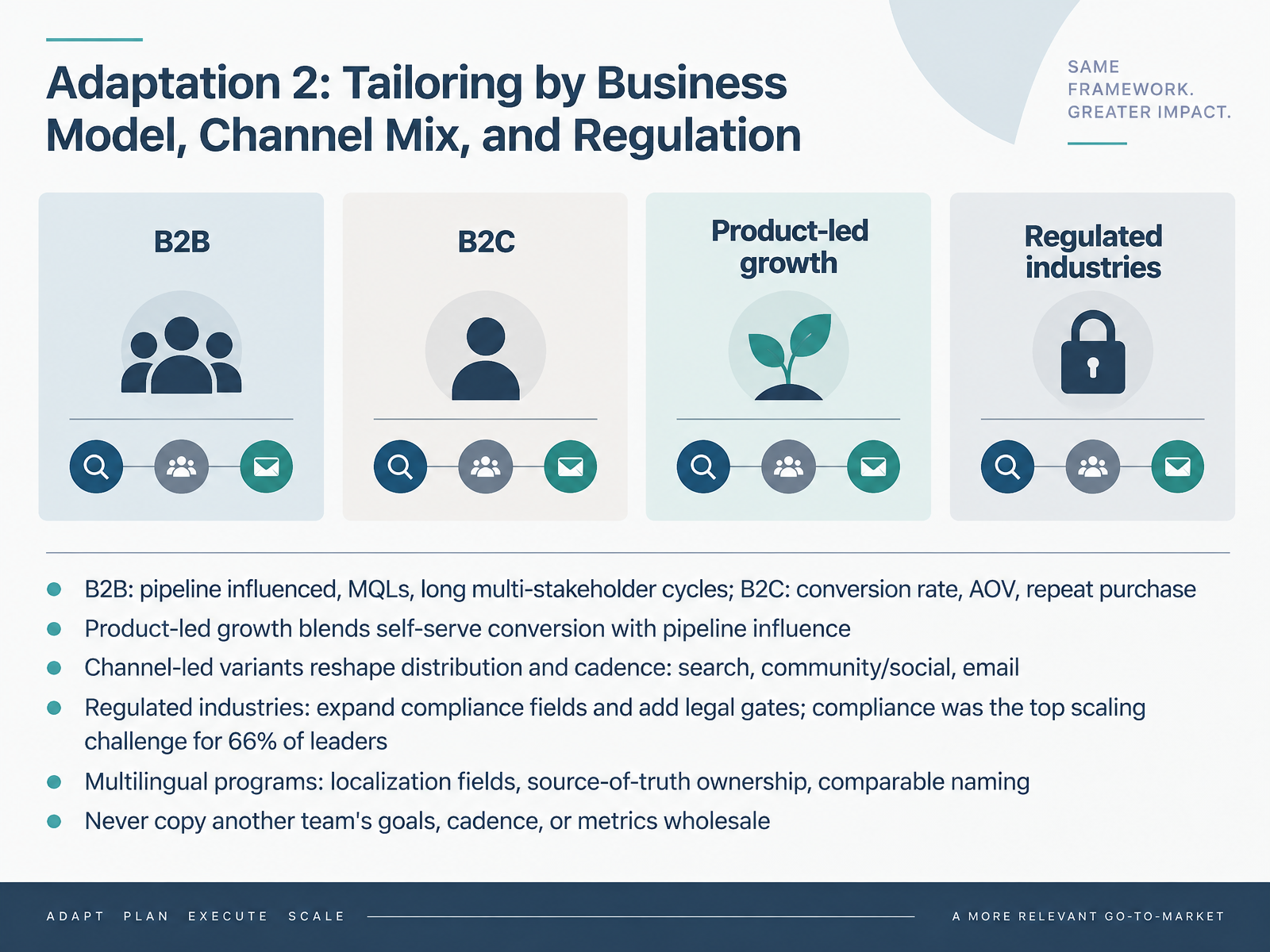
- 10Adaptation 2: Tailoring by Business Model, Channel Mix, and RegulationNow let's talk about adapting the template to your actual business context. Start with your business model, because it sets your metrics. B2B plans track pipeline influenced and qualified leads, because cycles are long and several stakeholders sign off. B2C plans track conversion rate, average order value, and repeat purchase. If you run product-led growth, blend both. Self-serve conversion and pipeline influence belong in the same plan.
Next, reshape distribution and cadence around your channel mix. A search-led plan runs on refresh cycles. A community or social plan runs on a weekly posting rhythm. Email runs on a send calendar.
For regulated industries, expand the compliance fields and add legal gates. Compliance was the top scaling challenge for sixty six percent of leaders, so build those gates in early. Multilingual programs need localization fields, one owner for the source of truth, and naming that stays comparable across markets.
One rule before you move on. Never copy another team's goals, cadence, or metrics wholesale. Take one section of your draft today and rewrite it against your own model, channels, and compliance needs. That sets up the next part, on anti-patterns and quality checks for template design.
 canto.commarketingprofs.comama.org+22 min
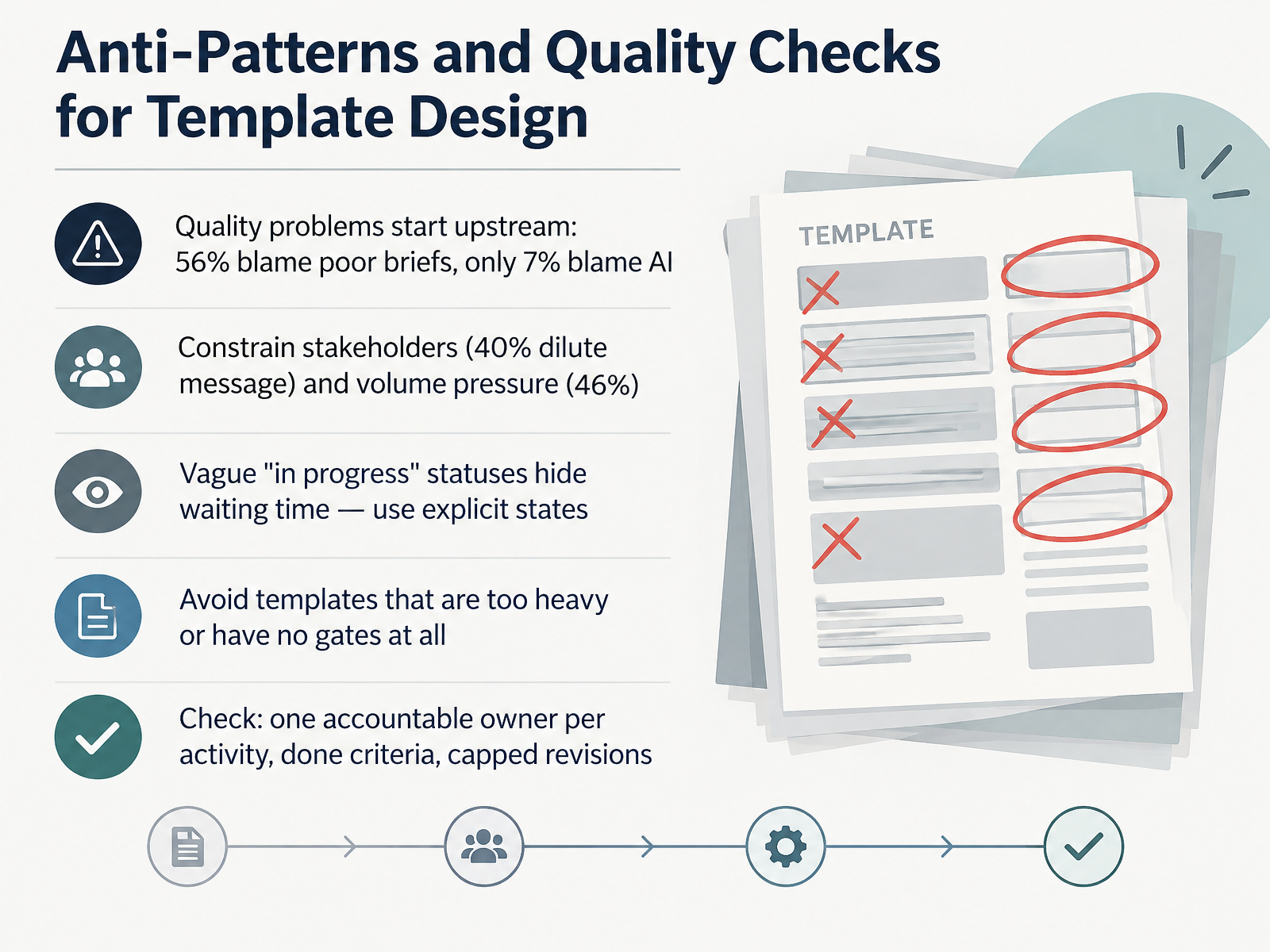
- 11Anti-Patterns and Quality Checks for Template DesignLet's look at where templates go wrong, and how to check yours. Most quality problems start upstream. Fifty-six percent of teams say poor or incomplete briefs hurt quality, while only seven percent blame AI. Stakeholders dilute the message for forty percent, and pressure to hit volume affects forty-six percent. So build the fix into the template. First, replace vague statuses like in progress with explicit states, so waiting time is visible. Second, avoid two extremes: templates so heavy nobody uses them, and templates with no review gates at all. Then run the check. Every activity has exactly one accountable owner. Every stage has a written definition of done. And revisions are capped, for example two rounds. Pick one template today and add those three checks.
 canto.commarketingprofs.comama.org+21 min
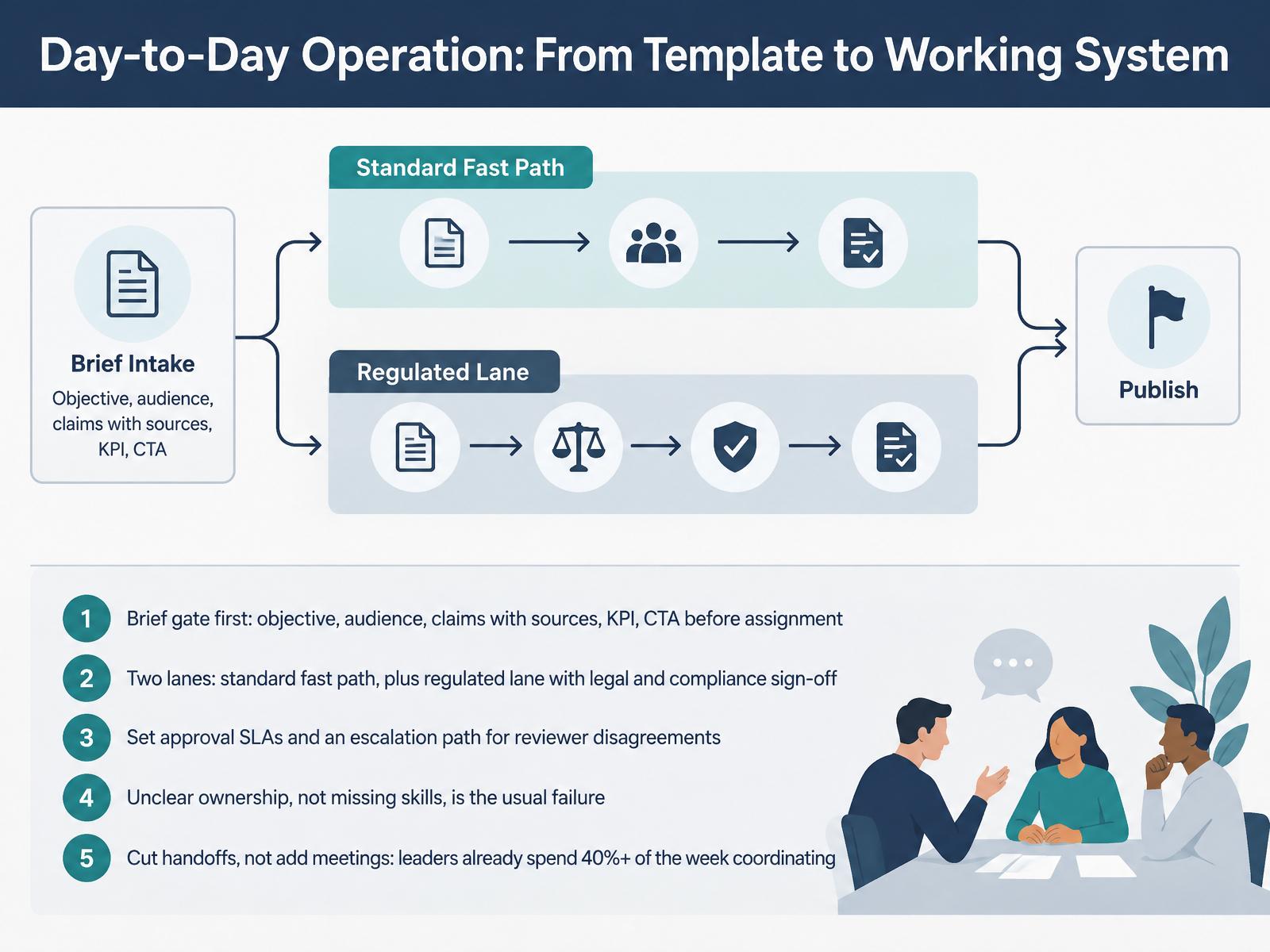
- 12Day-to-Day Operation: From Template to Working SystemNow let's turn the template into something that actually runs week to week. Start with a brief gate. Before anything gets assigned, the brief should answer objective, audience, claims with sources, K P I, and C T A. One study found fifty-six percent of teams say poor or incomplete briefs drag quality down, so this gate pays for itself. Then split into two lanes. A standard fast path, and a regulated lane with legal and compliance sign-off. Set approval service level agreements and one escalation path when reviewers disagree. Remember, the usual failure is unclear ownership, not missing skills. And cut handoffs rather than adding meetings, because forty-three percent of content leaders already spend at least forty percent of their week coordinating. Pick one bottleneck this week, name a single owner, and write down how long that review should take. That leads into action planning, your configured template and a thirty day rollout.
 relato.comamicited.comcrispycontent.de+22 min
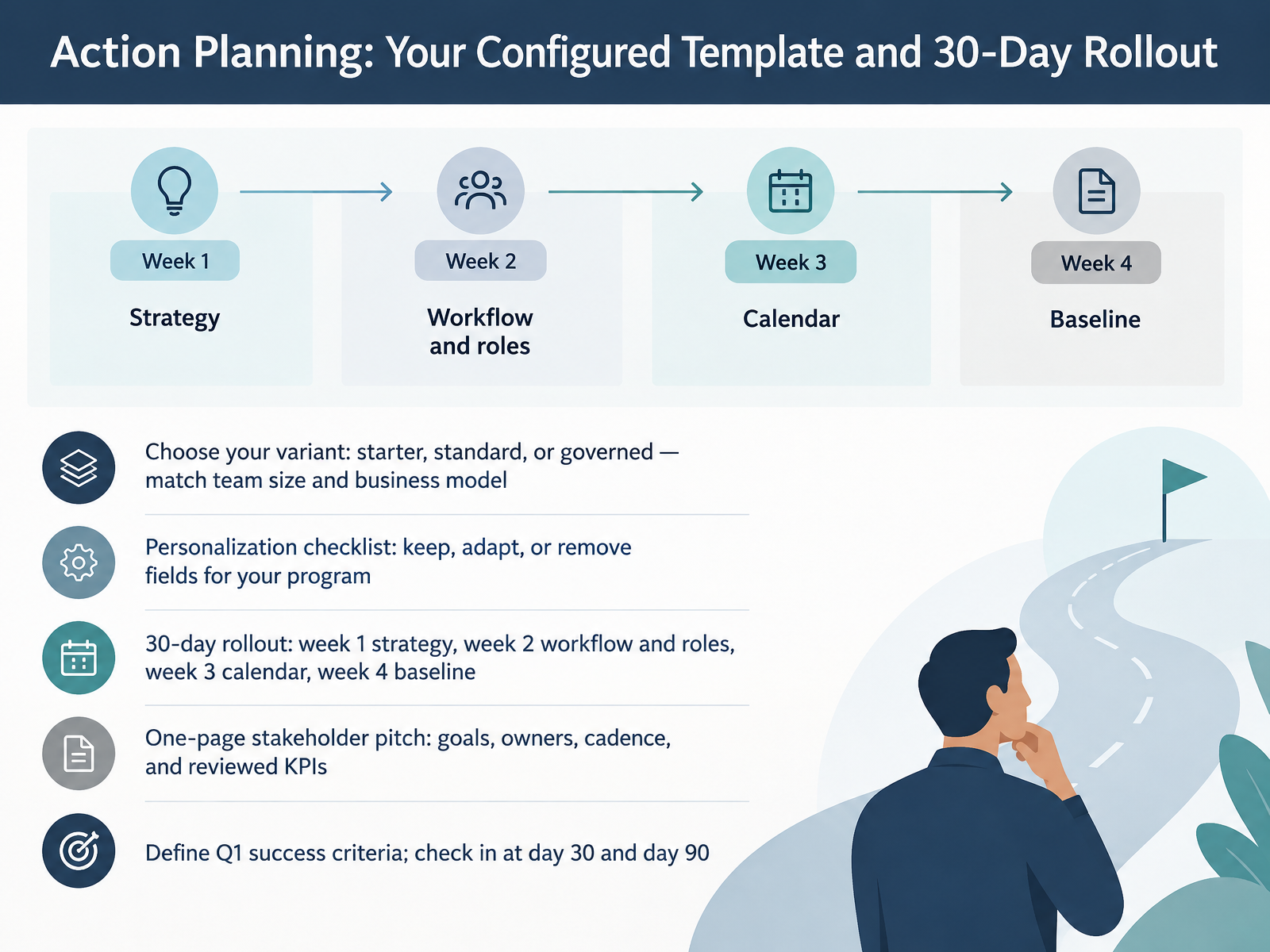
- 13Action Planning: Your Configured Template and 30-Day RolloutNow let's turn the template into a plan you can actually run. First, pick your variant. A starter version suits a small team or a founder-led program. Standard fits a mid-sized team with recurring production. Governed is for regulated or multi-brand content, where review and compliance matter. Next, walk the personalization checklist and mark each field keep, adapt, or remove. If legal review is not part of your process, remove it. If sales needs visibility into what's coming, keep the informed column. Then follow the thirty-day rollout. Week one is strategy. Week two, workflow and roles, so every activity has one accountable owner. Week three, build the calendar four to twelve weeks out. Week four, set your operating baseline. Pull it together in a one-page stakeholder pitch covering goals, owners, cadence, and the KPIs you'll review. Then agree on Q1 success criteria with your stakeholders, and check in at day thirty and day ninety. Your next action is to send that one-page pitch this week. Let's move to Key Takeaways, First 90 Days, and Q&A.
 relato.comamicited.comcrispycontent.de+22 min
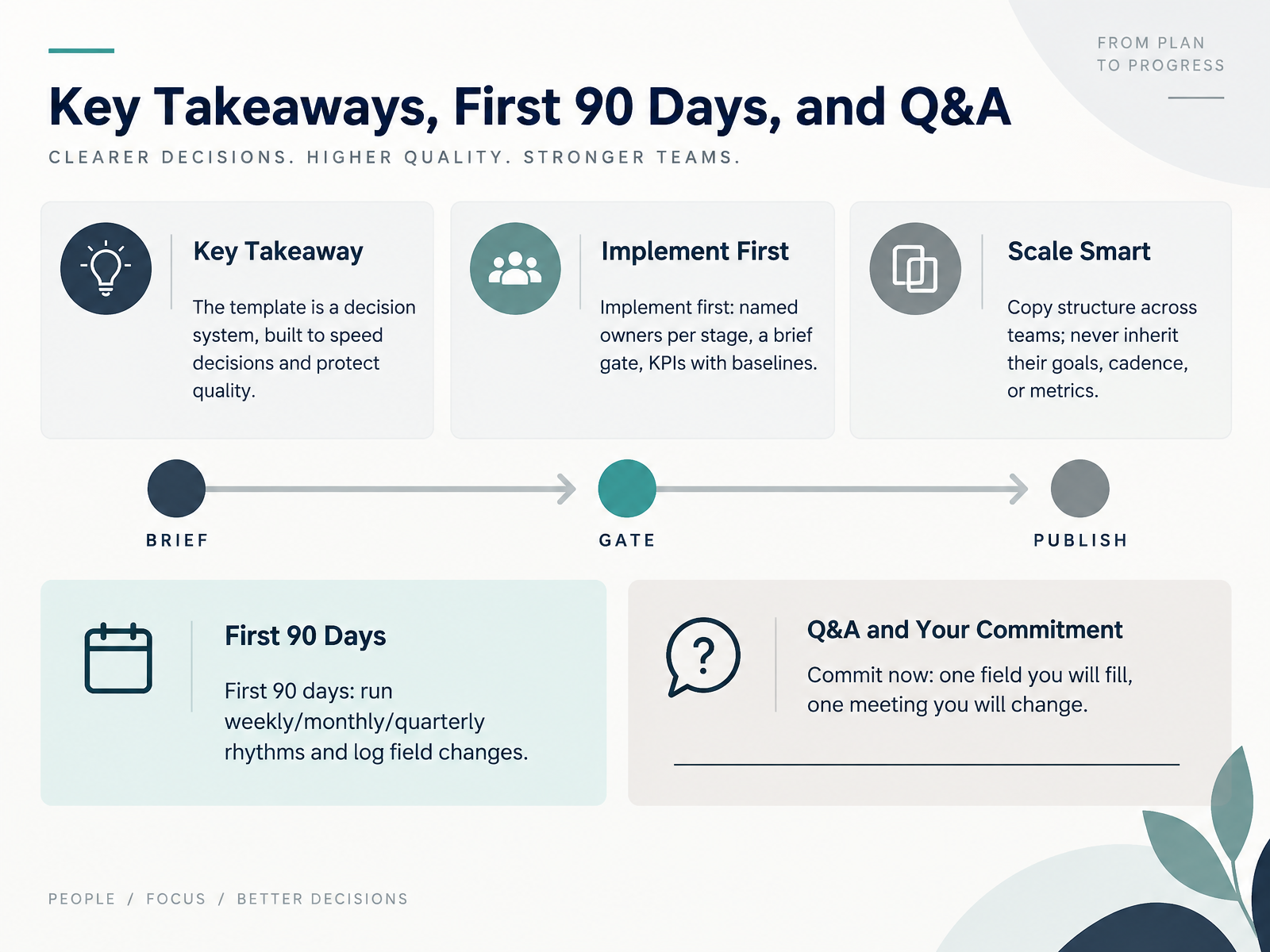
- 14Key Takeaways, First 90 Days, and Q&ALet's close with what matters. The template is a decision system, not paperwork. It exists to speed decisions and protect quality. So implement in this order. Name one owner per stage, add a brief gate a piece must pass before it gets assigned, and set KPIs with baselines you already know. Copy the structure across teams, but never inherit their goals, cadence, or metrics, because their bottleneck is not yours. Over your first ninety days, run weekly production reviews, monthly performance decisions, and a quarterly reset, and log every field change so the template improves from real use. Here is your commitment for today. Pick one field you will fill this week, and one meeting you will change, then tell your team which. Thank you for your time. You have a workable system now. Go make your first decision faster.
 relato.comamicited.comcrispycontent.de+22 min
Take the deck with you
Download this course as a file — free, no sign-up needed.
- PDF handoutEvery slide page, ready to print or share.15 pages · 3.1 MBDownload
- Narrated PowerPointThe deck that presents itself — every slide carries the digital human's narration video.15 pages · 13.9 MBDownload
- PowerPoint slidesThe full deck as a .pptx — open it in PowerPoint, Keynote, or Google Slides.15 pages · 3.0 MBDownload
Free to use in your own training — please keep the PersonWise credit page at the end.
Have your own deck? Turn it into a course
Sources consulted
Web sources consulted while building this course.
- Canto’s State of Digital Content Report: New Research Reveals Key Digital Content Trends for 2026 | Canto — canto.com
- Marketing Content - The Top Production Challenges Facing Content Teams — marketingprofs.com
- The State of Digital Content: 2026 Edition — ama.org
- 10 B2B Content Marketing Stats from Contentoo's Report — contentoo.com
- 2026 AI White Paper — s.psecn.photoshelter.com
- Content Marketing — hubspot.com
- How to build a content marketing plan in 7 steps [+ free template] — blog.hubspot.com
- Content Strategy — info.ironhorse.io
- CONTENT MARKETING PLANNING TEMPLATE — smartsheet.com
- B2B Content Strategy Checklist | Plan Content That Generates Pipeline — emulent.com
- Content strategy template [Free download + tips] — searchengineland.com
- Topical Maps With Buyer Personas & Journeys — Floyi — floyi.com
- Content marketing funnel: stages, templates & metrics — semrush.com
- How to Build a Content Marketing Strategy in 10 Steps — content-managers.com
- Content Operations Template (2026): Free Google Doc | Relato — relato.com
- Content Production System Setup — AmICited SEO Playbook — amicited.com
- Content Operating Model: Your Scalable Ops Checklist — crispycontent.de
- What is content operations? A guide for small teams - Ampere — ampere.app
- Content Governance RACI | GPTHuman — gpthuman.org
- Content strategy roadmap: Enterprise guide - Brightspot — brightspot.com