Begin
14 pages · ~28 min
ITIL Change Management Practices
This ITIL Change Management Practices training helps IT professionals learn to control changes, minimize risk, and maintain service stability.
A digital instructor presents all 14 pages. Hold “Ask” at any point and ask out loud — the answer comes from this course. No sign-up needed.
What you’ll learn
- 01ITIL Change Management PracticesWelcome. If you work in ITSM, you already know the pressure around change. CAB fatigue, audit questions, tickets that wait for approval. This course is about ITIL 4 change enablement, and how to make it practical rather than ceremonial. Our goal is to balance speed and stability, so more changes succeed. Fewer incidents, less downtime, and less audit exposure across your services. Here's the path. We'll cover the purpose and value of change enablement. Then change types and models. Then roles, and the end-to-end workflow. We'll also look at risk assessment, CAB practices, communication, and metrics. You'll leave with a roadmap you can apply to your own change queue. Keep one thing in mind as we go. Change enablement should enable change safely, not just control it. Let's begin with where this practice came from. From Change Management to Change Enablement.docs.aws.amazon.comitsm.toolsservicenow.com+21 min
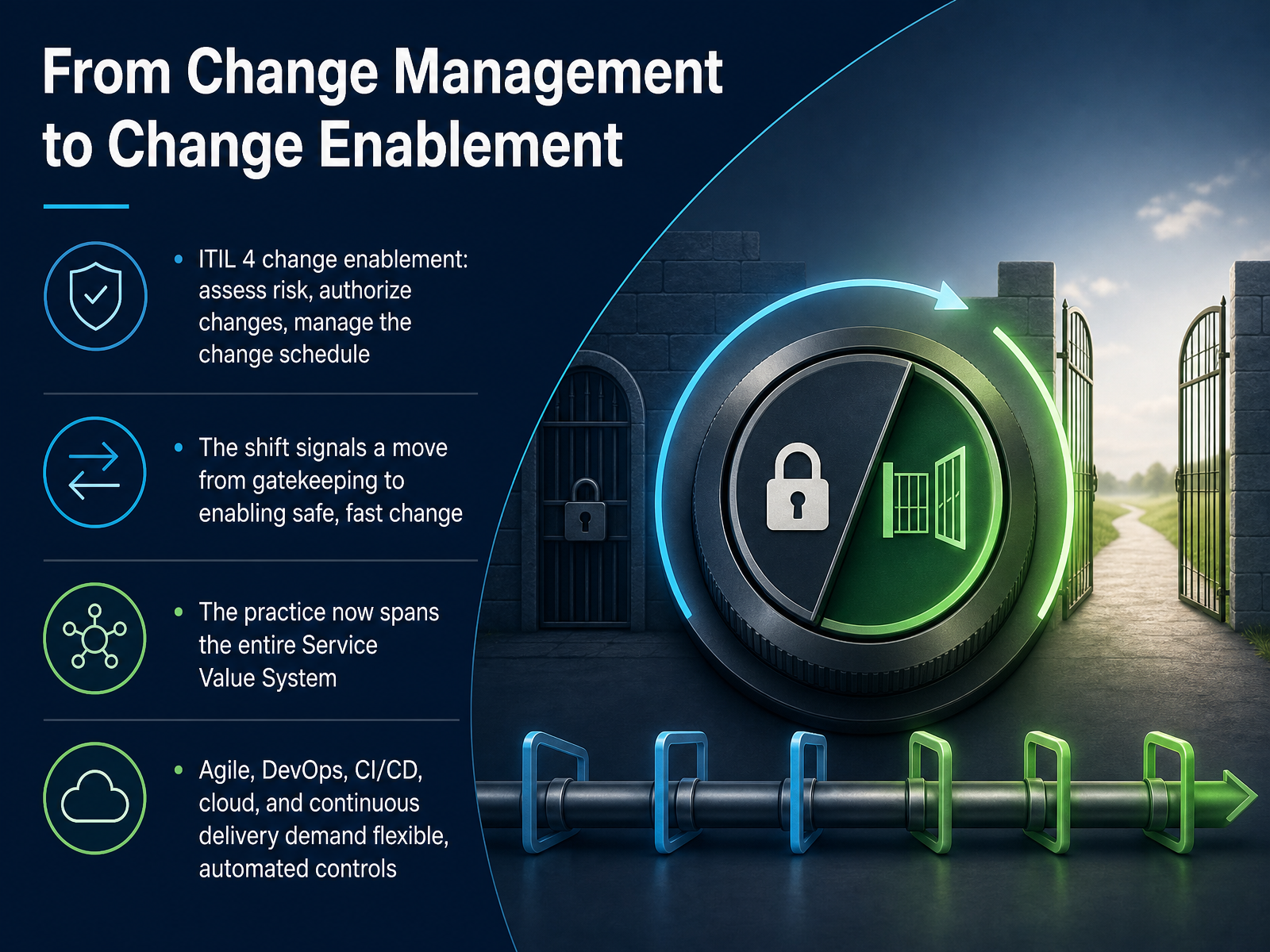
- 02From Change Management to Change EnablementLet's move on to the shift from change management to change enablement. In ITIL 4, change enablement keeps three core jobs. You assess risk, you authorize changes, and you manage the change schedule. The name change matters. It signals a move from gatekeeping to enabling safe, fast change. So instead of defending the gate, you build the path. The practice now spans the entire Service Value System. That means change controls reach beyond the CAB and touch strategy, design, delivery, and support. Agile, DevOps, continuous integration and continuous delivery, cloud, and continuous delivery pipelines all demand flexible, automated controls. Practically, that means your approval path should match the risk, not the calendar. For low-risk standard changes, automate the check and log the change owner before the window opens. For higher-risk changes, keep the human decision, but give the approver clear evidence and a defined time box. The takeaway is simple. Enable change by making the safe path the fast path. Next, we will look at purpose, value, and practice success factors.
 2 min
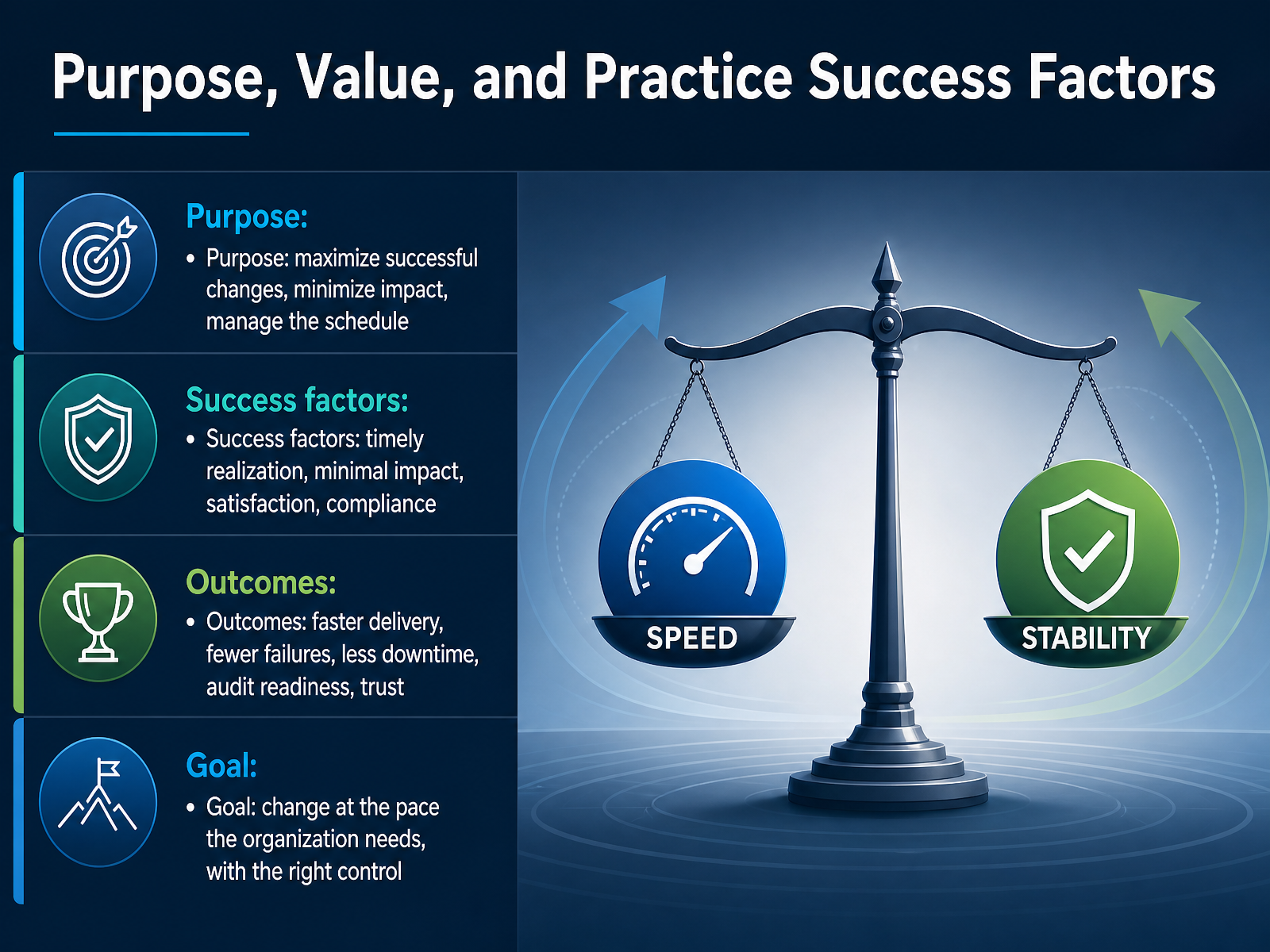
2 min - 03Purpose, Value, and Practice Success FactorsLet's move on to purpose, value, and the factors that make change practice succeed. The purpose here is simple to say and hard to run. Maximize successful changes, minimize their impact, and manage the schedule. In practice, that means every change in your queue needs a clear owner, a realistic window, and a rollback path before it moves forward. Four success factors tell you whether the practice is working. Timely realization, so the value lands when the business expects it. Minimal impact, so disruption stays inside the agreed window. Satisfaction, measured by how customers and teams experience the change. And compliance, with evidence ready before the auditor asks. The outcomes follow. Faster delivery, fewer failures, less downtime, audit readiness, and trust that builds over time. The goal is not zero change, and it is not change without control. It is change at the pace your organization needs, with the right level of control for each risk. Next, we will look at change types and models.
 2 min
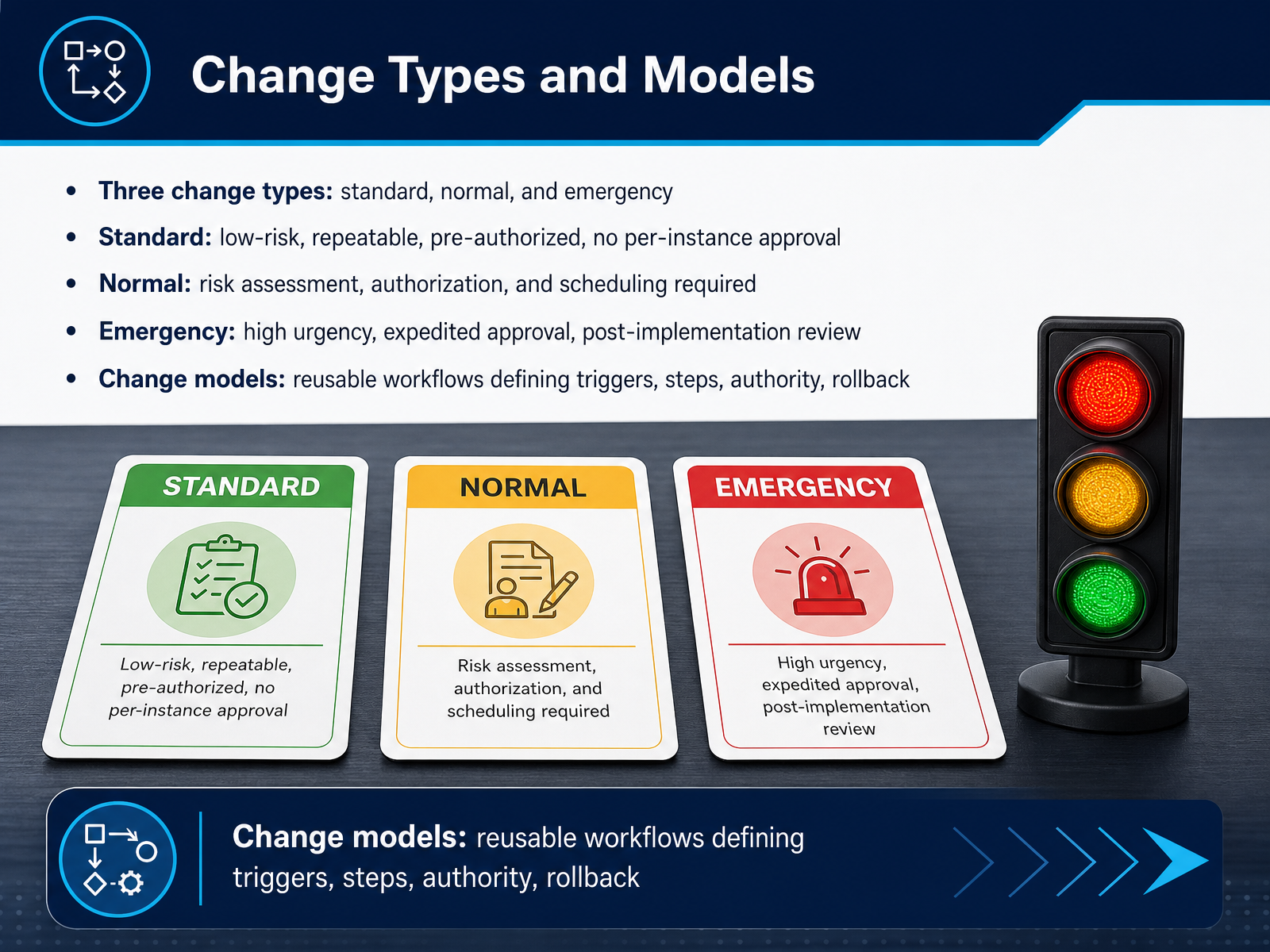
2 min - 04Change Types and ModelsLet's walk through change types and models. ITIL gives us three types: standard, normal, and emergency. Standard changes are low-risk, repeatable, and pre-authorized. Think of a password reset or swapping an identical router. No per-instance approval is needed, so log the change owner before the window opens and move on. Normal changes are everything else that is not standard or emergency. They need risk assessment, authorization, and scheduling. If you are upgrading a production database, raise the request early and book the maintenance window. Emergency changes are high urgency. They take an expedited approval path, often through the E C A B, and they always require a post-implementation review. The practical implication: capture the approval and the rollback plan in the ticket as you go, not after the dust settles. Finally, change models are reusable workflows. They define the triggers, the steps, the authority, and the rollback for a given type of change. Build one for your most frequent changes, and your queue becomes faster to triage and easier to audit. Next, we will look at change authorities and decision rights.
 manageengine.comgithub.comgivainc.com+22 min
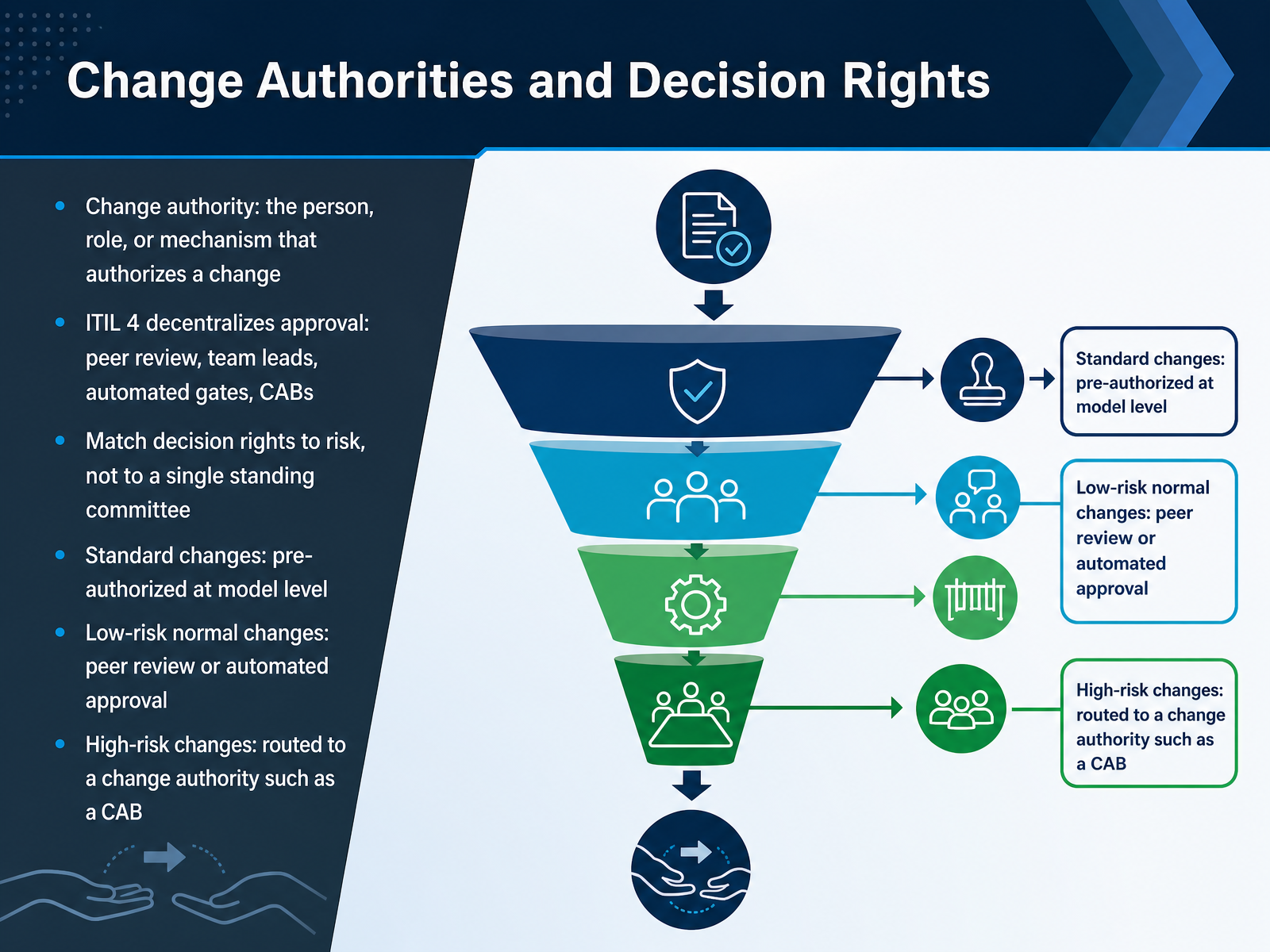
 - 05Change Authorities and Decision RightsLet's talk about change authorities and decision rights. A change authority is simply the person, role, or mechanism that authorizes a change. In ITIL 4, approval is decentralized. That means peer review, team leads, automated gates, and change advisory boards can all act as authorities. The key principle is to match decision rights to risk, not to a single standing committee. That single committee approach is where much of your CAB fatigue comes from. So let's break it down by risk tier. Standard changes are pre-authorized at the model level. You define them once, and they flow without further approval. If a change fails after the fact, you review the model, not the individual ticket. Low-risk normal changes can go through peer review or an automated approval gate. Log the change owner and the peer reviewer before the window opens, so the audit trail is clean. High-risk changes route to a change authority such as a CAB. For those, make sure the risk assessment and rollback plan are attached before it reaches the agenda. The takeaway is this. Stop routing every change through one committee. Set your decision rights by risk tier, and your approval path gets faster and more defensible. Next, we'll look at roles and responsibilities.
 2 min
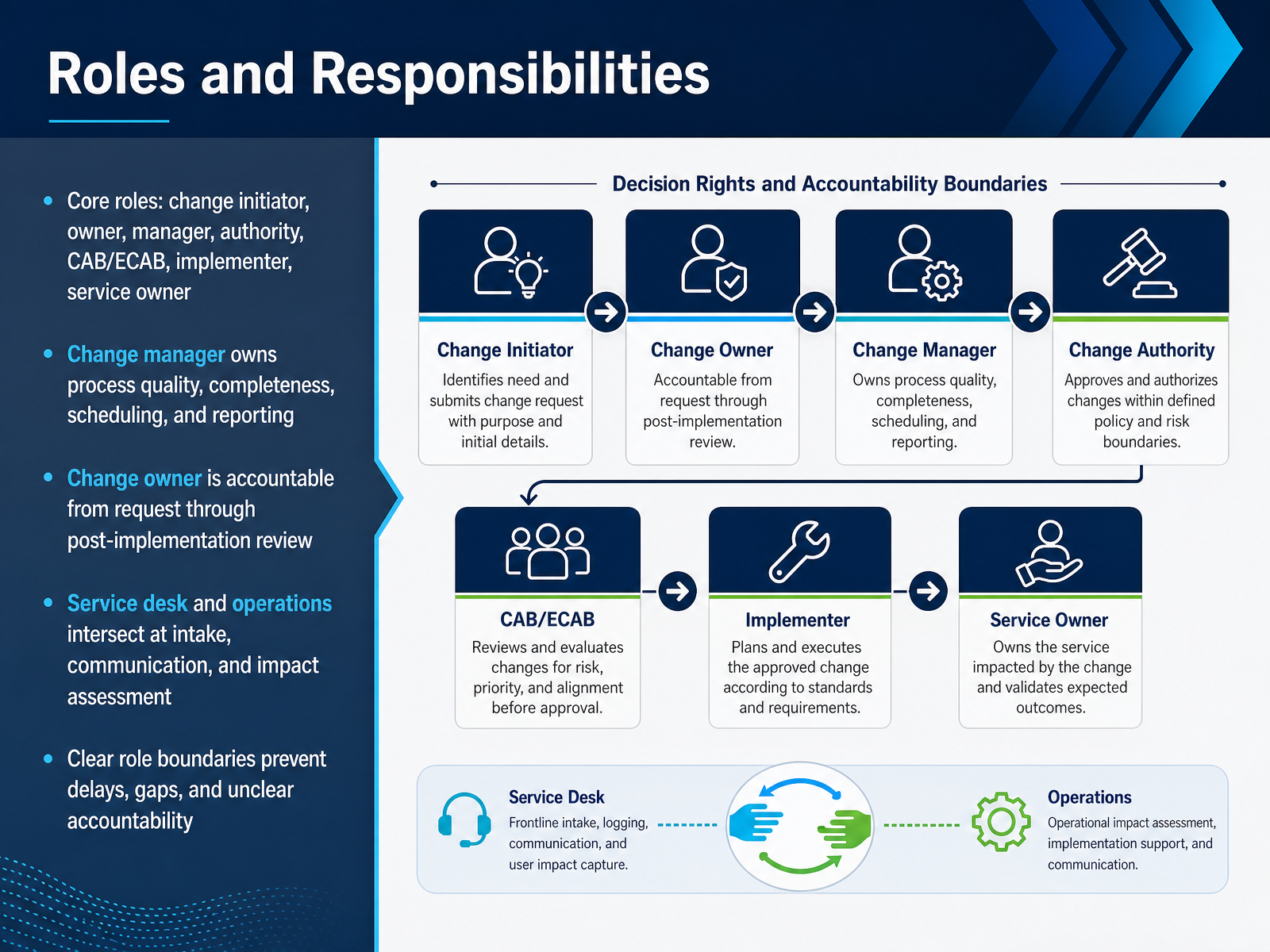
2 min - 06Roles and ResponsibilitiesNow let's talk about roles and responsibilities. There are several core roles in change management. The change initiator raises the request. The change owner is accountable from request through post-implementation review. The change manager owns process quality, completeness, scheduling, and reporting. The change authority approves the change, and for major changes, that approval often comes from the CAB or ECAB. The implementer performs the actual work. The service owner watches over the service. The service desk and operations intersect at intake, communication, and impact assessment. Here's the practical part. Clear role boundaries prevent delays, gaps, and unclear accountability. So before the window opens, log the change owner in the ticket. If the owner field is blank, expect the approval to stall. When roles are clear, your queue moves faster and your audit trail holds up. Next, let's look at the change lifecycle workflow.
 1 min
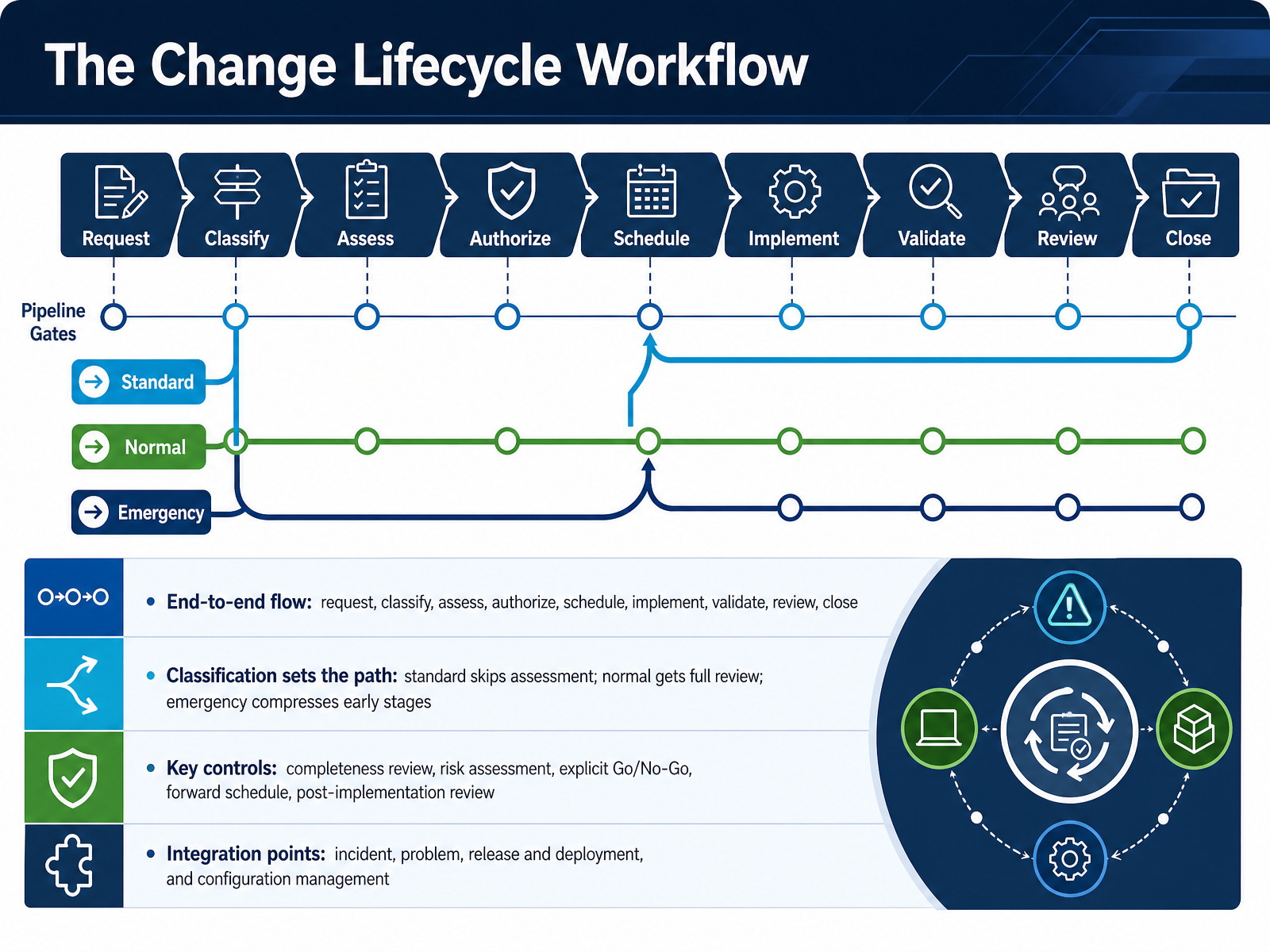
1 min - 07The Change Lifecycle WorkflowLet's walk through the change lifecycle workflow, end to end. It starts with a request, then classification, assessment, authorization, scheduling, implementation, validation, review, and close. Classification sets the path. Standard changes skip assessment. Normal changes get full review. Emergency changes compress the early stages but still require governance. Now, the key controls. Completeness review keeps poor intake from wasting the board's time. Risk assessment answers what could fail and how you would recover. An explicit Go or No-Go decision records who decided and on what evidence. The forward schedule maps every approved change against business-critical windows, so you spot conflicts before they cause an outage. And the post-implementation review confirms the outcome and captures lessons. Watch the integration points too. Incidents, problems, releases, and configuration management all feed this workflow. So before your next window opens, log the change owner, confirm the classification, and make the Go or No-Go decision explicit. That is the lifecycle. Next, we move into risk assessment and impact analysis.
 scrumbyte.comitiligence.co.ukdocs.digitalkimya.net+22 min
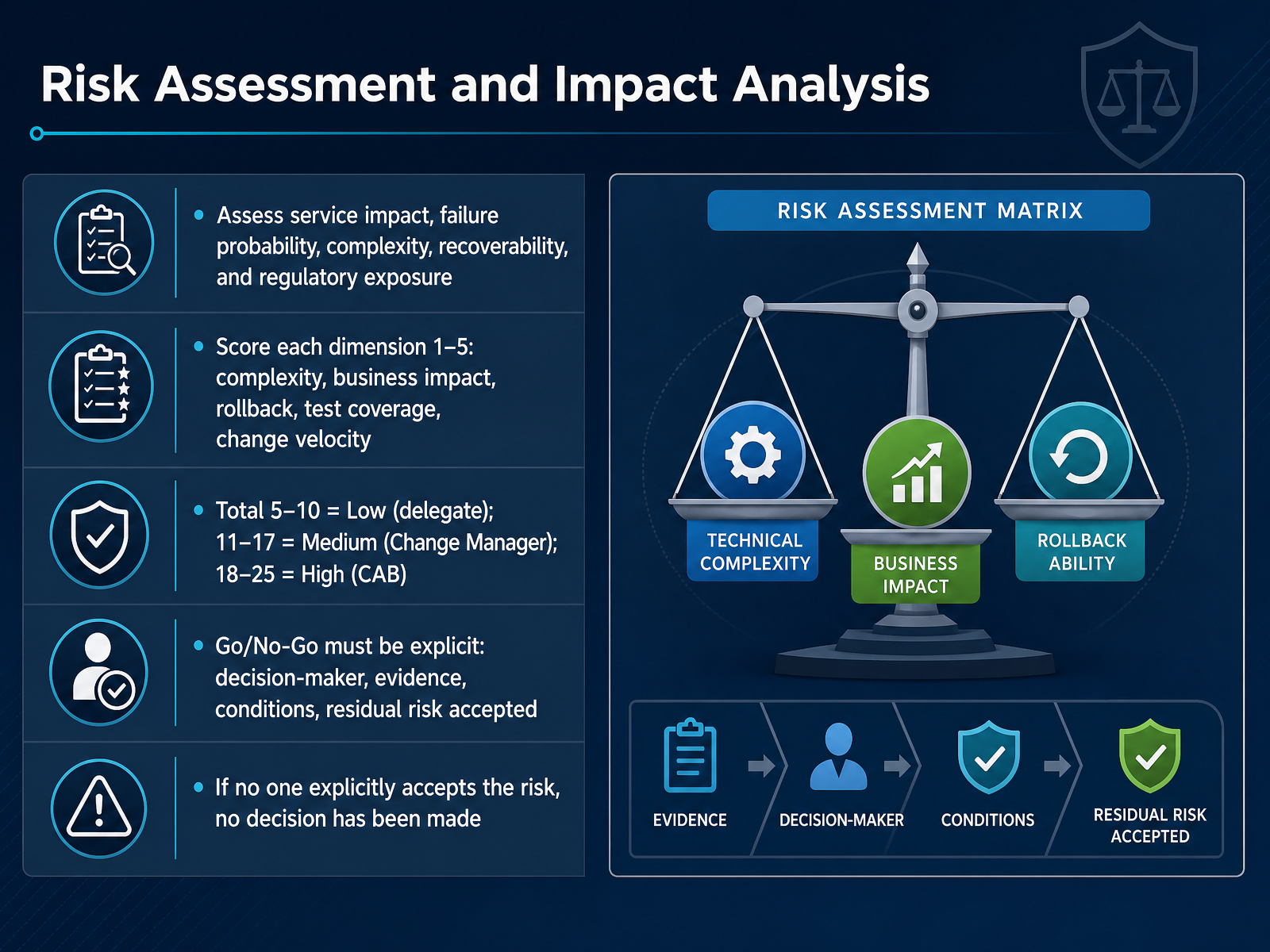
 - 08Risk Assessment and Impact AnalysisLet's talk about how we actually assess risk and impact before a change moves forward. Assess five things: service impact, failure probability, complexity, recoverability, and regulatory exposure. Then score five dimensions from one to five. Complexity, business impact, rollback difficulty, test coverage, and change velocity. Here is the implication for your queue. Add the total. Five to ten is Low, so delegate approval. Eleven to seventeen is Medium, which routes to the Change Manager. Eighteen to twenty-five is High, and that requires the CAB. Now, the part that trips up experienced teams. A Go or No-Go decision must be explicit. Record the decision-maker, the evidence used, any conditions, and the residual risk accepted. If no one explicitly accepts the risk, no decision has been made. So before you close the ticket, confirm a named owner accepted the risk. That single check is what survives audit. Next, we move into Controls, Testing, and Rollback Readiness.
 docs.digitalkimya.netrexpondo.comitiligence.co.uk+22 min
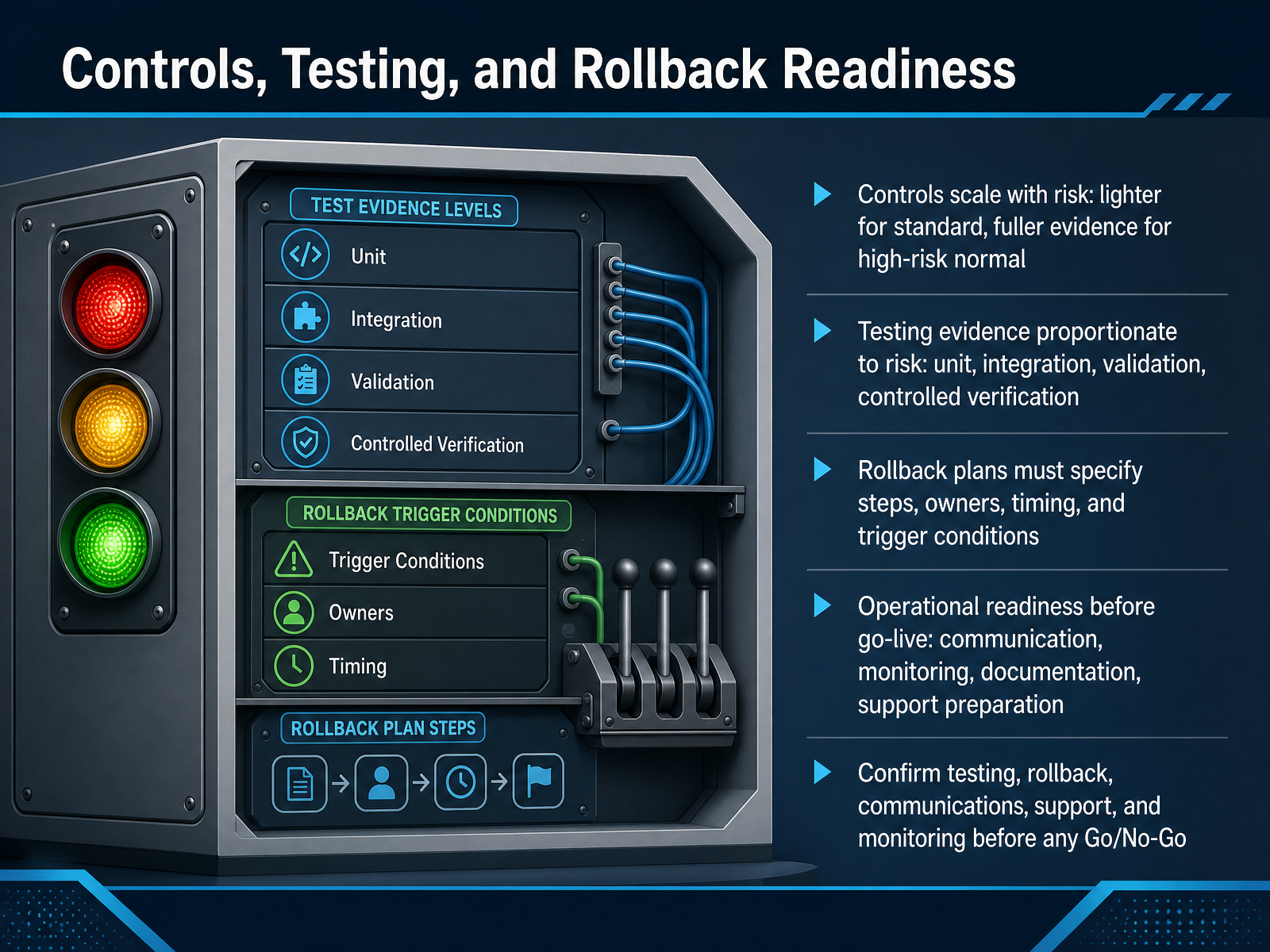
 - 09Controls, Testing, and Rollback ReadinessLet's look at controls, testing, and rollback readiness. The first principle is simple: controls scale with risk. A standard change needs lighter verification. A high-risk normal change needs a fuller evidence trail. So check the risk score before you approve anything. Then match your testing to that level. Unit testing, integration testing, validation, and controlled verification should be proportionate. For a low-risk change, a quick check may be enough. For a high-risk change, document each test and who signed it off. Next, your rollback plan must be usable under pressure. It needs named steps, owners, timing, and clear trigger conditions. If you cannot state who decides to roll back and when, you are not ready. Before go-live, confirm operational readiness: communication sent, monitoring in place, documentation updated, and support teams prepared. Finally, make your Go or No-Go decision explicit. Confirm testing, rollback, communications, support, and monitoring are all signed off. If any one is unclear, pause the decision rather than proceed on reassurance. That is how you protect the service and the queue. Coming up next: CAB, ECAB, and Advisory Practices.
 docs.digitalkimya.netrexpondo.comitiligence.co.uk+22 min
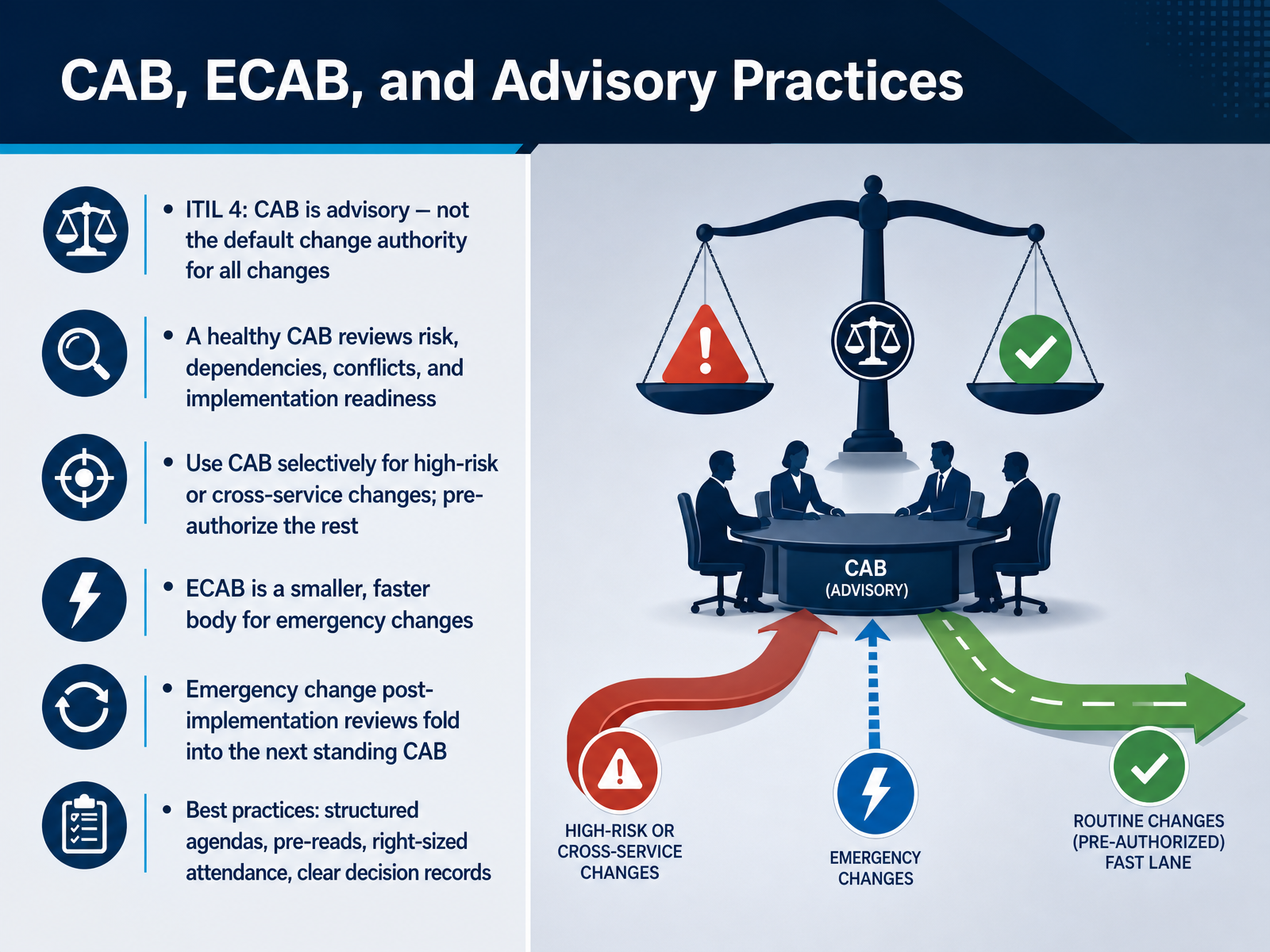
 - 10CAB, ECAB, and Advisory PracticesLet's talk about where change decisions actually get made: the CAB, the emergency CAB, and advisory practices. In ITIL 4, the change advisory board is advisory. It is not the default authority for every change. The change authority is assigned by risk. So put that into practice. A healthy CAB reviews risk, dependencies, conflicts, and implementation readiness. That means send the pre-read two days ahead, so meeting time goes to decisions. Use the CAB selectively for high-risk or cross-service changes, and pre-authorize the rest through a standard change catalog. Now, the emergency CAB. It is a smaller, faster body for emergency changes, and that speed matters during an outage. Emergency changes skip normal pre-review, so their post-implementation reviews fold into the next standing CAB agenda. Do not let that become optional. Finally, four habits that keep meetings useful: structured agendas, pre-reads, right-sized attendance, and clear decision records. Log the decision owner before the window opens. Next, we move into communication and stakeholder coordination.
 monday.comatlassian.comdatalunix.com2 min
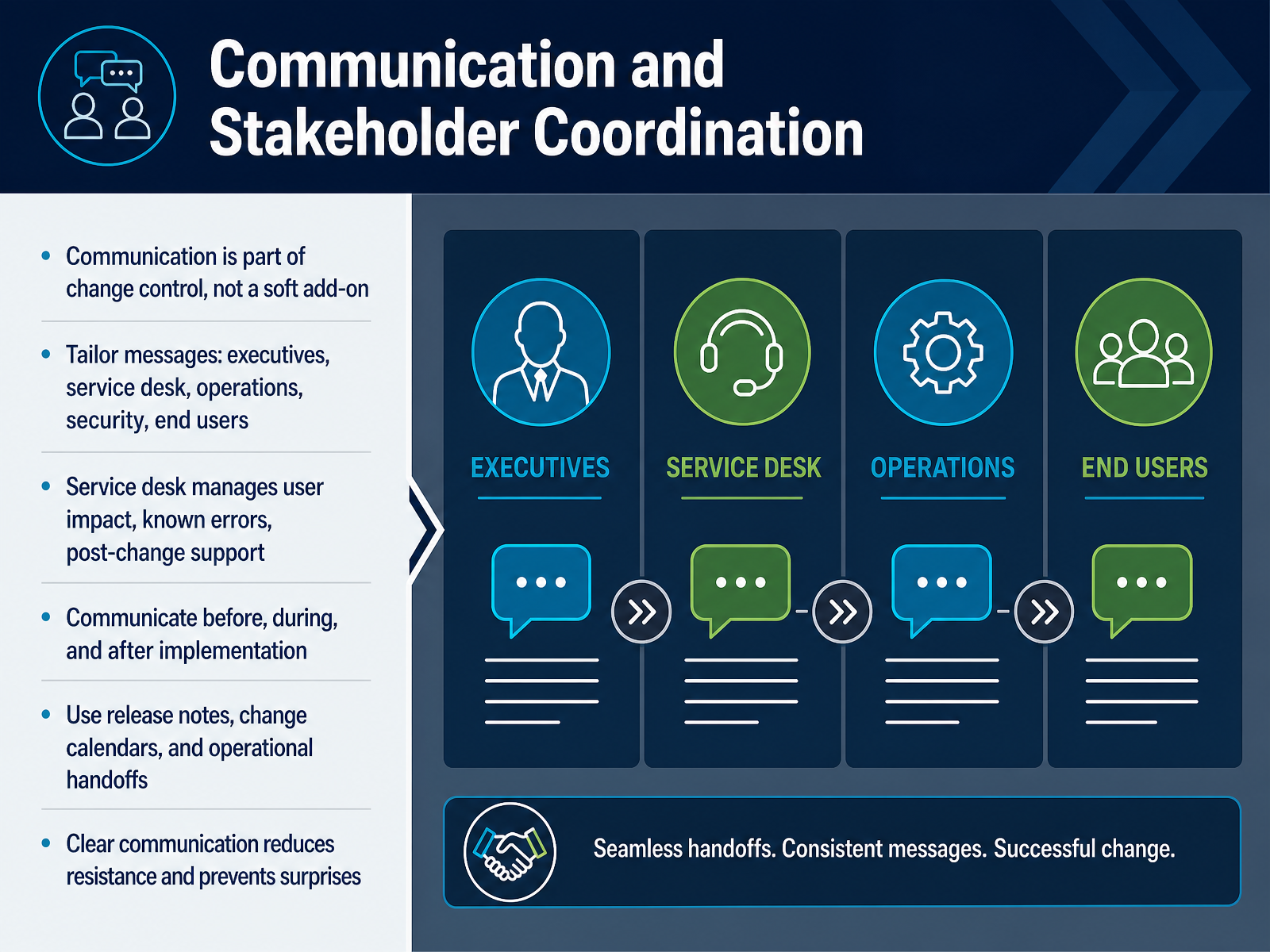
 - 11Communication and Stakeholder CoordinationLet's talk about communication and stakeholder coordination. Communication is part of change control, not a soft add-on. Treat it as a control activity, and log the change owner before the window opens. Tailor your messages to the audience. Executives need risk and timing. The service desk needs user impact, known errors, and post-change support steps. Operations needs the handoff. Security needs the control evidence. End users need what changes and when. Communicate before, during, and after implementation. Use release notes, change calendars, and operational handoffs. That gives people one source of truth and prevents surprises. When the service desk owns user impact, they can route tickets correctly and set expectations at the first contact. Clear communication reduces resistance because people know what to expect and where to go for help. So before your next change window, name your audiences, send the right message to each, and confirm the handoff is complete. Next, we will look at metrics, key performance indicators, and reporting.
 1 min
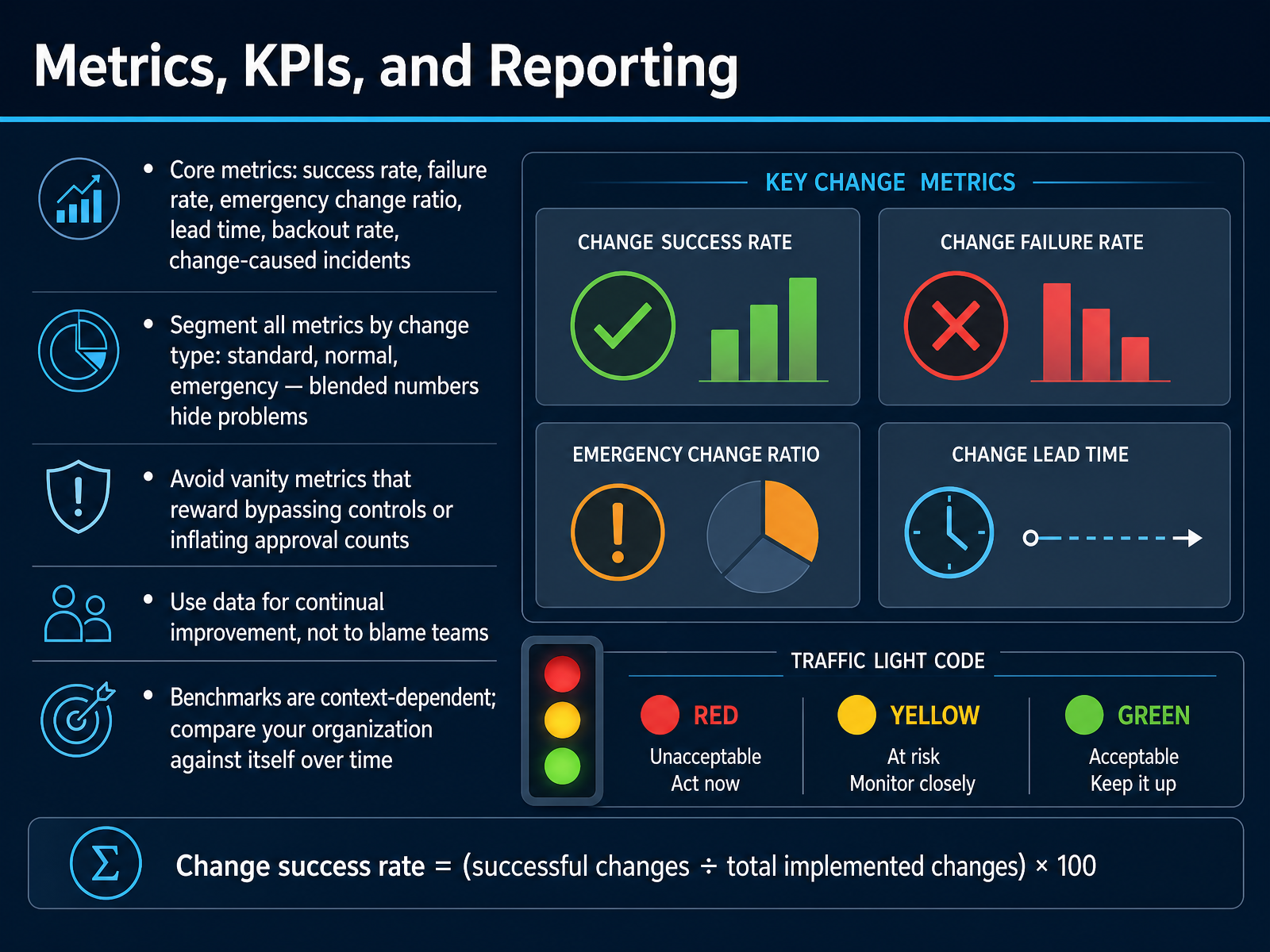
1 min - 12Metrics, KPIs, and ReportingLet's talk about the numbers that prove change is working, and the numbers that quietly lie. Start with six core metrics: success rate, failure rate, emergency change ratio, lead time, backout rate, and change-caused incidents. Success rate uses a simple formula. Successful changes divided by total implemented changes, times one hundred. So if you ran two hundred changes and twelve needed a rollback or caused an incident, your success rate is ninety-four percent. That sounds fine, until you segment by change type. Blended numbers hide problems. Emergencies often fail far more often than standard changes, so always break your data into standard, normal, and emergency. Watch for vanity metrics too. If a high approval count rewards rubber-stamping, or a near-perfect success rate rewards teams who stop raising tickets, that metric is working against you. Use the data for continual improvement, not to blame people. And treat external benchmarks carefully. Compare your organization against itself over time, segment by change type, and log the change owner before the window opens. Next, we will look at the implementation roadmap and common pitfalls.
 2 min
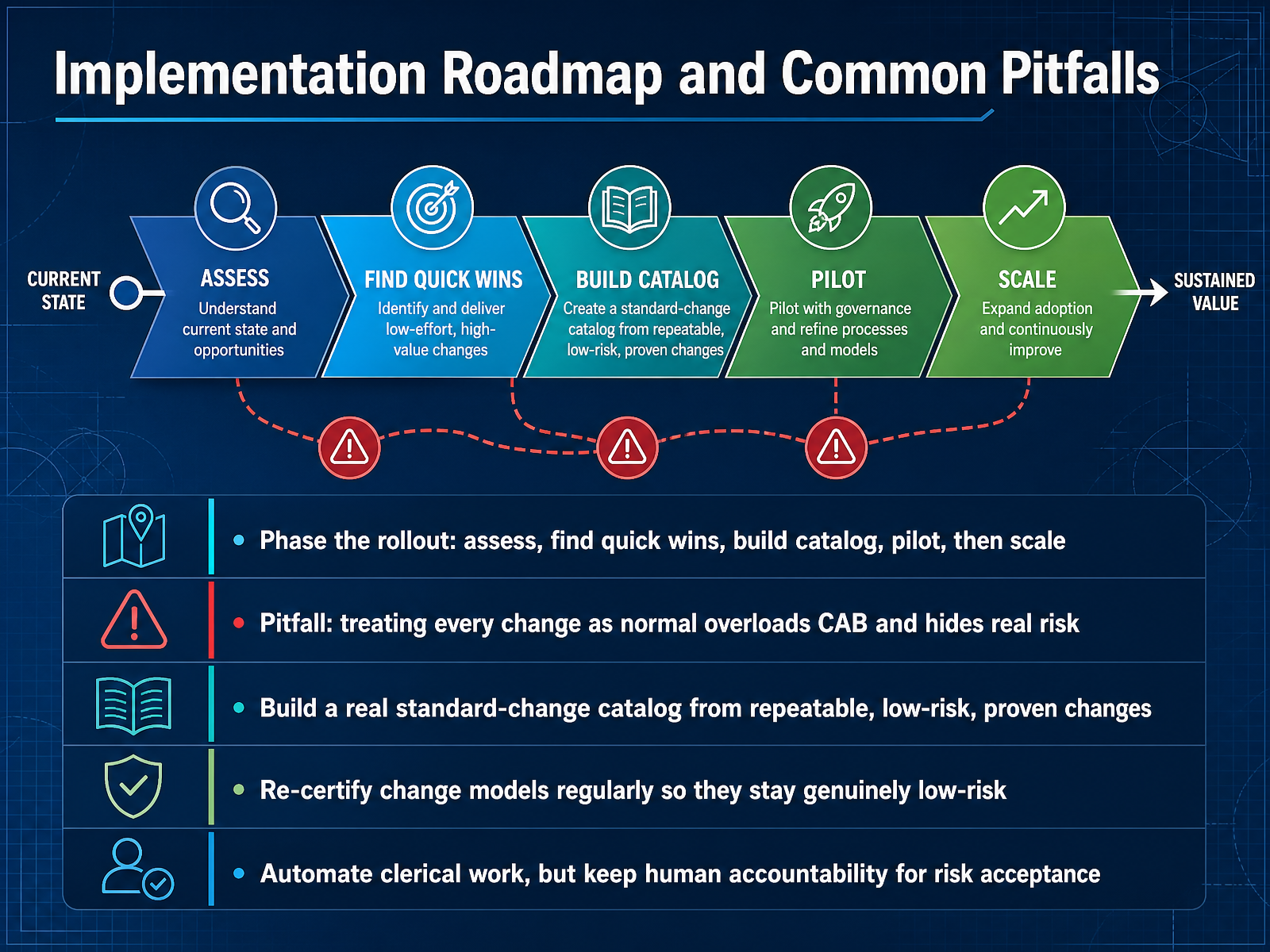
2 min - 13Implementation Roadmap and Common PitfallsLet's talk about rolling this out and the traps to avoid. Phase the rollout: assess where you are now, find quick wins, build the catalog, run a pilot, then scale. Do not try to fix everything at once. One common pitfall stands out. Treating every change as normal overloads the change advisory board and hides real risk. If everything competes for the same approval slot, the small route patch drowns out the database migration that genuinely needs scrutiny, so build a real standard-change catalog from repeatable, low-risk, proven changes. Certify each model once, in writing, with a named approver. That pre-approval is what lets matching changes skip the authorization queue. Then re-certify those models on a schedule. A model that was low-risk two migrations ago may not be today. Automate the clerical work, like notifications and field validation, but keep human accountability for risk acceptance. Someone still owns the decision. As you scale, remember that a shrinking change advisory board agenda signals a healthy catalog, not a governance gap. Next, we will look at your action plan and next steps.
 itsm.toolschangeriskintel.comitiligence.co.uk+12 min
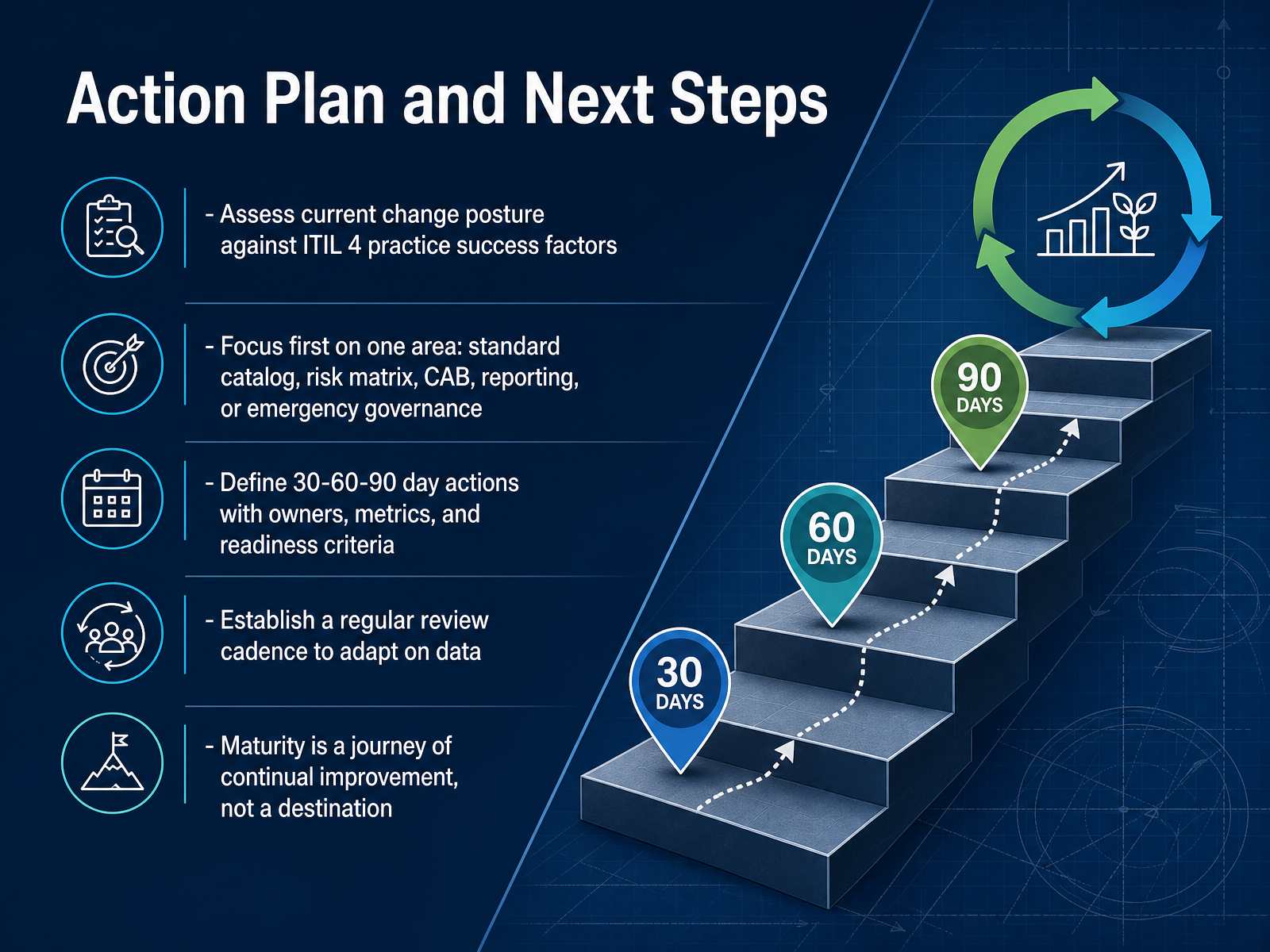
 - 14Action Plan and Next StepsAs we close out, here is your action plan. First, assess your current change posture against the ITIL 4 practice success factors. That gives you a factual baseline, not a feeling. Then pick one area to improve first. Standard catalog, risk matrix, C A B, reporting, or emergency governance. One area only. Spreading effort across all five is how improvement stalls. Next, define your thirty, sixty, and ninety day actions. For each action, name an owner, a metric, and a readiness criterion. For example: the change owner is logged before the window opens, and the approval path is documented for every emergency change. Then set a regular review cadence, monthly or quarterly, so you adapt on real data instead of assumptions. Remember, maturity is a journey of continual improvement, not a destination. You do not need a perfect score. You need one honest assessment and one focused next step. Thank you for your attention today. Take that first step this week, and keep building from there. You have got this.
 2 min
2 min
Take the deck with you
Download this course as a file — free, no sign-up needed.
- PDF handoutEvery slide page, ready to print or share.15 pages · 3.9 MBDownload
- Narrated PowerPointThe deck that presents itself — every slide carries the digital human's narration video.15 pages · 14.2 MBDownload
- PowerPoint slidesThe full deck as a .pptx — open it in PowerPoint, Keynote, or Google Slides.15 pages · 3.8 MBDownload
Free to use in your own training — please keep the PersonWise credit page at the end.
Have your own deck? Turn it into a course
Sources consulted
Web sources consulted while building this course.
- Change enablement in ITIL®4 — docs.aws.amazon.com
- Change Enablement – Change Management in ITIL 4 — itsm.tools
- ITSM with ITIL 4: Change Enablement - Workflow® — servicenow.com
- ITIL 4 Practitioner: Change Enablement | Axelos — uat2.axelos.com
- ITIL 4 Change Enablement: Emergency Change and ECA — changeriskintel.com
- ITIL change management types: Normal vs. standard vs. emergency — manageengine.com
- markdown/it-service-management/change-management/change-types.md — github.com
- ITIL Change Types: Standard, Normal & Emergency Explained - Giva — givainc.com
- Change management types - Itsm - Atlassian — atlassian.com
- ITIL 4 Change Enablement Value Stream | Step-by-Step Guide — scrumbyte.com
- Change Enablement in One Page (ITIL® 4) | Practical ITIL Guide — itiligence.co.uk
- Change Management — Process & Workflows | ITIL 4 — Digital Kimya Docs — docs.digitalkimya.net
- ITIL Change Management Process: Steps, Roles, Best Practice - Lean Six Sigma Experts — leansixsigmaexperts.com
- ITIL change management process flow: 6 key steps (+Free ... — manageengine.com
- Risk Assessment in ITIL Change Management: practical guide — rexpondo.com
- ITIL Change Management Risk Assessment Matrix | Risk Publishing — riskpublishing.com
- How to Complete a Change Impact Assessment (ITIL 4) | Practical CAB Guide — itiligence.co.uk
- Change Advisory Board: Roles, Process, And Best Practices — monday.com
- What Is a CAB? Change Advisory Board Explained — atlassian.com
- Optimize Your CAB: Change Advisory Board Best Practices — datalunix.com