Begin
14 pages · ~28 min
Quantitative UX Research Tool Selection
This training teaches UX professionals how to select and integrate quantitative research tools, enabling them to design efficient workflows that drive data-informed product decisions.
A digital instructor presents all 14 pages. Hold “Ask” at any point and ask out loud — the answer comes from this course. No sign-up needed.
What you’ll learn
- 01Quantitative User Research Tools: Selection and Workflow DesignWelcome. If you're responsible for choosing or running quantitative user research tools, you know the hard part isn't finding options. It's making a defensible choice and building a workflow that actually holds up. That's what this session is about. We're moving from tool shopping to deliberate tool and workflow decisions. The 2026 landscape spans analytics, experimentation, surveys, session replay, and an increasing number of mixed-method platforms. But a list of products isn't a strategy. We'll walk through a practical selection framework, look at how to design a realistic workflow around it, and apply a governance lens from the start. The core insight to hold onto is this: the tool choice you make is a research operations decision, not an isolated adoption. It impacts cost, data quality, learning curves, and how well your team can act on what they learn. So, let's get you equipped to make that choice with confidence. Next, we'll clarify exactly what this training covers and, just as importantly, what it does not.userinterviews.comguideflow.comuxrinstitute.com+21 min
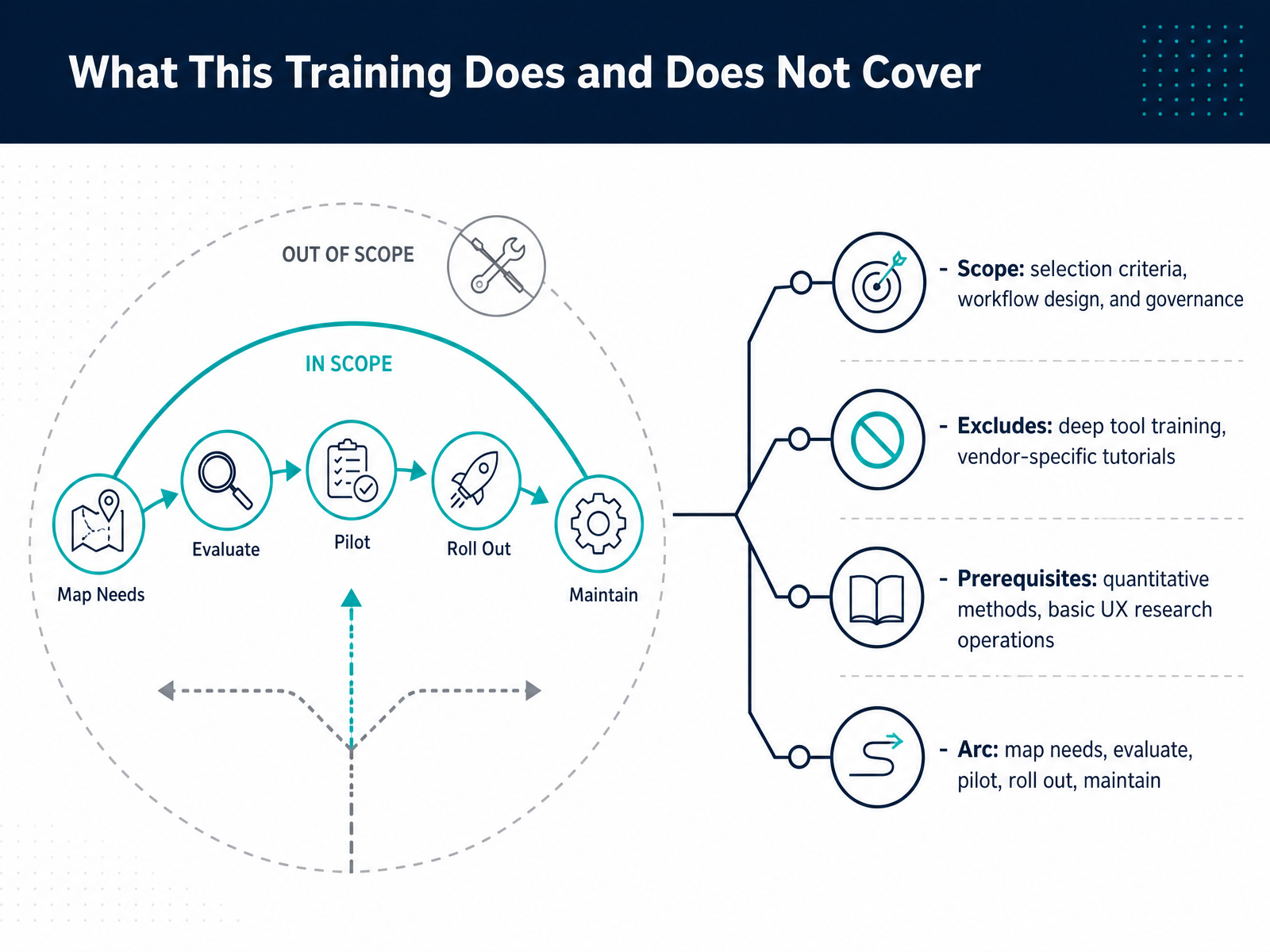
- 02What This Training Does and Does Not CoverBefore we dive into specific tools, let’s set clear expectations about what this training will and won’t do. We’ll focus on three things: how to choose the right quantitative research tool, how to design a workflow around it, and how to set up governance so your research stays consistent and trustworthy. What we won’t do is walk through every feature of specific tools or give vendor tutorials—that changes too fast and you can get it from their own docs. Instead, you’ll leave with a decision framework you can apply. You should already be comfortable with quantitative methods and basic research operations like recruiting, data cleaning, and reporting. Here’s how we’ll get from start to finish. First, we’ll map your research needs to tool capabilities. Then we’ll evaluate shortlisted options against practical criteria like cost, learning curve, and data quality. After that, we’ll cover how to run a small pilot to test fit in your environment. Once it’s solid, we’ll talk rollout—training, templates, permissions—and finally, how to maintain the tool over time. That arc will help you make a defensible choice and avoid buying a tool that looks great in a demo but fails in daily use. With that scope in mind, let’s start with why tool choice is really a research-operations decision.
 1 min
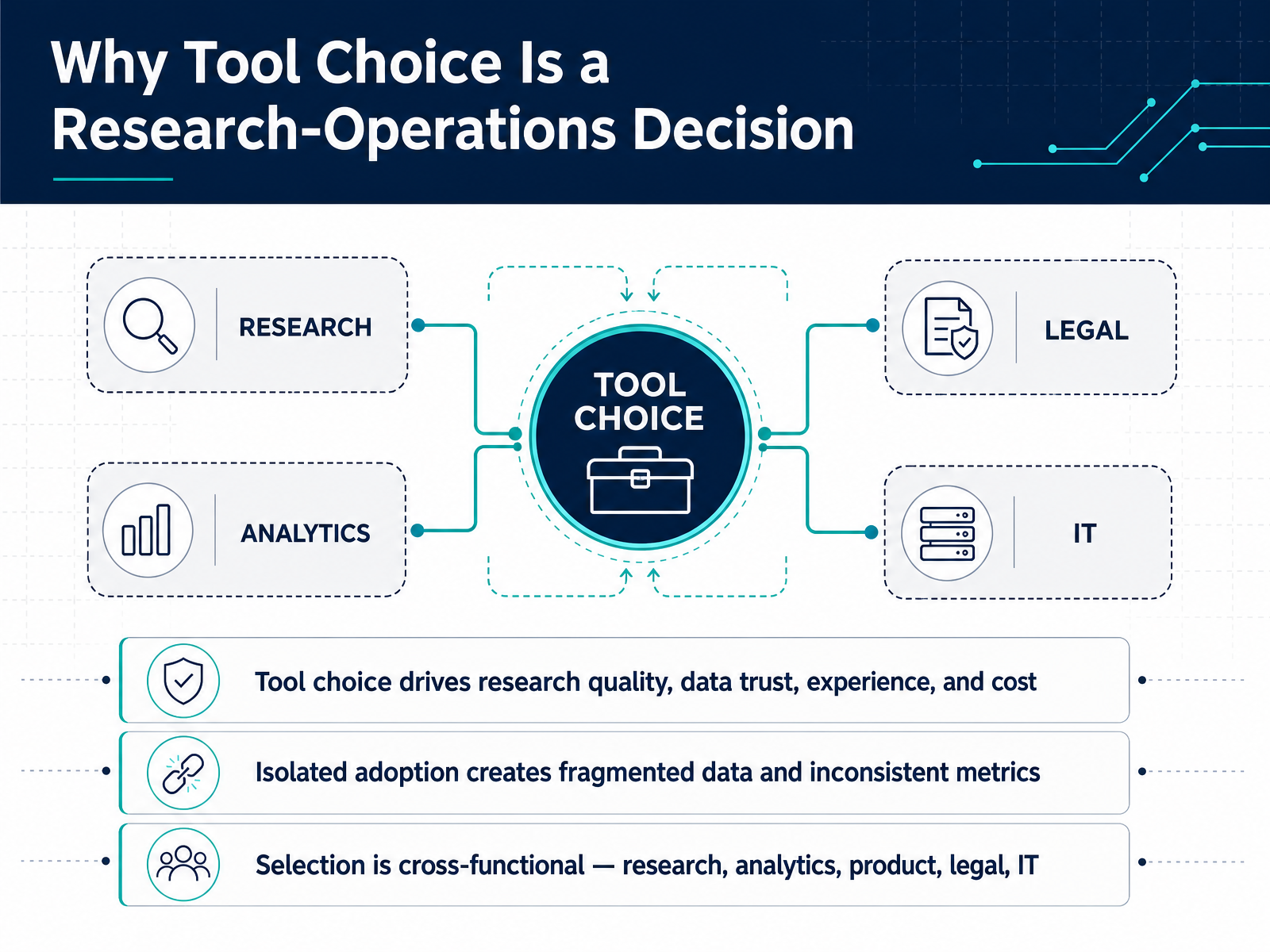
1 min - 03Why Tool Choice Is a Research-Operations DecisionLet’s be clear about what’s at stake here. Choosing a quantitative research tool is not a procurement task, it is a research-operations decision that shapes data quality, stakeholder trust, and your cost structure for years. When teams adopt tools in isolation, you get fragmented data, inconsistent metrics, and studies that cannot be compared. That is how one team reports a satisfaction score of eighty while another reports seventy for the same feature. The fix is to treat selection as a cross-functional mandate. You need research to define methodological fit, analytics to ensure data can flow into your existing stack, product to confirm the questions actually drive roadmap decisions, legal to vet consent workflows and data retention, and IT to enforce security baselines like SSO and audit logs. A tool that fails any one of those gates will create rework that far exceeds any licensing savings. So bring the right people into the evaluation early, and agree on the decision criteria before you look at a single demo. That is the groundwork for the next step, defining the core selection dimensions for quantitative tools.
 maze.coquallee.aicustomerscience.com.au+22 min
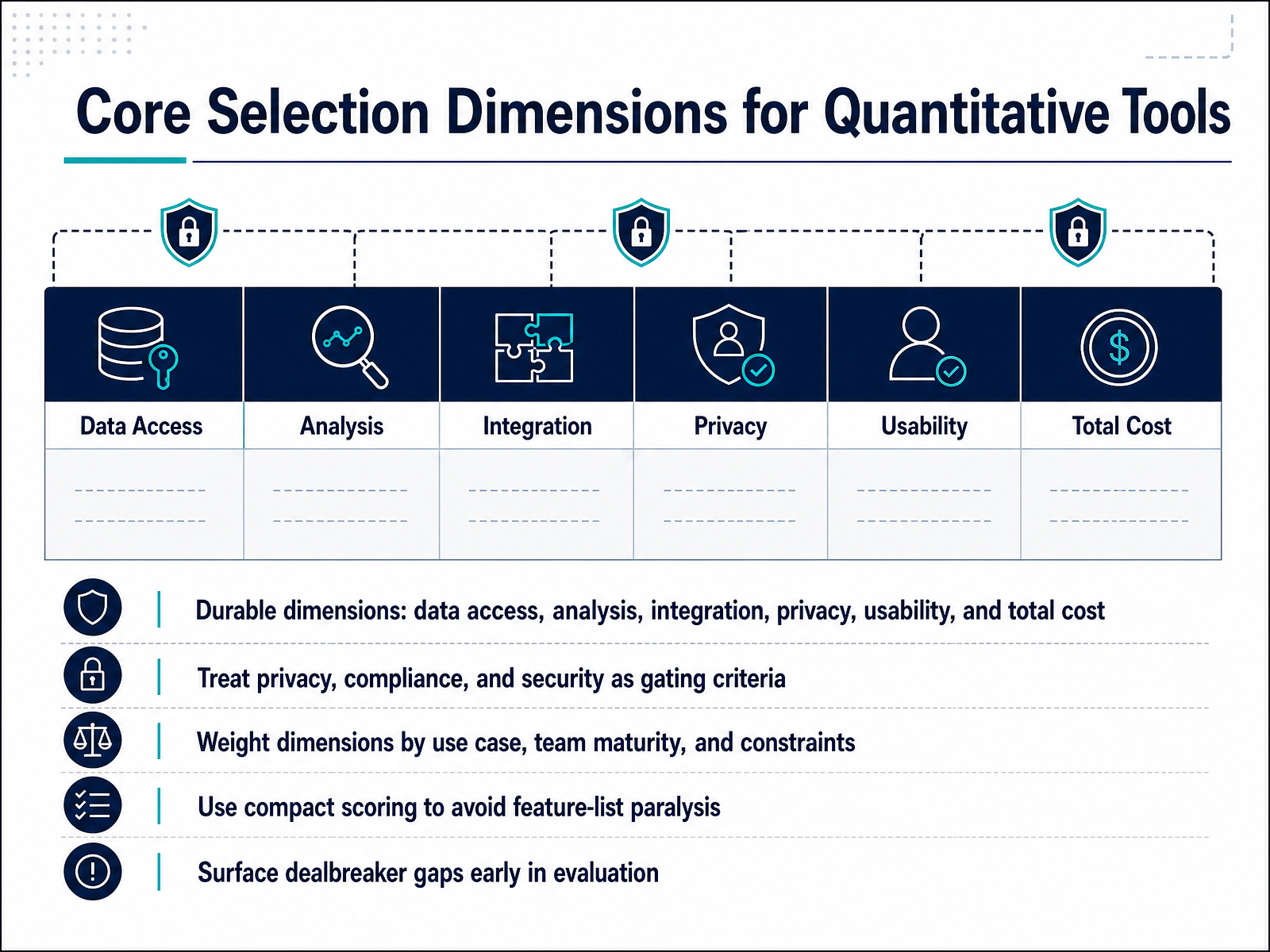
 - 04Core Selection Dimensions for Quantitative ToolsNow let’s talk about how you actually cut through the noise and compare quantitative tools in a defensible way. You’ll want to anchor your evaluation on six durable dimensions: data access, analysis capability, integration depth, privacy and compliance, usability, and total cost. Notice what’s missing: flashy feature counts and AI branding. Those change quarterly. These dimensions will still matter in three years. Treat privacy, compliance, and security not as a checklist item you score later, but as gating criteria upfront. If a platform doesn’t hold a current SOC 2 Type Two report or won’t sign your data processing agreement, it’s disqualified, no matter how good the analysis engine is. Retrofitting compliance after a tool is embedded across three teams is far more expensive than walking away early. Once the gates pass, weight the remaining dimensions by your specific use case and team maturity. A five-person startup doing directional surveys weights usability and cost heavily. An enterprise research ops team running regulated studies weights integration depth and governance. There is no universal formula. Use a compact scoring model, maybe six criteria with simple high, medium, low ratings, to avoid feature list paralysis. If you are comparing forty features across five vendors, you will lose sight of the three that matter. Finally, surface dealbreaker gaps early. If a tool can’t export raw data to your warehouse, or its API is read-only, you need to know that in week one, not after your pilot. Flag those gaps, kill the vendor, and move on. That discipline is what makes your final choice genuinely defensible. Next, we’ll dig into how to operationalize privacy, compliance, and security as your true gating criteria.
 conveo.ailyssna.comgitnux.org+21 min
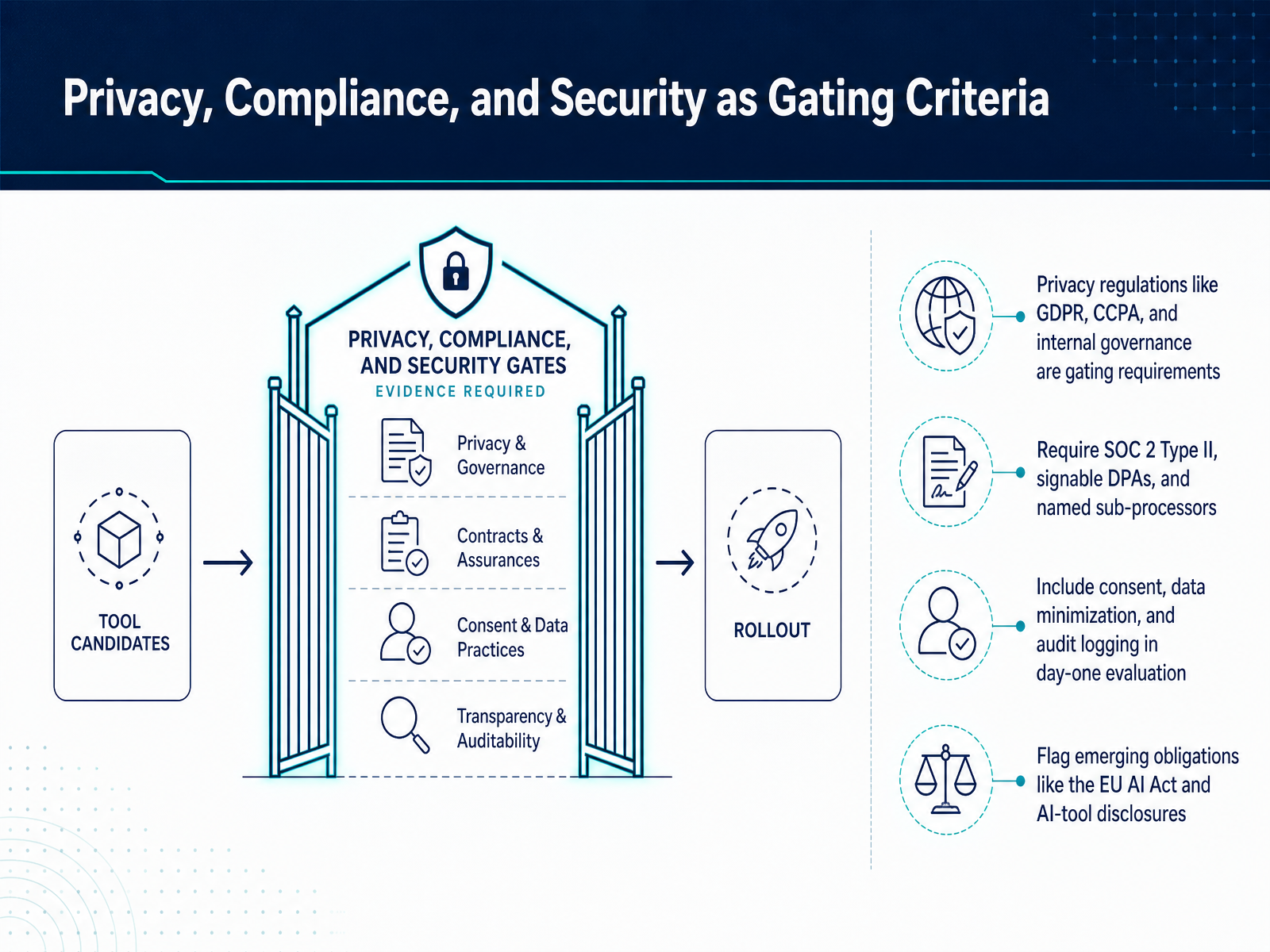
 - 05Privacy, Compliance, and Security as Gating CriteriaNow let’s talk about the non-negotiables: privacy, compliance, and security. These aren’t feature differentiators—they’re gating criteria. If a tool fails here, it’s out, no matter how elegant the analysis dashboard is. Start with the basics: GDPR and CCPA coverage, plus your own internal governance rules. Then verify the evidence, not the marketing badge. You’ll want SOC 2 Type II certification, a signable Data Processing Agreement, and a clear list of named sub-processors. And don’t stop there. Check consent workflows, data minimization settings, and audit logging on day one—not after you’ve run three studies. Here’s a practical test: ask the vendor how they handle a participant deletion request. If they hesitate or can’t show you the exact workflow, that’s a red flag. Also, look ahead. The EU AI Act is already reshaping what’s allowed, especially around AI-moderated interviews and emotion analysis. Make sure your tools disclose AI usage and let you configure retention periods per study. Remember, compliance isn’t a static checkbox. It’s an ongoing discipline. Build these reviews into your vendor evaluation, and you’ll avoid painful retrofits later. Next, we’ll map the tool landscape by research question type so you can see where these criteria lead you.
 maze.coquallee.aicustomerscience.com.au+22 min
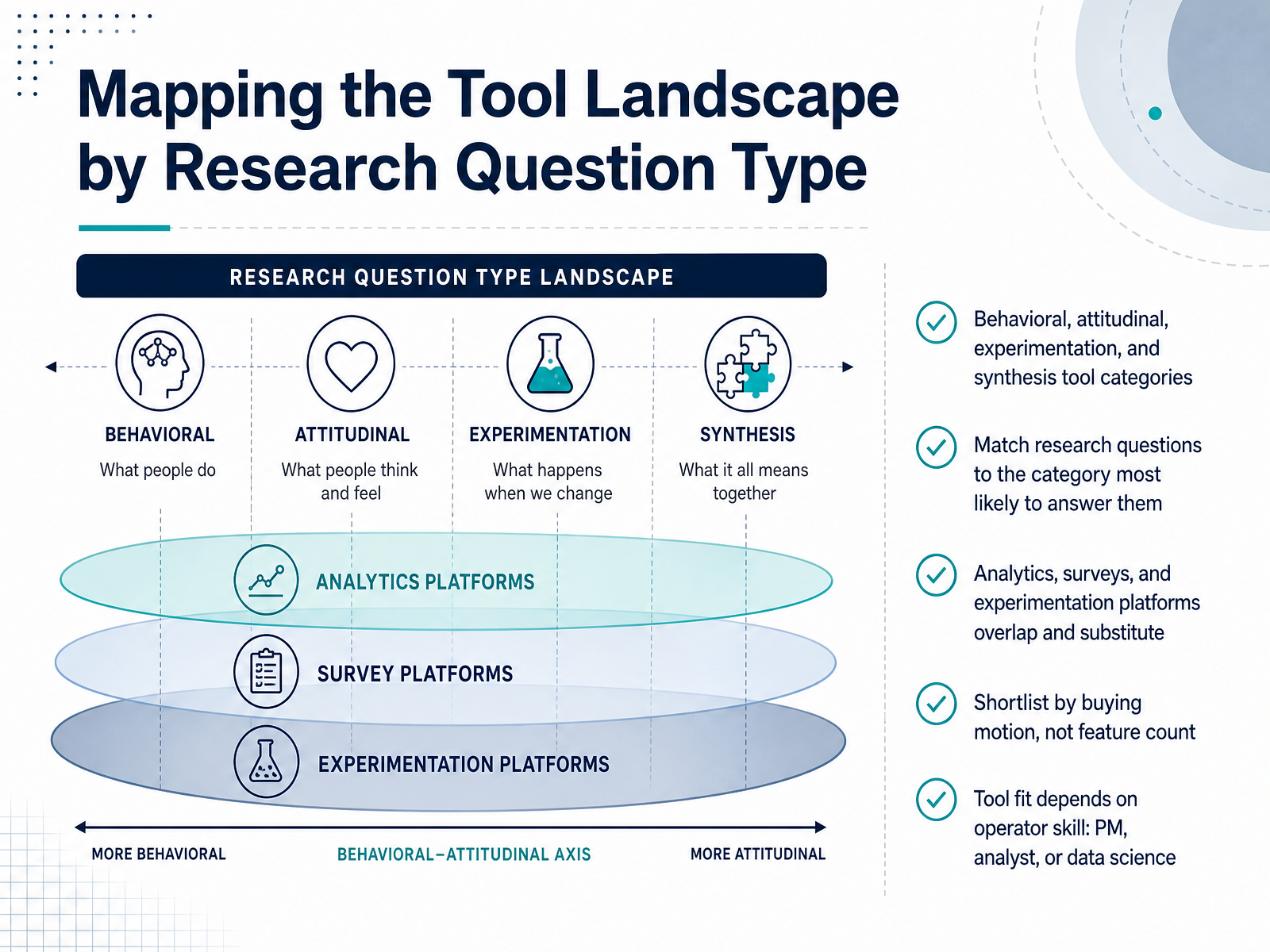
 - 06Mapping the Tool Landscape by Research Question TypeNow let's map the tool landscape to your research questions. You'll find four broad categories here: tools that capture behavior, tools that capture attitudes, tools that run experiments, and tools for synthesis. Behavioral tools like product analytics and session replay answer what users do. Attitudinal tools like surveys answer what users say. Experimentation platforms answer whether a change caused an effect. And synthesis tools help you make sense of it all. Here's the catch—these categories overlap. An analytics platform can run a simple experiment. A survey tool can collect behavioral intent. So don't shortlist by counting features. Shortlist by your buying motion. Who will operate this tool daily? If a product manager will run it, you need a visual editor and plain-language results. If a data scientist owns it, you need statistical controls and warehouse-native access. If an analyst is in the middle, you need segmentation and confidence intervals you can defend. A tool that delights one group will frustrate another. So match the tool to the operator, not just the question. Now let's look at the specifics of behavioral analytics, experimentation, and session replay to see where they diverge.
 userinterviews.comguideflow.comuxrinstitute.com+21 min
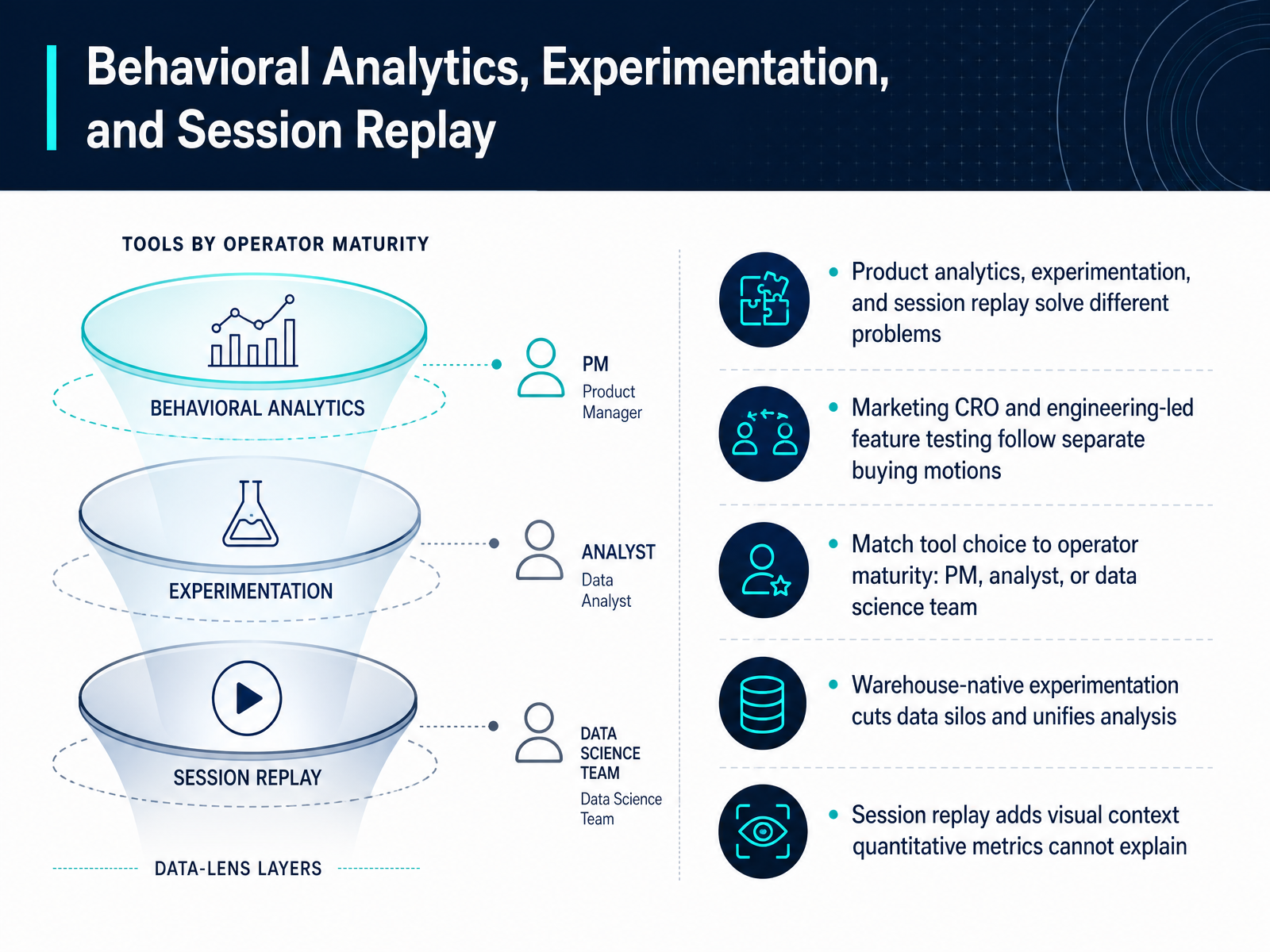
 - 07Behavioral Analytics, Experimentation, and Session ReplayNow let’s turn to the tools that tell you what users actually do: behavioral analytics, experimentation, and session replay. These three solve different problems, so resist the urge to compare feature lists side by side. Product analytics answer “what happened?”—funnels, retention, paths. Experimentation answers “did the change cause an effect?” Session replay answers “why did that happen?”—the visual context metrics can’t explain. The buying motions matter too. Marketing and CRO teams will gravitate toward visual editors and quick wins. Engineering-led teams need flagging, rollout control, and statistical rigor. If you’re a single product manager or analyst, warehouse-native experimentation like Eppo or Statsig can cut silos—your data stays in Snowflake or BigQuery, so analysis is unified. But here’s the practical filter: match the tool to your operator’s maturity. A non-technical PM needs a simple editor. A data scientist needs configurable stats. And session replay is the best complement—watch three sessions and you’ll see exactly where that funnel drops. Keep these categories separate in your stack, and you’ll choose with confidence. Next, we’ll look at survey platforms and how attitudinal data connects to the behavioral side.
 userinterviews.comguideflow.comuxrinstitute.com+22 min
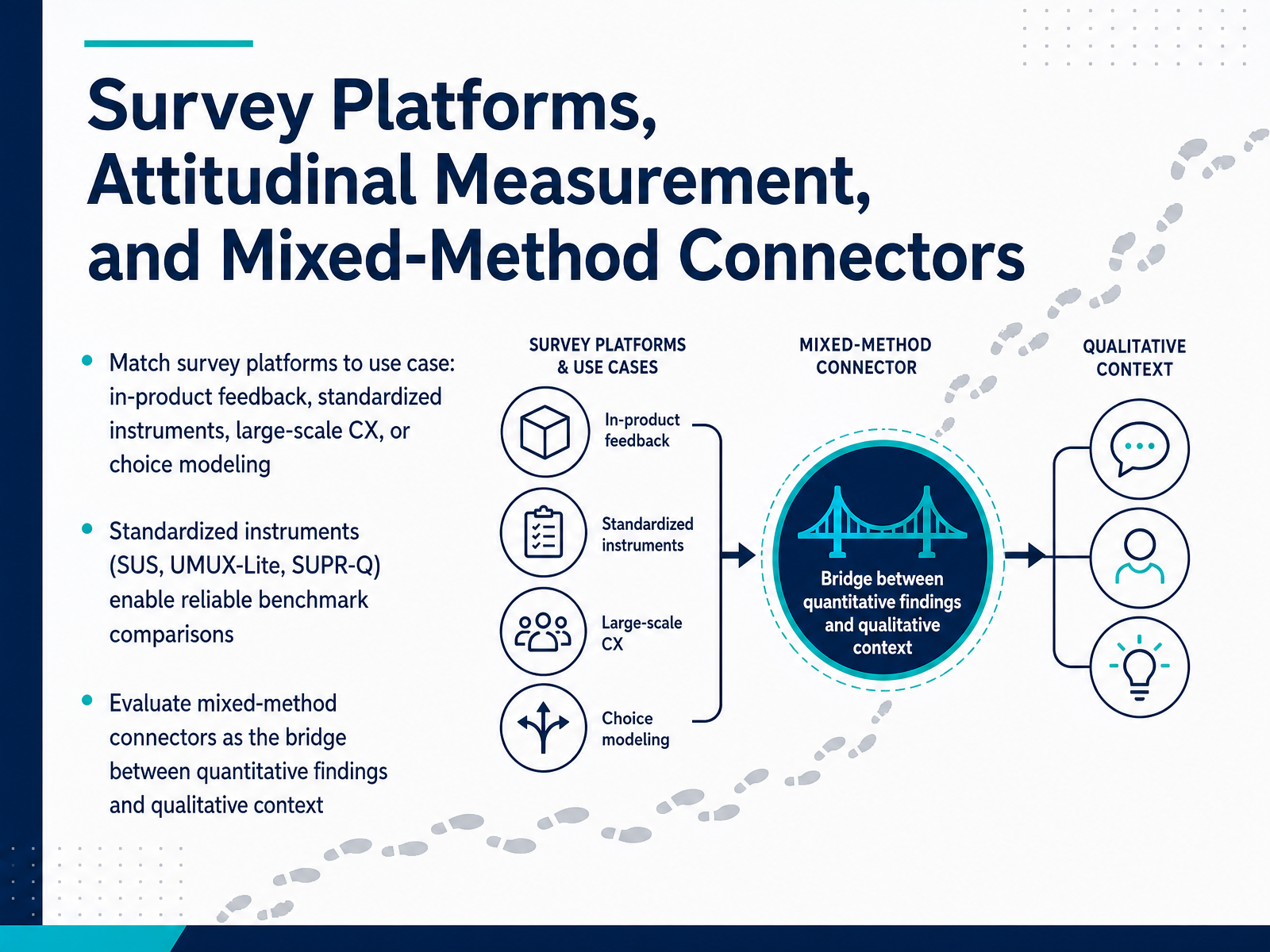
 - 08Survey Platforms, Attitudinal Measurement, and Mixed-Method ConnectorsNow let's talk about where surveys fit in your quantitative toolkit. You'll want to match the platform to the specific use case, because the right tool for a large-scale customer experience study is rarely the right tool for a quick in-product intercept. If you're running standardized benchmarks, platforms that support validated instruments like SUS, UMUX-Lite, or SUPR-Q give you a reliable baseline you can track over time and compare against industry norms. Those scores only mean something when the instrument is consistent. For lighter-touch feedback or concept validation, a more flexible survey tool might serve you better. But here's where you need to think beyond the survey itself. Evaluate how well a platform connects your quantitative findings to qualitative context. Can you tag survey respondents for follow-up interviews? Can you push a low-satisfaction score into a research repository or a recruitment tool? That connector is often the difference between a number that sits in a dashboard and an insight that changes the product. So when you build your shortlist, score each platform on three things: the type of measurement it's built for, whether it supports the standardized instruments you plan to use, and how cleanly it hands off to the rest of your research stack. Now, let's look at how to structure the selection workflow itself.
 userinterviews.comguideflow.comuxrinstitute.com+21 min
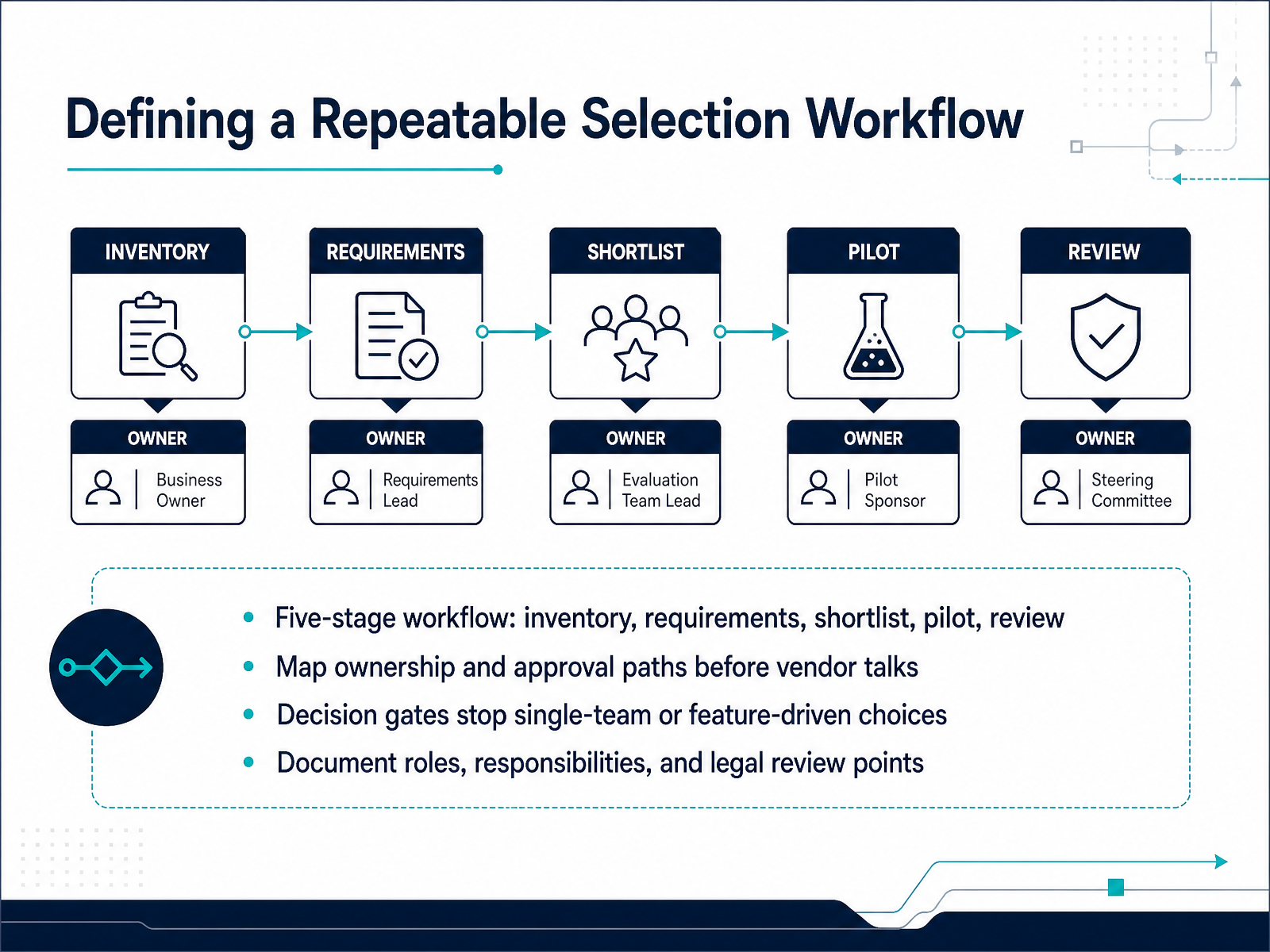
 - 09Defining a Repeatable Selection WorkflowLet’s turn the evaluation into a repeatable process. Use five stages: inventory, requirements, shortlist, pilot, and review. Start by inventorying what you already run—methods, volumes, and the teams consuming insights. Then document requirements as concrete criteria: cost per completed study, integration depth, compliance evidence, and workflow fit. Build a shortlist of tools that meet those criteria, and defend it in a cross-functional review. Run a time-boxed pilot with a real study, not a demo. Finally, review outcomes against the original criteria before you scale. Map ownership and approval paths before you talk to vendors. If legal signs off on the DPA, and security validates SOC 2, decide now who owns each gate. This prevents friction later. Install decision gates so no single team or feature drives the choice. A PM might push a tool for its prototype tests, while research ops needs governance controls. The gate forces a balanced decision. Above all, document roles, responsibilities, and legal review points. Retrofit compliance is expensive. Identify them early. Work the five stages, and you make selection defensible. Next, we’ll design the tool workflow around the research lifecycle.
 conveo.ailyssna.comgitnux.org+22 min
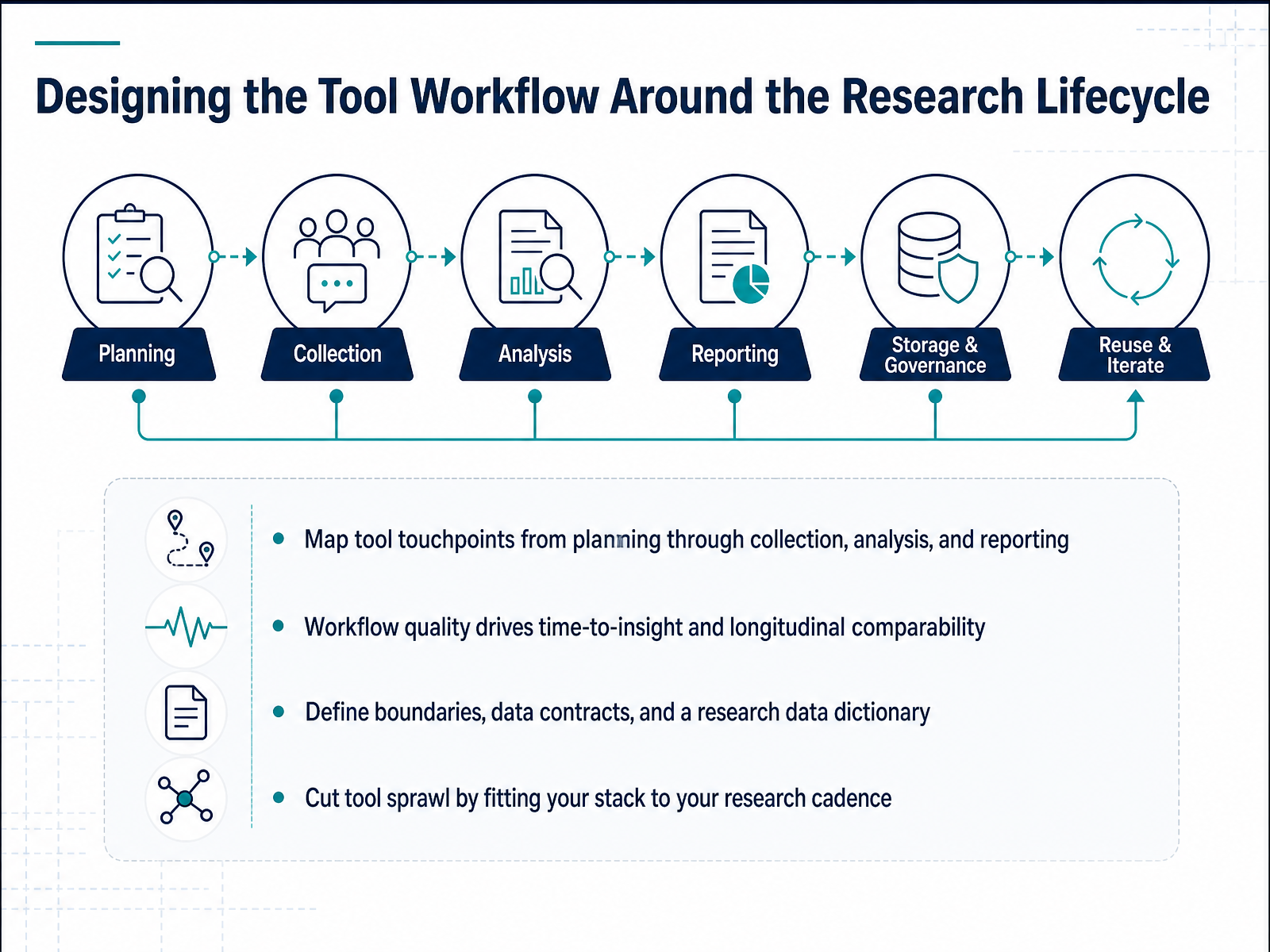
 - 10Designing the Tool Workflow Around the Research LifecycleNow let's talk about workflow design, because tool selection only matters if the tools fit the full research lifecycle. Map every touchpoint from planning, through collection, analysis, and reporting. The quality of that workflow determines your time-to-insight and whether your data stays comparable across studies over time. So, before you finalize anything, define clear boundaries between tools. Establish data contracts so each platform knows exactly what it hands off, to whom, and in what format. And build a research data dictionary. Standardize your metric definitions, event names, and tags. This is what prevents the classic failure mode where your survey data says one thing and your analytics tool says another because they were measuring different things. Finally, actively cut tool sprawl. Match your stack to your research cadence. If you run continuous discovery, you need a different setup than a team running quarterly benchmarks. Don't buy for a scale you're not at yet. This leads directly into how integration, data quality, and governance actually play out in practice.
 conveo.ailyssna.comgitnux.org+22 min
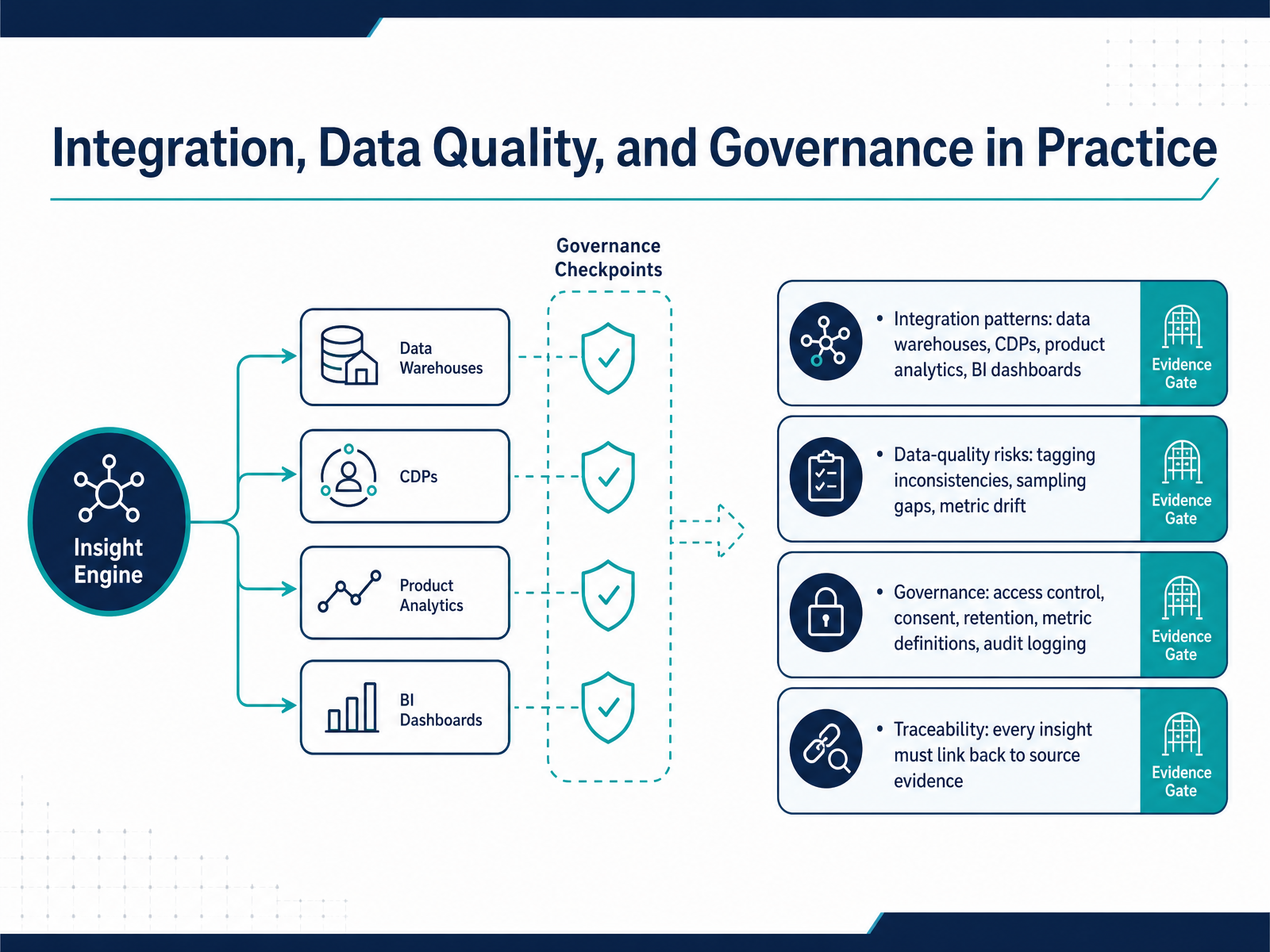
 - 11Integration, Data Quality, and Governance in PracticeNow, let’s look at what happens once your research data actually flows into your ecosystem. Integration is the point where a tool set proves itself or becomes a liability. There are four primary integration patterns you'll need to evaluate: the data warehouse, a customer data platform, product analytics, and BI dashboards. The question isn't whether the tool has an API; it's how cleanly the object model maps to yours. When tags don't align, or you use different event names across systems, you introduce data quality risks like tagging inconsistencies, sampling gaps, and metric drift. This is where governance becomes practical. You decide who has access, how consent is applied, and how long you retain raw data. And critically, you define metric definitions. The same number defined three ways across three tools will destroy trust. Every insight must link back to its source evidence. Traceability protects your team and your credibility. When you design your integration workflow, document who owns the metric, the source system, and the data dictionary. From here, let's move to the shortlist-to-pilot phase, where you make an evidence-based tool decision.
 conveo.ailyssna.comgitnux.org+22 min
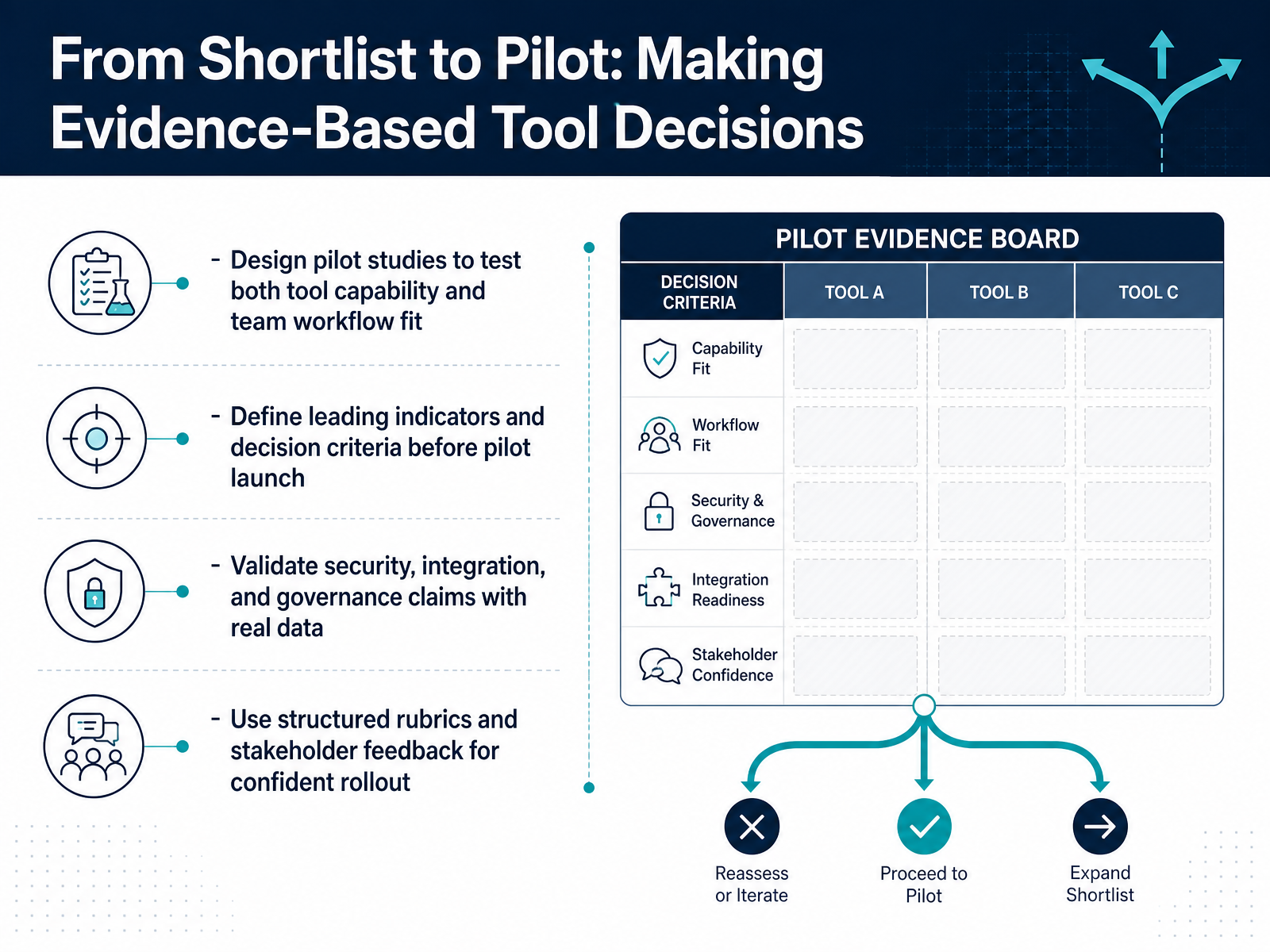
 - 12From Shortlist to Pilot: Making Evidence-Based Tool DecisionsOnce your shortlist is down to two or three tools, the real evaluation begins. Features on a demo can look impressive, but they mean nothing until the tool works with your data, your security requirements, and your team's actual workflow. So design a pilot that tests both capability and fit. Give your researchers real studies to run. Define your leading indicators before you launch. Are you measuring time to insight, analysis quality, or how easily stakeholders find evidence? Write those criteria down before the pilot starts. Don't decide after the fact. Also, validate the security claims with real documentation, not just the sales deck. Ask for the SOC 2 Type II report under NDA. Read the exceptions. Confirm where participant data is stored and how deletion requests are handled. Use a structured rubric to score the pilot, and collect stakeholder feedback systematically. This keeps the decision evidence-based and defensible. When the rollout comes, you will have the confidence to move forward. Next, let's turn this into a workable action plan with a practical checklist for your first thirty days.
 conveo.ailyssna.comgitnux.org+21 min
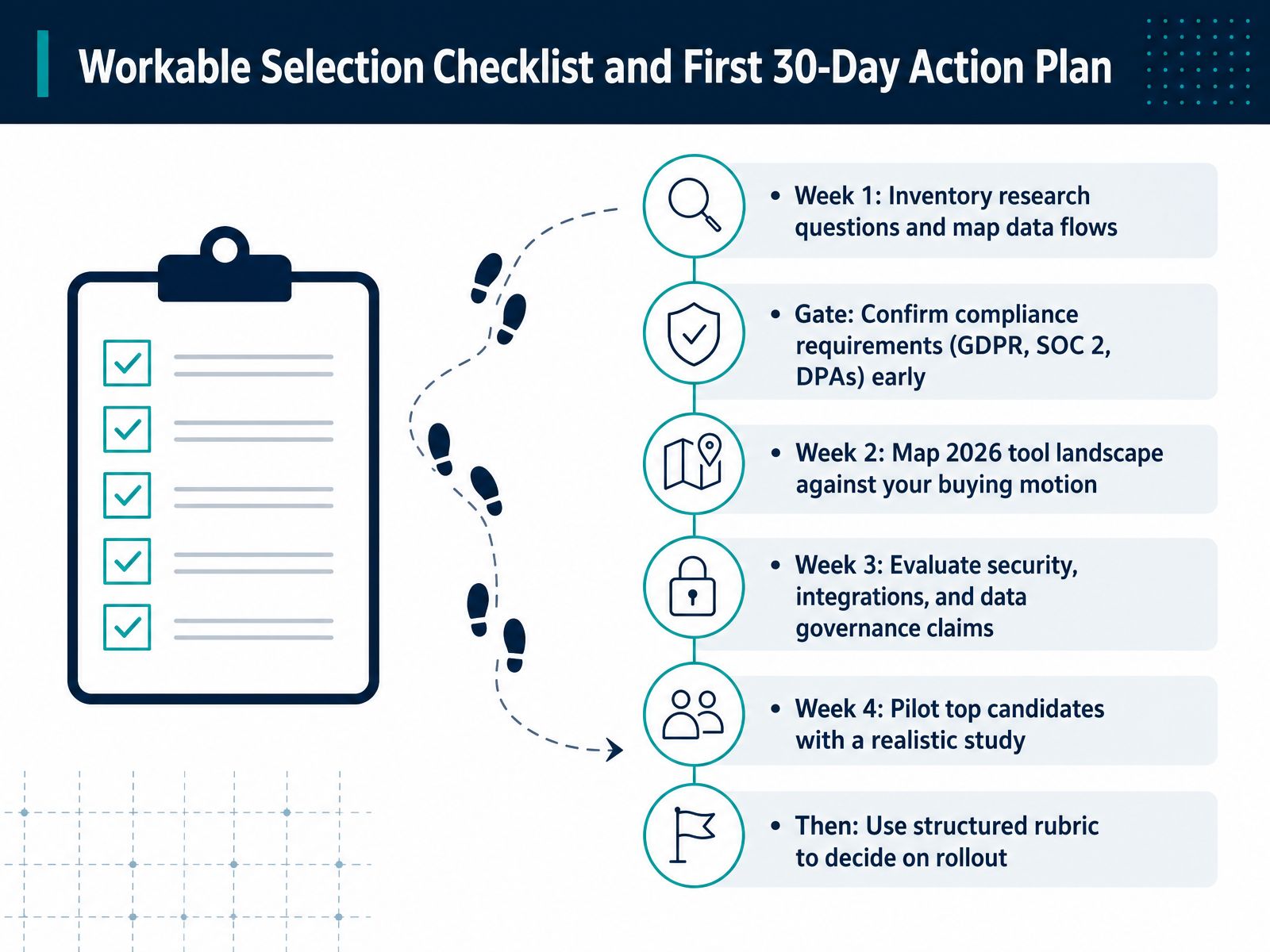
 - 13Workable Selection Checklist and First 30-Day Action PlanLet's translate that evaluation into a concrete action plan. Use the next thirty days to make this decision defensible, not just convenient. In week one, inventory your research questions and map your data flows. Know exactly what participant data moves where. That is also the moment to confirm your compliance gate. GDPR, SOC 2, DPAs. Get legal and security in the room early, because discovering a compliance gap in week four is expensive. Week two, map the current tool landscape against your buying motion. Are you purchasing for a single team or enterprise wide? That changes everything. Week three, evaluate the security, integration, and data governance claims. Ask for the SOC 2 report under NDA, not the marketing slide. Confirm retention limits and deletion workflows actually work in practice. Week four, pilot your top two candidates with a realistic study. Use real tasks, real participants, and your own consent forms. Then score the results against a structured rubric. Weigh cost, learning curve, data quality, and workflow fit. Once the rubric decides, you move to rollout with confidence. That rollout planning is our next topic.
 maze.coquallee.aicustomerscience.com.au+21 min
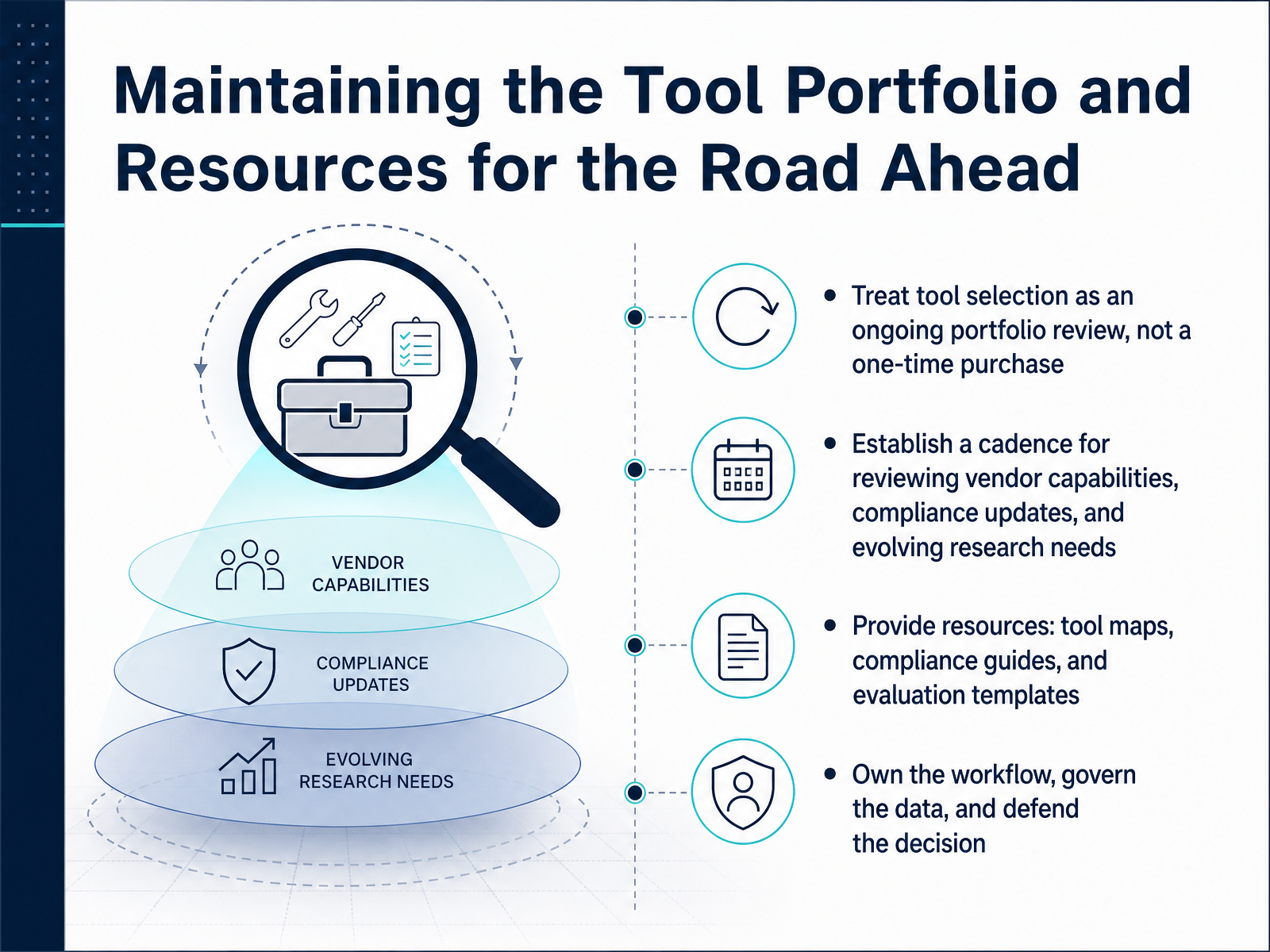
 - 14Maintaining the Tool Portfolio and Resources for the Road AheadYou've built a workflow that works today, but the tool landscape keeps moving. Treat your stack as a living portfolio, not a one-time purchase. Set a regular cadence to review vendor capabilities, compliance updates, and your own evolving research needs—at least annually, and whenever your team or product direction shifts. Keep the decision-making artifacts current: a tool map, compliance guides, evaluation templates, and clear data flow diagrams. These resources make your stack understandable and defensible. Most importantly, own the workflow end to end. Govern the data, track who has access, enforce retention, and be ready to explain why each tool is in place. When a stakeholder challenges a choice, you'll have the evidence. So step back, review the portfolio, and make the call. Thanks for joining—you now have a practical framework for selecting and defending your quantitative research stack. Go put it to work.
 userinterviews.comguideflow.comuxrinstitute.com+21 min
Take the deck with you
Download this course as a file — free, no sign-up needed.
- PDF handoutEvery slide page, ready to print or share.15 pages · 3.4 MBDownload
- Narrated PowerPointThe deck that presents itself — every slide carries the digital human's narration video.15 pages · 15.4 MBDownload
- PowerPoint slidesThe full deck as a .pptx — open it in PowerPoint, Keynote, or Google Slides.15 pages · 3.3 MBDownload
Free to use in your own training — please keep the PersonWise credit page at the end.
Have your own deck? Turn it into a course
Sources consulted
Web sources consulted while building this course.
- UX Research Tools Map 2026 | User Interviews — userinterviews.com
- 17 best user research tools for 2026 - Guideflow Blog — guideflow.com
- Quantitative UX Research: Methods, Concepts, Tests, and Tools — uxrinstitute.com
- The 2026 experimentation tools landscape – Traqlyte Blog — traqlyte.ai
- Best UX Analytics Tools for SaaS Product Teams — vettko.com
- Data Privacy Regulations in User Research: Full Guide to GDPR & More — maze.co
- EU AI Act + GDPR for UX Research: 2026 Compliance Guide | QUALLEE — quallee.ai
- User research ethics Australia: consent and privacy 2026 — customerscience.com.au
- Personal data handling in user research — standards.education.gov.uk
- Ethics and Consent in User Research — userintuition.ai
- https://conveo.ai/insights/generative-user-research-tools — conveo.ai
- GDPR & SOC 2 Compliant Research Tools | Lyssna — lyssna.com
- Best User Research Software | Top Picks 2026 — gitnux.org
- Best AI UX Research Tools in 2026: Maze, UserTesting, Dovetail, Sprig, Looppanel, and More — clawnewbie.com
- User Interview Software: A 2026 Buyer's Guide — koji.so