Begin
14 pages · ~28 min
Content Marketing Types
This training explains the main types of content marketing for marketers and creators, helping them choose formats that attract and engage their target audience.
A digital instructor presents all 14 pages. Hold “Ask” at any point and ask out loud — the answer comes from this course. No sign-up needed.
What you’ll learn
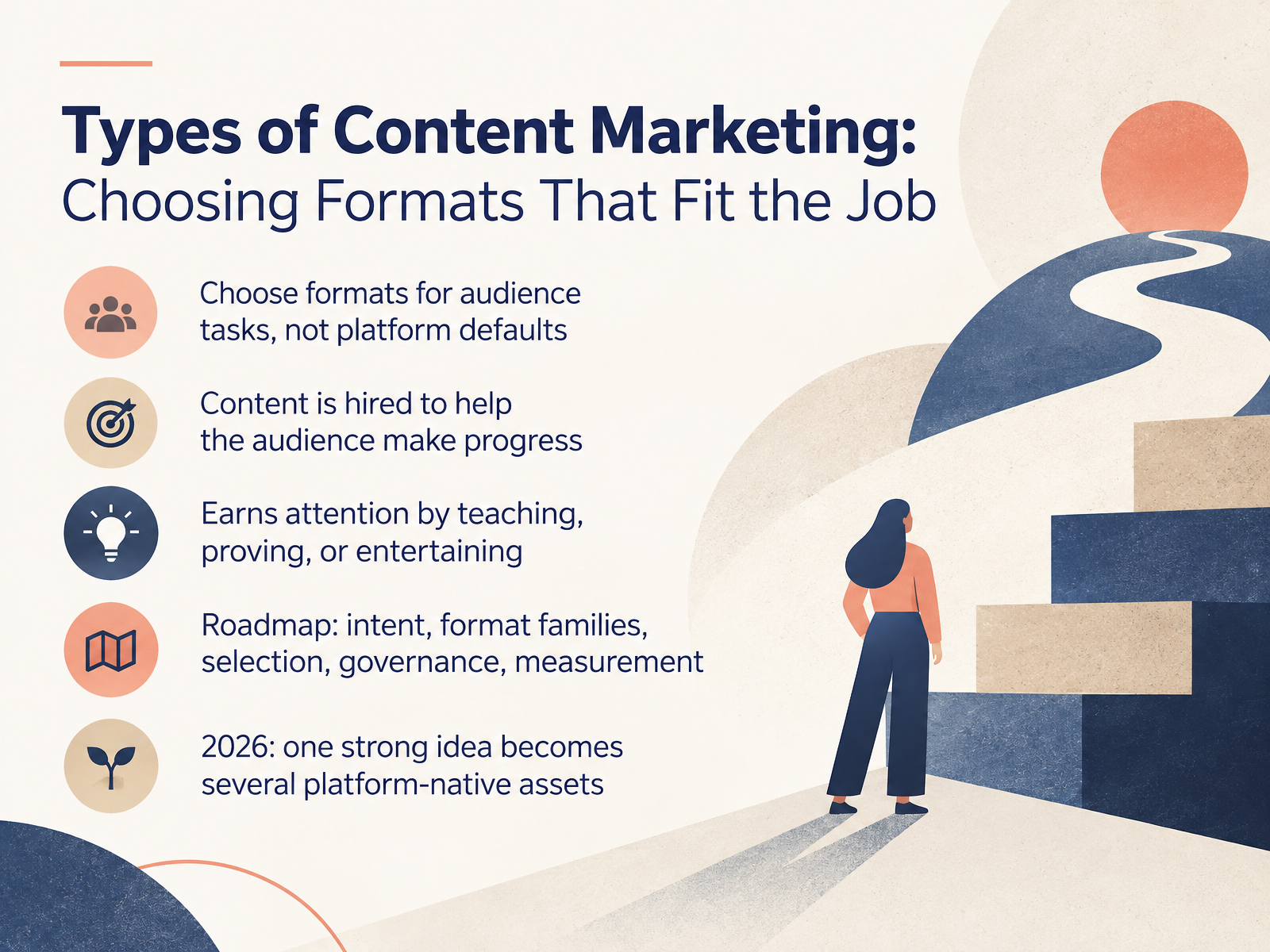
- 01Types of Content Marketing: Choosing Formats That Fit the JobWelcome. Over the next few slides, we'll cover the main types of content marketing, and more importantly, how to choose the right format for the job in front of you. Here's the mindset shift. Don't pick a format because it's the platform default. Pick it because it matches an audience task. Think of your content as something your audience hires to help them make progress. A quick how-to video, a comparison guide, a customer story, a podcast. Each one earns attention in a different way. It teaches, it proves, or it entertains. In this course, we'll walk a clear roadmap. Start with intent, then explore format families, then selection, governance, and measurement. And one practical note for twenty twenty-six. A single strong idea rarely lives in one place. You'll repurpose it into several platform-native assets. So your job isn't to create more content. It's to choose the right formats and let one good idea travel. Coming up next, we'll start with the audience task, not the format.1 min
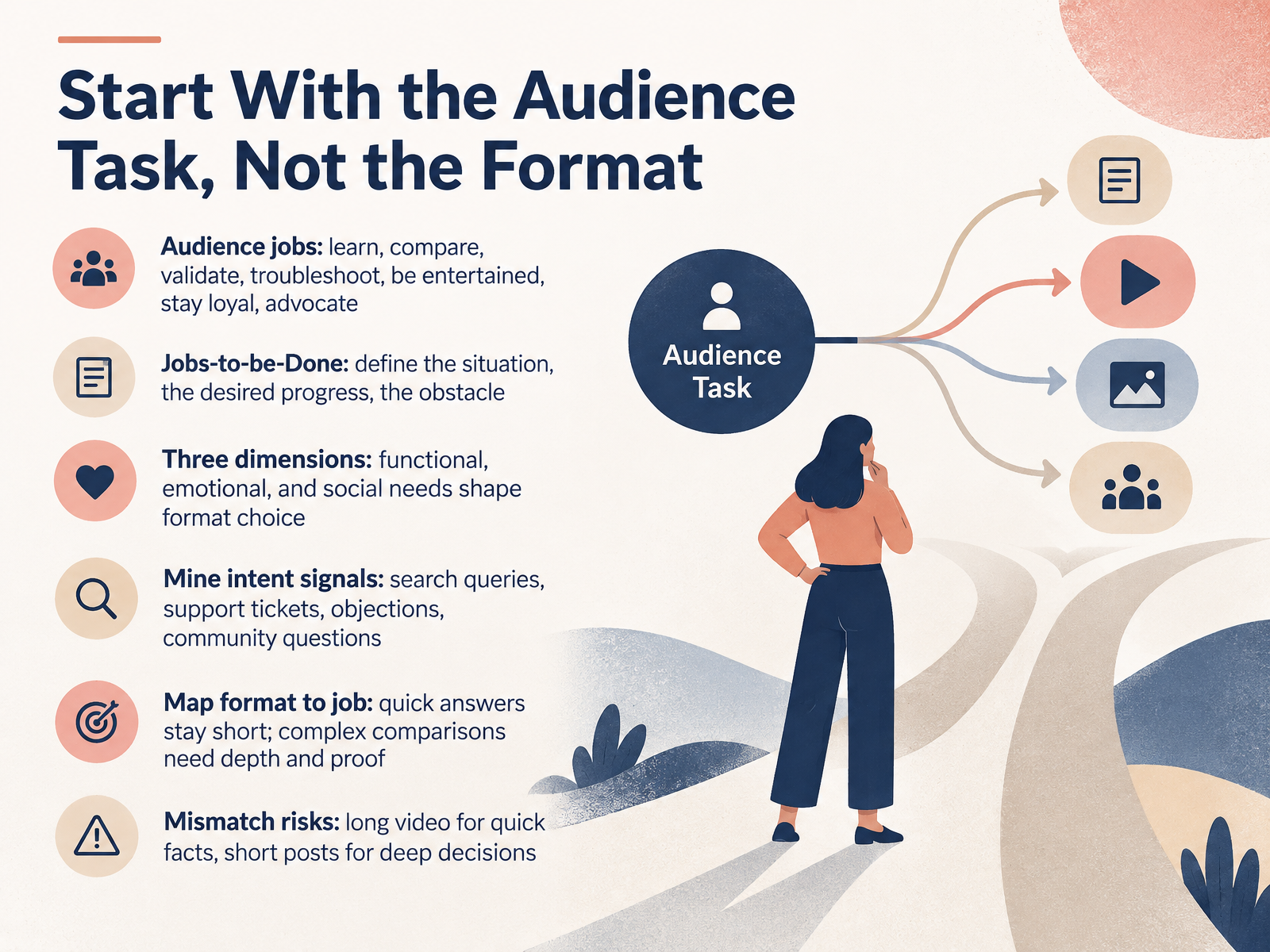
- 02Start With the Audience Task, Not the FormatLet's talk about how to choose a content format. Start with the audience task, not the format. Ask what job your reader is trying to get done. They might want to learn, compare, validate, troubleshoot, be entertained, stay loyal, or advocate for you. Frame it with jobs to be done. Define the situation, the progress they want, and the obstacle in the way. Then weigh three dimensions: functional, emotional, and social needs. Those shape your format choice. Next, mine intent signals. Search queries, support tickets, objections, and community questions tell you what people actually need. Map the format to the job. Quick answers stay short. Complex comparisons need depth and proof. Watch for mismatch. A long video is a poor fit for a quick fact, and a short post rarely supports a deep decision. So before you pick a format, name the job, the need, and the proof required. Next, we'll look at format families at a glance.
 1 min
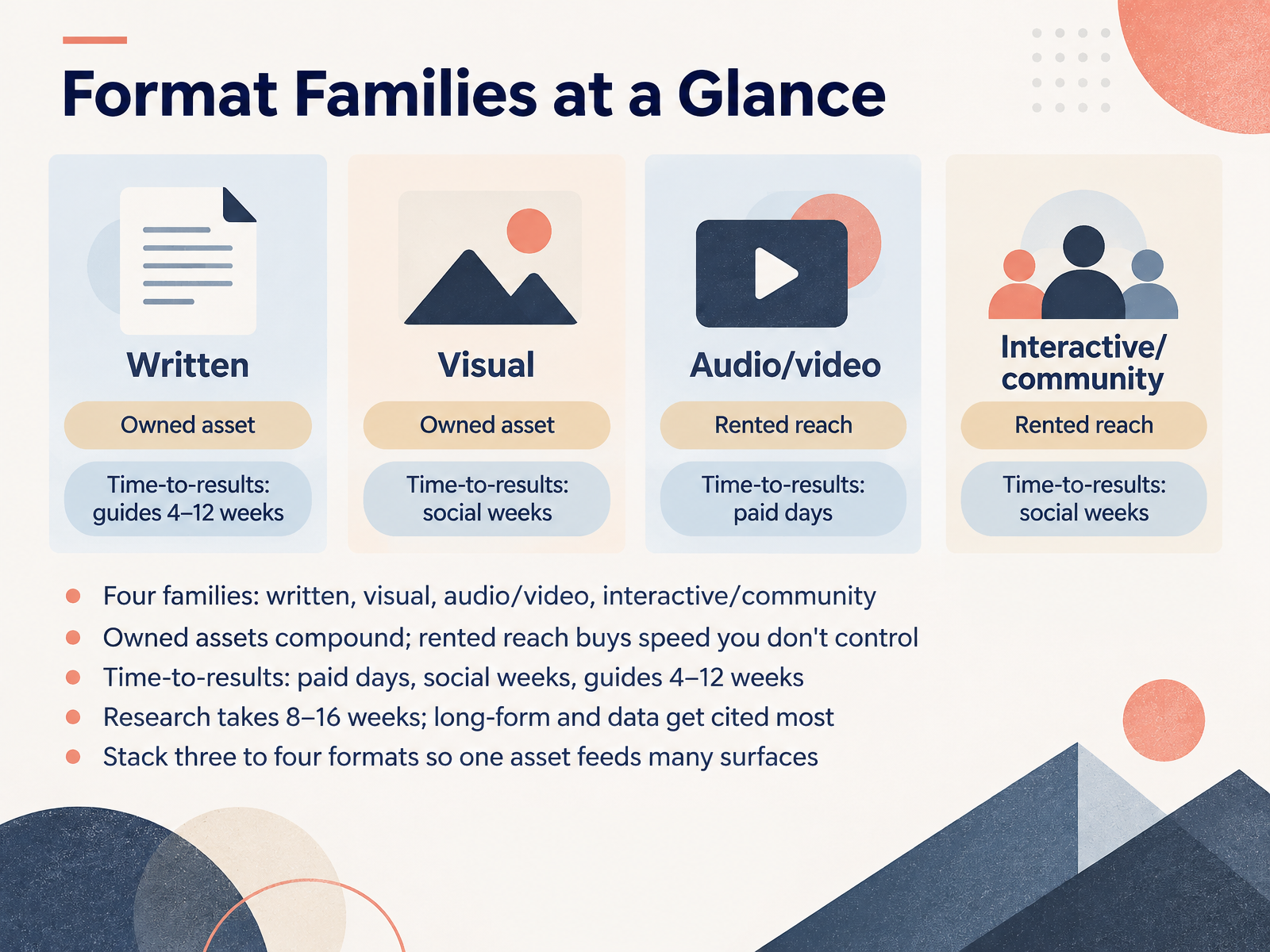
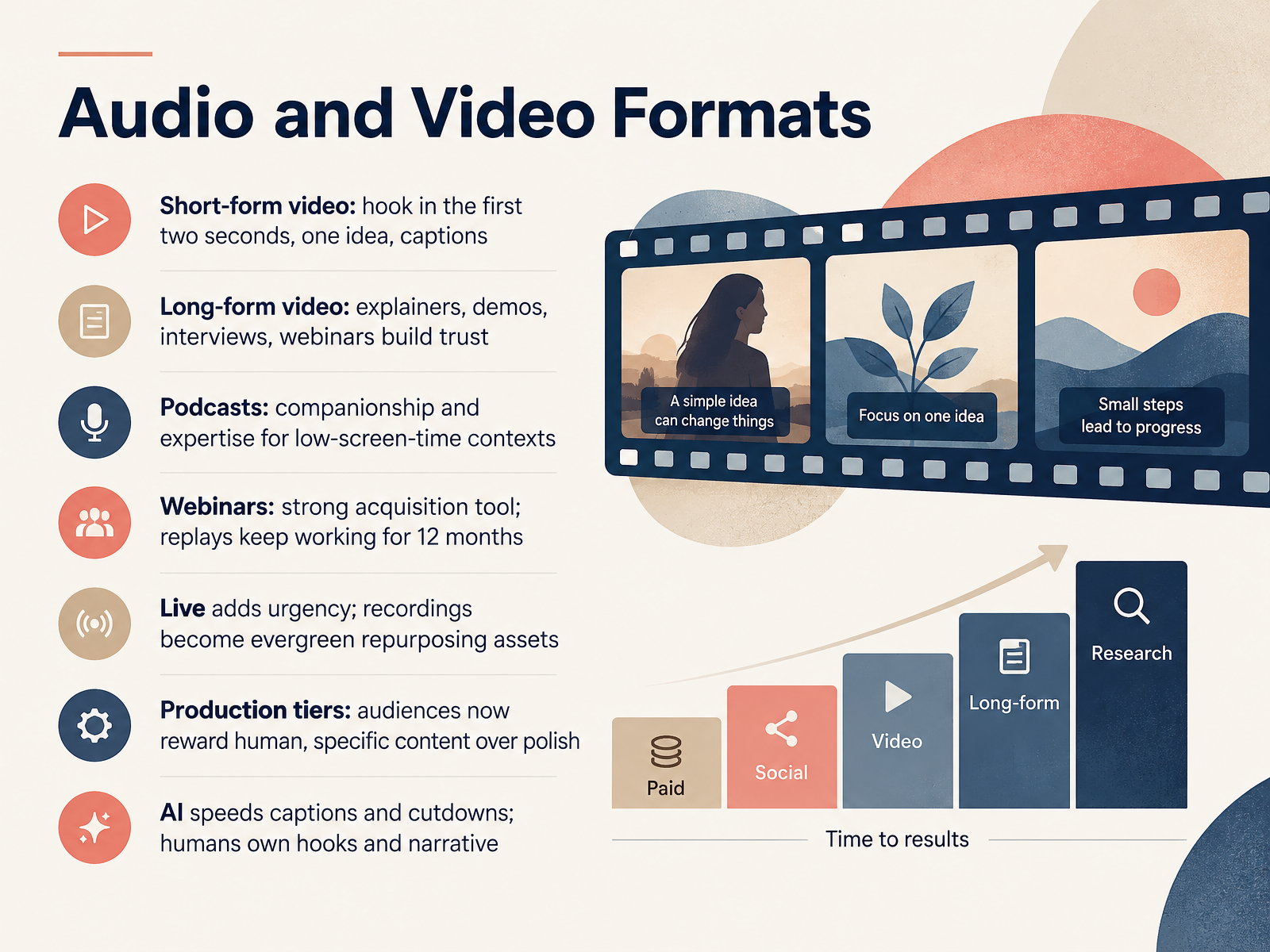
1 min - 03Format Families at a GlanceLet's look at format families at a glance. Think of content marketing as four families: written, visual, audio and video, and interactive or community. Each family does a different job. Written builds depth and search value. Visual stops the scroll. Audio and video build trust fast. Interactive and community drive participation. Now, think about ownership. Owned assets compound over time. Rented reach buys speed you don't control. Choose owned when you want durable results. Choose rented when you need attention now. Next, time to results. Paid shows up in days. Social builds in weeks. Guides and evergreen pieces often take four to twelve weeks. Research takes eight to sixteen weeks. Long form and original data get cited the most. So stack three to four formats together. Let one asset feed many surfaces. A webinar becomes clips, a blog post, and a carousel. That is how you get more from every idea. Coming up next, we'll dig into written and text-based formats.
 1 min
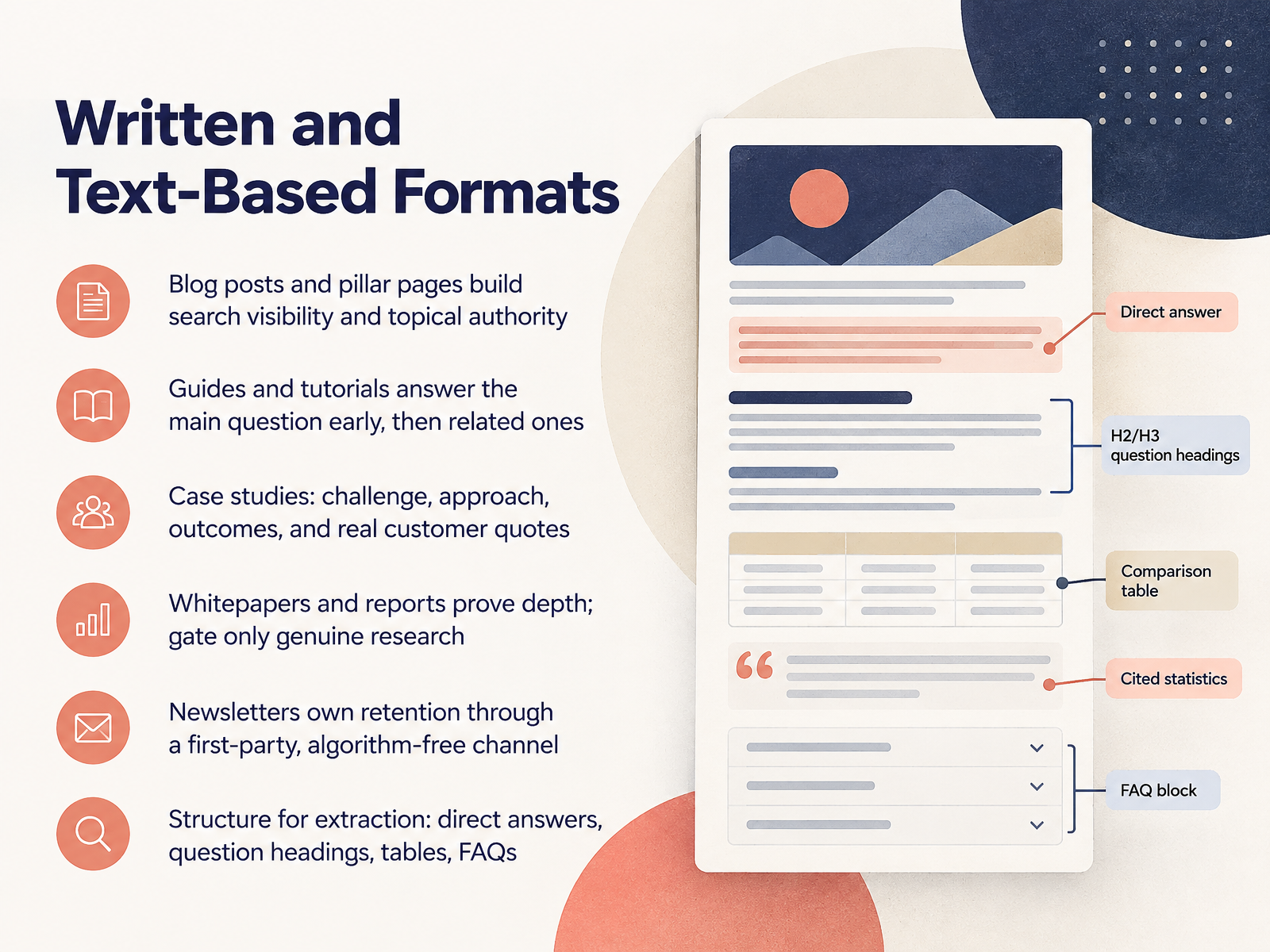
1 min - 04Written and Text-Based FormatsNow let's look at written and text-based formats. Start with blog posts and pillar pages. These build search visibility and topical authority, because they give search engines a clear map of what you cover. Next, guides and tutorials. Answer the main question early, then handle the related ones. When you need to teach a process, choose this format. Case studies follow a simple shape: challenge, approach, outcomes. Add real customer quotes, because specifics beat polish. Whitepapers and reports prove depth. Gate only genuine research, not basic advice people can find anywhere. Newsletters own retention. They give you a first-party channel with no algorithm in the middle. Finally, structure everything for extraction. Use direct answers, question headings, tables, and F A Q sections. That makes your content easy to scan, quote, and reuse. Next, we move into visual and graphic formats.
 2 min
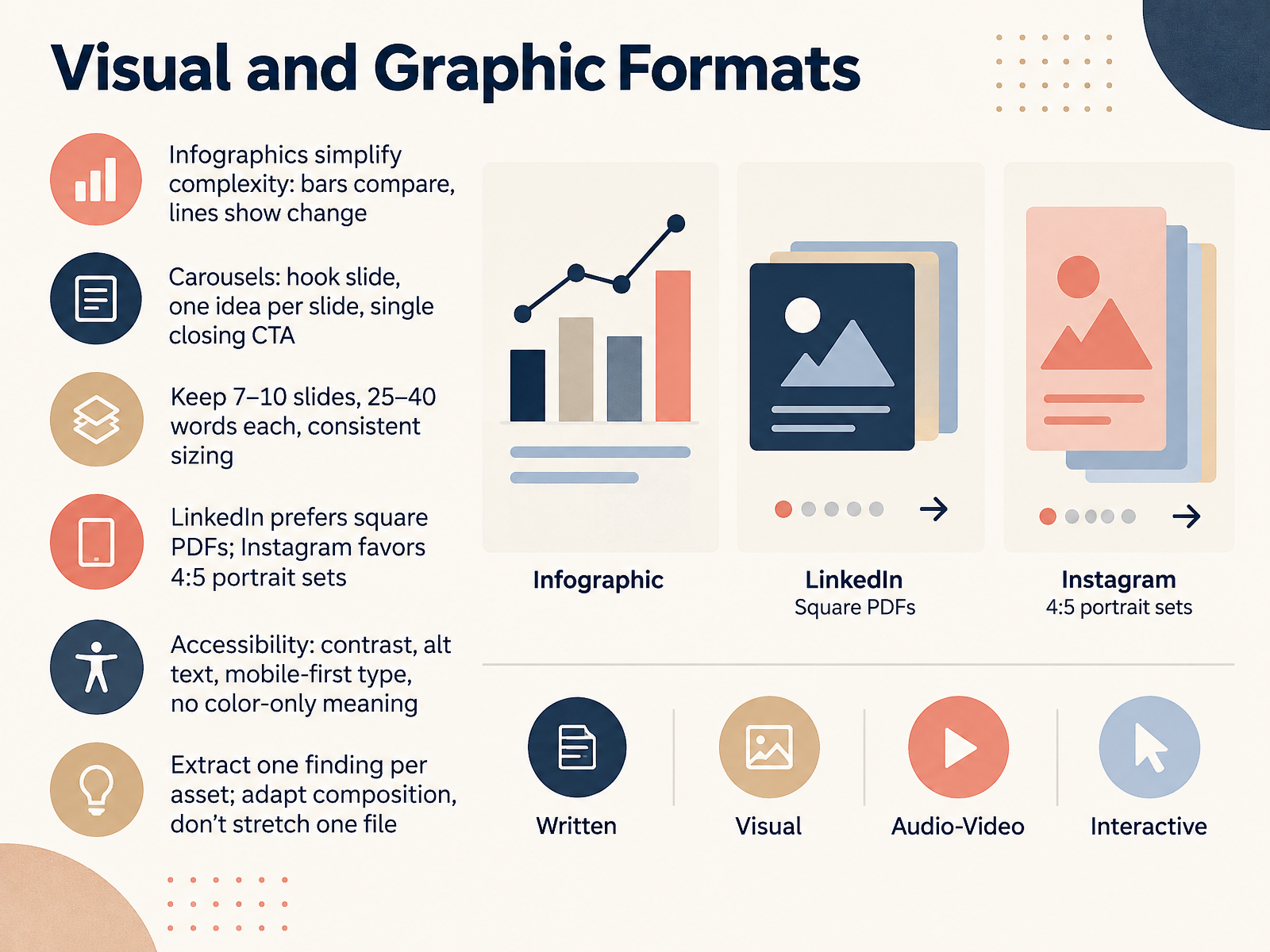
2 min - 05Visual and Graphic FormatsNow let's talk about visual and graphic formats. Start with infographics. They simplify complexity. Bars compare values, lines show change over time. When you need to explain a trend fast, lean on a line chart. When you need to compare options, use bars.
Carousels work differently. Open with a hook slide. Then one idea per slide. Close with a single call to action. Keep seven to ten slides, twenty five to forty words each, and consistent sizing. On LinkedIn, square PDFs perform well. On Instagram, four by five portrait sets tend to win.
Do not forget accessibility. Check contrast, write alt text, set mobile first type, and never rely on color alone to carry meaning.
And here is the practical habit. Extract one finding per asset. Adapt the composition for each channel. Do not stretch one file everywhere.
That leads us into the next set of formats, audio and video.
 2 min
2 min - 06Audio and Video FormatsLet's move on to audio and video formats. Short-form video needs a hook in the first two seconds. Pick one idea, and always add captions, because most viewers watch with the sound off. Long-form video is different. Explainers, demos, interviews, and webinars build trust over time. Podcasts offer companionship and expertise, and they fit low-screen-time contexts like commutes and workouts. Webinars are a strong acquisition tool, and the replay can keep working for twelve months or more. Live adds urgency. The recording becomes an evergreen asset you can repurpose. One more thing. Audiences now reward human, specific content over heavy polish. You can use production tiers to match effort to the goal. AI speeds up captions and cutdowns, but humans still own the hook and the narrative. So when you need reach, start short. When you need trust, go long. And when you need leads, schedule a webinar. Next, we'll look at interactive and community formats.
 2 min
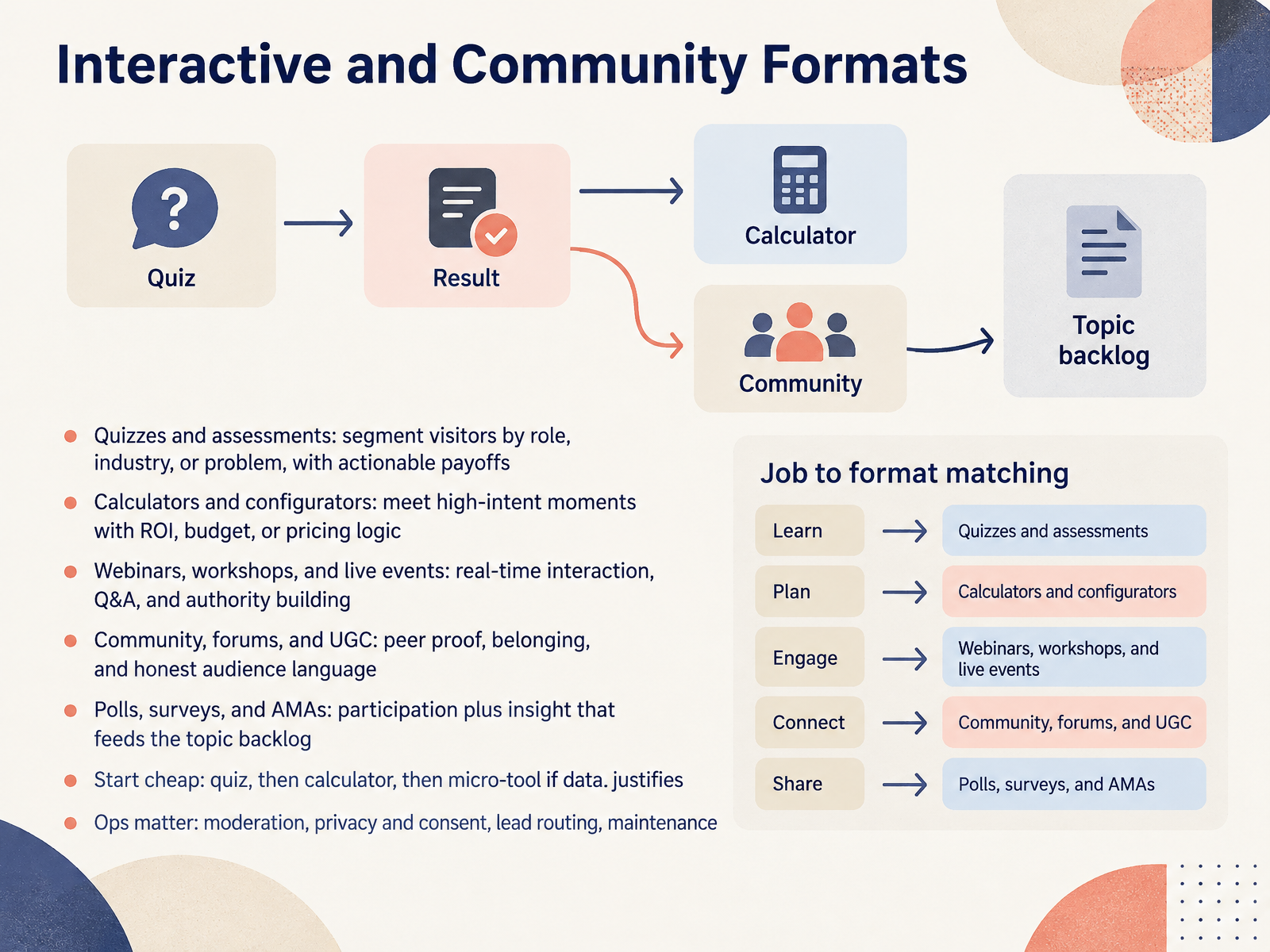
2 min - 07Interactive and Community FormatsLet us talk about interactive and community formats. These earn you participation, not just attention. Use quizzes and assessments to segment visitors by role, industry, or problem, with a payoff they can act on. Choose calculators and configurators when intent is high, like ROI, budget, or pricing decisions. Run webinars, workshops, and live events when you want real-time interaction, questions, and authority. Build community, forums, and user-generated content for peer proof, belonging, and honest audience language. And use polls, surveys, and ask-me-anythings for participation that also feeds your topic backlog. Start cheap. Launch a quiz first, then a calculator, then a micro-tool only if the data justifies it. Remember the operations. Moderation, privacy and consent, lead routing, and maintenance decide whether these formats scale or stall. Next, let us bring this together with a decision framework.
 2 min
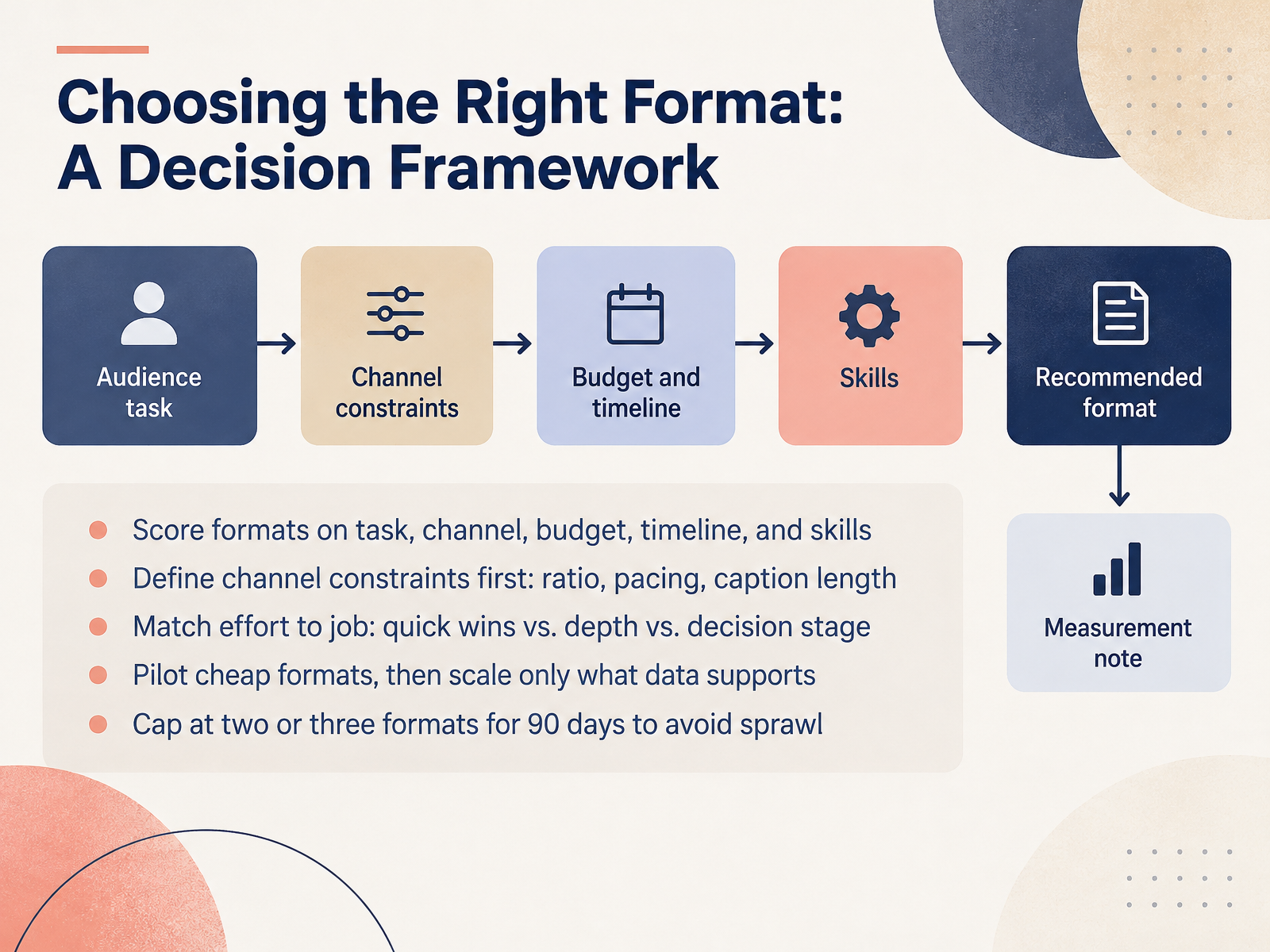
2 min - 08Choosing the Right Format: A Decision FrameworkNow let's turn formats into a decision, not a guess. Score each option on five things: the task, the channel, the budget, the timeline, and your team's skills. Start with channel constraints, because they set the rules. A vertical short-form video needs a nine by sixteen ratio, fast pacing, and short captions. Now match effort to the job. A quick win might be a checklist or a carousel for awareness. Depth might be a webinar or long-form guide. Decision-stage content might be a case study or comparison. Next, pilot cheap formats first. Test a simple post or email, then scale only what your data supports. One more guardrail: cap yourself at two or three formats for ninety days. That keeps your team focused and prevents sprawl. So if you remember one thing, choose formats that fit your constraints and your goal, then prove them with a small test before you commit. That sets up our next topic: repurposing and atomization, one idea, many formats.
 2 min
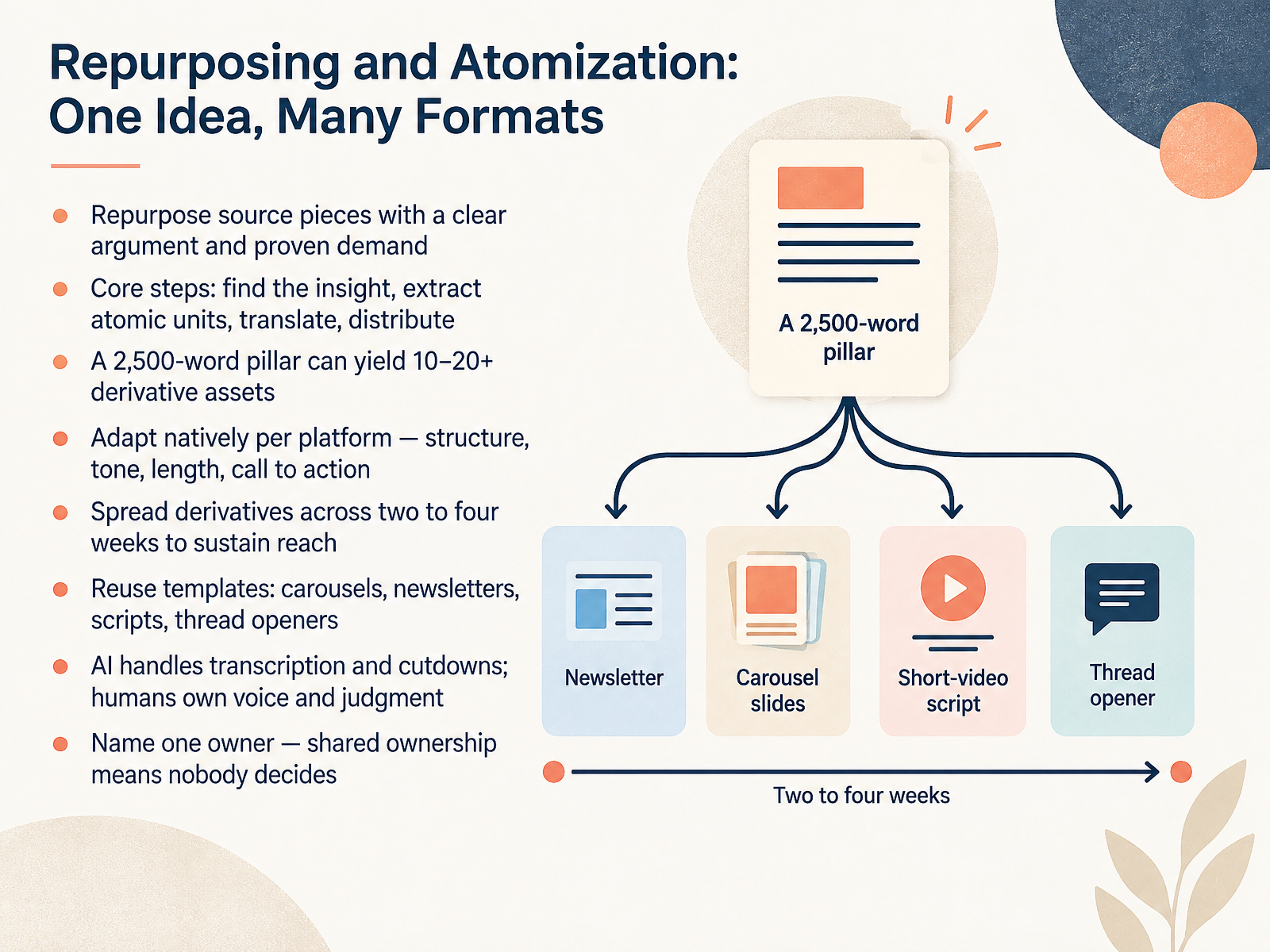
2 min - 09Repurposing and Atomization: One Idea, Many FormatsNow let's talk about repurposing and atomization, turning one idea into many formats. Start with source pieces that have a clear argument and proven demand. If it worked once, it can work again. The core steps are simple. Find the insight, extract atomic units, translate for each channel, then distribute. A two thousand five hundred word pillar can yield ten to twenty or more derivative assets. Adapt natively per platform. Structure, tone, length, and call to action all shift. Spread those derivatives across two to four weeks to sustain reach. Reuse templates for carousels, newsletters, scripts, and thread openers. AI can handle transcription and cutdowns, but humans own voice and judgment. And name one owner. Shared ownership means nobody decides. Next, we move into roles, workflow, and governance across formats.
 2 min
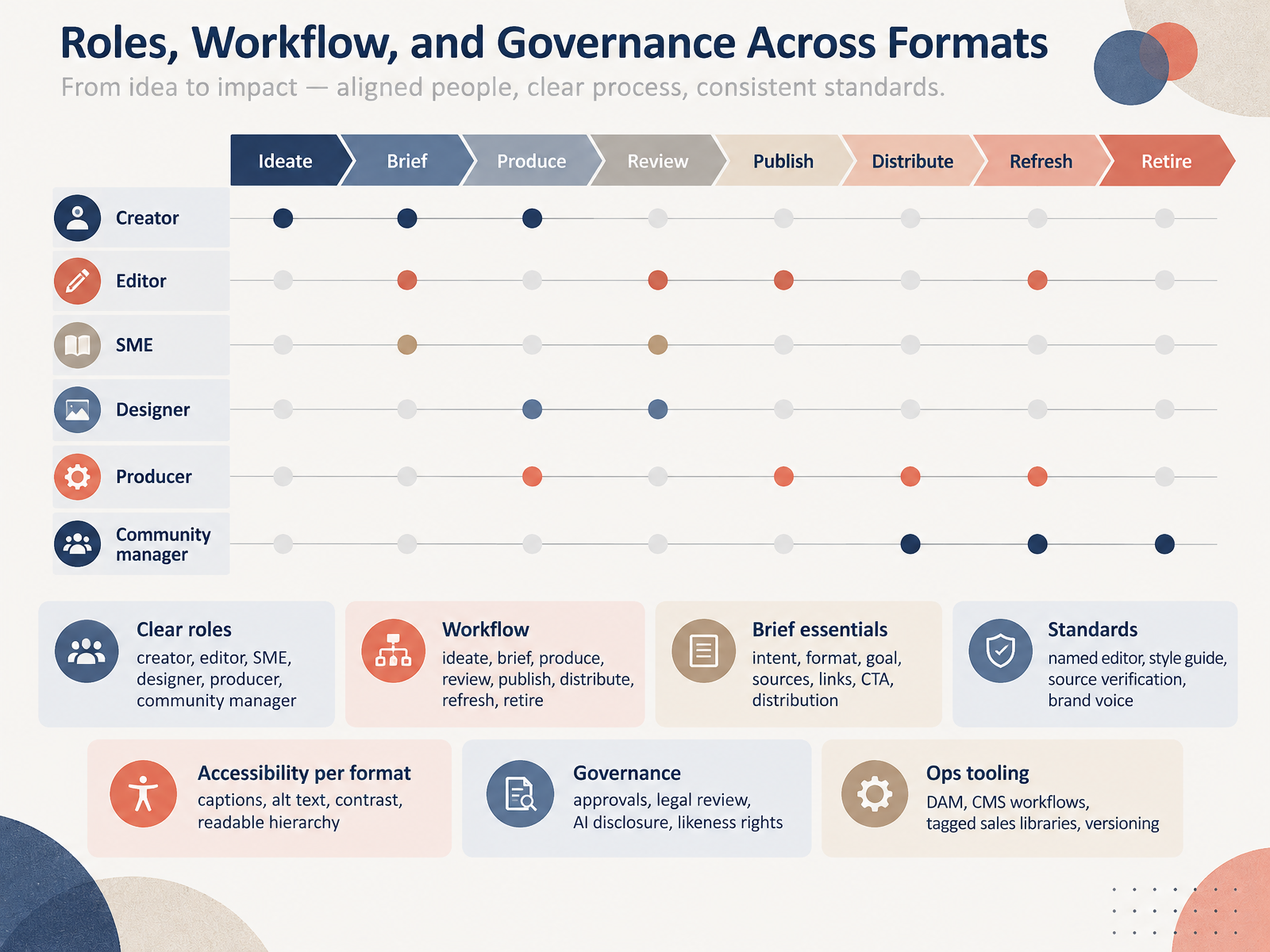
2 min - 10Roles, Workflow, and Governance Across FormatsNow let's talk about the people and process behind every format. Great content is not just a creative act. It is a team sport. Define clear roles first. You need a creator, an editor, a subject matter expert, a designer, a producer, and a community manager. On small teams, one person may wear several hats. That is fine, as long as everyone knows who owns the final call. The workflow moves through a steady sequence. Ideate, brief, produce, review, publish, distribute, refresh, and retire. Never skip the brief. It should state the intent, the format, the goal, the sources, the links, the call to action, and the distribution plan. Standards keep quality consistent. Name a single editor. Use a style guide. Verify every source. Protect the brand voice. Accessibility shifts by format. Add captions for video, alt text for images, strong contrast for slides, and a readable hierarchy for documents. Governance covers approvals, legal review, AI disclosure, and likeness rights. For operations, lean on your digital asset management system, your content management workflows, tagged sales libraries, and versioning. Pick the lightest governance that still protects your audience and your brand. Next, let's look at measuring performance by format.
 2 min
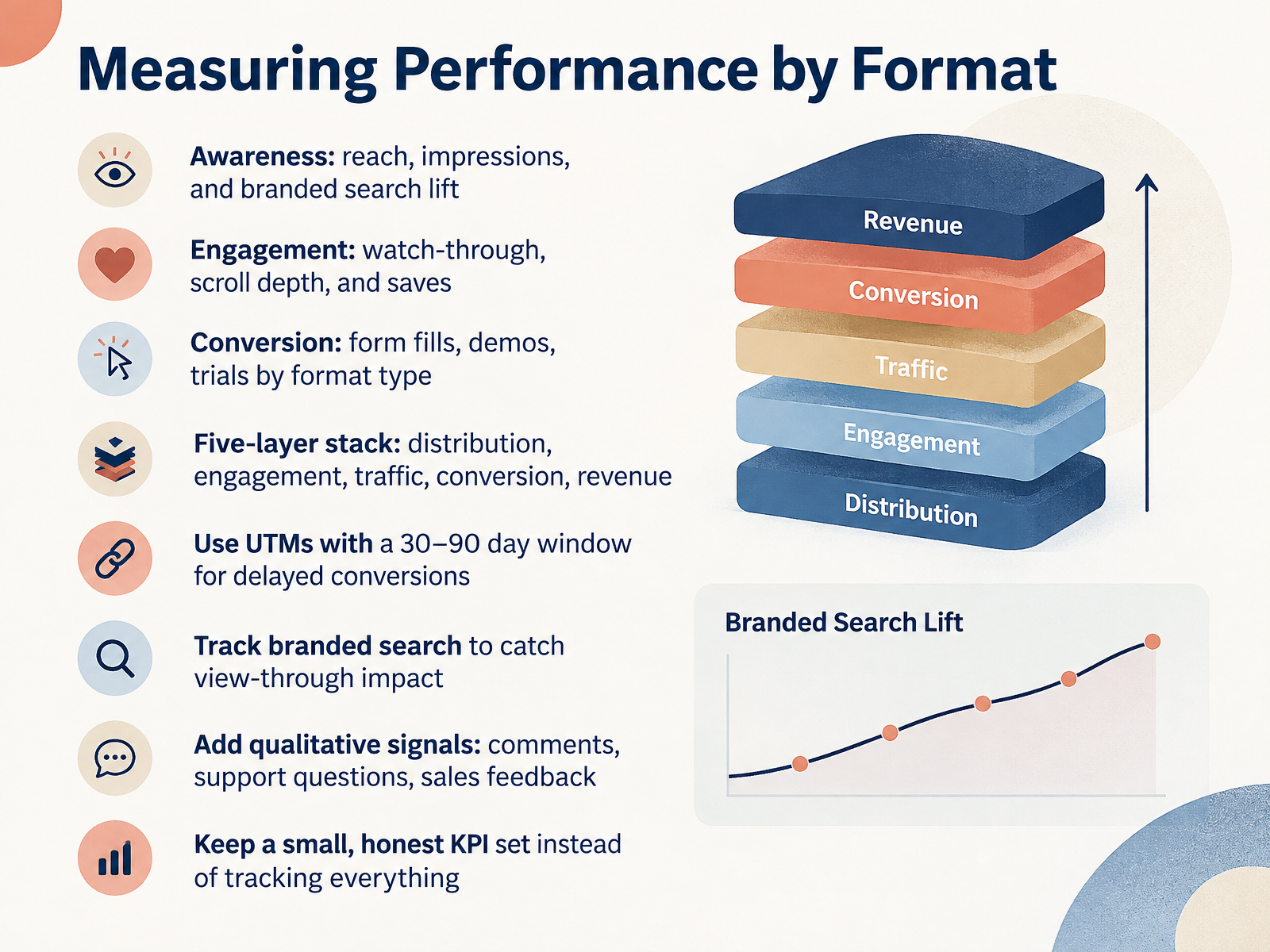
2 min - 11Measuring Performance by FormatNow let's talk about measuring performance by format. Match your metrics to the job. For awareness content, watch reach, impressions, and branded search lift. For engagement formats, track watch-through, scroll depth, and saves. For conversion, count form fills, demos, and trials, broken out by format type. Think in a five-layer stack: distribution, engagement, traffic, conversion, and revenue. Use UTMs with a thirty to ninety day window, so delayed conversions still get credited. Track branded search to catch view-through impact you would otherwise miss. Add qualitative signals too, like comments, support questions, and sales feedback. And keep a small, honest KPI set. Choose this if you want decisions you can trust. Next, we will look at lifecycle management: refresh, retire, or repurpose.
 1 min
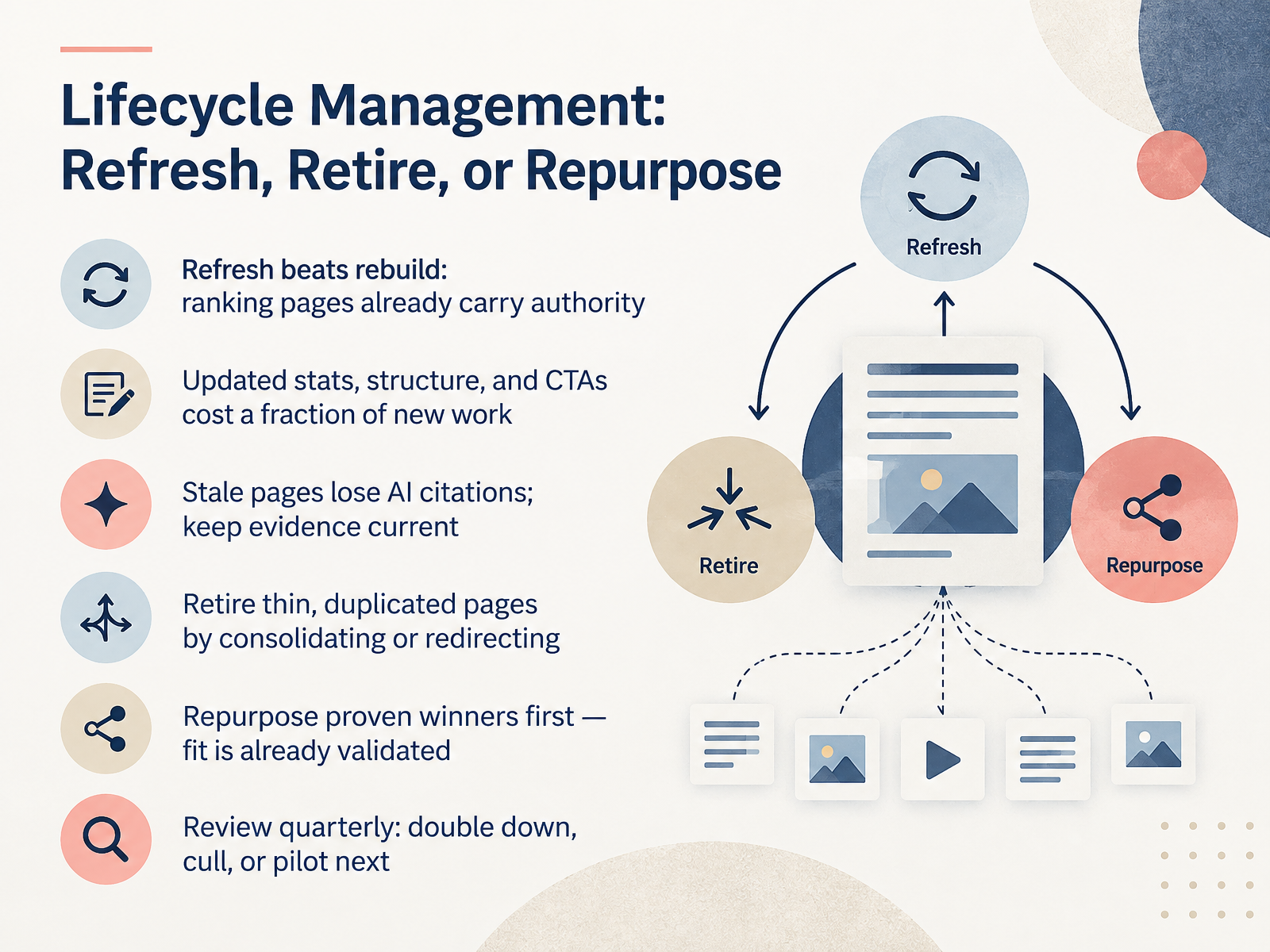
1 min - 12Lifecycle Management: Refresh, Retire, or RepurposeLet's look at lifecycle management. Every piece of content you own is either growing, holding steady, or quietly dying. Your job is to decide which. Here's the core rule: refresh beats rebuild. A ranking page already carries authority you paid for in time, links, and trust. Updating stats, tightening the structure, and sharpening your calls to action cost a fraction of starting from scratch. And freshness matters more now. Stale pages lose AI citations, so keep your evidence current. When a page is thin or duplicates another, don't polish it. Retire it by consolidating into a stronger page or redirecting it. Now, repurposing. Go after proven winners first, because the fit is already validated. A webinar that performed well can become a guide, a series of short posts, or an email sequence. Same message, new formats, far less risk. So when you need results fast, refresh. When a page adds nothing, consolidate or redirect. When something already works, repurpose it. Put this on a quarterly rhythm: double down on what's climbing, cull what's flat, and pilot one new thing. That keeps your library lean and compounding. Next, let's walk through common mistakes and how to avoid them.
 2 min
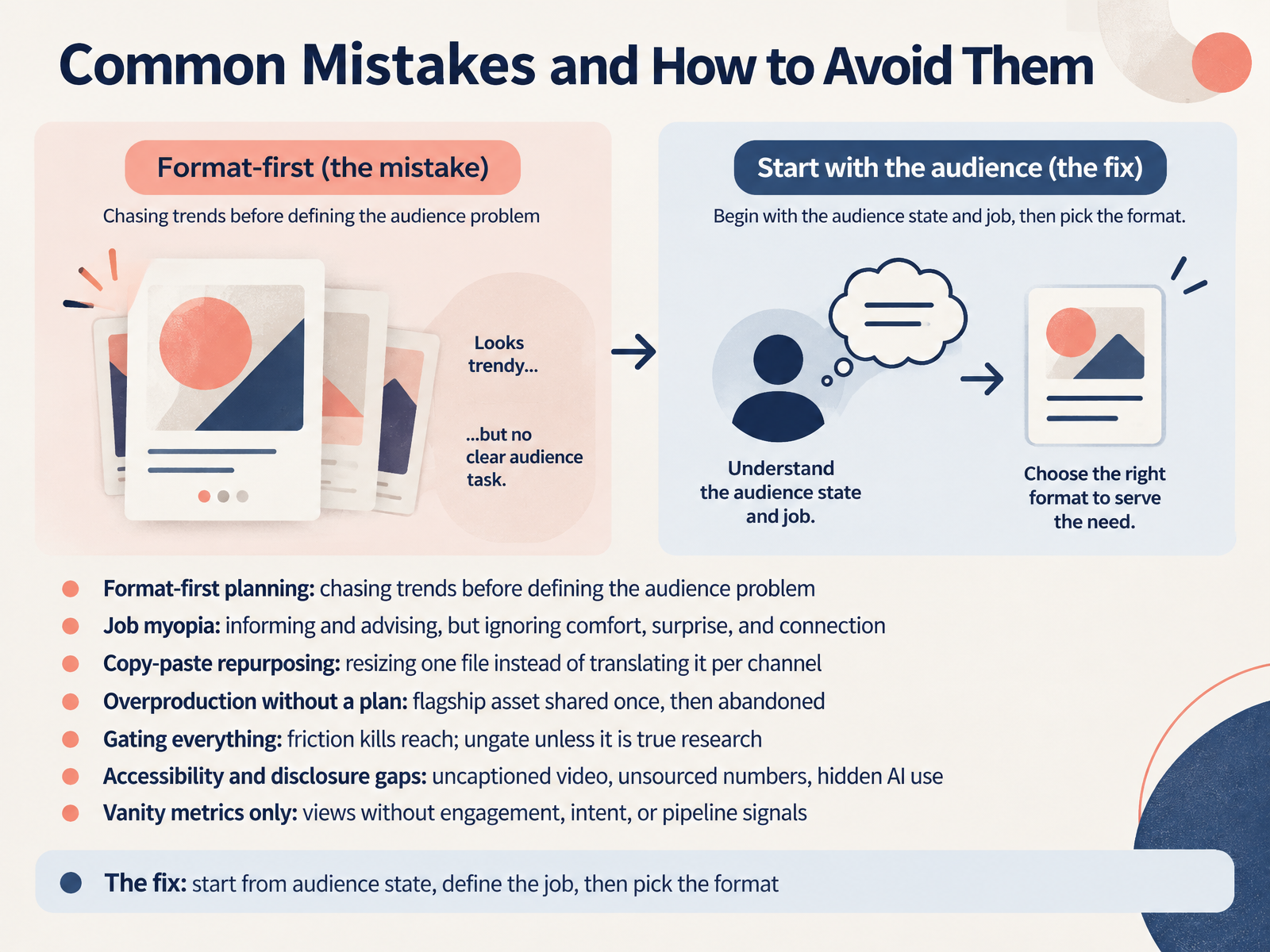
2 min - 13Common Mistakes and How to Avoid ThemNow let's look at the mistakes that quietly limit content performance, and how to avoid them. First, format-first planning. Chasing a trend before you define the audience problem. When you start with the format, you usually finish with content nobody needed. Second, job myopia. Informing and advising are valuable, but they are not the whole job. Sometimes people need comfort, surprise, or connection. Third, copy-paste repurposing. Resizing one file is not the same as translating it per channel. A webinar is not a thread, and a thread is not a newsletter. Fourth, overproduction without a plan. You launch a flagship asset once, then abandon it. Plan its distribution before you build it. Fifth, gating everything. Friction kills reach. Ungate unless it is true research. Sixth, accessibility and disclosure gaps. Uncaptioned video, unsourced numbers, and hidden AI use all erode trust. Seventh, vanity metrics only. Views without engagement, intent, or pipeline signals tell you very little. The fix is simple: start from audience state, define the job, then pick the format. Next, let's put this into practice with a scenario and your thirty-day action plan.
 2 min
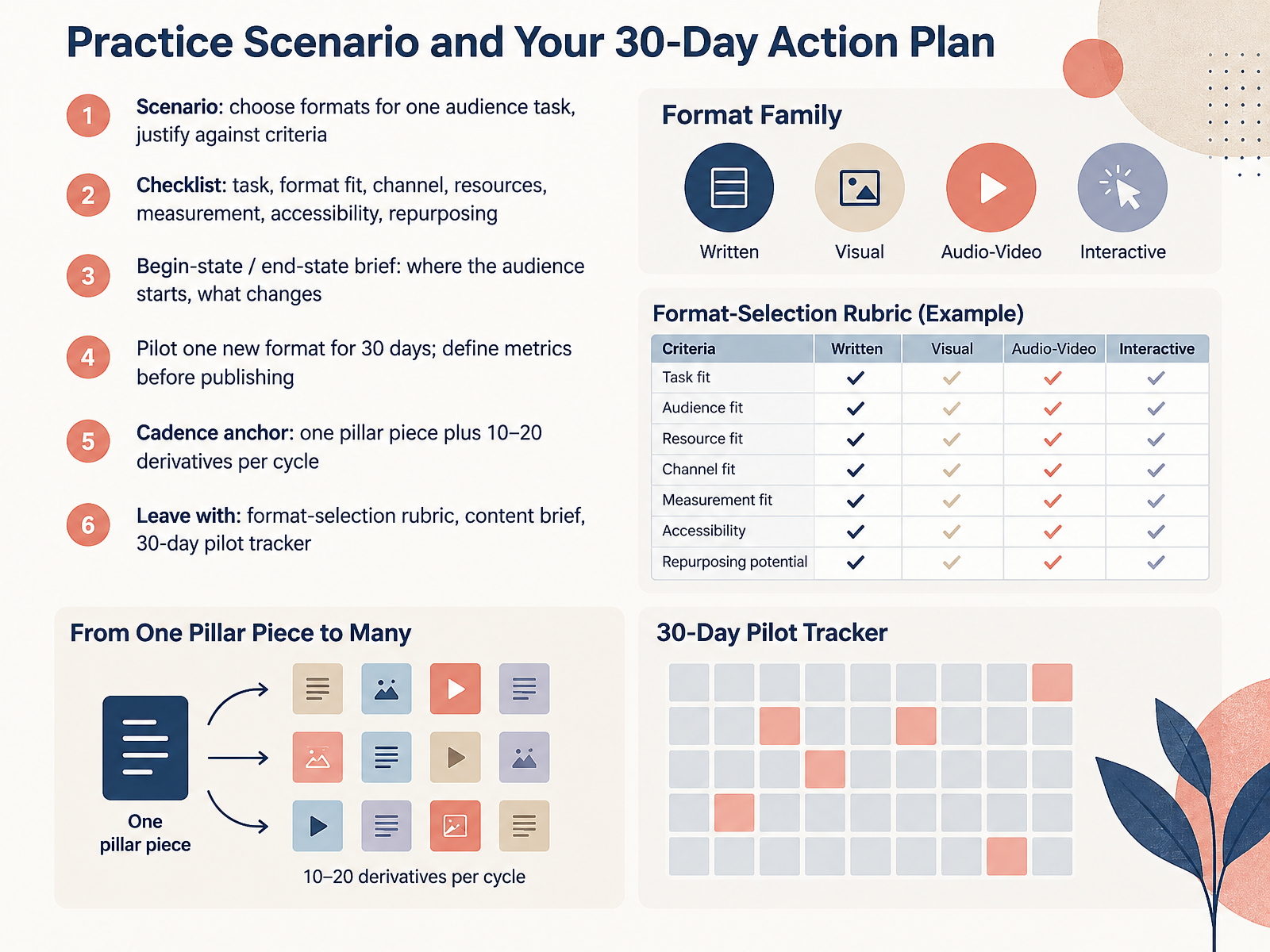
2 min - 14Practice Scenario and Your 30-Day Action PlanLet's finish with a practice scenario and your thirty-day action plan. Take one audience task, like helping new subscribers understand your product, then choose formats and justify each choice against clear criteria such as clarity, effort, and reach. Use this checklist: task, format fit, channel, resources, measurement, accessibility, and repurposing. If a format fails any item, drop it. Next, write a begin-state and end-state brief. State where the audience starts and what changes after they engage. Then pilot one new format for thirty days, and define your metrics before you publish. One cadence anchor keeps you steady: one pillar piece plus ten to twenty derivatives per cycle. For example, turn a webinar into clips, quotes, and a newsletter summary. You'll leave with a format-selection rubric, a content brief, and a thirty-day pilot tracker. Use them tomorrow. Thank you for your attention, and go test one format this week.
 1 min
1 min
Take the deck with you
Download this course as a file — free, no sign-up needed.
- PDF handoutEvery slide page, ready to print or share.15 pages · 3.6 MBDownload
- Narrated PowerPointThe deck that presents itself — every slide carries the digital human's narration video.15 pages · 15.2 MBDownload
- PowerPoint slidesThe full deck as a .pptx — open it in PowerPoint, Keynote, or Google Slides.15 pages · 3.6 MBDownload
Free to use in your own training — please keep the PersonWise credit page at the end.
Have your own deck? Turn it into a course