AI presentation generator

From a topic or document to a complete visual presentation.

PersonWise researches the subject, structures the story, writes the content, and designs every slide. Review the result, change any page, then export it or turn it into an interactive course.

Three complete demo courses are free. No credit card.

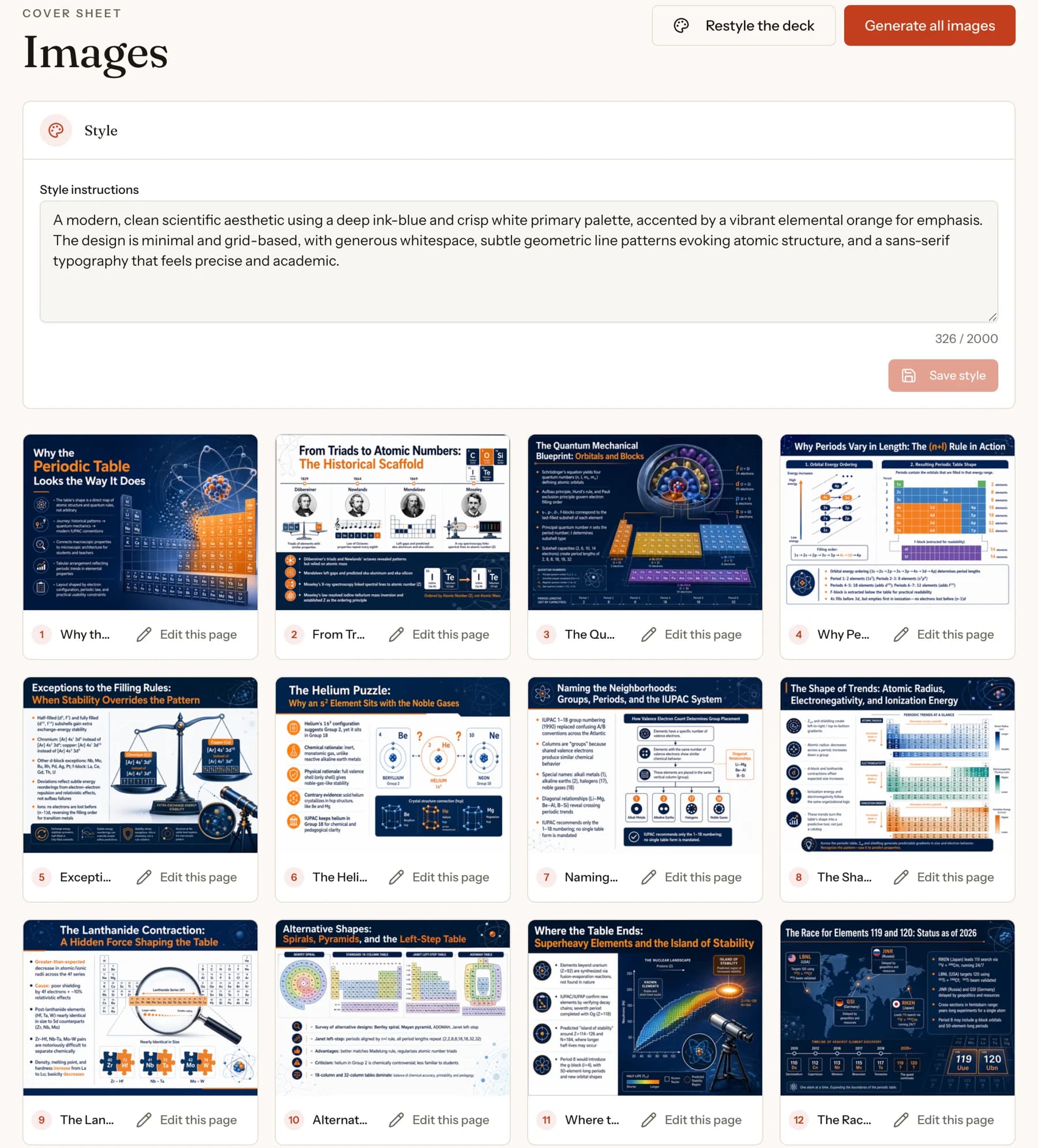
PersonWise generated deck showing visual style controls and a complete set of designed slides
Generate and review a complete deck of visual course slides

What the AI produces

The work between the brief and the finished deck.

This is not a prompt pasted into a fixed template. The engine carries one topic through research, structure, writing, art direction, and page production.

  1. A presentation with a point of view

    PersonWise researches a topic or reads your materials, then builds an ordered outline around the audience and the job the presentation needs to do.

  2. Slide content and narration together

    Every page gets its on-screen content and the script a presenter will speak, so the visual argument and the spoken explanation are developed as one system.

  3. One visual system across the whole deck

    The engine establishes a palette, typography direction, composition, and image treatment, then applies that standard to every page instead of polishing only the cover.

  4. Images made for the slide they belong to

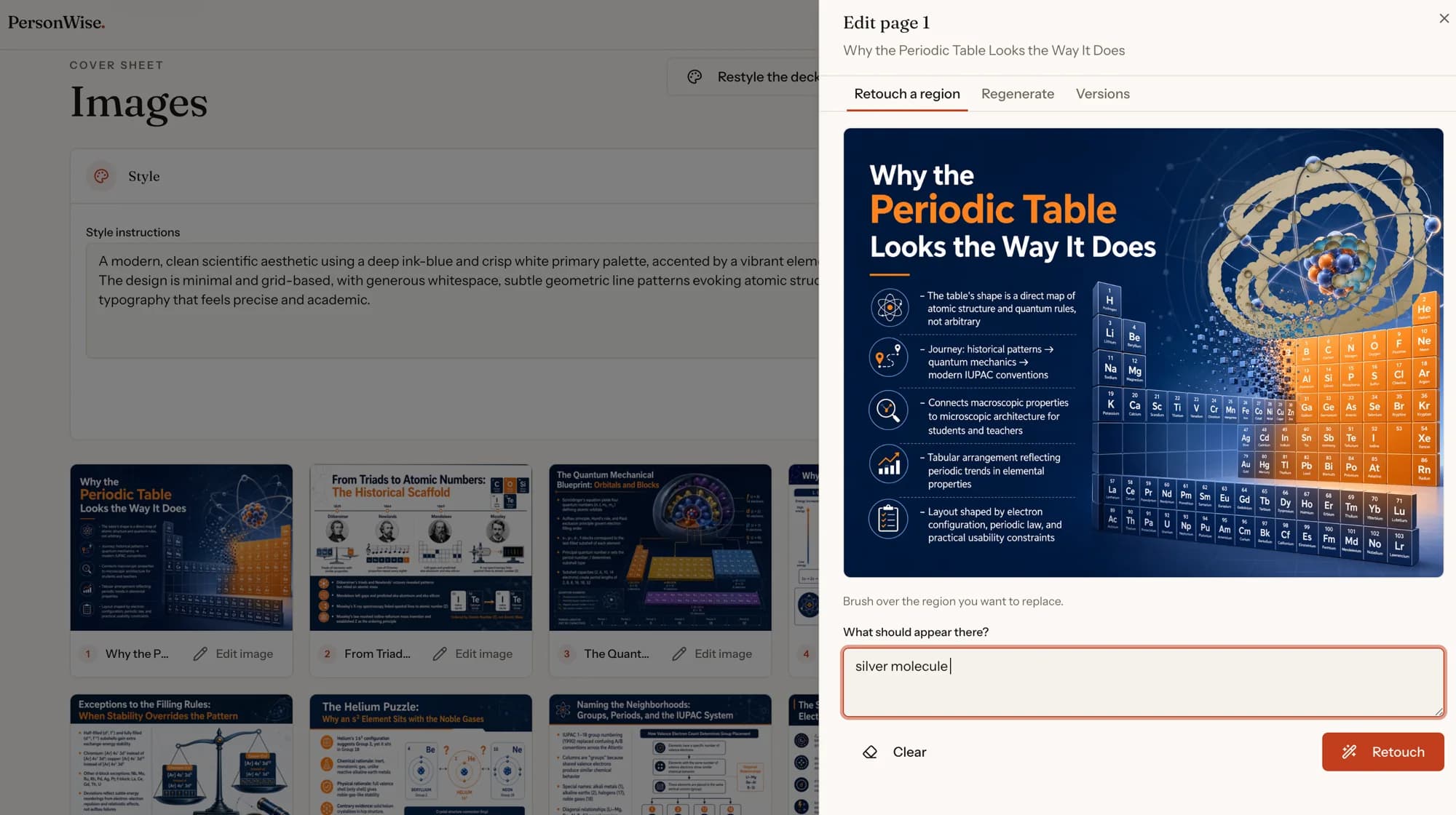
    Visuals are generated from each page's specific context. You can regenerate one page, provide references, retouch a region, or restyle the complete deck.

Inside the product

A real presentation, from input to audience.

These are product screens from one complete PersonWise course. The same workflow works for training, product education, explainers, and interactive editorial content.

01

Start with one line or your source material

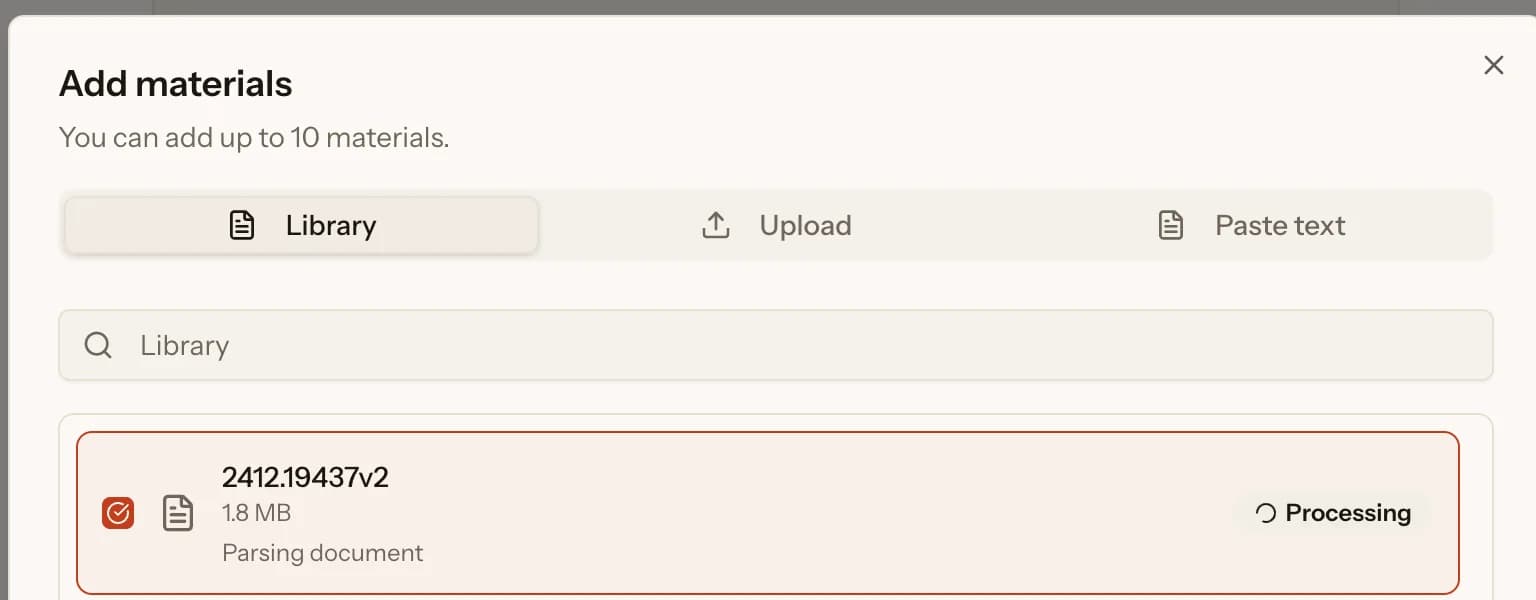
Set the topic, language, and target audience. You can also add PDFs, Word files, presentations, spreadsheets, text, or images so the structure and narration stay grounded in what you provide.
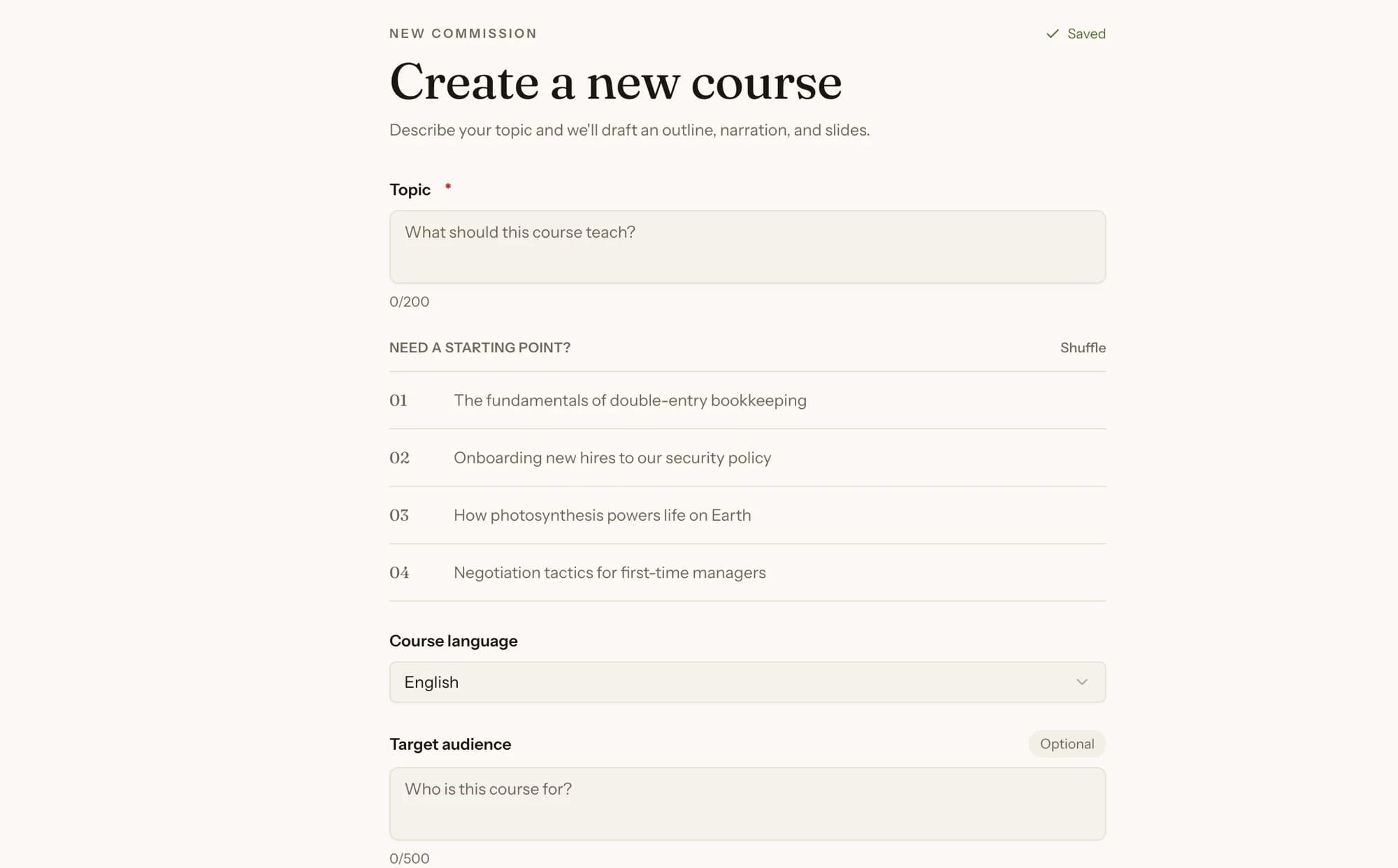
PersonWise new-course screen with topic, language, and target-audience fields
Start a new course from a topic, language, and target audience
PersonWise material picker parsing an uploaded document with library, upload, and paste-text options
Upload source materials and watch PersonWise parse them for the course

02

Review the complete deck, not just a promising first page

The cover, explanatory pages, diagrams, comparisons, and closing pages are generated as one visual sequence. Edit the outline, reorder pages, revise narration, or change the visual direction before publishing.

PersonWise generated deck showing visual style controls and a complete set of designed slides
Generate and review a complete deck of visual course slides

03

Edit the argument before you polish the slides

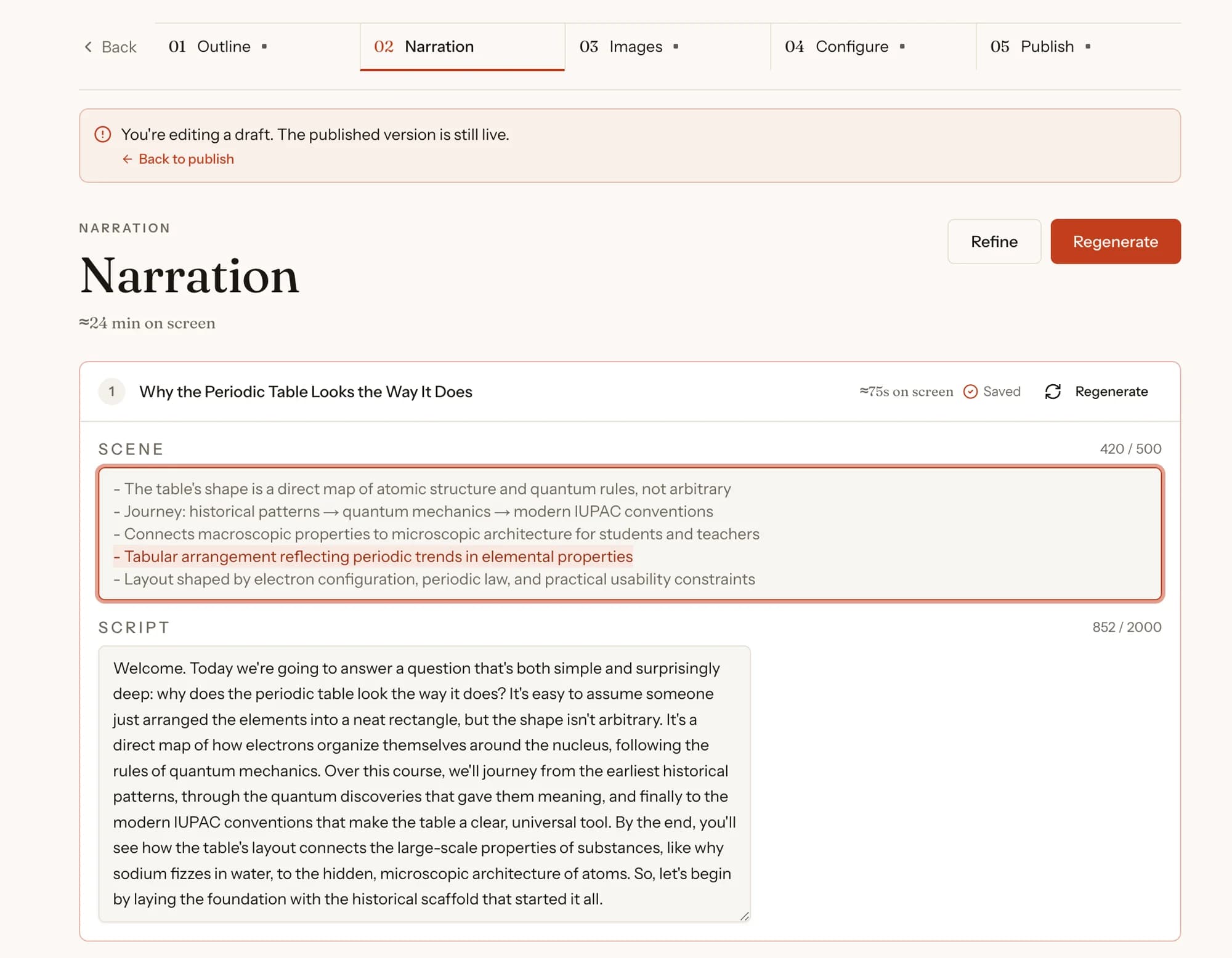
Reorder or rewrite the outline, adjust each page's scene and narration, then regenerate or retouch only the visual that needs work. The published version remains live until you publish the draft.
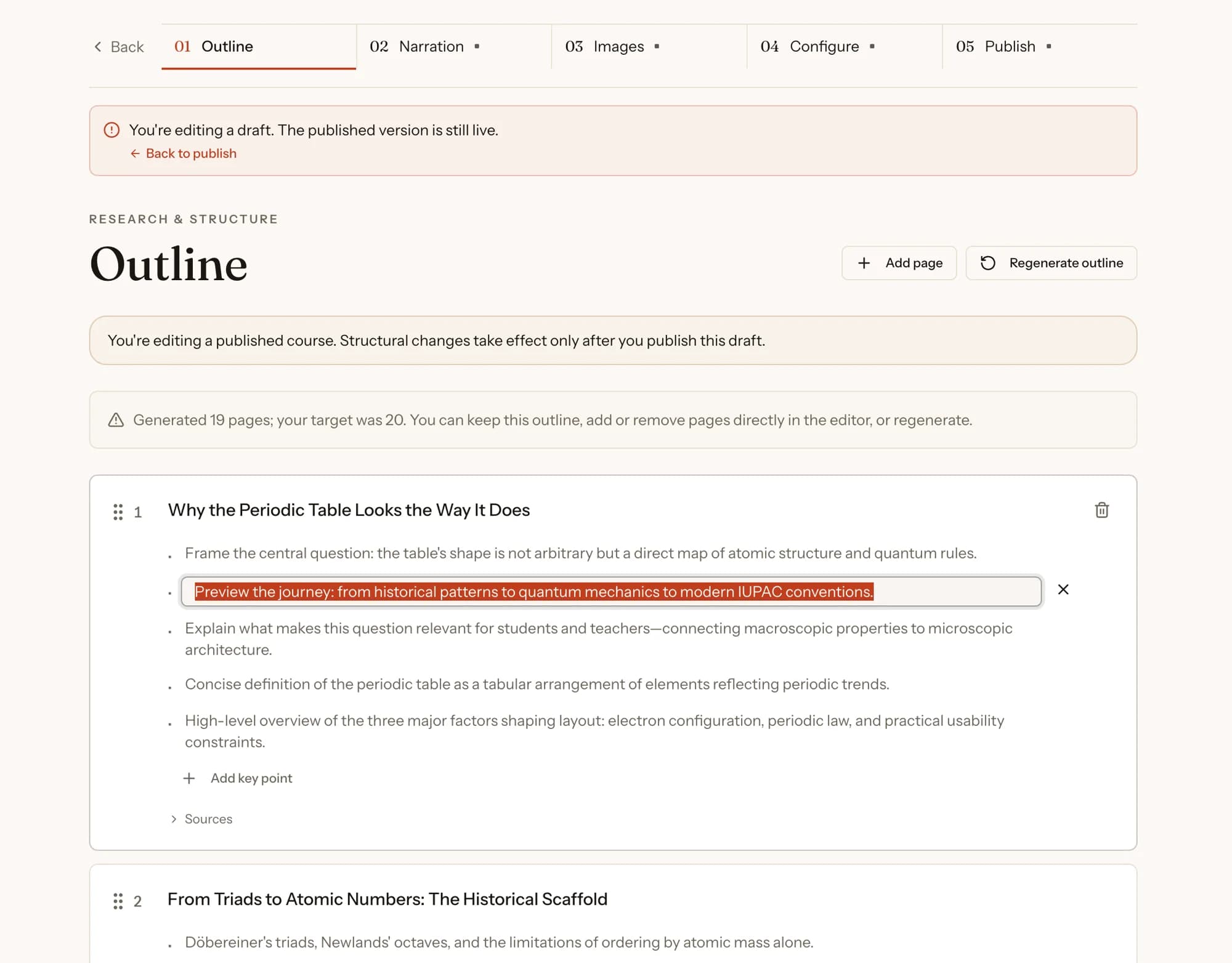
PersonWise outline editor with editable page titles, key points, ordering, and sources
Edit the generated outline, key points, page order, and sources
PersonWise narration editor with editable on-screen scene text and presenter script
Edit each slide's on-screen scene and presenter narration
PersonWise slide-image editor with a selected region and a text instruction for retouching
Retouch a selected region without regenerating the entire deck

04

Choose how the presentation is delivered

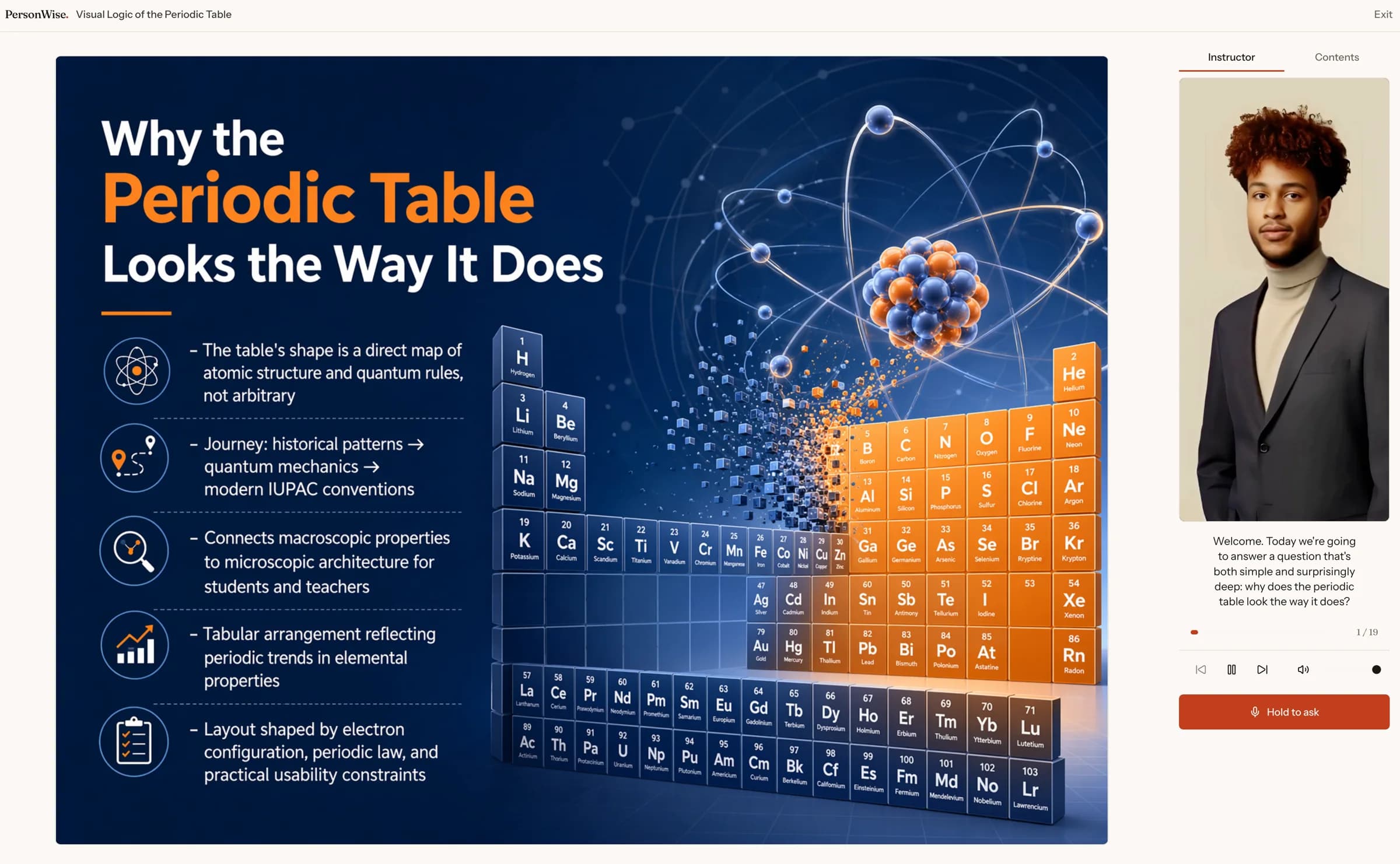
A generated deck can stand on its own, or you can add a digital-human presenter and voice. The audience can pause, replay, or interrupt the presentation with a spoken question grounded in its content.
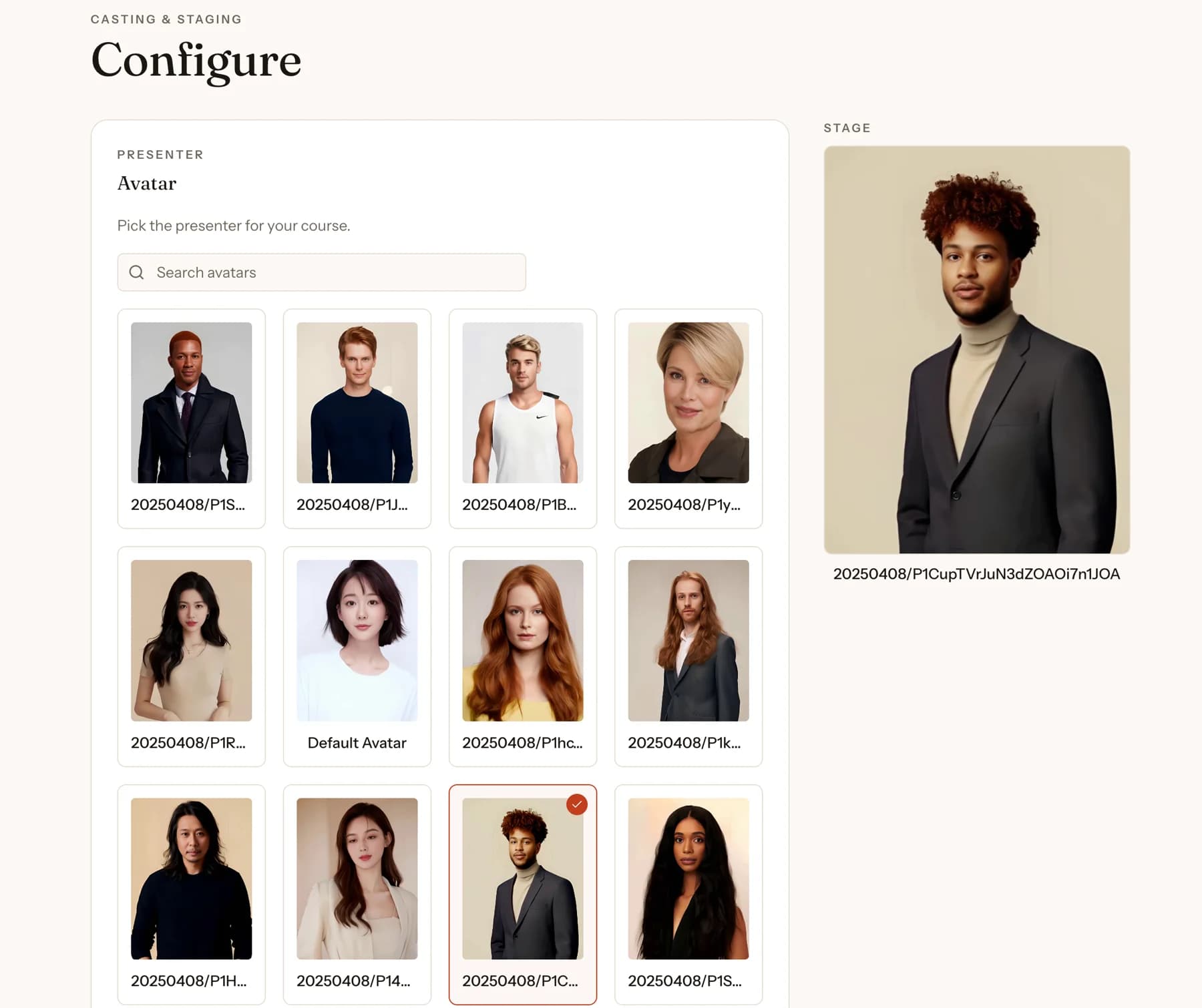
PersonWise presenter selection screen with a gallery of digital-human presenters
Choose and preview a digital-human presenter for the course
PersonWise public course player with a designed slide, digital-human presenter, and voice question control
Public course player with slides, presenter, and live voice Q&A

05

Put it where the audience already is

Publish by link or place the responsive player inside a website with an iframe. It behaves like an embedded video, except the audience can ask the presentation a question.
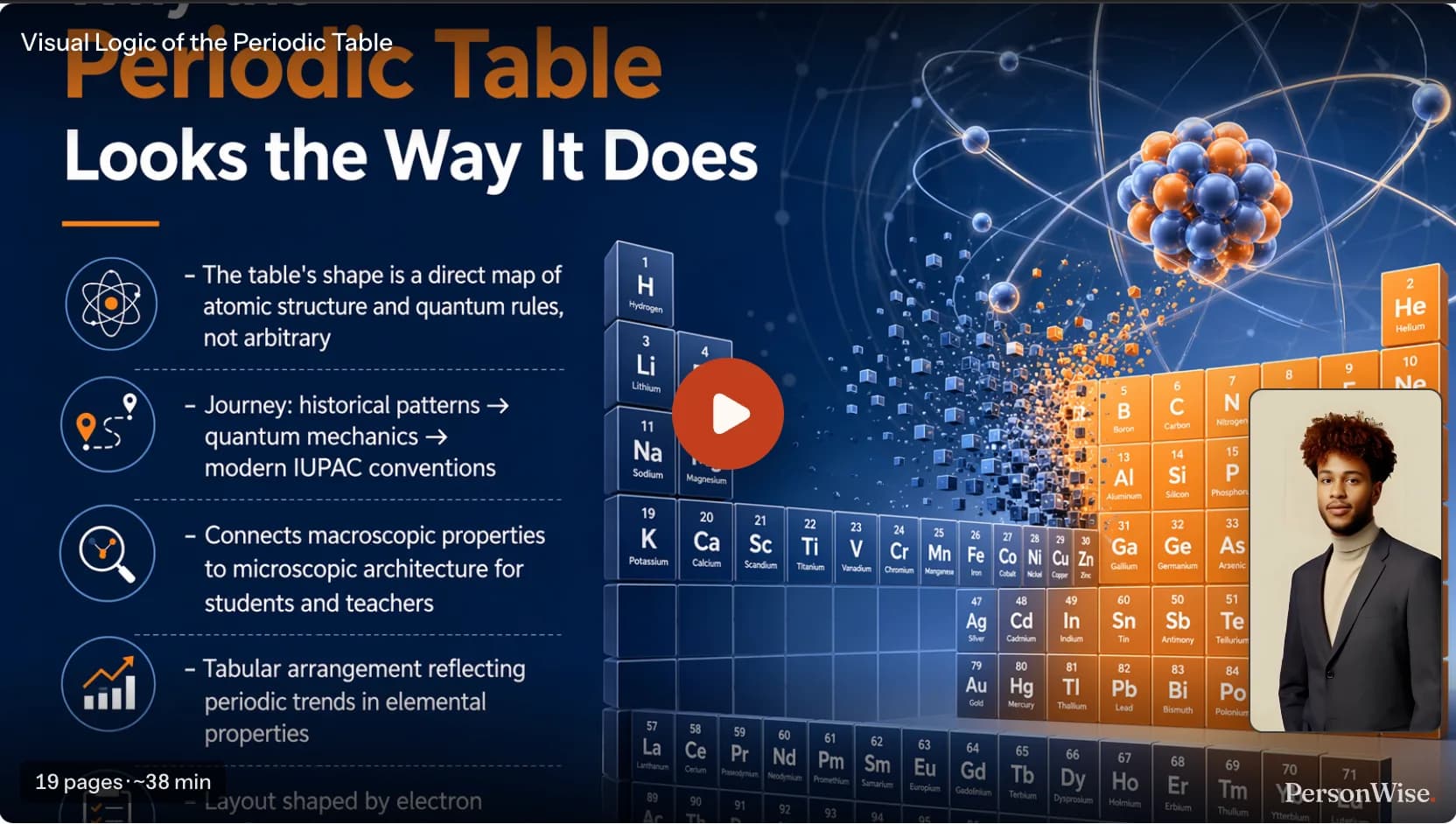
PersonWise compact embedded player showing a generated slide and presenter
Interactive course embedded in a website with a compact player

Output

A deck is the beginning, not the end.

Keep working inside PersonWise, take the slides offline, or publish the presentation as a living piece of content.

Download the sample PPTX

19 slides, 6.8 MB. Direct download; no account required.

Editable workflow

Change the outline, page order, narration, visual style, or any individual generated page.

PDF and PPTX

Paid course assets can be rendered for offline use, with optional PersonWise branding and a course QR code.

Link and embed

Share a hosted presentation or embed its responsive player on another website.

Interactive delivery

Add a presenter, grounded voice Q&A, assessment, and team completion evidence.

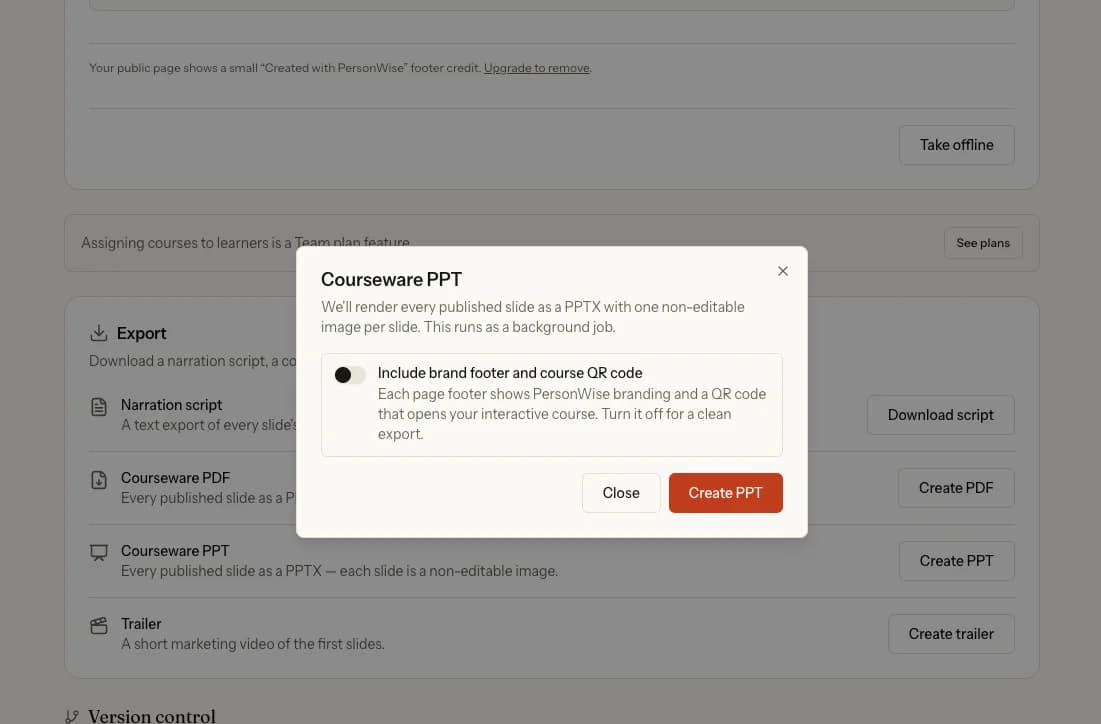
PPTX exports contain one high-resolution, non-editable image per slide. PersonWise does not currently export each text box and visual as a separate native PowerPoint element.
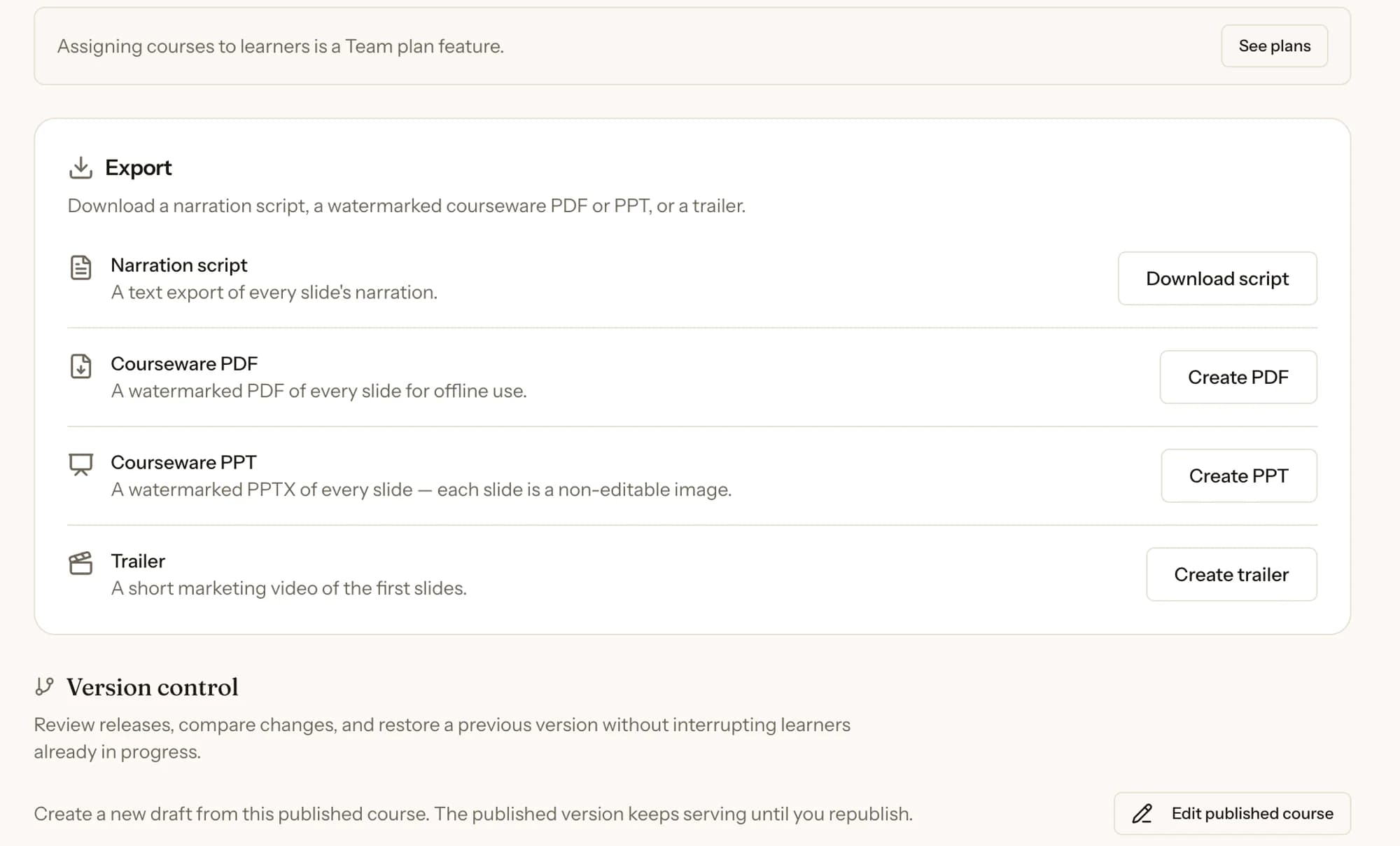
PersonWise export panel with narration script, PDF, PPTX, and trailer options
Export narration, courseware PDF, PPTX, or a short trailer
PersonWise PPTX export dialog with the optional brand footer and course QR code switched off
Create a clean PPTX with the optional brand footer switched off

Questions about AI presentation generation.

What can I create a presentation from?
A topic is enough. You can also add PDFs, Word documents, PowerPoint files, spreadsheets, text, markdown, or images. PersonWise uses those materials to ground the outline, narration, and learner answers.
Does PersonWise create a conventional slide deck?
It creates a complete visual slide sequence inside an interactive course. Paid course assets can also be exported as a PDF or PPTX for offline use, with optional PersonWise branding and a course QR code.
Can I edit what the AI generates?
Yes. You can edit the outline and narration, reorder or remove pages, change the deck-wide style, regenerate an individual page, use reference images, and retouch selected regions.
Does the audience need a PersonWise account?
No account is required to watch a public presentation or ask voice questions. An account is required only when an organization assigns the course and needs named progress and completion records.

Give the engine a topic and judge the deck it returns.

Start with a free demo course and review the structure, writing, design, and interactive delivery for yourself.